In short
A finished summer camp parent guide lets a registered family see the target age, access-request route, week, first-day tasks, daily kit, arrival and pickup, contact routes, weather updates, and cancellation terms on one page.
Keep a child's name; health, medication, or allergy information; payment details; consent; signatures; and approved-pickup information in the camp's official private system.
Use the guide as a maintained reading copy. It does not replace the camp's current policies, medical judgment, safety plan, or emergency instructions.
NOS Team revised a fictional small day-camp example around the tasks a family needs after registration. Every camp name, date, time, role, and operating value in the example is invented. We kept the existing NOS page, replaced its broad source-register draft with a complete family guide, and checked the same reader address again.
What does a finished summer camp parent guide look like?
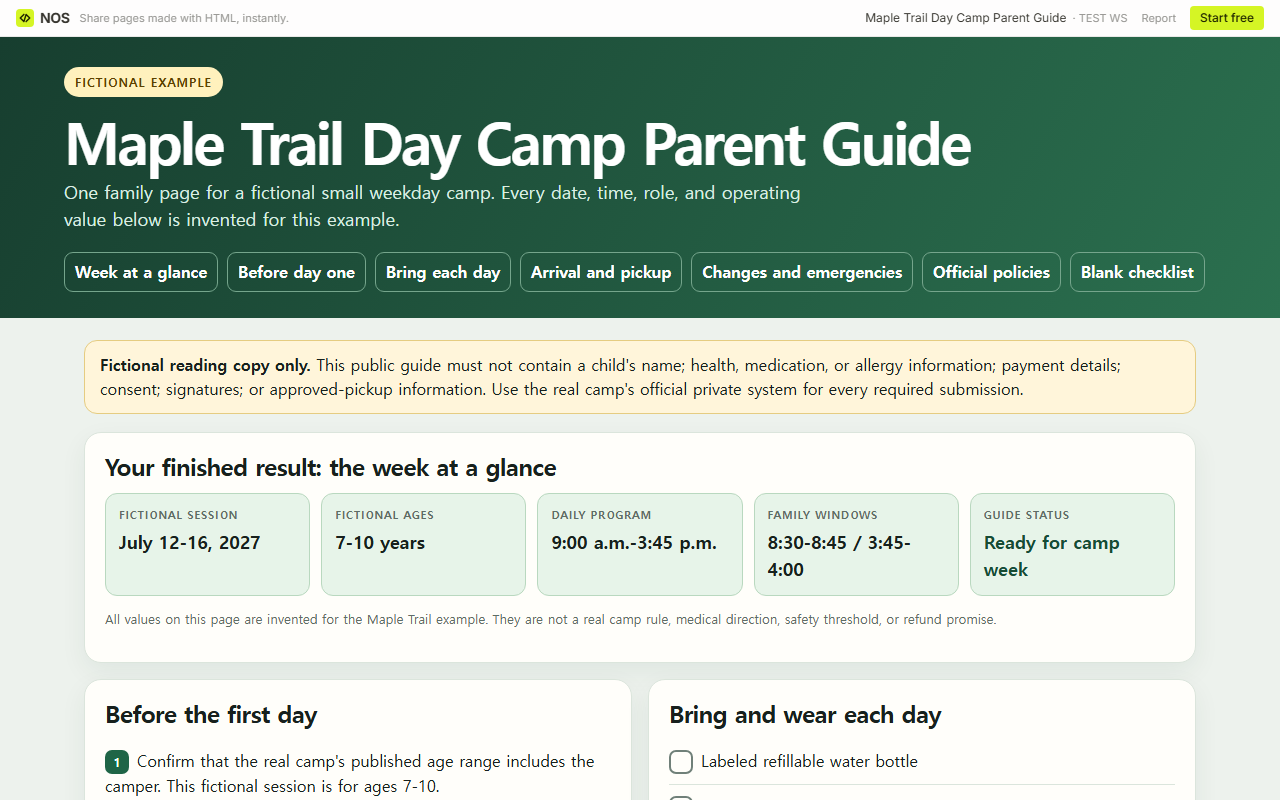
Lead with the result a family needs. The fictional Maple Trail guide opens with its ages 7-10, week, daily program, arrival and pickup windows, and current guide status. It then gives a fictional access-request path, clear family contact routes, a weather decision and check time, full fictional cancellation terms, and a blank checklist. Every value is invented for the example, not a general camp rule.
The American Camp Association's parent-handbook guide groups the source material into dates and forms, health and safety, communication, drop-off and pickup, transportation, packing, food, activities, and frequently asked questions. Its official source address is acacamps.org/blog/sponsored/how-write-parent-handbook-summer-camps. The structure here does not copy a camp's policy. It gives the page owner a way to point each family task back to the real camp source that controls it.
Download the complete fictional parent-guide example. Replace its invented values only after checking the real camp calendar, packing rules, arrival and release procedure, family contact route, and policy library.
What should families finish before the first day?
Start with four actions: confirm the real camp's target age, find its access-request and confirmation routes, complete every required private submission, and open the current behavior and refund policies. Keep the action text on the reading page, but keep the submitted information elsewhere.
That separation matters for health and release details. The public example does not ask for a child's name; health, medication, or allergy information; payment details; consent; signatures; or approved-pickup information. It tells the family to use the official private system supplied by the real camp.
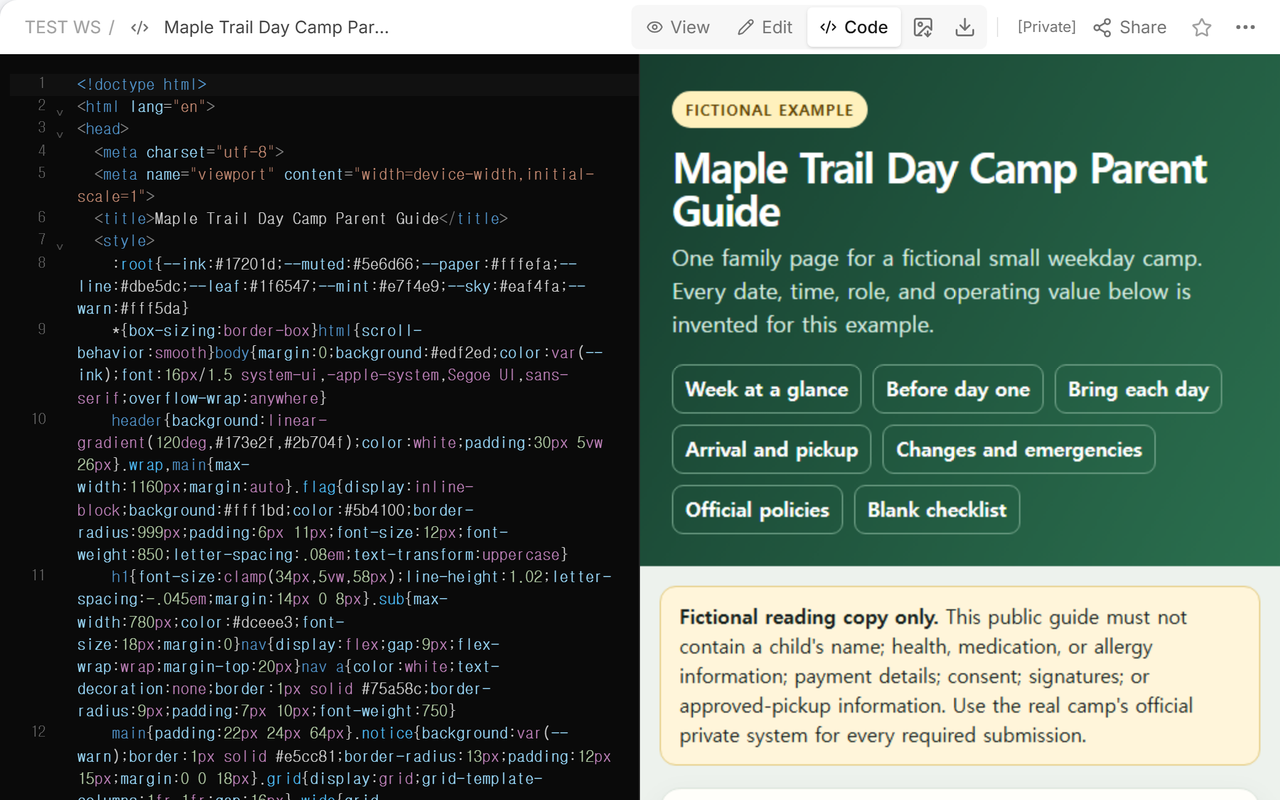
We saved the whole fictional guide in one NOS HTML page. Code view showed the complete source beside the rendered opening screen, including the fictional label and the privacy boundary.
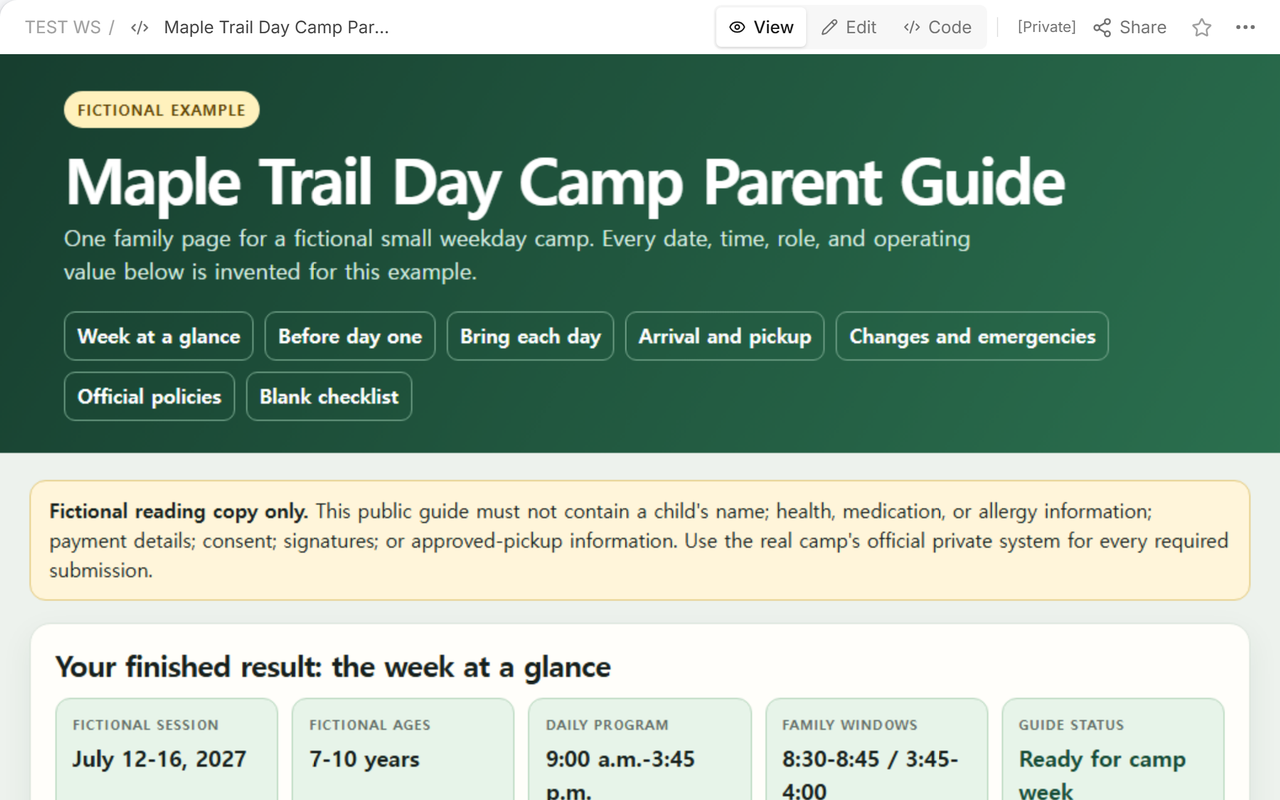
View mode then showed the same result without the source editor. This is the screen the owner can scan before sharing: the dates, windows, status, and the beginning of the first-day and daily-kit sections are visible together.
What should a camper bring each day?
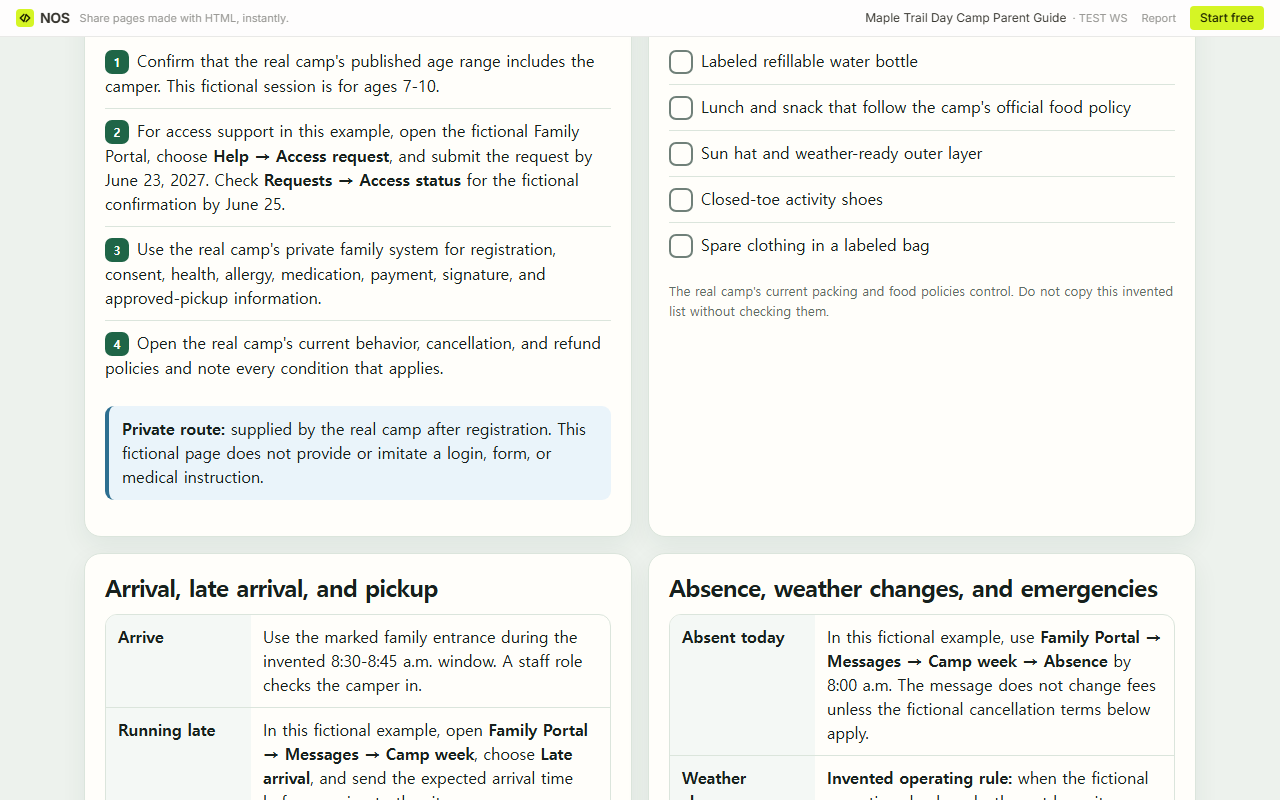
Use the camp's actual packing and food policies, not a generic web list. In the fictional example, the daily check names a labeled water bottle, lunch and snack that follow the camp's food policy, a sun hat, a weather-ready layer, closed-toe activity shoes, and spare clothing. Each item is explicitly an invented example until a real camp confirms it.
The Harrisonville 2026 Summer Camp Parent Handbook shows why the maintained source matters: its “What To Bring” section includes footwear, food, sunscreen, devices, and prohibited-item details that belong to that program. Another camp may set different rules. Link or name the controlling source so a family knows where to check before packing.
How should arrival and pickup work?
Write four separate rows: normal arrival, late arrival, normal pickup, and a different pickup adult. Put the applicable window beside the ordinary route. For exceptions, point to the camp's current instruction instead of improvising a workaround.
The fictional page says that a different adult must be added through the private pickup record before release. It does not display a person's name or claim that the update has been approved. Harrisonville's handbook likewise keeps check-in, checkout, identification, and approved pickup procedures together, but its exact rules apply only to that program.
Where should absence, weather, and emergency contacts go?
Give each situation its own route. In the fictional example, absence and late arrival have named message categories, routine questions use a named portal route or the reserved familydesk@mapletrail.example address, and urgent concerns point to the reserved example number 202-555-0147. Those contacts are deliberately fictional and do not reach a real camp or emergency service.
The weather row is equally concrete without pretending to set a universal safety threshold. For this invented camp only, an operations lead marks the outdoor site closed by 7:00 a.m.; the parent checks the fictional Family Portal → Bulletin → Today at 7:15 a.m. and again 30 minutes before departure. A real camp must replace that invented decision, timing, and route with its approved plan.
How do you show the official policy originals?
Add a policy index near the family actions. The fictional example spells out age and access, schedule, daily kit, arrival and release, contact and weather, and cancellation. Each row gives a finished invented value and tells the owner which real-camp source must replace it.
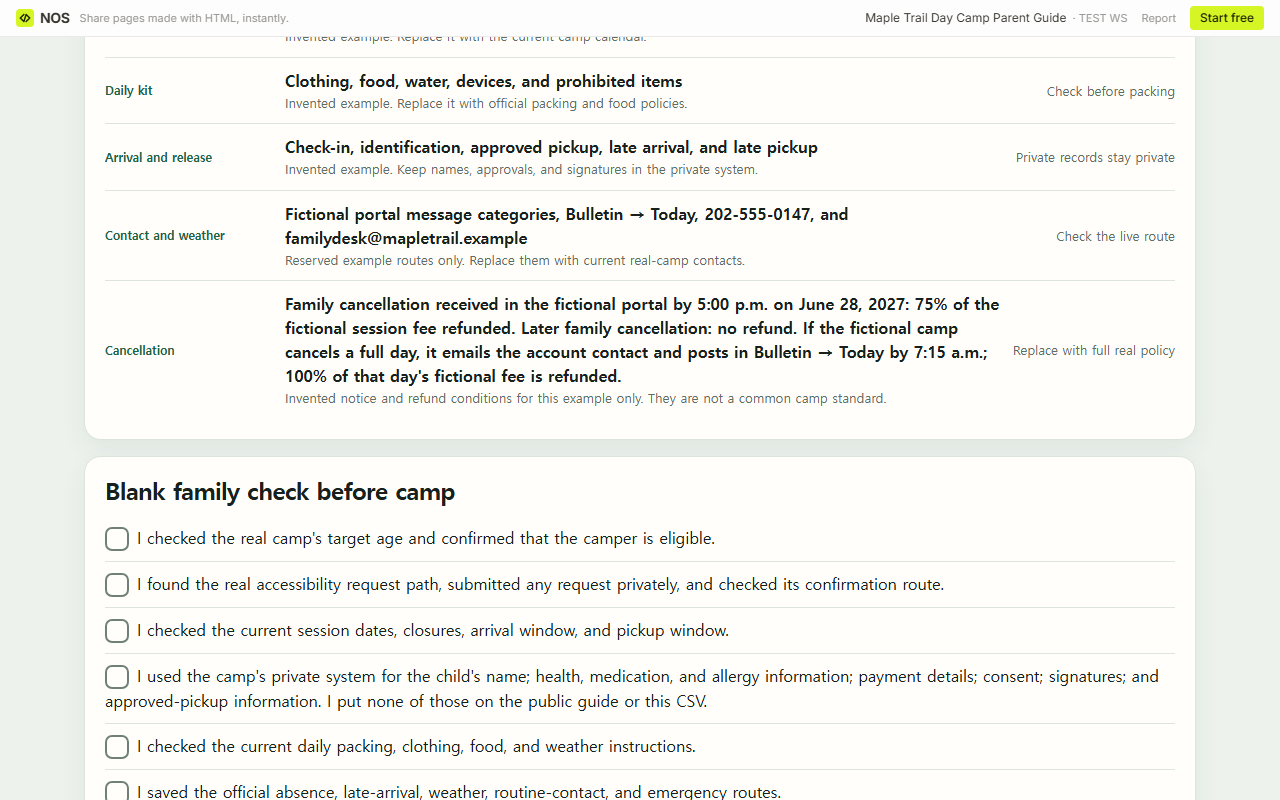
Refund and behavior rules need their original conditions. The Maple Trail example therefore says that a fictional family cancellation received by 5:00 p.m. on June 28, 2027 receives 75% of the fictional session fee, a later family cancellation receives no refund, and a full day cancelled by the fictional camp is announced by 7:15 a.m. with 100% of that day's fictional fee refunded. These invented conditions demonstrate completeness; they are not copied from a real camp or offered as a standard. Harrisonville's handbook places its own cancellation and refund terms, behavior rules, medication procedures, and emergency protocols in distinct sections.
Can families use a blank checklist?
Yes. A blank check is useful when it records what the family verified, not private answers. The downloadable sheet now includes target-age eligibility, the accessibility request and confirmation routes, weather timing, contact routes, and full cancellation terms. Its privacy row says not to enter a child's name; health, medication, or allergy information; payment details; consent; signatures; or approved-pickup information.
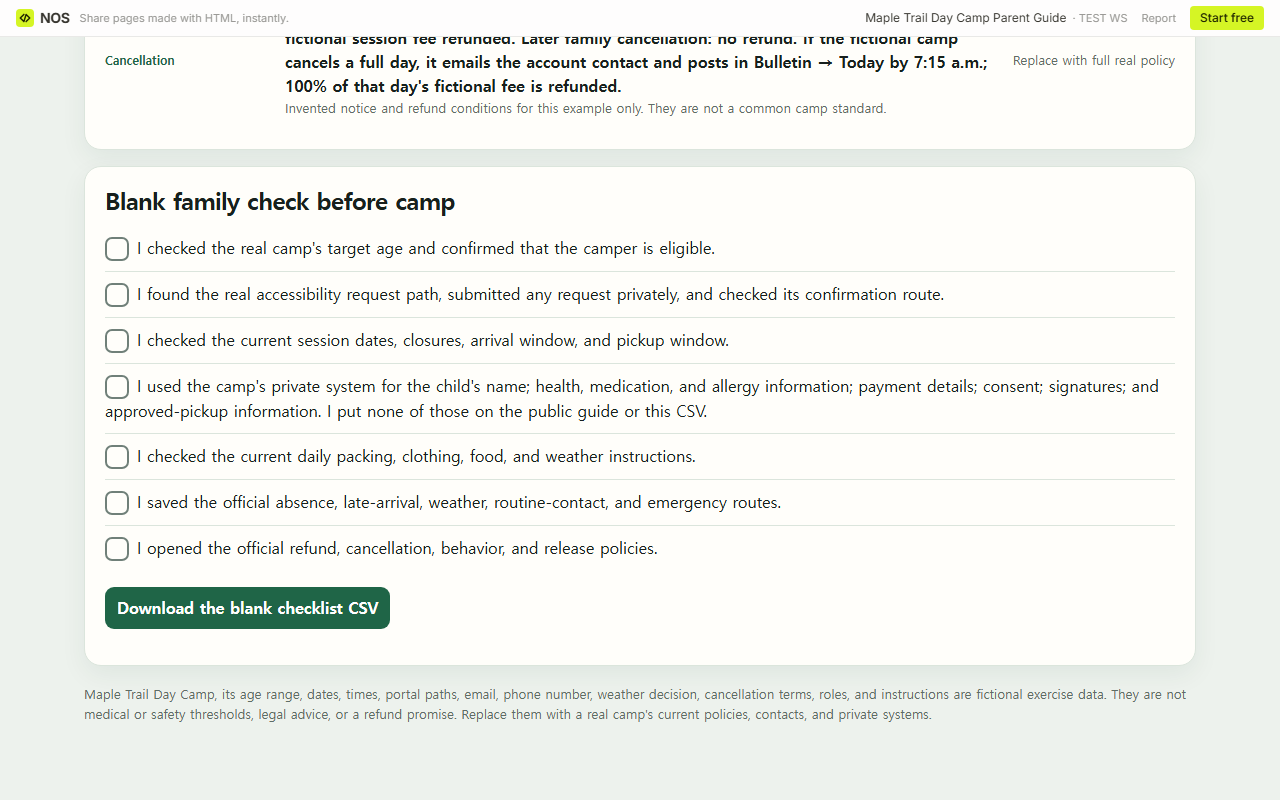
Download the blank summer camp parent checklist CSV. Add the real camp's source titles before distribution, then keep completed private forms in the approved system rather than attaching them to this sheet.
How do you share and maintain the guide?
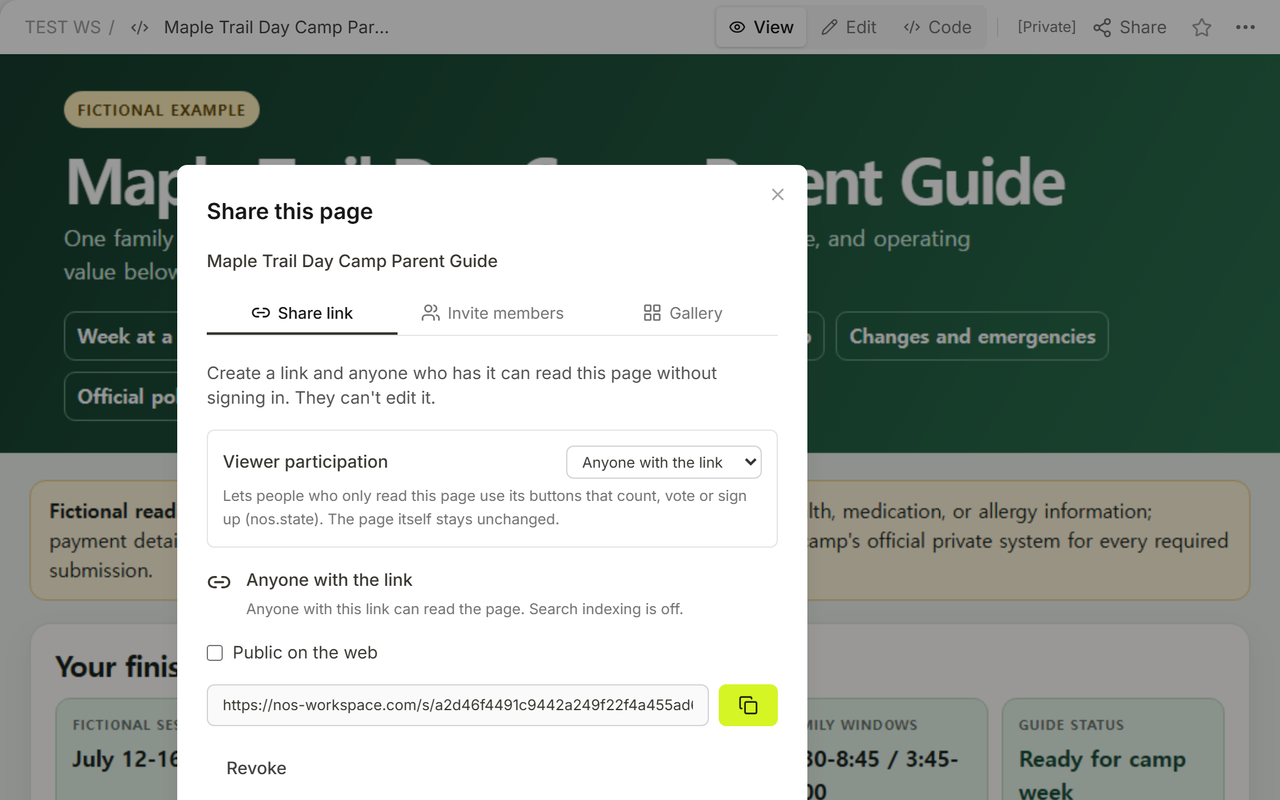
Open Share and check the reader boundary before giving out the address. In our final screen, the panel said that anyone with the link could read the page without signing in and could not edit it. That is appropriate for a sanitized reading copy, not for confidential family records.
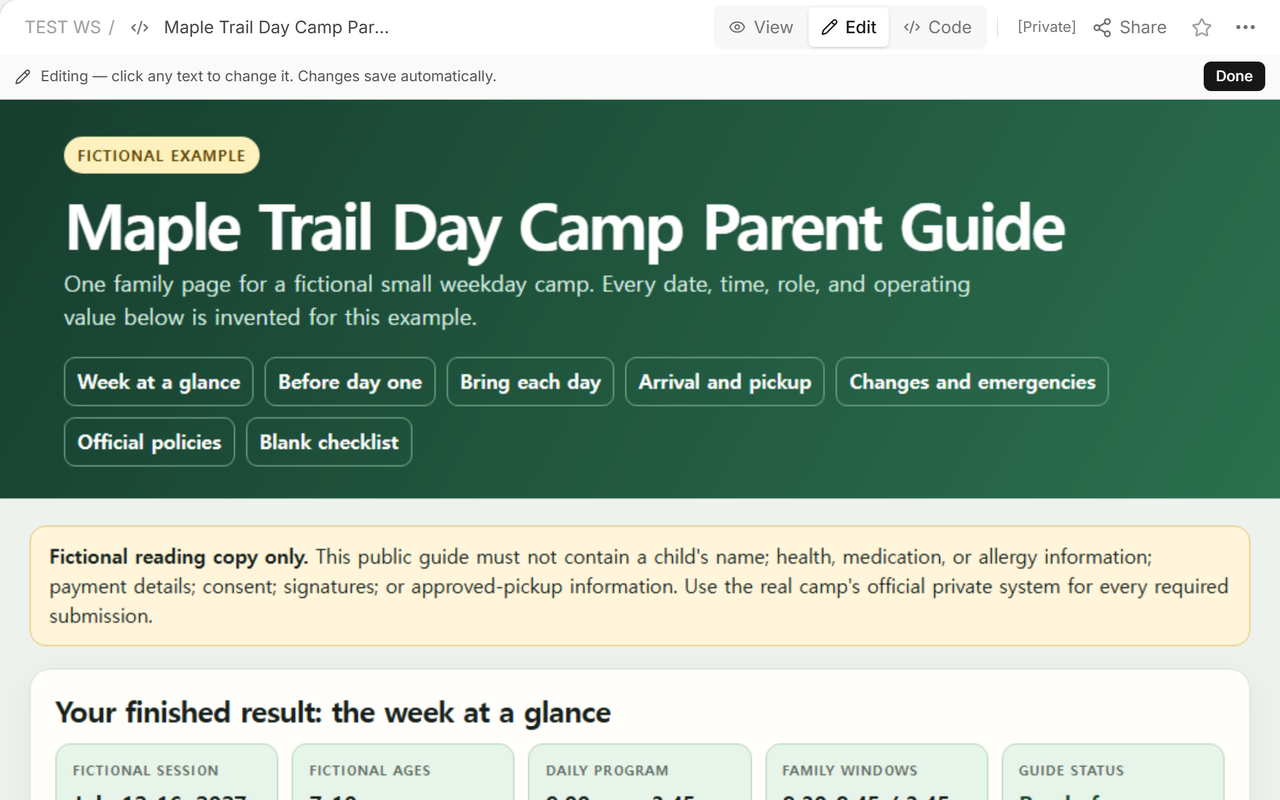
When an operating detail changes, edit the existing page and then reopen the actual reader address. We used the normal Edit screen on the same saved document and confirmed the final family guide at the original address. Read the visible page, not only its page label, because the guide body is the information families use.
When not to do this
Do not use a public parent guide to collect or store a child's name; health, medication, or allergy information; payment details; consent; signatures; or approved-pickup information. Do not use this fictional example to make legal, medical, safety, supervision, refund, or emergency decisions. A real camp's current policies, trained staff, private systems, and official communication routes remain authoritative.
Using NOS for the family reading copy
NOS can hold the prepared HTML guide, show the final page in View, and provide a reader address through Share. In this example, the same saved page moved from a broad draft to a complete fictional family guide, and the original reader address displayed the revised body. NOS is the reading layer here; the camp's private records, approvals, policies, and direct notifications stay in their official systems.
Related guides that serve different jobs
The camp counselor guide is staff-facing and organizes the day's duties, escalation boundaries, contacts, and handoff. A parent welcome letter introduces the program and opens a reply route. A parent communication log records contact attempts, replies, and follow-up after communication occurs. None of those replaces the registered family's preparation guide.