In short
A talent show program needs four things: the date and start time, the acts in running order with a number for each, where the break falls, and a few house rules for families.
Put it on one web page and print a QR code that points to the page. Paper can't change once it is handed out. The link can.
When an act moves, change the words on the same page. Keep every act number as it was and add a short "Latest update" line at the top, so families holding an old screenshot are not confused.
We made a program for a made-up school event, the Maple Ridge Spring Talent Show. It has ten acts, a host welcome, and an intermission. We put it on NOS, opened the share link on a phone-size screen, and then did what usually happens on show night: the magic act had to move to after the break. We changed two lines in the editor and reopened the same link. Every name and school in this example is fictional.
You can open the finished example program or download the HTML file and change it for your own show.
What goes in a talent show program?
Most template sites sell a pretty one-page design for Word or PDF. The design matters less than whether a parent in row twelve can answer three questions fast: when does my kid go on, how long until the break, and when can I pick them up.
- Show basics. Day, door time, start time, and the room.
- Running order. A number, the act type (Dance, Piano, Magic), the act title, and first names with grade. First names are enough for a school audience.
- The break. Put it between the acts it really falls between, with its length and anything happening in the lobby.
- Good to know. The act time limit, the expected end time, photo rules, and where to collect children after the last act.
- A thank-you line. Short, at the bottom.
How to make a talent show program
- Write the running order first. Lock the act list before you style anything. Every late change to a printed sheet costs a reprint.
- Build one page that reads well on a phone. One column, large act numbers, one card per act. Our example is a single HTML file with no outside images, so it loads quickly on gym Wi-Fi.
- Paste the HTML into a new NOS page. The Code view shows what you pasted. Check that the "Fictional example" label, or your real school name, appears at the top.
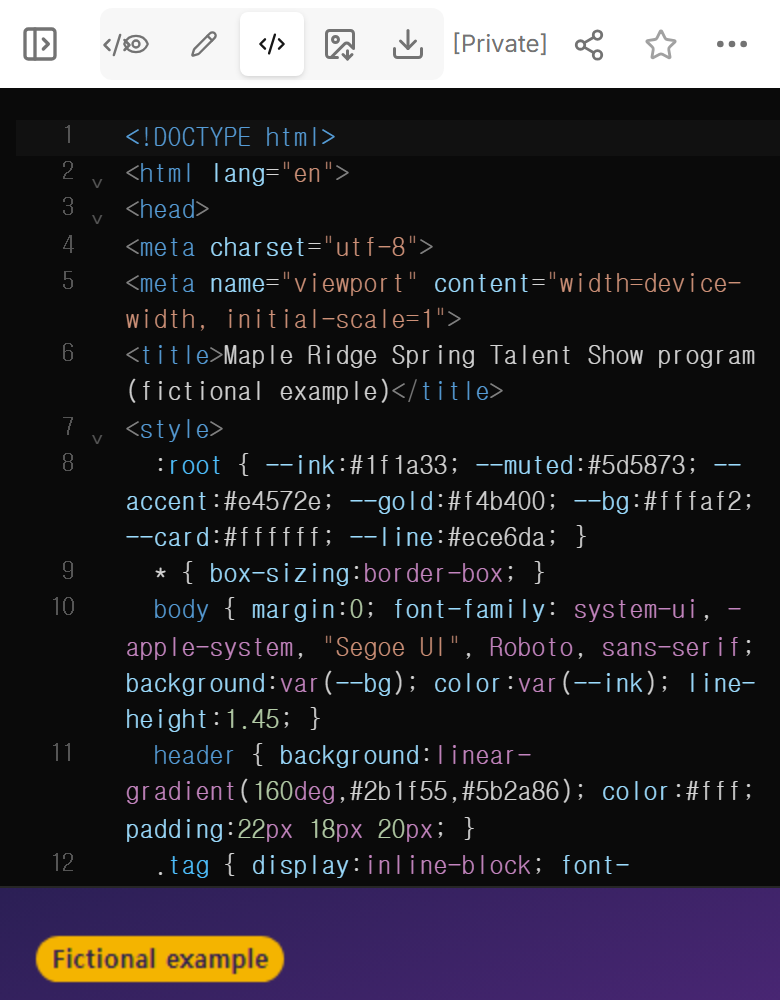
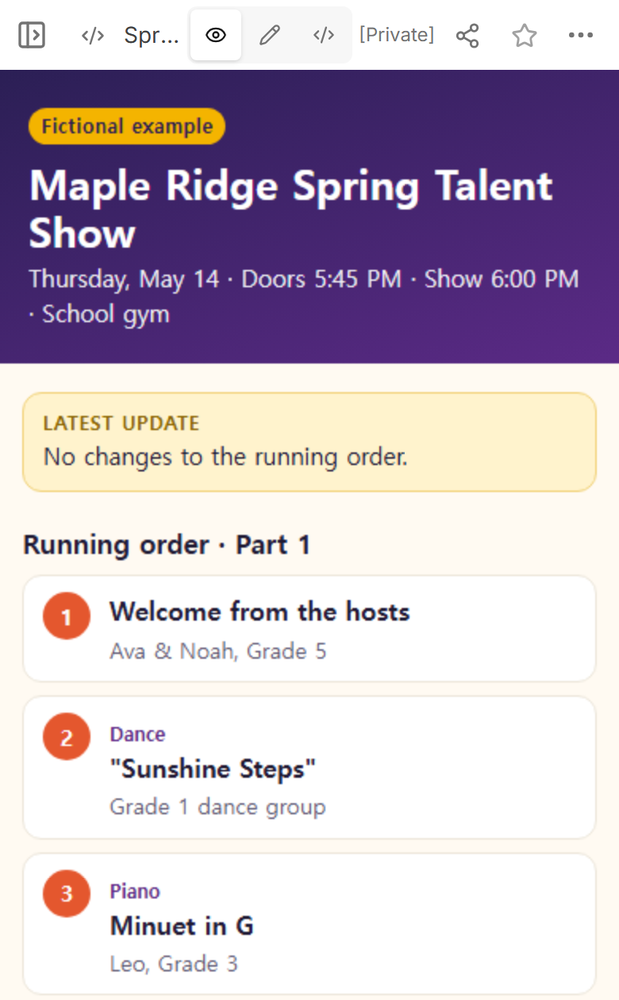
- Read it in View mode at phone width. This is close to what families will see. Look for long act titles that wrap badly and names that are hard to read.
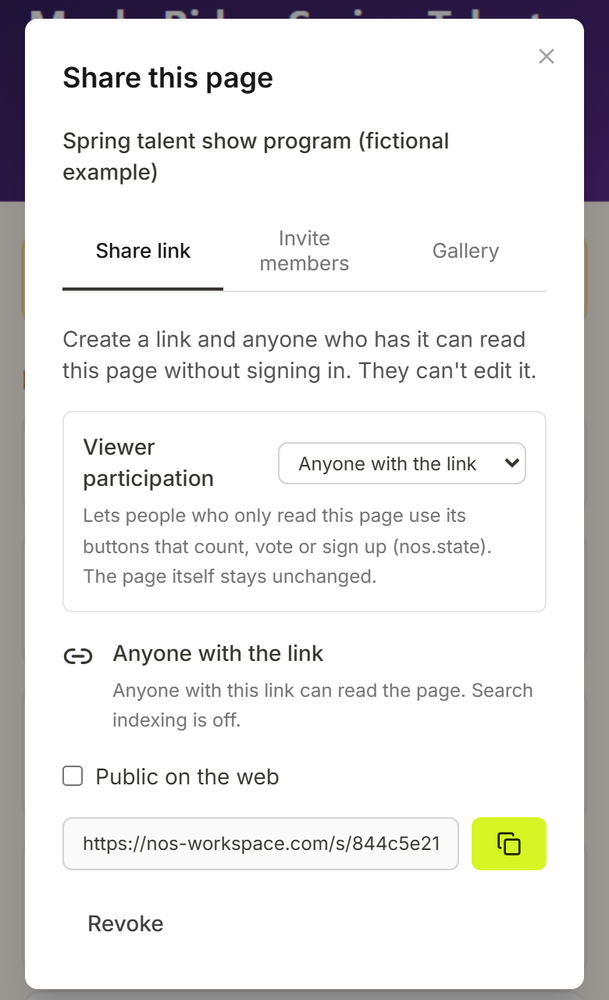
- Open Share and copy the link. The panel states that anyone with the link can read the page without signing in, and that search indexing is off.
- Turn the link into a QR code. Put the QR on the poster at the door and on any small paper handout. Our guide to turning an HTML page into a QR code covers print size and testing.
One detail we noticed: the browser tab on the shared page showed the name we gave the page in NOS, not the title inside the HTML file. Name the page the way you want families to see it.
Changing the program after it is out
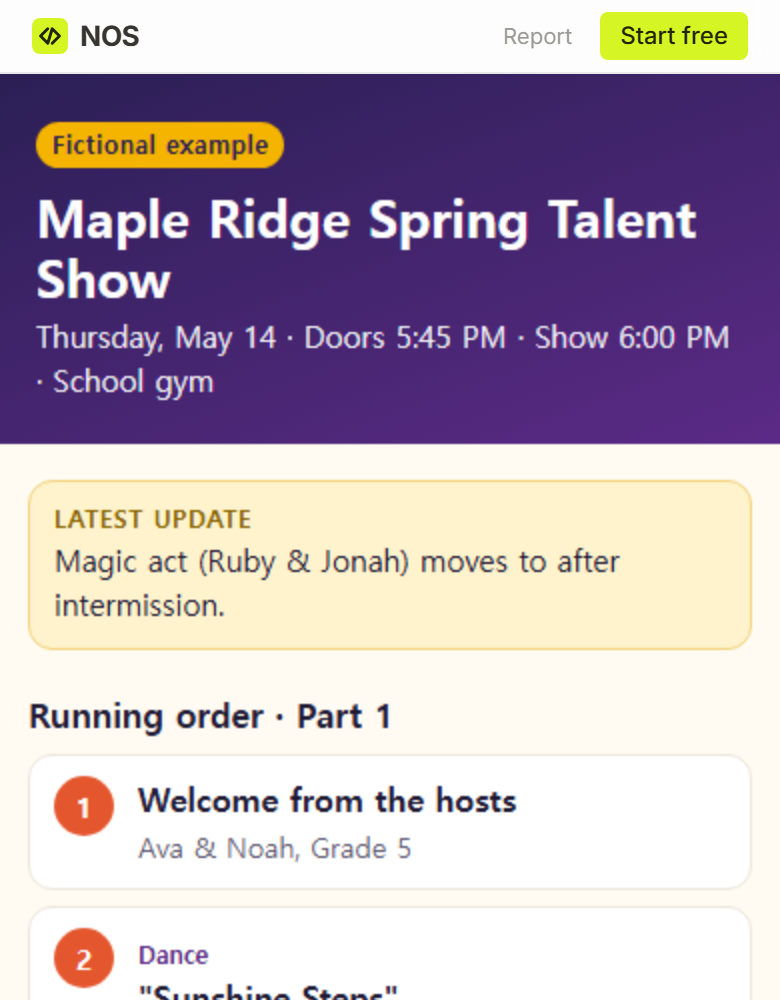
In our example, act 5 (Ruby and Jonah's magic trick) had to move to right after intermission. We made the change in two places and did not renumber anything.
First, the update line. In Edit mode a bar appears that says you can click any text to change it. We clicked the end of "No changes to the running order," removed it, typed the new message, and pressed Done.
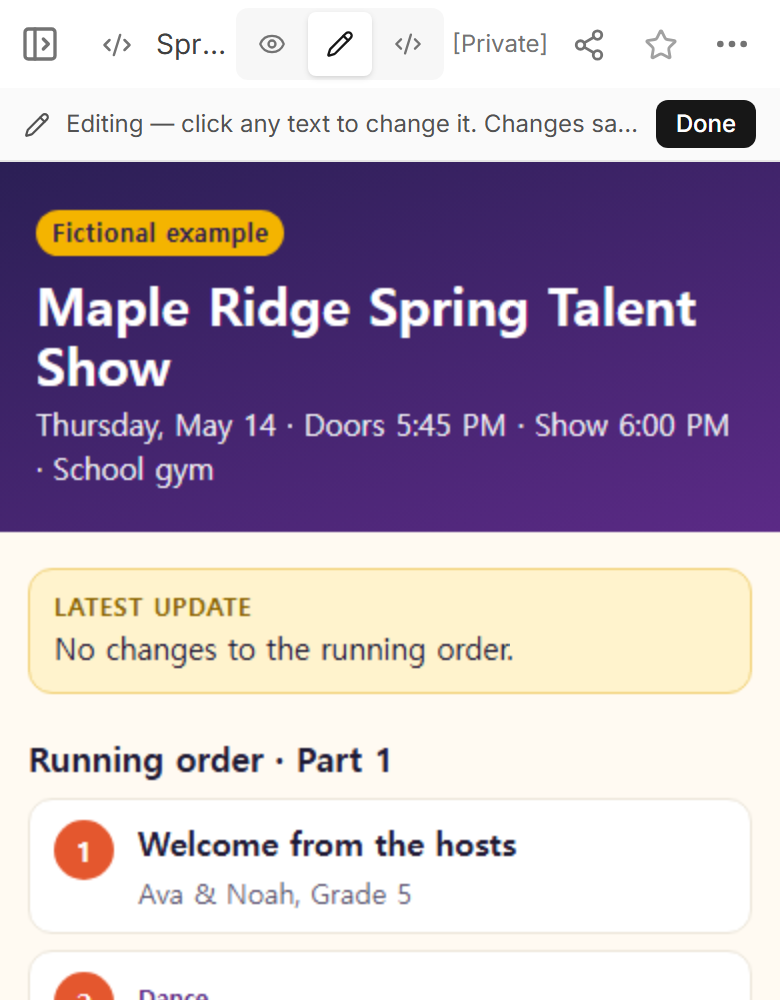
Then the act itself. We clicked at the end of the performer line for act 5 and added "now right after intermission." That way a parent who scrolls straight to their child's act still sees the change.
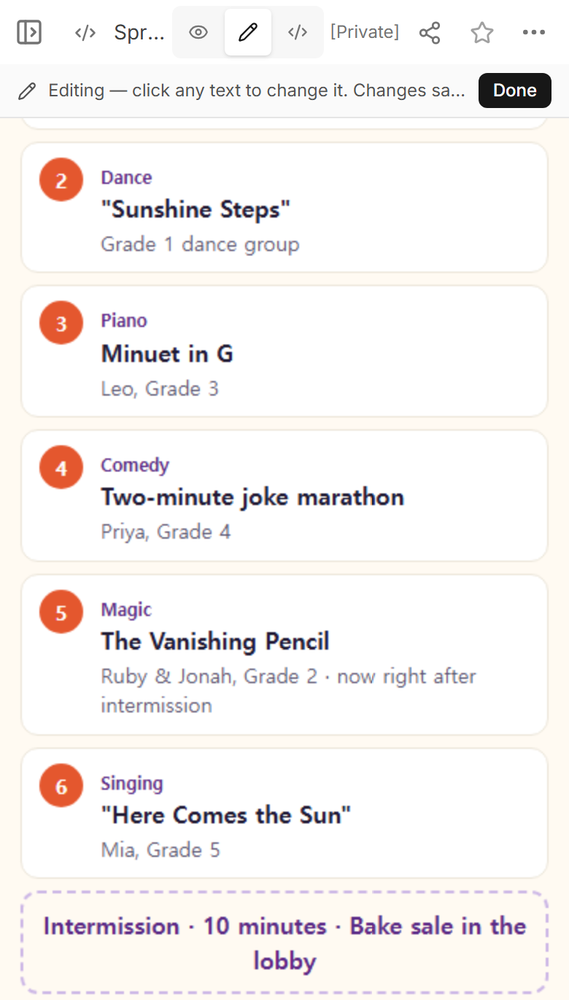
Then we reopened the original share link at phone size. The new update line and the act 5 note both showed up. The link did not change, so a QR code printed earlier would still open this page.
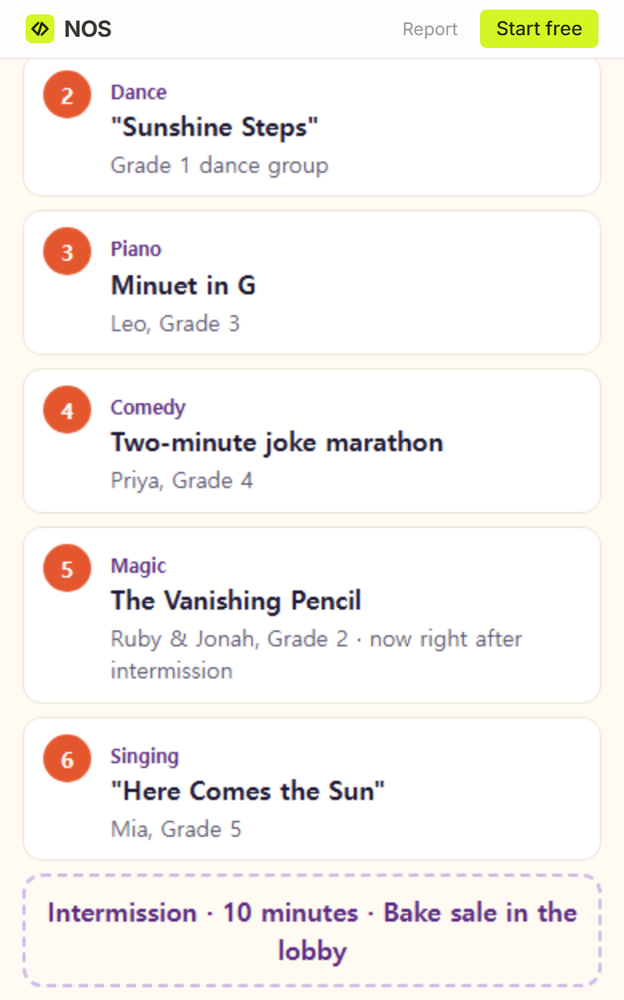
Why not just renumber? Kids, teachers, and the stage crew learn their numbers. A parent may have a screenshot from the morning. If act 5 becomes act 9, every one of those copies is wrong. A note that says where act 5 now goes keeps the old copies useful.
Edit mode changes words in place. If you need to move a whole act card to a new spot in the list, do it in the Code view, where you can cut the act's block and paste it in the new spot.
What is a good talent show program flow?
A good flow keeps energy up and keeps the backstage room moving. These are the rules we used for the example order:
- Open with a group. A big group of first graders on stage first means many families are in their seats on time.
- Put the youngest early. Small kids are fresh at the start and tired by the end.
- Do not stack two quiet acts. We put comedy between the piano solo and the magic act, and jump rope between the break and the violin.
- Put setup-heavy acts next to the break. Drums, props, and mats go on while the audience is in the lobby.
- Close with the loudest act, then everyone. Our band club goes last, followed by all performers on stage.
For a bigger event with stage cues, mic changes, and crew notes, keep a separate run of show for the crew. The program is for the audience. Leave cues out of it.
How long should a talent show be?
Work it out from your act list. Our example has eleven items, each capped at 3 minutes, plus a 10-minute break and time to change acts. We planned a 6:00 PM start and printed an end time of about 7:15 PM. Put that end time in the program. It is the line parents check first when they plan dinner and bedtime.
How long should a talent show act be?
Pick one limit and print it. We used 3 minutes. A single written limit is easier to enforce than a rule that changes from act to act, and it lets you estimate the end time before the night.
When not to do this
- The venue has no signal. If phones cannot load anything in your hall, print the program and skip the QR.
- Families want a keepsake. A printed program on good paper is something to keep. You can do both: a printed cover with the QR, and the link for the live order.
- The page holds things you would not post on a door. The program is readable by anyone who gets the link. Leave out last names, photos of children, and contact details.
- You need sign-ups, auditions, or ticket sales. Use a form or ticketing tool for that. This page is for reading.
Where NOS fits
NOS keeps HTML pages in a workspace you can edit and share. You paste or upload the file, read it in View mode, change words in Edit mode or the code in Code view, and share one link that keeps showing the newest version. The Free plan allows 3 share links at once; see the pricing page for paid plans. To make a QR code that always points at the latest page, read what a QR code link is.