In short
Put learning objectives down the left side and thinking levels across the top. Enter how many questions you plan for each combination.
Add across and down, then compare both sums with your target. Read every required row and check its intended thinking level before you start drafting.
Download the blank blueprint (CSV) · Download the worked example (HTML) · Open the map-reading example
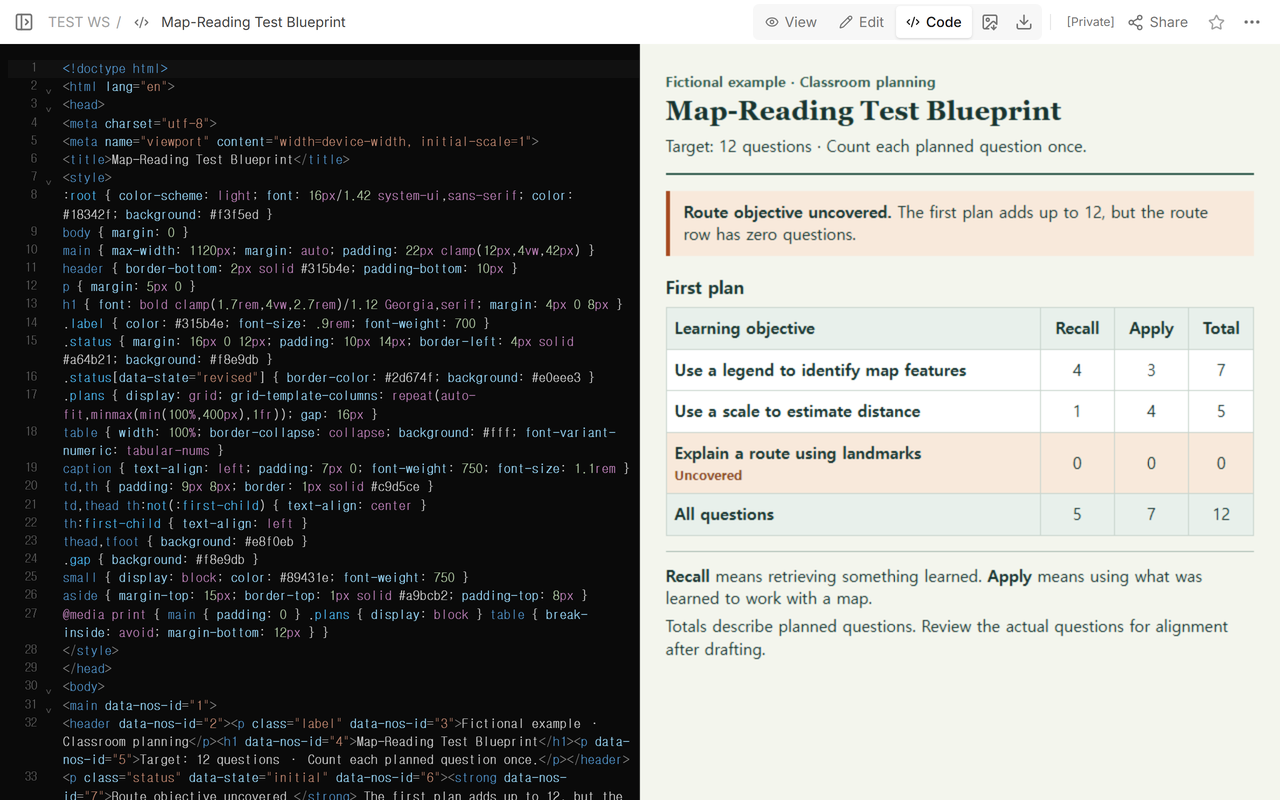
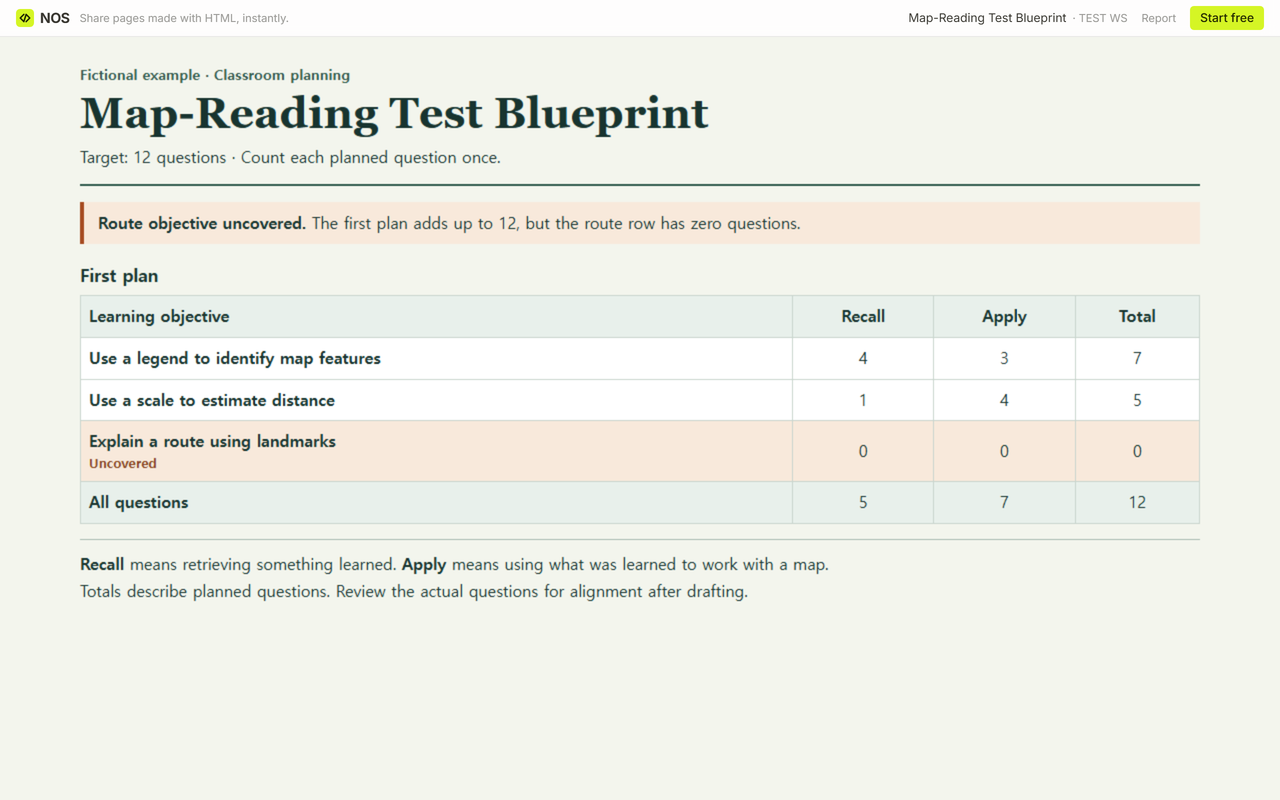
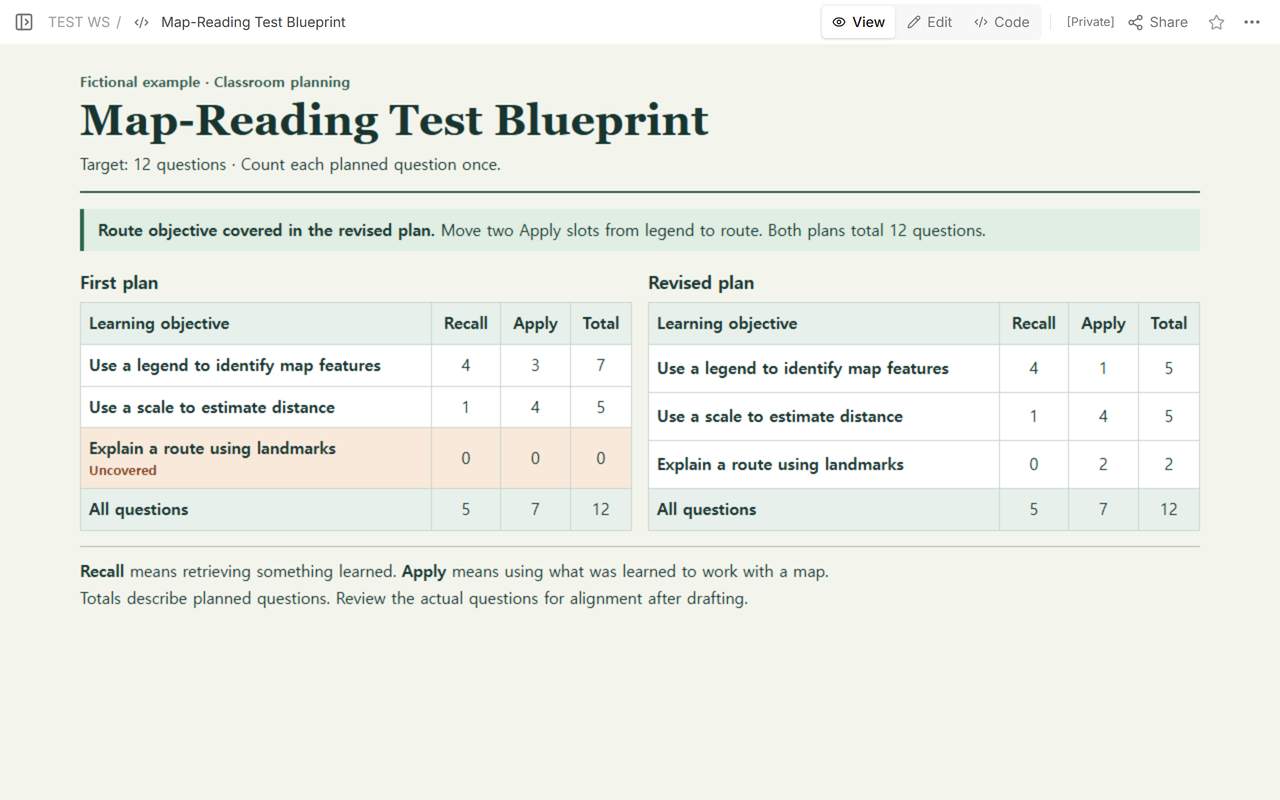
We planned an imaginary map-reading test with 12 questions. The first grid added up to 12, which looked fine until we read the row for explaining a route using landmarks. It had zero questions. We moved two planned slots to that objective and kept the 12-question limit.
What goes in a test blueprint?
Start with the learning objectives you want this test to cover. Give each one a row and describe something students should be able to do. “Use a scale to estimate distance” gives you a more specific check than a row labeled “Maps.” Our other rows cover using the legend and explaining a route using landmarks.
Across the top, name the thinking you want students to show. In our grid, Recall means retrieving something taught, such as the meaning of a familiar map symbol. Apply means using what was taught to work with a map. Set the level by what a student has to do to earn credit. A question can mention a map and still ask only for recall.
Give each planned question one primary objective and one thinking level. If a question draws on the legend and the scale, decide which skill you want its answer to demonstrate. Note the secondary skill in the margin so you can revisit it when you review the draft.
How do you find a missing objective when the total is right?
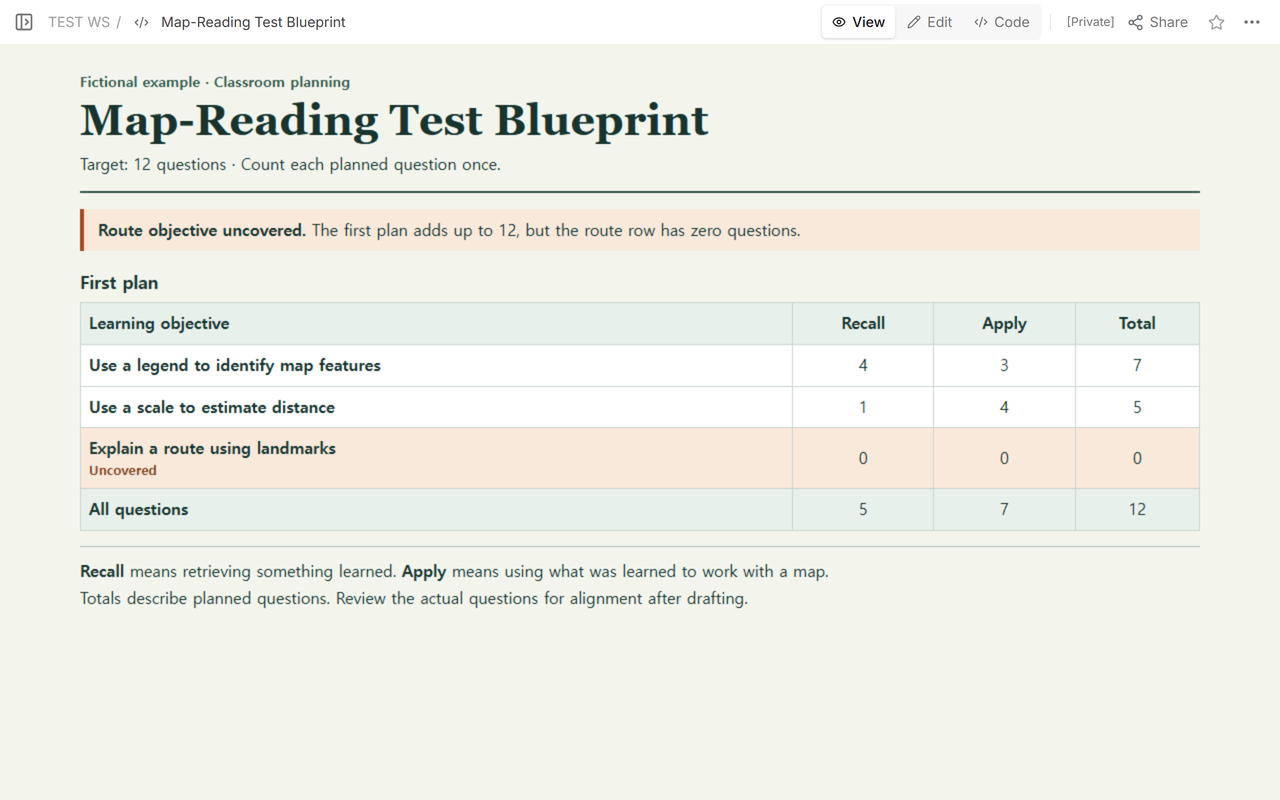
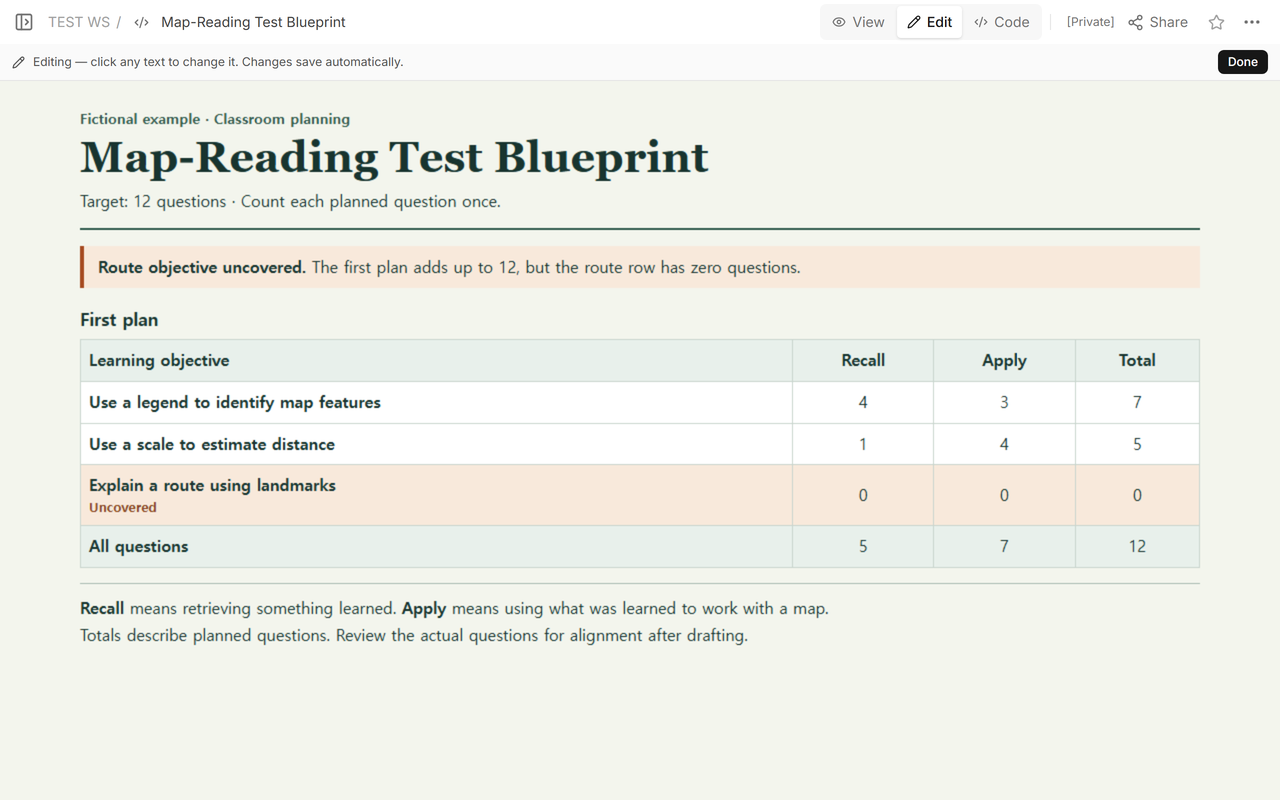
Check the arithmetic first. Add the Recall and Apply cells across each row. In the first plan, that gives 7 + 5 + 0 = 12. Add down each thinking-level column and then add the column totals. That gives 5 + 7 = 12. Both sums match the target.
Then inspect coverage row by row. Route explanation was in scope, so its zero row was a gap. Check the individual cells too. Giving route explanation a Recall slot would make its row total positive, but the intended evidence here is using landmarks to explain a route, so we reserved Apply slots.
How can you fix the gap without making the test longer?
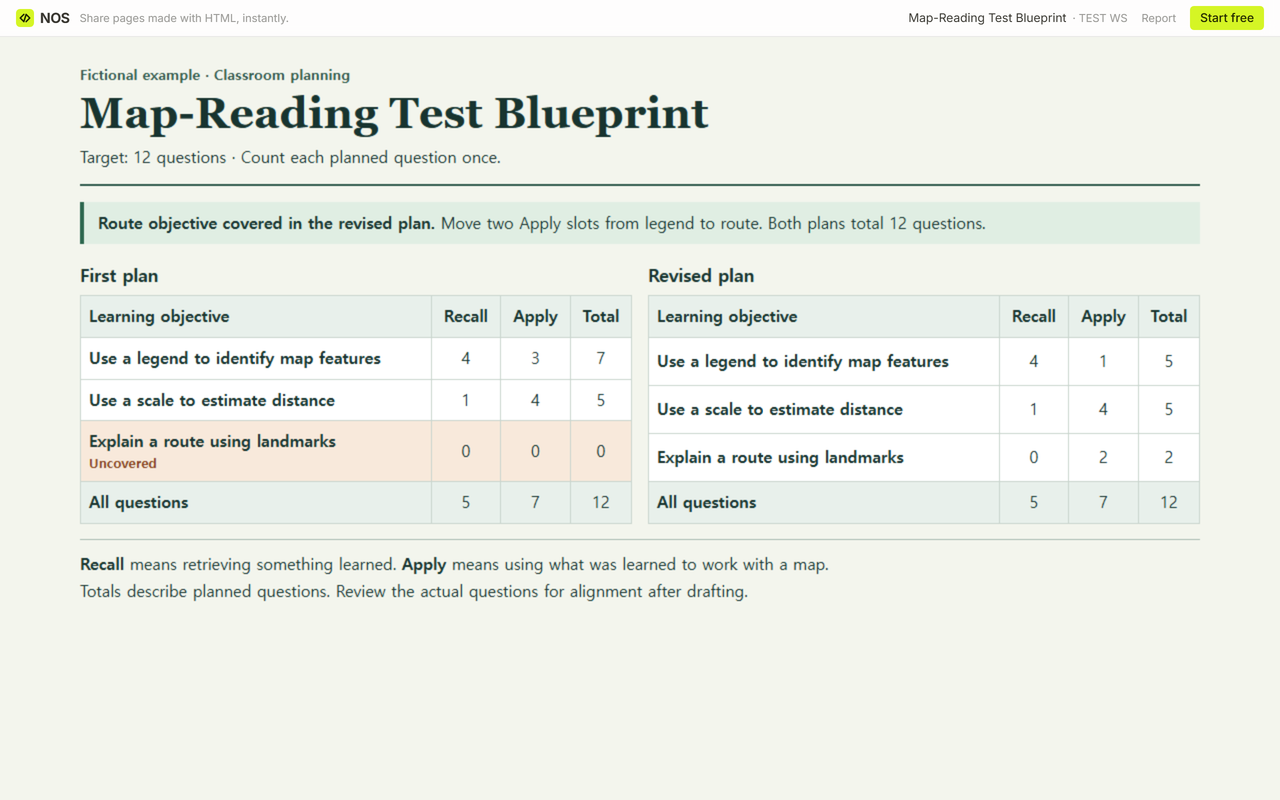
Pick a row that can give up slots while still testing the skill you intended. We moved two Apply slots from legend to route. Legend kept one Apply slot and four Recall slots. The scale row stayed at one Recall and four Apply, and the route row gained two Apply slots.
Run both checks again. The revised rows add up to 5 + 5 + 2 = 12. The columns still add up to 5 Recall + 7 Apply = 12. The route row now has two slots at its intended level. Keep the first plan beside the revision if someone needs to review what you traded away.
How do you use the blank sheet for your own test?
- Open the CSV in a spreadsheet. Enter your question limit in the Row total column of the Planned question count row and replace the empty objective rows with the outcomes in scope. Add rows if you need them.
- Keep or rename the thinking-level columns to match your lesson. Fill each cell with a whole question count. Use zero for a decision you have made and leave a cell empty while it is undecided.
- Enter the totals across and down, then compare each sum with your target. The blank file uses plain cells, so enter totals yourself or add spreadsheet formulas.
- Use the notes to record required levels and deliberate exclusions. After writing, label each drafted item with its primary row and level. Tally the draft and compare it with the plan again.
When not to do this
Use the official planning form where one is required. Keep restricted items and student records in the approved system. If the objective calls for a live demonstration or a performance judges need to observe, plan how to collect that evidence separately. Review the drafted questions and any scoring criteria before using the test.
See how a checked self-quiz connects practice questions to a source once drafting begins, or use the research poster rubric to see how a performance can be reviewed against observable criteria.
Where does NOS fit?
We used a NOS page to keep the two plans on one reader link. Share gave us a reader link for the first plan. After we saved the revised grid to the same page, we opened that link while signed out and saw both plans. A colleague can read the fictional example from that link and use the CSV for their own planning. See NOS pricing for plan details.
For background on connecting test plans to learning outcomes, see Bronx Community College’s assessment guidance. The course blueprint example hosted by Saint Anselm College illustrates a grid with outcomes, counts and thinking levels. The map-reading counts are choices for this fictional lesson.