First, pick the right kind of quiz
Tools sold as quiz generators range from ones that draft questions from a prompt or an uploaded file to full quiz platforms with scoring, timers and results dashboards.
If you need a record of who passed, or results by person and by question, a platform with a results view is the honest choice. If your class or employer asks for a PDF or Word document, make that file; a link is no substitute for a required format.
This guide covers a third case: a self-check people take on their own, where the explanation after each answer matters more than collecting scores. The sample quiz below does not collect, submit or store anyone's answers.
The example: orientation for a tool-lending desk
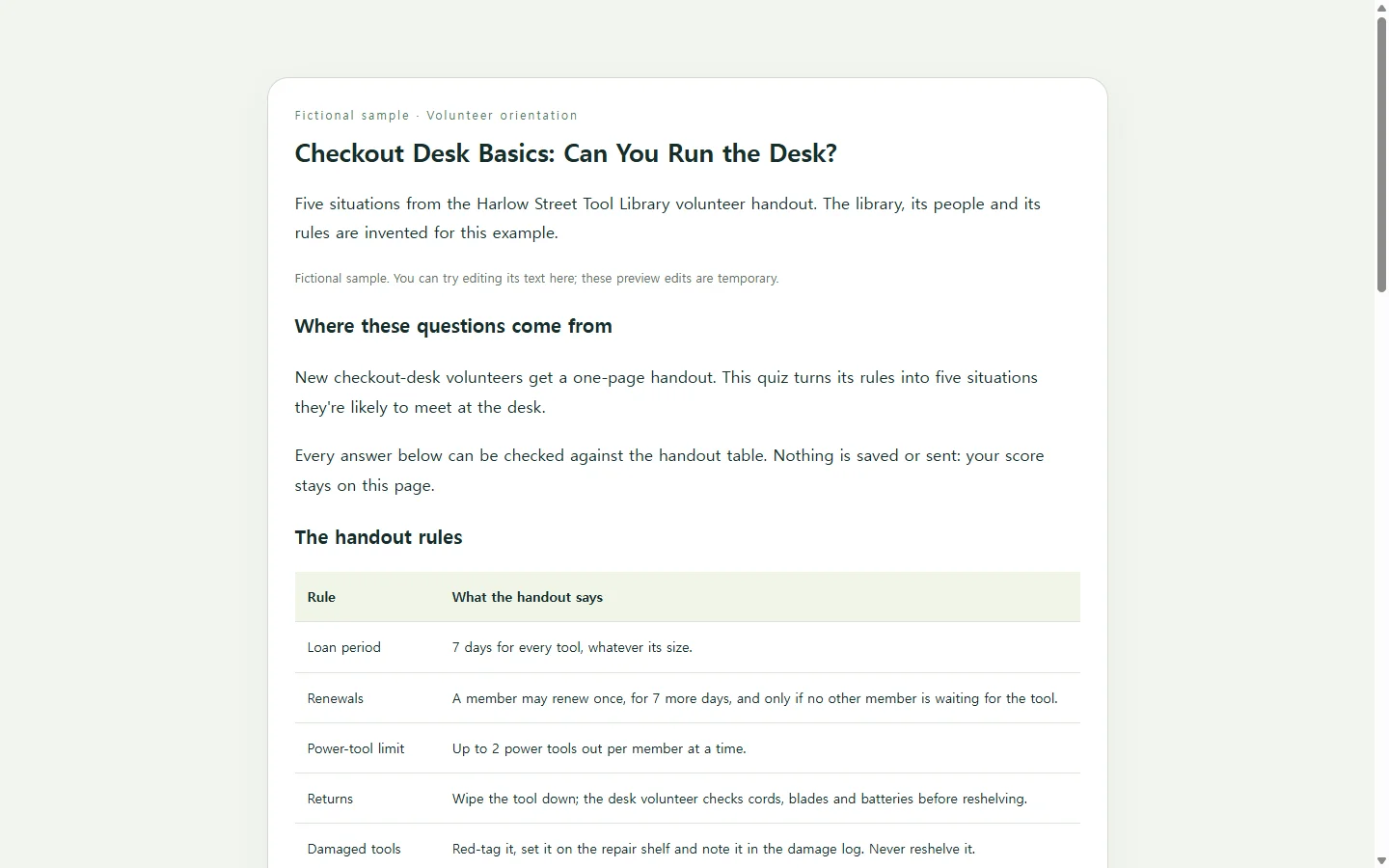
The sample is built around the Harlow Street Tool Library, a fictional neighborhood lending library; its people, rules and handout are invented for this article. Its volunteer coordinator has a one-page handout covering loan periods, renewals, power-tool limits and damaged returns, and wants new desk volunteers to take a short quiz before their first shift.
Notice how the questions are written. Instead of asking how many power tools a member may borrow, one asks what to do when a member who already has two out asks for a third. A situation makes the volunteer apply the rule the way they will at the desk, and a wrong answer shows exactly which rule to reread.
Each explanation points back to a line in the handout, so the quiz doubles as a review. The easiest question comes first, and the rule most likely to cause hesitation, the under-18 policy, sits in the middle. Starting short is sensible; eight to ten questions is a reasonable ceiling for a first version, and this sample uses five.
Build yours with an AI chat
You supply the facts; the AI handles the layout and the scoring script. Paste your own notes into the prompt below and fill in the bracketed fields. Don't let the model fill gaps in your material: the prompt tells it to skip any question your notes can't support.
The result is a single HTML file, which is simply a web page saved as one document. Save it with a .html ending and open it in your browser to try it.
Before sharing, read the answer key the model prints above the code against your notes, line by line. Then take the quiz on your phone, and once more using only the Tab and Enter keys, to confirm every option can be reached without a mouse.
When a rule changes after you've sent the link
Say the coordinator shares the quiz and, two weeks later, the library starts allowing two renewals instead of one. The renewal explanation and the handout table now say the wrong thing.
If the quiz page lives in NOS, the coordinator can click into the rendered page and retype that sentence directly, without asking the AI to rebuild the whole quiz. The sharing link stays the same after the edit, so volunteers who saved it see the corrected wording, and they can open it without making an account.
One caution: direct editing changes the words people read. If a change means a different option is now correct, the scoring lives in the page's script, so ask the AI for a revised file rather than only retyping the label.
Keep the handout as the source of truth, fix the quiz when the handout changes, and keep sending the same link.
A prompt to adapt
Build a short multiple-choice quiz as one self-contained HTML file.

Audience: [WHO WILL TAKE IT, e.g. new volunteers at a tool-lending desk]
Purpose: [WHAT THEY SHOULD BE ABLE TO DO AFTERWARD, e.g. handle checkouts and returns correctly]
Quiz title: [YOUR QUIZ TITLE]
Number of questions: [5–10]
Source material (use only this; do not add facts, numbers or rules that are not in it):
[PASTE YOUR NOTES OR HANDOUT HERE]

Question rules:
- Write each question as a short, realistic situation that requires applying one rule from the source.
- Four options per question, exactly one correct. Wrong options should be plausible mistakes, not jokes.
- If the source does not clearly support a question, skip it instead of guessing.
- Put the easiest question first.
- After each answer, say in words whether it was correct (“Correct” or “Not quite”) and give a one- or two-sentence explanation that names the rule from the source.

Before the code, print a plain-text answer key listing each question, its correct option, and the exact source sentence it relies on, so I can check it.

Page requirements:
- One HTML file with inline CSS and JavaScript. No external libraries, fonts, images, trackers or network requests.
- Do not collect, submit or store answers. No form that sends data anywhere.
- Show a final score and a “Try again” button that resets the quiz.
- Accessibility: use real buttons or radio inputs with visible text labels; everything must work with the keyboard alone; keep a visible focus outline; announce feedback through an aria-live region; never signal right or wrong by color alone; keep text contrast high enough to read comfortably.
- Mobile: single column, readable at 360px wide without zooming, large tap targets, no sideways scrolling.
- Use plain, friendly language suited to the audience above.