In short
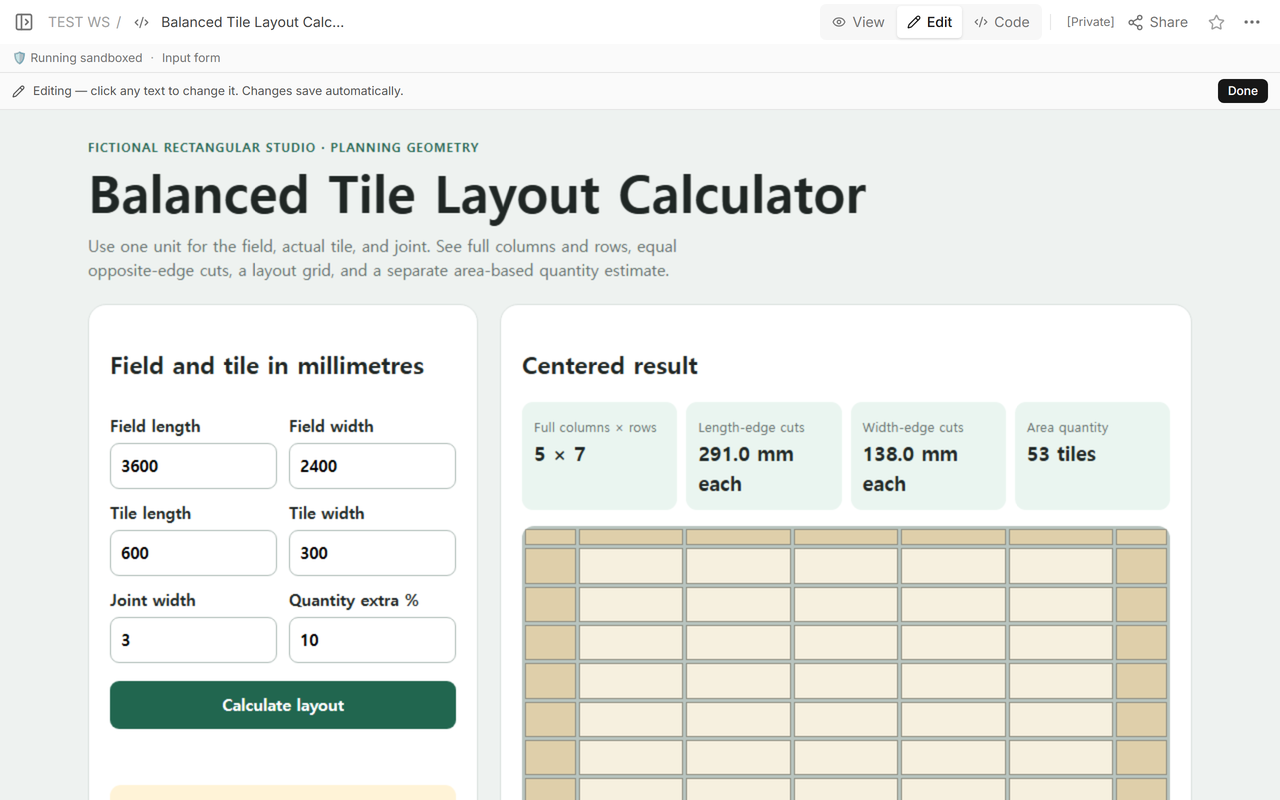
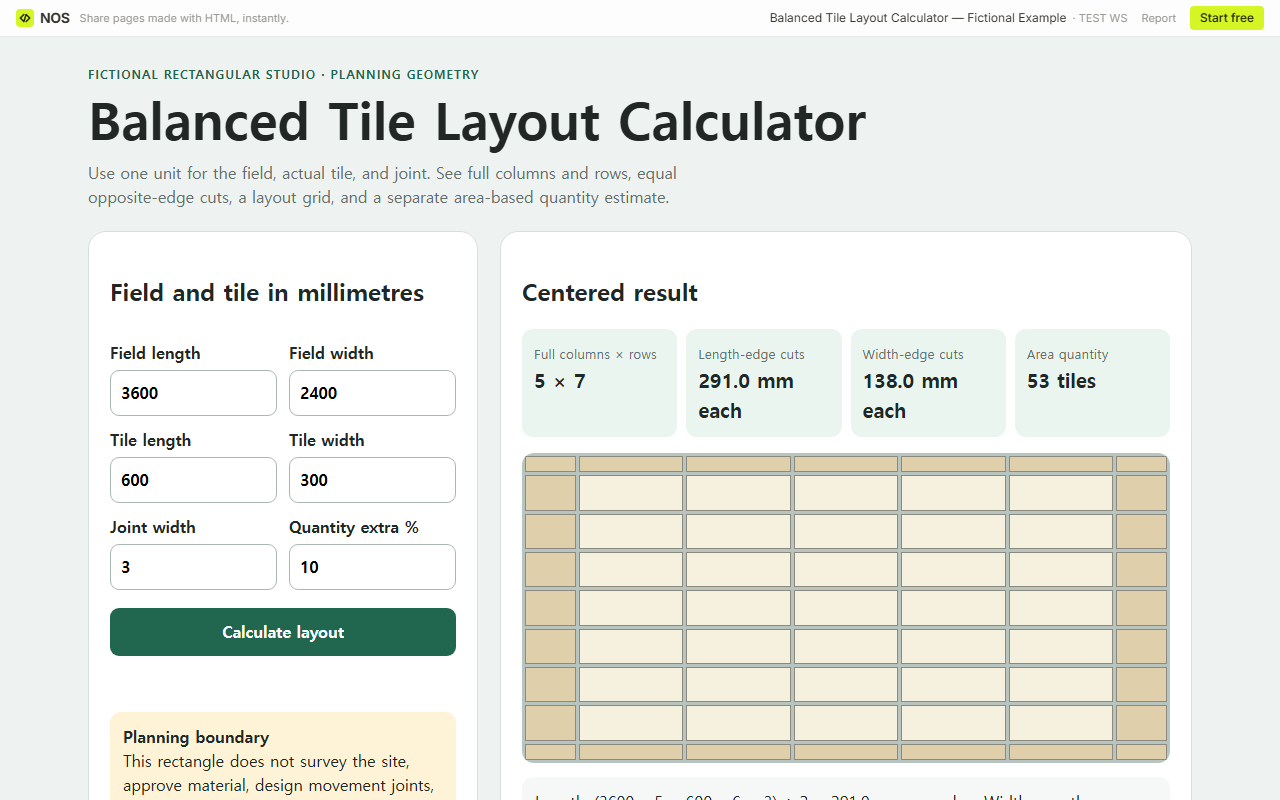
For a fictional 3,600 × 2,400 mm rectangle, 600 × 300 mm tiles, and 3 mm joints, the centered field has 5 full columns by 7 full rows. Equal edge cuts are 291 mm along the length and 138 mm across the width.
The separate area estimate is 48 tile faces before the reader’s 10% extra and 53 tiles after one final round-up. It is a planning quantity, not an order approval.
We made a rectangular set-out that keeps the layout calculation and quantity estimate separate. The visible grid shows where full tiles, joints, and balanced edge cuts fall. The quantity card uses field area divided by tile face area, applies only the percentage the reader entered, and rounds up once. Download the balanced tile layout calculator to replace the fictional millimetre values with your own.
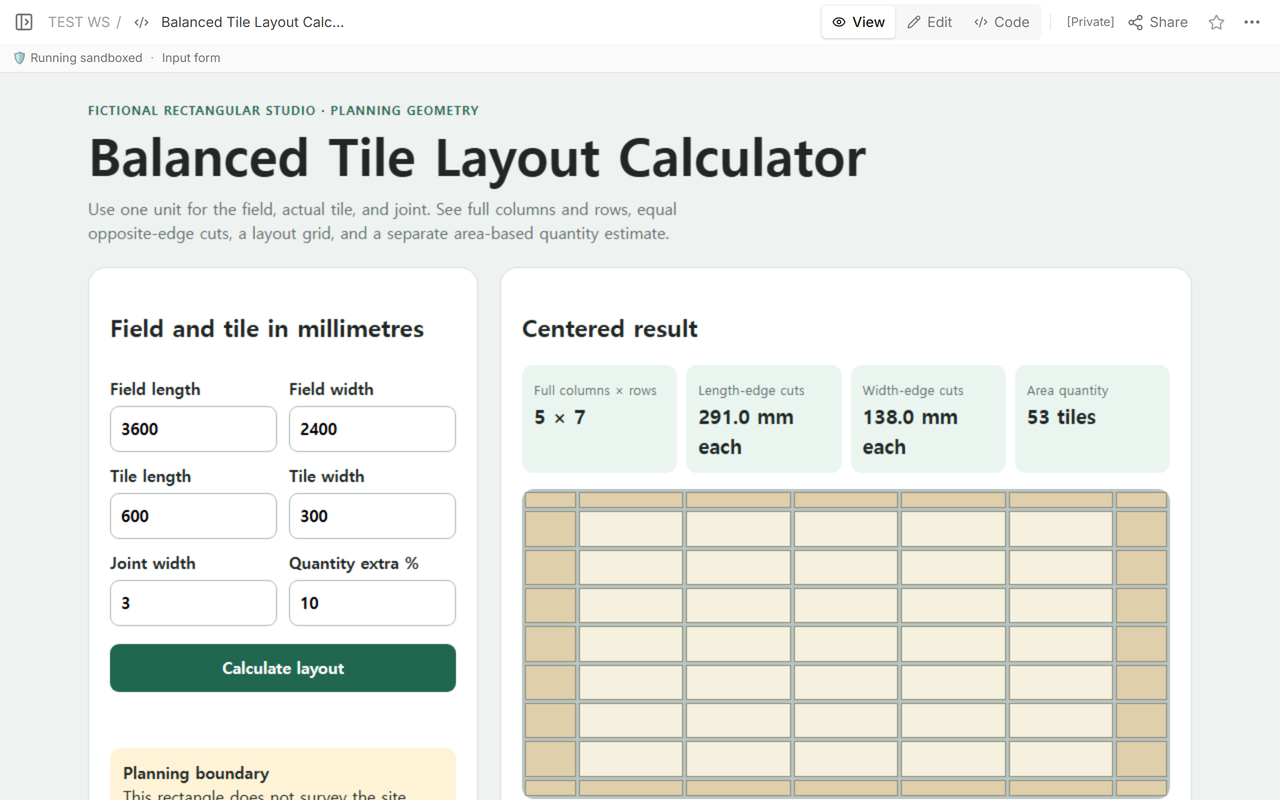
How does the 3 mm joint change the tile module?
The repeating length module is 600 + 3 = 603 mm. Across the other direction it is 300 + 3 = 303 mm. The joint belongs in the repeated pitch; dividing the field by tile size alone would place every line a little early.
For the 3,600 mm direction, five complete 600 mm tiles fit between two edge cuts. Those five tiles have six joints around and between them in this balanced model. The remaining width is split equally:
(3,600 − 5 × 600 − 6 × 3) ÷ 2 = 291 mm at each end.
For the 2,400 mm direction, seven complete 300 mm tiles and eight joints leave:
(2,400 − 7 × 300 − 8 × 3) ÷ 2 = 138 mm at each side.
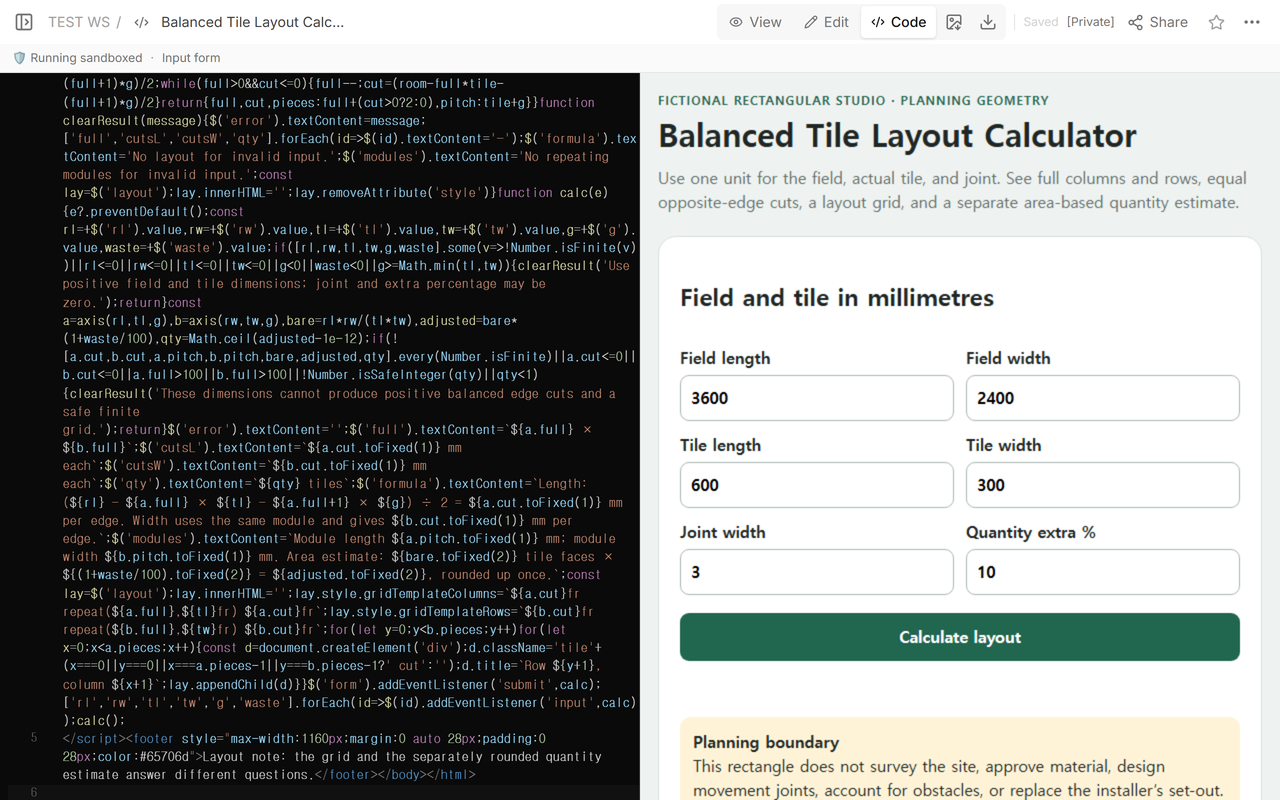
What do full columns, rows, and edge pieces mean?
The “5 × 7” headline counts only complete tiles in the central field. The drawing adds two cut columns and two cut rows, so the installer would handle seven pieces across the length and nine rows across the width in this simplified rectangle. Corner pieces are cut in both directions.
That piece grid is not the same as the number of tiles to obtain. An offcut may or may not be reusable, breakage is not predictable, and packaging is not represented. The calculator therefore does not multiply seven by nine and call that the material quantity.
The current Floorings Calculator layout page makes the same distinction: it reports full tiles, balanced wall cuts, rows, pieces per row, and a drawn grid, then directs the reader to a separate count for obtaining material. Tile Layout Calculator also accepts room, tile, and grout dimensions and provides a scale layout with a separately selected extra percentage.
How is the separate quantity estimate calculated?
The fictional field area is 3,600 × 2,400 = 8,640,000 square millimetres. One tile face is 600 × 300 = 180,000 square millimetres. The bare area division is exactly 48 tile faces.
The reader entered 10% extra, so the calculation is 48 × 1.10 = 52.8. Rounding up once gives 53 tiles. The example does not call 10% correct for every room, pattern, tile, breakage rate, or packaging rule. It exposes the percentage so the reader can replace it.
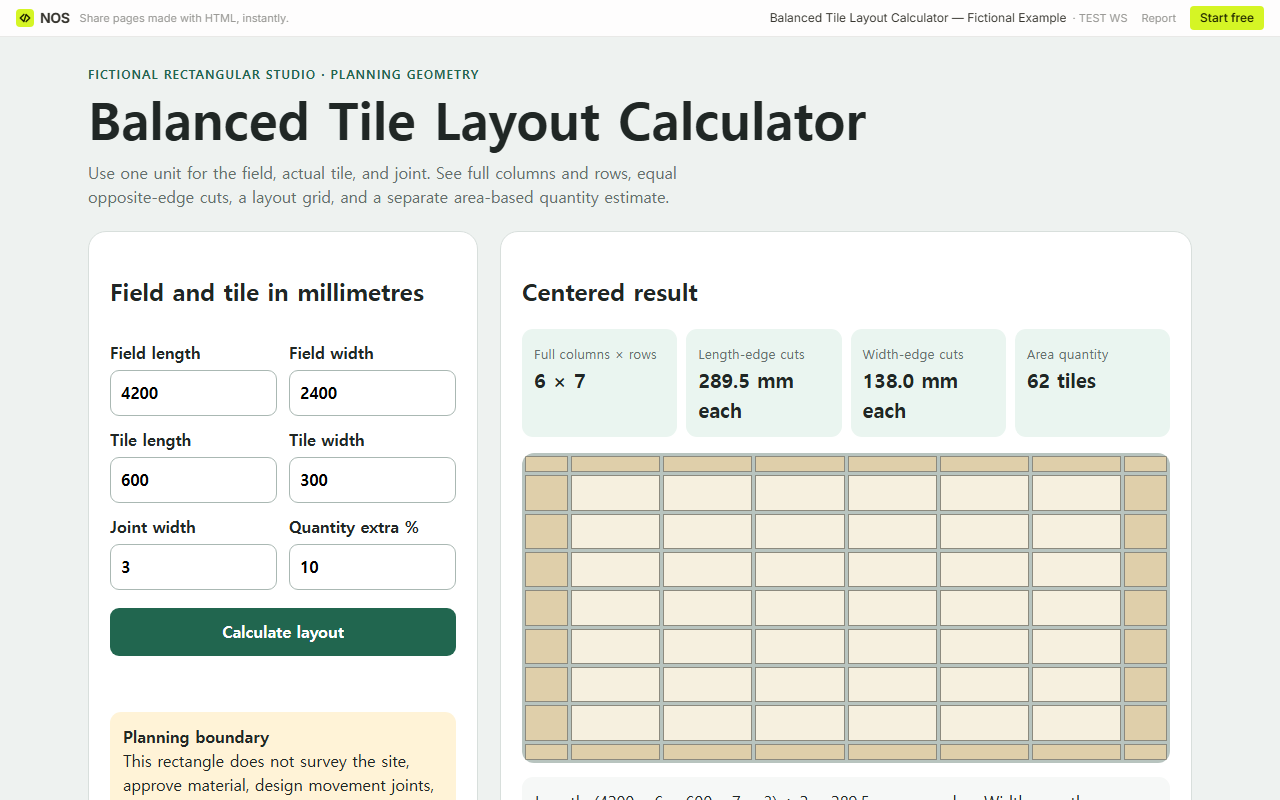
What changes when the field length becomes 4,200 mm?
We changed only the field length on the reader page. Six full 600 mm tiles fit along that direction, and seven joints are included in the balanced equation. The equal edge cuts become:
(4,200 − 6 × 600 − 7 × 3) ÷ 2 = 289.5 mm.
The width remains unchanged at seven full rows with 138 mm edge cuts. The larger area produces 56 bare tile faces; with the same 10% extra, 56 × 1.10 = 61.6, rounded up to 62 tiles.
How do you replace the fictional rectangle with your own?
- Choose one unit. This file labels every dimension in millimetres, so convert field, tile, and joint measurements before entry.
- Enter the actual tile dimensions in the direction you intend to lay it. Swap length and width to test the rotated orientation.
- Enter the joint width you plan to assess. Zero is allowed for a pure geometric comparison, but it is not a recommendation for installation.
- Read the full columns and rows, then inspect both equal edge cuts on the grid.
- Enter your own quantity extra percentage. Treat the rounded count as a separate estimate.
- Compare the rectangle with the actual room, thresholds, fixtures, visible walls, and approved set-out before any material or cutting decision.
Blank, zero, negative, and nonnumeric field or tile dimensions return no result. Joint width and quantity extra may be zero but cannot be negative. A joint equal to or larger than the smaller tile side is rejected. Decimal millimetres remain visible in the cut result; the quantity is rounded only at the final tile count.
What must be checked outside this rectangle?
The model assumes one true rectangle and straight opposing edges. It does not know whether the field is out of square, whether cuts taper, where a doorway or fixture changes the starting line, whether an offcut can be reused, or how tiles are packaged. It also does not design movement joints, waterproofing, substrate preparation, transitions, or a pattern beyond this straight grid.
Measure the real field in the directions relevant to the work and compare the grid with the approved material and site conditions. The result is useful for discussing a set-out, but the site survey, product instructions, material approval, and installer’s judgment remain separate.
When not to do this
- Do not use one rectangle for an L-shaped room, alcoves, islands, openings, or several wall planes.
- Do not treat equal mathematical cuts as an approved set-out when thresholds, focal walls, fixtures, or an out-of-square field change the decision.
- Do not treat the area estimate as a box count or purchase approval.
- Do not infer movement-joint, waterproofing, substrate, mortar, grout, or safety requirements from this grid.
- Do not mix field units with tile or joint units.
Using NOS for the layout page
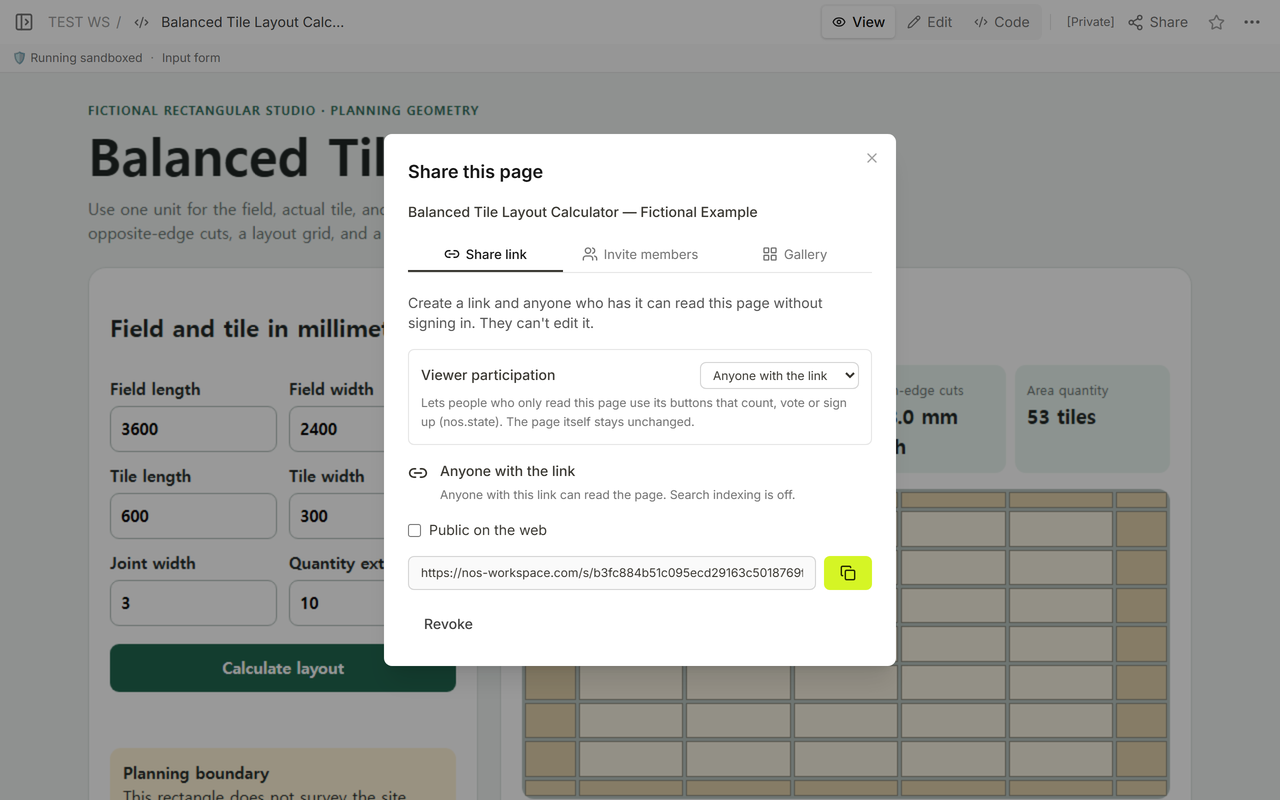
NOS displayed the complete file in Code, rendered the grid in View and Edit, and supplied the reader address used for both verified field lengths. The reader changed inputs without altering the maintained file. The latest plan descriptions are available on the NOS pricing page.
Related planning guides
Use Area Converter Calculator when the task is converting an already known area. Read Upload Floor Plan when a plan needs to be shared rather than reduced to one rectangle. See Calculator to Link for the general one-file sharing workflow.