In short
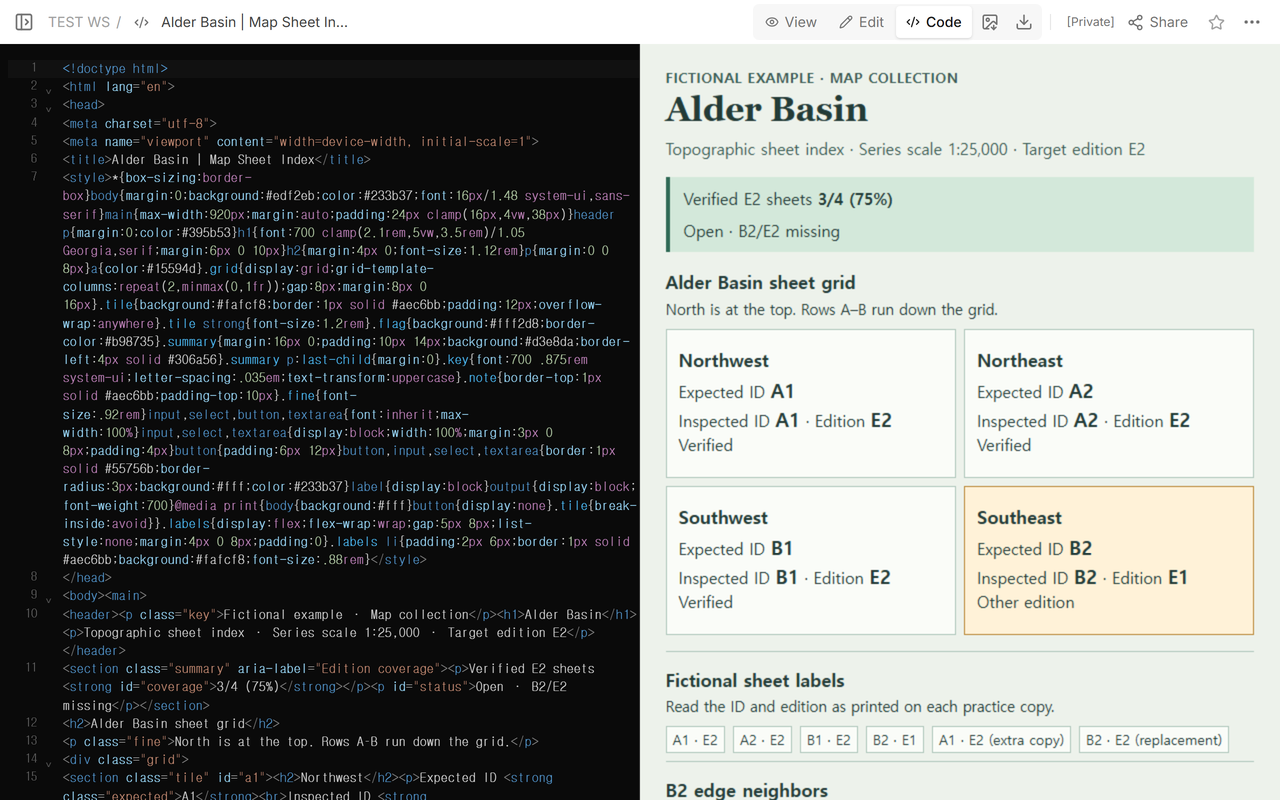
Make one grid cell and one record per expected sheet. Copy the ID and edition printed on each map. Count a sheet when its printed ID matches the grid cell and its printed edition matches the target. List neighbors that share an edge. The Alder Basin example shows how an E1 copy left the E2 set one sheet short.
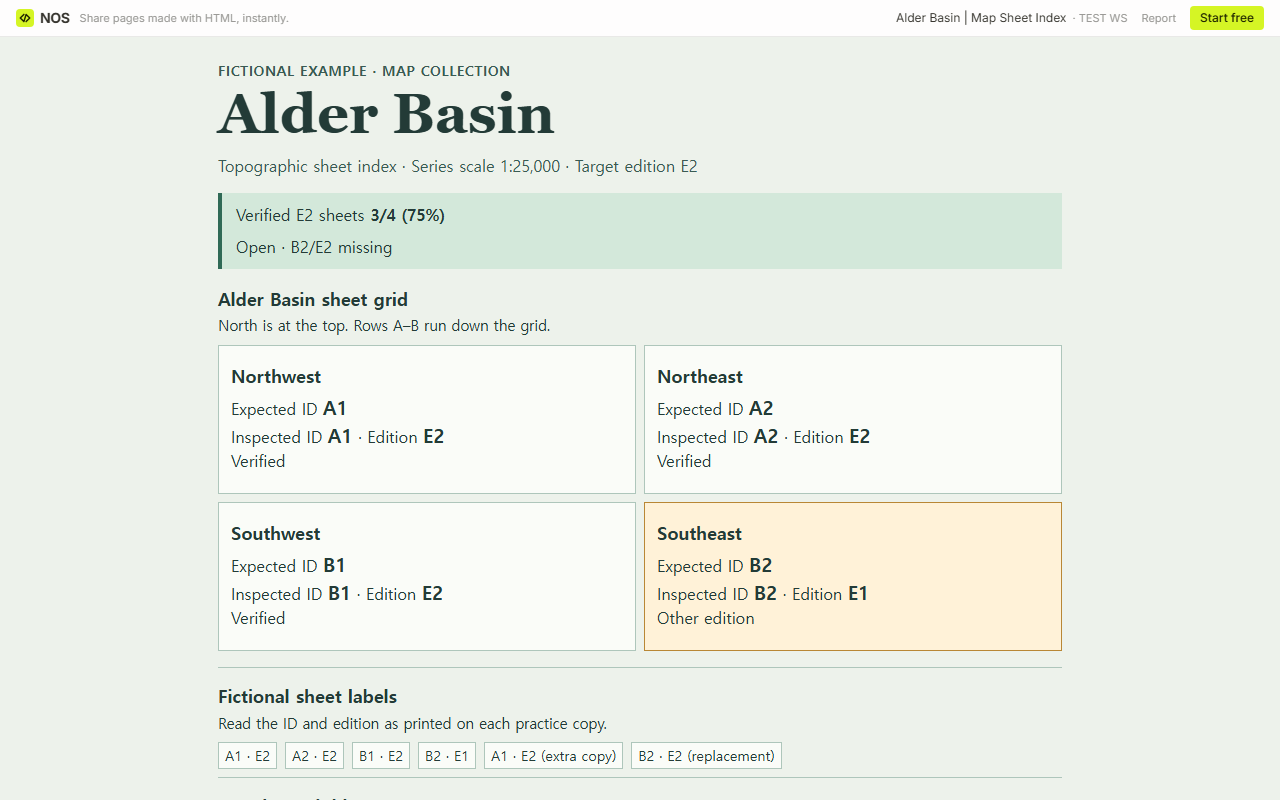
A map drawer can hold four sheets for a four-cell grid and still be short one sheet of the edition you need. We checked a fictional Alder Basin series where the southeast sheet was marked B2/E1. It belonged in the drawer. The slot we were checking for was B2/E2.
Download the blank map sheet index or download the completed Alder Basin example. Each is a standalone HTML file. Open the blank file locally, fill it, then print it or save a PDF to keep your entries.
What goes in a topographic map sheet index?
Start with the series title, scale as printed and target edition. Draw the grid from the series index and give each expected position its sheet ID. In each cell, keep the expected ID from the series index and record the ID and edition printed on the copy you inspected. Try the six fictional sheet labels in the completed Alder Basin example before you fill your own grid. Include a copy reference or shelf location if someone else will need to retrieve that sheet later.
The University of Chicago Map Collection shows local holdings on sheet indexes. The USGS topoView guide lists quadrangle name, year, edition and scale as separate fields in its map records. Our practice series uses the scale 1:25,000 as a series label and records the edition separately.
Which sheets belong beside B2?
Place the two A sheets across the top and the two B sheets below. From B2 in the southeast, follow its north edge to A2 and its west edge to B1. Give each neighbor its own link or sheet reference. A1 touches B2 only at the northwest corner, so leave it off B2’s neighbor list.
How do you count the sheets you hold?
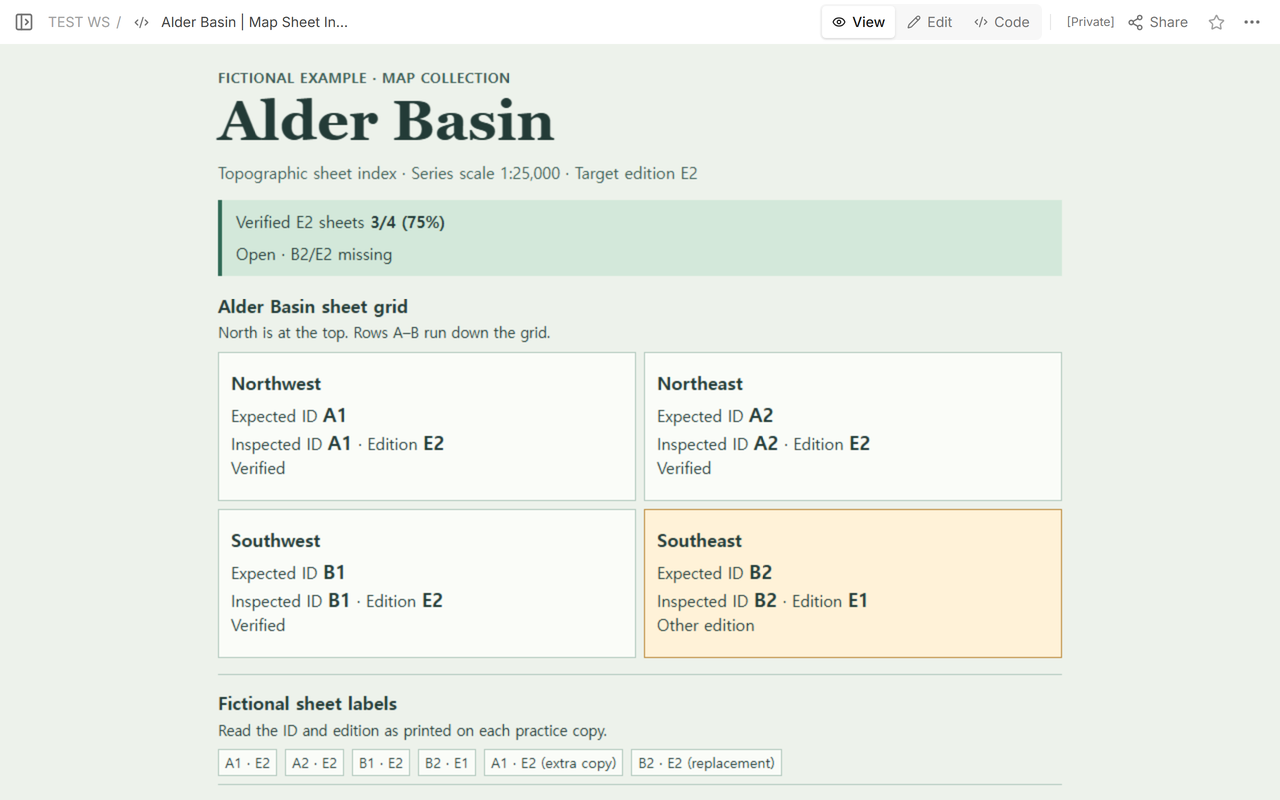
Use the expected sheet IDs as the denominator. Count each position once when the inspected ID matches its expected ID and the copy matches the target edition. Use the exceptions field to record extra copies, wrong IDs and other editions. Keep an unchecked position separate from a checked position where no copy was found.
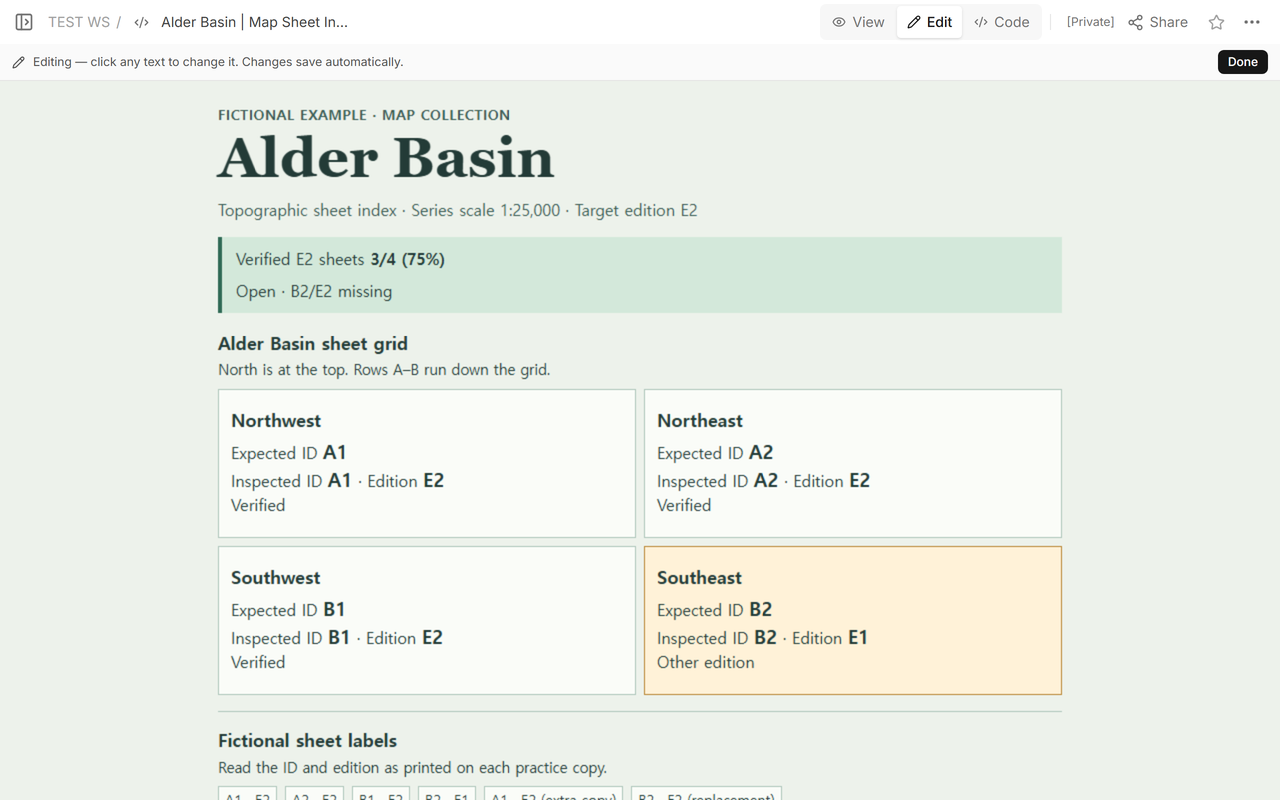
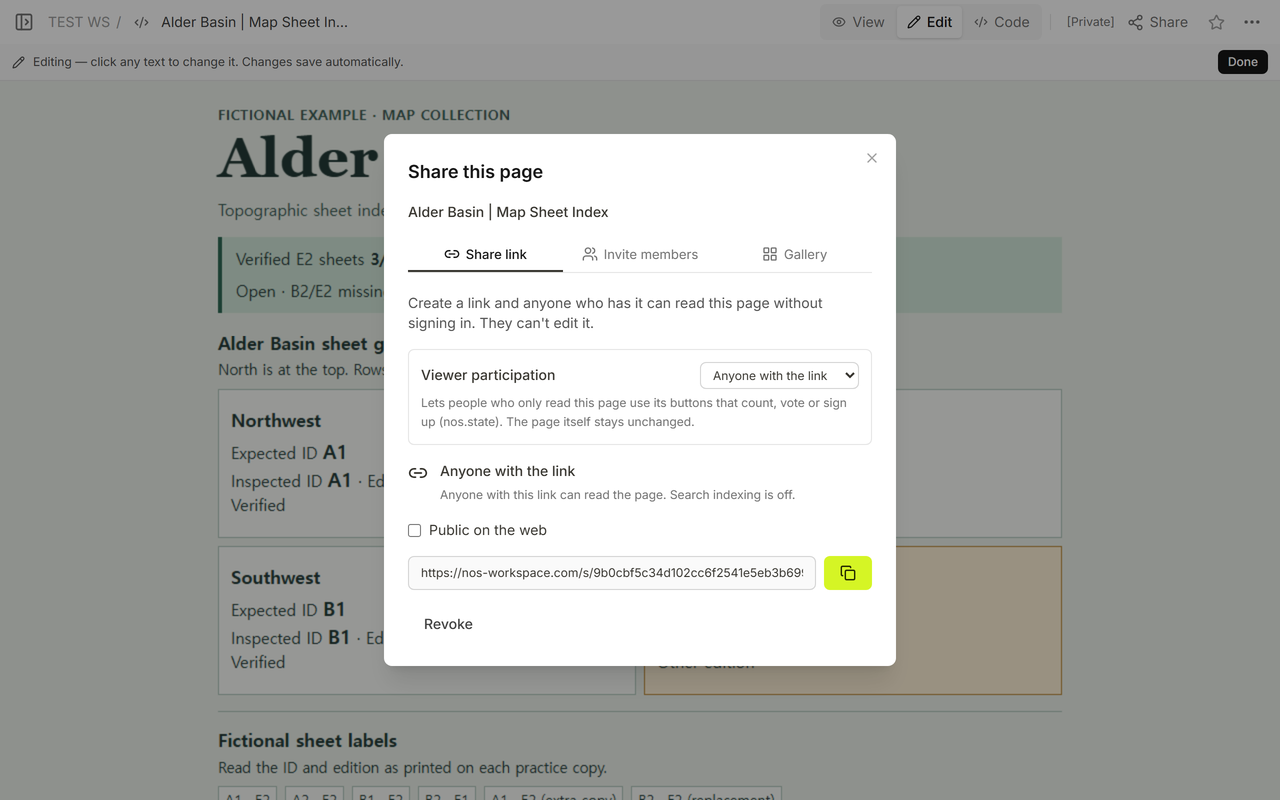
At intake, A1/E2, A2/E2 and B1/E2 matched. B2/E1 went in the exception note. That gave us 3/4 (75%), since 3 ÷ 4 × 100 = 75%. The grid still had four expected positions. We opened Edit to locate the B2 row and used Share to check what a reader could see before the correction.
What changes when the right edition turns up?
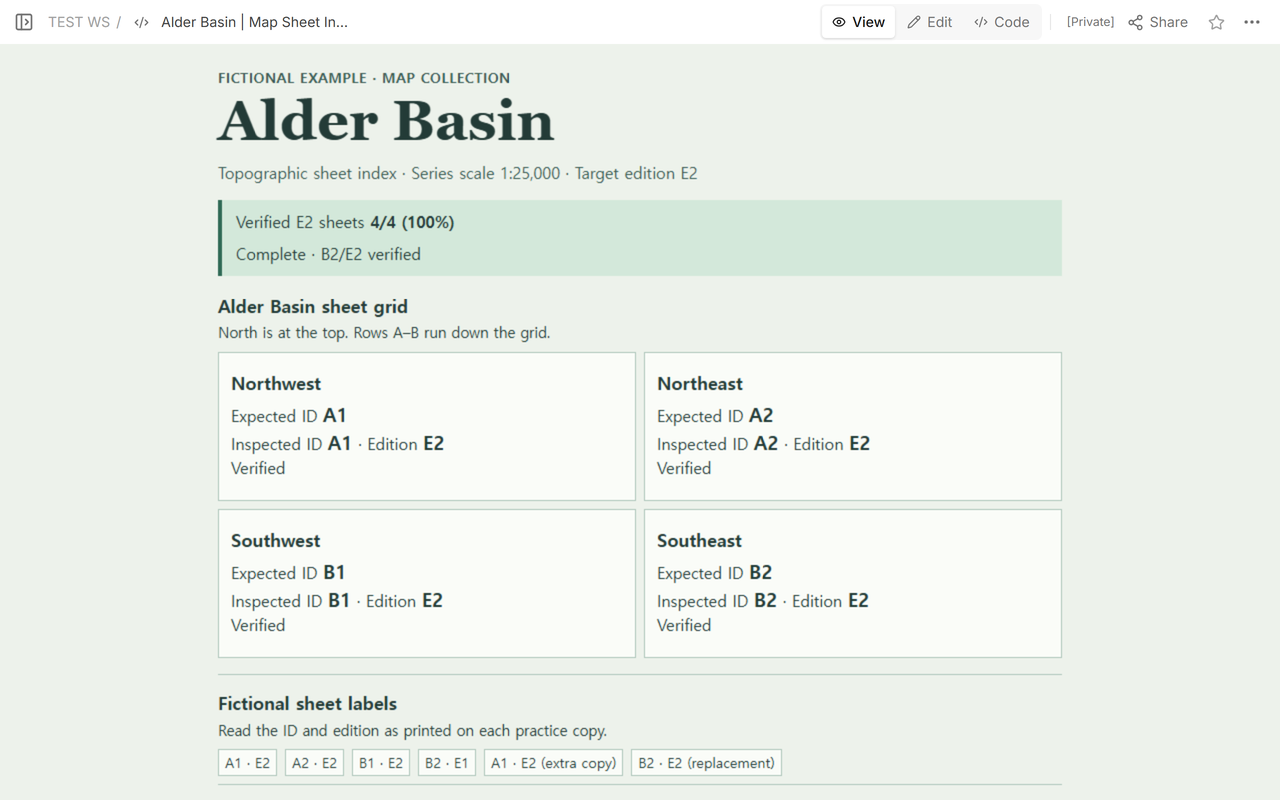
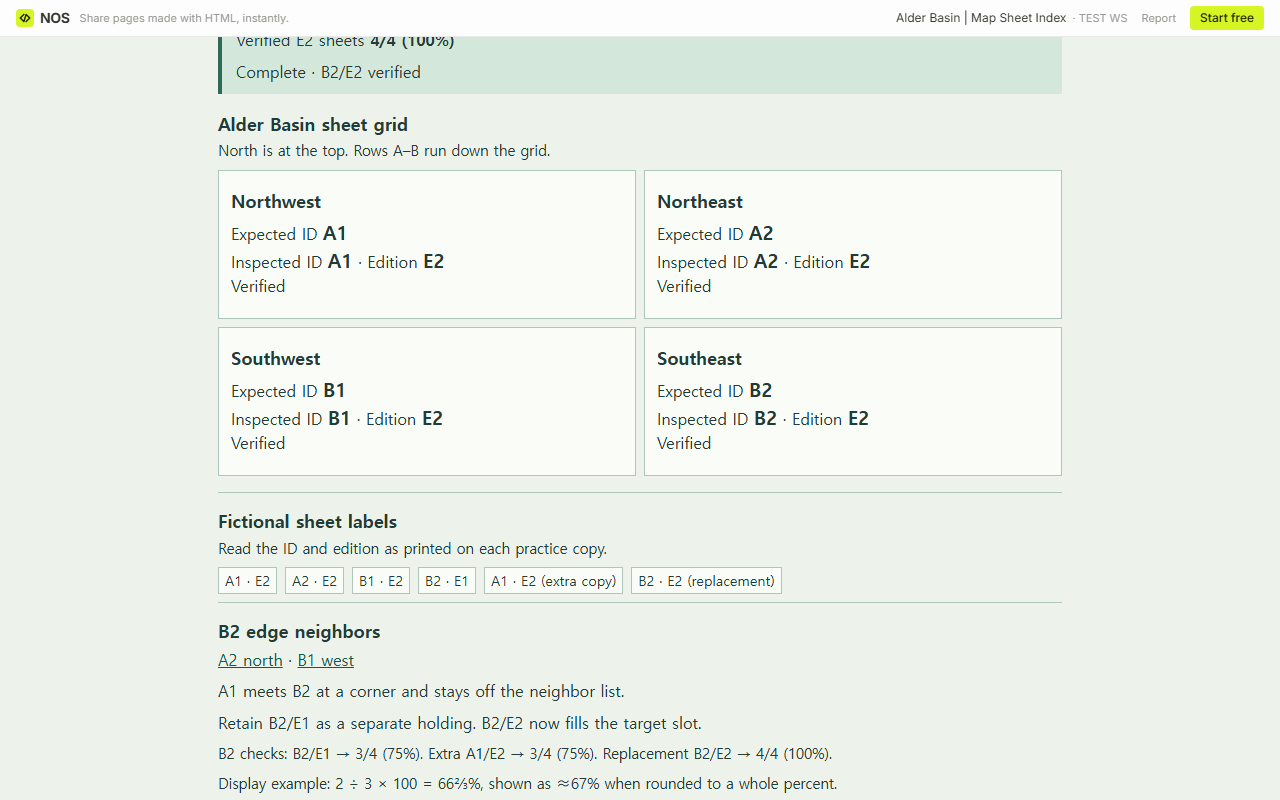
Use the sheet labels to test two copies for the southeast cell. The extra copy marked A1/E2 leaves the tally at 3/4 (75%): E2 matches, and A1 already has its own cell. The replacement marked B2/E2 matches both fields. We updated the same example, kept B2/E1 in the exception note and recalculated the summary. With all four E2 sheet IDs verified, it read 4/4 (100%), since 4 ÷ 4 × 100 = 100%. The B2 neighbor links still lead to the sheets directly north and west.
How do you fill the blank index?
Enter the target edition and the expected IDs. Mark any unused grid position Outside target. For each remaining cell, enter the printed ID and edition and choose Copy inspected. If you checked and found no copy, choose Checked, no copy found. Keep the shared-edge IDs and exceptions in their own fields.
The total displays a dash while the scope is blank or a target position still needs checking. An inspected copy needs both a sheet ID and an edition. If two cells have the same expected ID, the form asks you to fix the duplicate before it counts. If you check all four and none matches, it reads 0/4 (0%). With three positions in scope and two verified, 2 ÷ 3 × 100 = 66⅔%, shown as ≈67% when rounded to a whole percent. Keep the fraction beside the percent so the number of sheets stays clear.
When not to do this
Use the index to find holdings and hand off missing-edition checks. For distance conversion, use a scale exercise like the geography lesson plan. For venue directions, use an actual site map with routes and entrances. Take questions about map condition or treatment to the person responsible for the collection.
How can the next checker see the correction?
We shared the fictional index in NOS with viewing permission. A reader could open the example without signing in. When we reopened the same address after updating B2, it showed the verified E2 copy and the complete tally. Share only the sheet details you want readers to see.