In short
For each entry, keep the UTC date and time, chart or sequence ID, comparison stars and sky conditions beside the result. Give an estimate and a visibility limit their own fields. If the field was blocked, record the cause and leave both magnitude fields blank.
Start with the blank observation log or open the completed fictional example alongside the practice source notes. The downloads use the same record fields so you can check what belongs in each field before you fill a row.
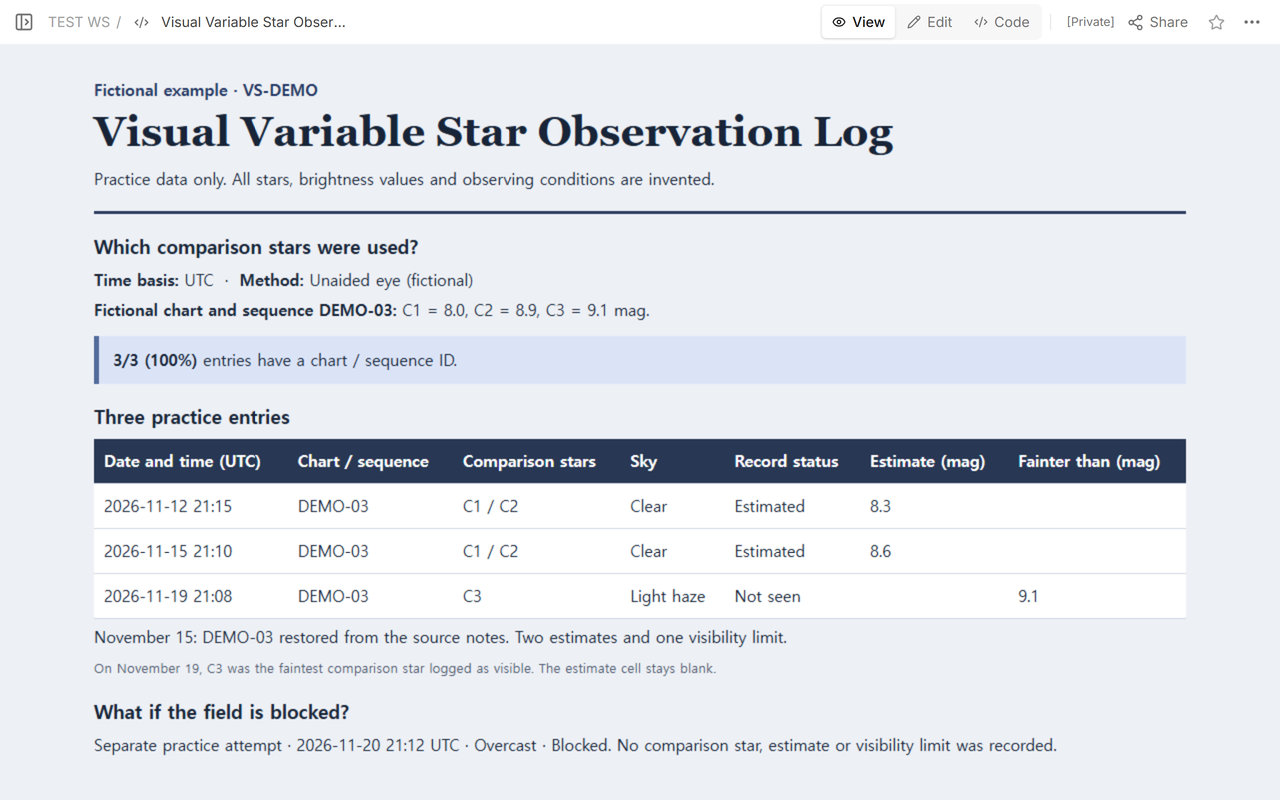
Which details let you read the entry a week later?
Keep one row per UTC time and use the UTC calendar date, even when it differs from the local date on your notes. The source for the first row says . The Z at the end of the source timestamp denotes UTC. The method here is unaided eye in a fictional scenario. The target VS-DEMO, its comparison stars and their magnitudes are invented for the exercise. These values make no claim about naked-eye visibility.
The British Astronomical Association's observing introduction describes estimating brightness relative to comparison stars from a chart. Its chart catalogue uses sequence identifiers to track which comparison magnitudes an estimate used. Copy the identifier from the chart you worked from. In the practice notes, DEMO-03 is a fictional identifier with C1 at 8.0, C2 at 8.9 and C3 at 9.1 mag.
Where does each magnitude go?
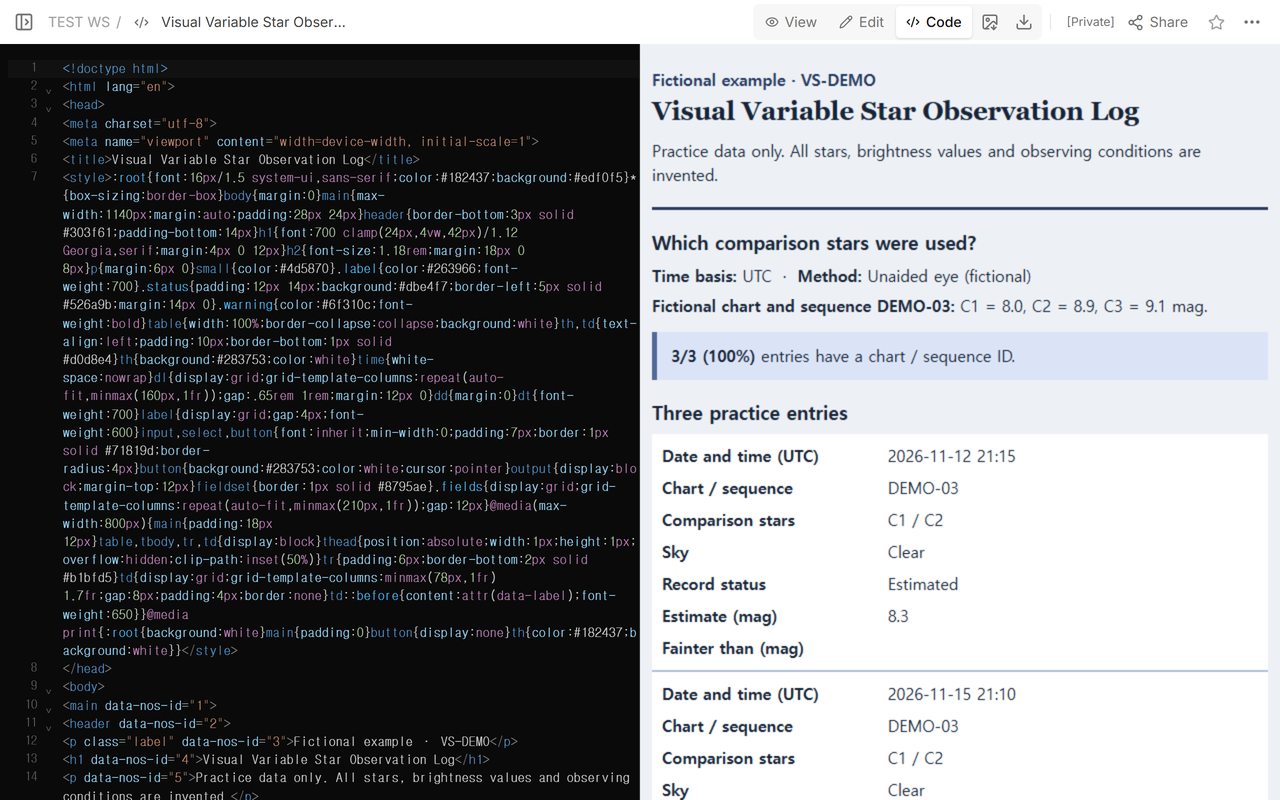
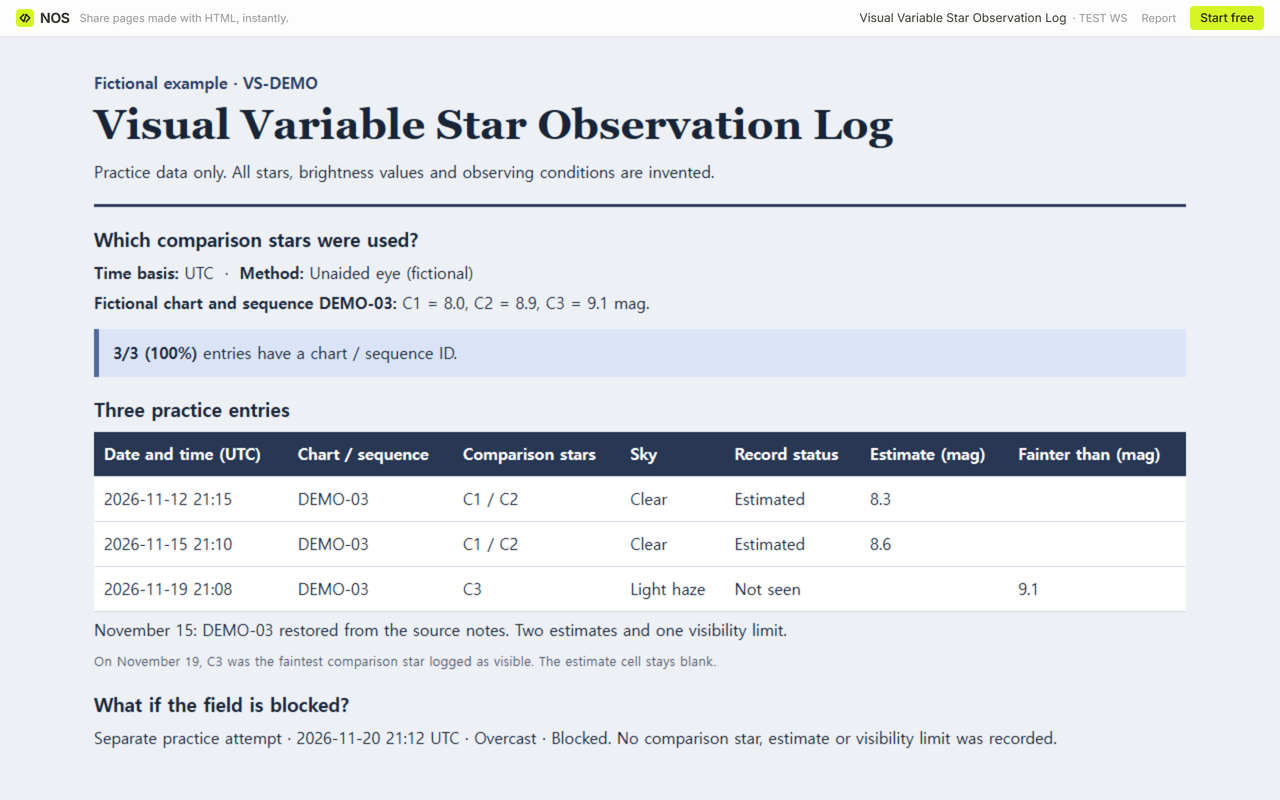
The clear-sky estimates on November 12 at 21:15 and November 15 at 21:10 UTC are 8.3 and 8.6 mag. Both sit between C1 at 8.0 and C2 at 8.9. That is a check on the copied values. The estimates are supplied by the fictional notes.
On November 19 at 21:08 UTC, light haze is recorded and VS-DEMO is marked Not seen. C3 is the faintest comparison star logged as visible. Enter C3 and 9.1 in the comparison and Fainter than fields. Leave Estimate blank. A larger magnitude means a fainter object, so the limit reads “fainter than 9.1 mag.” The association's beginner notes explain how a visible comparison star can support that kind of entry.
The separate practice attempt on November 20 at 21:12 UTC was blocked by overcast skies. It has no comparison star, estimate or limit. If you cannot find a trustworthy comparison, leave the magnitude fields empty and write down what prevented the observation.
How do you repair a missing chart ID?
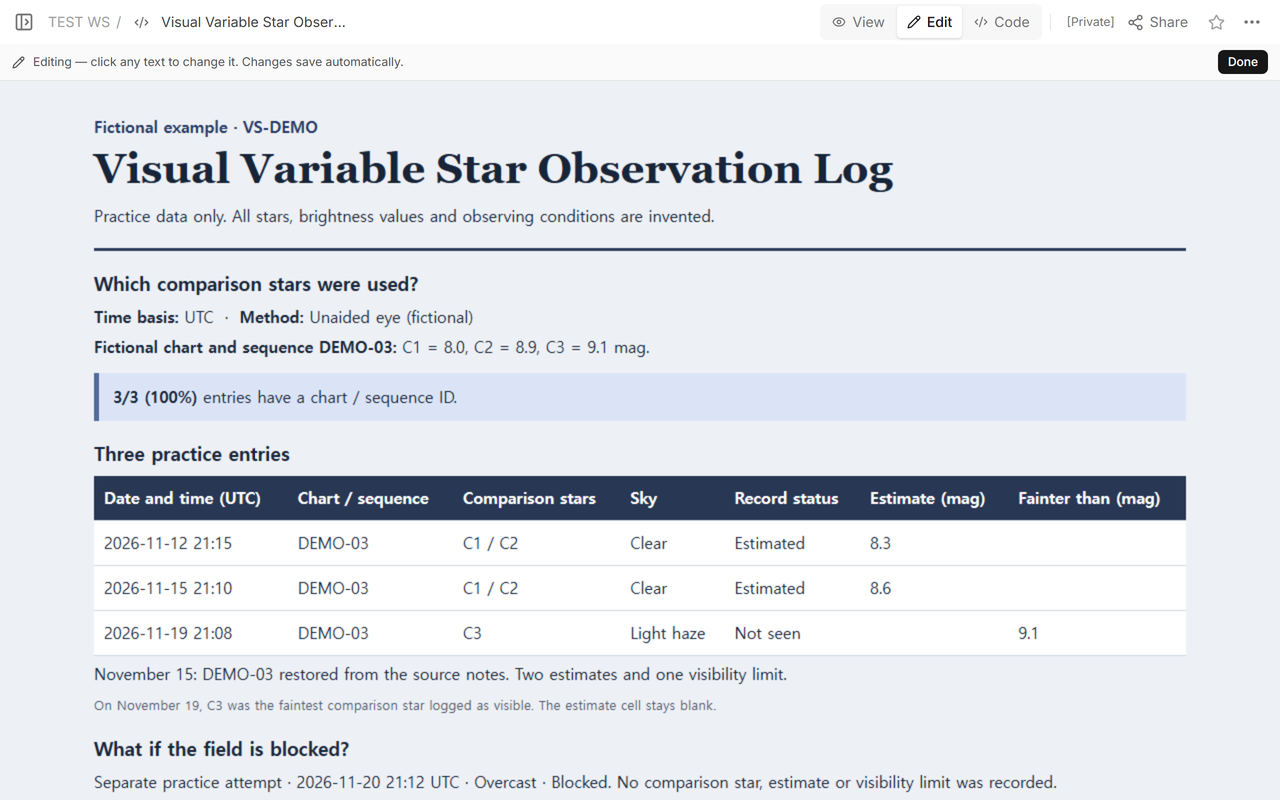
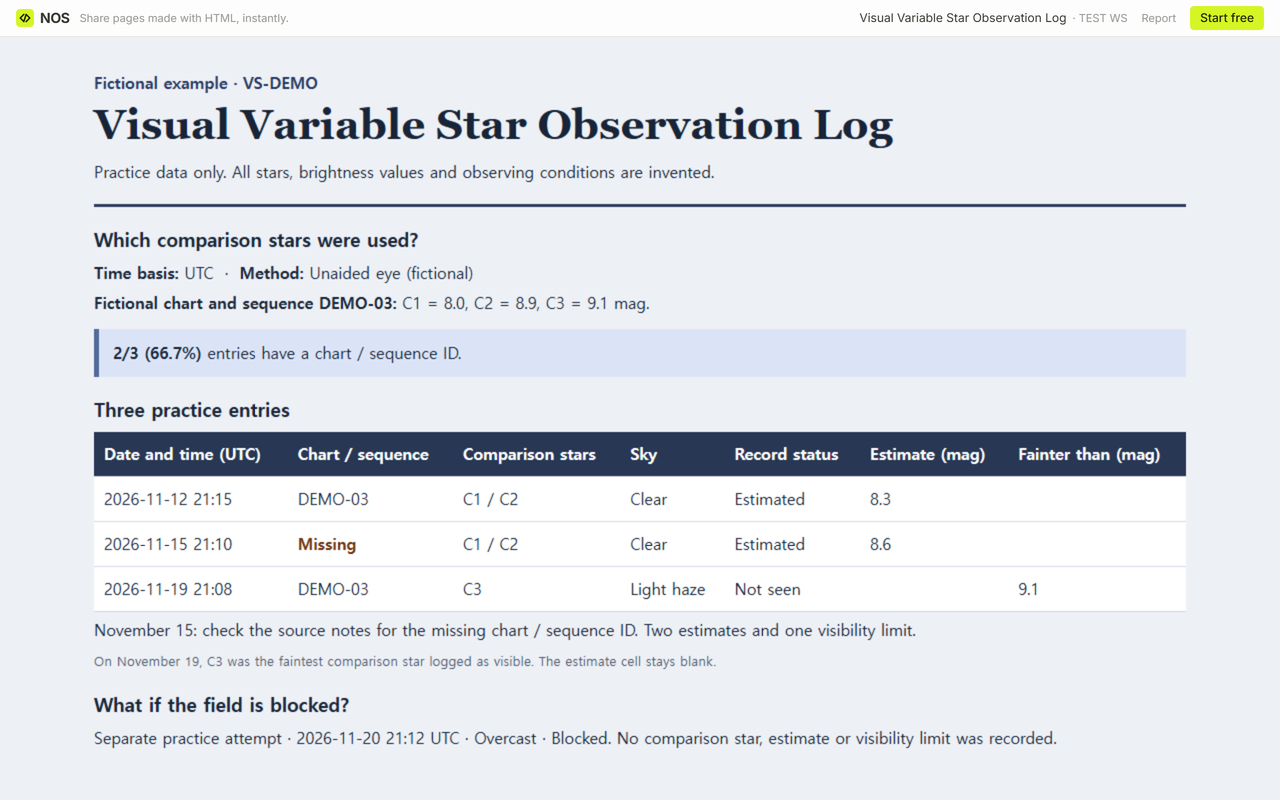
Check the original note for the time and comparison stars. The November 15 source note identifies DEMO-03, so we copied that identifier into the matching row of the NOS example. Before correction, 2 of 3 dated entries (66.7%) carried a chart or sequence ID. After correction, 3 of 3 (100%) did. The two estimates and the one limit stay where they were. The separately listed blocked attempt is outside that three-entry check.
What should you check before you file a row?
Open a fresh blank sheet for each entry. Fill the target, UTC date and time, method, conditions and record status. Add the chart and comparison IDs for an estimate or a limit. If the sky entry is Other, describe the conditions in the note. Use Check entry to catch a missing field or a magnitude entered on a blocked attempt. Compare the numbers and chart ID with your notes yourself. Copy your entries or print the sheet before closing it.
When not to do this
Use the reporting form and time convention requested by your observing program for a formal submission. This sheet keeps working notes. The fictional example is for practicing transcription and checking what each row supports.
How does the corrected log reach a reader in NOS?
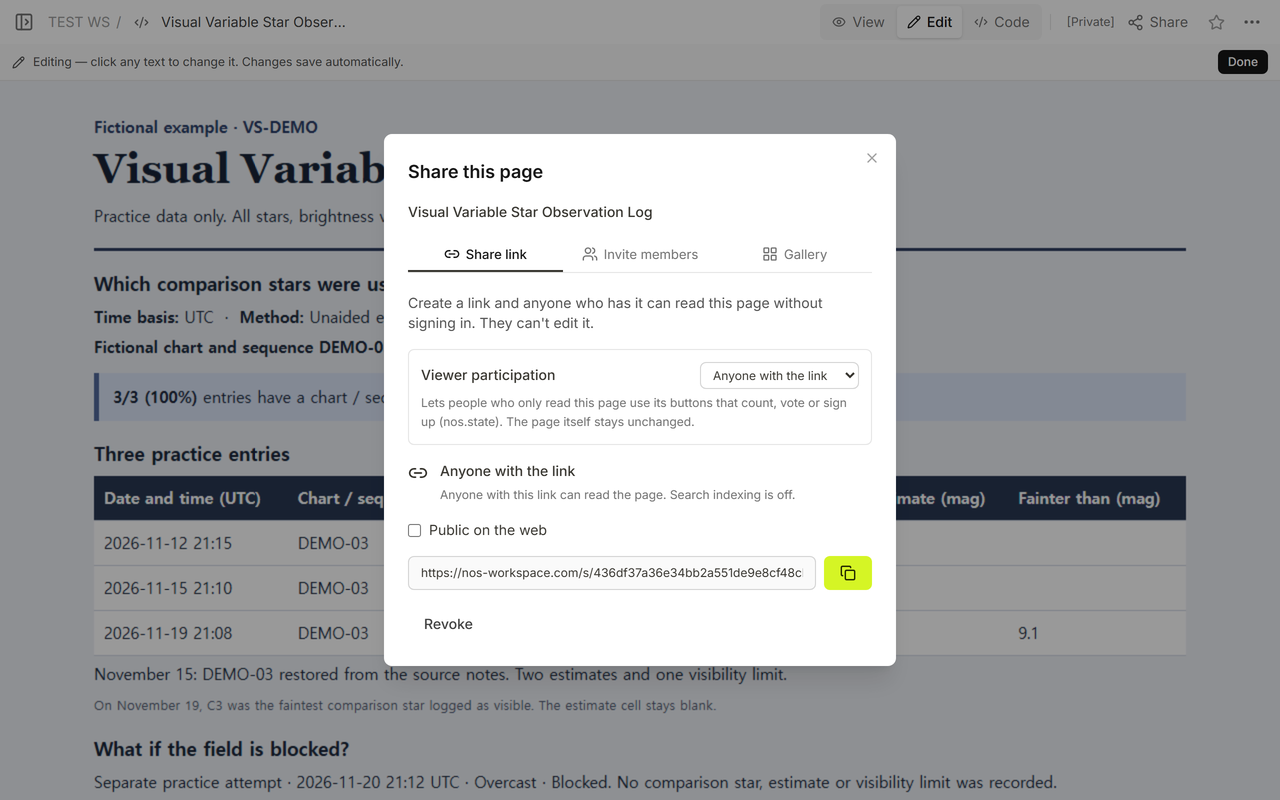
In NOS, Share showed that anyone with the link could read the page without signing in. We reopened the same reader link after restoring DEMO-03. The November 15 row showed the recovered identifier beside 8.6 mag, with the November 19 limit still in its own column.
For other ways of making observations traceable, see the classroom observation form for time-stamped evidence and the historic building photo log for tying a record to the exact reference you used.