What you're aiming for
Start with the finished thing. In the sample below, a fictional 7th-grade class has read a short passage about a lighthouse keeper. The quiz has four questions, and you can trace every correct answer to a specific sentence. That traceability is the part to copy. If you can't point to the line that proves an answer, a student can't either, and the question ends up testing guesswork.
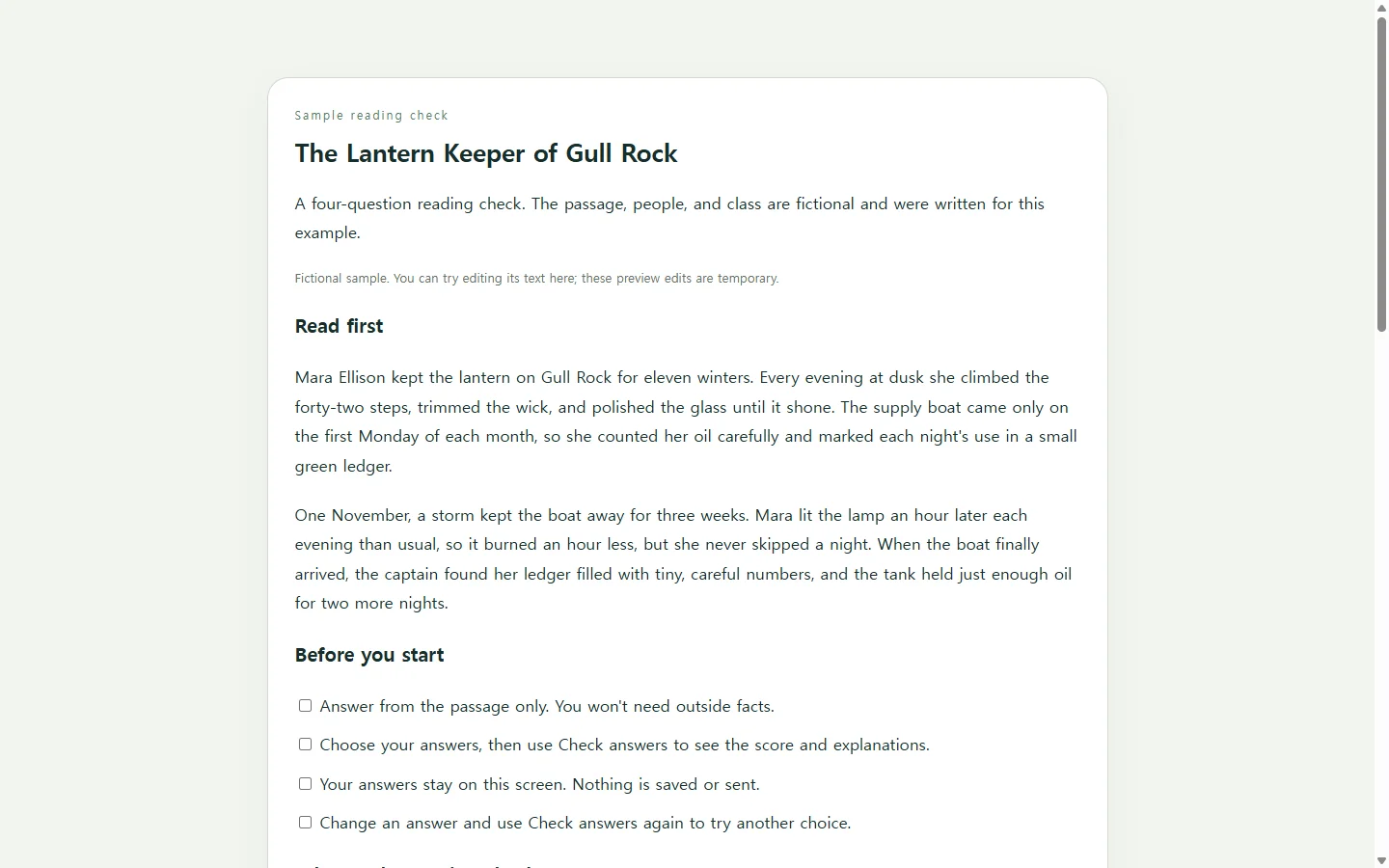
The wrong options matter just as much. In the sample, they're the mistakes a hurried reader would make, like mixing up the usual boat schedule with the storm delay, not obviously silly choices. After students check their answers, the feedback explains each one in words and points back to the passage, so they don't have to rely on color to tell what happened.
A small table under the passage shows which skill each question checks. Students don't need it, but it's a quick way to spot a quiz that is all recall.
Picking a way to generate it
Dedicated AI quiz generators commonly start from a prompt or an uploaded file. Then they let you set the number of questions, the language, and the question type or difficulty. Some can also share the quiz in a way that collects responses. If you need scores recorded for a gradebook, a tool like that is the better fit. The sample here doesn't collect or send anything. It only shows feedback on the student's own screen.
If your school requires quizzes inside its learning platform or as a printed handout, stick with that. A web page doesn't replace a required format.
The approach in this article suits a quick, low-stakes reading check where you want control over how it reads and looks. You ask a general AI assistant for one self-contained HTML file. HTML is the format web pages are written in, and a single file can hold the questions, the layout, and the small script that checks answers.
The prompt, and what to fill in
Paste your own passage where the prompt says to. Don't ask the AI to find or summarize the text for you. The point is that every question comes from material you've already assigned. Fill in the grade or group, the number of questions, and the mix of question types you want.
Two lines in the prompt do most of the work. 'Answerable from the source text alone' keeps outside facts out. Asking for the supporting sentence after the code gives you an answer key to check against. The accessibility and mobile lines are there because students will open the quiz on whatever device they have, and some may use a keyboard or a screen reader.
Build a single self-contained HTML file: a [NUMBER, e.g. 5]-question multiple-choice quiz for [AUDIENCE, e.g. 7th-grade students] based ONLY on the source text below.

Source text:
"""
[PASTE YOUR PASSAGE, NOTES, OR TRAINING TEXT HERE]
"""

Questions:
- Every question must be answerable from the source text alone. Do not add outside facts.
- Question mix: [e.g. 2 recall, 2 inference, 1 vocabulary in context].
- 4 options per question, exactly one correct. Wrong options should be plausible misreadings of the text, not jokes.
- Vary the position of the correct answer.
- For each question, write a 1-2 sentence explanation that points to the part of the text that supports the answer.

Behavior:
- Layout: [one question at a time / all questions on one page].
- When an option is chosen, show 'Correct' or 'Not quite' in words, plus the explanation. Do not rely on color alone.
- Show a final score out of [NUMBER] and a 'Try again' button that resets the quiz.
- Do not collect, store, or send answers anywhere. No forms, no network requests, no external libraries, fonts, or images.

Accessibility and mobile:
- Use real buttons or radio inputs with labels so the quiz works with a keyboard and screen readers. Keep a visible focus outline.
- Announce feedback with an aria-live region.
- Use high-contrast text and a base font size of at least 16px.
- Single column that fits a 360px-wide phone screen without sideways scrolling, with large tap targets.

Header: title '[QUIZ TITLE]', subtitle '[CLASS OR GROUP, DATE]'.

After the code, list each question with its correct answer and the exact supporting sentence from the source text so I can check them.
Check it like a student would
Before sharing, take the quiz yourself with the answer key hidden. For each question, find the supporting sentence in your passage. If the AI quoted a line that isn't in your text, or two options could both be defended, rewrite the question or drop it.
Then open the file on a phone. Make sure nothing scrolls sideways and every option is easy to tap. On a laptop, press Tab through the page to confirm you can choose answers without a mouse.
After it's shared
Say you post the link and, during first period, a student notices that question 3 reads awkwardly. If the quiz lives in NOS, you can fix that wording directly on the page instead of asking the AI to rebuild the whole quiz. The link you already posted stays the same, so second period opens the corrected version, and students don't need an account to open it.
Keep one limit in mind. Direct editing changes the words students see. Which option counts as correct lives in the quiz's script, so if that needs to change, edit the code or ask the AI for it, then test the quiz again.
Next week, paste a new passage into the same prompt. NOS keeps notes, HTML pages, and subpages in one workspace, so each week's reading notes can sit next to its quiz.