In short
Compare the displayed track order with the approved list for the same edition. Mark each track as keep, move, or investigate. Save the intake and recheck side by side, including the bonus tracks approved for that edition.
Download the blank worksheet · Download the completed example · Download the fictional source lists
Which tracklist is the one you approved?
Write the edition ID, approval reference, public listing address and check date before copying any tracks. On a multi-disc release, record the disc as well as the displayed position. Give each recording a stable key so a live cut and a studio cut with the same title stay distinct.
For the fictional album Crate Rain, the target is digital-v2 and the approval reference is D2. The CD-v1 list contains T1, T2 and T3. Keep it beside the worksheet as a reference. T4, Night Drain, is an approved digital bonus at position 4 and belongs in the digital comparison.
For an existing digital release, MusicBrainz’s release guidelines list a different track order or a different set of tracks as reasons to add another digital release entry when the artist or label clearly intended to release multiple versions. On Hungry March Band’s album listing, “Ataraxia” is labeled a digital bonus. Use your own approval list to decide what belongs on the edition you are checking.
What should move, and what should stay?
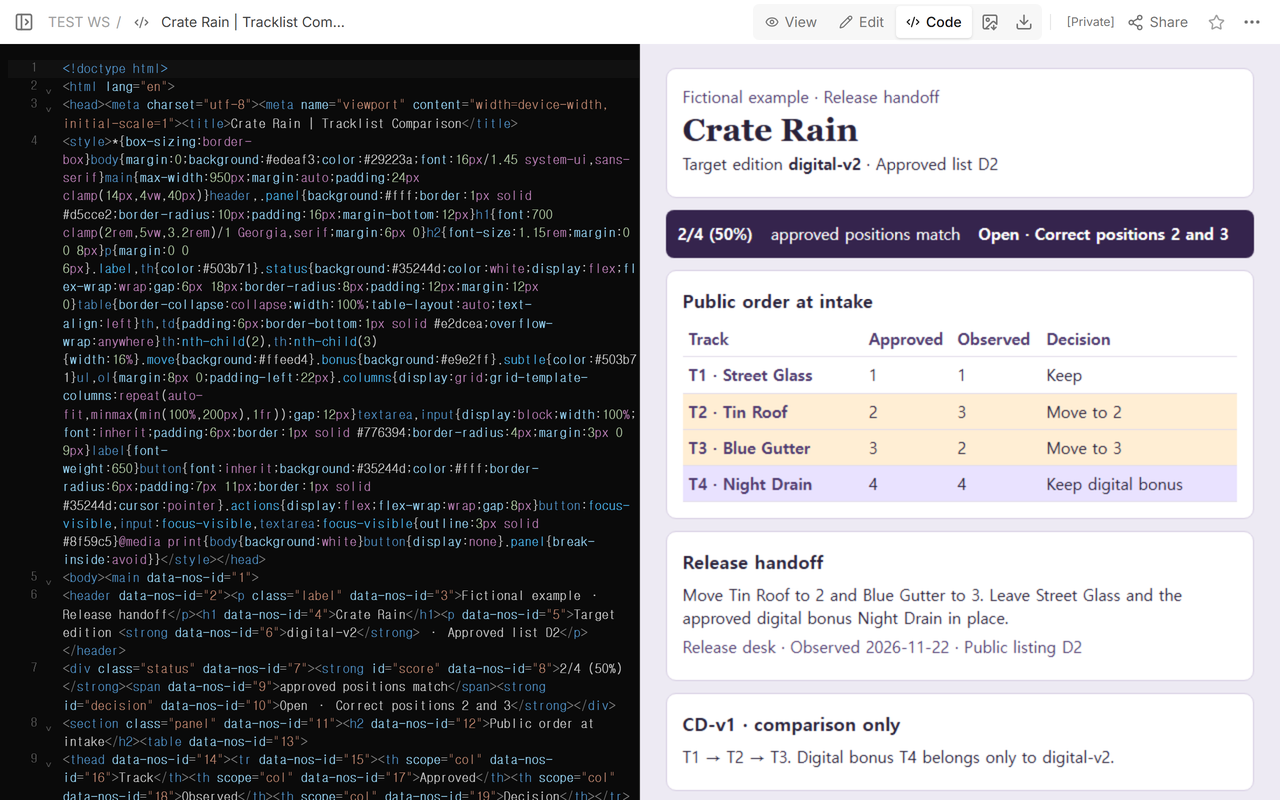
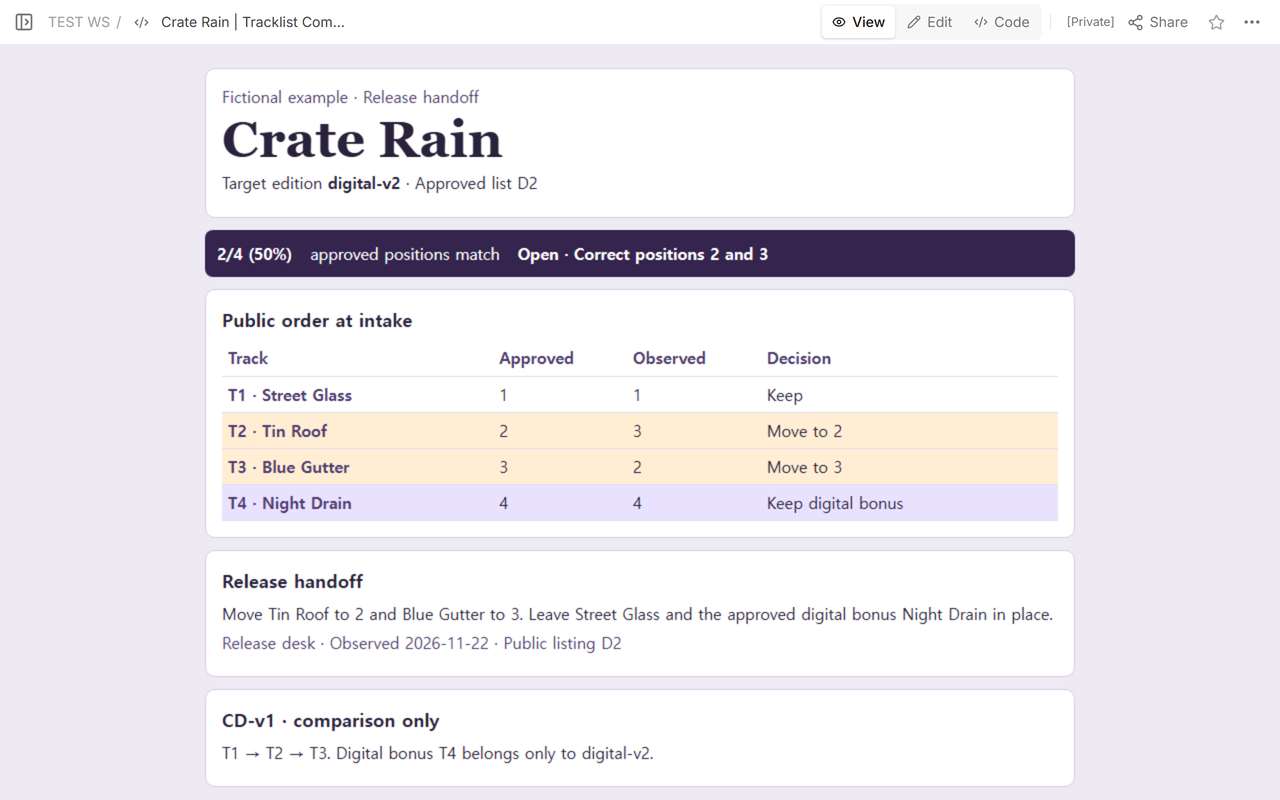
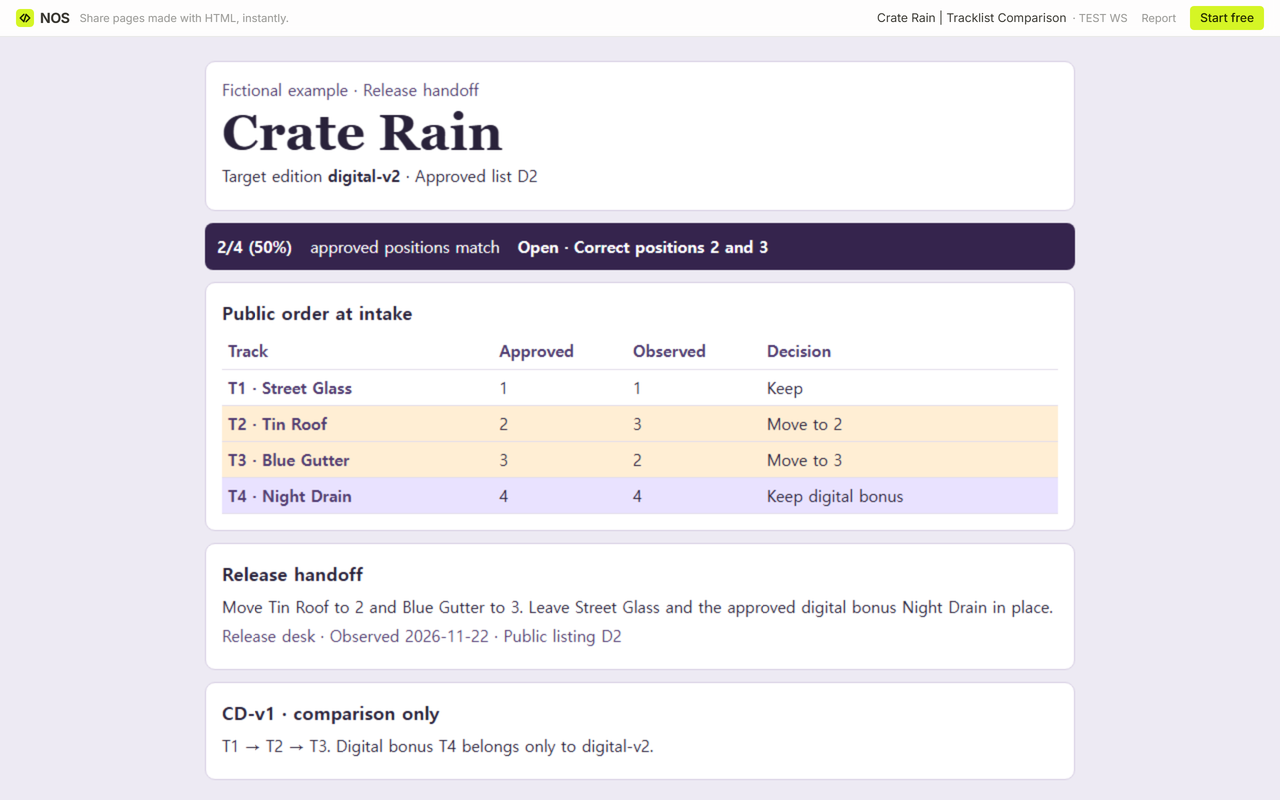
The approved order is T1 → T2 → T3 → T4. At intake, the public list reads T1 → T3 → T2 → T4. Look up each track key in the public list and put its observed position beside the approved position.
- T1 · Street Glass. Approved 1, observed 1. Keep.
- T2 · Tin Roof. Approved 2, observed 3. Move to 2.
- T3 · Blue Gutter. Approved 3, observed 2. Move to 3.
- T4 · Night Drain. Approved 4, observed 4. Keep the digital bonus.
Two of four approved positions match at intake, 2/4 (50%). The denominator is four because D2 approves four tracks. A match takes both the right recording and the right position.
What if a position is blank or a key appears twice?
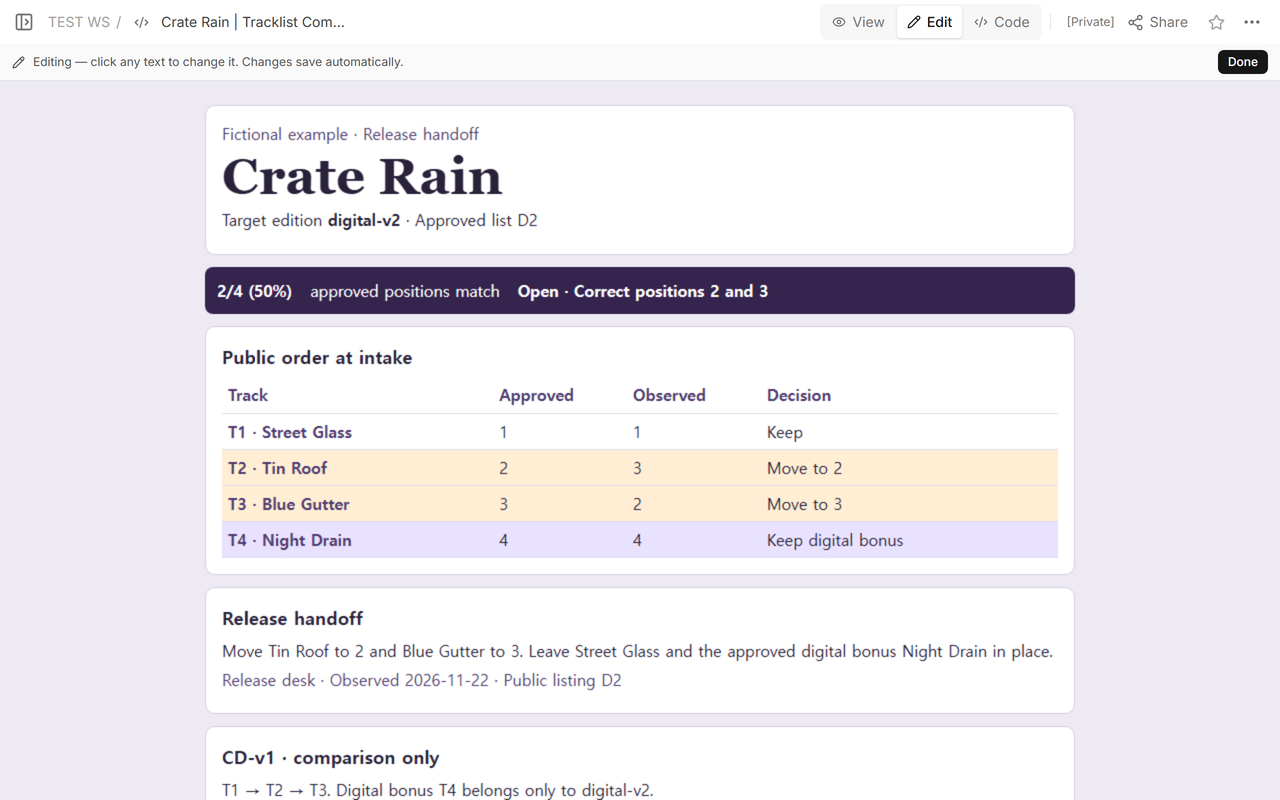
Open the blank worksheet in a browser and enter one line per recording as disc:track key. For example, 2:1 T3 means disc 2, track 1, key T3. Use disc 1 for an edition with one list. Put any approved bonus keys in the bonus field by themselves.
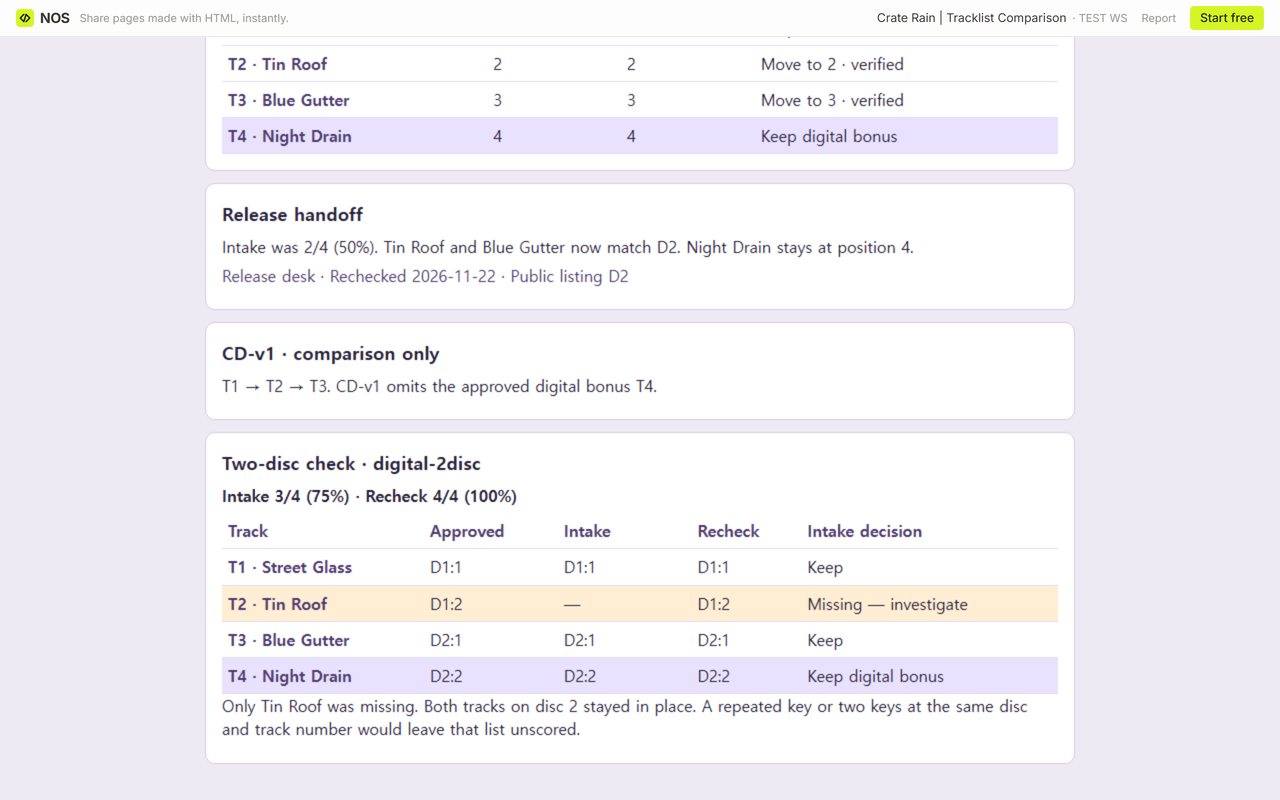
In the separate digital-2disc example, Tin Roof is missing from disc 1, track 2. Omit its row from the observed list. Copy Blue Gutter as 2:1 T3 and the approved bonus Night Drain as 2:2 T4. Both stay in place, and the result is 3/4 (75%). The recheck restores Tin Roof at 1:2 T2 and reaches 4/4 (100%).
Use ? for an unread row. An empty or unread list, a repeated key, an invalid coordinate or two keys at the same disc and track number leave that list unscored. Different edition IDs also block scoring. A confirmed missing recording gets Missing — investigate on its approved row.
For a separate three-track example with two matches, 2 ÷ 3 × 100 is 66⅔%, displayed as 2/3 (≈67%). The worksheet rounds the displayed percentage to the nearest whole number and marks rounded values. A valid list with zero matches can show 0%. An extra track still needs investigation even if every approved position matches.
How do you close the correction?
Keep the intake list. After the release team fixes the listing, open the same public address and enter what it now shows in the recheck field. Add the date and reviewer, then download the comparison record. Close it when the recheck matches every approved position and all extra tracks are resolved.
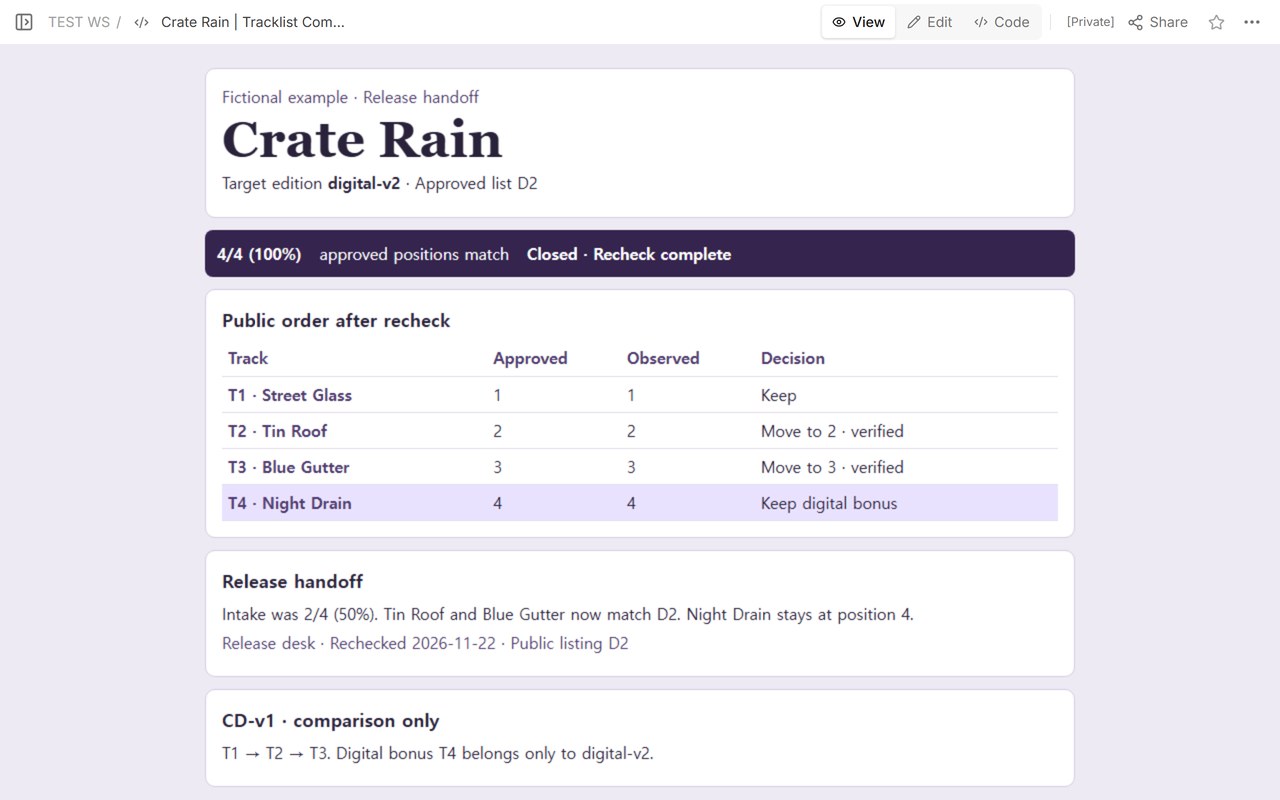
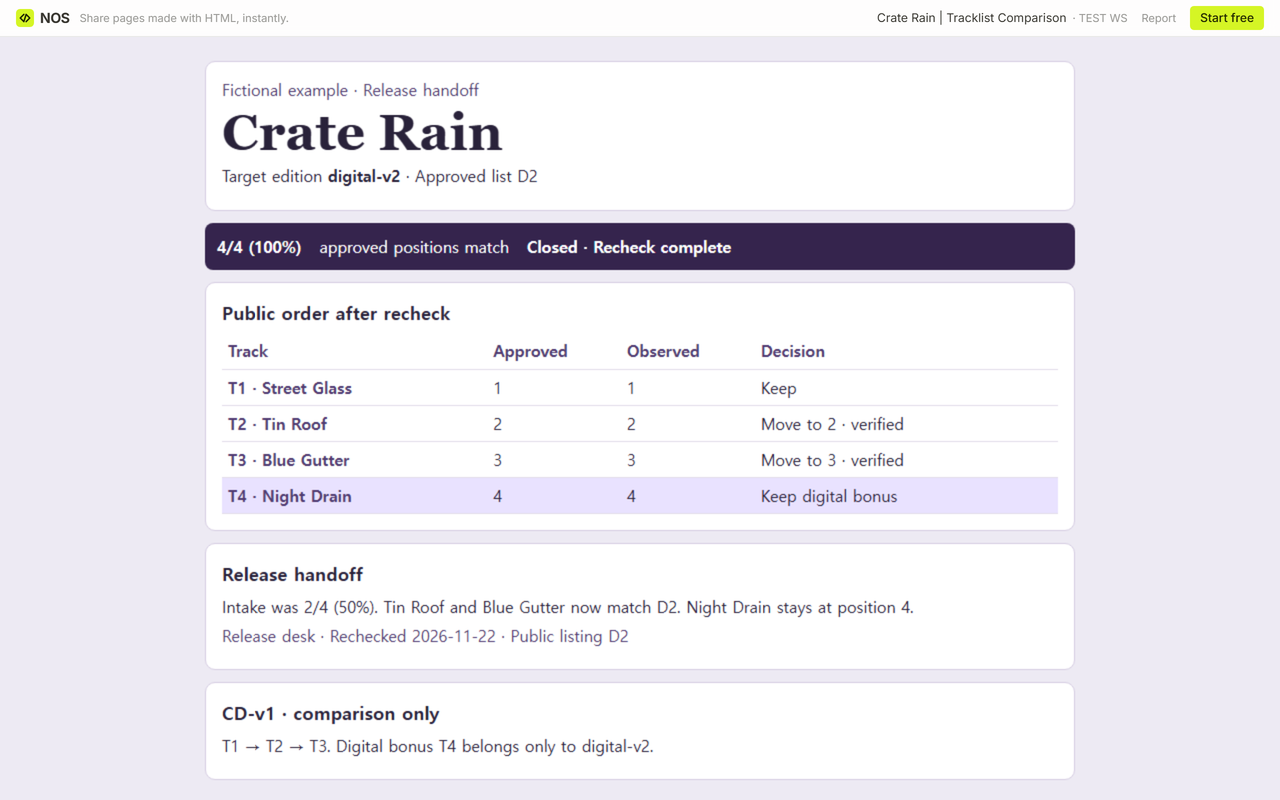
The fictional recheck reads T1 → T2 → T3 → T4, so 4/4 (100%) approved positions match. The completed handoff records the two verified moves, the retained bonus and the earlier 2/4 (50%) result.
When not to do this
Use a separate listening check when you need to verify the audio itself, the playback queue or regional availability. If a release page gives you too little evidence to identify the edition, keep the issue open and ask for its approval reference.
How can you share the handoff in NOS?
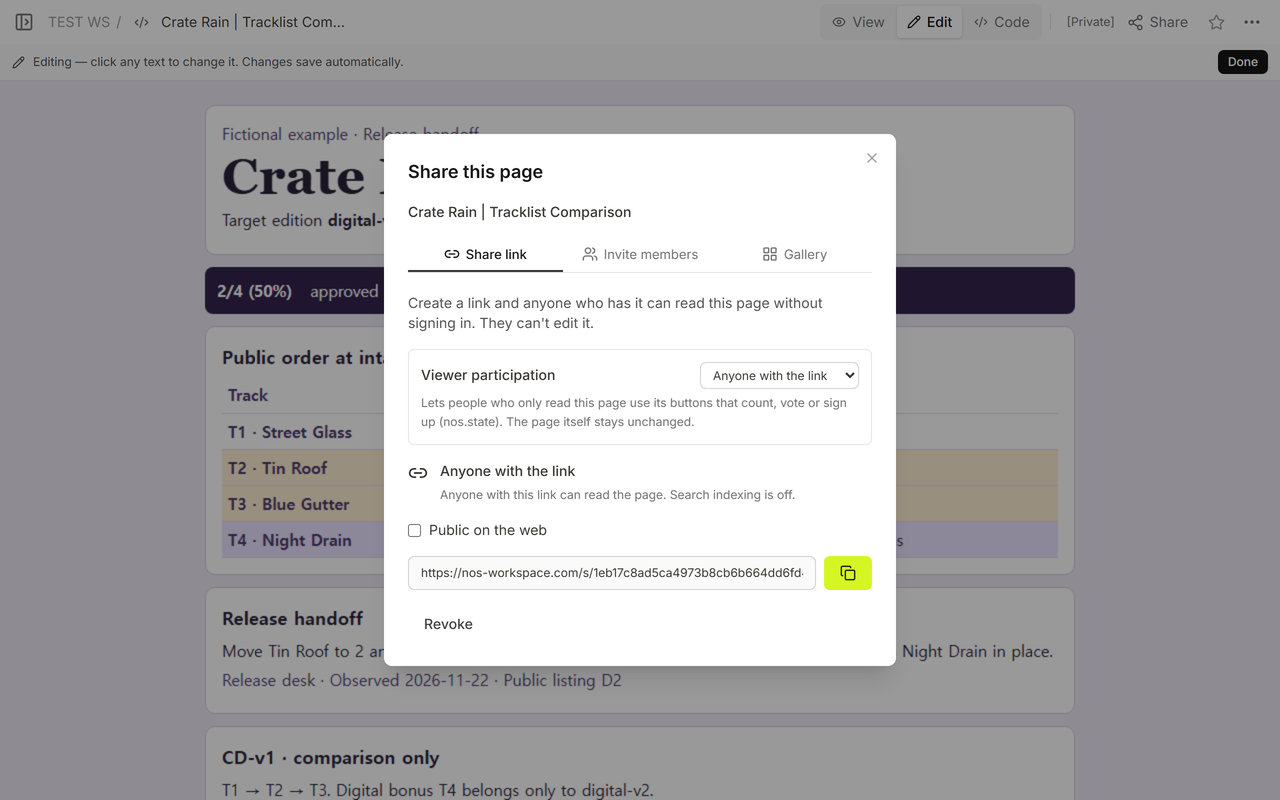
We opened the fictional worksheet in NOS Workspace, checked the rows in View and used Share to find the viewer address. After saving in Code, we opened the same viewer address while signed out. It shows the closed digital-v2 handoff and the separate two-disc check below it. The example tracks and corrections are fictional.
If you’re preparing a listener-facing page, see the album release website guide. For a page with a player, see embedding a YouTube playlist.