In short
A good babysitting flyer answers what a parent asks before they text you: who you are and how old, which ages you watch, when you are free, which streets you cover, what experience or training you have, what you charge, and who to contact.
If you are a teen, list a parent's phone number, not your own. Leave off your home address and your school.
Your free evenings change every week, and paper can't. Print the parts that stay the same plus a QR code. Keep "Open this week" on a web page the QR opens, and edit that page when a night gets booked.
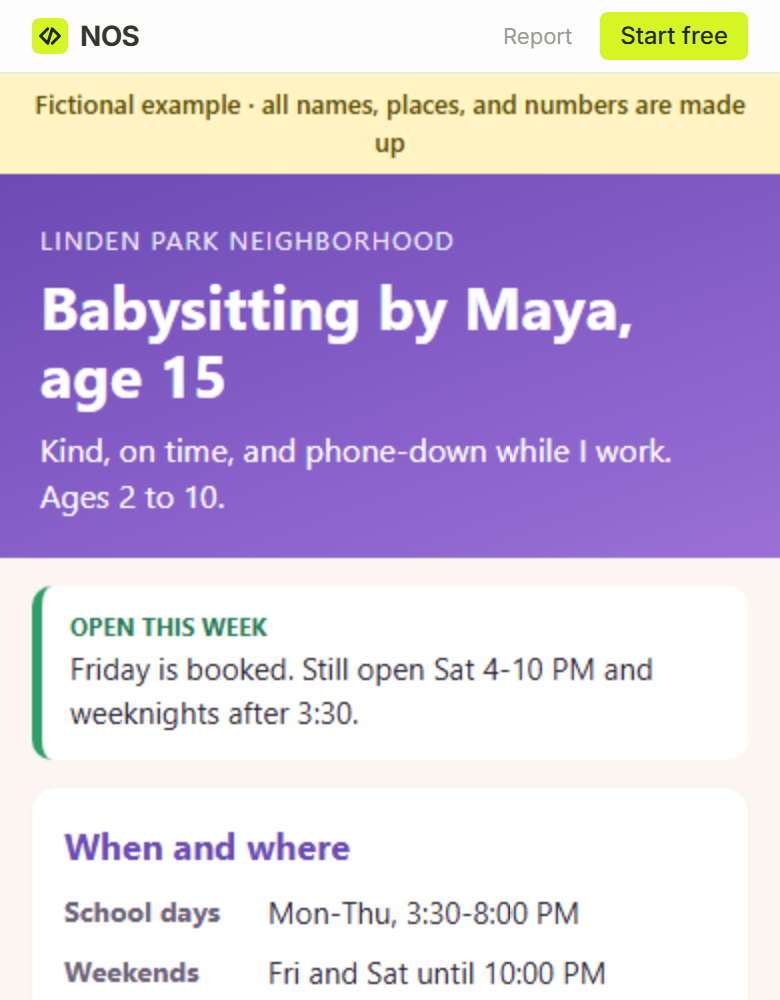
We made a phone-size flyer for a made-up sitter, Maya, age 15, and put it on NOS. Then we did the two updates a real sitter makes all the time. A family booked Friday, so the "Open this week" line had to change. And she finished her babysitter course, so her training line went from "in progress" to "finished." We made both edits on the NOS page and reopened the same share link. Maya, her neighborhood, the phone number, and the rates are all fictional.
You can open the example flyer or download the HTML file and use it as a free template.
What to put on a babysitting flyer
Template sites focus on colors and clip art. Parents skim for facts. Put these in this order:
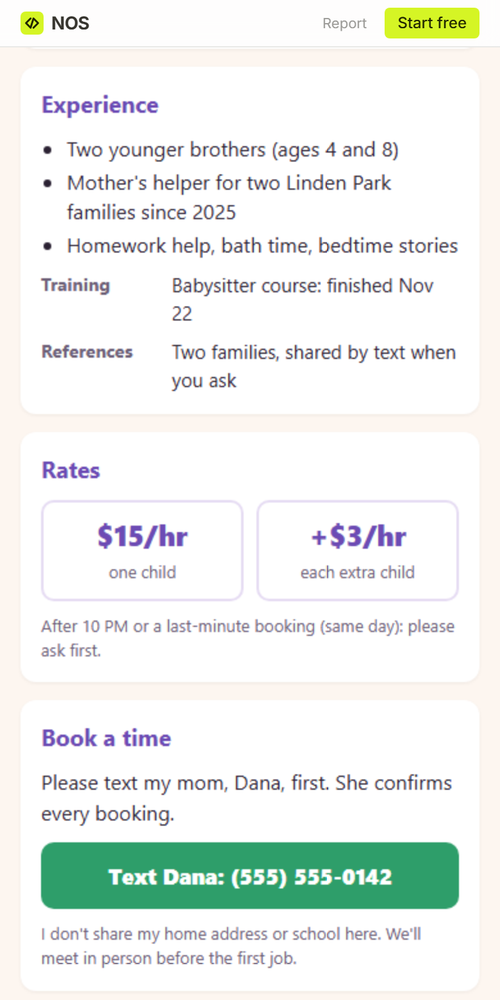
- Name and age. First name only. "Maya, age 15" sets the right expectations.
- Ages you watch. "Ages 2 to 10" saves a parent of a newborn from asking.
- When you are free. School-day hours, weekend hours, and what you won't do, like overnights.
- Area. A park or street name is enough. Add "or a ride both ways" if you can't walk there.
- Experience. Younger siblings count. So does being a mother's helper. List what you can actually do: homework help, bath time, bedtime.
- Training. A babysitting or first aid course, only if you have really taken it. Say "in progress" if you are still in it.
- References. Say how parents can get them, without printing other families' names.
- Rates. One child, each extra child, and when you charge more.
- How to book. One phone number with a button to text it.
How to make a babysitting flyer
- Write the facts first. Agree on your hours and rate with a parent before you design anything.
- Lay it out for a small screen. Most parents will open it from a group chat or a QR, so use one column and big text. Put this week's open times near the top. Our example is a single HTML file you can copy and change.
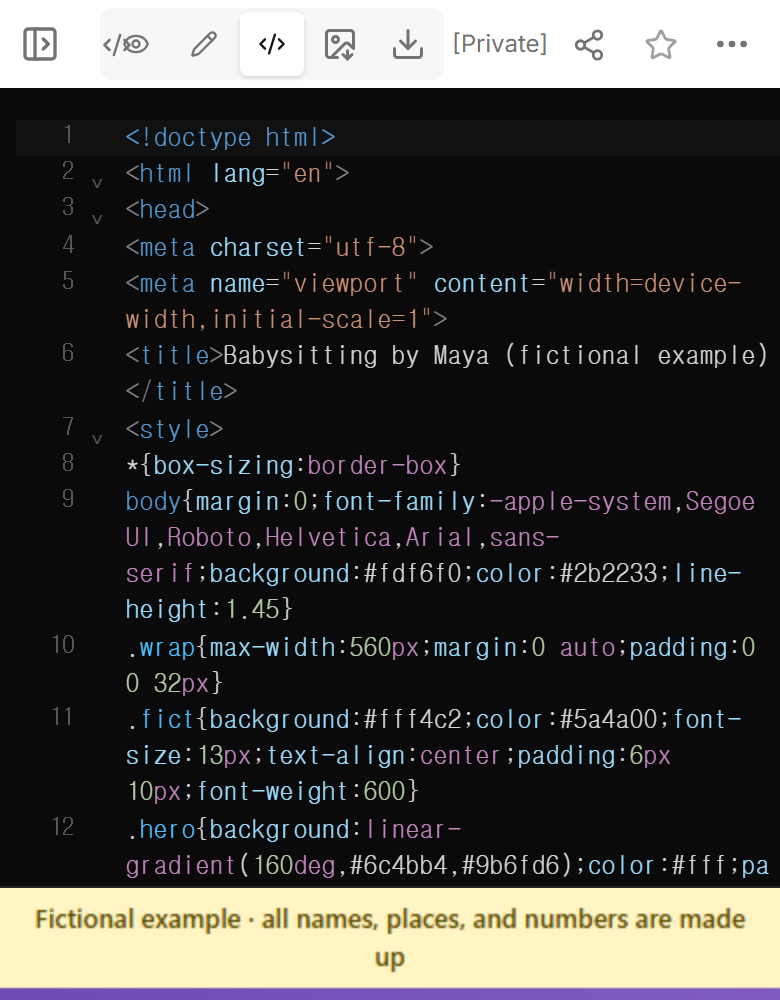
- Paste the file into a NOS page. In Code view you see the HTML on top and the finished flyer below it.
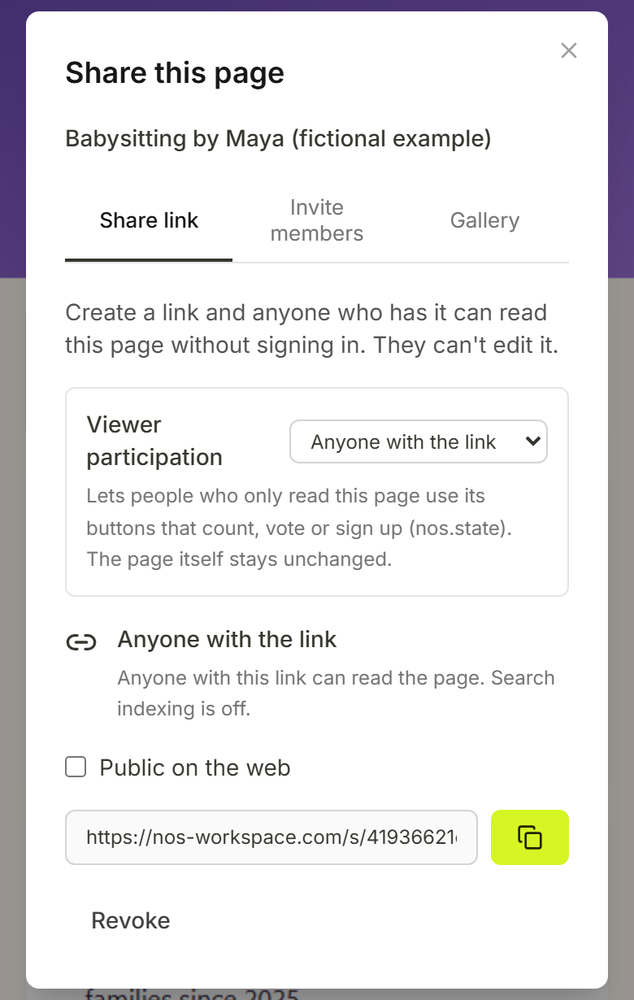
- Copy your flyer's link. Open the Share panel from the top bar. It says anyone with the link can read the page without signing in, and can't edit it. Search engines won't list it as long as the "Public on the web" box stays empty. Keep it empty for a flyer only neighbors need.
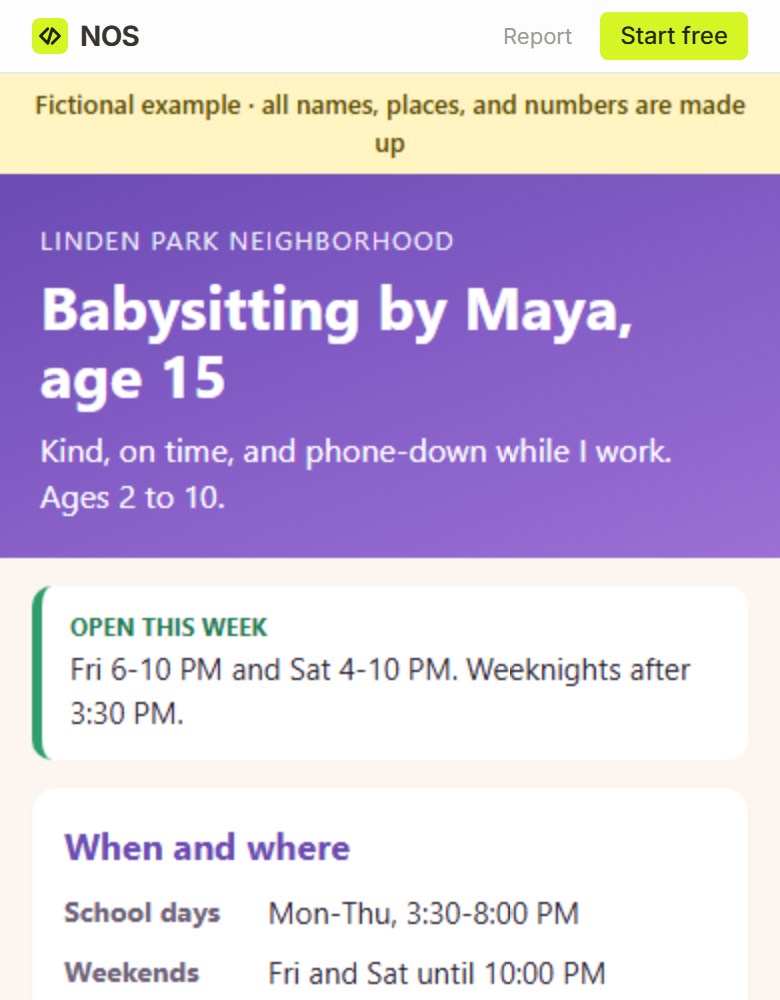
- Open the link on a phone. This is what a parent sees. Check that your name, ages, and this week's times show without scrolling.
- Make a QR code from the share link. Print it on the paper flyer. For sizes and a scan test, see how to turn an HTML page into a QR code.
Keeping your free times current
A family booked Maya for Friday. On paper, she would now get texts about a night she can't do. We changed the page instead.
We clicked Edit. A bar across the top says "Editing — click any text to change it." We clicked the "Open this week" line, typed the new times, and pressed Done.
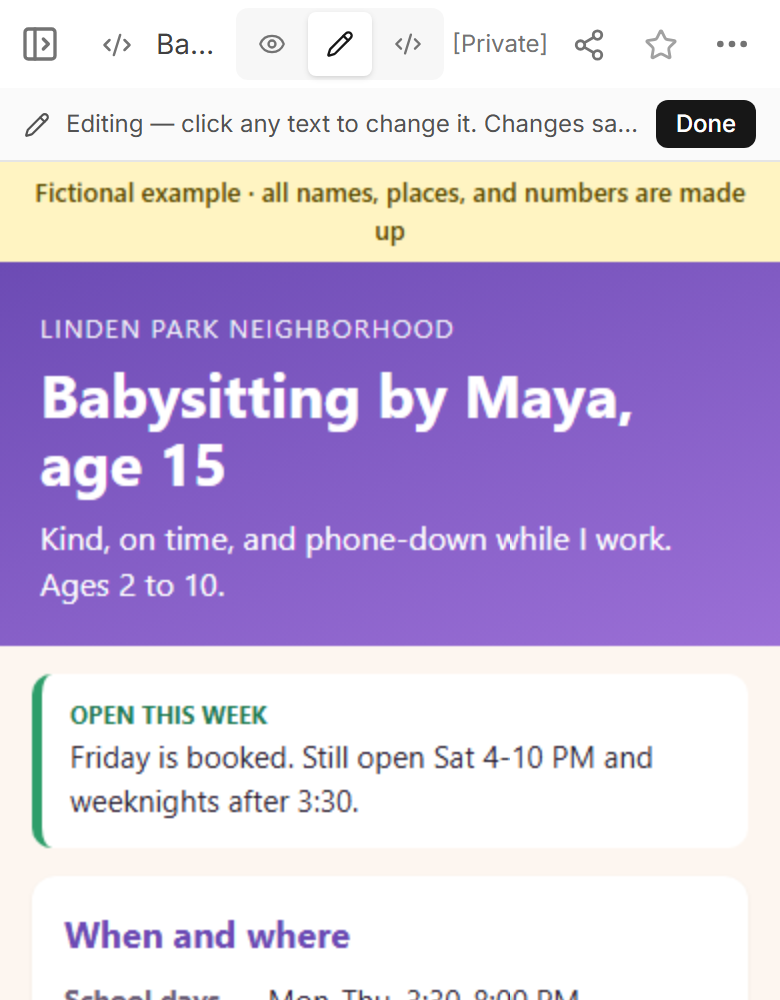
One thing went wrong the first time. We deleted every letter of the old line, and the new words didn't go in. The saved line was blank. On the next try the text went in but lost its first letter. We clicked the start of the line, typed the "F", and it was right. Our tip: delete all but the first word, type, and then read the line before you press Done.
A week later Maya finished her course. We changed "in progress" to "finished Nov 22" on the Training line the same way. A parent deciding between two sitters may read that line closely.
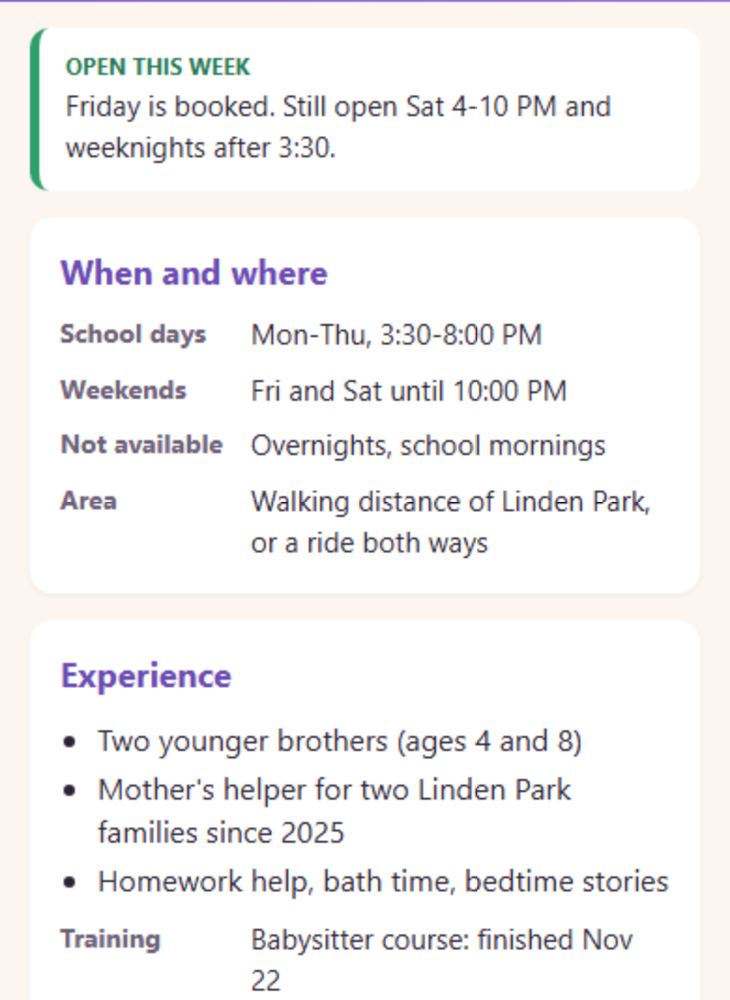
After both edits, we loaded Maya's original share address on a phone-size screen. "Friday is booked" was at the top. The address had not changed, so the printed QR code now opens the new times.
Tear-off tabs vs. a QR code
Many templates still have tear-off tabs with your number on them. They work on a library board. But each tab is a phone number anyone can take, and it stays on the board after you stop babysitting. A QR code that opens your page shows the current week and a parent's number you can change later. If your neighborhood board crowd won't scan codes, use tabs with the short link written on them instead of a phone number.
How much should a teenager charge for babysitting?
There is no single right number. National surveys mostly measure adult sitters with years of experience and vary a lot by city. To set yours:
- Ask two or three parents near you what they pay a teen sitter now.
- Start near that, a little lower if this is your first year.
- Add a set amount for each extra child. Two kids are more work than one.
- Decide your rules for late nights and same-day bookings, and write them down.
Put the rate on the flyer. Parents compare sitters, and a missing rate means one more text before they book you. When your rate goes up after a course or a birthday, change it on the page.
How to advertise babysitting in your neighborhood
Send every ad to the same link, so a change in one place reaches everyone.
- Families who know you. Ask your parents to send the link to friends with young kids. These families already know you.
- Neighborhood group chats and pages. Ask a parent to post it for you, with their name on the post.
- Bulletin boards. The library, a community center, a church, or the pediatrician's office. Ask before you pin anything.
- After a good job. Ask the family if they would be a reference and pass your link on.
How to get babysitting jobs at 13
Start small. Short after-school jobs, or watching kids while a parent works at home, are easier for a family to say yes to. Put that on your flyer: "mother's helper" and "after school" are honest first offers. Ask families who already know you, then add each job to your experience line. Babysitting age guidance differs by state, so check yours before you take evening jobs alone.
When not to do this
- Your parents haven't agreed. Show them the page first. The contact number on it should be theirs.
- You want to post it everywhere. A share link can be forwarded. Keep it to people near you, leave search off, and never add your address, school, or photos of kids you sit for.
- You need bookings, payments, or background checks. A flyer page only tells people about you. For booking calendars or paid listings, a sitter app is the better tool.
- Nothing changes. If your times are the same all year and you only post on one board, a printed flyer is enough.
Where NOS fits
NOS lets you paste an HTML file into a page, share it as a link, and fix the words later without making a new link. You can type changes in Edit mode or change the HTML in Code view. People who open the link don't need an account. The Free plan allows 3 share links at once, which is plenty for one flyer. The paid plans are on the pricing page. When the parents you sit for need house rules and emergency numbers, give them a babysitter information sheet to fill in. For what happens when someone scans your code, see what a QR code link is.