In short
- A choir concert program needs the concert name, date and place, the pieces in order with composer and arranger, soloists, the intermission, any texts and translations, the singers by voice part, and a short note on phones and applause.
- A web page works better than paper for the parts that change late: a soloist swap, a cut piece, a longer break. You fix the page and the same link shows the new version.
- Before you print song texts, check each one. Texts in the public domain are free to print. For copyrighted lyrics, follow the publisher's policy, and ask when it is unclear.
- Open the program on a phone with the largest text setting before the concert. Side-by-side translations are the first thing to break.
We made a program for a made-up winter concert, "Winter Lights" by the Cedar Hollow Community Choir. It has six carols, two soloists, an intermission, four song texts, and a list of 15 singers. We put it on NOS and shared one link. Then we made three late changes, the kind every concert gets: a new soprano soloist, a longer intermission, and a layout fix for the translations. Each time, we opened the same link again to check what the audience would see. The choir, the singers and the hall are all fictional.
What to include in a concert program
Most choir programs share the same parts. Put them in the order the audience needs them:
- Title block. Concert name, choir name, date, start time, and place.
- House note. One or two lines: silence phones, when to clap, and whether photos are allowed. If your program is a link, ask people to silence phones but keep them out.
- The program itself. Each piece with its title, then composer, arranger and lyricist on the line below. Mark soloists under the piece they sing in. Show the intermission where it falls.
- Texts and translations. Print the words for pieces in other languages, with an English line next to or under each one.
- Singers. Group names by voice part: soprano, alto, tenor, bass. Add the director and the accompanist.
- Thanks and next concert. Short. People read this at the end, if at all.
Program notes about each piece are optional. Long notes are hard to read in a dark hall. One or two sentences per piece is enough.
How to make a digital concert program
We wrote the program as one HTML file. Any AI chat can draft one if you paste your piece list and ask for "a one-page concert program for phones, with a dark mode button." We added two buttons at the top: Dark mode and Larger text. A bright white page in a dark hall bothers the people around you, so dark mode is worth having.
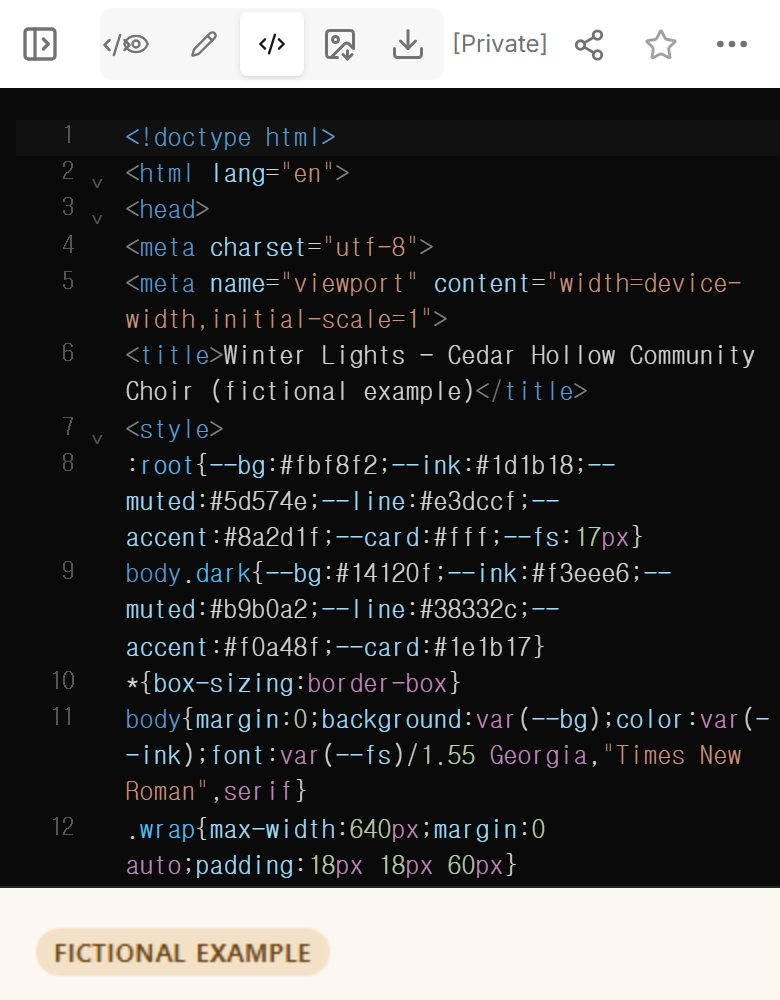
In NOS, we pasted the file into a new page. Code view shows the HTML on top and the page below it.
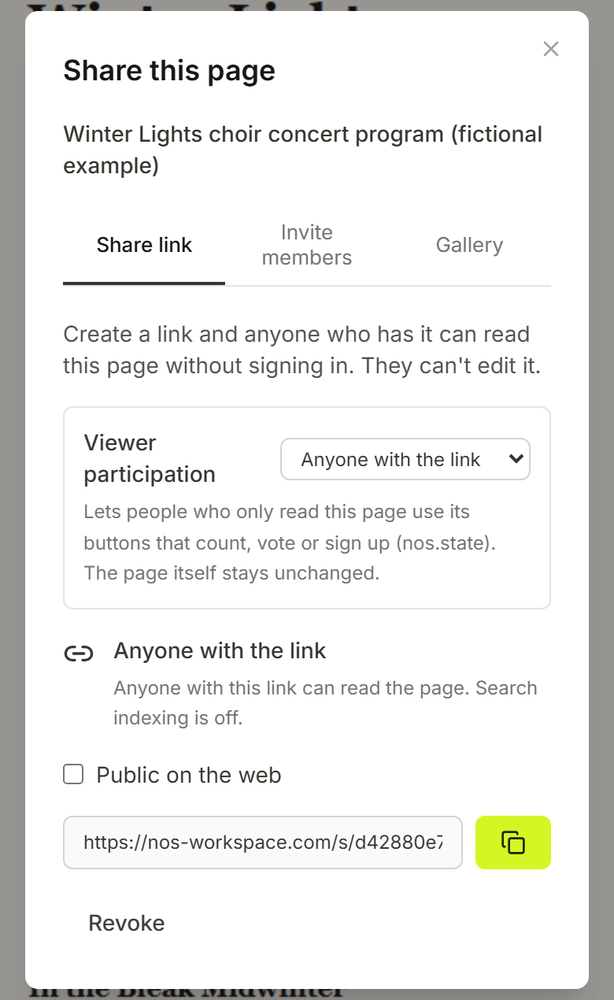
Next, we opened Share. The share link lets anyone with it read the page without signing in. They cannot edit it. The panel also says search indexing is off. We left "Public on the web" unticked.
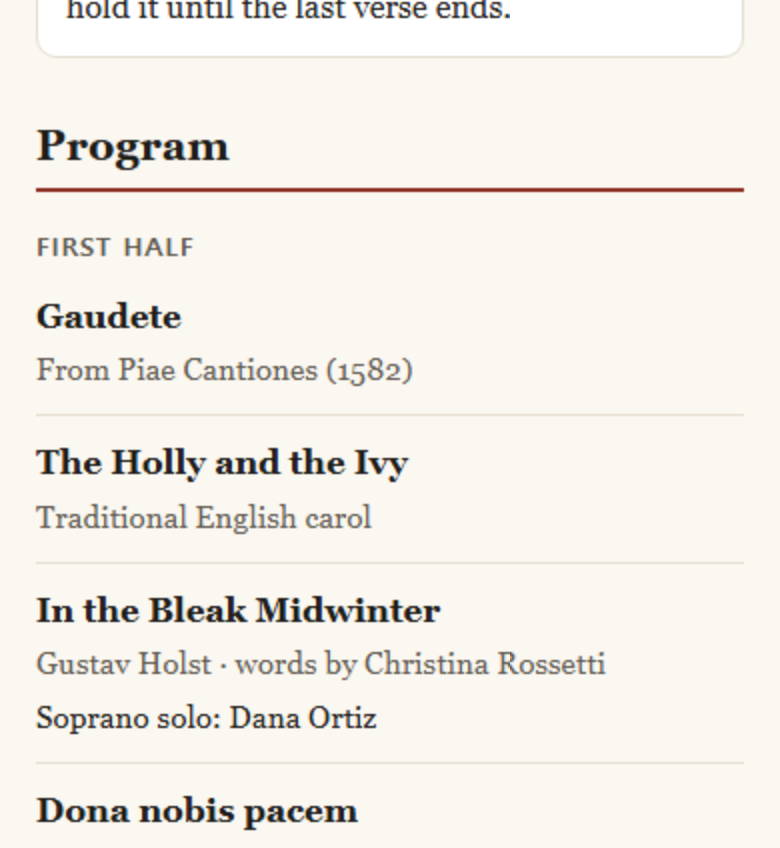
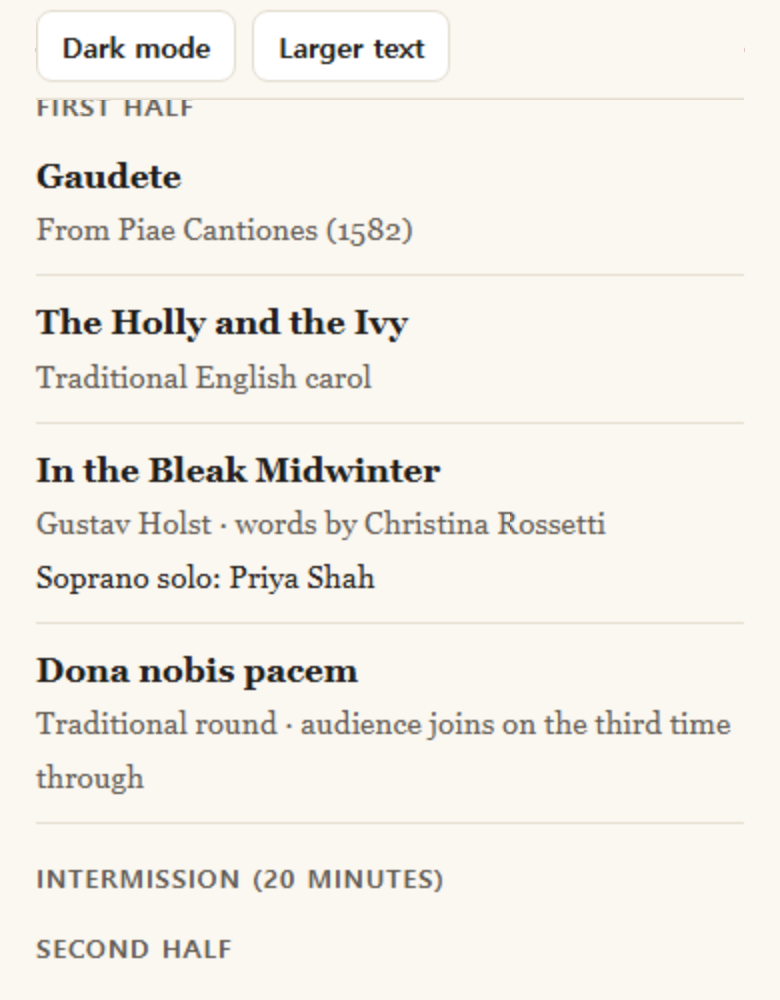
We opened that link at phone width. This is the version the audience gets. The soprano solo in the Holst still says Dana Ortiz.
Changing the program after it goes out
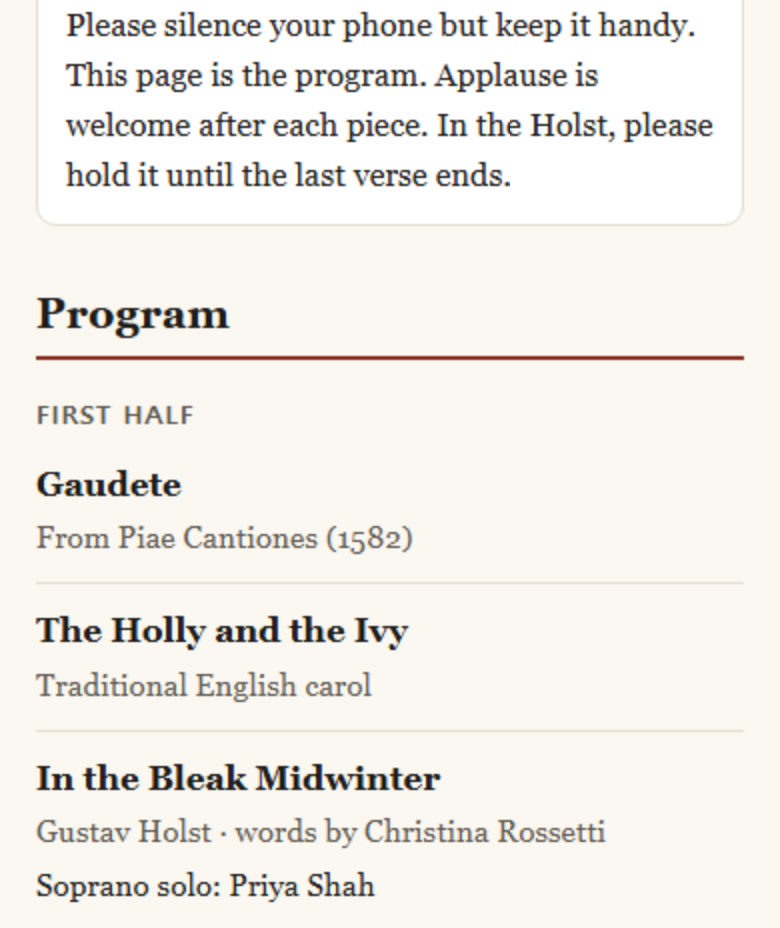
Say the soloist is sick on the day. On paper, that means a printed insert or an announcement. On a link, you fix one line. We clicked Edit, clicked at the end of "Dana Ortiz," deleted it, typed "Priya Shah," and clicked Done.
For the intermission, we used Code view instead. We found "Intermission (15 minutes)" in the code and changed 15 to 20. NOS saved it on its own. Each save adds a new version number at the top (v2, v3, and so on), so you can see that a change went through.
Then we reloaded the same share link. Both changes were there. Nobody needed a new link.
The problem we hit: translations at large text size
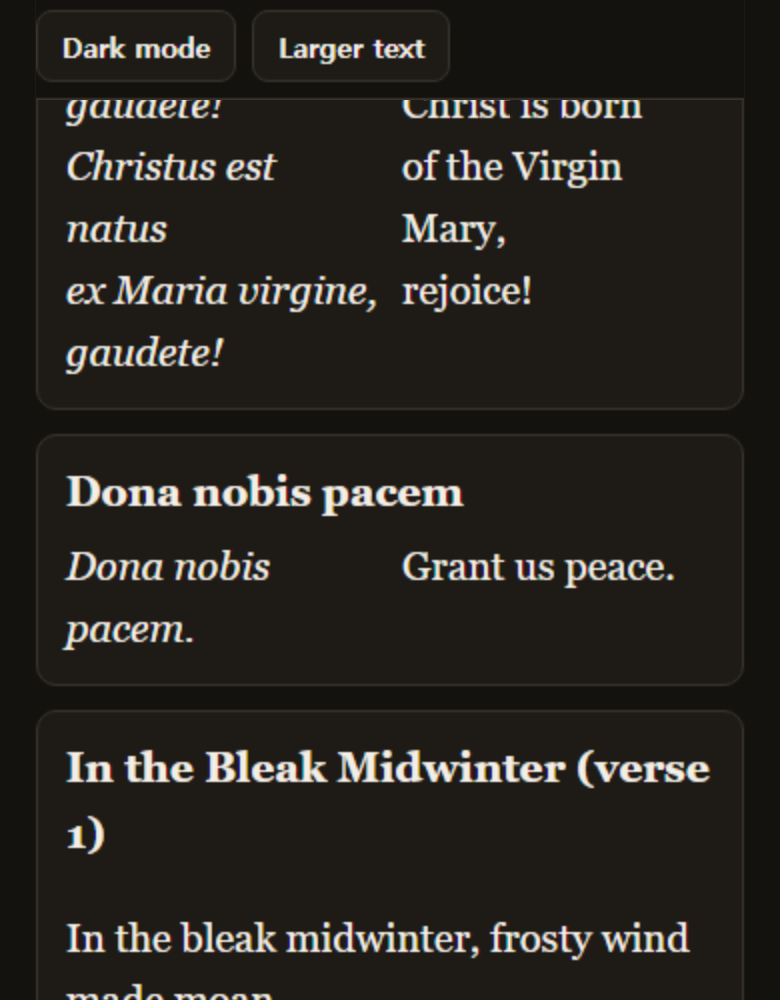
Our first version put the Latin and the English side by side in two columns. It looked fine at normal size. Then we turned on dark mode and larger text, the way an older guest might. On a phone, the columns got so narrow that "Christus est natus" broke across two lines. "Dona nobis pacem" did too.
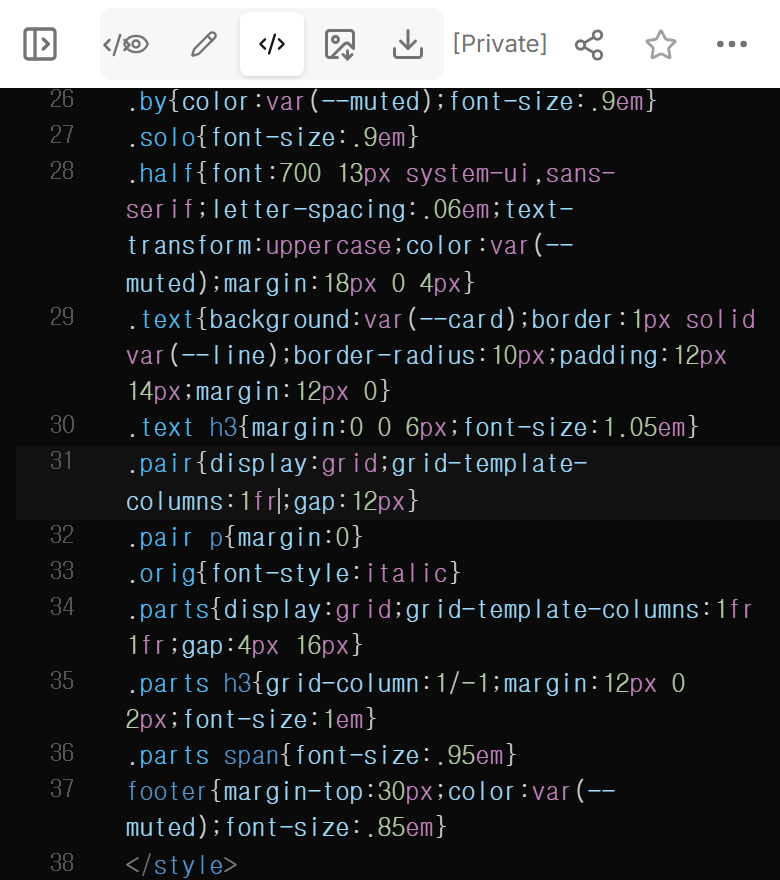
The fix was one word in the style rules. In Code view, we changed the translation block from two columns (1fr 1fr) to one (1fr). Now the English sits under the Latin.
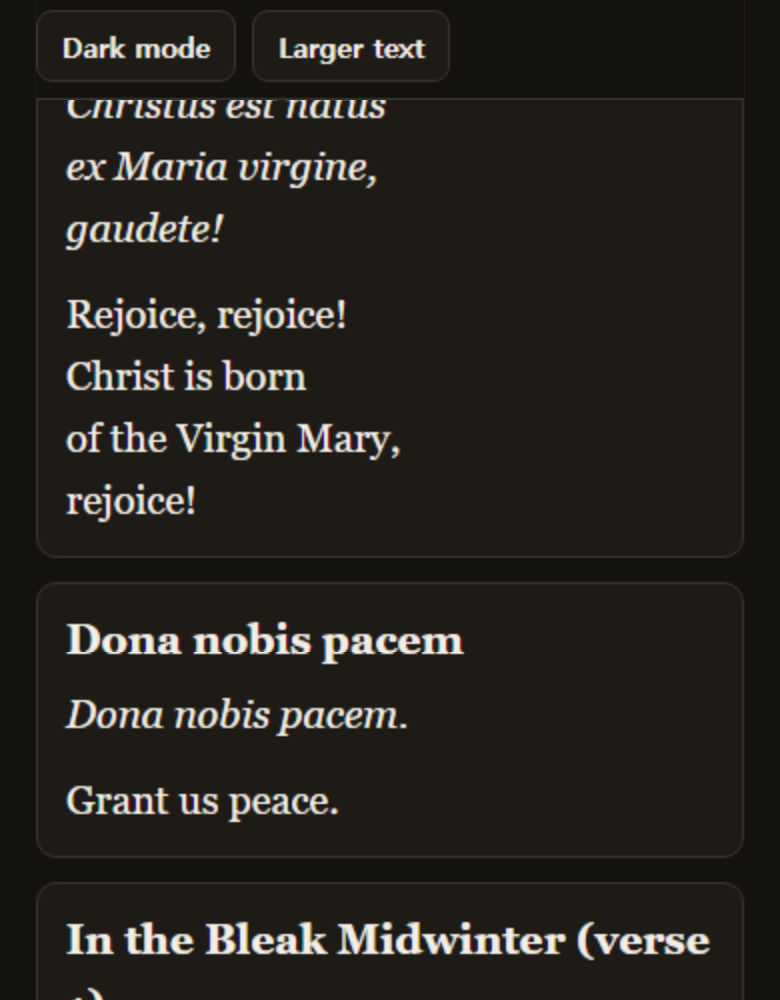
We opened the share link again with the same settings. Each line now reads in one piece.
If you want side-by-side text on wide screens, keep the two columns for wide screens only. On phones, stack them.
Can you print song lyrics in a concert program?
It depends on the text. Our example only uses public domain words: a 1582 Latin carol, a traditional round, Christina Rossetti's poem, and John Freeman Young's 19th-century English "Silent Night." In the United States, works published in 1930 or earlier are in the public domain as of 2026 (Duke Center for the Study of the Public Domain). A translation you write yourself is yours to print.
For copyrighted lyrics, there is no single rule. The UNLV music department's copyright FAQ says printing the words in a concert program needs permission first. One publisher, Beckenhorst Press, allows its lyrics in a concert program, outside a worship service, with no license if you print the composer, lyricist and publisher names. Look at the copyright line on each score, then check that publisher's policy. If you can't find one, ask the publisher.
Choir concert program ideas
- Tell the audience when to join in. Our round says "audience joins on the third time through" under the title.
- Explain applause once, in the house note. Multi-verse pieces and sets are where people clap at the wrong time.
- Add jump links. Program, Texts, Singers at the top save a lot of scrolling in the dark.
- List singers by voice part. Families look for one name. Grouping makes it quick.
- Keep a printed copy for the door. Some guests will not want to use a phone during a concert.
How to make a concert program in Word, Canva or Google Docs
These tools are good for a folded paper program. Set the page to landscape, split it into two columns, and plan four panels: cover, program, texts, singers. Their weak spot is the late change. Once a PDF or a printed copy is out, a new soloist means a new file. If you print, keep the web version too, and put a QR code to it on the back.
When not to do this
- Your hall has no mobile signal or Wi-Fi. A link that can't load is worse than paper.
- The venue asks for no phones at all. Then print, and keep the link for families at home.
- The program is a keepsake, such as a final concert or a graduation. People want paper to keep.
- You need ticket sales, seat choice or donations on the same page. A program page only shows information. Use a ticketing service for those.
Where NOS fits
NOS Workspace hosts HTML pages and gives each one a share link. You paste your program, share the link, and fix text later in Edit or Code view without changing the link. Readers don't sign in. Plans and limits are on the pricing page. You can download our fictional program and replace the pieces and names with your own.
Related guides: turning a page link into a QR code, a program for a memorial service, and an event page for the concert itself.