In short
A coupon page is one small web page with the offer, a code, an end date, and the terms. You send the link by text, email, or a QR code. Nobody needs an app or a printer.
Put the deal and the end date where they show without scrolling. Write the terms in plain words: who can use it, what it is off, and what it does not cover.
If the offer changes, edit the same page. Add a dated line at the top so people know what changed. The link they already have keeps working.
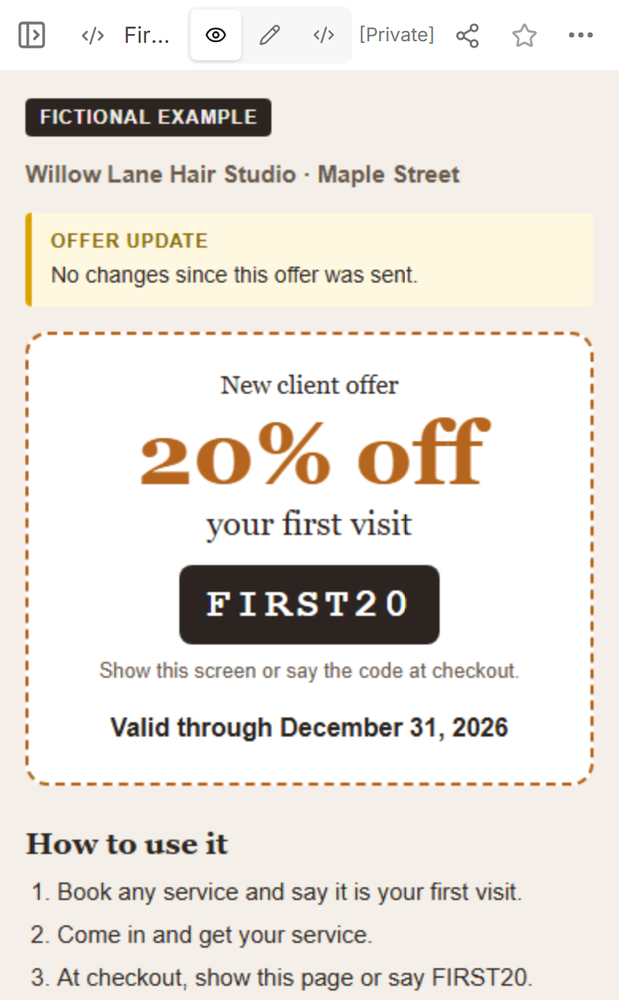
We built a coupon page for a made-up shop, Willow Lane Hair Studio: 20% off a first visit, code FIRST20, valid through December 31, 2026. We put it on NOS, made a share link, and opened that link on a phone-size screen. Then we played out a common change: the shop extends the offer by a month. We changed the end date in the editor, added an update line, and reopened the same link. The shop, code, and phone number are all fictional.
You can open the finished example coupon or download the HTML file and swap in your own shop.
What does a coupon look like?
Most coupon template sites give you a landing page builder with countdown timers and sign-up forms, or a printable card for Word. A coupon a client opens at your front desk needs less than that. It has to answer four questions on one phone screen:
- What do I get? "20% off your first visit." Large, at the top.
- How do I claim it? A short code in big letters and one line that says what to do with it.
- Until when? A full date with the year.
- What is the catch? The terms, in a short list under the coupon.
Add how to book and your hours at the bottom. A tap-to-call phone number saves people a step.
How to make a digital coupon
- Decide the offer before you design anything. Pick the discount, who qualifies, and the last day. Write the terms now, while you are thinking about edge cases like tips and retail products.
- Build one page that fits a phone. Our example is a single HTML file with no outside images or fonts, so it loads fast and looks the same everywhere.
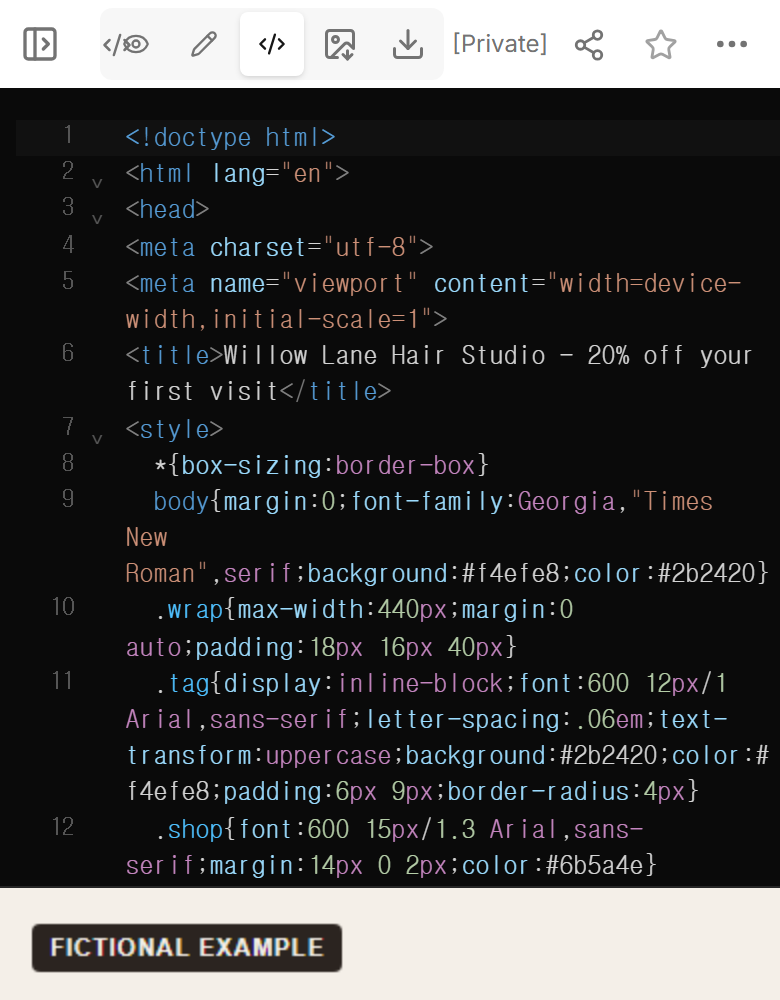
- Paste the file into a new NOS page. The Code view shows the file you pasted, with the live coupon below it.
- Check it in View mode. Read it the way a new client would. Is the code easy to read? Does the end date fit on one line?
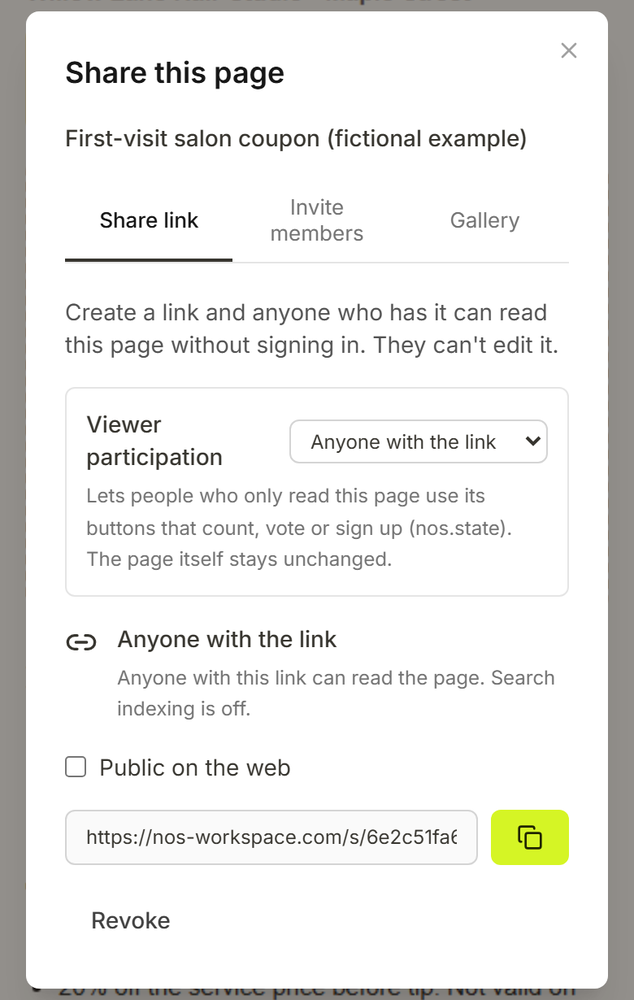
- Click Share and copy the coupon link. The panel says people with the link can read the page without signing in, but not change it. Search indexing is off, so the coupon only reaches the people you send it to, plus anyone they forward it to.
Send that link in your booking reminder, an email, or a text. If clients will see it on paper first, turn the link into a QR code (more on that below).
Coupon wording examples
Short and exact beats clever. These are lines you can adapt:
- Headline: "20% off your first visit" or "15% off any color service." Say what it is off.
- How to claim: "Show this screen or say the code at checkout." One sentence, one action.
- End date: "Valid through December 31, 2026." Spell out the month so no one mixes up day and month.
- Update line: "Dec 12: extended to January 31, 2027. Same code." Date first, then what changed.
Avoid "limited time only" with no date. It makes people ask, and your front desk has to guess.
Coupon terms and conditions example
Here are the five terms on our example page. Each one answers a question a front desk would otherwise have to settle on the spot:
- For first-time clients only. One use per person.
- 20% off the service price before tip. Not valid on hair products.
- Cannot be combined with other offers or gift cards.
- Book and finish your visit by the date above.
- No cash value.
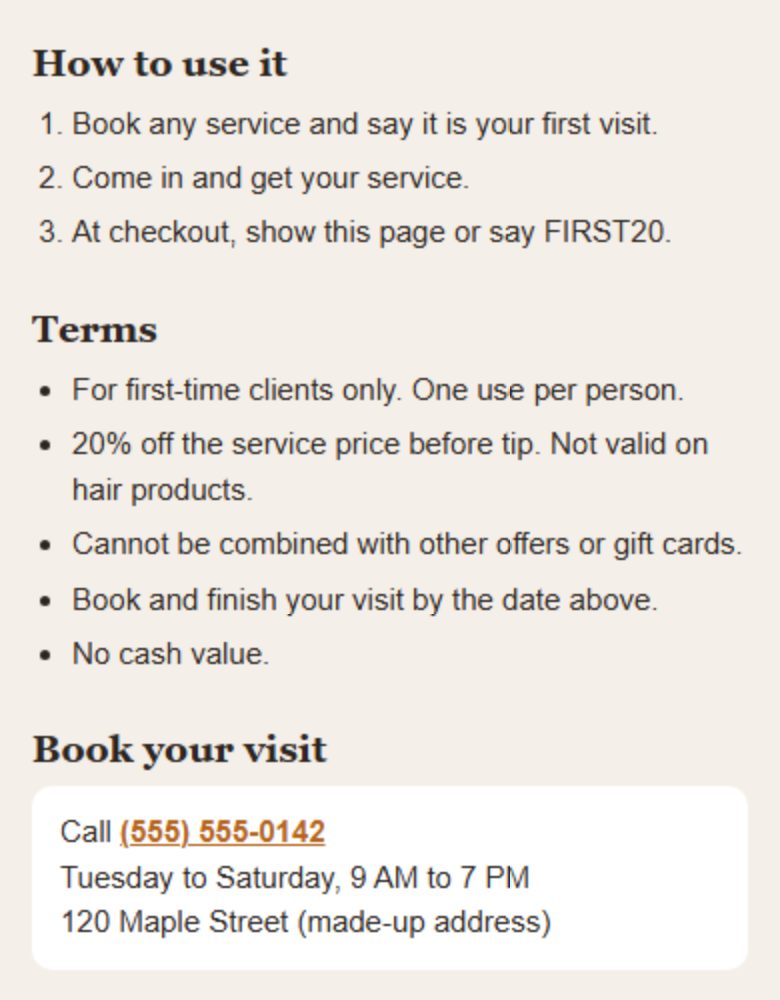
The "before tip" line matters for salons and other tipped work. Without it, someone will ask whether the 20% comes off the total. Rules on discounts and offer wording differ by place, so check what applies where you work.
Changing the coupon after you send it
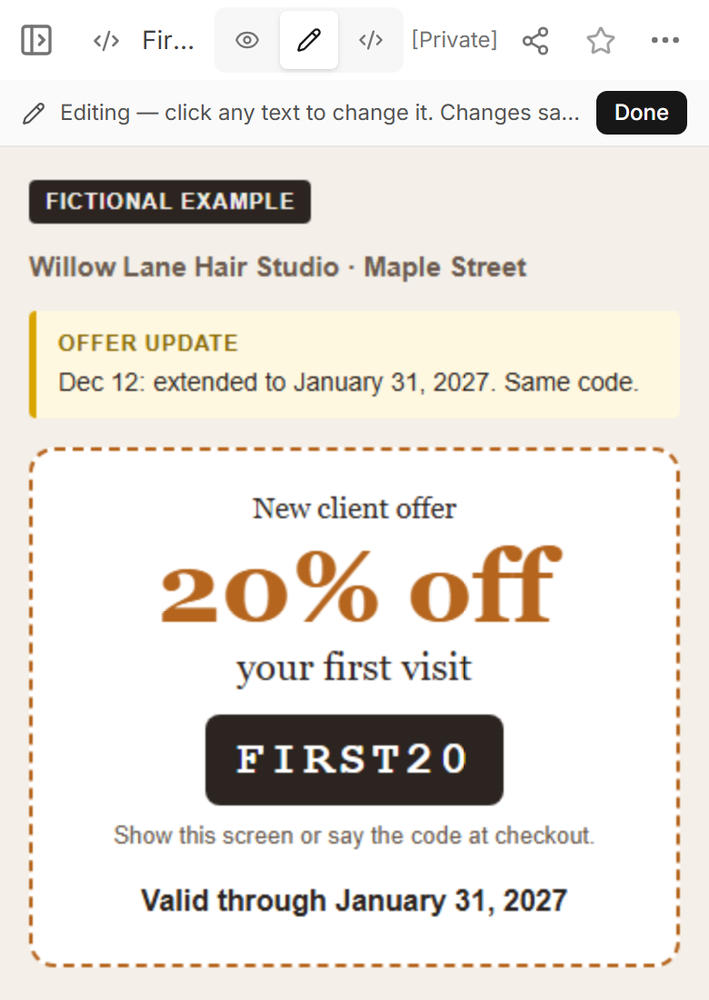
In our example, the shop decides to run the offer through January. We changed two things in Edit mode, where a bar says you can click any text to change it.
We started with the update line. We replaced "No changes since this offer was sent" with "Dec 12: extended to January 31, 2027. Same code."
Then the end date. We clicked the end of "Valid through December 31, 2026," removed the old date, and typed "January 31, 2027." We pressed Done after each change. Each save showed a new version number in the toolbar.
We opened the original coupon link again at phone size. It showed the new date and the update line.
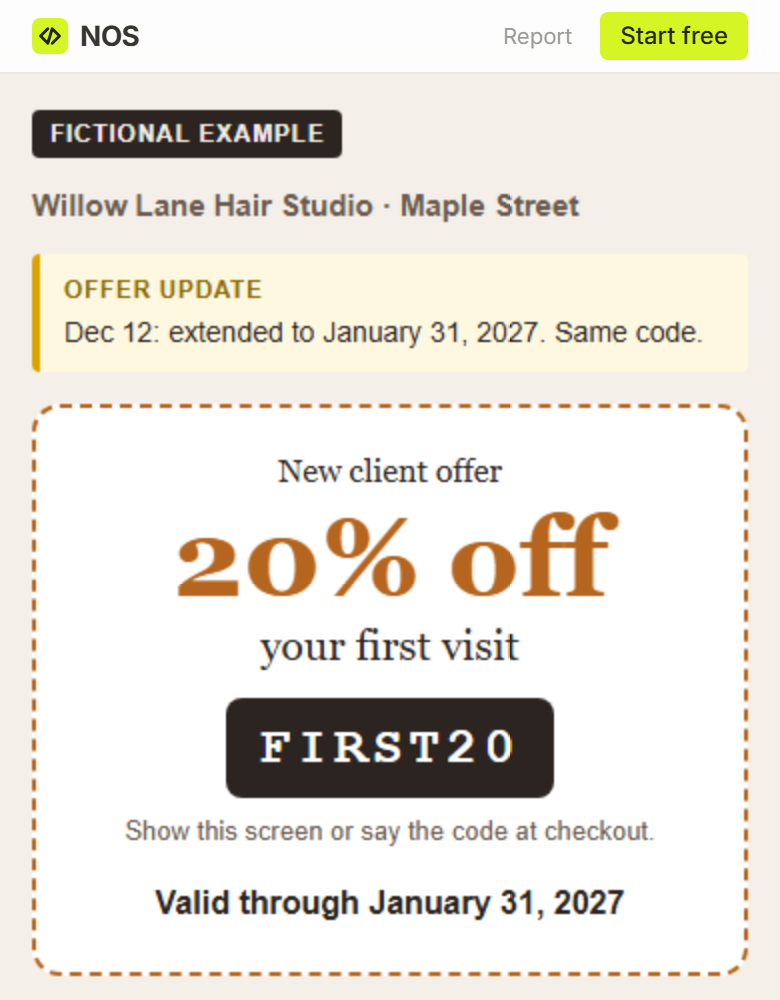
Why keep the update line and not just change the date? A client may have a screenshot from last week. The dated line tells them the old date is not a mistake, it was extended. The same idea works the other way. If you have to shorten an offer, say so at the top, and think about honoring it for people who already booked.
What does a coupon expiration date mean?
It is the last day the offer counts. "Valid through December 31" usually means the whole of December 31 is included. "Expires December 31" can be read either way. Say which you mean. Our example also says the visit has to be booked and finished by that date, so a client cannot book in December for a visit in March.
How to make QR code coupons
Make the QR code from your share link, not from the editor address. Put it on the receipt, a counter card, or a flyer. Because the link stays the same when you edit the page, a QR code printed before the extension still opens the newest version. Our guide to turning an HTML page into a QR code covers size and testing before you print, and what a QR code link is explains why a link-based QR code can stay the same.
When not to do this
- Each coupon must work only once. One page with one code can be forwarded. That is fine for a "first visit" offer you check at the desk. It is not fine for a high-value deal. Use your booking or checkout system to issue single-use codes.
- It is a gift with a cash value. A paid gift card needs a record of what was spent. See how a voucher link works and why the page alone cannot track that.
- You sell online. If people pay on your website, create the discount code in your store settings so the cart applies it.
- You need to know who claimed it. A read-only page does not collect names. Use a form or your booking tool.
Where NOS fits
NOS lets you paste an HTML page, read it in View mode, fix words in Edit mode or code in Code view, and send one link that always shows the latest save. People with the link do not need an account. The Free plan allows 3 share links at once; the pricing page lists paid plans. If you also post your services, a salon price list page pairs well with a first-visit coupon.