In short
A useful course website gives students one starting place for the latest notice, weekly materials, course policies, and contact information.
Keep the home page short enough to scan. Put detailed readings and assignments behind clearly named weekly links when they already live elsewhere.
The fictional template below keeps all four routes on one phone-friendly page and shows a real notice correction at the same reader address.
A syllabus can explain a course without being the place students return to each week. A folder can hold every handout without telling anyone what to open next. A course home sits between them: it points to the current week, keeps the rules close, and gives a changed notice one obvious place to appear.
NOS Team built a fictional six-week course home for Visual Storytelling I. It contains no real school, instructor, learner, email address, or class record. The finished page has a latest-update card, four section links, a course introduction, weekly material cards, policies, and a contact route.
Open the complete fictional course website template. Replace the fictional text with checked course information before you share your own version.
What should a course website include?
Start with the jobs the home page must do. A learner should be able to answer four questions without searching through old messages:
- What changed? Put the newest time, location, or preparation change near the top.
- What do I need this week? Give every week a topic, a before-class item, and the work or material that follows.
- Which rules still apply? Keep the few policies people need during the course on the page.
- Where do I ask? Name one checked contact route without publishing private personal details.
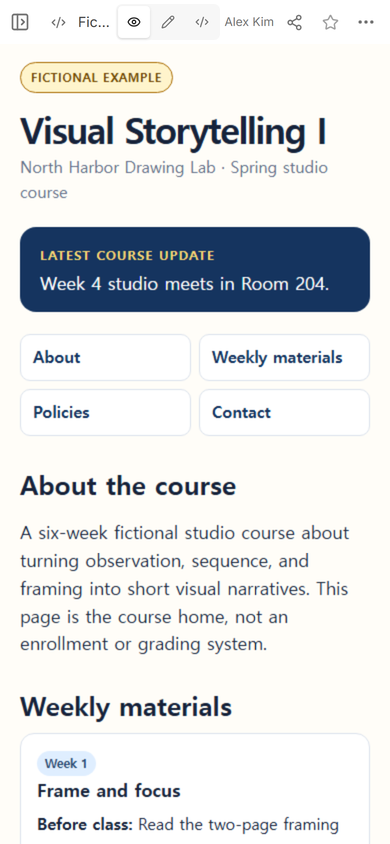
The example uses a compact navigation block instead of a large site menu. Each label names the destination directly: About, Weekly materials, Policies, and Contact. On a phone, those four choices appear before the longer week cards.
Open Code after the complete page is ready. Check that the fictional label, notice, section names, and weekly entries are all present in the saved file. The preview below the editor should show the same title and notice.
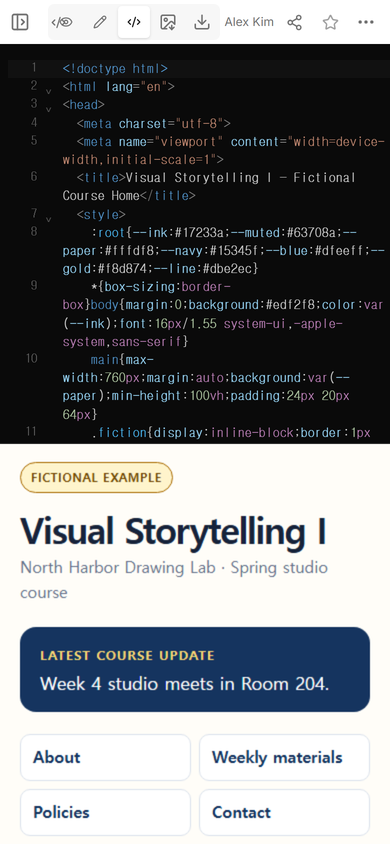
Then open View and read the page in the order a learner will meet it. The latest update should appear before the navigation. The weekly materials should begin without pushing the course identity or update off the opening screen.
How do you organize weekly course materials on one page?
Use one repeated card for each week. Keep the labels consistent so the learner does not have to decode a new layout every time. The fictional cards use a week number, topic, before-class item, and one follow-up or bring-to-class item.
Do not copy an entire reading, slide deck, or assignment into the home page just to make it feel complete. If the material already has a stable location, use a descriptive link such as “Week 3 point-of-view studies” instead of “click here.” The home page should explain what the item is and when it matters.
A practical order is:
- Put the current or next week first in the navigation path.
- Keep week numbers and topic names visible together.
- Separate preparation from work due after class.
- Mark an unavailable item honestly instead of linking to a placeholder.
- Move durable rules to Policies rather than repeating them inside every week.
The course home is not the grade book. It does not need to show individual progress, submissions, scores, or private feedback. That boundary keeps a public reader page useful without making it pretend to be a full learning system.
How do you share a course homepage?
Open Share after checking the course content. The captured panel for this example says that anyone with the link can read the page without signing in and cannot edit it. It also shows that search indexing is off for this reader link.
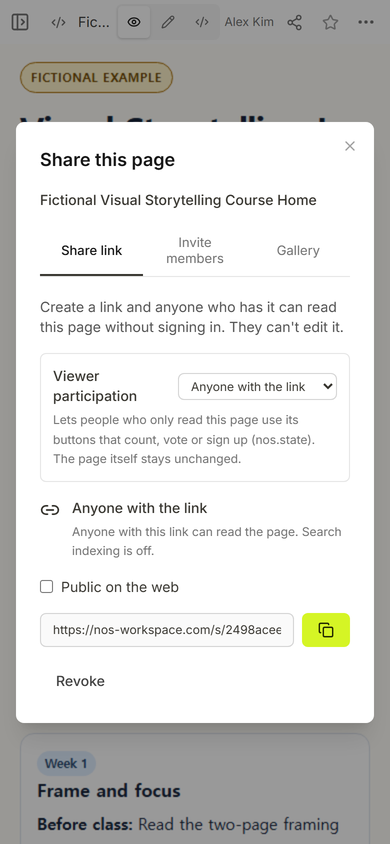
Send the reader address, not the workspace address used to edit the page. Before announcing it, open that reader address at phone width and check the title, latest notice, navigation labels, and the first week card.
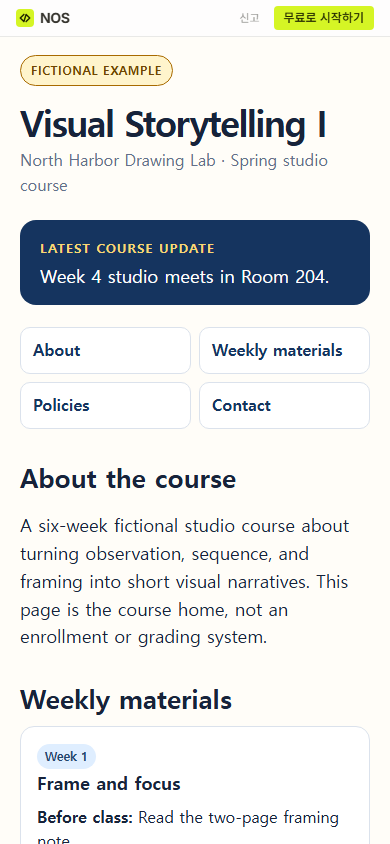
Keep the course address in the place students already use to begin: a pinned class message, the course platform, or a recurring course email. Sending the address once is not enough if it disappears inside a long conversation.
How do you update a course website without sending a new link?
Edit the existing course page. In the fictional test, the Week 4 location changed after the first reader view was captured. Edit opened on the saved page with the original notice still visible.
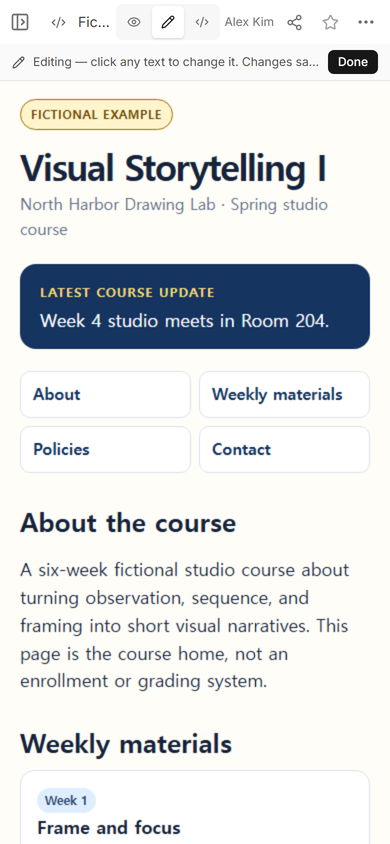
The notice was changed from “Week 4 studio meets in Room 204” to “Week 4 studio is online. Use the course room link.” After Done, View showed the new wording on the same saved page.
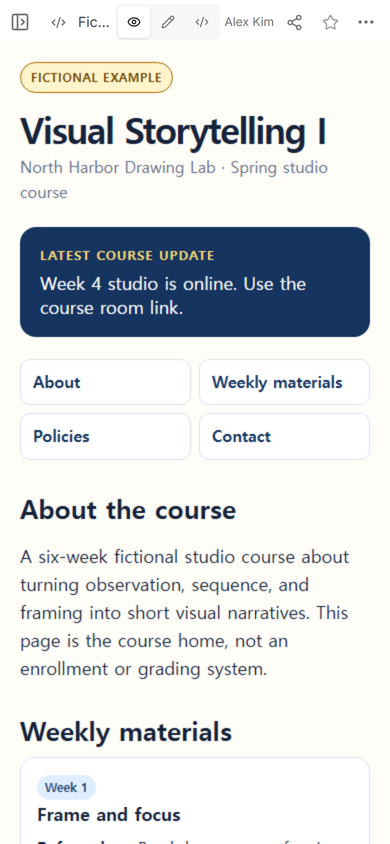
The original reader address was opened again. It showed the online-course notice, so this correction did not require another reader address.
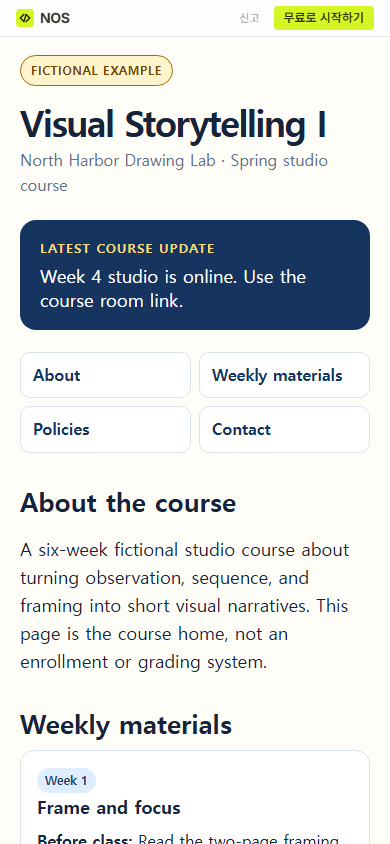
Use a visible “Latest course update” area for changes that affect what learners do next. A silent correction deep inside Week 4 is easy to miss. Keep the notice short, say what changed, and point to the exact place learners need next.
Course homepage, syllabus, or full learning system?
Choose by the result you need. A course syllabus website is the better fit when the main job is to preserve the schedule, grading approach, and full policy text on one scrollable page. A weekly course-material structure is useful when each session has its own page and the index mainly helps learners find those pages.
This template is the lighter course front door. It joins the current notice, the route into weekly work, a concise policy section, and the contact route. For a broader one-page class presence aimed at families as well as learners, compare the classroom website guide.
Move to a full learning system when you need private learner accounts, enrollment control, assignment collection, individual grades, completion records, or restricted licensed material. A public course home should not claim to provide those controls.
A course website template you can fill in
Use this content outline before you style the page:
- Course identity: course name, term, and organization.
- Latest update: one current action or change, with stale notices removed.
- About: who the course is for and what learners will make or understand.
- Weekly materials: week, topic, preparation, in-class need, and follow-up item.
- Policies: only the rules learners need while using this page, with a link to an authoritative policy when required.
- Contact: one maintained route and a realistic expectation set by the course owner.
- Course boundary: a plain statement about what the page does not collect or manage.
Before sharing, compare every week and date with the authoritative course record. Open each material link. Read the page at phone width. Remove personal data and anything the intended readers should not be able to forward.
When not to do this
- Do not use a public reader page for grades, learner names, private feedback, protected records, or licensed material that requires access control.
- Do not replace an institution-required syllabus, accessibility process, archive, or learning platform with an informal page.
- Do not promise enrollment, submissions, reminders, progress tracking, or certificates when the page only presents information and links.
- Do not build a separate course home if learners already have one maintained starting page that covers the same job.
Using NOS for this course home
NOS Workspace can display a complete HTML course home in View and provide a reader address from Share. In this fictional example, Edit changed the Week 4 notice and the original reader address then displayed the correction. The page remains a public information page for people who have its address; keep enrollment, submissions, grades, and confidential course records in the systems intended for them. See the current pricing page if you need to compare available plans.