In short
List every maker with the same four details: name, category, items, and booth number.
Put a search field and category filters above the list.
Use the exact same booth labels on the directory, map, and signs.
Open the public link on a phone and test real item words before the fair.
A printed vendor board is useful at the entrance, but it cannot answer a shopper who remembers only “the mug booth.” A phone directory can. The visitor searches an item, finds the maker, then matches the booth label to the map.
We built that flow for a fictional one-day event called Willow & Pine Craft Fair. The page contains eight invented makers in four categories and booths A1 through B4. We added a search, category buttons, a compact map, and a maker link on every card. Then we shared the page and checked the visitor actions on a phone-sized screen.
Start with the questions a visitor will ask
A vendor list should answer three questions without making someone open another document:
- Is this maker here? Put the maker name in text that the search can match.
- Who sells the item I want? Name specific items, not only a broad category.
- Where do I walk? Show a short booth label and repeat it on the map.
The fictional list uses entries such as “Moss Kiln Studio · Ceramics · Speckled mugs, small planters, and spoon rests · Booth A1.” That one line supplies a maker name, an item search term, and a destination.
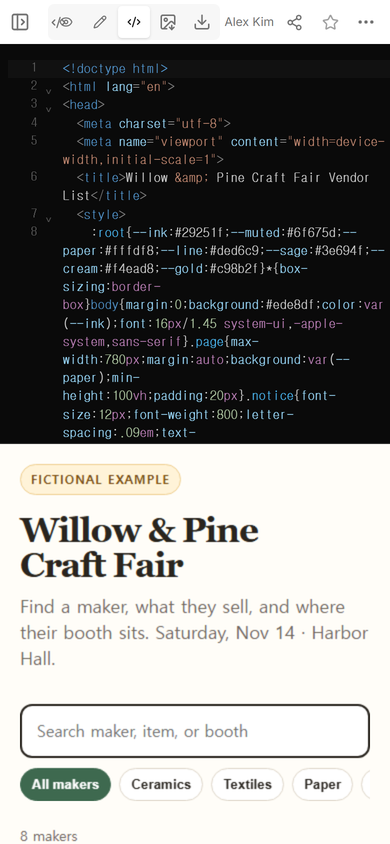
Keep the fields in the same order for every maker. A visitor can scan repeated cards faster than cards where the booth number moves around. If a maker sells several things, write two or three concrete examples. “Mugs, planters, and spoon rests” is more useful than “handmade goods.”
What should a craft fair vendor list include?
For each vendor, include:
- the public maker or shop name;
- one category used by your filters;
- two or three items a visitor might search;
- the booth number exactly as it appears on site; and
- an optional maker page that opens outside the directory.
At the top, add the fair name, date, venue, and a clear “Fictional example” label if you are sharing a sample. Put operational notes such as load-in times, table dimensions, and staff contacts in a separate exhibitor guide. Visitors do not need those details while looking for a booth.
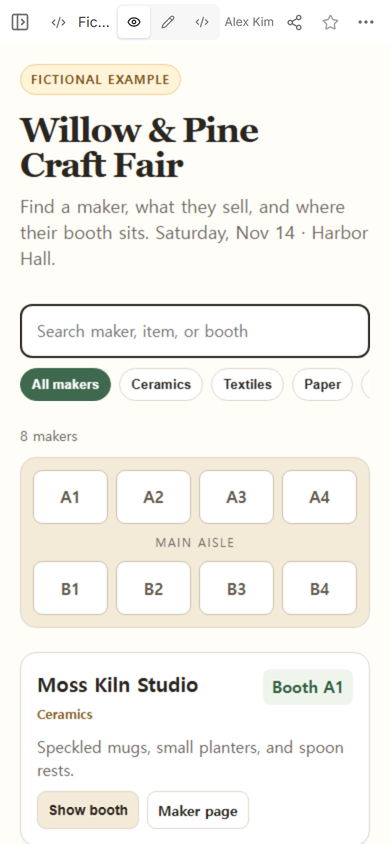
The map does not need to reproduce every wall and doorway to help with this task. It does need booth labels that agree with the list. In the example, the map has A1-A4 above the main aisle and B1-B4 below it. Every vendor card uses one of those eight labels.
How do you make a searchable vendor directory?
- Collect one row per maker. Ask vendors for a public name, category, short item list, booth assignment, and public link. Do not copy private application details into the visitor page.
- Normalize the booth labels. Choose one format such as A1, A2, B1. Use it in the source list, cards, map, and printed signs.
- Build the page from that approved list. The search should match maker names, items, categories, and booth labels.
- Check the page in View. Read the first screen as a visitor. Search and the map should appear before a long run of cards.
- Create one visitor link. Share that address on the event page, entrance sign, and information desk.
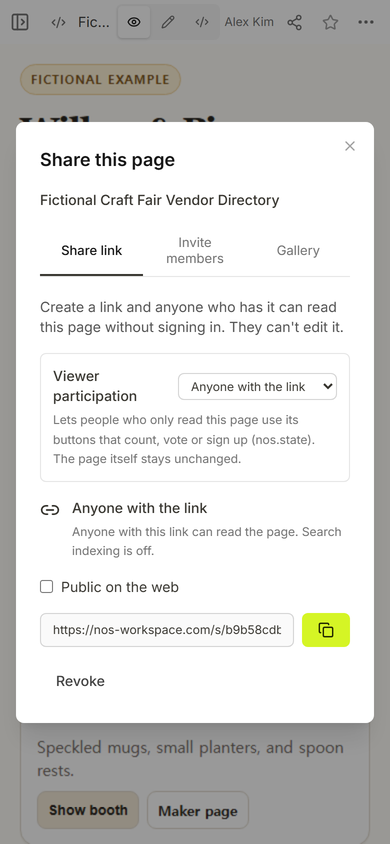
The captured Share panel says that anyone with the link can read the page without signing in and cannot edit it. That is the right split for a visitor directory: organizers control the source, while shoppers receive the read-only address.
Download the fictional vendor-list example
Test the list as a shopper, not as the organizer
Open the shared address rather than relying only on the editor preview. On the public page, check the event name, search field, filter buttons, map labels, and first vendor card at phone width.
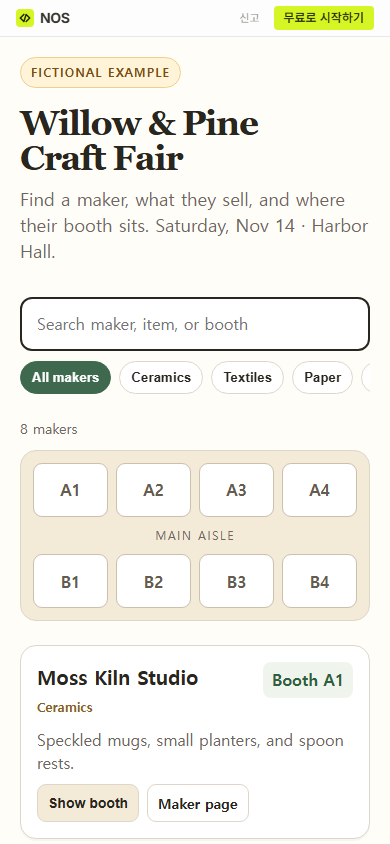
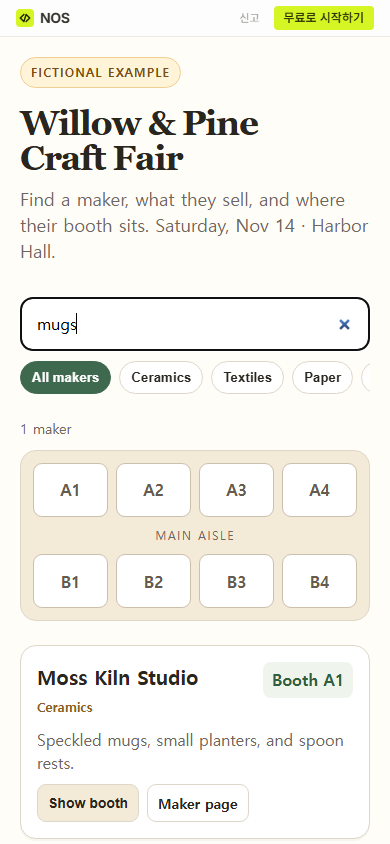
Use words that visitors are likely to remember from a product. In our check, typing “mugs” reduced the eight-maker directory to one result, Moss Kiln Studio at Booth A1. This is more demanding than searching the exact shop name because it tests the item descriptions too.
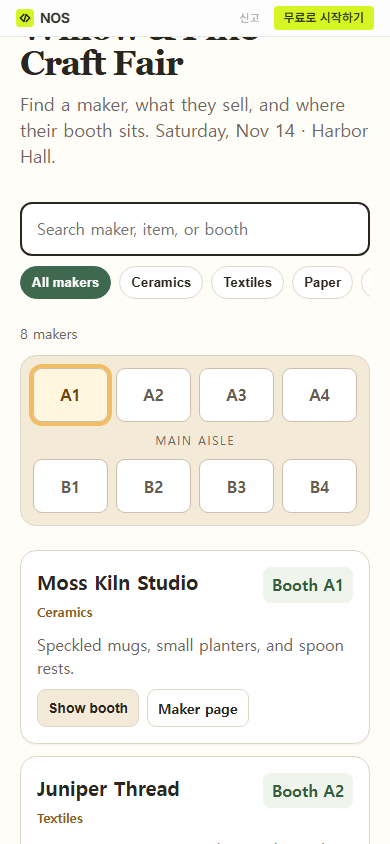
Next, use the booth action from a result. The example scrolls back to the map and outlines the matching square. Pressing “Show booth” for Moss Kiln Studio highlighted A1 while the vendor card remained below the map.
How should you organize vendors by category?
Use a small set of categories that help visitors decide where to browse. Our example uses Ceramics, Textiles, Paper, and Food. A maker receives one primary category for filtering, while the item description carries the specific products.
Do not create a category for every material or product. A row of twenty filter buttons becomes another list to search. If the fair has many specialist areas, use a short primary filter and let the text search handle narrower terms.
What belongs on the event page instead?
The vendor directory should stay focused on finding makers. Put opening hours, venue access, tickets, and general arrival information on the event page. If visitors also need demonstrations or stage times, prepare a separate event schedule. Link both from the directory, but do not bury the maker search under the full event plan.
If the directory will appear on entrance signs, use the public address to make a code and follow the checks in the QR code link guide. The printed route and the link shared online should open the same visitor page.
When not to do this
A static vendor directory is not the right place for live stock, purchases, vendor applications, private contact details, or last-minute emergency alerts. Those jobs require a system that can receive or protect data, record transactions, or send notifications.
It is also unnecessary for a very small fair where one entrance board shows every maker clearly. Use the page when search, categories, or a link visitors can reopen adds real value.
Build the visitor copy in NOS
NOS Workspace can hold the complete HTML page, show it in View, and create a read-only share link from the Share panel. For this example, the same public page supported text search, category buttons, and a booth highlight without collecting visitor information. Check the current pricing page if you need to compare plans before preparing your own directory.