In short
Start with the condition that makes the trip worthwhile: wait for the ready message.
Name the entrance and pickup spots, then say exactly how the customer should announce arrival.
Include the order detail used at handoff, a rule for another collector, and a next action for full spots or an order mismatch.
Keep the instructions at one reader link so a corrected parking detail can appear where customers already look.
NOS Team built a fictional curbside page for Harbor & Pine Market. It uses no real store, customer, phone number, or order. The page leads a reader from the ready message to a four-step vehicle handoff and gives separate instructions for a proxy collector and common problems.
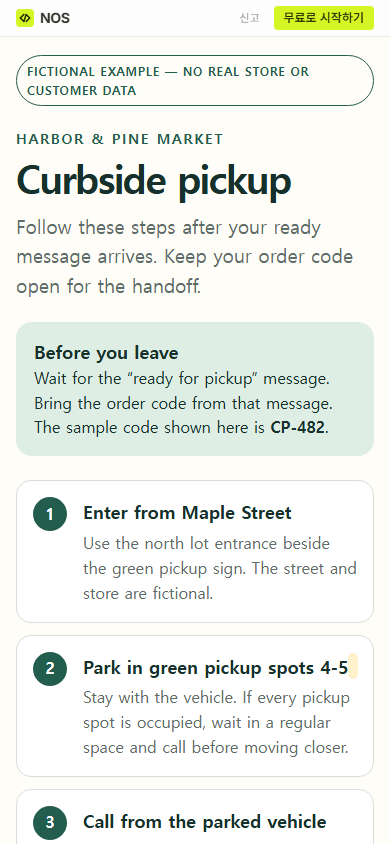
We added the complete page to NOS, opened its reader view, created a share link, and checked that link at phone width. We then changed the parking line on the existing page from blue pickup spots 1-3 to green pickup spots 4-5. The original share address displayed the revised line.
What should curbside pickup instructions include?
A useful page answers five questions in the order a customer encounters them:
- Is the order ready? Tell the customer to wait for a ready message rather than treating an order confirmation as pickup approval.
- Where should the vehicle go? Name the entrance, lot, sign color, and numbered spaces.
- How should arrival be reported? Give one contact route and list the information to provide.
- What confirms the handoff? Name the order code or other identifier your real process uses.
- What happens when the normal route fails? Cover full spaces, a missing ready message, a proxy collector, and an order mismatch.
Put these instructions before promotional copy. A person who has arrived needs the next action, not the history of the store.
A curbside pickup instruction template to copy
- Before leaving: Wait for [READY MESSAGE]. Bring [ORDER IDENTIFIER].
- Enter: Use [ENTRANCE] beside [LANDMARK OR SIGN].
- Park: Use [COLOR OR LABEL] spots [NUMBERS]. If they are full, [OVERFLOW ACTION].
- Announce arrival: Use [CONTACT ROUTE] and provide [ORDER IDENTIFIER], [SPOT], and [VEHICLE DETAIL].
- Handoff: Confirm [IDENTIFIER]. Open the trunk or door only when [HANDOFF CONDITION].
- Another collector: Give them [REQUIRED DETAILS] before they travel.
- Problem route: For [MISSING ITEM OR MISMATCH], [NEXT ACTION].
Replace every bracket before sharing. If a phone number changes by location or day, point readers to the ready message or another maintained source instead of copying an uncertain number into the page.
Download the fictional HTML example
How do you turn the template into one customer page?
Write the real pickup facts first. Then arrange them as a short mobile page with the readiness condition near the top and the arrival sequence directly below it. Keep staff-only notes, internal queue status, and private customer details out of the reader page.
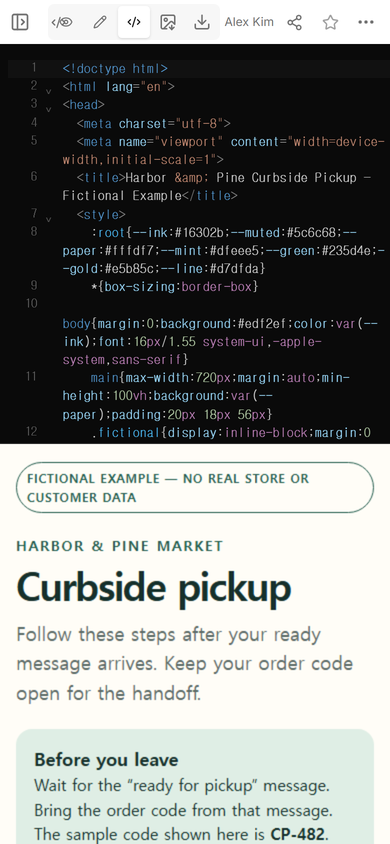
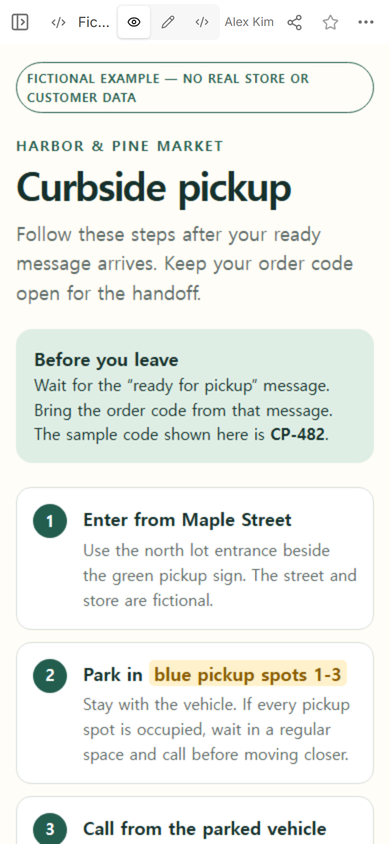
Open View and read only the opening screen. A customer should be able to identify the page, see the readiness condition, and find the first arrival step without hunting through a long introduction.
How do you send curbside pickup instructions?
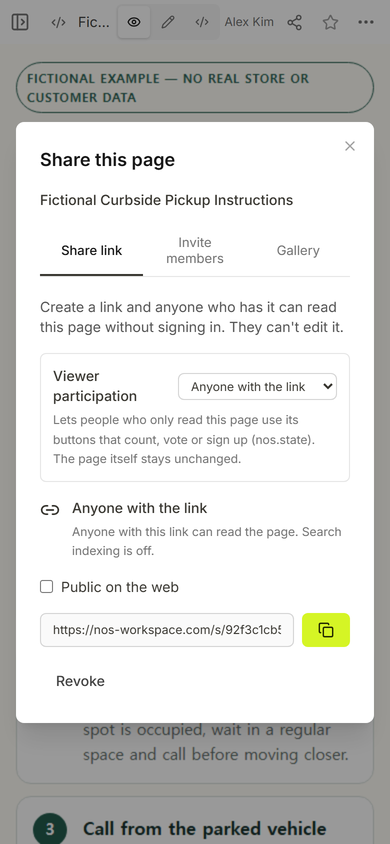
Create the reader link only after the page is complete. In this example, the Share panel states that anyone with the link can read the page without signing in and cannot edit it. Keep the workspace address for the person maintaining the instructions and send the reader address to customers.
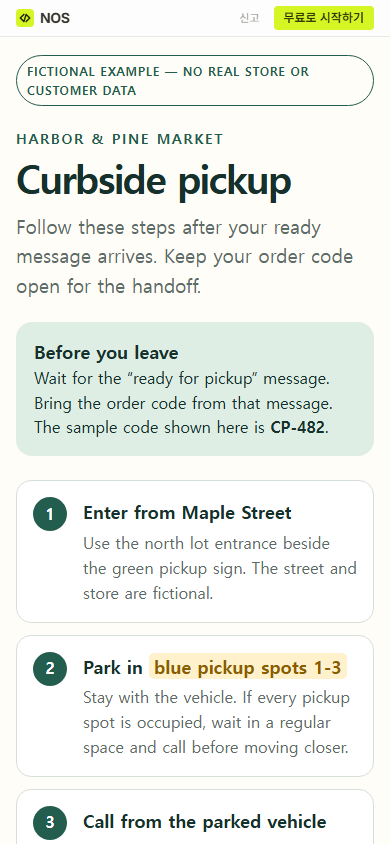
Open the reader address at phone width before using it. The fictional page keeps the ready condition, entrance, and numbered parking spaces in one column.
What should customers do when they arrive for curbside pickup?
Give one sequence and keep each step observable. The fictional page says to enter from Maple Street, park in the named pickup spaces, call from the parked vehicle, and give the order code, space, and vehicle color. At handoff, the customer confirms the order code before opening the trunk or door.
Do not make “let us know you are here” carry the whole process. State whether the customer should call, text, use an app, or follow another verified route. If the page itself does not send that message, do not style a decorative button as though it does.
What if someone else collects the order?
Name the proxy rule before the person starts the trip. The fictional instruction tells the purchaser to forward the ready message and order code. The collector then gives their own vehicle color and pickup spot when calling.
Your real policy may require a different identifier or advance approval. Put only the confirmed requirement on the page. Do not publish passwords, payment details, or private account information as a shortcut for identity checking.
Can you update curbside instructions after sending the link?
In this test, yes. We opened Edit on the same fictional page and corrected its parking line. The work stayed on the existing NOS page rather than creating a duplicate page.
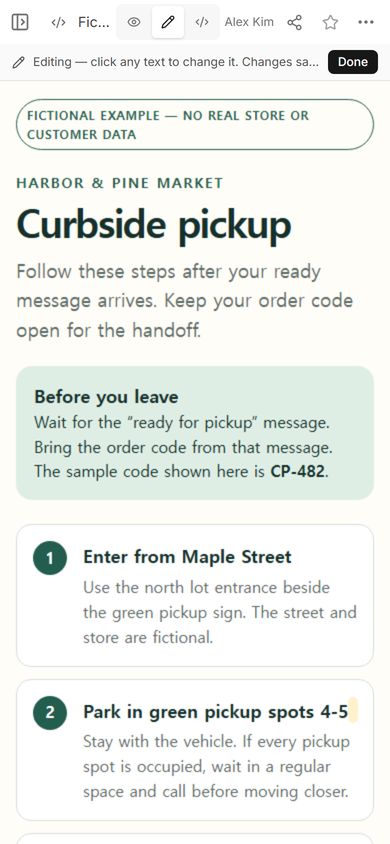
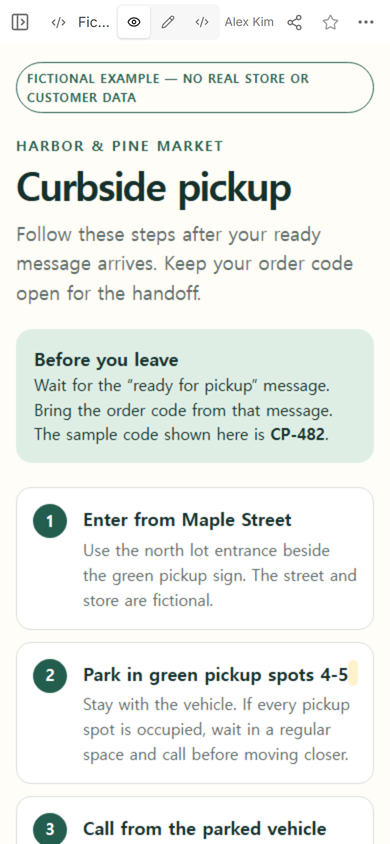
We reopened the share address created before the change. It displayed green pickup spots 4-5. That check matters because a saved editor change is not enough if the reader page still shows old information.
When not to do this
- Do not use a public instruction page to expose customer names, order contents, payment details, access codes, or staff-only procedures.
- Do not present the page as a live order tracker unless it is connected to and verified against the actual order system.
- Do not use a static page to collect arrival details if your process requires stored submissions, dispatch queues, or auditable acknowledgements.
- Do not replace a required accessibility, safety, identity, or regulated handoff procedure with this generic template.
Using NOS for curbside pickup instructions
NOS Workspace held the fictional HTML, displayed it in View, opened its visual editing mode, and created the reader link shown in this test. The original reader address showed the saved parking correction without exposing the workspace editor. Check the current pricing page for plan details.
Build the customer page and the staff process separately
Use the HTML-to-link tool when the customer page is already finished. Use the checklist template to define staff checks that must be complete before a ready message is sent. If the handoff depends on several visible and backstage actions, map them with the service blueprint template instead of crowding them into the customer instructions.