In short
DeepSeek HTML code is a whole web page written as text. To see it, the code has to be saved as an .html file or pasted into a tool that renders it. To share it, it needs a link.
First check the answer's shape. If the HTML points to style.css or a .js file, those files don't exist anywhere yet. Paste the CSS and JavaScript blocks into the HTML so you have one file.
Then paste that one file into a page host, copy the share link, and send it. Fix wording in the host, not in a new chat, so the link stays the same.
We wanted to follow the full path from chat code to a link a neighbor can open on a phone. We did not run DeepSeek for this test. We wrote a fictional flyer page for a neighborhood book swap and split it into three blocks, the shape you get when a chat answer gives HTML, CSS, and JavaScript separately. Then we pasted only the HTML block into NOS, saw it break, fixed it on the NOS Code screen, shared it, and moved the start time from 10:00 to 11:00 after the link was out.
What to do with DeepSeek HTML code
Look at the top and bottom of the answer before you copy anything. You are checking one thing: is there one block or several?
- One block that starts with
<!DOCTYPE html>and ends with</html>. Copy it as is. It has the page, the styles, and any JavaScript inside. - Several blocks, often labeled HTML, CSS, and JavaScript. The HTML block links to the others by file name. Copy all of them. You will join them in the next step.
- A short block with a note like "the rest stays the same." That is only a patch. Ask for the complete file again before you go on.
For a quick private look, you can paste the code into a plain text file, save it as book-swap.html, and double-click it. Your browser opens it. That works on your own computer. Nobody else can see that file.
Why our page looked plain
We pasted just the HTML block into a new NOS page. The code went in fine. Look at line 7 in the picture below: the page asks for a file called style.css. That file was never uploaded, because it only existed as a separate block in the chat.
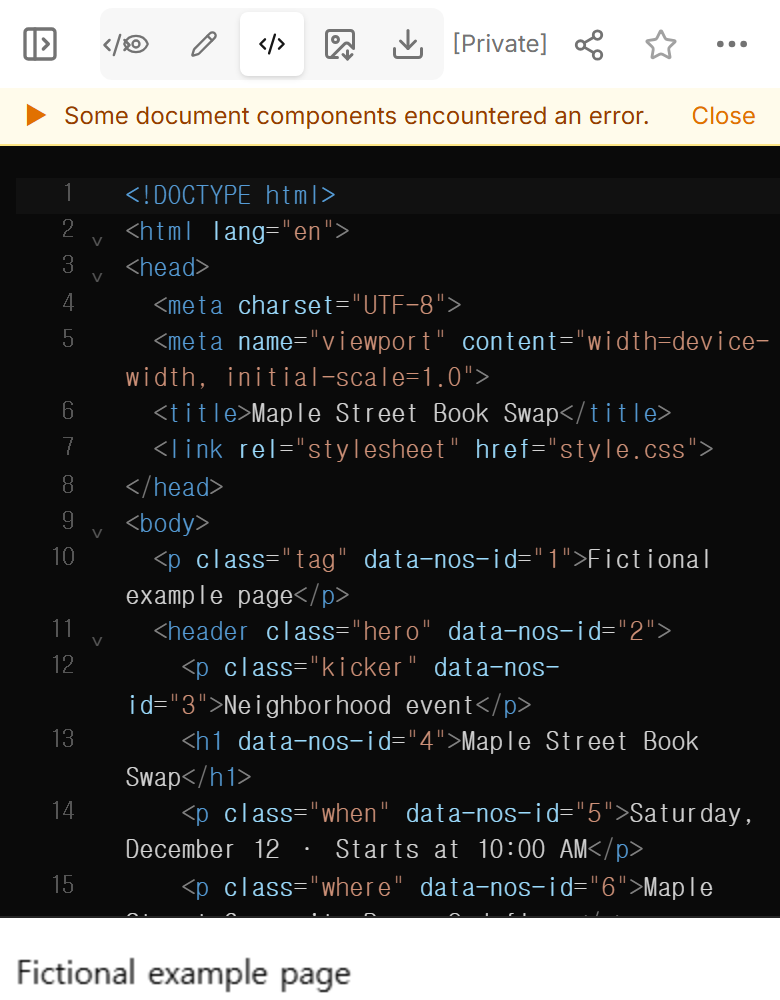
The share link opened with default fonts and no colors. The "Show the list" button was a bare gray box, because the JavaScript file it needed was missing too. The words were all there. The look and the behavior were not.
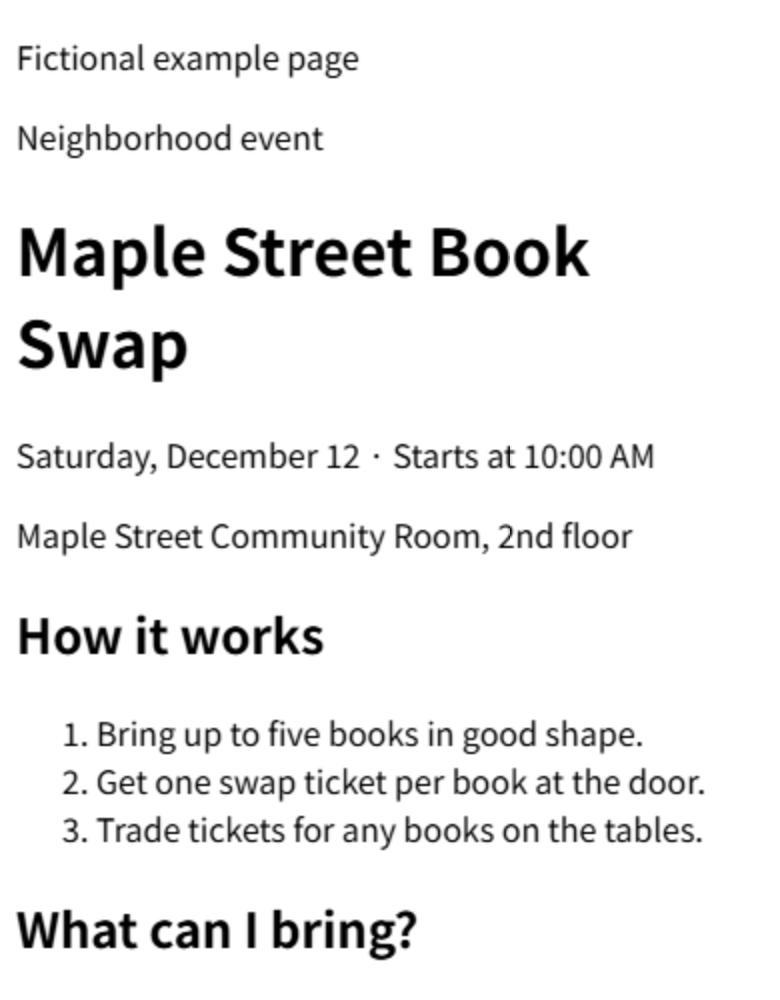
This trap is easy to miss on your own computer. If style.css happens to sit next to the HTML file, the page looks right when you double-click it. Then you send just the HTML file to someone, and they get the plain version.
How to join the blocks into one file
You need two swaps inside the HTML block:
- Find the line that links to the stylesheet. Replace it with an opening and closing
<style>tag, and paste the whole CSS block between them. - Find the JavaScript tag near the bottom that loads a .js file by name. Remove the file name from it, so the tag is empty, and paste the whole JavaScript block between its opening and closing tags.
Show the stylesheet swap
Before:
<link rel="stylesheet" href="style.css">

After:
<style>
  body { margin: 0; font-family: Georgia, serif; }
  /* the rest of the CSS block */
</style>
If you would rather not touch the code, ask the chat for "one complete HTML file with the CSS and JavaScript inside" and use that answer instead.
We did the swap ourselves, then went back to the NOS Code screen, selected everything, and pasted the joined file over the old one. The preview below the code changed right away. NOS saved it as a new version of the same page.
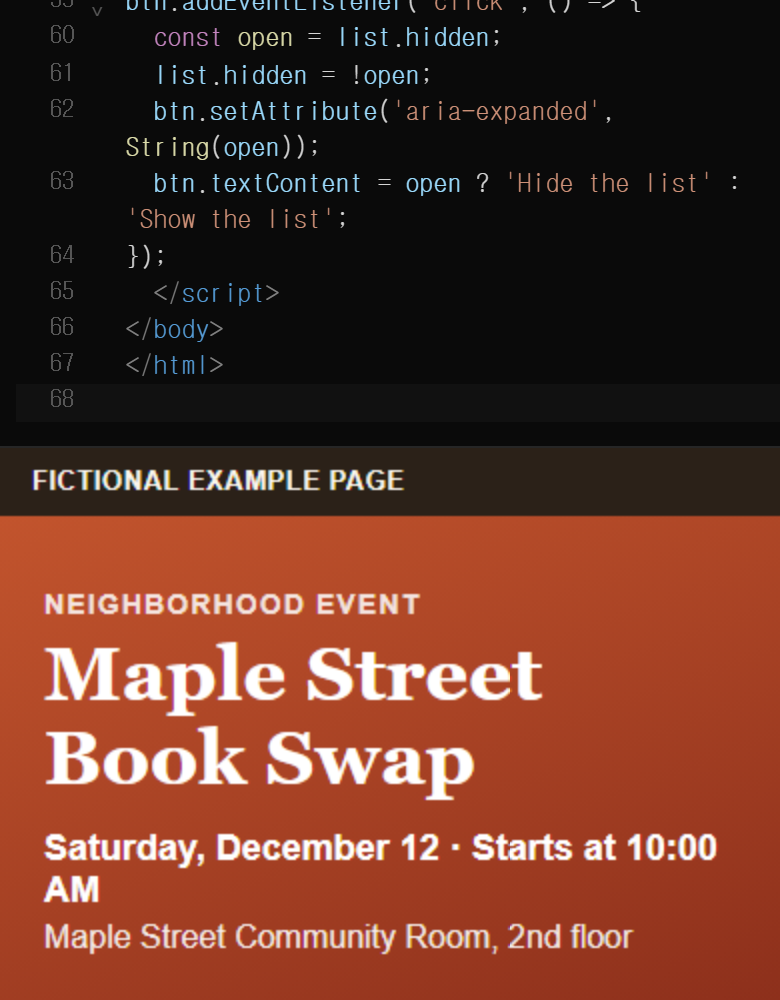
You can download the finished one-file example and paste it into any host to try the same steps.
How to share a DeepSeek chat link, or the page itself
These are two different things. Sharing the chat sends people the conversation. They see your question and the code as text. They do not see the finished page.
To send the page, it needs its own address. In NOS, the Share button opens a panel with a link that anyone can open without signing in. The panel also notes that search indexing is off.
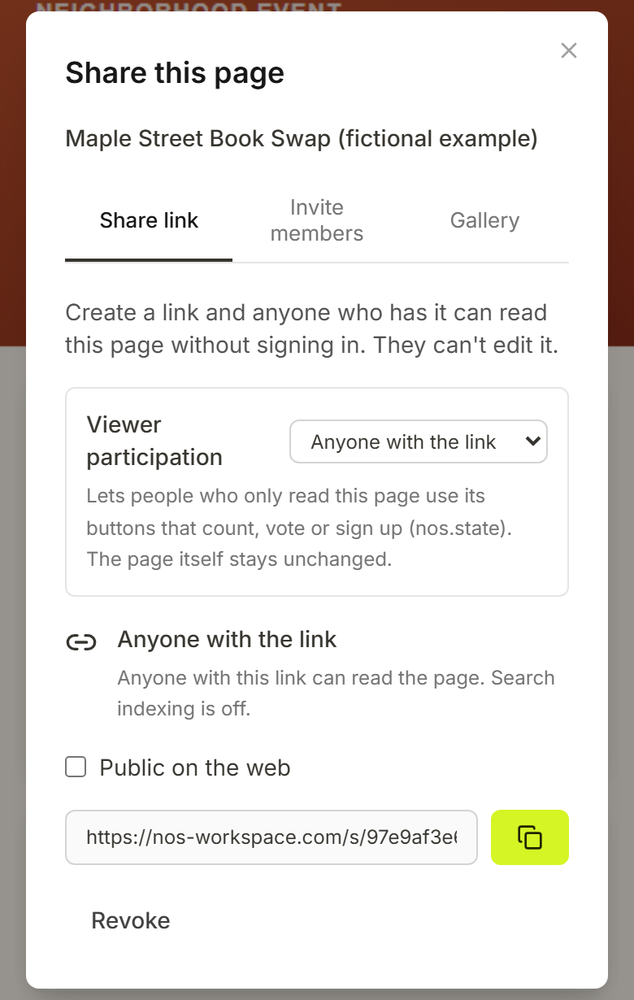
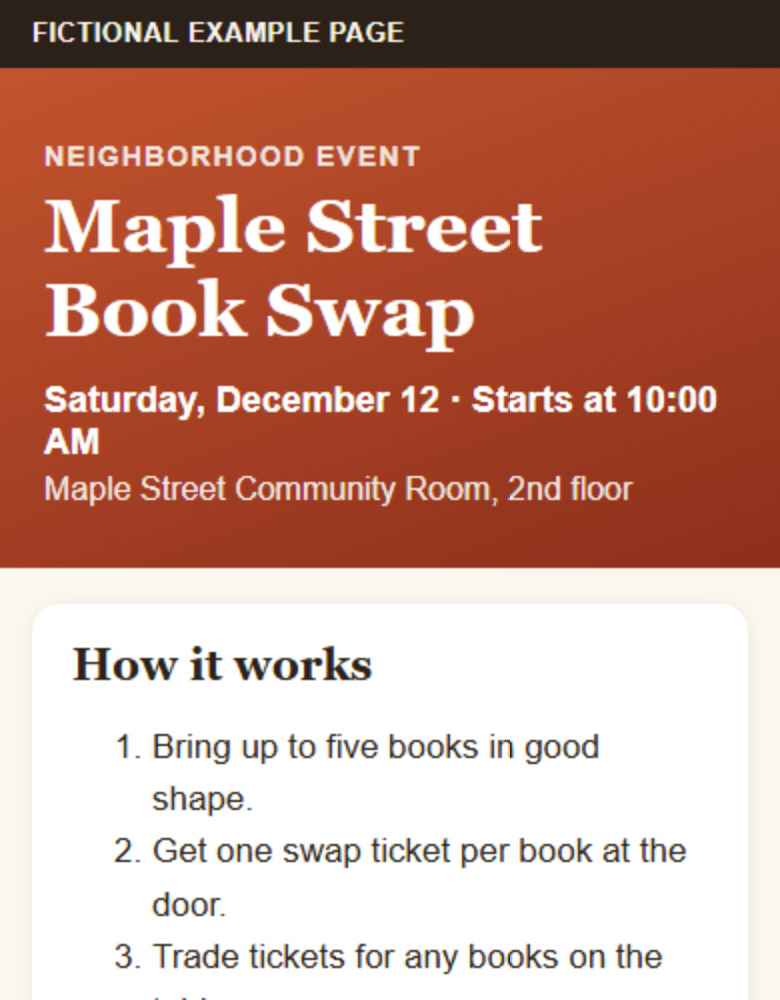
We opened that link in a phone-sized browser. Same address as before the fix, now with the full design.
Changing the page after you share it
Plans change after the flyer is out. Ours moved from 10:00 to 11:00. Going back to the chat for a new version would give you new code, and you would have to paste and share it again.
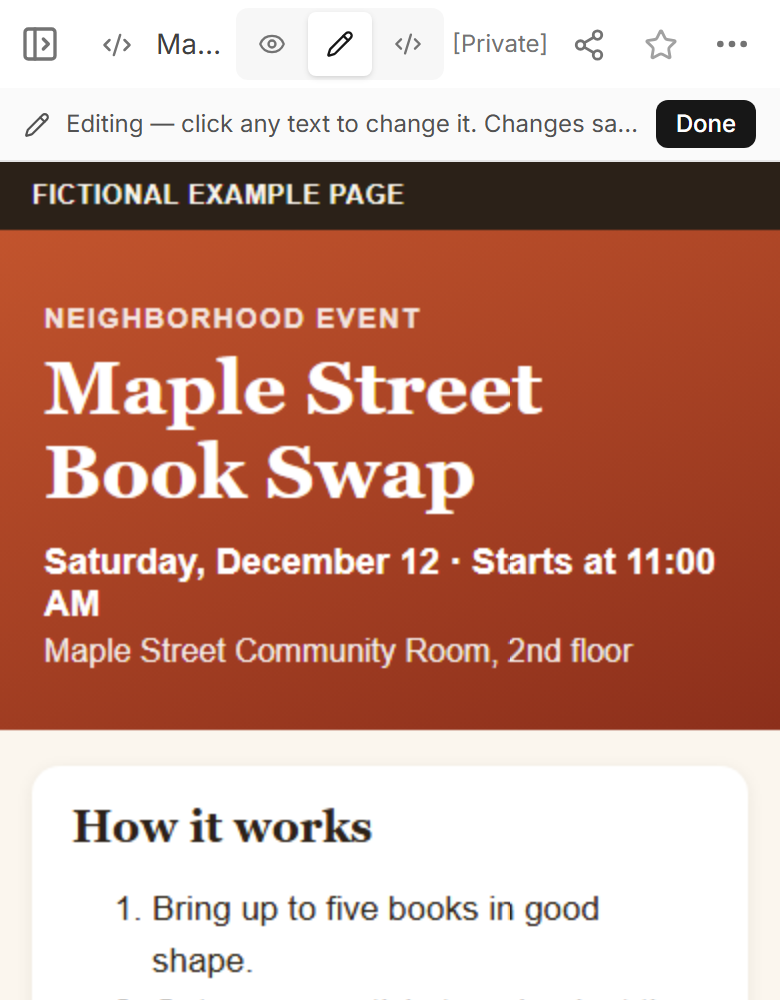
Instead, we opened the page in NOS and pressed Edit. The bar at the top says "click any text to change it." We clicked the date line, typed the new time, and pressed Done.
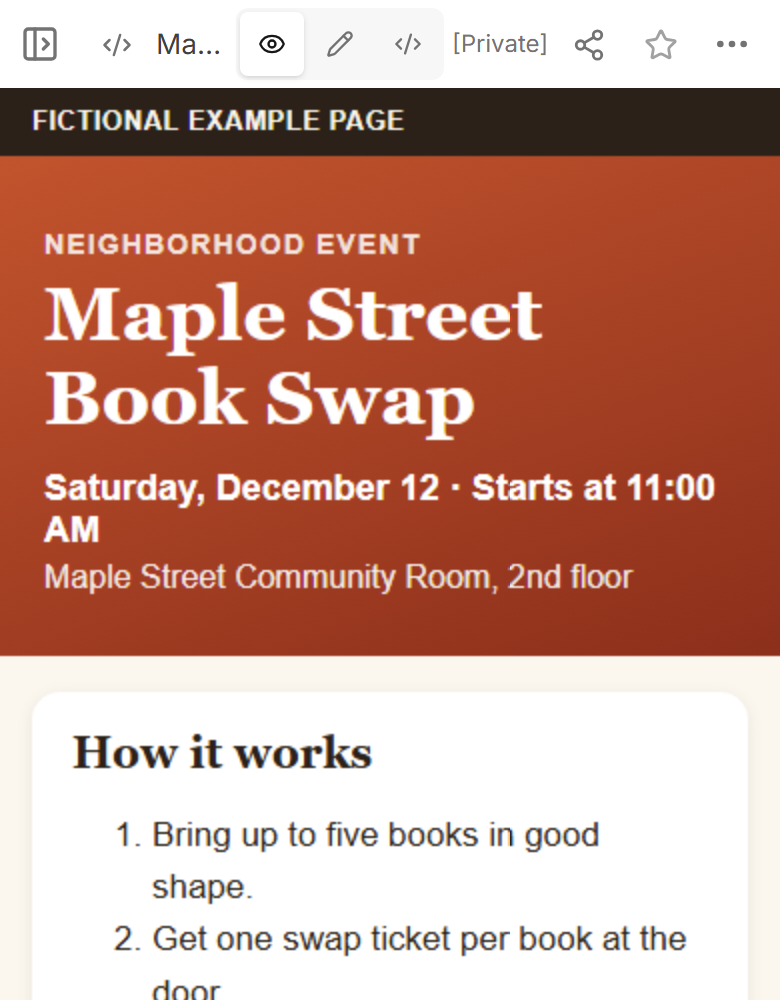
Then we reopened the old share link. It showed 11:00. We tapped "Show the list" to check that the JavaScript still worked after the edit. The list opened and the button changed to "Hide the list."
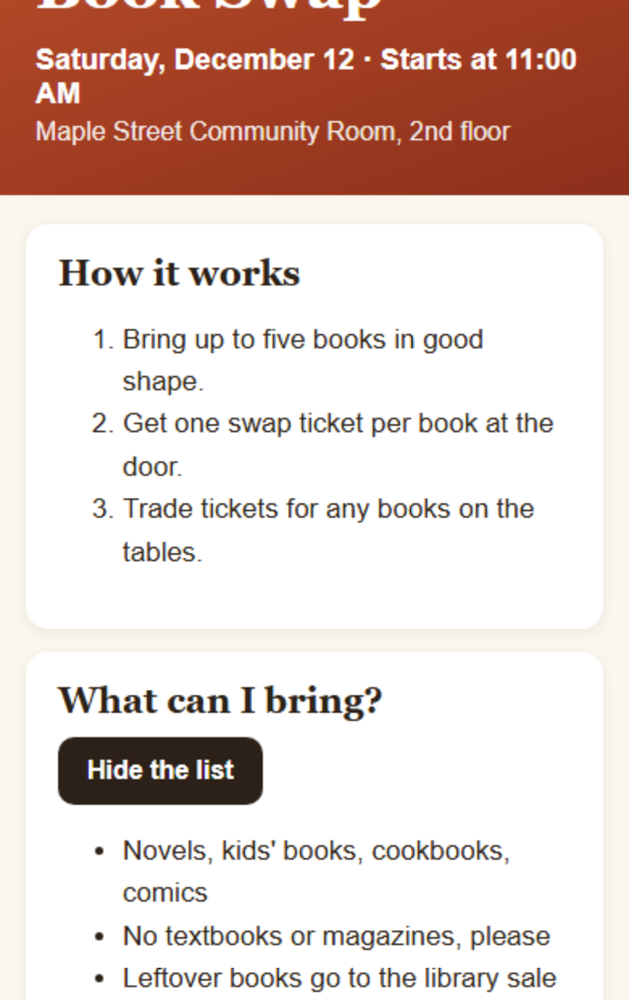
We did not test layout or JavaScript changes in Edit mode. For those, change the code on the Code screen, or ask the chat for a new complete file and paste it over the old one.
Can DeepSeek make a website?
It can write the code for one. A single page like an event flyer, a menu, or a club info sheet fits well in one file. What you get is still text. Viewing it, hosting it, and keeping it current are separate steps that happen outside the chat.
Bigger sites are a different job. If the answer comes back as a folder of files with a package.json, it is a project that has to be built before it becomes a page. Pasting one of its files will not work.
How to open an HTML file on a phone
A phone has no simple double-click for a saved .html file. Some file apps will preview it, and some will only show the code. The steady way is a link: put the page online once, then open the link in the phone's browser like any other website. That is also how the people you send it to will see it.
How to host an HTML file for free
Any host that accepts a single HTML file will work for a one-page flyer. Before you pick one, check three things with your own file:
- Does it run JavaScript? Tap a button on the shared page. Ours had to open a list.
- Can you change text without a new upload? If not, every fix means a new file and maybe a new link.
- Is the link stable? Reopen the old link after an edit, as we did above.
Also watch file size. Images pasted into the code as long text strings can make one file large very fast.
When not to do this
- You need to collect sign-ups, payments, or uploads. A page made from chat code can show information. Storing what visitors send needs a form tool or a back end.
- The answer is a full app project. Build it first, or use a host made for that kind of project.
- The page is private. Anyone who gets a share link can open it. Don't put home addresses, phone numbers, or member lists on a page you plan to pass around.
- You will change the design often. If you keep reworking layout, not just words, work in a code editor and upload the finished file.
Where NOS fits
NOS is where we did this test. You paste HTML on the Code screen, see it rendered below, share it with a link, and change text in Edit mode without touching code. Each save becomes a new version. The Free plan keeps 3 share links at once and allows documents up to 2 MB. Current limits and paid plans are on the pricing page.
Related guides: what makes an HTML file self-contained, why AI HTML shows a blank page, and editing AI HTML without code.