Decide which copy you are making
If your school or program gives you a required form, or asks for lesson plans as a PDF or Word file, that format wins. Fill it in and submit what was asked for.
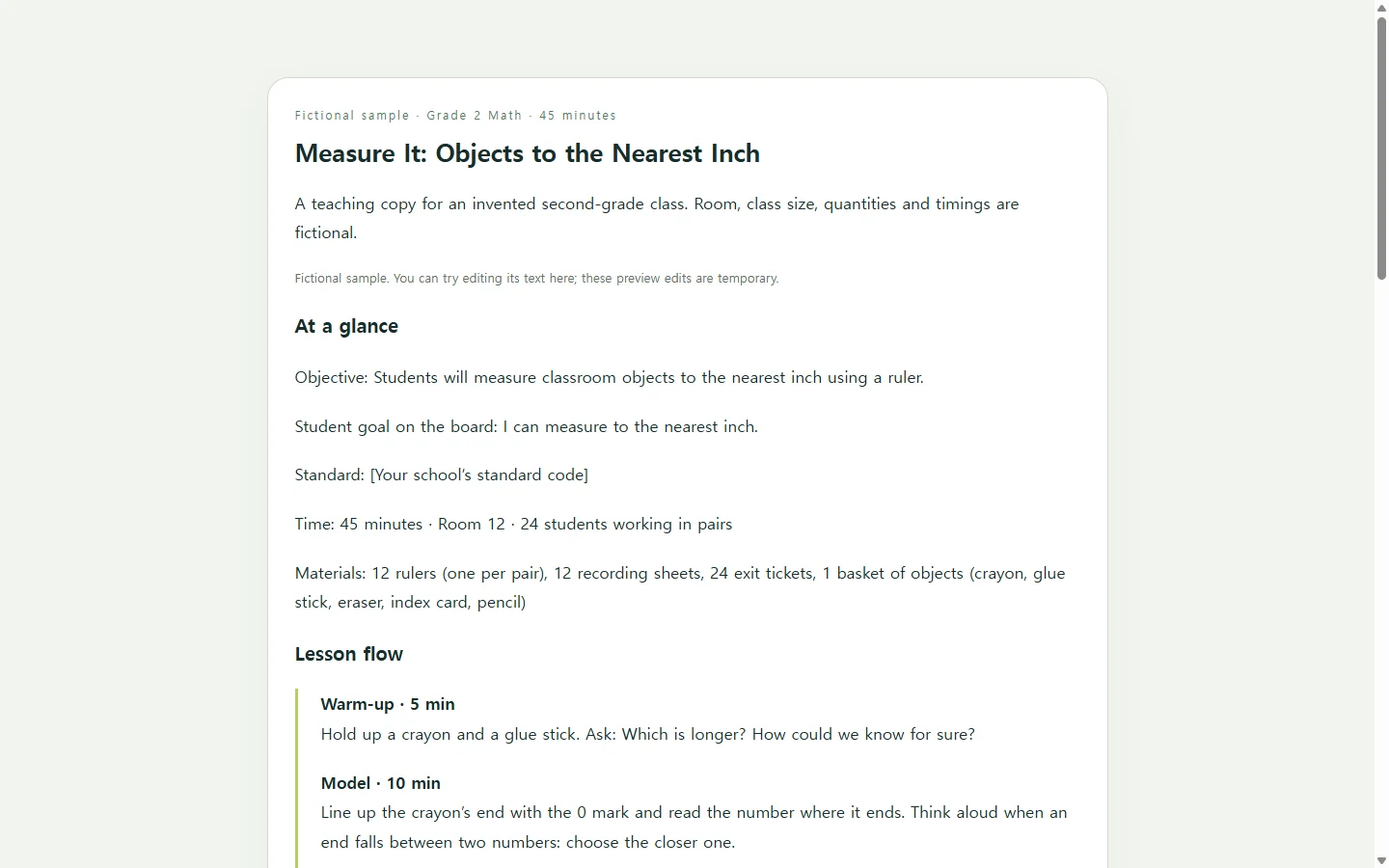
A teaching copy has a different job. It is the version you, a classroom aide or a substitute look at while the lesson is running, so it should answer three questions quickly: what students should be able to do by the end, what happens in each block of minutes, and how you will know who got it.
One university teaching center’s course-design guide lists learning outcomes, an assessment plan, and teaching strategies and activities as separate steps. That guide was written for college courses, but keeping those three apart is still a useful habit for a 45-minute second-grade lesson.
What to notice in the sample plan
The sample below is a 45-minute lesson on measuring classroom objects to the nearest inch. The class, room, quantities and timings are invented for illustration. Rather than copying every box, look at four choices.
The objective names something you can watch: students measure objects to the nearest inch with a ruler. A goal like “understand measurement” is harder to check at the door.
Every block has minutes, and they add up to 45. If the warm-up runs long, you can see at once which block to trim.
Supports are written as “If you see… try…” pairs, because during the lesson you are reacting to what students do, not rereading a paragraph about differentiation.
The exit-ticket check describes each level by what the student did, such as answering two of three questions correctly. A university teaching center’s rubric guidance makes a similar point: replace vague criteria such as “interesting” or “creative” with objective indicators.
A printable or Word template can hold exactly the same content, and if you prefer paper on a clipboard, use one. A web page is worth considering mainly when other adults will open the plan on a phone or tablet during the lesson.
Build your own version with AI (optional)
You still make the teaching decisions: the objective, any standard your school uses, the timing, the materials and the supports your students need. AI can take on the layout so you are not dragging table borders around.
The prompt below asks for a single HTML file, which is the code a web page is made of. You do not need to edit that code; you open the result in a browser or paste it into a tool that displays HTML pages.
Describe needs rather than naming students, for example “three students need a ruler with the 0 mark highlighted.” Before you teach from the result, check that the minutes add up and that any answer key is correct.
When the plan changes after you share it
Suppose you send the teaching copy to the classroom aide the afternoon before. That evening you count the ruler bin and find 10 rulers instead of 12, so partner measuring has to become groups of three. (These numbers are part of the fictional example.)
If the page lives in NOS, you can edit that line directly on the rendered page instead of asking the AI to regenerate the whole plan. The shared link stays the same after you edit, so the aide opens the same address in the morning and reads “groups of three.” They do not need an account to open it.
If your school also collects the plan as a PDF or on its own form, keep submitting it that way and update that file separately if the change matters to the school. The shared page is the copy you teach from.
NOS keeps the page in your workspace alongside your other notes and pages, so the next time you teach measurement you can start from this plan, adjust the date and the grouping line, and send it again.
For tomorrow, start with three lines: an objective you can watch, minutes on every block, and what you will look for on the exit ticket.
A prompt to adapt
Create a one-page elementary lesson plan as a single self-contained HTML file.

Lesson details (use only what I give you; where something is missing, write [TO ADD] instead of inventing it):
- Grade: [GRADE, e.g., 2nd grade]
- Subject and lesson title: [SUBJECT AND TITLE, e.g., Math: Measuring to the Nearest Inch]
- Standard (only if my school uses one): [STANDARD CODE, OR LEAVE BLANK]
- Objective, in my words: [OBJECTIVE, e.g., Students will measure classroom objects to the nearest inch with a ruler]
- Total time: [MINUTES, e.g., 45 minutes]
- Lesson blocks with minutes: [BLOCKS, e.g., Warm-up 5, Model 10, Partner measuring 15, Share 10, Exit ticket 5]
- Materials and quantities: [MATERIALS, e.g., 12 rulers, 12 recording sheets, 1 basket of classroom objects]
- Student supports (describe needs only, no student names): [SUPPORTS, e.g., 3 students need a ruler with the 0 mark highlighted]
- Exit ticket and what counts as Got it / Almost / Not yet: [YOUR QUESTIONS AND CRITERIA]

Layout and output:
- Sections in this order: At a glance (objective, standard, time, materials); Lesson flow as a timeline with minutes; an “If you see / Try” table for supports; a prep checklist; an exit-ticket check table with three levels.
- Check that the block minutes add up to the total time. If they don’t, show the difference at the top instead of changing my numbers.
- Plain, short sentences a substitute could follow without me in the room.
- No forms, submit buttons, download or export buttons, external links, web fonts, images or scripts.

Accessibility and mobile:
- One column on screens narrower than 600px; wide tables scroll sideways instead of shrinking the text.
- Body text at least 16px, strong contrast between text and background, and never use color alone to carry meaning.
- Real headings in order (one h1, then h2s), header cells in every table, and real lists for the checklist.
- Print-friendly: remove background colors and keep each section together when printed.