Download the blank herbarium label · Download the completed fictional example
In short
Copy the locality, date, collectors, and field observations from the original record. Match the local specimen ID to the physical tag, keep the collection number with the field record, and reserve the catalog field for an assigned number.
What do the completed labels look like?
Duplicate the blank file for each specimen and type on the lines in your browser. Print or save as PDF before you close the tab. For a reusable filled copy, enter the values in the HTML and save the file. The completed example shows two field records beside their labels on screen and keeps the two labels in the print layout.
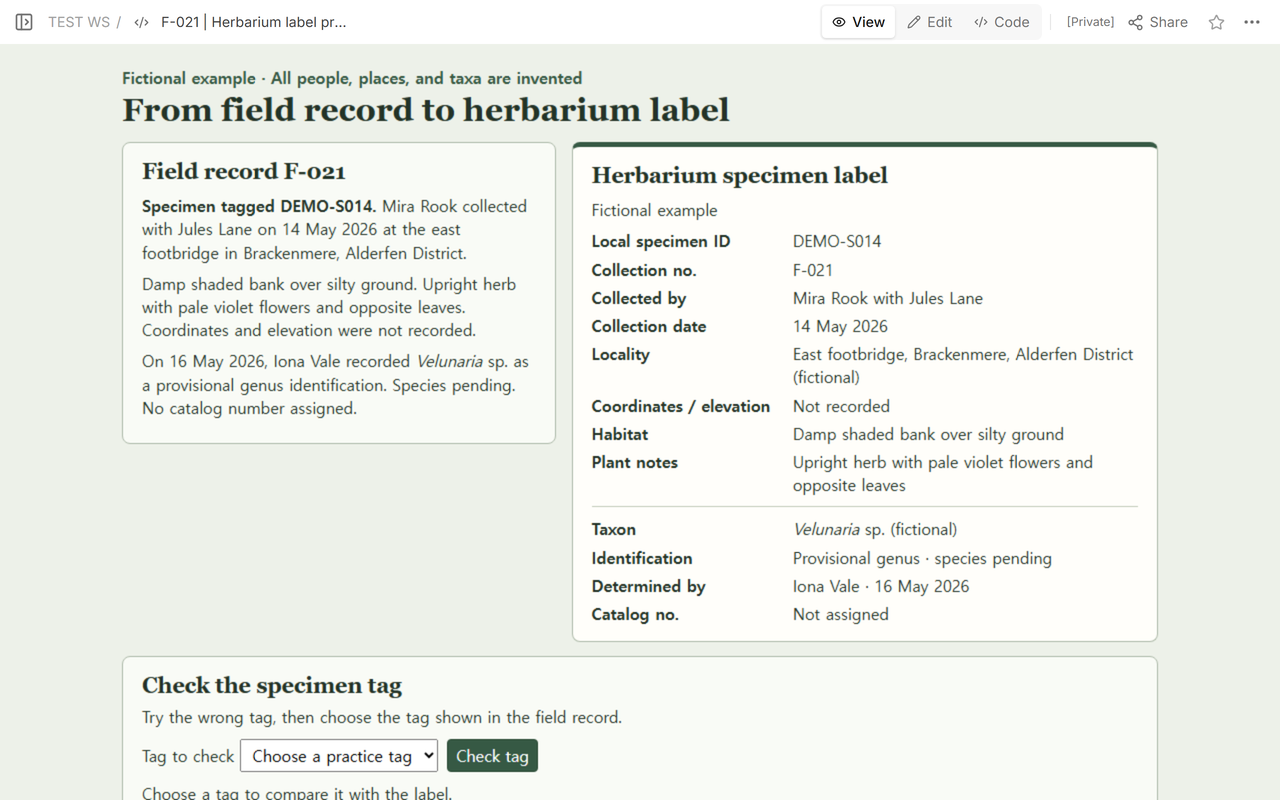
Our fictional note starts with F-021 and the tag DEMO-S014. Mira Rook collected with Jules Lane on 14 May 2026 at an east footbridge in Brackenmere in the fictional Alderfen District. On the label, the footbridge goes under Locality. The damp shaded bank goes under Habitat. The pale violet flowers and opposite leaves go under Plant notes.
That split follows the kinds of information described in the Australian National Herbarium’s specimen label guide. Read the note and label side by side and check that every value has a line in the source record.
Which number should match the specimen tag?
- Local specimen ID — DEMO-S014. This is the tag on the individual item in the example. Copy it into the local ID field and compare every character.
- Collection number — F-021. This points to the field record for the collection. Keep it with the collector’s name when looking up the notes. Duplicates from one collection can share the collection number, as the University of Florida Herbarium’s voucher guide explains.
- Catalog number — Not assigned. Fill this field when your institution supplies the identifier it uses for the specimen. The sample leaves it explicitly unassigned.
What if the plant is only provisionally identified?
Iona Vale recorded the invented genus Velunaria on 16 May, two days after the fictional collection. The taxon reads Velunaria sp. and the identification line says “Provisional genus · species pending.” Iona is listed as the determiner. Mira and Jules stay on the collection line, and the collection date remains 14 May.
In F-022, the tag is DEMO-S027. Jules Lane collected with Mira Rook at the fictional north boardwalk in Reedmere on 18 May 2026. Iona Vale reviewed the note on 20 May and left identification pending. Both the note and the label ask the reviewer to compare the leaf margins with the teaching reference before proposing a taxon. Use the blank label’s Reason pending line for that check and record Iona’s review date separately from the collection date.
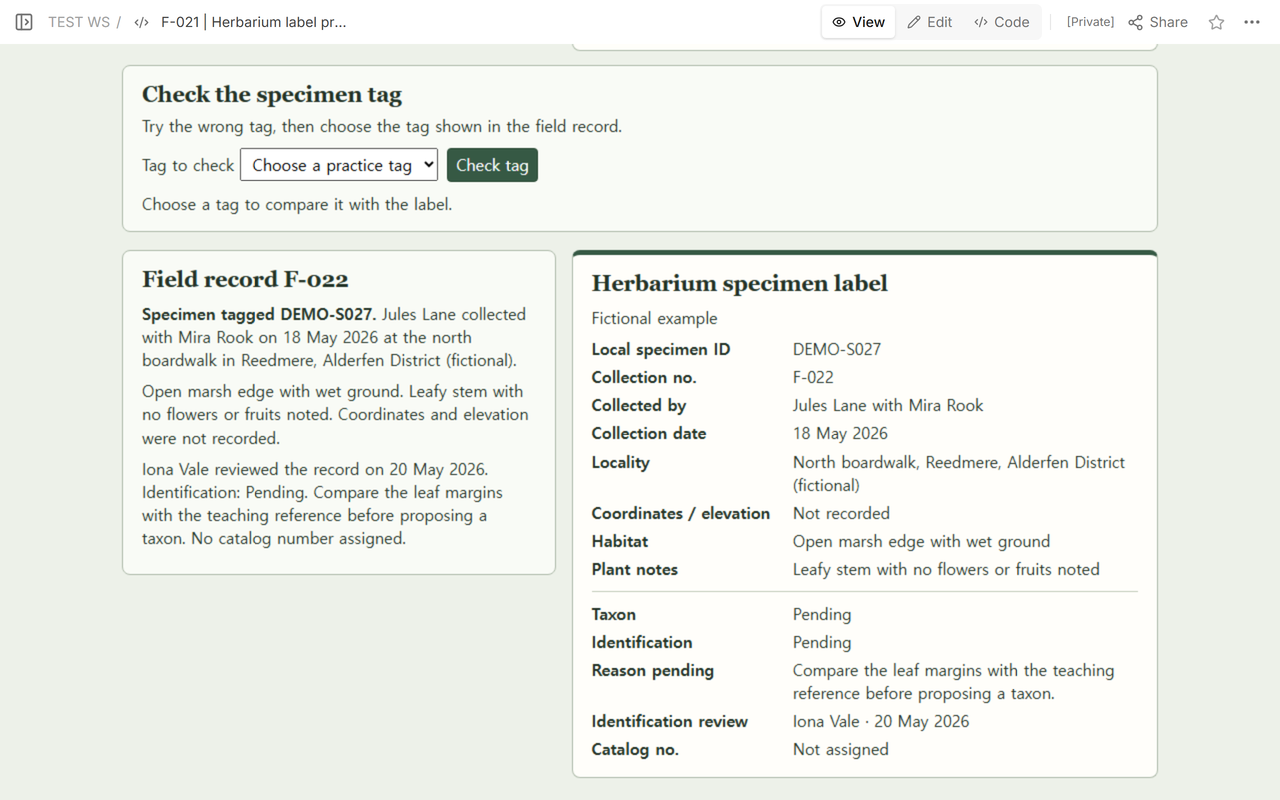
Carry over the precision you have. In this label, coordinates and elevation say “Not recorded” because both are missing from the note. Use “Pending” when a determination remains open and “Not assigned” when an identifier has yet to be issued. If a discrepancy persists after you check the note and tag again, set that label aside for review.
Can someone else catch a switched tag?
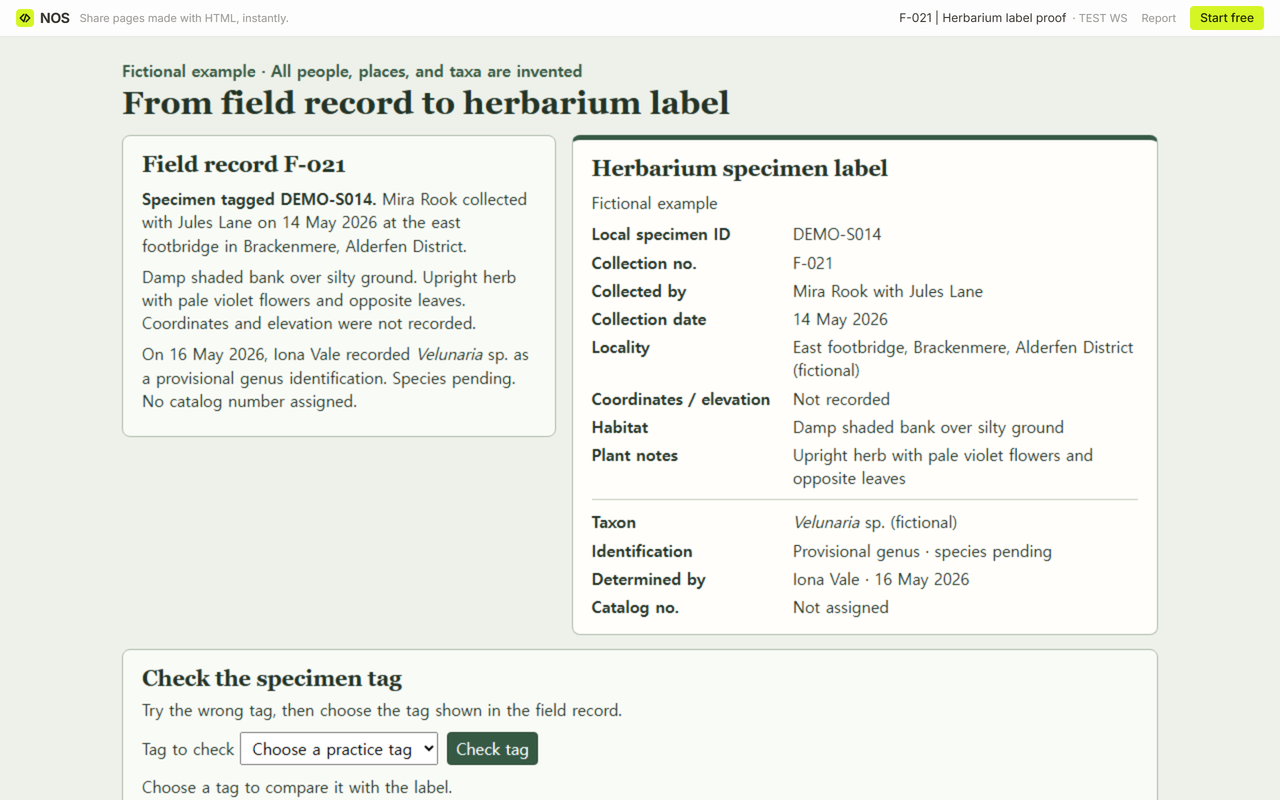
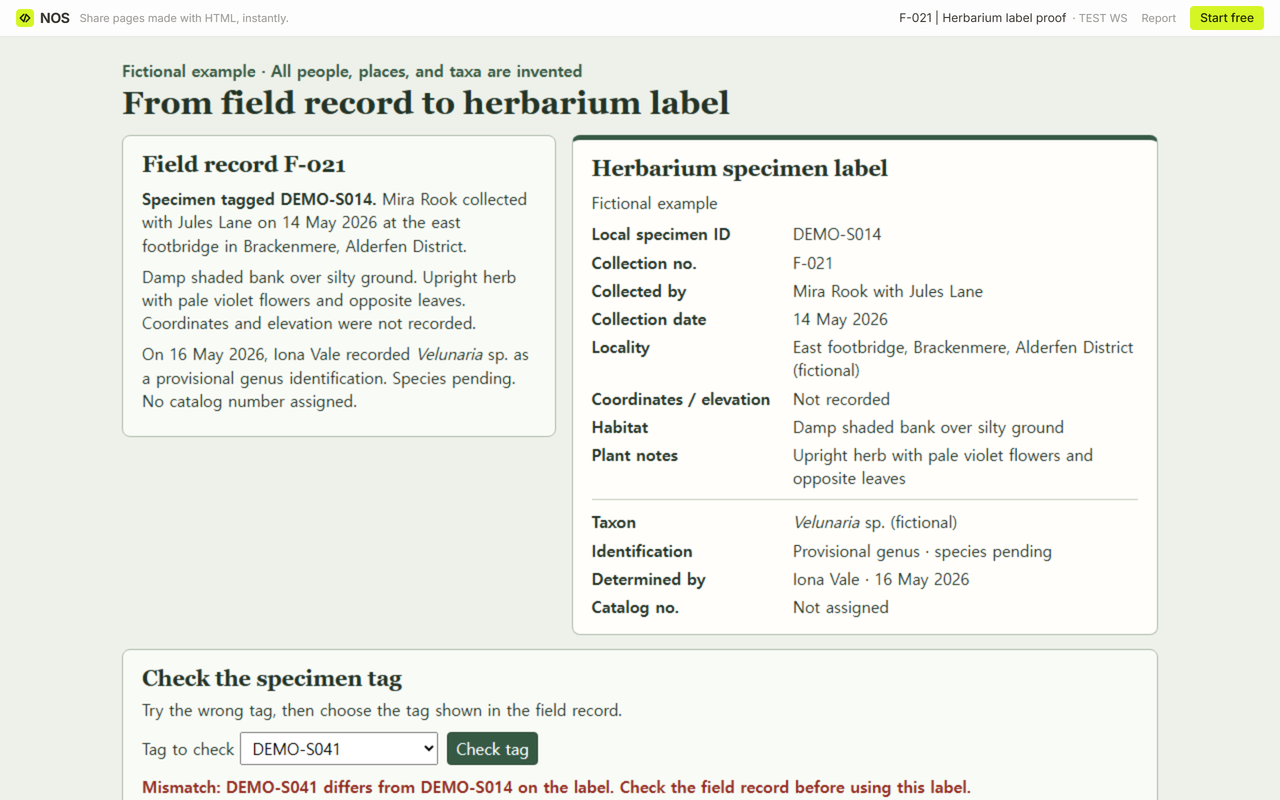
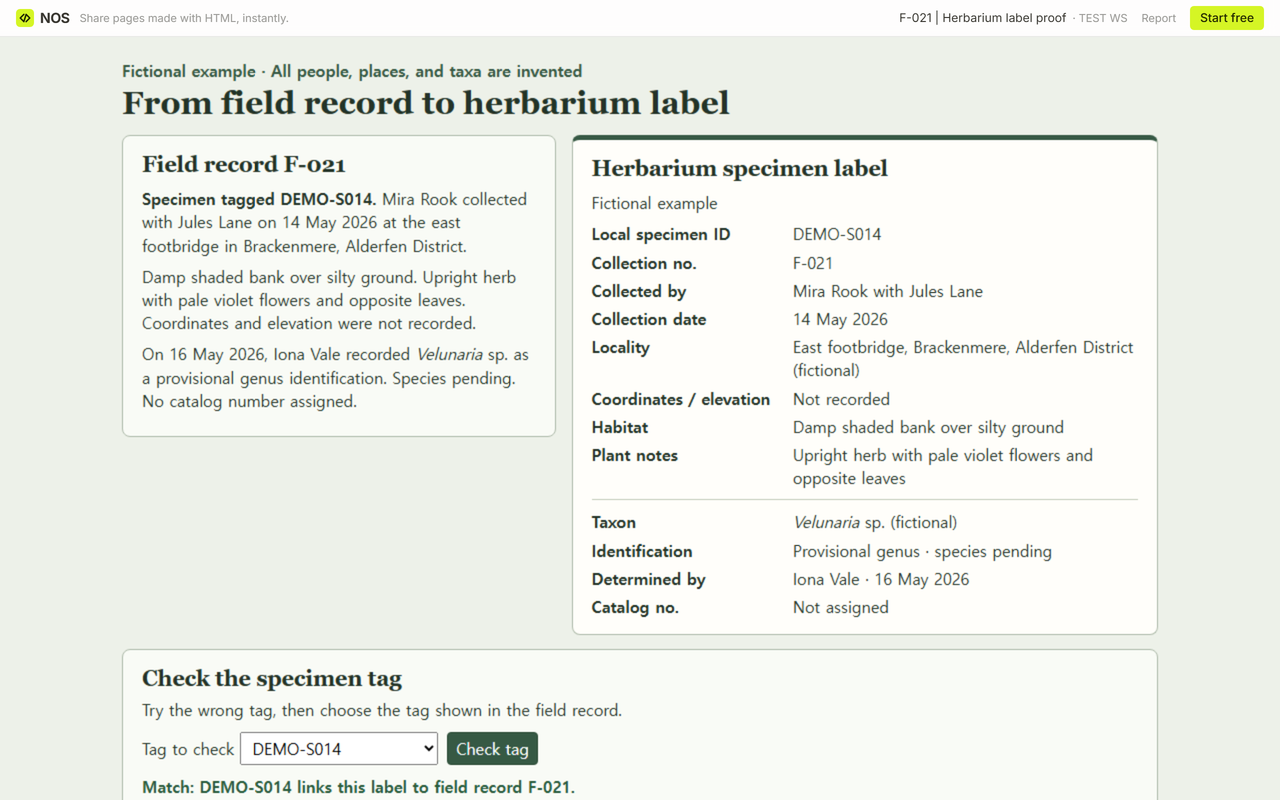
Give a reviewer the field record, the proof label, and the tag they are checking. Ask them to read the local ID aloud, then trace the collection number back to the note. In the live fictional proof, we opened the reader link and used the practice check below the label.
We tried DEMO-S041 first. The check flagged the transposed digits and pointed to DEMO-S014 on the label. When we chose DEMO-S014 and checked again, the page linked the label back to F-021. The match tests the specimen tag in this example. Cross-check the rest of the label against the note before printing.
When not to do this
Ask the receiving herbarium for its required fields, label dimensions, and rules for sensitive localities before preparing an intake label. Keep restricted details out of a shareable copy. Use the blank for an existing record you can trace, and use the fictional data only for practice.
How did we share the proof in NOS?
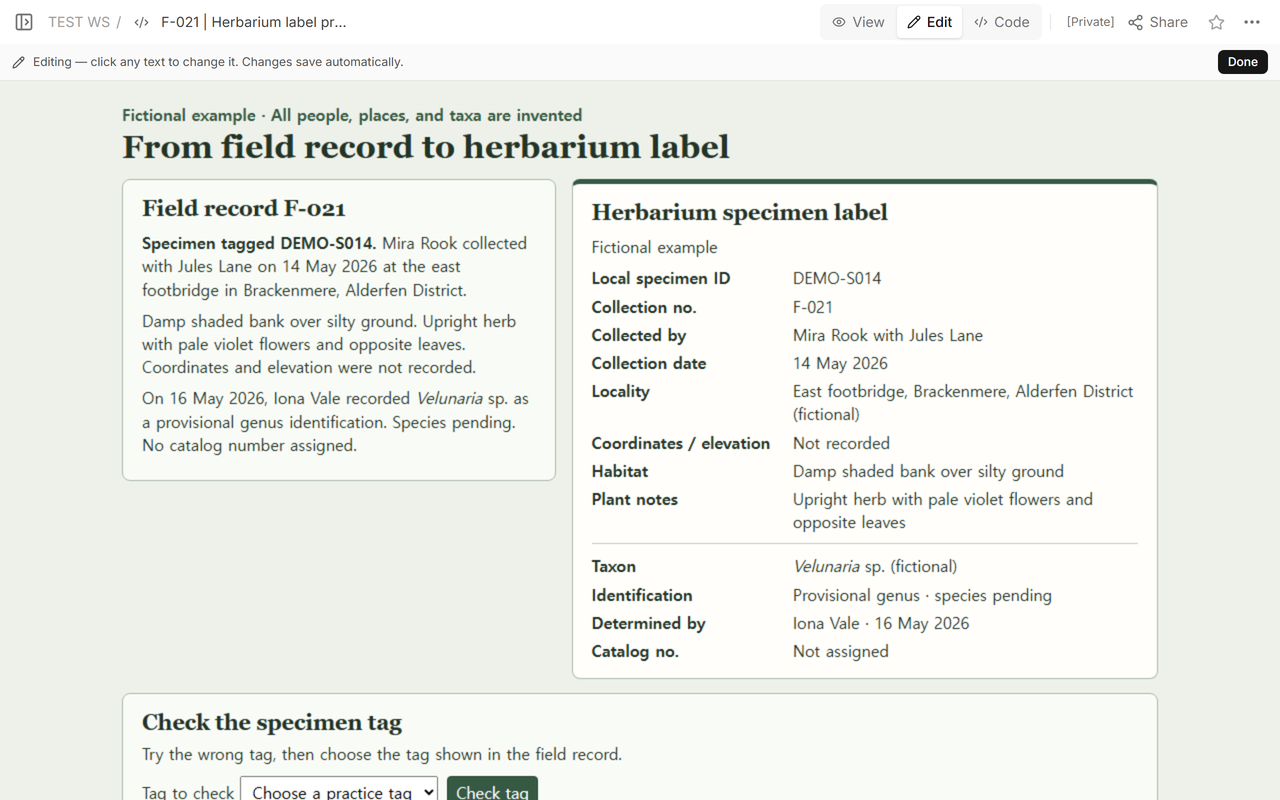
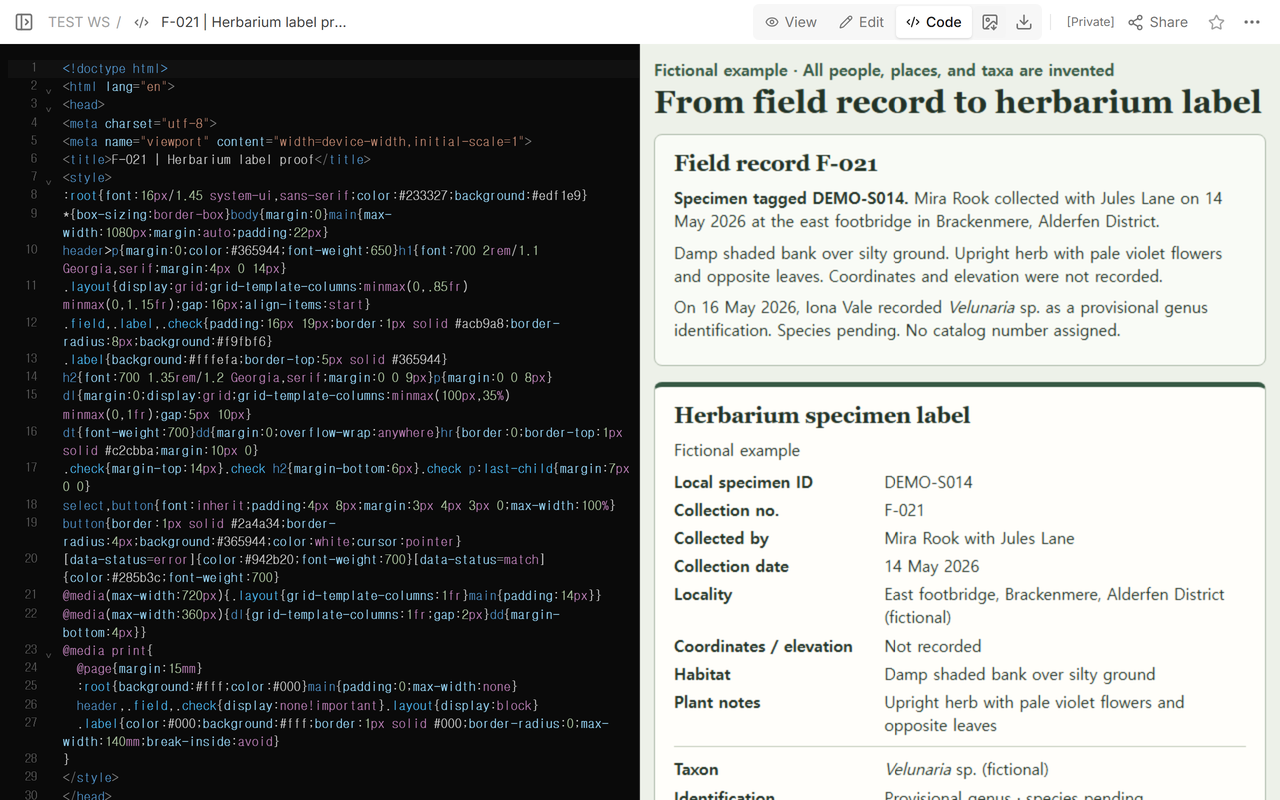
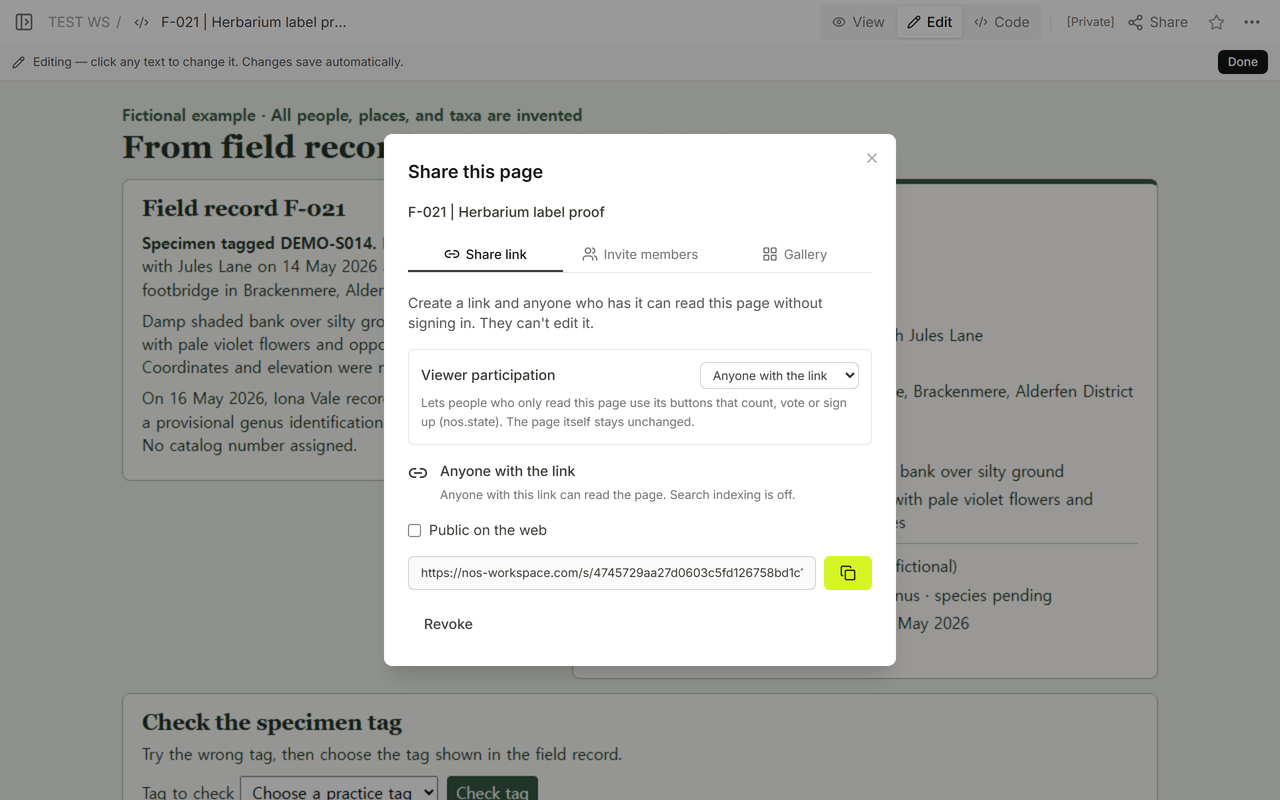
We opened the same document in Code, View, and Edit, then found the reader link in Share. A signed-out window showed both notes and labels at that address. Reopening it reset the F-021 practice checker and kept both labels available.
If the same item also needs a visitor-facing display card, see the digital exhibit labels guide. For a record centered on one display object, use the artwork information sheet.