In short
- A holiday schedule for employees lists every paid day off for the year with its weekday, plus the rules people ask about: weekend holidays, floating days, and pay for working a holiday.
- For 2027, three federal holidays fall on a weekend: Juneteenth, Independence Day, and Christmas. New Year's Day 2028 is a Saturday too, so its day off lands on Friday, December 31, 2027.
- Post it as one page at one link, not as a PDF in an email. When a date changes, fix the page and everyone sees the new version at the same link.
- After any change, search the page for that date. Other lines often mention it too.
We built a 2027 holiday page for a made-up company, Bluefin Print Co., with an office, a print floor, and a delivery team. We put it on NOS and shared the link. Then we changed one day after the link was out: the day after Thanksgiving went from "print floor open" to "everyone off." That one change broke another line on the page. Here is what we did, step by step, and what we would check next time.
What should a company holiday schedule include?
Most templates give you a table of dates. Employees need more than that. These are the parts our page ended up with, top to bottom:
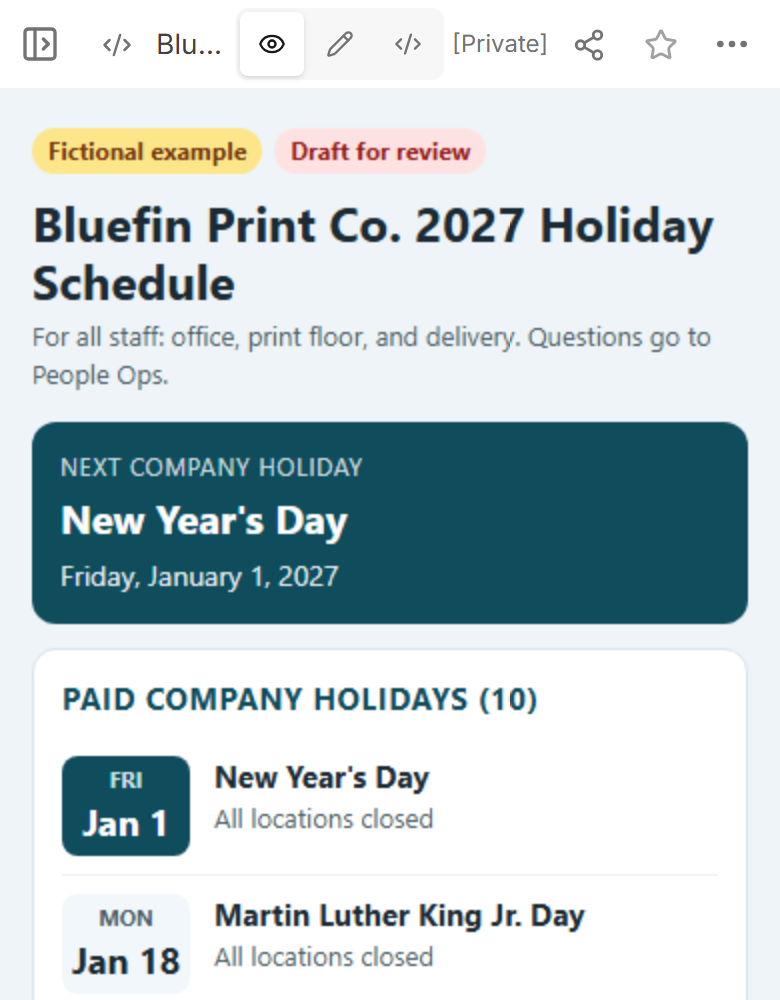
- The next holiday. A box at the top with the name and full date. Most people open the page to answer "when is the next day off?"
- Every paid holiday, with the weekday. "Fri Jun 18" is clearer than "June 18." Mark observed days and say why: "June 19 is a Saturday, so we close Friday."
- Who is off. If some teams still work, say so on that row.
- Floating holidays. How many, what they are for, how far ahead to ask, and whether unused days carry over.
- Working on a holiday. What hourly and salaried people get if they have to work.
- Part-time staff. One line on how holiday pay works for them.
- A "last updated" line. It tells people the page is the current version.
The pay and floating-day rules in our example are made up for Bluefin. Use your own policy. If you don't have one yet, Workable's company holiday policy template covers holiday pay, working on a holiday, part-time staff, and a floating day.
What are the federal holidays in 2027?
Many U.S. companies start from the federal list and then drop or add days. Here are the 2027 dates from the U.S. Office of Personnel Management, with the day federal workers get off:
- New Year's Day: Friday, January 1
- Birthday of Martin Luther King, Jr.: Monday, January 18
- Washington's Birthday: Monday, February 15
- Memorial Day: Monday, May 31
- Juneteenth: Friday, June 18 (June 19 is a Saturday)
- Independence Day: Monday, July 5 (July 4 is a Sunday)
- Labor Day: Monday, September 6
- Columbus Day: Monday, October 11
- Veterans Day: Thursday, November 11
- Thanksgiving Day: Thursday, November 25
- Christmas Day: Friday, December 24 (December 25 is a Saturday)
OPM's 2028 list starts with New Year's Day on Friday, December 31, 2027. If you close for New Year's, that day off belongs in your 2027 schedule, not your 2028 one. Our example picked eight of the federal days, added the day after Thanksgiving, and included that December 31 date, for ten in total.
Building the page
We wrote the schedule as a single HTML file: the holiday list, the rules, a "next holiday" box that reads today's date, and a button that saves all ten dates as a calendar file. You can ask any AI chat for a page like this. Give it your list of dates and rules, and ask for one mobile-friendly HTML file with a "Fictional example" or "Draft" label you can change later.
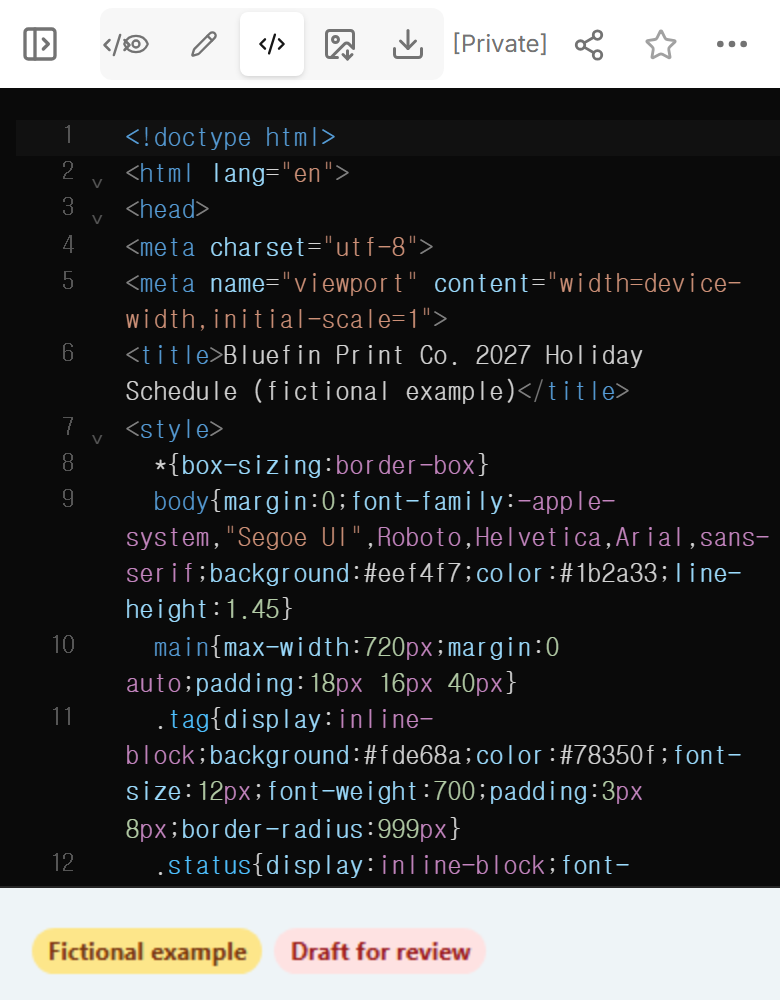
In NOS, we pasted the file into a new page. Code view shows the HTML on top and the page below it, so you can see a typo the moment you make it.
View mode shows what employees will see. The next holiday sits at the top, then the list starts.
Sharing it with employees
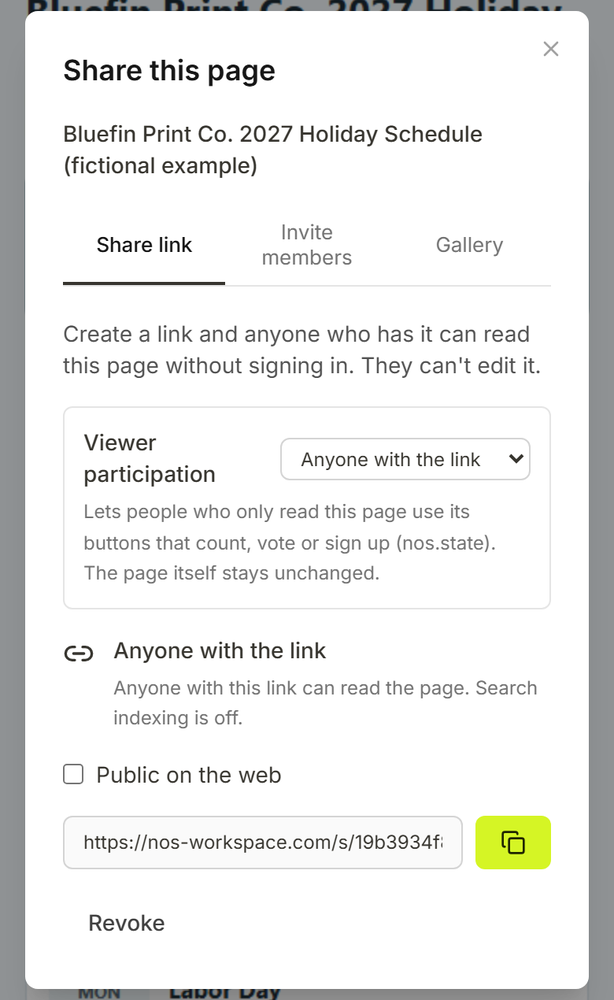
The Share button opens a panel with the link. It says anyone with the link can read the page without signing in, and they can't edit it. It also says search indexing is off for that link. We left "Public on the web" unchecked, since this is an internal page.
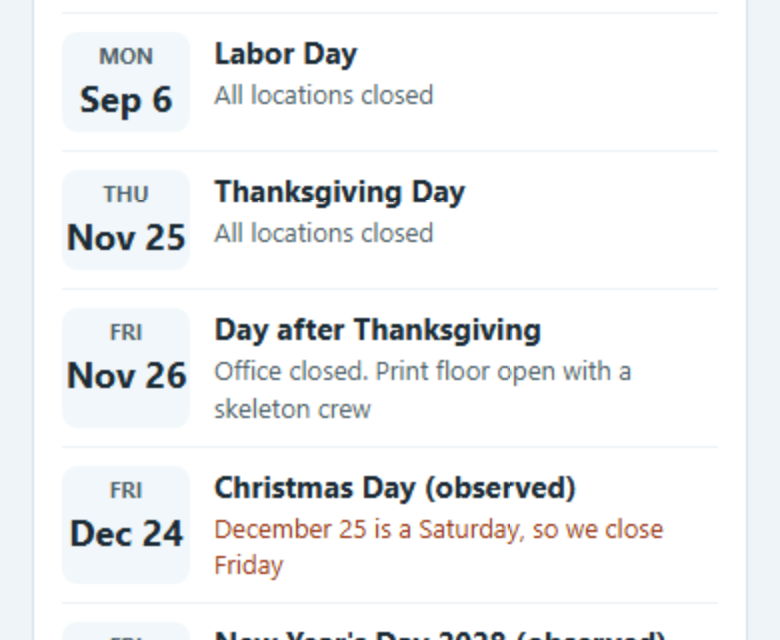
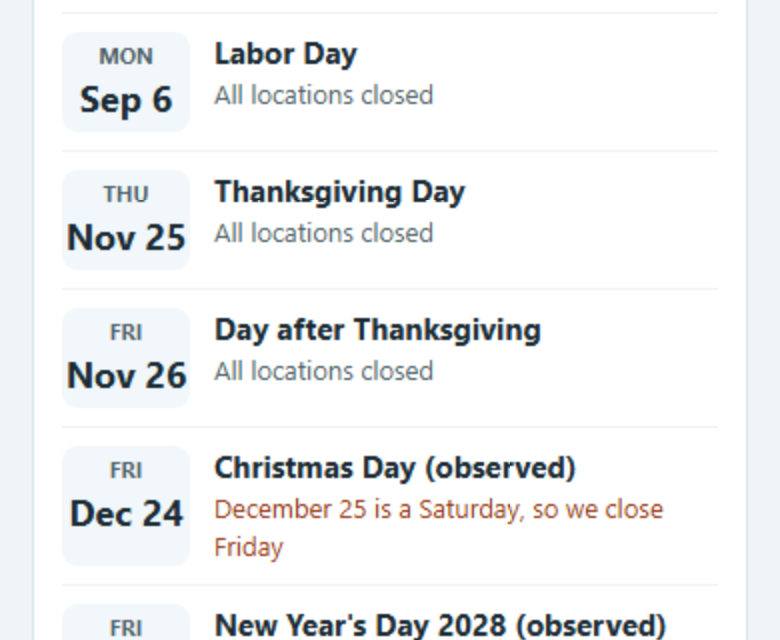
On a phone, the shared link opens straight to the schedule. Here is the Thanksgiving week before we changed anything:
Changing a date after the link is out
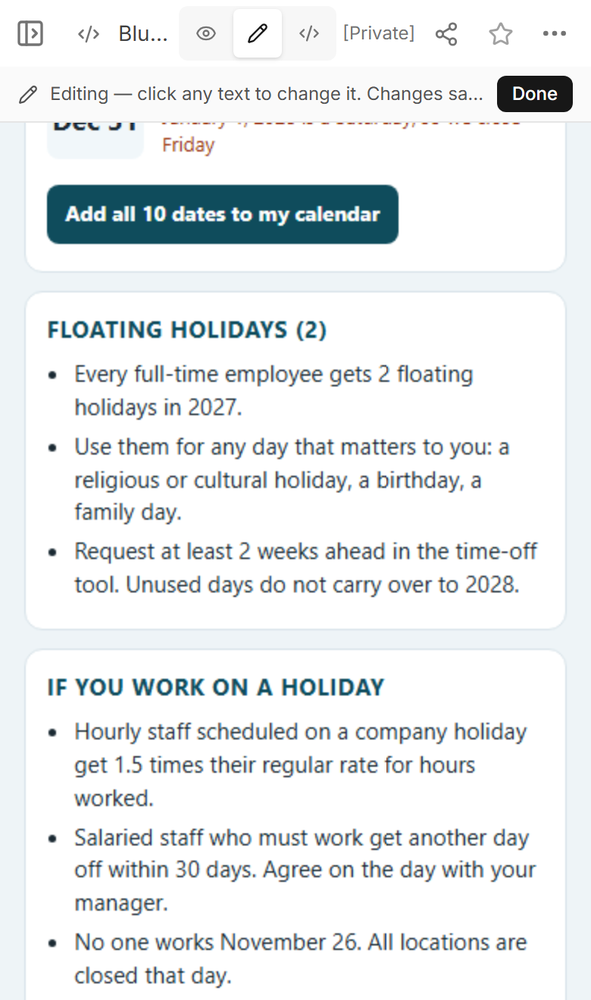
Holiday plans change. In our example, Bluefin decided to close everything on November 26. In Edit mode you click the words on the page and type. We replaced the November 26 note with "All locations closed" and clicked Done. NOS saved it as a new version.
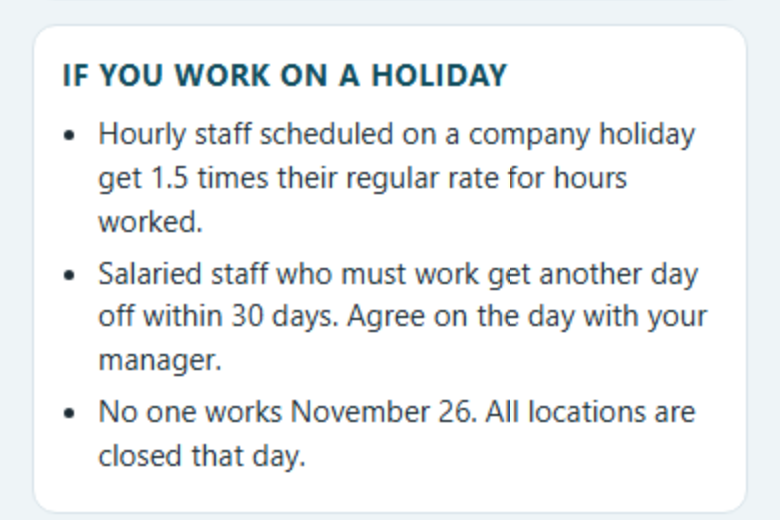
Then we found the problem. Further down, the "If you work on a holiday" section still said "Skeleton crew sign-up for November 26 opens October 1." Nobody was working that day anymore. If we had stopped at the first edit, the page would have said two different things.
Last, we switched the label from "Draft for review" to "Final." The label's color comes from a class name in the HTML, so we did this one in Code view. We changed the class from draft to final and the text to Final. The label turned green in the preview.
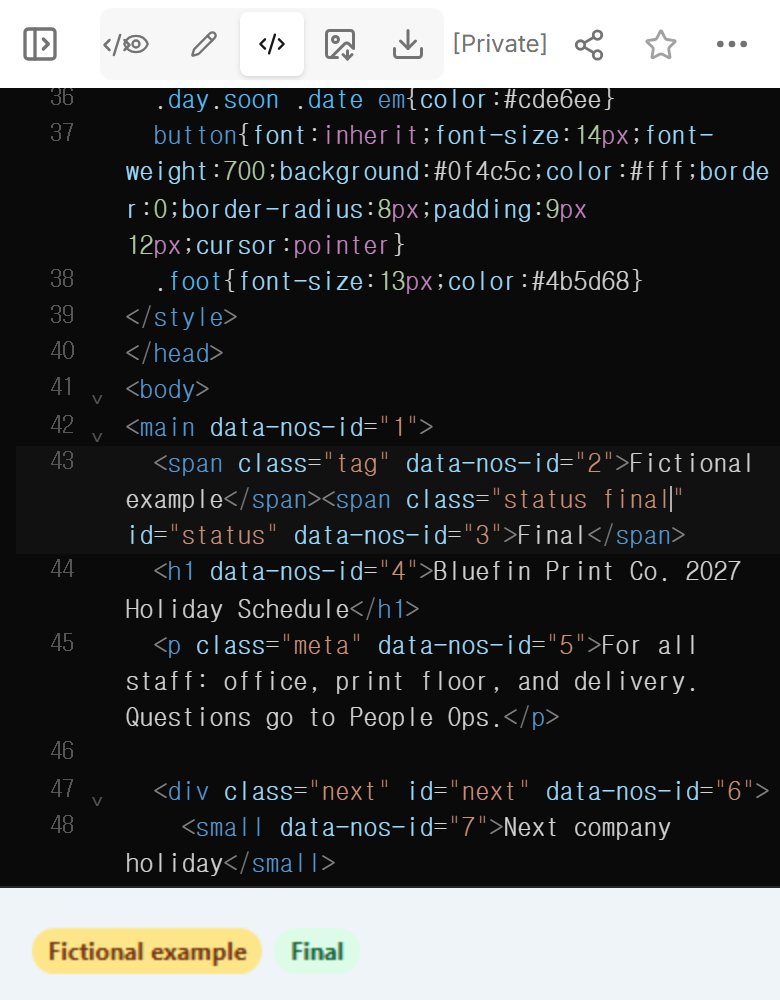
One thing you may notice in Code view: after the Edit mode changes, tags had new data-nos-id attributes. NOS added them when it saved. We left them alone, and the page worked as before.
Opening the same link again
We opened the same share link again. No new link, no new email. November 26 now reads "All locations closed."
The work section matches it now.
If you'd rather start from our layout, download the example holiday schedule and put in your own dates and rules.
What if a holiday falls on a weekend?
For federal workers, OPM's rule is simple. A Saturday holiday is observed on the Friday before. A Sunday holiday is observed on the Monday after. Private companies can pick their own rule. Copying OPM's is the easiest to explain.
Whatever you pick, write the reason on the row. "July 4 is a Sunday, so we close Monday" stops a dozen questions. In 2027 this matters four times: Juneteenth, Independence Day, Christmas, and New Year's Day 2028.
Do private employers have to give federal holidays off?
Not under federal law. The U.S. Department of Labor says the Fair Labor Standards Act does not require payment for time not worked, such as vacations or holidays. Holiday pay is a matter of agreement between the employer and the employee or their representative. Some states and union contracts add their own rules, so check yours before you publish pay rules.
Floating holiday vs PTO
A floating holiday is a set number of extra paid days each person can place on a date they choose, often for a holiday the company calendar doesn't cover. PTO is the general pool for vacation and personal time. Keeping them separate on the page avoids the usual question: "Does my floating day come out of my vacation?"
Write three rules next to it: how many days, how far ahead to ask, and whether they carry over. Our example uses two days, two weeks' notice, and no carryover.
When not to do this
- You need requests and approvals. A page shows the schedule. It doesn't track who asked for which floating day or how many days are left. Use your HR or time-off system for that, and link the page from it.
- Rules differ by location or contract. If two sites or two unions get different days, one shared page gets confusing. Make one page per group, or put the differences in your HR system.
- The page would hold private details. Anyone with the link can read it. Keep names, pay rates for specific people, and medical leave out of it.
- Legal wording matters more than speed. If the schedule is part of a contract or handbook that needs sign-off, have it reviewed first, then post the final version.
Where NOS fits
NOS hosts HTML pages and gives each one a share link that stays the same when you edit. You can fix words in Edit mode, change the HTML in Code view, and every save becomes a new version. For a holiday schedule, that means one link in your team chat all year. If you also post store hours for customers, our guide to a holiday hours notice covers that page. To get dates into people's calendars, see calendar invite links. If your policies live in one place, the employee handbook template can link to this schedule. Plans are on the NOS pricing page.