In short
Lovable has no "export as HTML" button. You get source code instead, through GitHub sync on any plan or Download codebase on a paid plan.
That code must be built. A normal build gives an index.html plus separate JavaScript and CSS files, and the index.html alone opens as a blank page.
Add the vite-plugin-singlefile plugin and build again. You get one index.html with everything inside, and that file works on its own: open it, send it, or put it at a link.
Check first: new Lovable projects use TanStack Start since May 13, 2026. These steps were tested on a React + Vite project.
We wanted to see every step between a Lovable-style project and a link you can send. We did not use a Lovable account for this. Instead we built a small fictional landing page for a pottery studio with React and Vite, the stack behind Lovable's older projects, plus Tailwind for styling. We built it the normal way, saw it fail, built it again as one file, put it on NOS, changed the start date on the NOS screen, and reopened the same link.
Can I export Lovable code?
You can, but only as source code. Lovable's docs describe two ways to get the whole project:
- GitHub sync. Connect the project to GitHub and Lovable creates a new private repository with your code. On GitHub, choose Code, then Download ZIP. Lovable lists GitHub sync on all plans.
- Download codebase. In the code editor, the button sits at the bottom of the file panel. It is also under Project settings, then Git. This one is for paid plans.
There is also a Download button for a single file, on any plan. It saves one source file, not a working page.
Either way, you get a project folder, not a page. It has a package.json, a src folder, and a Vite config file. The index.html in that folder is a shell that points at the source files. The page only exists after a build.
Can I download Lovable code without GitHub?
Only on a paid plan, with Download codebase. On the Free plan, GitHub is the official way out. You need a free GitHub account, but you never have to use Git itself: connect, open the new repository, and download the ZIP.
Why the normal build gives you a blank page
We ran a standard Vite build on the pottery page. It produced three files: an index.html of under 1 KB, a JavaScript file of 146 KB, and a CSS file of 12 KB in an assets folder. The index.html holds almost nothing. It only tells the browser to load the other two files from a path that starts with a slash.
We opened that index.html on its own. The tab showed the right title, but the page had no visible text at all. That is what happens if you upload or send only the HTML file: the browser cannot find the files that draw the page.
A web host that takes the whole folder fixes this. A tool that takes one HTML file needs everything inside that file.
How do I export Lovable to HTML as one file?
You need Node.js on your computer (the LTS version from nodejs.org) and a terminal open in the unzipped project folder. Then:
- Install the project's packages:
npm install - Add the plugin:
npm install -D vite-plugin-singlefile - Open the Vite config file (vite.config.ts or vite.config.js). Keep the plugins that are already there and add the new one to the end of the list. We also set the base path to "./" so nothing points at the root of a domain.
- Build:
npm run build - Open the dist folder. You should see one index.html and no assets folder of JavaScript files. Open it with a double-click; the page should look the same as in Lovable.
The change to the config file is three small edits:
import { viteSingleFile } from "vite-plugin-singlefile";

export default defineConfig({
  base: "./",
  plugins: [/* existing plugins */, viteSingleFile()],
});
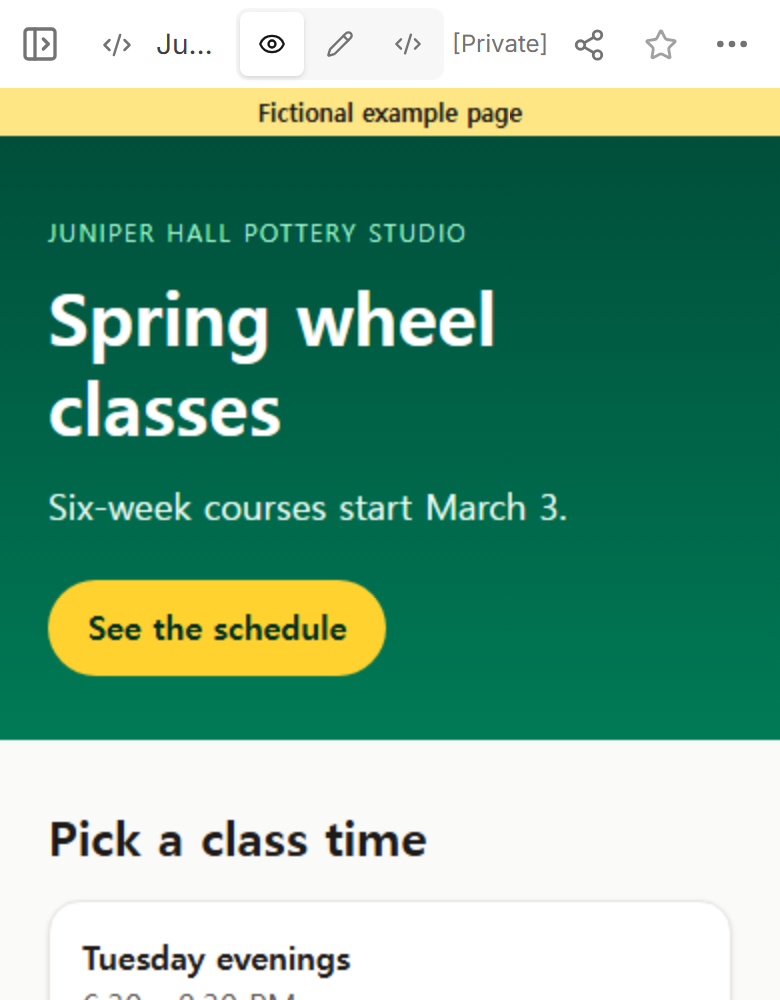
Our rebuilt pottery page came out as one index.html of 160 KB. Opened on its own, it showed the full page: heading, class times, and the question list.
Three things to check before you share the file:
- Upload the file from dist, not the index.html at the top of the project. The top one is the empty shell.
- Look at every image. The plugin's README says files in the public folder are not pulled into the HTML. Images there need a full https address or they will be missing.
- Multi-page apps need hash links. The README says routing that uses browser history does not work in a single file, but hash-based routing does. If your app has several pages, ask Lovable to switch to hash routes (addresses like /#/pricing) before you export.
How do I host a Lovable website for free as a link?
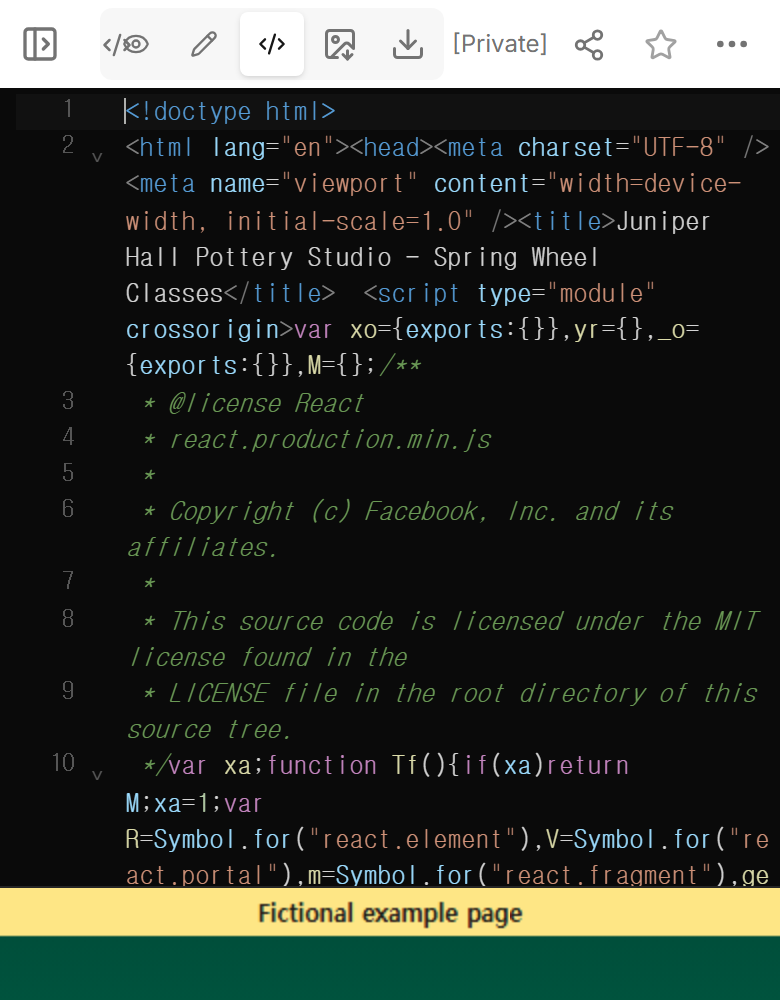
Once you have one working HTML file, any host that accepts a single file will do. We used NOS. We pasted the built file into a new page. The Code view shows the whole app as one long block: the React code is minified and sits inside the HTML, so you do not need to read it.
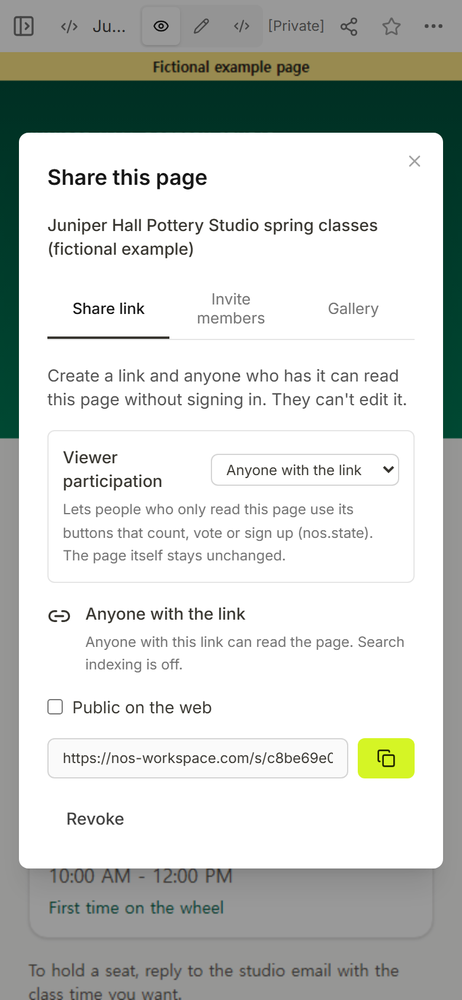
Then we opened Share and copied the link. The panel says anyone with the link can read the page without signing in and cannot edit it. Search indexing was off, and "Public on the web" was not checked.

Changing the page after the link is out
Say the course start moves a week. In NOS we chose Edit, clicked the date sentence, typed "Six-week courses start March 10.", and chose Done.
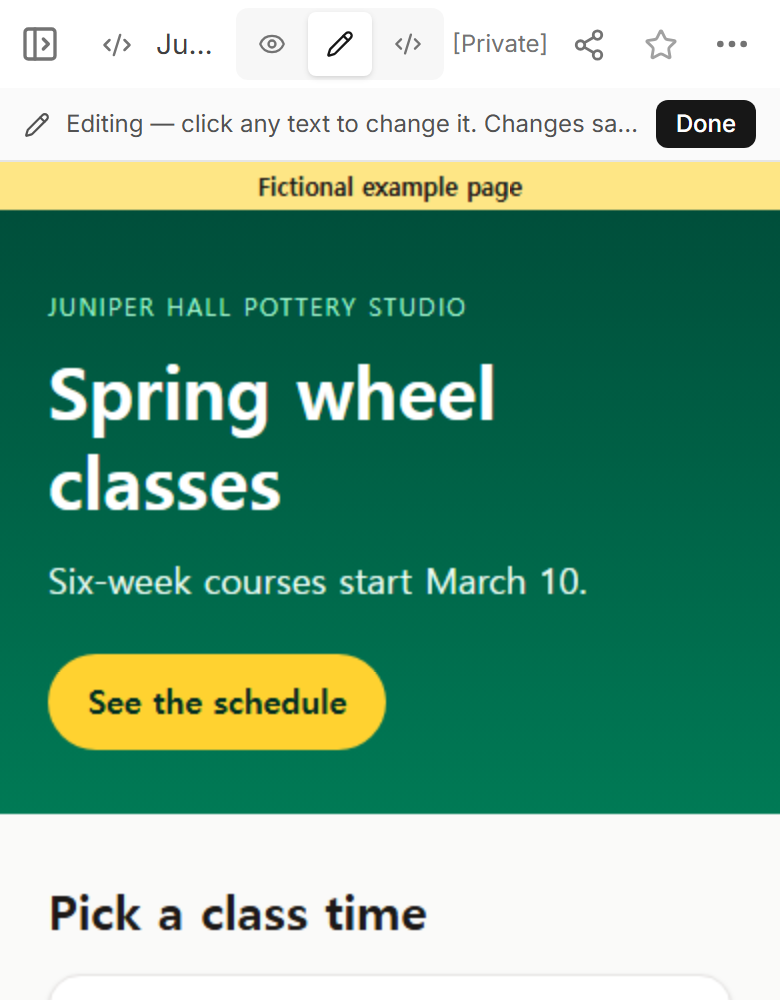
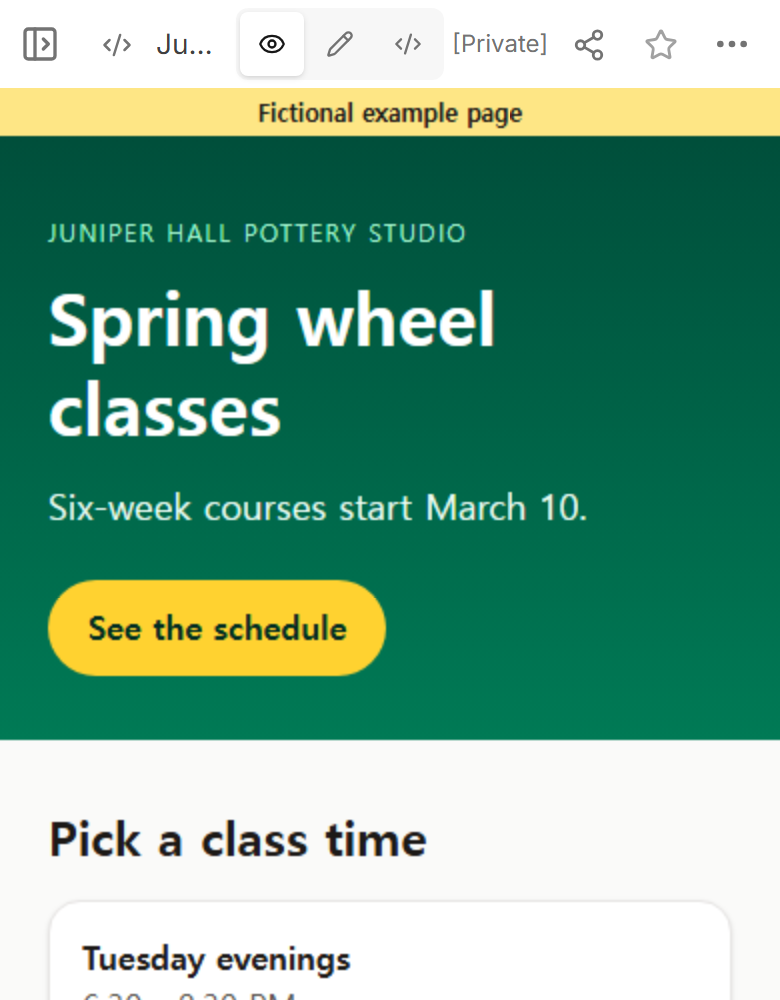
This is worth a closer look, because the sentence is not plain HTML. In a React build it lives inside the JavaScript. We checked the saved file: "March 3" was gone and "March 10" sat in the same spot inside the code. Then we opened the original link again. It showed the new date, and the question list still opened when clicked, so the React part kept working.

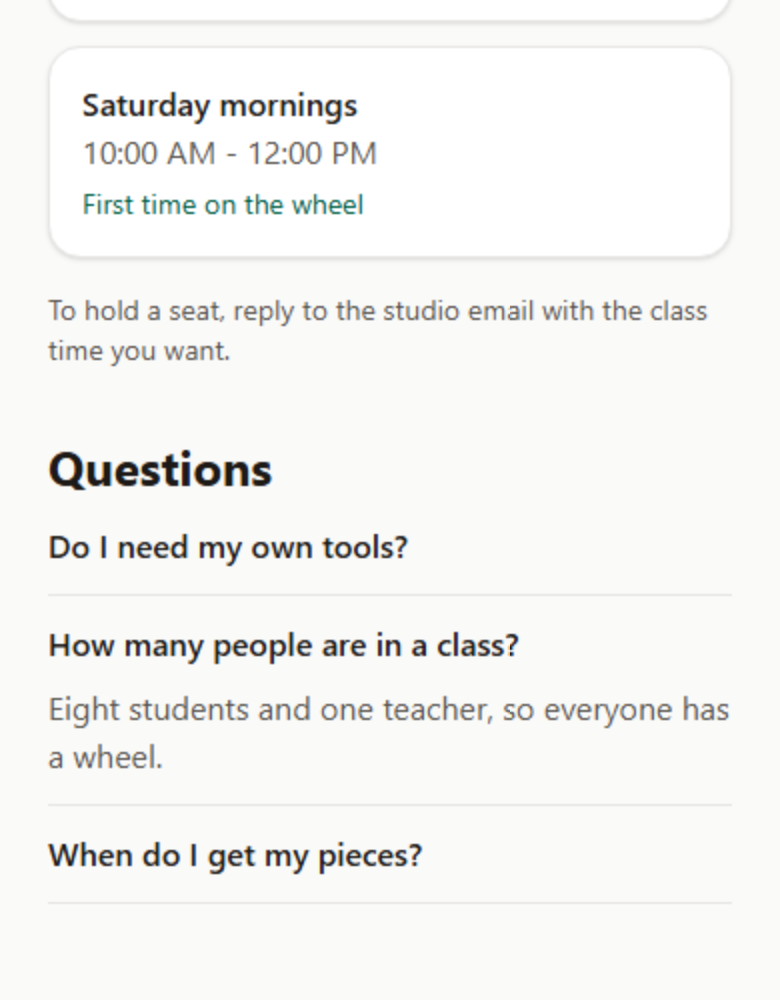
Two limits from this test. It worked for a sentence that sits in the code as one plain piece of text. We did not test text the app builds from several values, or text loaded from a database. Also, the fix lives only in the NOS copy. Your Lovable project still says the old thing, so make the same change in Lovable too. Otherwise the next export brings the old date back.
You can download the built pottery page (the March 3 version) to see what a single-file React build looks like inside.
When not to do this
Skip the single file and use Lovable's own Publish when the app needs login, saved data, payments, or server functions. A static file cannot run a server. Lovable publishes to a lovable.app address on all plans, and custom domains need a paid plan.
Skip it, too, if you still change the app in Lovable every day. Each change means a new build and a new upload, while Publish updates from where you work.
If your project uses TanStack Start, check its build output first. We did not test those projects, and any part that runs on a server will not exist in a static file. Finally, the plugin's own README warns that one big file is a poor fit for a normal website's speed. Use it for a landing page, a demo, or a prototype you want to send, not a large site.
Where NOS fits
NOS gives one self-contained HTML file a read-only link. In this test, the built React page ran inside NOS, Edit changed a sentence without a rebuild, and the original link showed the update. It does not run a back end, host a multi-file folder, or keep your Lovable project in sync. The Free plan allows three share links at once; see the pricing page for current plans.
Related guides
If the file still breaks somewhere, the self-contained HTML file checklist covers outside links that a single file can still depend on. If you would rather upload the full dist folder to a regular host, hosting a built front end explains the base path and refresh errors. For quick text changes without opening the code, see editing HTML without coding.