In short
Copy the key and anonymous counts for each test form. Add the choices and omissions before reporting percent correct. If the sum differs from the number who took that form, hold the percentage and check the original tally.
Download the blank item analysis sheet (CSV) or download the completed example (HTML).
What goes in a multiple-choice item analysis sheet?
Give each row an item ID and a form or version so you can match it to the right key. Enter the number who took that form, the keyed answer, and one count for each choice. Give omitted answers their own column. A zero means you checked the tally and found none. Leave an unknown count blank and hold the percentage until you can check it.
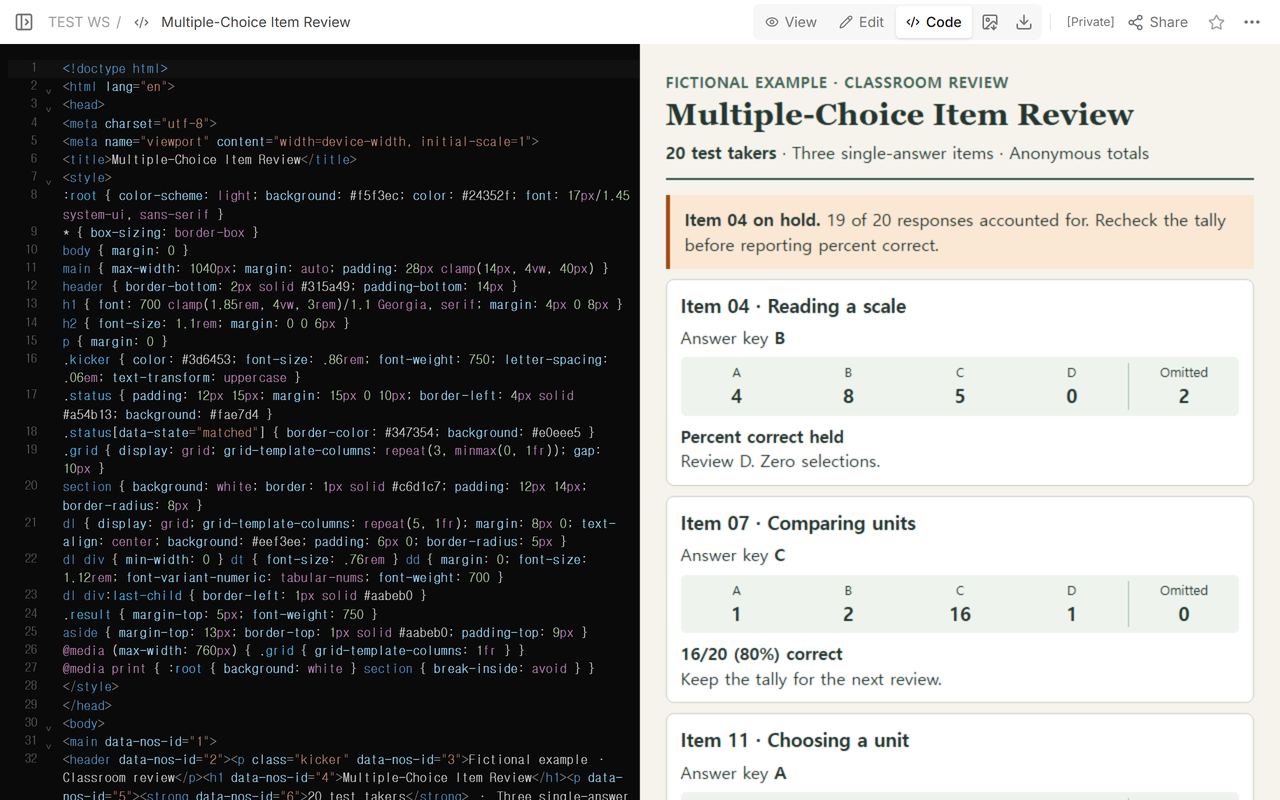
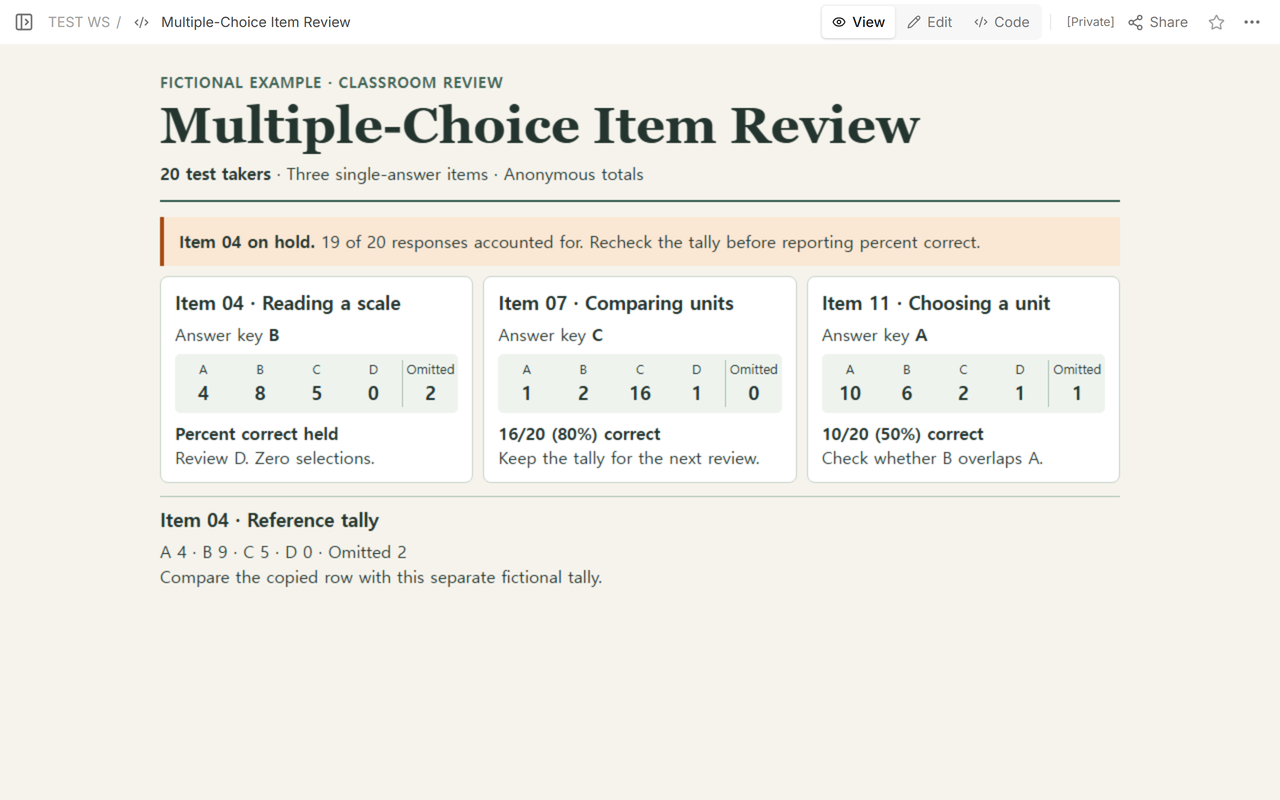
Our fictional classroom example has 20 test takers and three single-answer items. We copied the counts into a NOS page and opened Code to check the source alongside the display. Then we switched to View, where the first row was flagged for review.
How do you fix a row that adds up to 19 instead of 20?
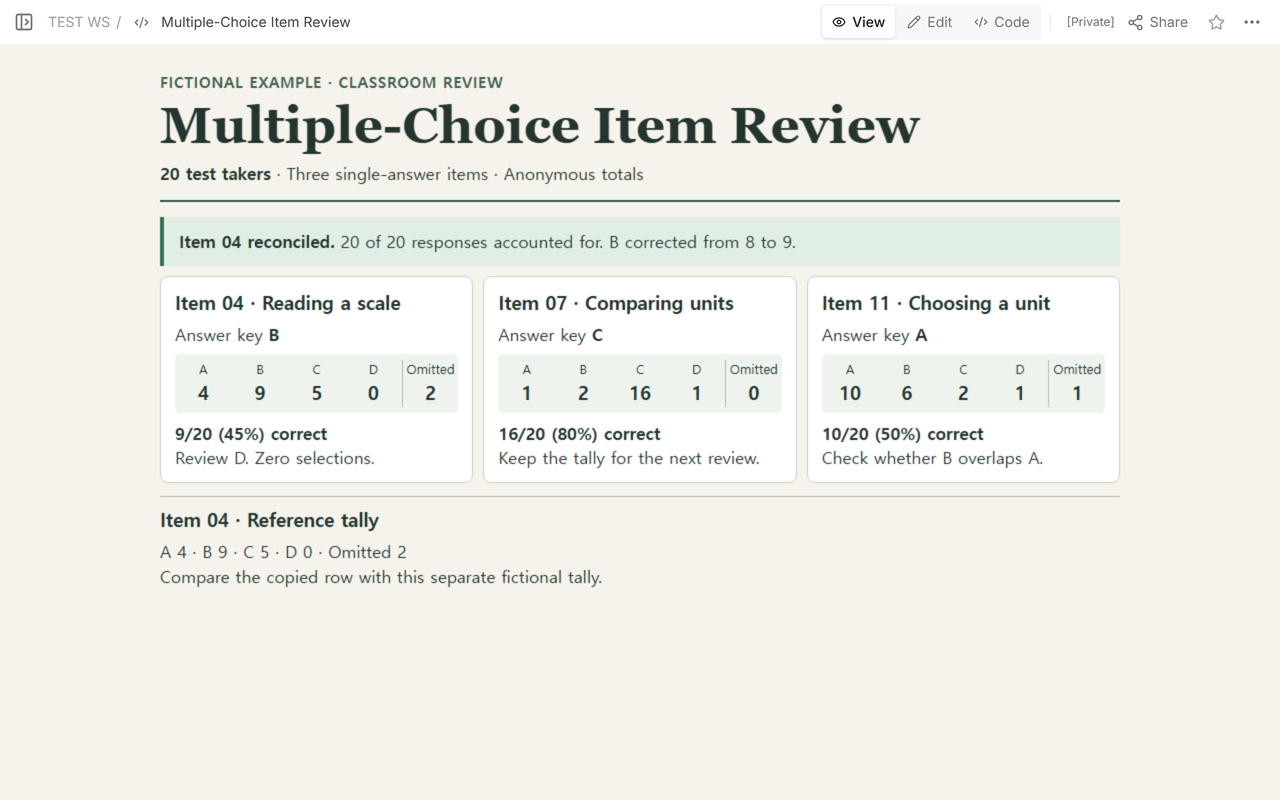
For Item 04, the first pass recorded A 4, B 8, C 5, D 0, and 2 omitted. The sum was 19. Even after counting the two omissions, one response was still unaccounted for. The separate reference tally showed 9 for B. We kept the two omissions and corrected the copied B count.
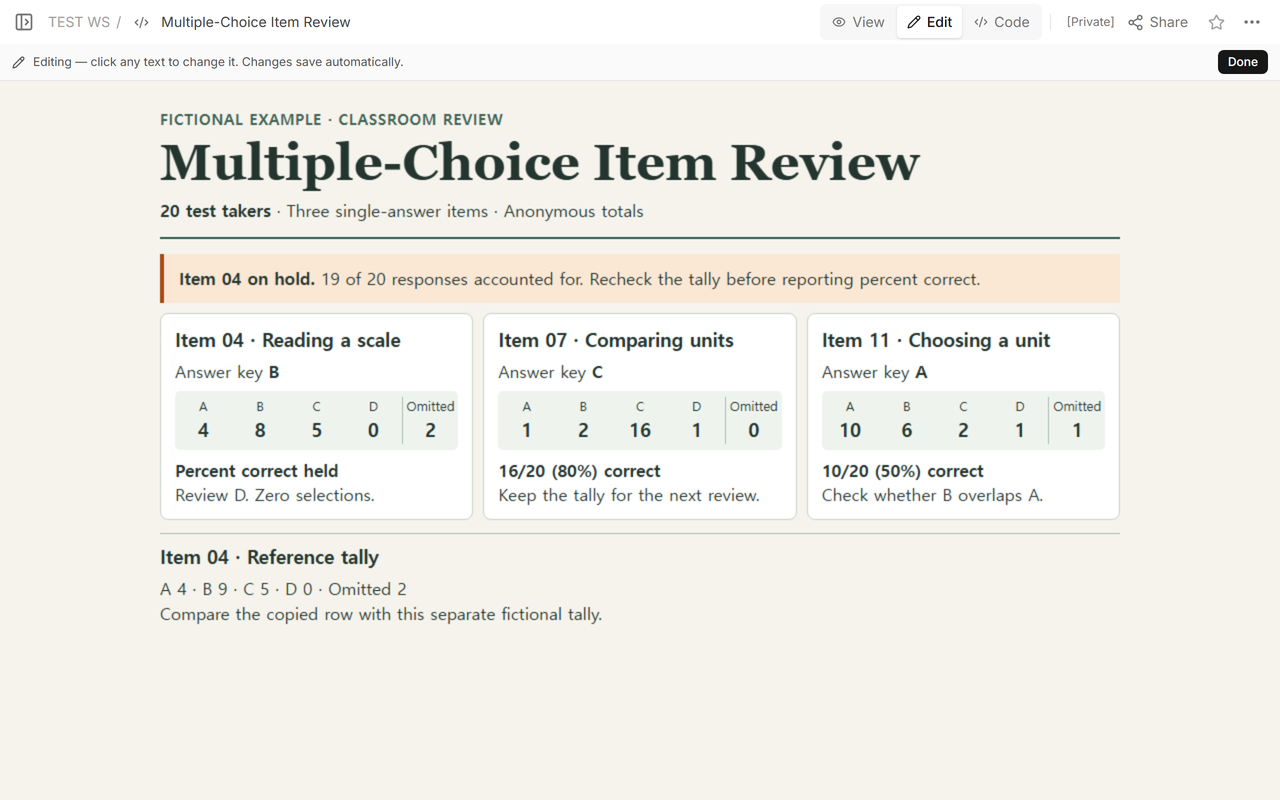
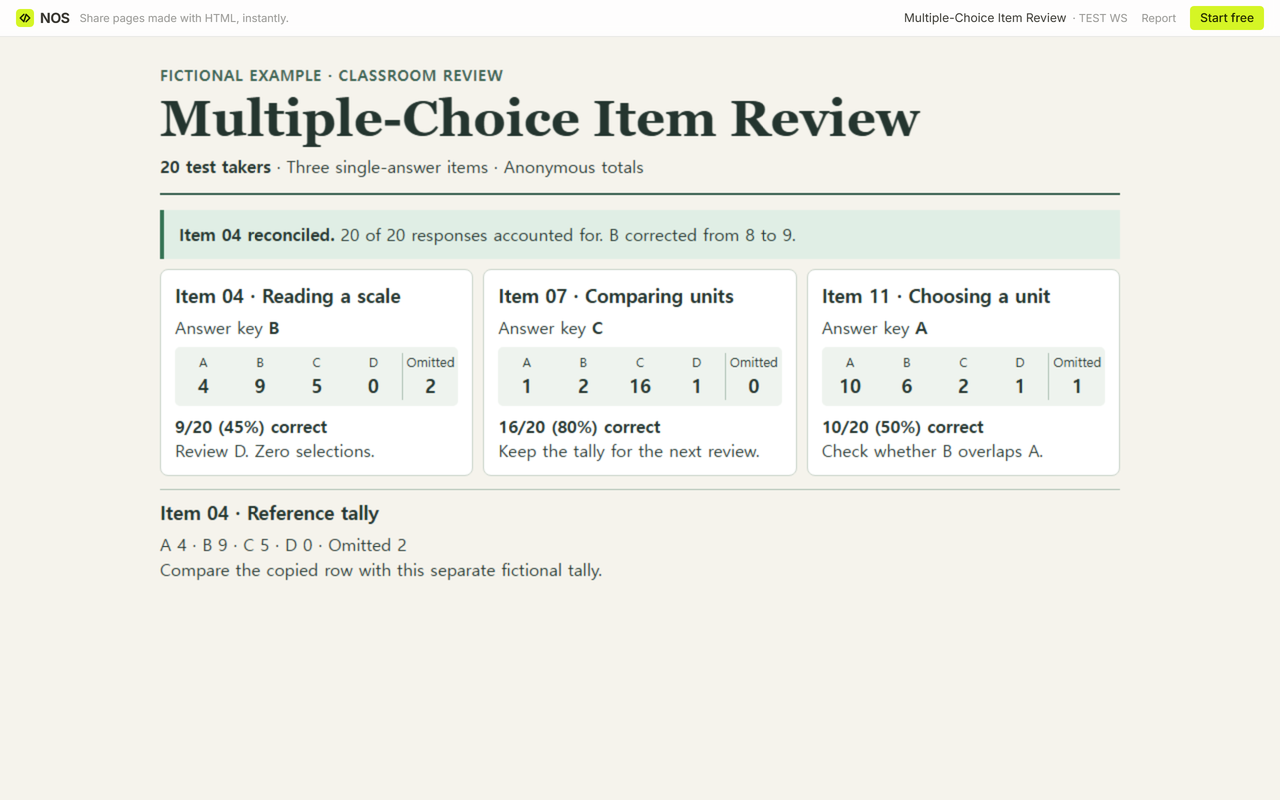
After the correction, 4 + 9 + 5 + 0 + 2 = 20. The key says B, so 9 of the 20 test takers got it right. On this sheet the denominator is everyone who took that form. Using the 18 who selected a choice would give 50%, which answers a different question.
What can a colleague check from the reader link?
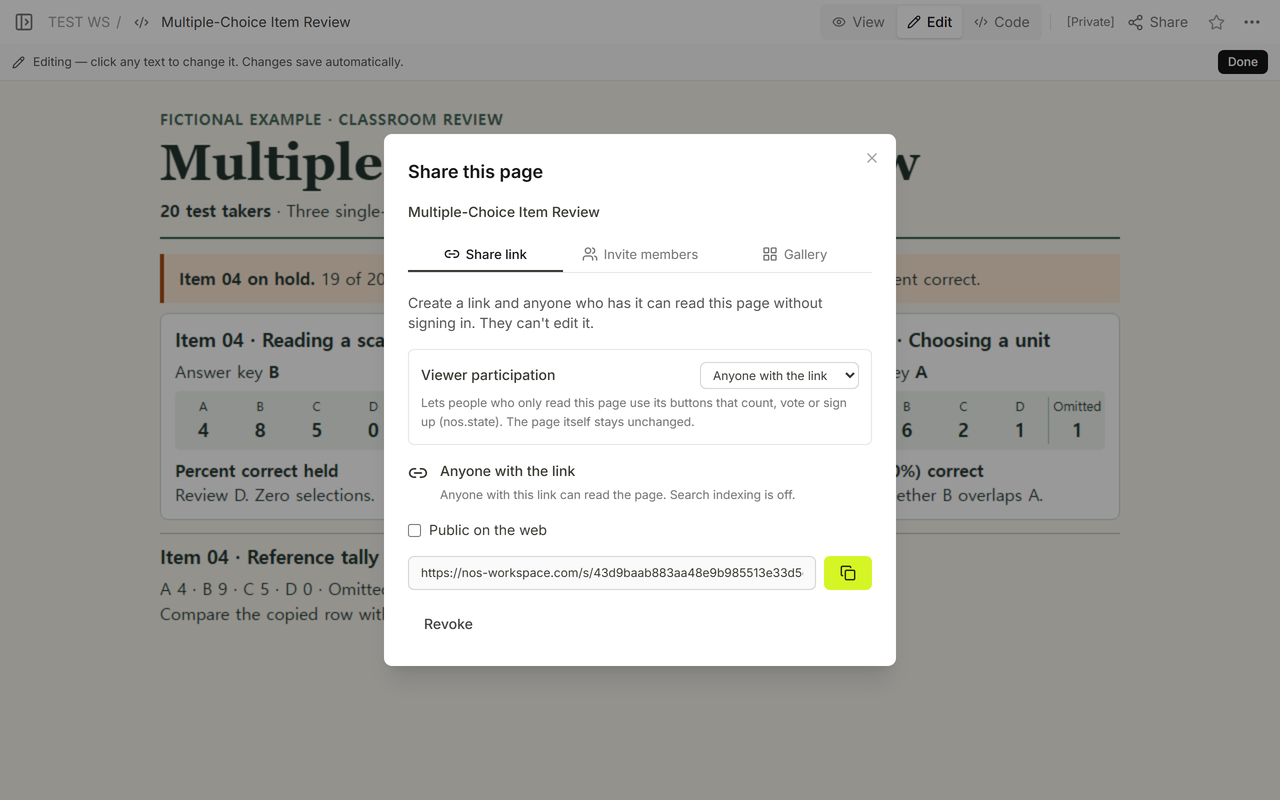
We opened Share and used the reader link it listed. In a signed-out browser it first showed the hold and withheld the percentage. The workspace editor address sent that same browser to the login page.
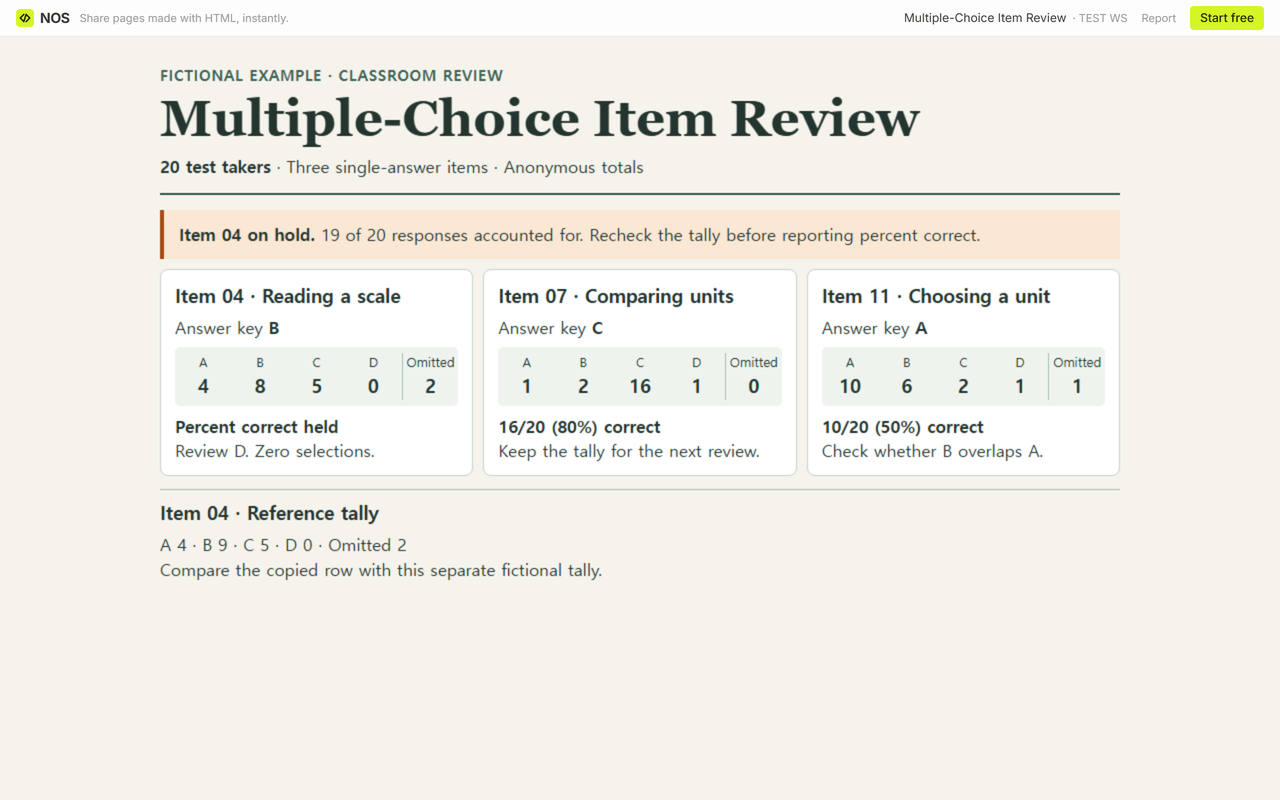
We saved the correction in Code on the existing page and checked the result in View. When we reopened the original reader link signed out, it showed 9/20 (45%) correct. The colleague can see which count changed and compare it with the reference tally on the page.
Open the fictional item review in NOS.
What should you do with an option nobody picked?
Item 04's D received zero selections. Our note says to review D. Reread the option and see whether it describes a plausible mistake when reading a scale. In Item 11, B drew 6 of 20 responses and the key was A. The note there asks whether the two options overlap. Check the wording and answer key before deciding whether either question needs a revision.
The University of Illinois item analysis guide shows option frequencies and omissions separately. Penn State's guide suggests reading the wording of rarely chosen alternatives in the context of the question.
How do you use the blank sheet for a different class?
Copy one empty row per item. Keep different forms on different rows if the keys or choices differ. Once the counts add up, write the correct count, percent correct, and a review note. A note such as “Compare B with the key for Form 2” gives the next reviewer a place to start.
When not to do this
Use your school's approved process for individual grades and scoring decisions. This sheet is for single-answer item totals and teacher review. For questions that allow several selections, make a separate tally designed for that response rule. For other tasks, see the printable gradebook template for grade tracking or the survey results report template for communicating survey findings.
Where does NOS fit?
We used NOS to put the fictional tally and review notes on a single page. The reader link let us check the corrected version without signing in. Keep the shareable version to aggregate counts and the notes a colleague needs to review the item.