In short
Enter objects whose permanent registration is confirmed. Keep every temporary ID in the intake log, and leave its accession cross-reference blank while a decision is pending.
Download the blank accession register or download the completed fictional example. Open either HTML file in your browser.
What goes in a museum accession register?
Start with the assigned accession number, the object or group it identifies, and a short description if the name alone cannot distinguish it. Record the source and acquisition details your institution requires. The Museums & Galleries of NSW acquisition fact sheet describes a register with a unique number, concise object information, a date, and a source. Our exercise uses an entry date and fictional source codes.
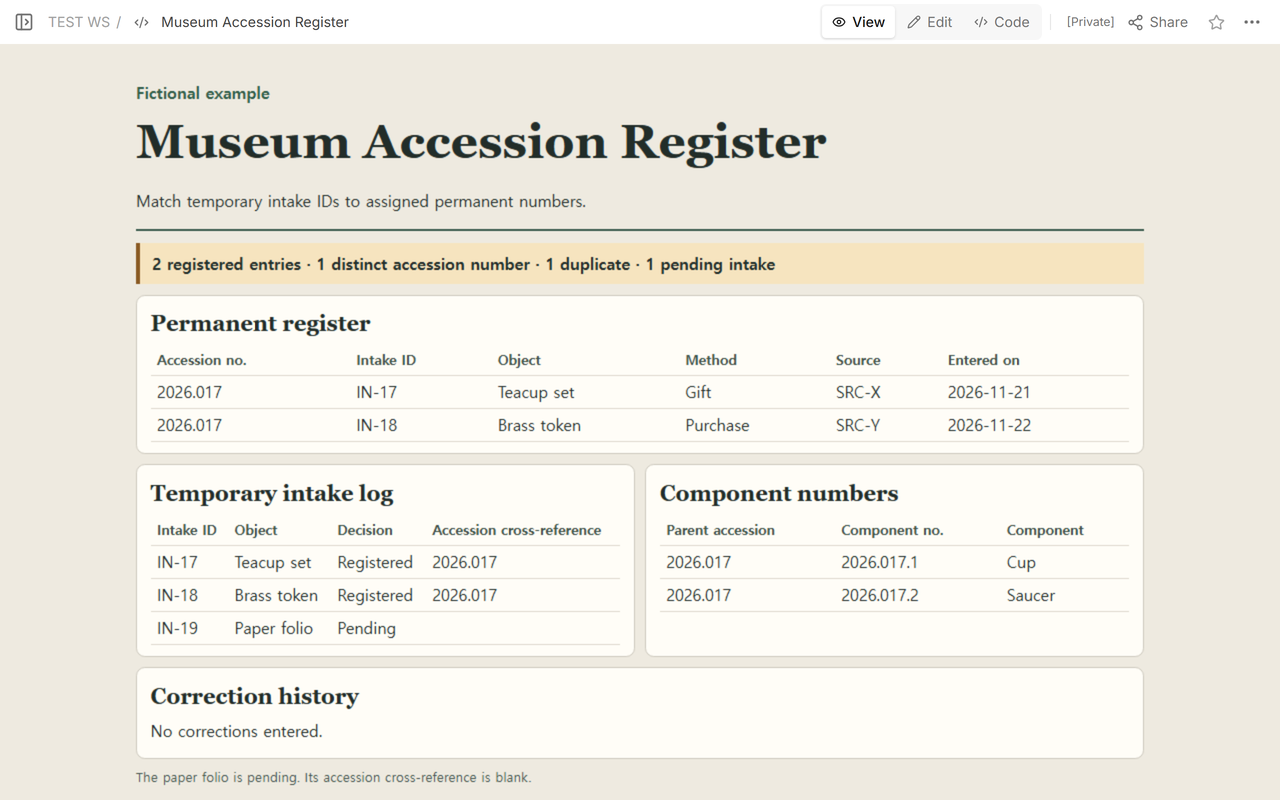
We used three intake records to test the template. The teacup set and the brass token already had confirmed decisions. The paper folio was still pending. We entered the first two in the permanent register and kept all three in the intake log.
How do intake and component numbers fit together?
Use the temporary intake ID to trace a permanent entry back to the intake record. Collections Trust’s numbering guidance describes entry and accession numbers separately and gives examples of part suffixes. Follow your own numbering policy. The dots and leading zeros here belong to the fictional register.
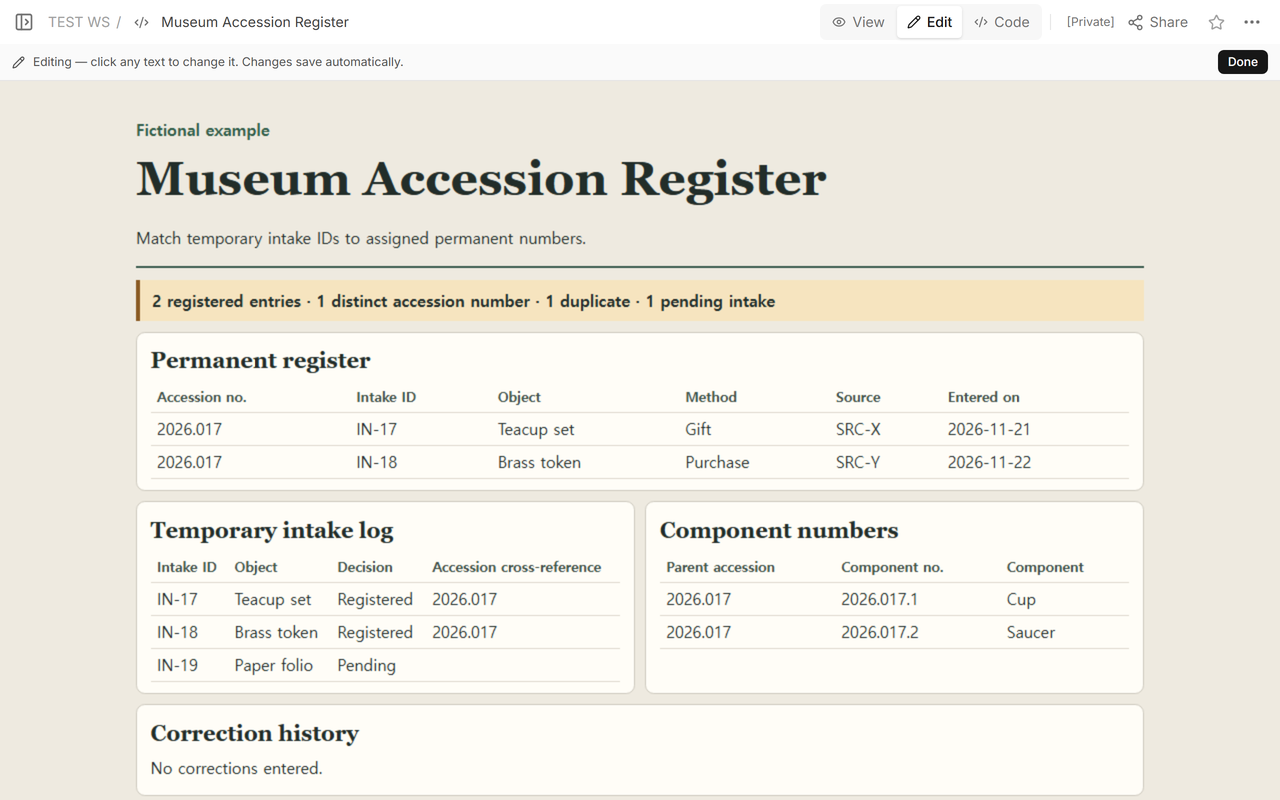
- IN-17 · Teacup set. Enter accession 2026.017, gift, source SRC-X, and entry date 2026-11-21. Below it, link cup 2026.017.1 and saucer 2026.017.2 to parent 2026.017.
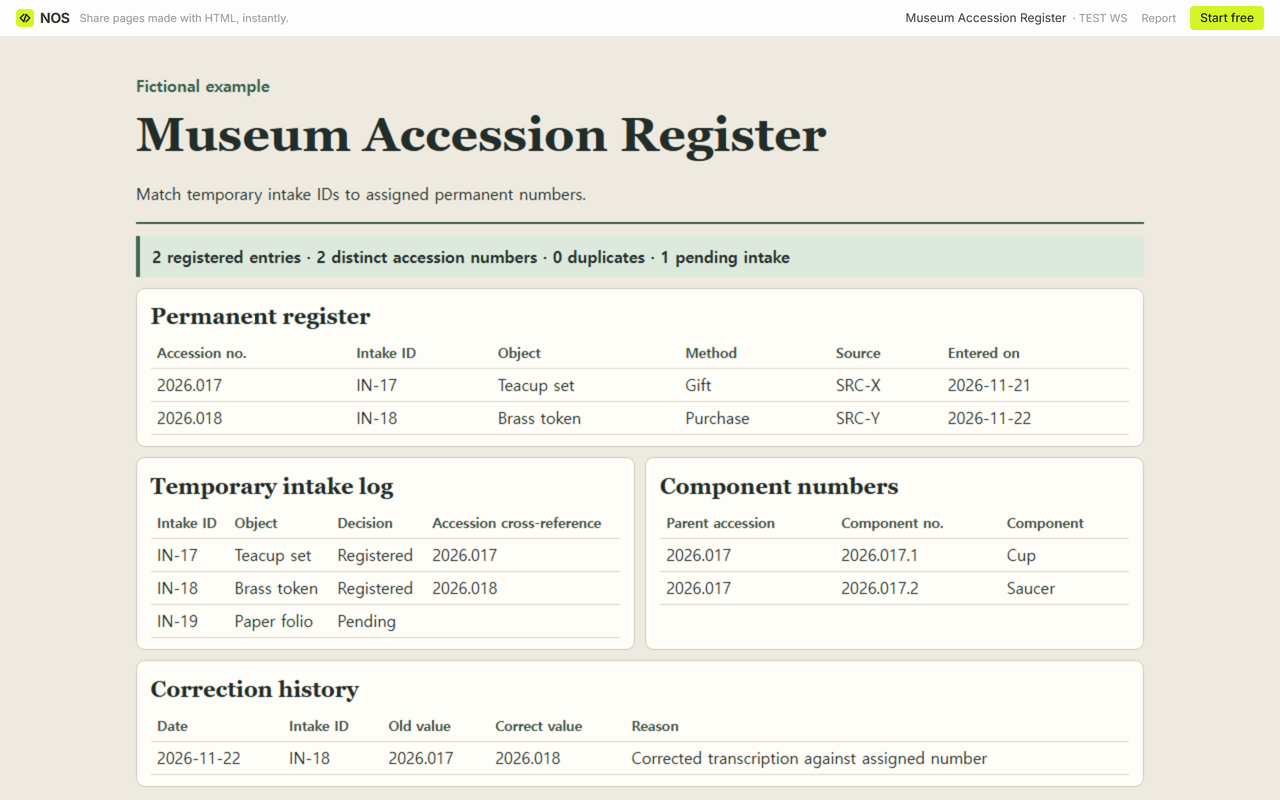
- IN-18 · Brass token. Enter accession 2026.018, purchase, source SRC-Y, and entry date 2026-11-22. Copy 2026.018 into the intake cross-reference.
- IN-19 · Paper folio. Enter Pending in the intake log and leave its accession cross-reference empty.
Count the two component IDs in the component list. Count the teacup set once in the permanent register.
How do you fix two entries with the same accession number?
The brass token first appeared as 2026.017. There were two permanent rows but only one distinct accession number. We checked the number assigned to IN-18 against the fictional intake materials, then changed 2026.017 to 2026.018 in both the brass token’s permanent row and its intake cross-reference.
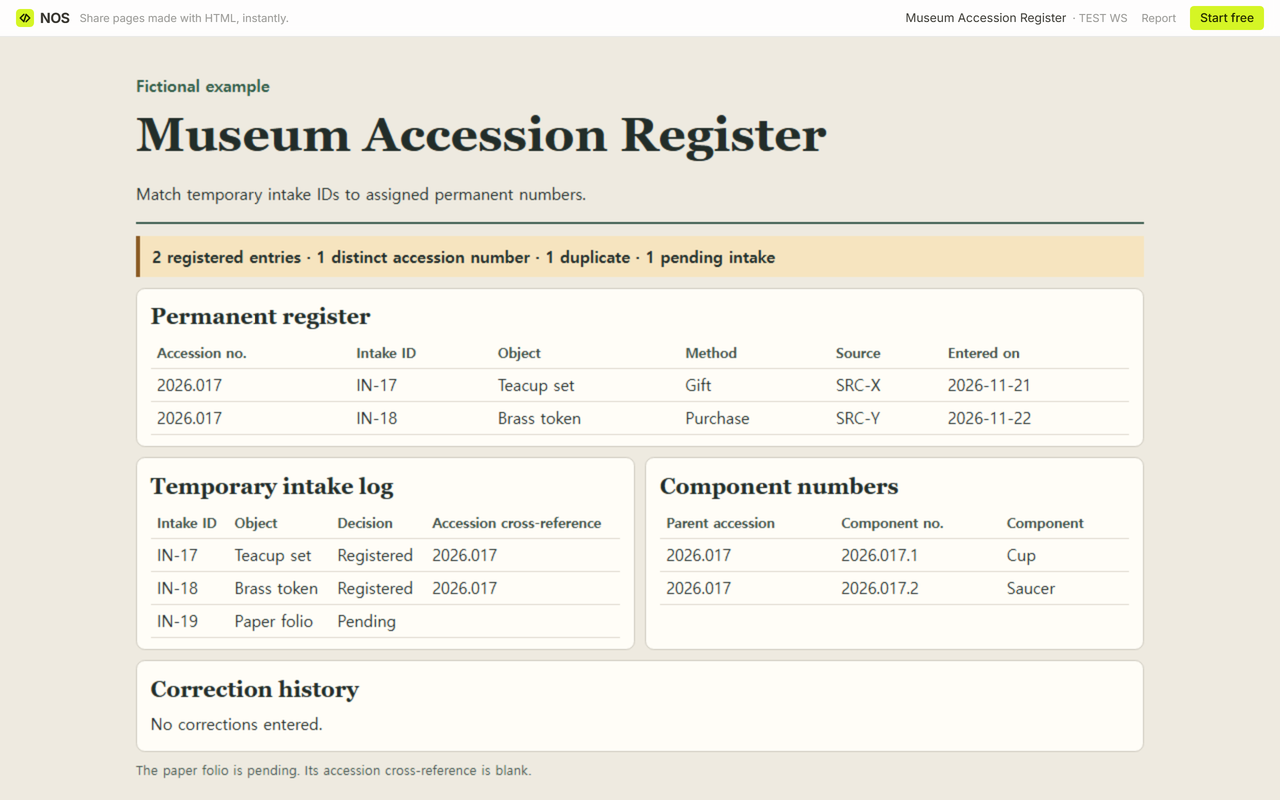
In Correction history, enter 2026-11-22, IN-18, old value 2026.017, correct value 2026.018, and the reason for the transcription correction. This keeps the old value traceable. The source fact sheet describes a paper amendment method. Here we use a correction table to keep the old and new values together.
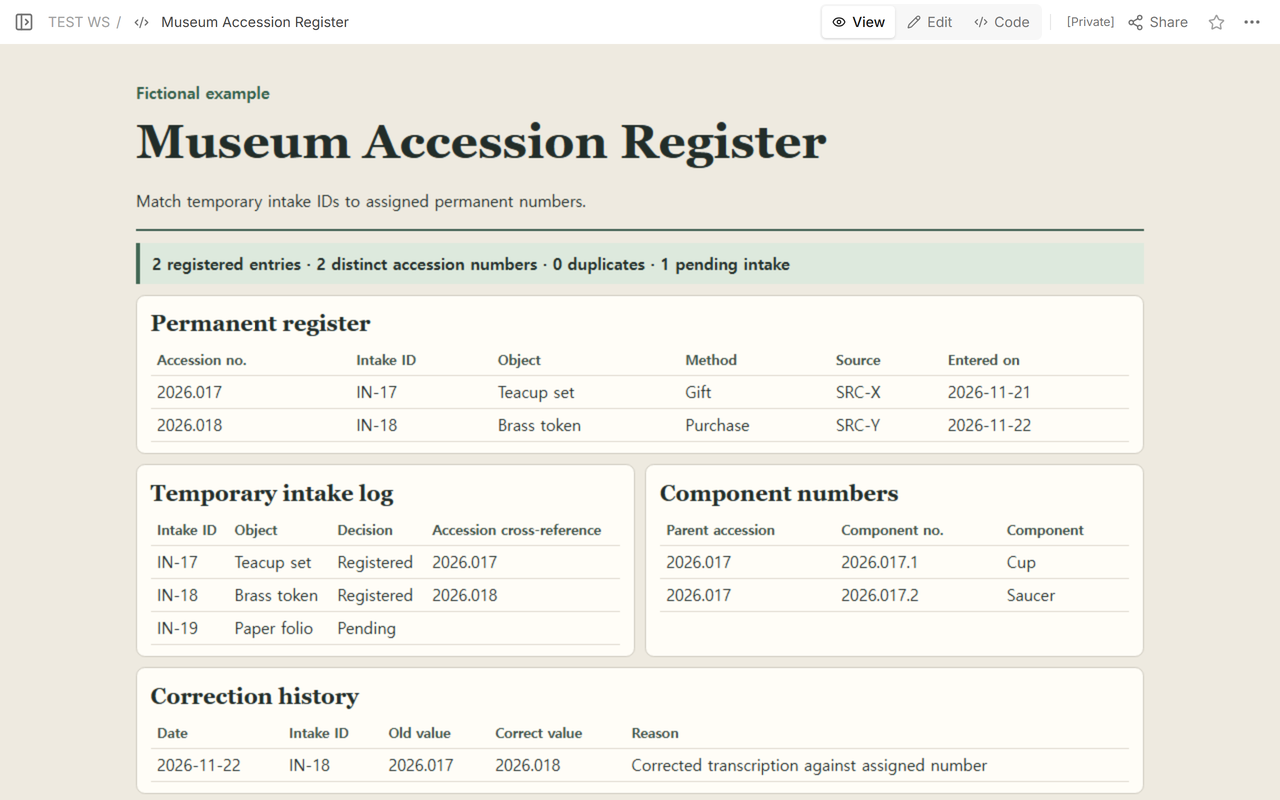
Compare the final rows against the assigned numbers. Two permanent entries should have two distinct numbers and zero duplicates. The paper folio still has a blank accession cross-reference.
How do you fill in the blank template?
- Open the blank HTML file. Start in Temporary intake log and enter the intake ID, object, and recorded decision.
- Copy confirmed entries into Permanent register. Match each assigned number to the corresponding intake row.
- List parts under their parent accession. If you repair a transcription, record the previous value and reason in Correction history.
- Review the two sets of references. Keep your completed copy by printing it or saving it to PDF while your entries are visible.
When not to do this
Use your museum’s approved process for taking title, deciding whether to accession an object, and applying numbers to the physical object. Keep real source details and institutional records in your approved system. The blank file is a worksheet for recording decisions you already have.
How did we share the corrected example?
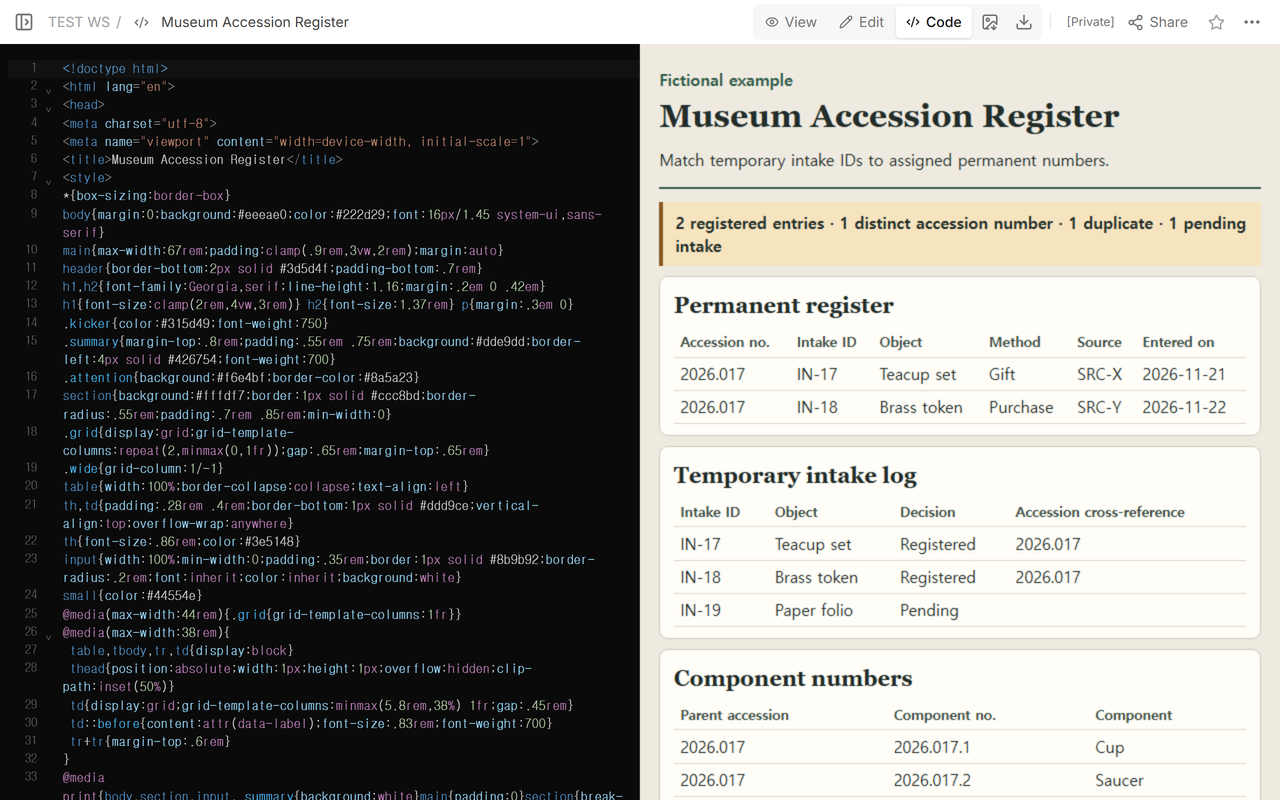
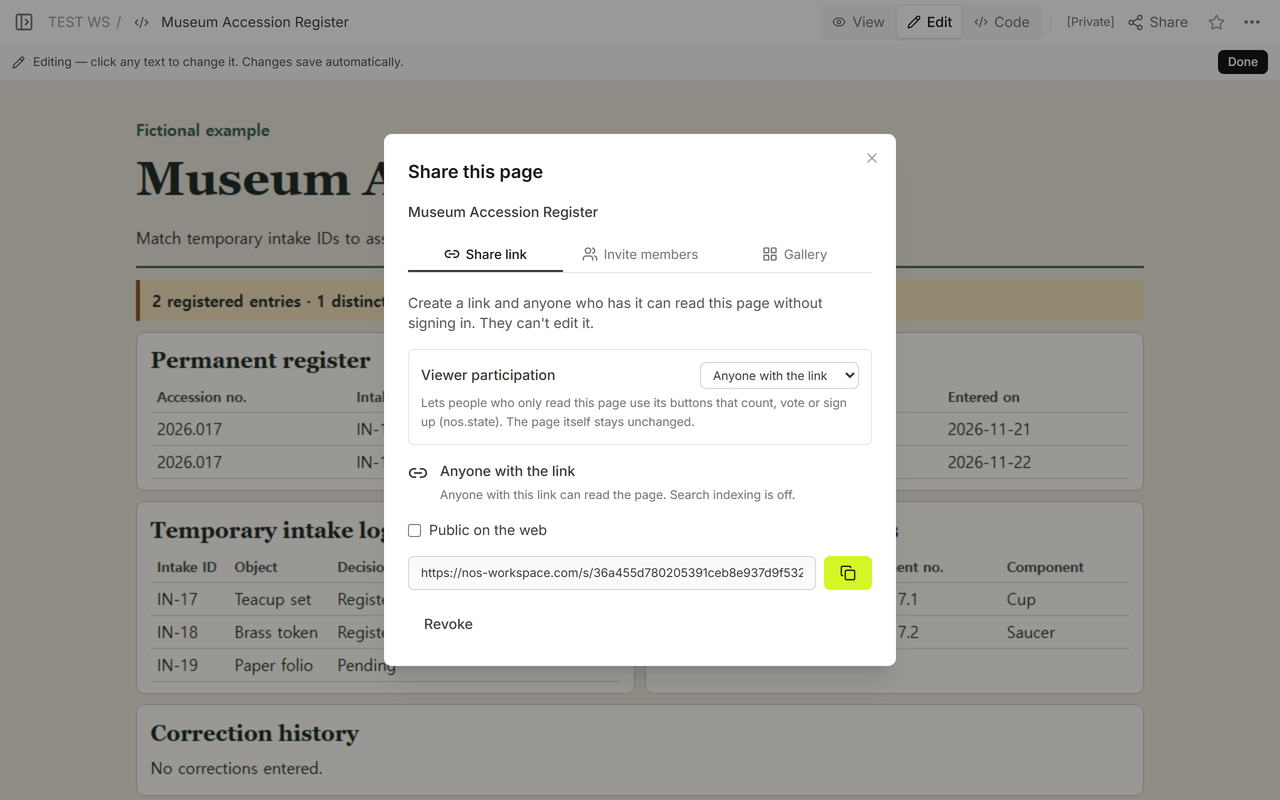
In NOS Workspace, we checked the fictional page in View, opened Edit, and used Code to save the corrections on that page. The Share panel showed a read-only link. We opened that same fictional register link in a signed-out browser before and after the save. The corrected number appeared on the later visit.
Related guides
- Museum object condition report for comparing observations of damage over time.
- Art gallery catalog for helping visitors look up works in an exhibition.
- Museum exhibit guide for orienting visitors as they move through the display.