In short
A useful nonprofit volunteer handbook tells a volunteer what the role includes, what it excludes, when to stop, and who receives a concern.
We built one fictional pantry-shift handbook, shared it as a phone-friendly page, corrected its edition line, and reopened the same reader address.
Use the structure as a drafting aid. Replace every role, contact, emergency route, and local requirement with information your organization has approved.
A volunteer can be eager to help and still lack the one answer that matters in the moment: “Am I supposed to handle this, or stop and call someone?” A welcome note rarely answers that. A long employee policy may answer questions for paid staff while leaving a short-term volunteer’s task boundary unclear.
NOS Team tested a narrower approach with Harbor Shelf, a completely fictional neighborhood pantry. The finished page covers one sorting shift. It names two roles, limits each role, lists stop conditions, gives a reporting route, and says where questions go. It does not claim that a meeting happened, a volunteer agreed, or a real nonprofit approved the wording.
What should a nonprofit volunteer handbook include?
Start with decisions a volunteer must make during the activity. For this pantry example, “help with food” was too broad. We changed it into observable boundaries: sort sealed items, use the printed shelf labels, and set aside anything leaking, open, recalled, or uncertain. The shift lead decides what happens to those items.
The handbook is organized around five questions:
- What am I here to do? Name the assigned role and its permitted task.
- What must I not do? State the boundary in plain language, including decisions reserved for a coordinator or qualified person.
- When do I stop? Put stop conditions where a reader can find them without searching a policy archive.
- Who do I contact? Give a role and route that work during the activity, plus an after-shift route if one exists.
- What happens to a concern? Ask for observations, location, and urgent needs without asking the volunteer to diagnose or investigate.
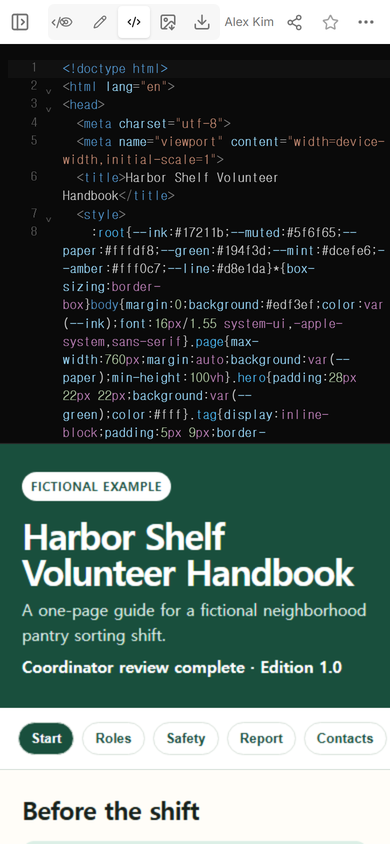
The example begins with a visible Fictional example label. That is not decoration. It prevents a polished demonstration from being mistaken for a real organization’s approved instructions.
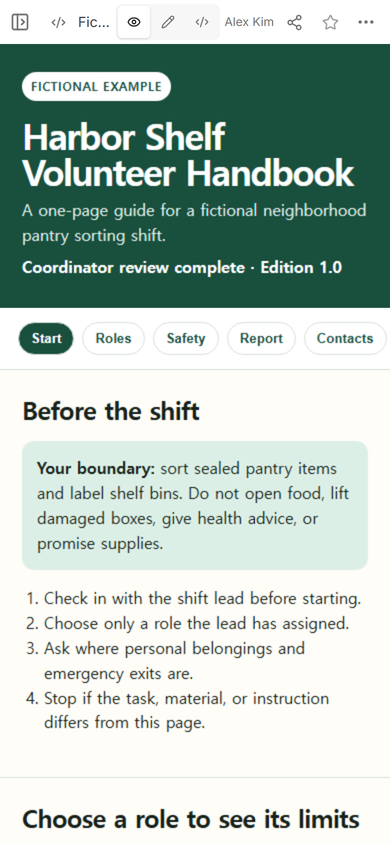
How do you define a volunteer role without writing a job description?
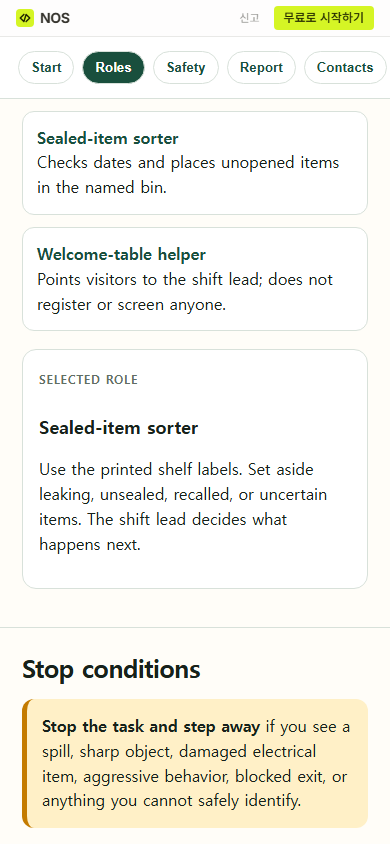
Write the smallest useful role, then attach its decision boundary. Harbor Shelf has a sealed-item sorter and a welcome-table helper. The sorter checks dates and places unopened items in named bins. The helper points visitors to the shift lead. The helper does not register people, screen them, decide eligibility, or promise supplies.
This is different from an employee handbook. The employee version summarizes workplace policies and points to official documents. A volunteer handbook for a specific activity needs to make the permitted task, supervision route, withdrawal option, and stop decision easy to see. Do not copy employee benefits, disciplinary language, or employment status claims into a volunteer page simply because the headings look familiar.
For recurring shifts, pair this guide with a volunteer schedule. The schedule answers who is proposed for each interval; the handbook answers what the assigned role may do. Neither a name on a schedule nor a link to a handbook proves attendance, consent, training, or authorization.
How should safety boundaries appear in the handbook?
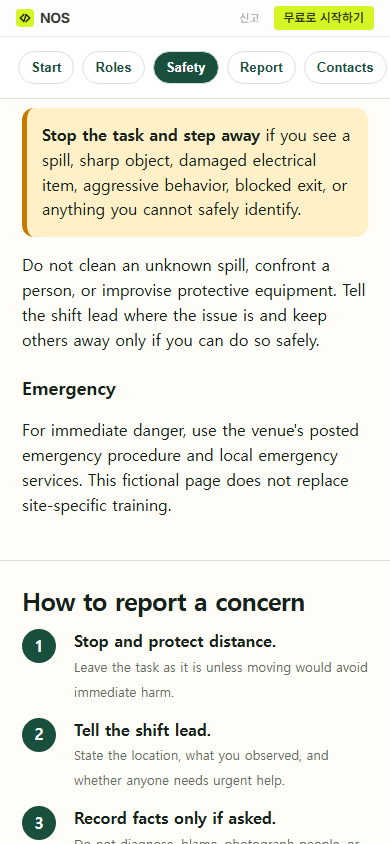
Put the stop decision before the reporting form or incident details. In the example, a spill, sharp object, damaged electrical item, aggressive behavior, blocked exit, or unknown hazard means stop and step away. The page does not tell a volunteer to clean an unknown spill, confront someone, or improvise protective equipment.
Those examples are author-created boundaries for this fictional page, not a universal safety checklist. A real organization must replace them with the site’s approved instructions, emergency procedure, accessibility arrangements, supervision plan, insurance requirements, and applicable local rules. If the activity needs specialist training, screening, protective equipment, or a license, a one-page reading copy cannot supply it.
How do volunteers report a problem?
Give the reader a short route that separates urgent action from later documentation:
- Stop and keep a safe distance.
- Tell the shift lead the location, what was observed, and whether anyone needs urgent help.
- Record facts only if the organization asks for a record through its approved process.
The page also says not to diagnose, blame, photograph people, or post about an incident. That keeps the volunteer focused on the handoff rather than turning the volunteer into an investigator. The real organization still needs to define who receives the report, what channel to use, what privacy rules apply, and what to do if the usual contact is involved or unavailable.
A volunteer meeting agenda can be used to resolve a missing supervisor or instruction before the activity. Attendance at that briefing is not the same as permission to perform the task; record actual assignments and required training in the organization’s approved system.
How did we turn the draft into a page volunteers can open?
We kept the handbook in one column, used large tap targets, and placed the task boundary near the top. The role, safety, reporting, and contact buttons move to the matching section. The role cards let a reader compare the sorter and welcome-table limits without creating a sign-up, score, or personnel record.
After checking the reading order in View, we opened Share and used the reader address for the fictional example.
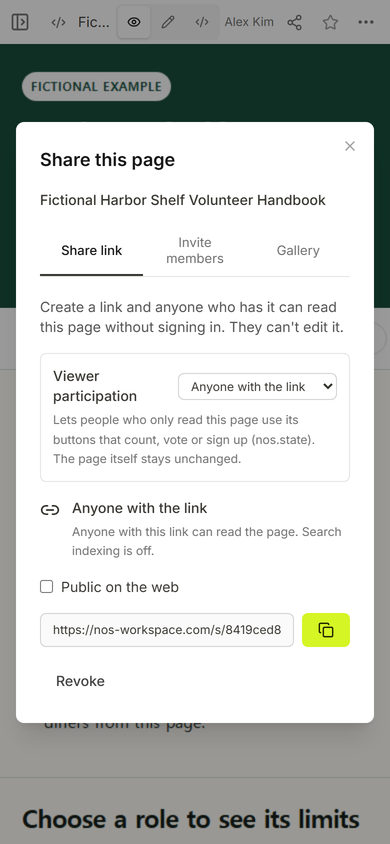
The panel states that anyone with the link can read the page without signing in and cannot edit it. That makes the link unsuitable for confidential names, incident details, medical information, background-check records, or private contact data. Those records belong in the organization’s approved private system.
Can the handbook be corrected after the link is sent?
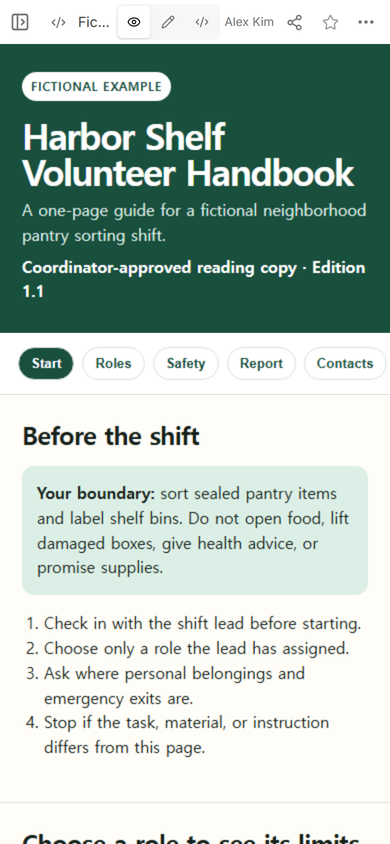
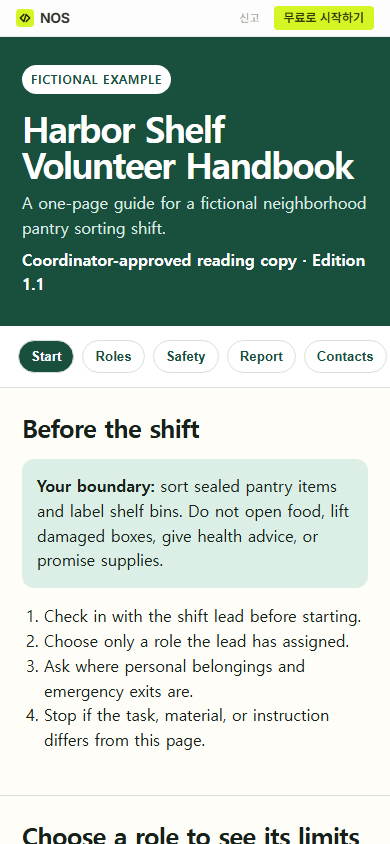
We tested that on the same fictional page. Its first visible status read “Coordinator review complete · Edition 1.0.” We opened the normal editing view, changed that one line to “Coordinator-approved reading copy · Edition 1.1,” and saved.
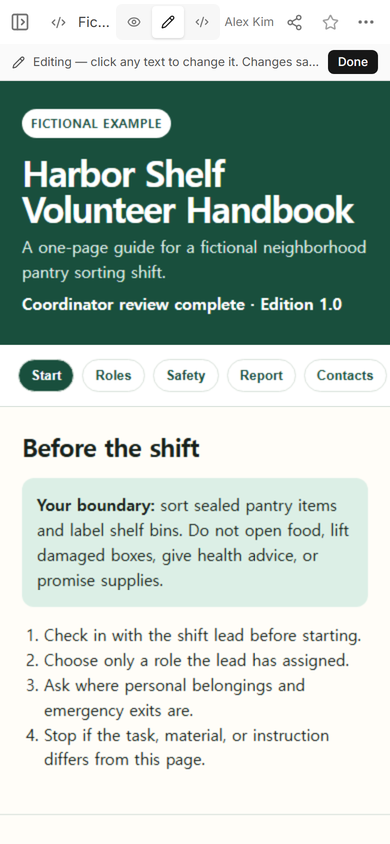
Then we reopened the original reader address. It showed Edition 1.1.
A stable reading address solves only the distribution problem. A substantive change to duties, safety steps, contacts, screening, or reporting still needs the organization’s normal approval and communication. Change the approved source first, update the reading copy, revise its edition or review date, and tell affected volunteers through the channel they actually use.
What does the finished volunteer handbook look like?
The public roles section keeps each action beside its limit. The public safety section begins with the stop condition, then moves into reporting. That order helps a reader decide whether to continue before asking them to document anything.
The example also includes a withdrawal boundary: a volunteer may leave the role and tell the shift lead. It keeps conduct and privacy rules concrete by prohibiting harassment, retaliation, copying visitor lists, and discussing who received supplies. A real handbook should use the organization’s approved language and name an accessible route for raising a concern about the normal supervisor.
When not to do this
Do not treat this page as a substitute for legal advice, safeguarding rules, emergency training, a signed agreement, background screening, accessibility planning, or a confidential incident system. Do not use a public link for personal or sensitive records.
If the activity changes by site, shift, age group, equipment, or risk level, one general page may hide the differences. Use a short central guide only for shared boundaries, then link to the approved role-specific instruction. For a task that needs exact actions and expected results, prepare a reviewed work instruction instead of stretching the handbook into an operating manual.
Where NOS fits
NOS can turn a complete HTML handbook into a reader link and keep the saved page available for later corrections. In this test, the normal editing view saved an edition-line change and the original reader address displayed it. NOS does not approve volunteer policy, collect acknowledgements on this example, provide emergency supervision, or replace the organization’s private records and required training. See the current pricing page if you need plan information.