Write for the person it gets forwarded to
A product one-pager isn't a shrunken copy of your deck. Guides that compare it with an executive summary draw the line like this: an executive summary condenses a longer document, while a product one-pager covers the product's features, benefits and use cases.
That gives you a test for cutting. For each item in your notes, ask whether the forwarded reader needs it to agree to a next step. The roadmap, the founding story and the fifth integration rarely pass. The problem in the buyer's own words, what the product does about it, proof, and one clear next step usually do.
Where the page gets read also changes what fits. An email someone opens on their own time is a different setting from a flyer at a busy conference. A page in an inbox can carry a small table. A handout needs bigger type and fewer words.
What the finished page looks like
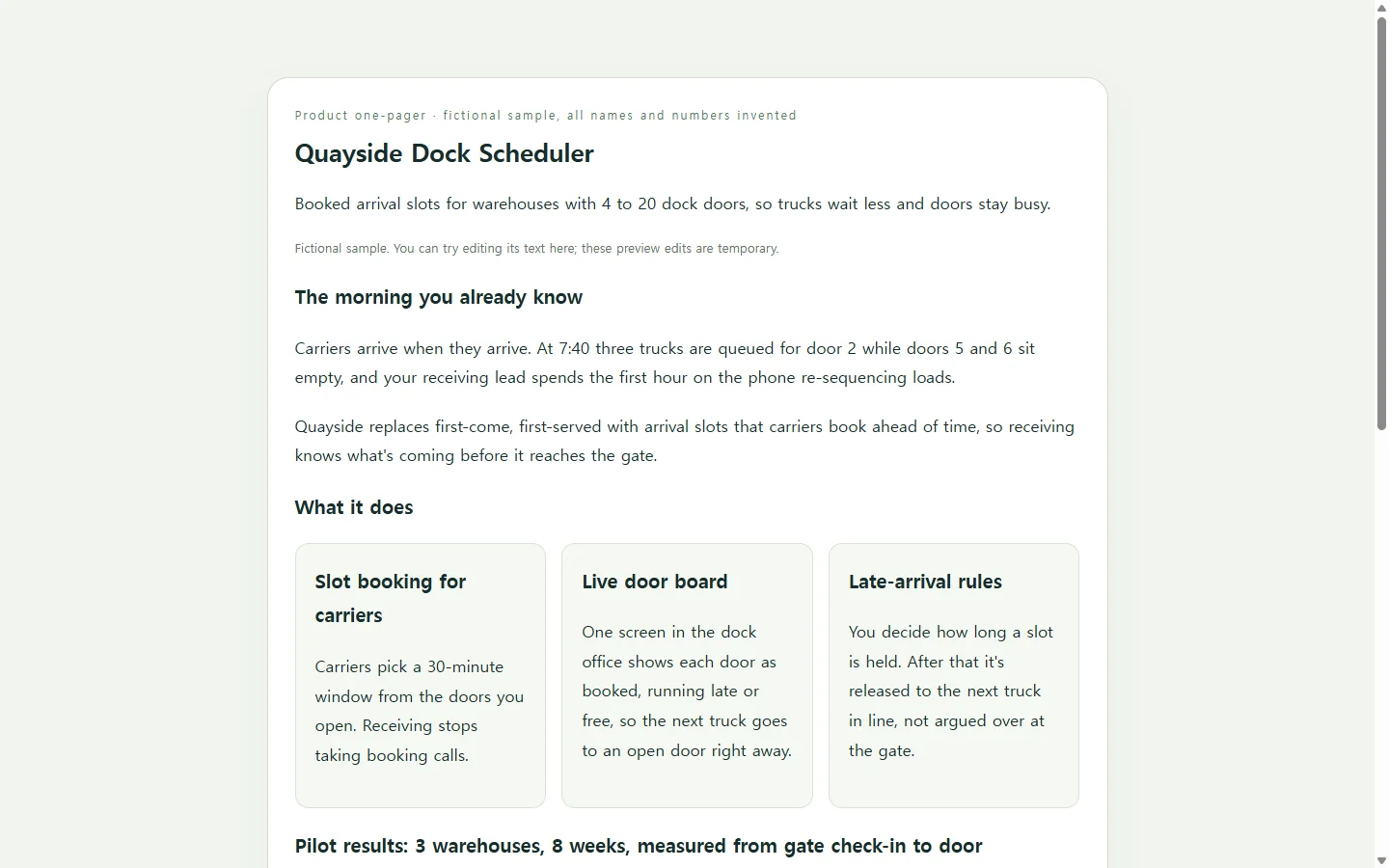
The sample below is a one-pager for Quayside, a dock-scheduling tool for small warehouses. The company, the product, the contact person and every number are made up for illustration.
Three of its choices are worth copying. The opening describes a warehouse morning, with trucks queued for one door while others sit empty, before it names any feature. Each capability ends with what changes for the receiving team, not with a technical spec. The pilot table puts its sample size and time window right in the heading, because that's often the first question a skeptical finance reader asks.
The page also says what the product doesn't do yet. One honest limit in the fit check can save a call that would have ended in a mismatch.
Gather your facts before you pick a tool
Whatever you build it with, the content has to come from you. That means the problem as your buyer describes it, three capabilities, proof with its sample size and time period, one known limit, and a next step with a contact. If you don't have proof you trust yet, leave that block out instead of padding it.
From there, any of several routes can work. A design-tool template is quick when your copy fits its boxes. Hiring a designer makes sense if this page will represent the product for a long time. A plain document is fine when the reader only cares about substance. If you want a polished layout you control without learning design software, describing the page to an AI assistant is one more option.
A prompt that builds the page from your facts
Paste the prompt into whichever AI assistant you use for code, and replace each bracket with your own details. It asks for one self-contained HTML file, meaning the text and styling come in a single file with no separate pieces to track.
Two parts of the prompt do most of the work. Telling the AI to leave a visible [TODO] keeps it from making up a statistic to fill an empty block. The layout rules follow common accessibility advice for documents: legible fonts, strong contrast between text and background, descriptive alt text on meaningful images, and a design that works on phones as well as desktops.
The prompt also rules out forms and download buttons, so you end up with a page to read, not a widget that looks like it submits something. Before you send the result, check every number against your notes, line by line.
Build a product one-pager as a single self-contained HTML file: all CSS in one <style> tag, with no external scripts, fonts, images or libraries.

Product: [PRODUCT NAME], which [ONE SENTENCE ON WHAT IT DOES AND FOR WHOM].
Primary reader: [ROLE OF THE PERSON IT WILL BE FORWARDED TO, e.g. 'finance lead at a regional distributor'], reading it without me there to explain.

Use ONLY the facts below. Do not invent numbers, customers, quotes, awards or features. If a section has no fact, show a visible [TODO: missing fact] in its place.
- Problem, in the buyer's words: [2-3 SENTENCES]
- Three capabilities, each with the outcome it changes: [CAPABILITY → OUTCOME] x3
- Proof (include sample size, time period and how it was measured): [e.g. '3 sites, 8 weeks, gate check-in to door assignment: average wait 52 → 31 min']
- One thing it does not do yet: [LIMIT]
- Who it fits: [2-4 CONDITIONS]
- Next step and contact: [STEP, NAME, EMAIL OR PHONE AS PLAIN TEXT]

Layout, top to bottom: product name as the main heading with a one-line subtitle; the problem; three capability cards; a proof table whose heading states the sample size and period; a short fit-check list that includes the limit; a 3-step next-steps timeline with the contact line.

Requirements:
- Under about 350 words of visible text.
- Readable at 360px wide with no horizontal scrolling. Single column on phones; at most two columns on wide screens.
- Body text at least 16px, legible system fonts, strong contrast between text and background. Don't rely on color alone to convey meaning.
- Use real headings in order (h1, h2, h3) and a real <table> with header cells for the proof.
- No images unless I supply them. If I do, meaningful images get descriptive alt text and decorative ones get empty alt text.
- No forms, submit buttons, download links, chat widgets or tracking. Show the contact as plain text.
- Calm, plain-English tone. No hype words.
Return only the HTML file.
If they asked for a PDF, send a PDF
Some review processes need an attachment, and sometimes the request says PDF outright. In that case, send the format they asked for. A link doesn't replace it. You can still use the page you built as a draft to copy from.
After you send it: one link that stays current
Say the link worked, and the follow-up shows up a day later. The operations director forwards your page to finance, and then you notice the pilot heading says eight weeks when the trial actually ran nine.
If the page lives in NOS, you click into the text on the page and fix it yourself. You don't need a new AI request or a regenerated page for a one-word correction.
The link you already sent stays the same after the edit. The director, and anyone they forwarded it to, opens the same address and sees the corrected heading, without needing an account.
NOS keeps the page in a workspace alongside notes and subpages. That means the call notes behind this version can sit next to it, and the next prospect can get the same up-to-date link.