What belongs on a project timeline
Most project timeline templates share a core set of fields: the project name, the person managing it, overall start and end dates, phase names, and one row per task with an owner, task start and end dates, a duration and a status such as not started, in progress, on hold or complete.
Some templates also offer optional fields: key milestones, a flag for tasks at risk of running late, a risk level, and notes on budget, resources or schedule issues.
You don't need all of them. A practical test is to keep a column only if someone will act on it. Owner and end date almost always pass; a task ID column earns its place mainly when people refer to tasks by number.
A filled-in example: an eight-week library launch
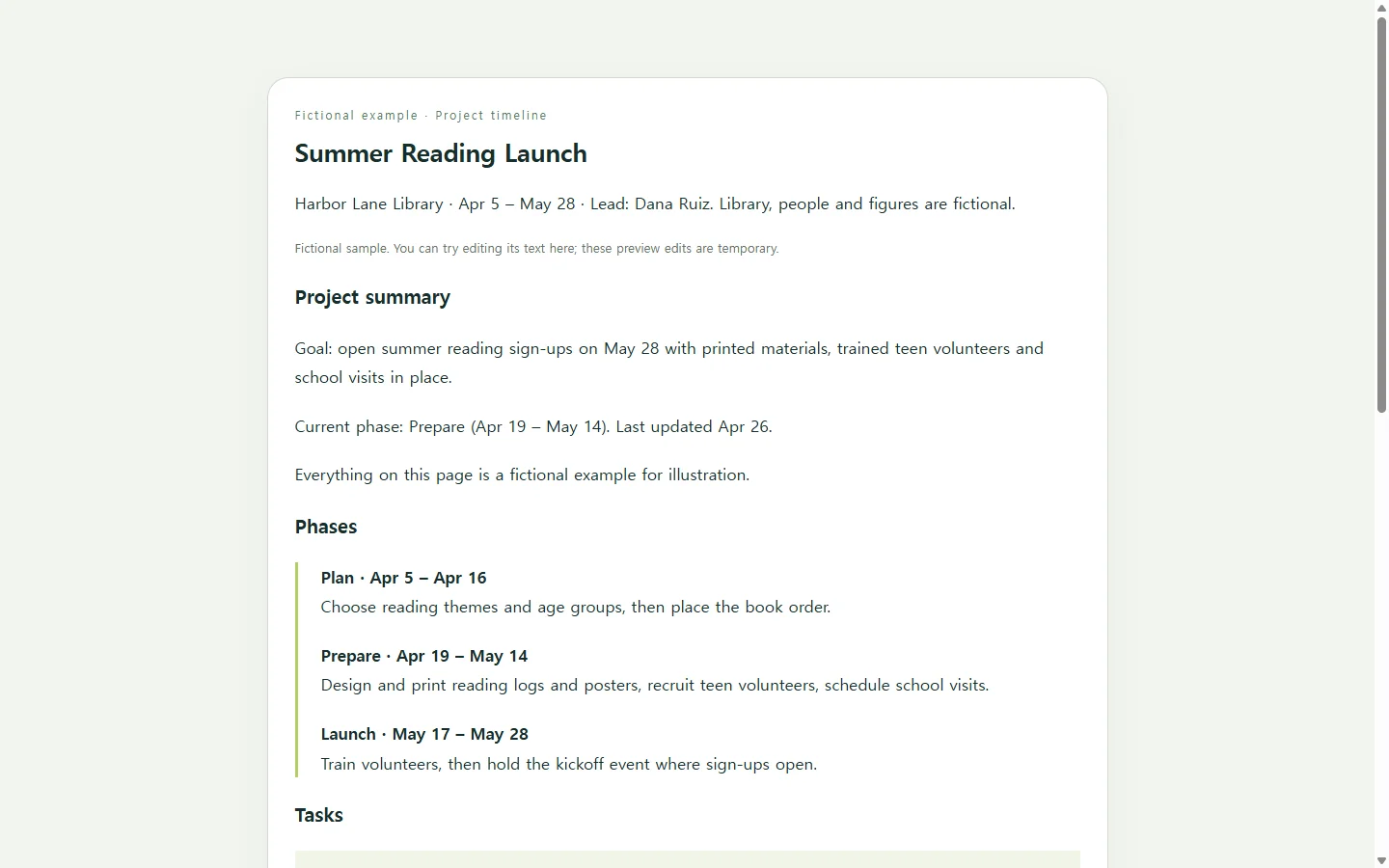
The example plans a fictional library's summer reading launch: three phases over about eight weeks, seven tasks, three milestones and one task flagged at risk. The library, staff names, dates and sign-up figures are invented for illustration.
Two choices in it are worth borrowing. Milestones get their own short list instead of hiding among task rows, so a sponsor who only cares about kickoff finds it without scanning everything.
The at-risk task also says why in words, 9 of 15 volunteer sign-ups with the May 7 deadline less than two weeks away, instead of relying on a red cell. Color tells readers something is wrong; a sentence tells them what, and someone using a screen reader or holding a grayscale printout gets the same message.
Durations are written as plain text, such as 2 weeks, rather than calculated, which keeps every number visible and easy to fix by hand.
Pick a format your audience will open
A spreadsheet template makes sense if you want formulas to work out durations and you're comfortable in cells. The usual routine is to replace the sample values with your own dates and milestones, then save, print, or share it online or as a PDF.
A slide fits when the timeline is headed for a kickoff or status meeting. If your team already tracks tasks in a project tool, its timeline view may be the better home, since the work already lives there.
A web page suits a different job: one link that stakeholders open in a browser and can read on a phone. If a client, funder or manager asks for a PDF or Word file, send that file. A link can go alongside it, not in place of it.
Build your version with AI
Collect the facts first: phases, each task with its owner and dates, milestones, and anything at risk. AI is useful for turning that list into a clean, readable layout, but it can't know your real dates, so the prompt tells it to write TBD rather than guess.
The prompt asks for a single HTML file, which is one file holding a web page's text and styling that opens in a web browser. The page needs no scripts, forms or download buttons, because its only job is to be read.
Swap the bracketed parts for your own details. The sample values inside the brackets come from the fictional library example and only show the level of detail to aim for.
When a date moves after you've shared it
Say volunteer recruitment runs late and training shifts from May 17 to May 24, while kickoff stays on May 28. If you emailed a file, the fix is a new file, and the old one may still be the one people open.
It helps to keep each date in one place, so a change takes one update instead of several.
Sharing the timeline as a page is one way to do that. With the HTML page kept in a NOS workspace, you can click the training dates on the rendered page and type the new ones, without asking AI to rebuild the page for a one-line change.
The link you already sent doesn't change, so your sponsor opens the same address and sees May 24. They don't need an account to view it.
Direct editing changes text only; it won't recalculate anything. That's why the durations are plain words: when a date moves, update the duration beside it in the same pass.
A prompt to adapt
Create a single, self-contained HTML file for a project timeline page that stakeholders will read on a phone or a laptop.

Project details (replace everything in brackets; the sample values are fictional and only show the level of detail I want):
- Project name: [Summer Reading Launch]
- Project lead: [Dana Ruiz]
- Project dates: [Apr 5 - May 28]
- One-sentence goal: [Open summer reading sign-ups on May 28 with printed materials, trained teen volunteers and school visits in place]
- Phases with date ranges: [Plan: Apr 5-16; Prepare: Apr 19-May 14; Launch: May 17-28]
- Tasks, one per line, as task | owner | start | end | duration | status (Not started, In progress, On hold, Done): [Design reading logs and posters | Sam Okafor | Apr 19 | Apr 30 | 2 weeks | In progress]
- Milestones with dates: [Printed materials approved - Apr 30]
- At-risk items with a one-line reason: [Recruit teen volunteers - 9 of 15 sign-ups as of Apr 26; deadline May 7]
- Last updated: [Apr 26]

Requirements:
- Use only the facts above. If anything is missing, show TBD instead of inventing it.
- Order: title and goal; a one-line summary (lead, project dates, current phase); phases as a vertical timeline; a task table; milestones; at-risk items with their reasons; a last-updated line.
- Write durations as plain text. Do not calculate dates or durations, and include no JavaScript at all.
- No forms, buttons, download or export links, external fonts, external images or links to other sites.
- Put all CSS in one <style> tag in the same file.
- Accessibility: headings in order (one h1, then h2s); a real <table> with a <caption> and <th scope="col"> headers; status always written as text, with color only as a supporting cue; body text at least 16px; text contrast of at least 4.5:1 against its background; visible focus styles.
- Mobile: no horizontal page scrolling at 375px wide. Below 600px, restyle each task row as a stacked card with a visible label before each value, while keeping table markup.
- Print: remove decorative backgrounds and keep the table readable in black and white.
Return only the complete HTML file.