In short
Record the unloaded display and its unit, then record the loaded display and its unit. Convert a usable kilogram reading to grams. If the zero check failed or the loaded reading was below zero, weigh the same object again after the unloaded scale reads zero. A final value requires a recorded zero check and a loaded reading of zero or more from the same observation.
The fictional class sheet went from 1 of 4 supported final values (25%) to 3 of 4 (75%).
Download the completed example (HTML) or download the blank worksheet (HTML). Open either file in a browser. Open the checked reading copy to follow all four observations online.
What goes on the sheet before you convert?
At the mass station, one person reads the scale and another writes down what it says. Record the session, object, scale, observation ID and time together. With the platform empty, copy the number exactly as shown, including any sign, and choose the unit on the display. Then write the loaded display with its sign and unit. Keep the student’s copied entry as written in a separate field so you can trace a mismatch.
The Measuring Weight in Metric Units activity begins with an unloaded balance check. This worksheet uses a scale with a numeric display. Illustrative Mathematics’ How Heavy? activity also suggests following a balance task with practice on a scale that gives a numeric reading.
When can you fix the copy from the original reading?
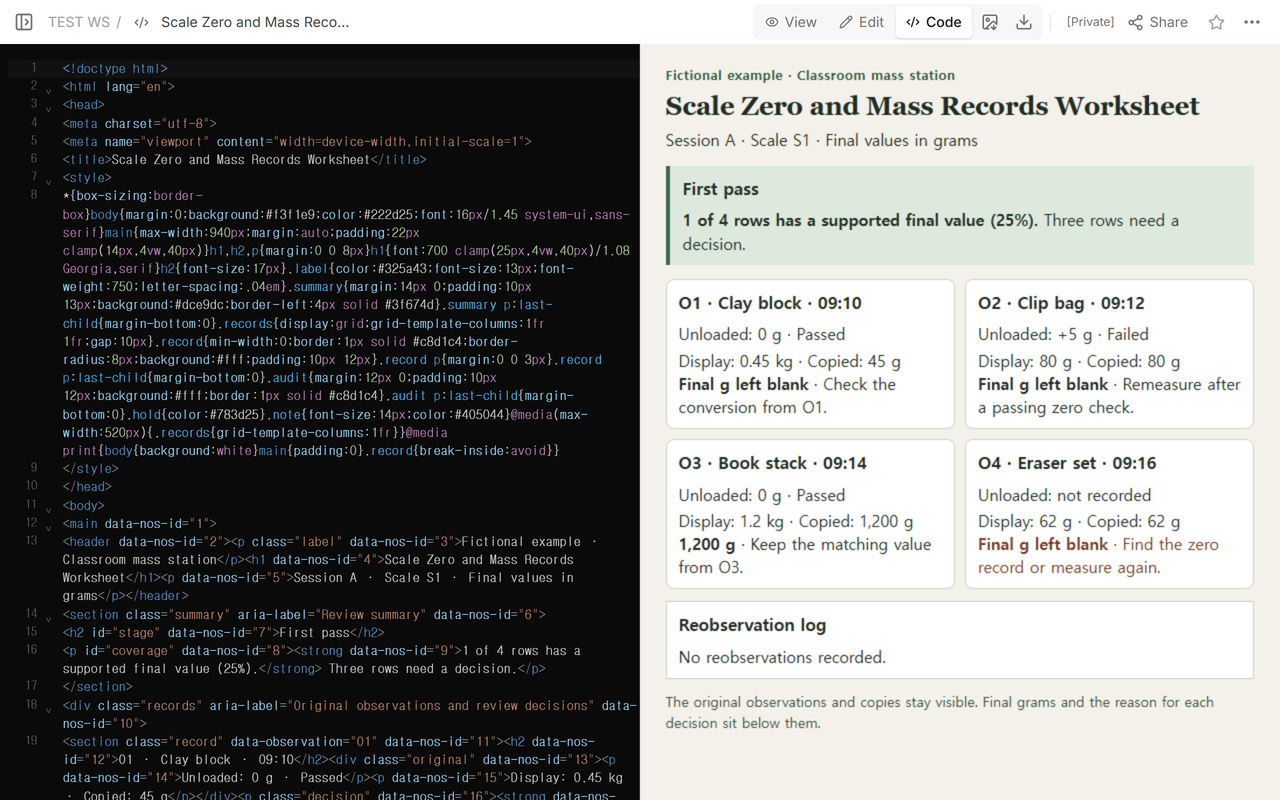
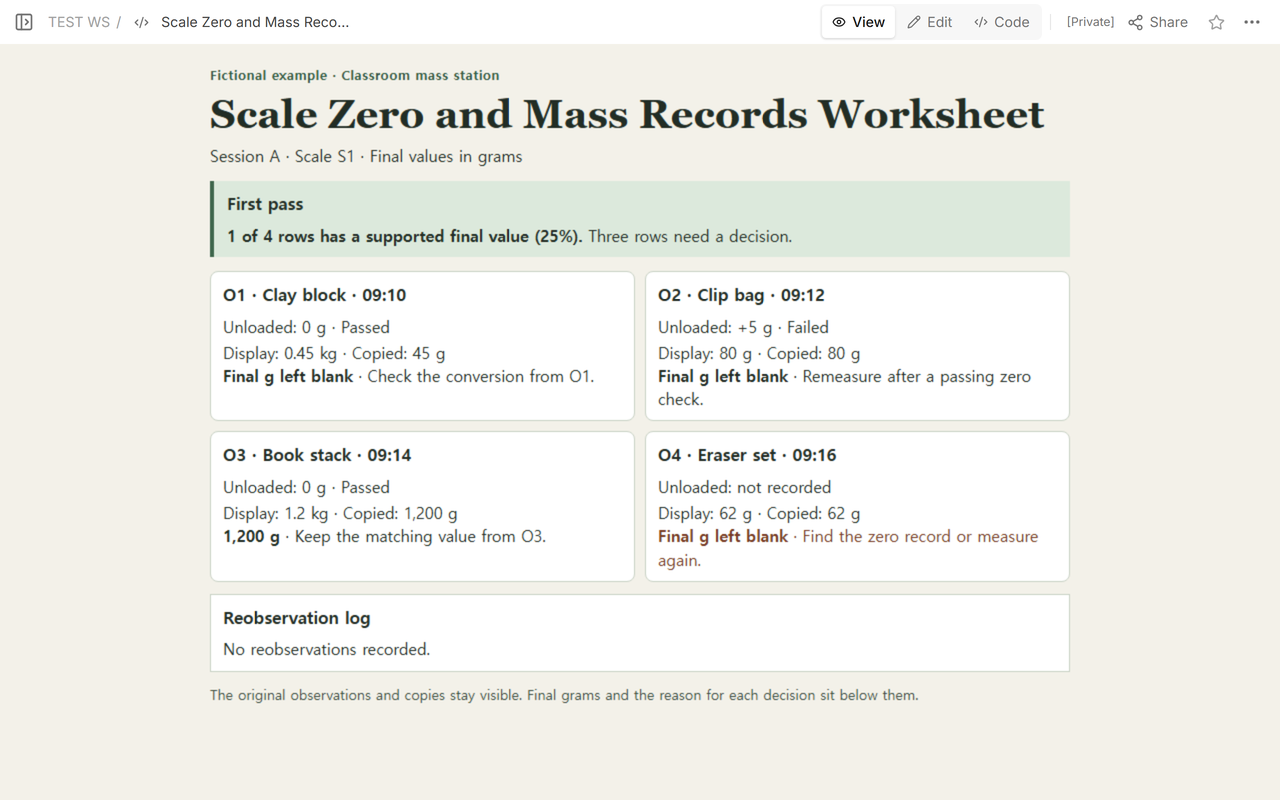
On O1, the unloaded display read 0 g. The clay block displayed 0.45 kg, and the copy said 45 g. Multiply 0.45 kg by 1,000 g/kg to get 450 g. Put 450 g in the review and cite O1. Keep 45 g in the copy field so the class can see where the mismatch occurred.
O3 passed the zero check too. The book stack displayed 1.2 kg. Multiply by 1,000 g/kg to get 1,200 g, which already matches the copy. Flag a copied unit of kg or a negative copied number for correction against a checked reading in grams.
When should you weigh again or leave the result blank?
The unloaded scale already showed +5 g before the clip bag went on. Keep O2’s 80 g display and 80 g copy in the original row. Record a new observation under its own ID after the unloaded display reads zero. In the example, R2 is the same clip bag on scale S1 at 09:20. Its display reads 77 g. Put 77 g in the final column and cite R2.
Keep any loaded display below zero in the record. Leave final grams blank and mark Remeasure until a separate observation of the same object on the same scale has a recorded unloaded zero and a loaded reading of zero or more. Keep any unsuccessful repeats visible. For O4, the display and the copy both say 62 g, but nobody recorded the unloaded display. Mark the row Hold and leave its final grams blank. Look for the zero record tied to O4. If you cannot recover it, make a fresh observation.
How many of the four records can you use?
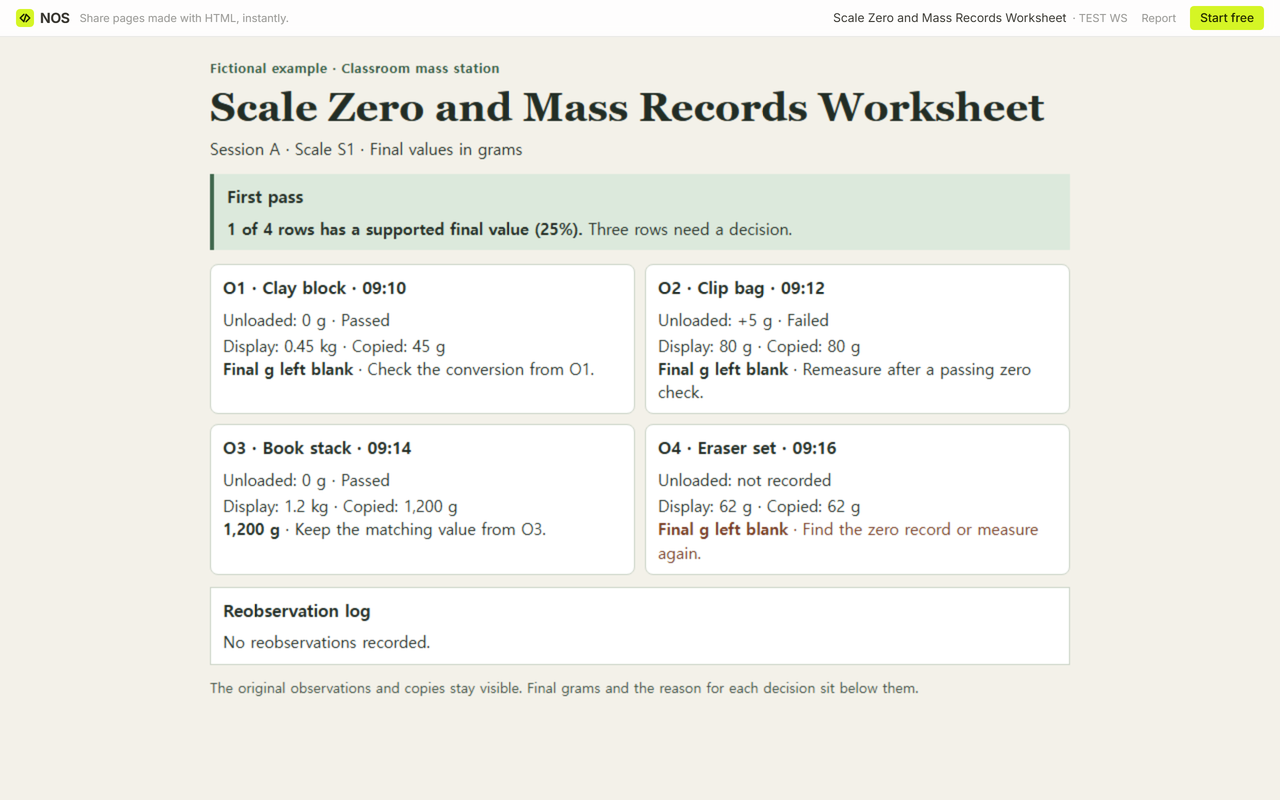
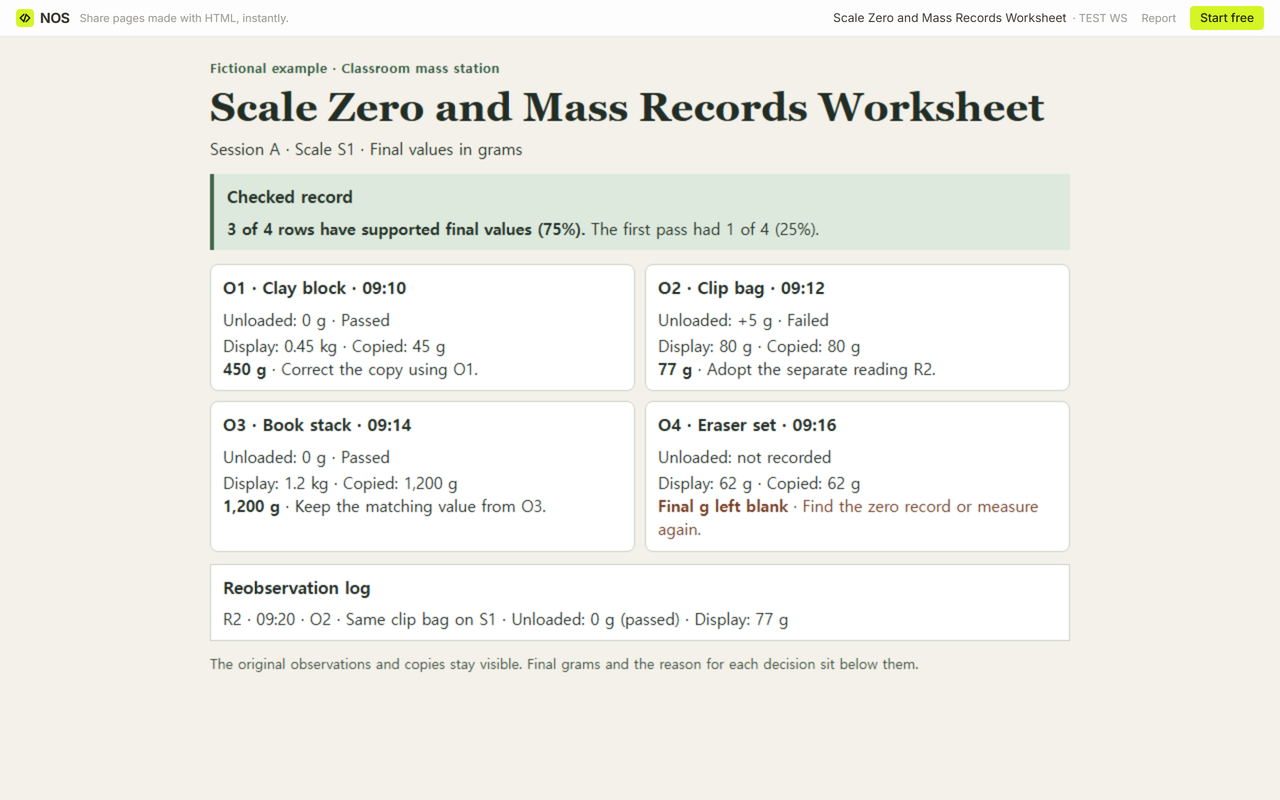
On the first pass, O3 was the only supported final value. After the review, O1 contributes 450 g, O2 uses 77 g from R2 and O3 stays at 1,200 g. O4 is still on hold. The count rises from 1 of 4 (25%) to 3 of 4 (75%). The denominator is the four original observations. R2 supplies evidence for O2.
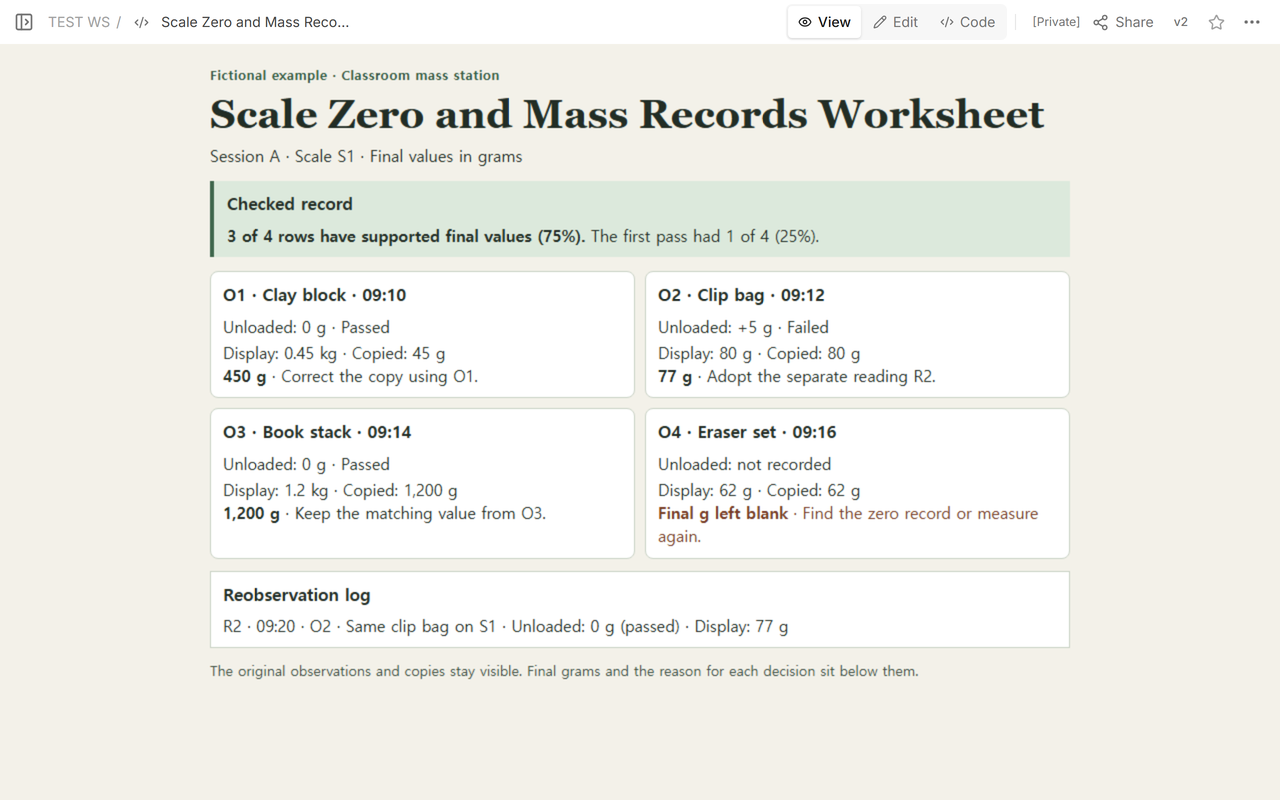
In the blank file, add an original observation first. The form keeps the signs and units of both readings and of the copied entry. It requires an unloaded unit when you enter an unloaded number. Add a separate reobservation if you need one. The form keeps the original visible when it updates the decision. A recorded object display of 0 g or -0 g can give a final 0 g if the unloaded check passed. An empty unloaded reading is marked as missing. Print the record or save it as a PDF before closing the file.
When not to do this
Use this worksheet for classroom practice. Follow the required procedure when a measurement goes into a formal inspection, calibration record or student assessment. For the class exercise, follow the instructions for your scale and keep identifying student information out of any reading copy you share.
How can a partner review the sheet?
Ask your partner to trace each final value to its observation ID. In NOS Workspace, we used Code to update the review and add R2, then checked the result in View. We took the reading address from Share and opened that same address again after saving. The checked record included R2 and the four original observations.
Related guides
- Shadow Stick Observation Sheet and Blank Template pairs field marks and clock times with copied lengths.
- Litter Audit Data Sheet keeps a measured zero separate from a missing weight when totaling categories.