In short
Lead with the club’s purpose, then give the next meeting before the full schedule.
State who can join, whether experience is required, and what a student does first.
Use a school-approved contact route instead of collecting student details on the page.
Share one reader address and update that page when a meeting changes.
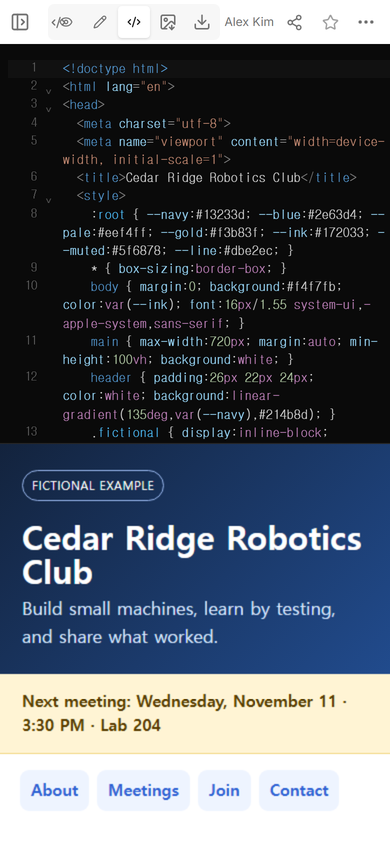
A school club website only needs to settle a few decisions: Is this club for me? When can I visit? What do I need before I join? Who can answer a question? For this guide, NOS Team made a fictional robotics club page that answers those questions without publishing a student list or asking visitors to submit anything.
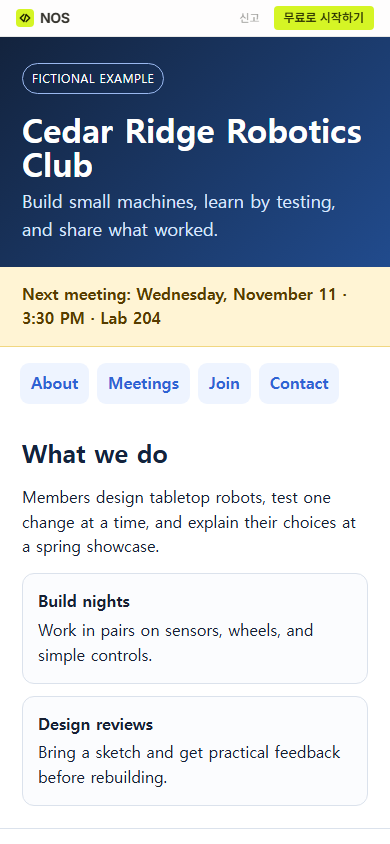
The example is for Cedar Ridge Robotics Club, a made-up organization at a made-up school. Its rooms, dates, and activity rules are exercise data. Open the complete fictional example to see the whole page.
What should a school club website include?
Start with the information a prospective member needs before attending. We used five blocks:
- Purpose: what members make or practice, written as one concrete sentence.
- Next meeting: the nearest date, start time, and room in a banner near the top.
- Regular pattern: the usual weekday and meeting hours, separate from the one upcoming date.
- Membership: eligible grades, experience expectations, and the first visit or permission step.
- Contact route: a school office or in-person club contact that the school has approved.
This is narrower than a classroom hub. A class page usually serves enrolled students and families with lessons, weekly links, and schedule material. The guide to a one-page classroom website covers that broader job.
Put the club’s purpose before its history
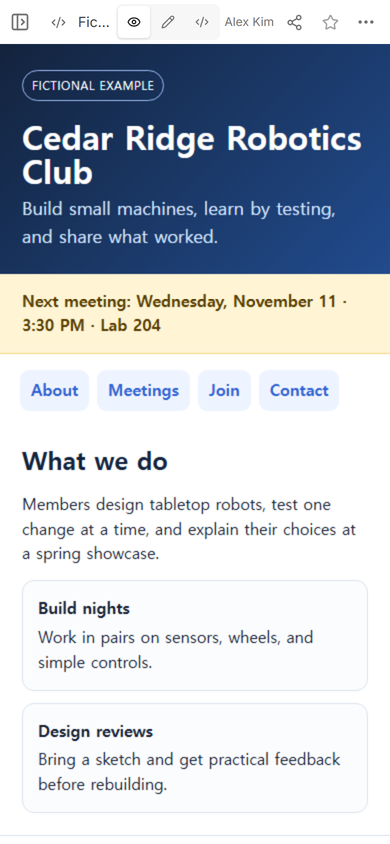
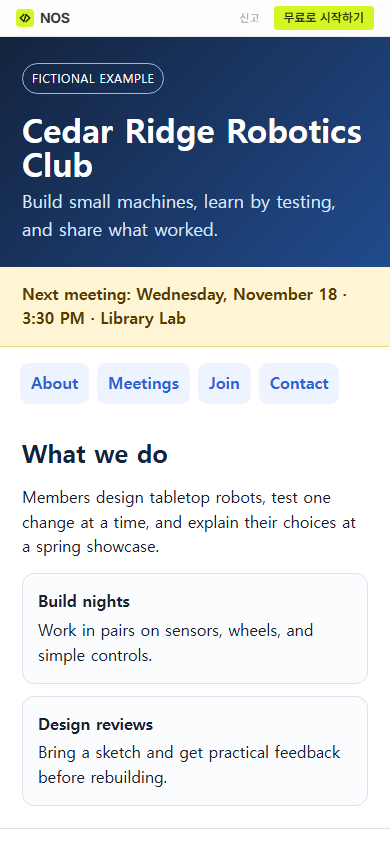
A visitor deciding whether to attend needs a current activity, not a long origin story. The example says that members build tabletop robots, test one change at a time, and explain their choices at a spring showcase. Two short cards then name the recurring work: build nights and design reviews.
The page does not claim competition results, membership counts, awards, or student reactions. None of those facts existed in this fictional exercise. Replace the sample language with activities the adviser can confirm.
How do you list school club meetings?
Use both an upcoming date and a regular pattern. “Wednesdays” helps someone plan a routine, while “November 18 at 3:30 PM in the Library Lab” tells them where to go next. If the two lines ever disagree, the dated banner should be corrected before the link is sent again.
For a one-time showcase, open house, or fundraiser, keep the club page focused and link to a separate event page. That page can hold venue instructions and other details that would otherwise crowd the membership information.
How do you explain who can join?
Write requirements as actions rather than slogans. The fictional page says grades 9-12, no prior robotics experience, one open visit before choosing a build team, and the school activity permission process before workshop work. A student can tell what applies without interpreting “all levels welcome.”
Do not invent the school’s permission rule, accessibility support, fees, deadlines, or response time. Leave an item out until the club adviser or activities office confirms it. If the same questions keep arriving, a short FAQ page can hold confirmed answers without turning the club page into a handbook.
What contact details belong on a club page?
Use the school’s public route. In the example, a student can visit the Activities Office in Room A12 or speak with the adviser at an open meeting. There is no personal number, private address, real email, form, or student contact list.
A public information page is not a membership database. It can explain the next action, but applications, consent records, attendance, payments, and private questions belong in systems the school has approved for those jobs.
Can you change a meeting after sharing the website?
We tested this on the same fictional page. In Edit, we selected the next-meeting line and replaced “Wednesday, November 11 · 3:30 PM · Lab 204” with “Wednesday, November 18 · 3:30 PM · Library Lab.” The complete replacement was visible before Done was chosen.
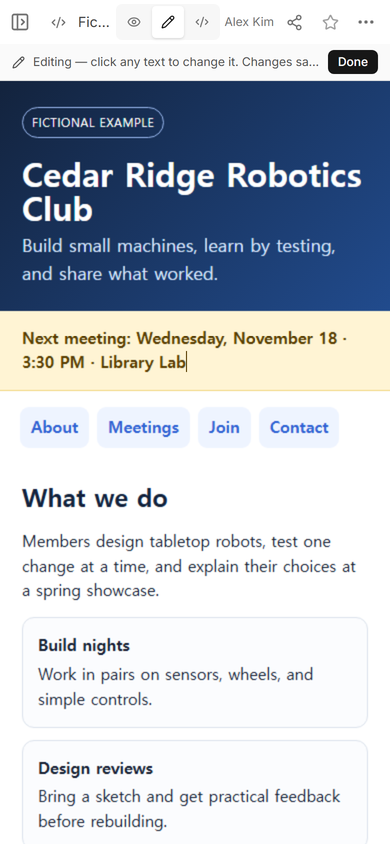
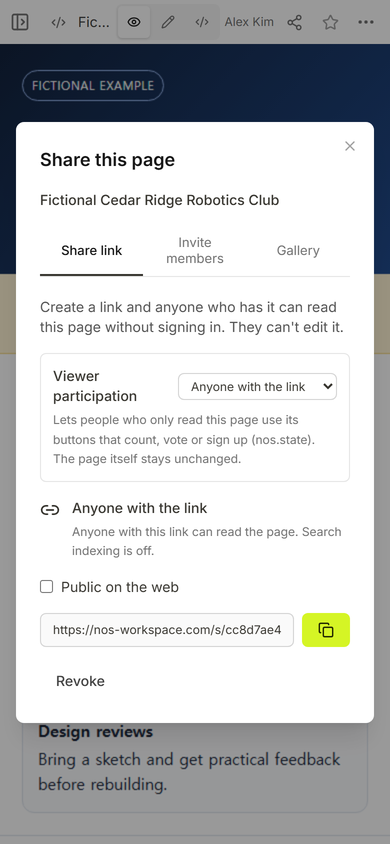
We reopened the original reader address after saving. It showed the new date and room, while the club purpose and navigation remained in place. That is the useful maintenance pattern: correct the existing page so people who already have its address see the current meeting.
What should you check before sharing?
Ask the adviser or activities office to confirm the club name, active status, room, date, eligibility, permission process, and public contact route. Open the reader address on a phone and use every section link. Finally, read the page as a new student: it should be obvious whether they qualify, when they can visit, and whom they should approach.
Repeat that check whenever the dated banner changes. A current banner above an outdated regular schedule is still a contradiction.
When not to do this
- Do not publish student names, attendance, personal contact details, applications, or consent records on a page meant for anyone with the link.
- Do not use a static page when the school needs authenticated membership, submitted forms, payment records, or a verified roster.
- Do not make the page the official source if the activities office maintains a different approved directory.
- Do not promise accessibility support, equipment, fees, or open membership until the club has confirmed those details.
Make the club page in NOS
For this example, we added one complete HTML page to NOS, checked the result in View, made the reader address from Share, and corrected the next meeting in Edit. The current pricing page lists the available plans; this guide does not need a price claim.