In short
Keep one record per packet and write down how many seeds it started with.
Use New for sprouts first counted on that date and Total for the running count.
Enter 0 when you observed no new sprouts. Mark an unobserved date and leave its counts blank.
Download the blank record (HTML)
Download the filled lettuce example (HTML)
Open the filled reader page in NOS
What goes in a seed germination test record?
Write the packet label, seed name, start date, and starting count at the top. For each dated entry, give the observation status, new sprouts, and cumulative total. Leave room at the bottom for the result status, the last observation date, and a note about any missing or late entry.
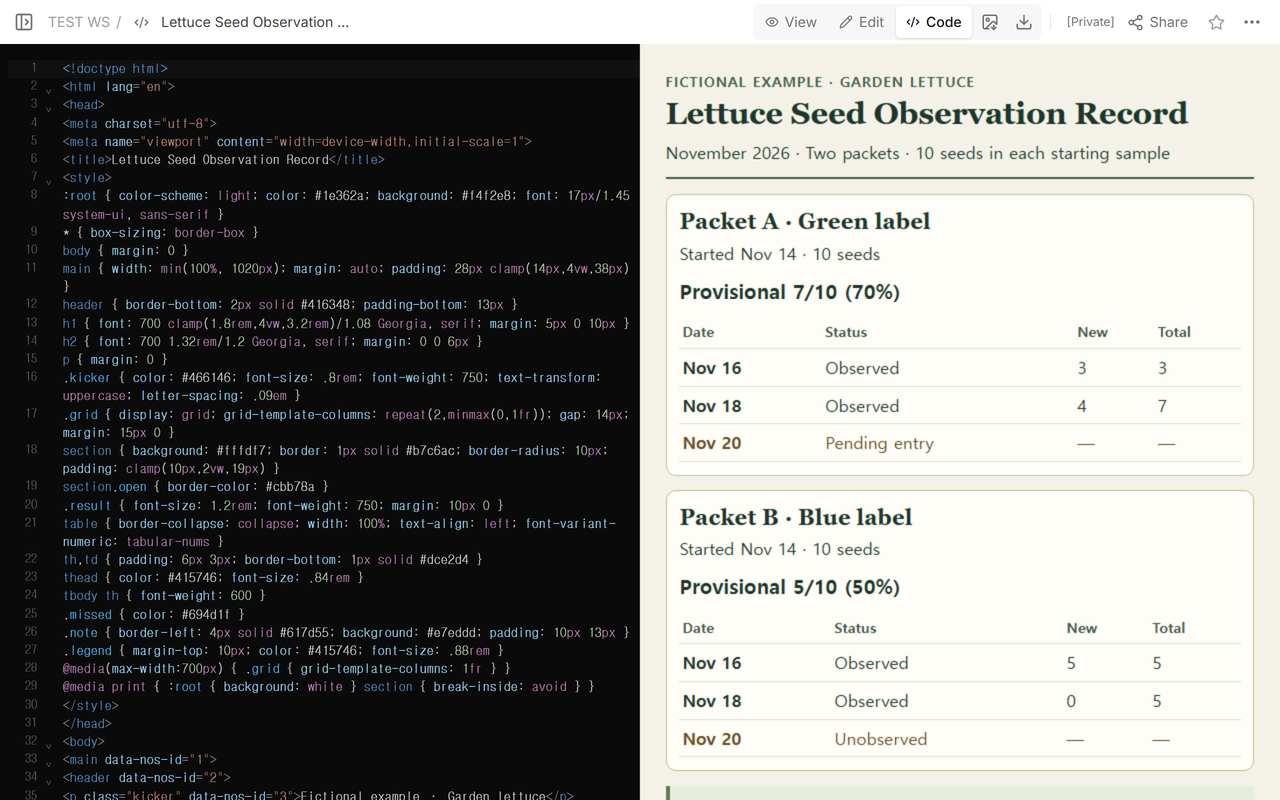
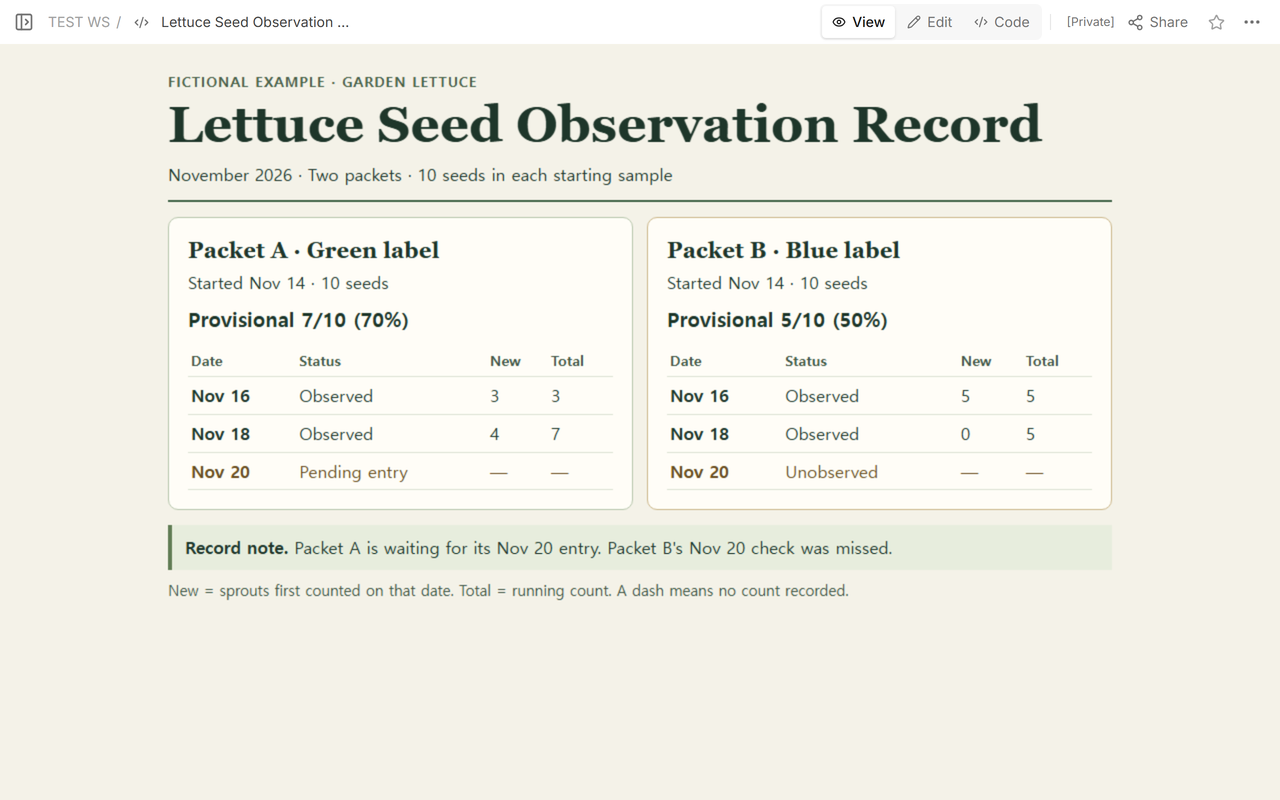
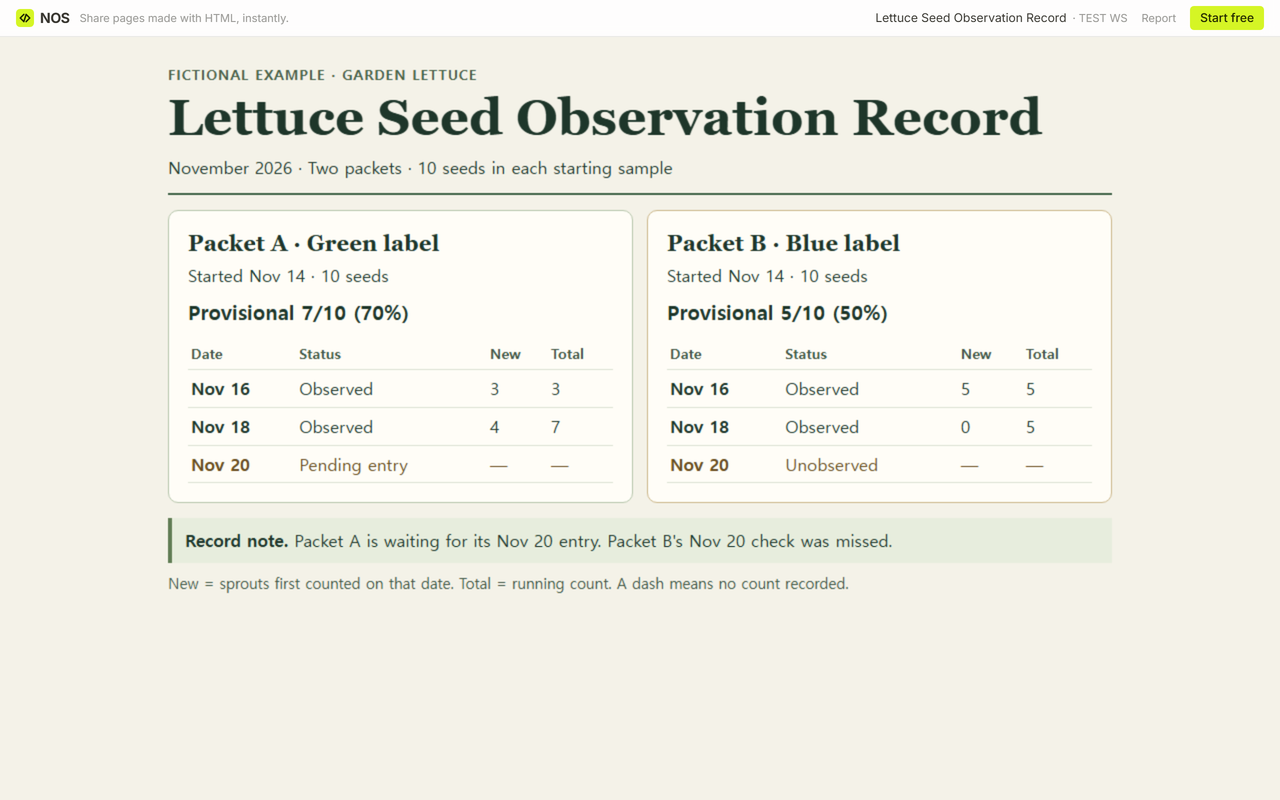
Our fictional garden lettuce record has two packets, each with 10 seeds at the start on Nov 14. We kept them on the same page with separate counts. Before Packet A's Nov 20 note was entered, its two recorded rows gave 3 new on Nov 16 and 4 new on Nov 18. The running count was 7.
What is the difference between zero and an unobserved date?
Packet B makes the distinction visible. On Nov 16, five sprouts went into both count columns. On Nov 18, the observer found zero new sprouts, so the row reads 0 new, 5 total. On Nov 20 there was no observation for Packet B. That row says Unobserved and leaves both numbers blank, shown as dashes in the example.
Packet B therefore has a provisional result of 5/10 (50%) through Nov 18. The Nov 20 row records a gap. The five belongs to the last dated observation and to the provisional summary.
Which count goes in the denominator?
Divide the cumulative count by the number of seeds recorded at the start, then multiply by 100 to get the percent. Utah State University Extension uses the initial number of seeds to calculate germination percentage. Illinois Extension shows why a starting count of ten makes the arithmetic easy. In this example, one seed is one tenth of its packet's sample, or ten percentage points.
Both denominators stay at 10. Packet A's first two rows already include seven distinct sprouts, so adding the two running totals, 3 and 7, would count the first three twice. Use the last observed total, or add just the new counts.
How does a late entry change the result?
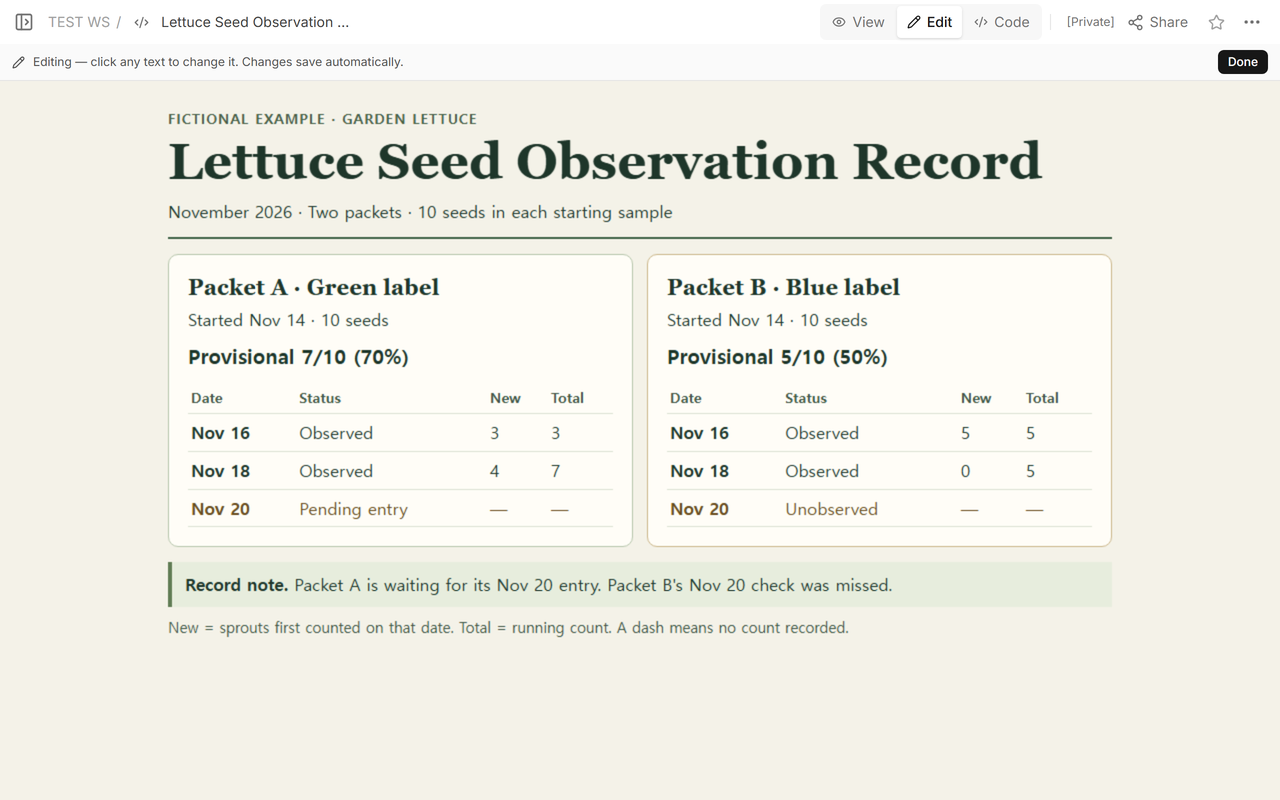
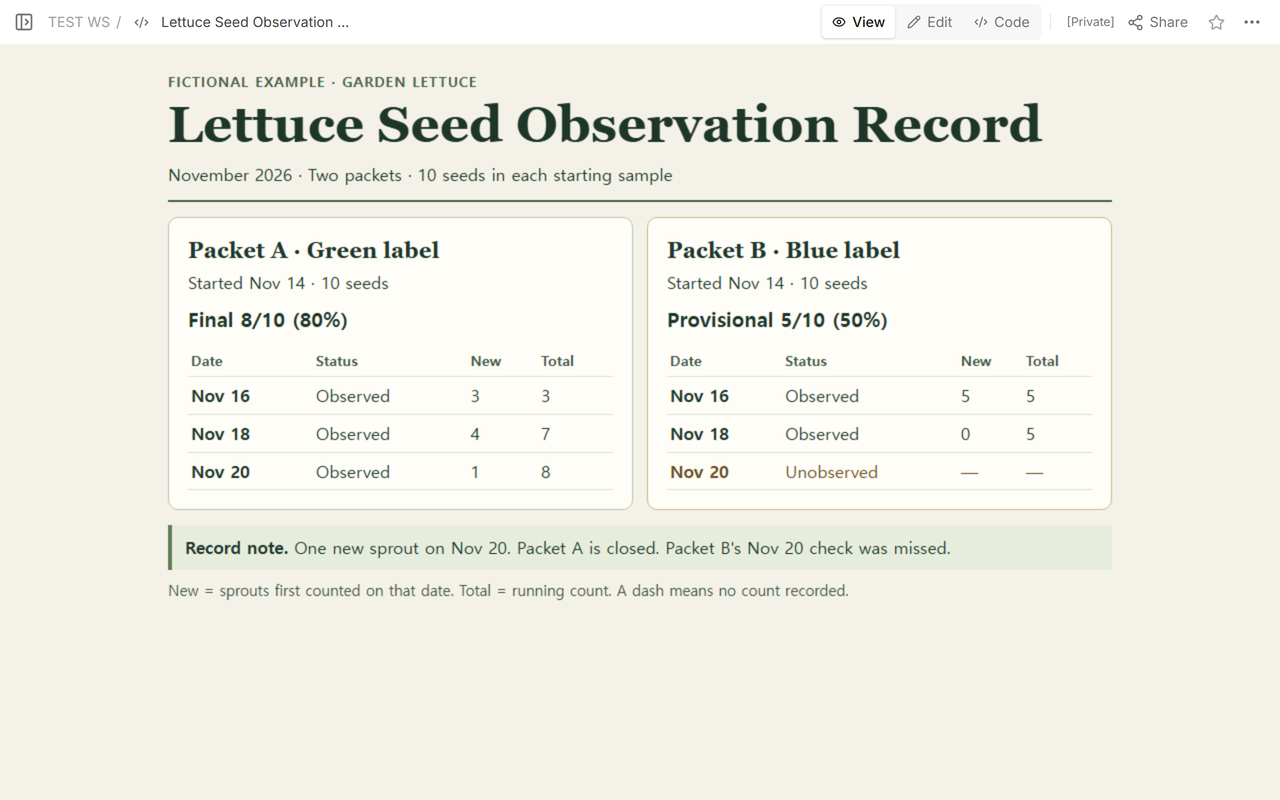
Packet A's Nov 20 row was marked Pending entry while the supplied observation was waiting to be entered. We opened the record in Edit to see the row next to the other dates and then checked the original reader copy.
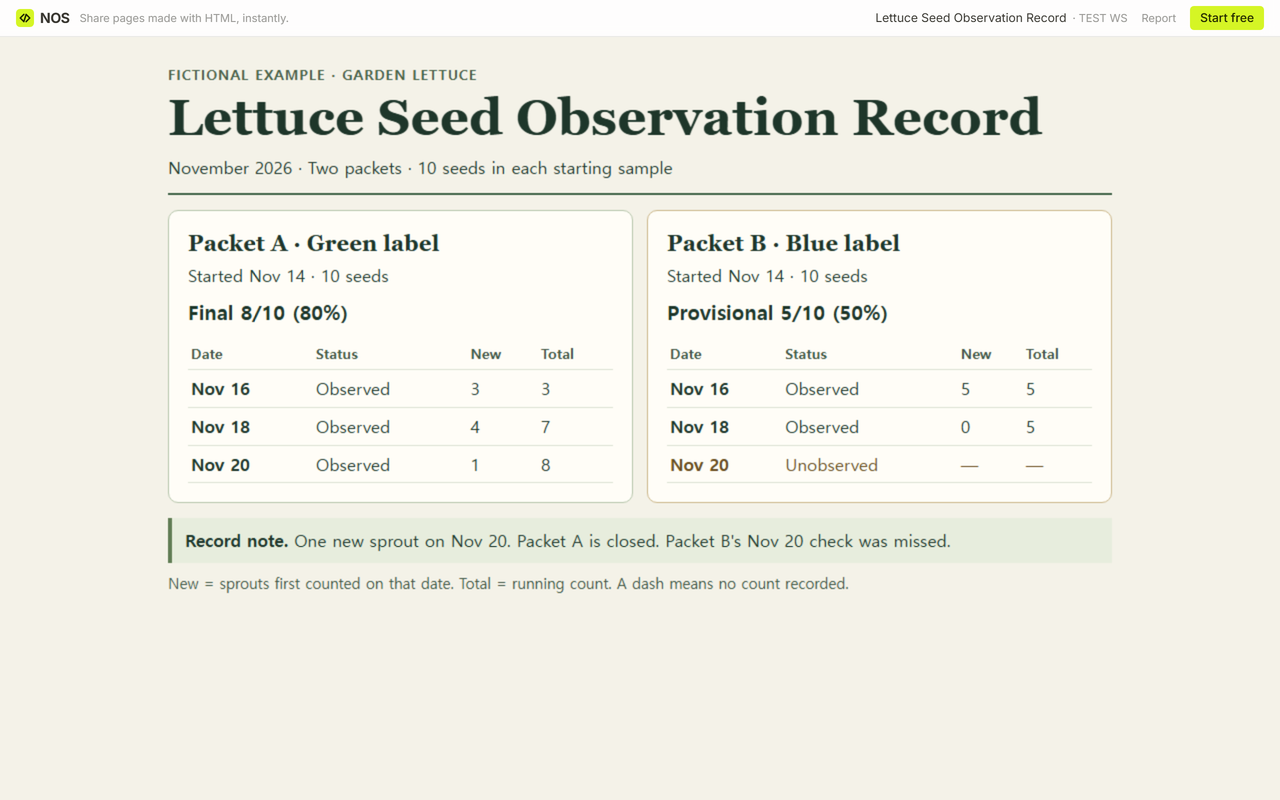
We added the supplied Nov 20 observation to Packet A and updated its summary. The new counts were now 3, 4, and 1. The running counts were 3, 7, and 8. With the final observation entered and the record closed, its result became 8/10 (80%). The note gives the date of the observation. Packet B keeps its missed entry and provisional result.
How do you use the blank record?
Open the blank download and use a copy for each packet. Four observation blocks are ready to fill. Enter your cumulative count and result yourself. For an open record, write the last date you actually observed and leave the final date blank. Print the completed file if you want to keep the entries.
When not to do this
Use this sheet for supplied garden observations. For a certified result, use the reporting process that requires it. The figures describe the recorded sample through the stated date. Keep planting decisions and any pass or fail rule outside this record.
Where does NOS fit?
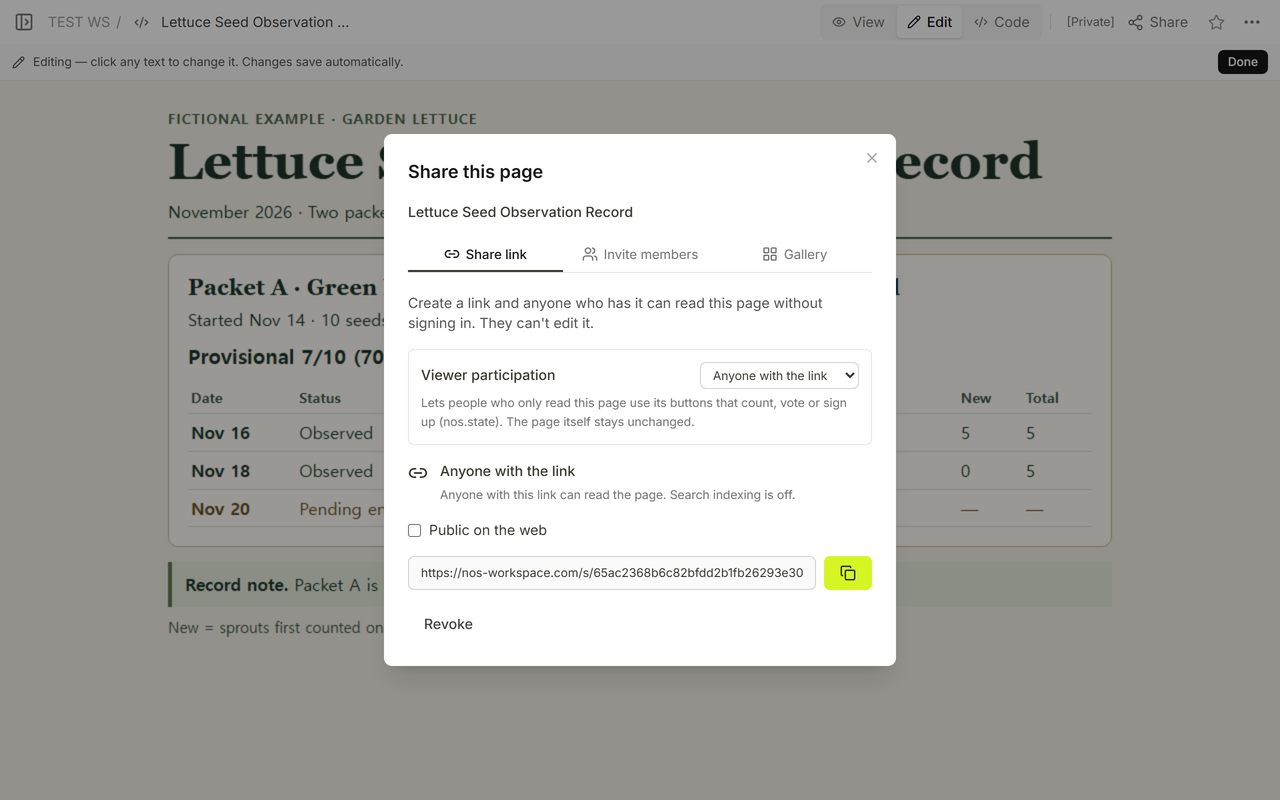
We used NOS to keep a reader copy of the fictional record. The Share panel showed that anyone with the link could read without signing in. The reader page had no editing controls. We reopened that same link signed out and saw Packet A's final count beside Packet B's provisional count.