In short
A rehearsal report says what happened in one completed rehearsal and what the production team needs next. Start with the performance, report number, date, call, breaks, end time, attendance, and actual pages or scenes worked. Keep observed facts separate from interpretations. Route each note to the affected department, label requests and decisions, assign an owner role and deadline, then state the next call. Exclude medical details, private contact information, and unsupported conclusions.
Download the completed fictional rehearsal report
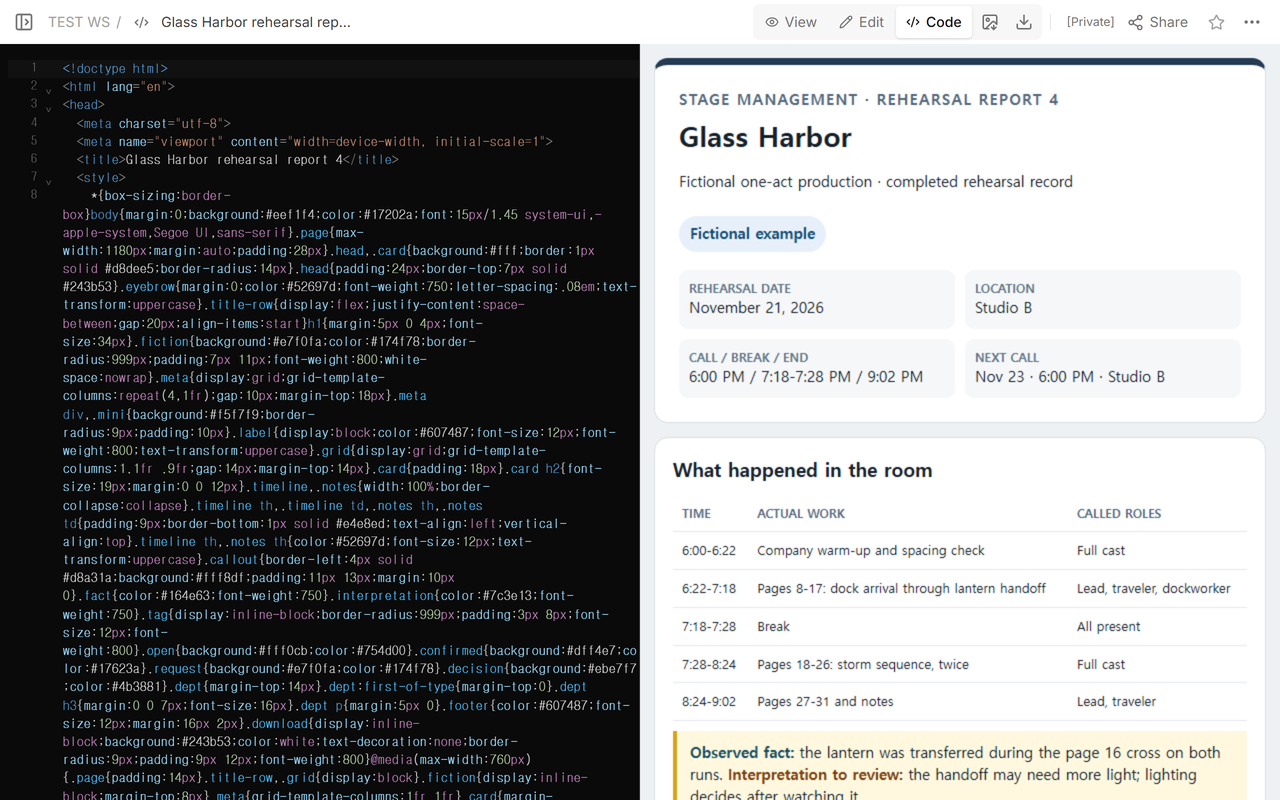
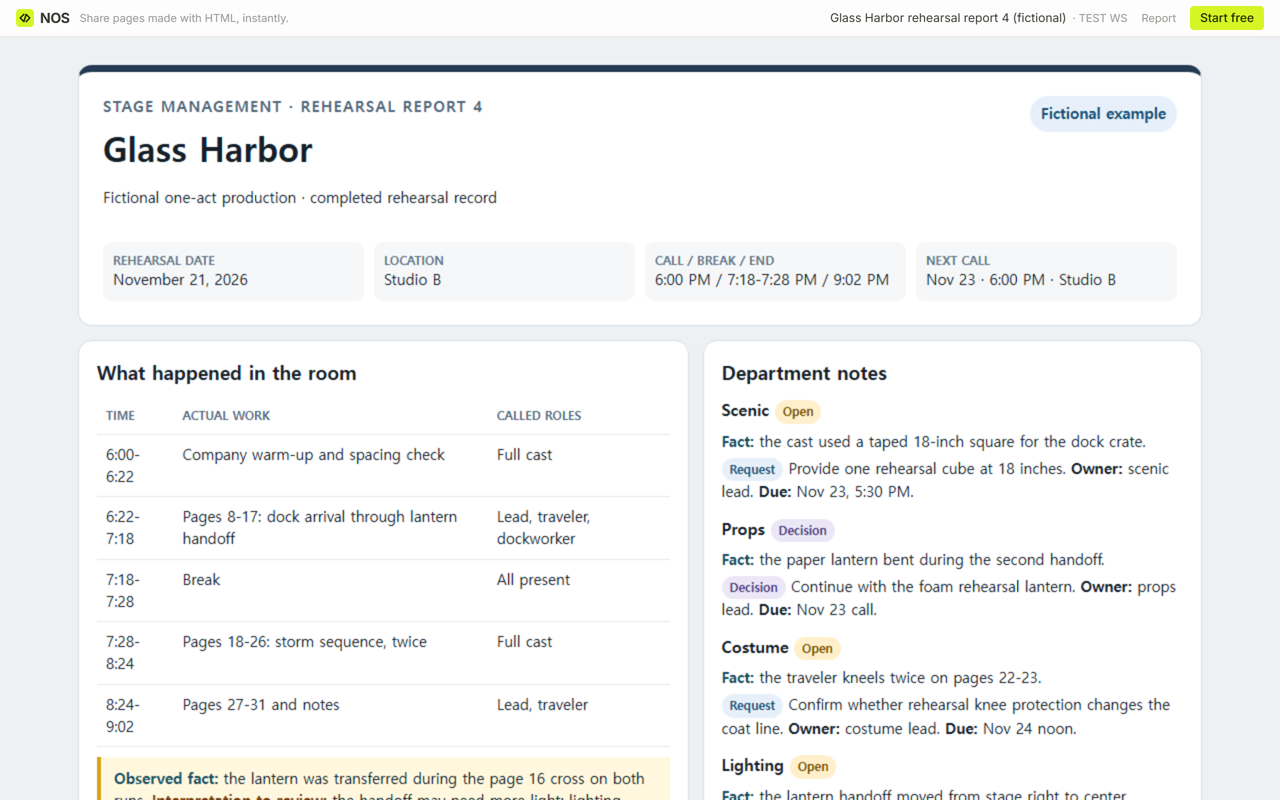
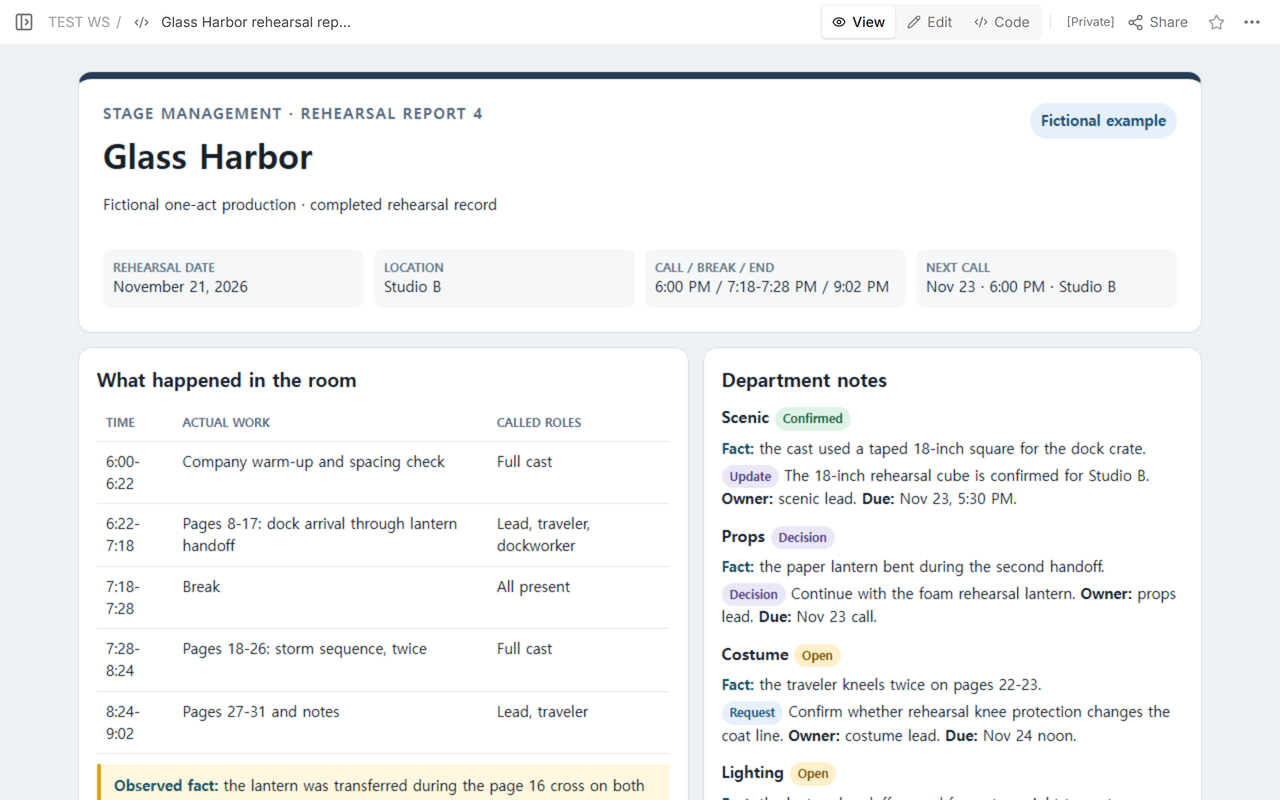
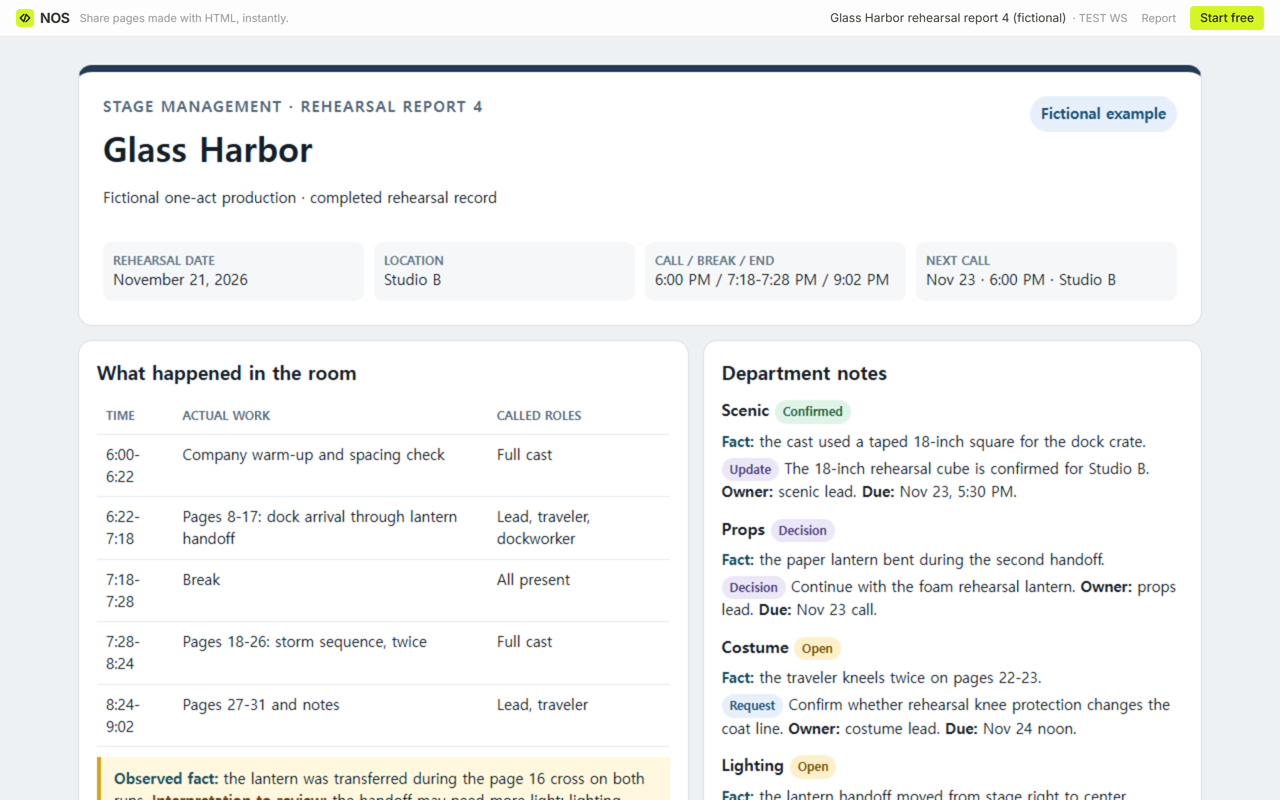
The download is the final version of Glass Harbor rehearsal report 4, a fictional one-act example. It covers a single call on November 21, 2026. The company worked pages 8-31, took one recorded break, and ended at 9:02 PM. No real performer, venue booking, health event, or production result is represented.
What belongs at the top of a rehearsal report?
Name the production and the report number before the details. Then record the rehearsal date and location, the actual call start, every break, and the actual end. These are facts about the completed session, not a plan for a future event.
The Utah Shakespeare Festival template places production, date, stage management, call, breaks, end time, attendance, a rehearsal breakdown, the next rehearsal, and department notes in one report. Yale's production roadmap says rehearsal reports should be distributed after each rehearsal and links its sample and form. The current indexed Yale packet separates work in the room, text changes, and notes for scenic, props, costumes, lighting, and sound. The finished example uses that practical separation without copying either form.
How do you record what actually happened?
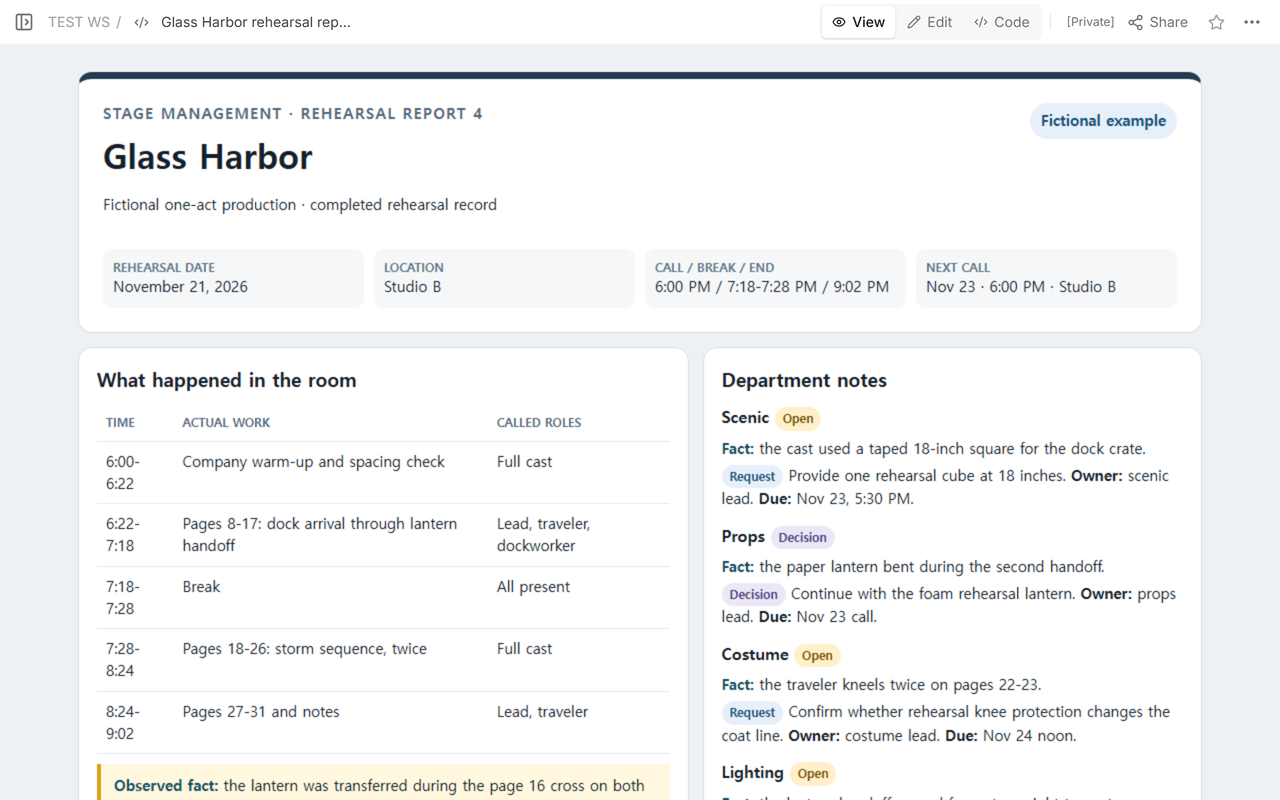
Write the time range, the actual pages or sequence worked, and the roles called for that block. Do not replace the record with “worked scenes” or paste the next rehearsal plan into the completed-work section. In this example, the stage manager can trace the lantern handoff to pages 8-17 and the storm sequence to pages 18-26.
The report also distinguishes two kinds of statement:
- Observed fact: something seen or heard in the room, such as the lantern being transferred during the page 16 cross.
- Interpretation to review: a possible implication, such as whether the handoff needs more light. The responsible department decides after review.
Do not turn an observation into a design decision. “The handoff moved to center” is a fact. “Add a center special” is not confirmed until the lighting owner decides it.
How should attendance be written?
Use the production's approved attendance practice and record only what the recipients need. The fictional example uses role labels and says all called roles were present. It does not include medical explanations, personal phone numbers, addresses, or private reasons for an absence.
If a safety or welfare issue needs a separate controlled record, follow the production's policy and access rules. A widely distributed rehearsal report is not the place for diagnosis, treatment, or private incident details.
How do you route notes to each department?
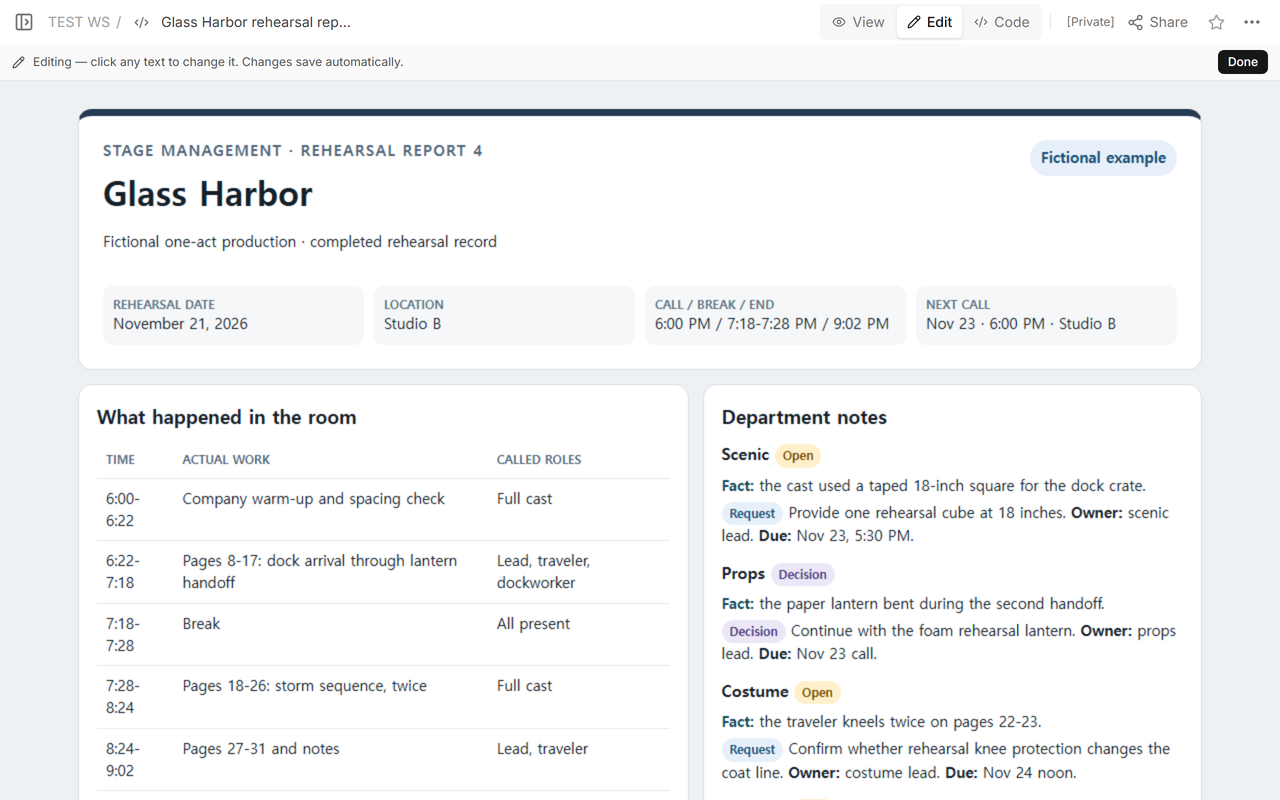
Give scenic, props, costume, lighting, and sound their own headings even when one section has no note. Under each heading, state the observed fact first. Then label the next line as a request, decision, or update. Finish with one accountable owner role and a due point the team can recognize.
For example, the props note records that the paper lantern bent during the later handoff. The decision is to continue with the foam rehearsal lantern, owned by the props lead and due by the November 23 call. The lighting note does not prescribe a cue; it asks the lighting lead to watch the changed handoff by the November 25 design check.
What is the difference between a request and a decision?
A request asks another role to provide, check, or answer something. A decision records an agreed direction. Keep the labels explicit so a recipient does not treat a question as approval. An update reports a changed status without rewriting the earlier observation.
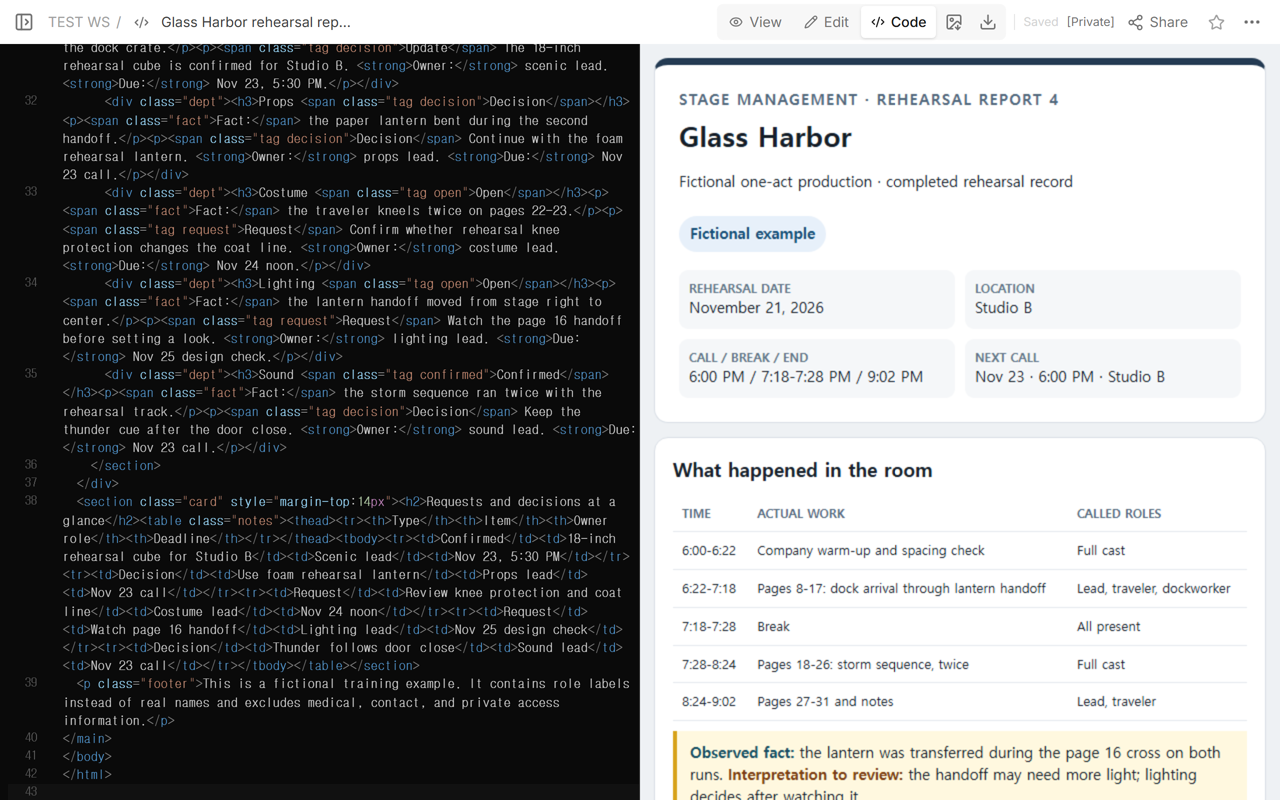
The first scenic note requests an 18-inch rehearsal cube from the scenic lead by 5:30 PM on November 23. After the cube is confirmed, the same page changes the status from Open to Confirmed, replaces the request with a dated update, and changes the cube's at-a-glance row from Request to Confirmed. The fact about the taped square remains intact.
What should the next rehearsal line include?
State the next date, call time, location, planned pages or sequence, and the roles called. Keep it separate from the work already completed. In the example, the next call is November 23 at 6:00 PM in Studio B for pages 8-31 and the storm-to-dock transition with the full cast and rehearsal stage management.
This section is a handoff, not a full event calendar. For a participant-facing plan with future times, locations, and staff cues, use the event schedule template. For a discussion record that separates decisions, actions, and open questions, use the meeting minutes template.
How do you turn Glass Harbor into your report?
- Replace the fictional production, report number, date, location, and time record.
- List the actual work in chronological blocks, including breaks.
- Record attendance under your production's approved practice and remove sensitive explanations.
- Write each department fact before its request, decision, or update.
- Give every actionable note an owner role and a real deadline.
- Add the next call separately and check that it does not overwrite the completed work.
- Ask the production's designated reviewers to correct facts before distribution.
When not to do this
Do not use a rehearsal report as an incident report, medical record, confidential personnel note, or substitute for emergency communication. Do not use it as meeting minutes when the purpose is to document a discussion and approval process. Do not use it as the master production calendar. If the production or institution requires a prescribed form, distribution list, or retention process, follow that requirement and use this example only as a drafting aid.
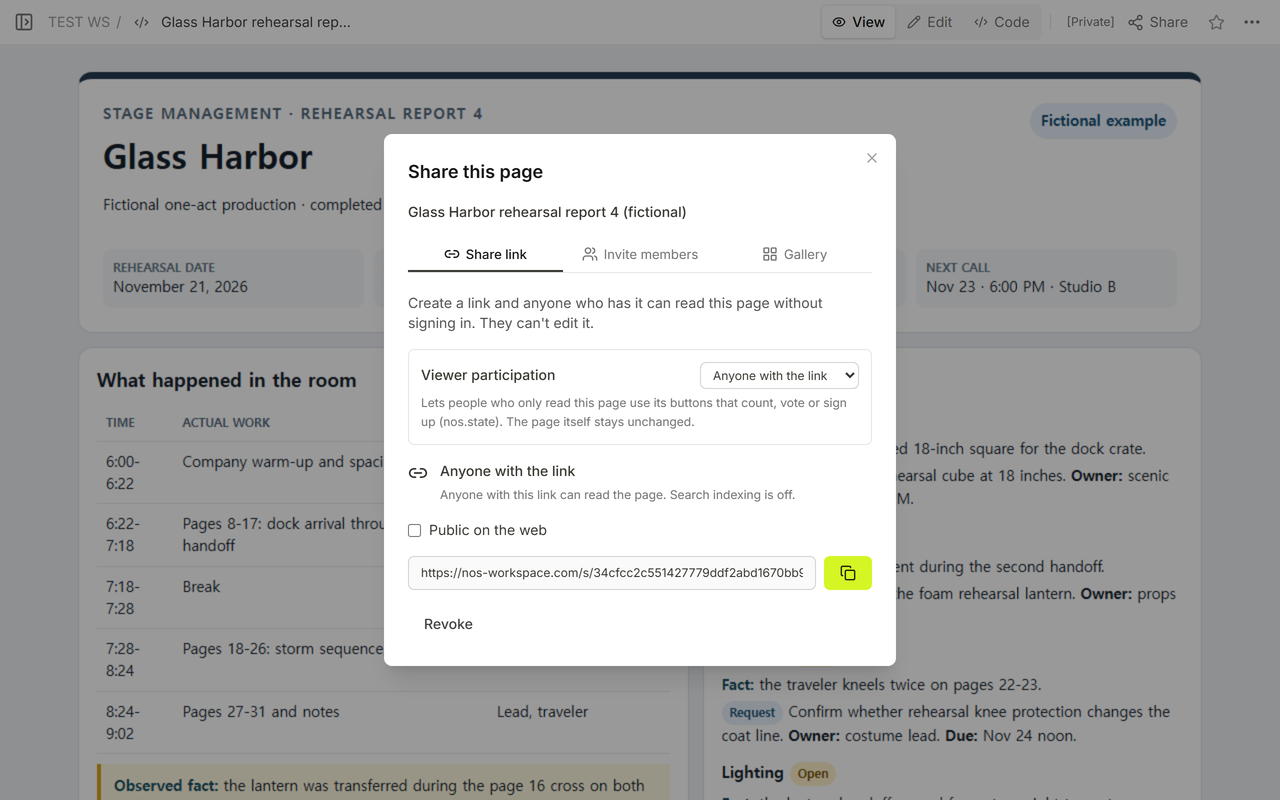
Where NOS fits
NOS can display a self-contained rehearsal report, open it in Code, View, or Edit, and provide a reader link. In this example, the scenic department status was updated on the existing page and the change appeared at the same reader address. NOS does not decide whether a production note is accurate, appropriate to distribute, or complete; stage management and the production's designated owners must verify those points.