Open the blank CSV alongside your delivery list. The completed Harbor Atlas CSV has six rows: three archival masters and three access copies. Import the page column as text so 07 and 08 keep their leading zeros. The worked HTML example groups each master with its access copy.
What should travel with an access filename?
Start from your capture register or project manifest. Copy the source ID, the page as printed, and the version of the scan. If the filename uses an image sequence that differs from the printed page, record both in separate columns. Enter the master with its own row, leaving its parent blank. For the access row, enter the name of the master it was made from. If it came from a production master, record that immediate parent and use the production master's row to trace the relationship back to the archival master.
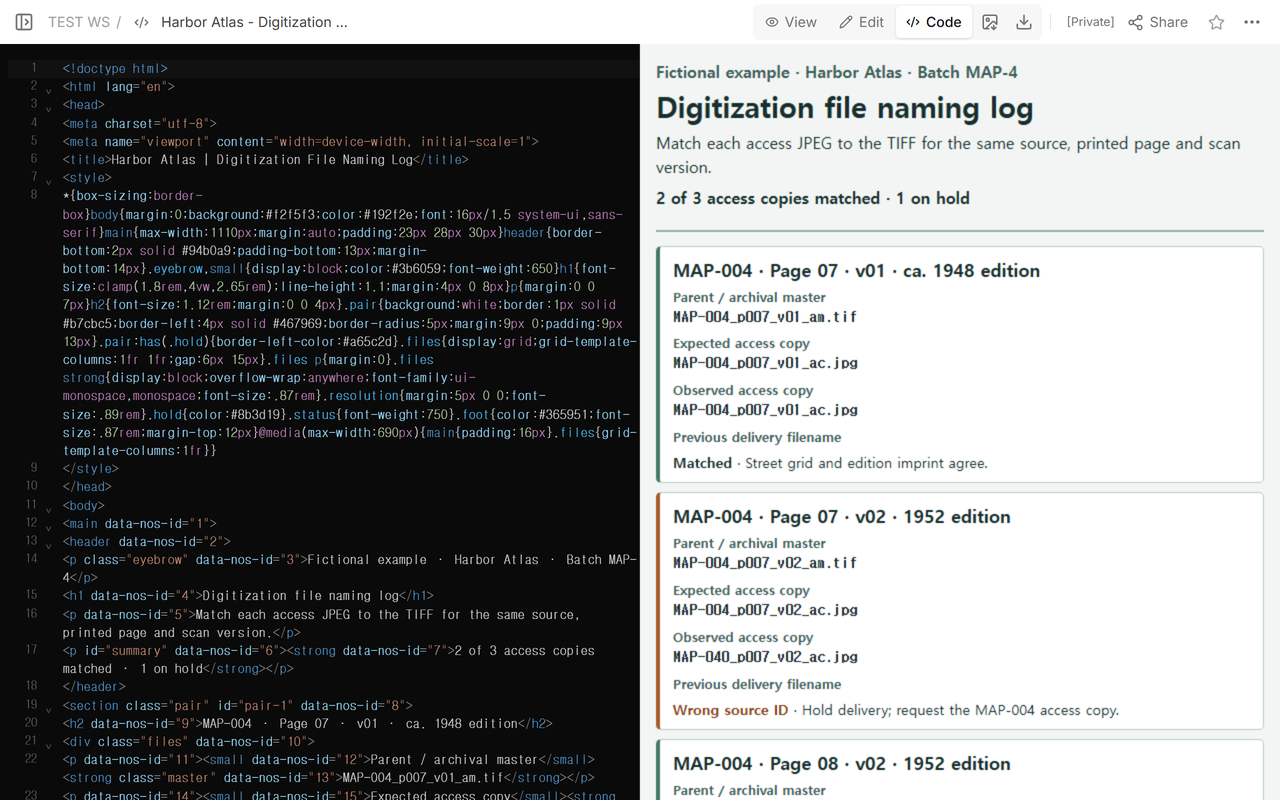
The Harbor Atlas example has two versions of printed page 07 for MAP-004. Scan v01 represents the edition dated ca. 1948. Scan v02 represents the 1952 edition. Keep that approximate date as written. The project’s example naming pattern uses p007 for printed page 07 and puts the scan version before the role suffix. An access copy for v02 belongs with MAP-004_p007_v02_am.tif.
What do you do when the delivery differs from the log?
Write the expected name before you look at the delivery. Then copy the observed name from the folder and open the file. Check the image against the master and the capture record. For the fictional atlas, the street grid, page number and edition imprint provide useful checks. A perfect spelling match still needs that content check.
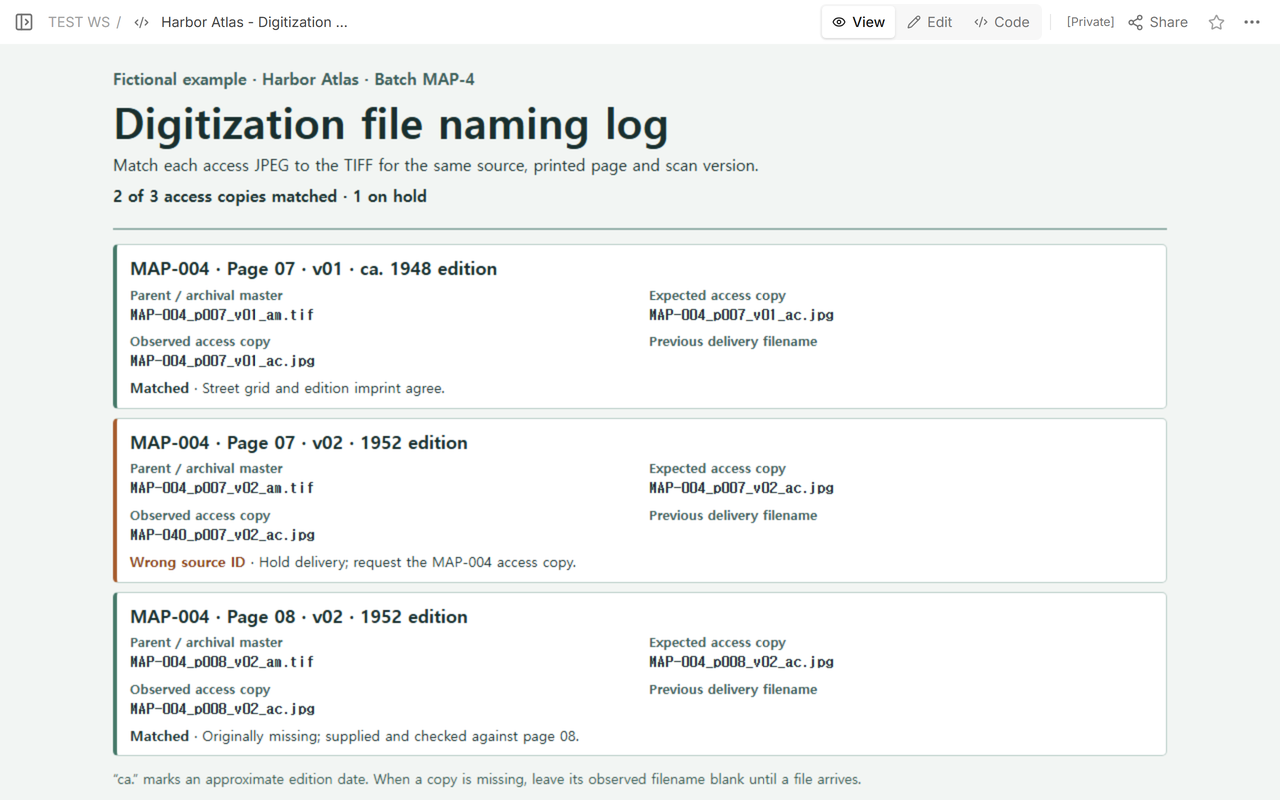
In the practice delivery, MAP-040_p007_v02_ac.jpg appeared where MAP-004_p007_v02_ac.jpg was expected. Mark that row Wrong source ID and hold it back. Ask the delivery owner for the access copy from the correct master. Keep the first filename in the history field when the replacement arrives, so someone can still trace the discrepancy.
Handle an empty slot differently. Page 08 of v02 originally had no access copy. Leave the observed filename blank and mark it Missing while you wait. The completed example records the later arrival of MAP-004_p008_v02_ac.jpg and the page check that closed the issue. An empty parent on a master row means the row has no parent. An empty observed filename on an open access row means the file still needs to be supplied.
Can you reuse another institution’s naming pattern?
Use the rule in your own project or deposit instructions. UT Libraries’ digitization guide tells its teams to retain established names after digitization. Harvard Library Imaging Services describes matching basenames for related files in its Batch Builder workflow. The suffixes in the Harbor Atlas exercise belong to this fictional batch. The recorded file relationship stays useful whichever naming rule your project uses. UT Libraries file naming · Harvard Library outsourcing notes.
What does the recipient see after a correction?
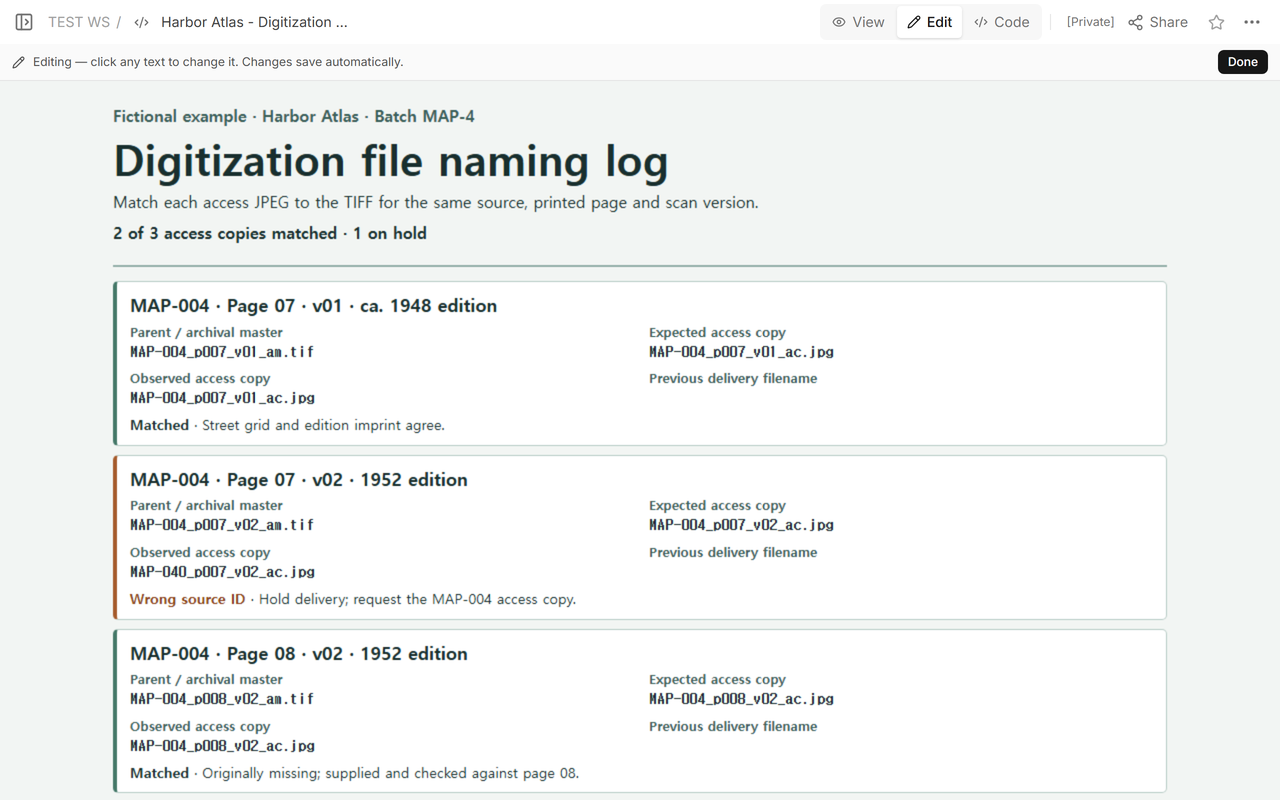
We put the Harbor Atlas log in NOS Workspace and opened its reader address while signed out. At that point, page 08 was already reconciled. The page 07 row for v02 was still on hold, leaving 2 of 3 access copies matched.
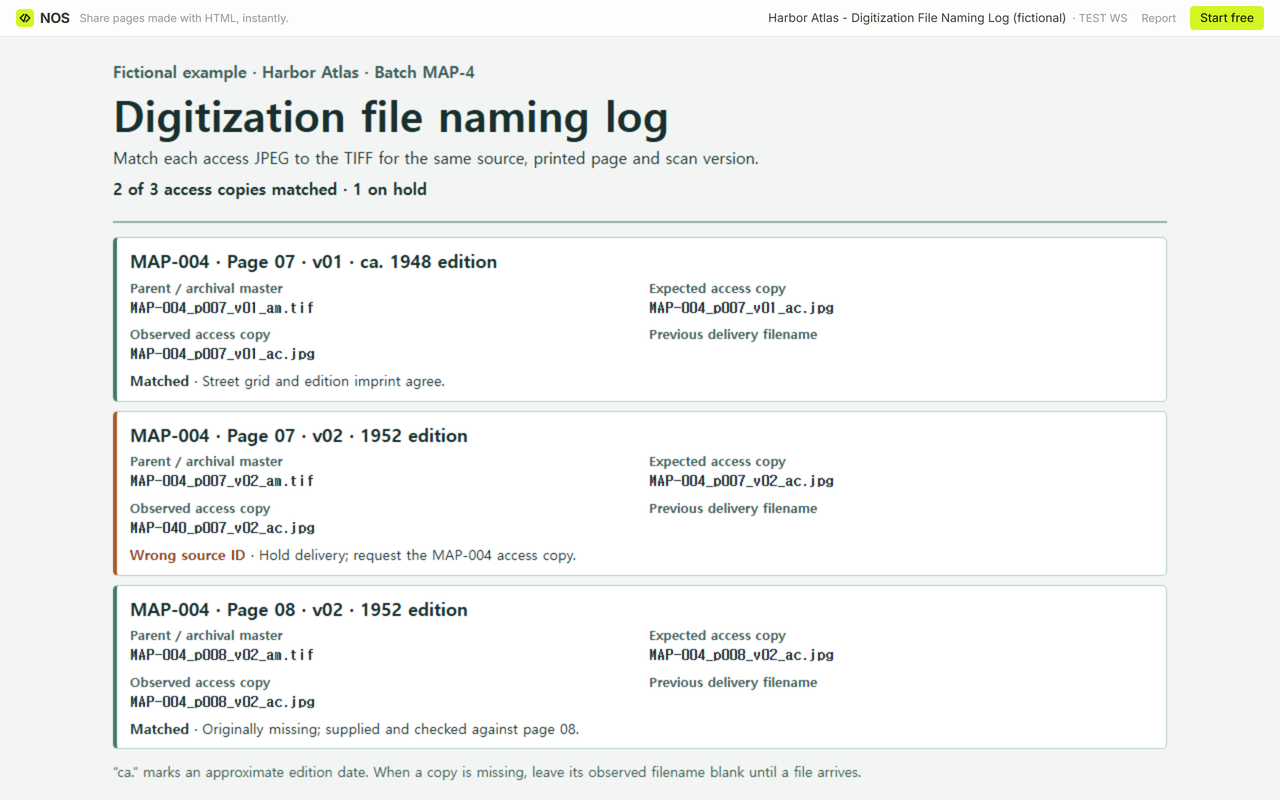
We updated that one row to record the fictional replacement, kept the original delivery name in the history field, and opened the same reader address again. It showed 3 of 3 access copies matched. The master and the other two access rows kept their existing values.
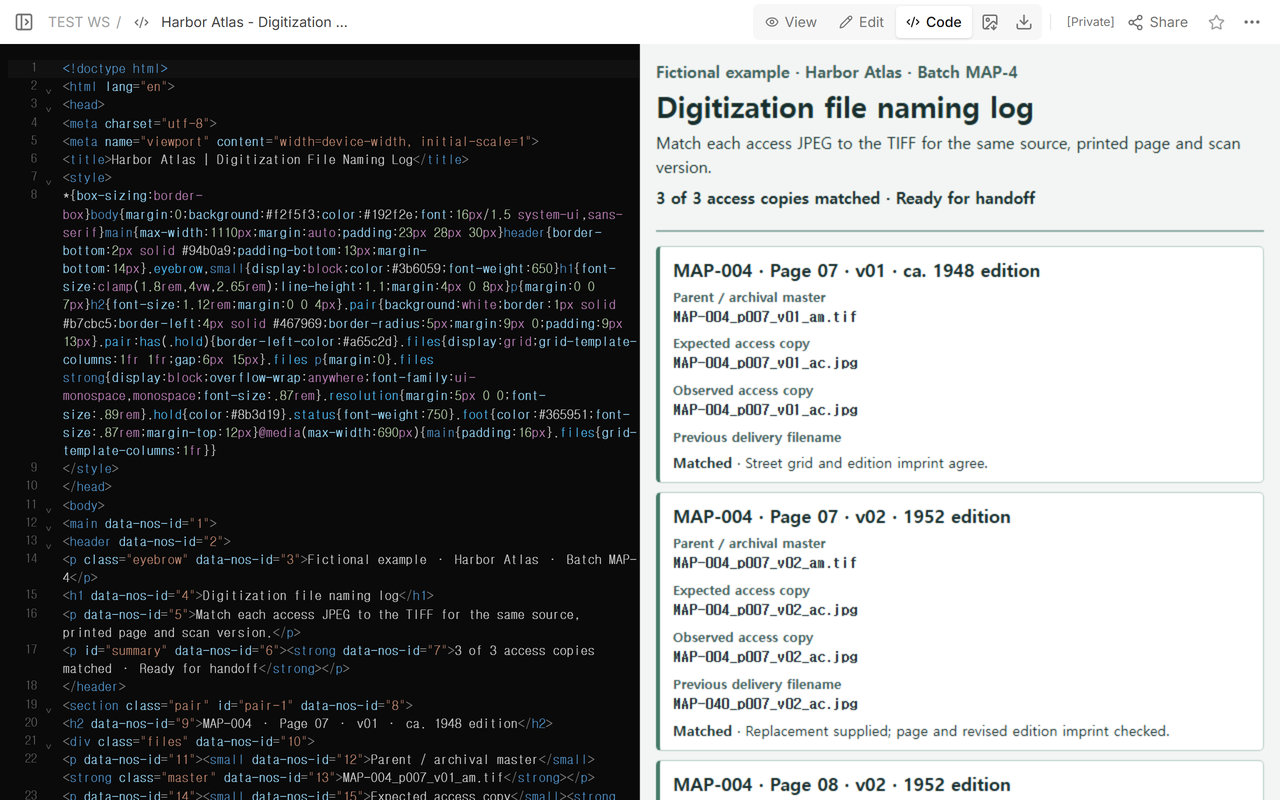
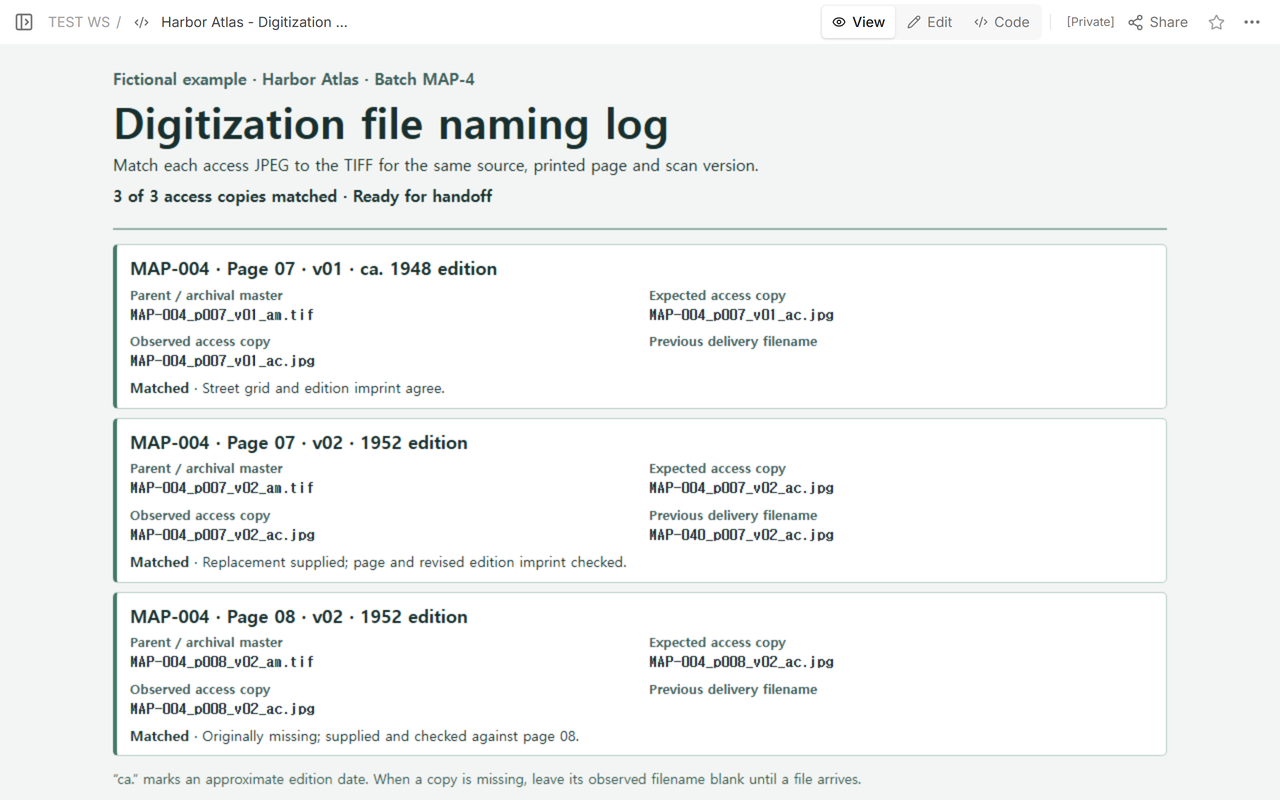
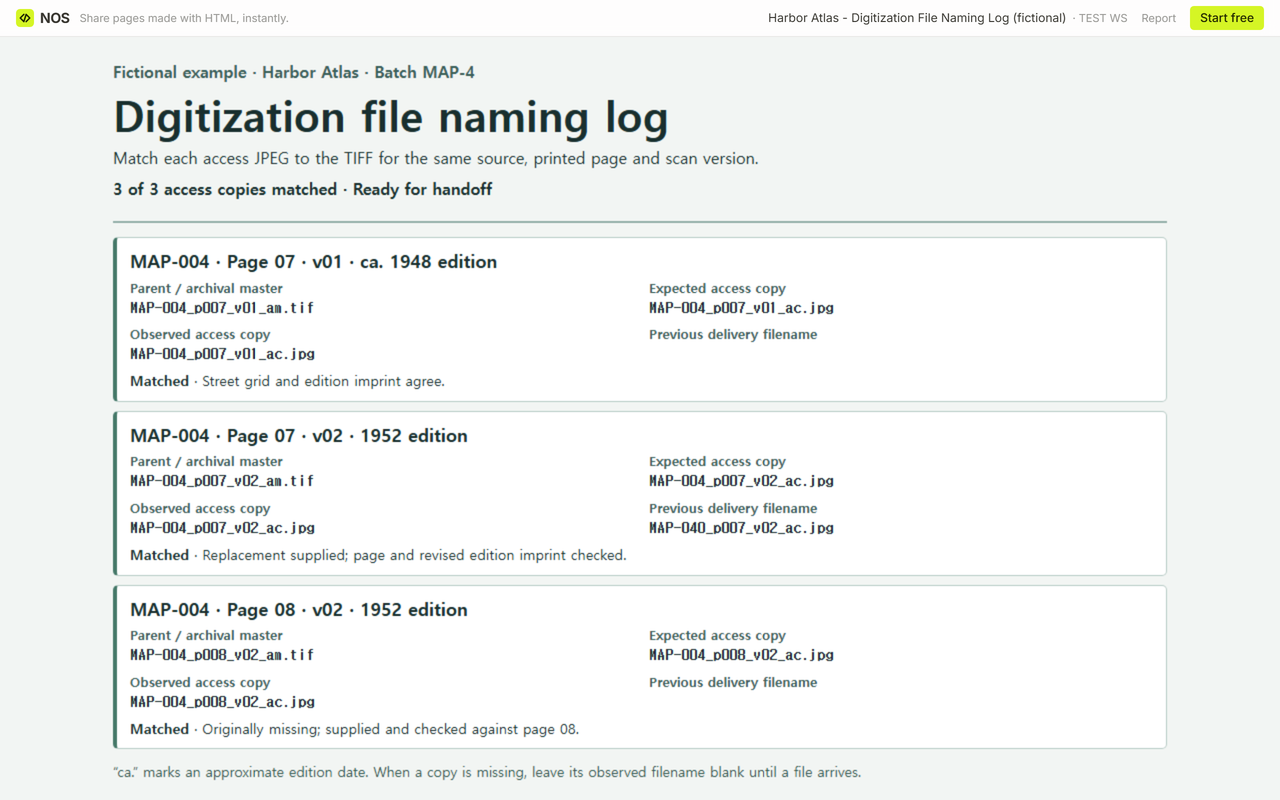
Send the read-only Harbor Atlas example to show how the checked record looks. The CSV is the working handoff list. NOS displays the log, and the team handles file corrections in its own delivery workflow.
When not to do this
Use your repository’s required ingest manifest when the deposit calls for one. This sheet documents a small handoff and its exceptions. For a different kind of file correspondence, see the manuscript art log for callouts and captions or the historic building photo log for camera positions. For collection descriptions, see the art gallery catalog and the artwork information sheet.