In short
Give each screening and each subtitle output its own row. Copy the required language and cut from the screening approval. Then look up each assigned file in the delivery manifest.
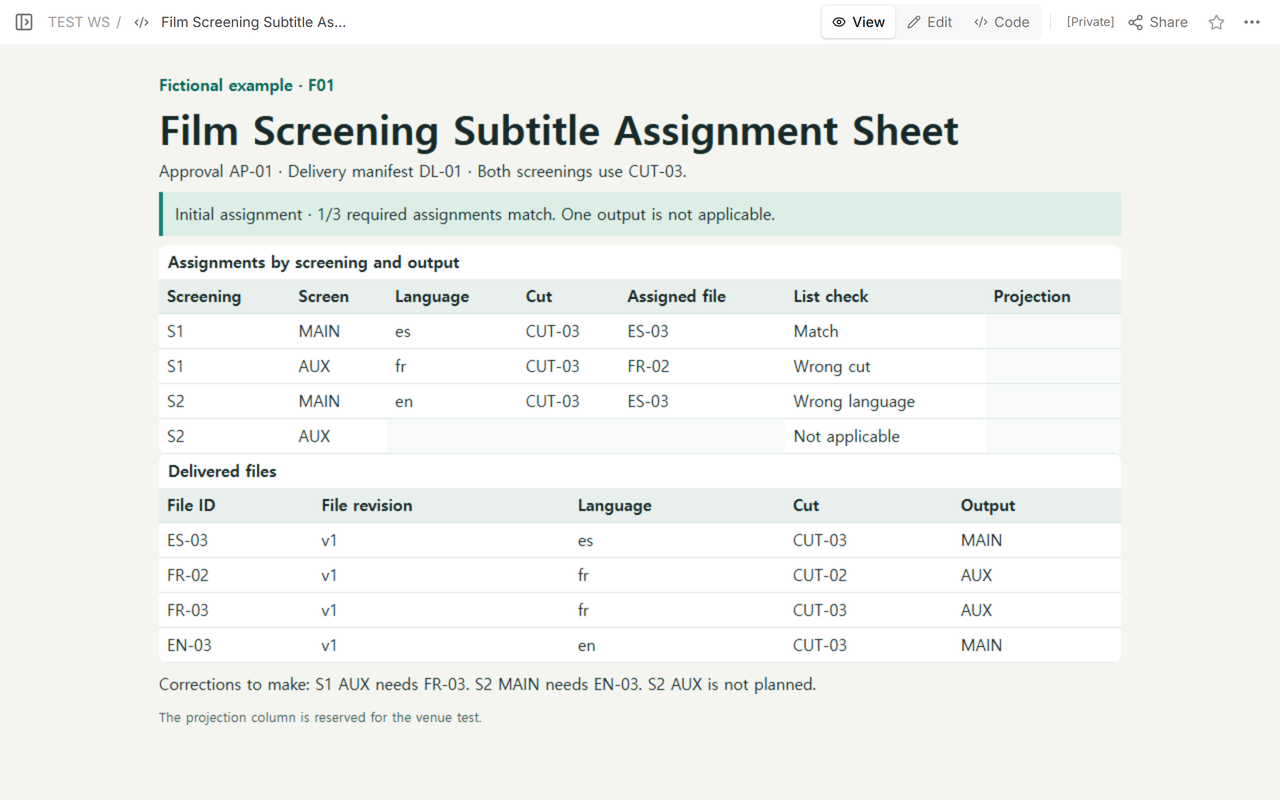
In our fictional handoff, one row needed the newer cut and another needed a different language. The corrections raised the required matches from 1/3 to 3/3. The unplanned auxiliary output stayed outside the count.
Download the blank worksheet · Download the completed example
What does each screen need for this showing?
Open the screening approval before opening the delivery folder. Record the film ID, screening ID and room. Give the main and auxiliary outputs their own screen IDs and copy the approved language and cut to each required row. Mark the auxiliary row as Not applicable only if the approval says that screening has no auxiliary output. If the plan is unclear, ask the screening lead before closing the row.
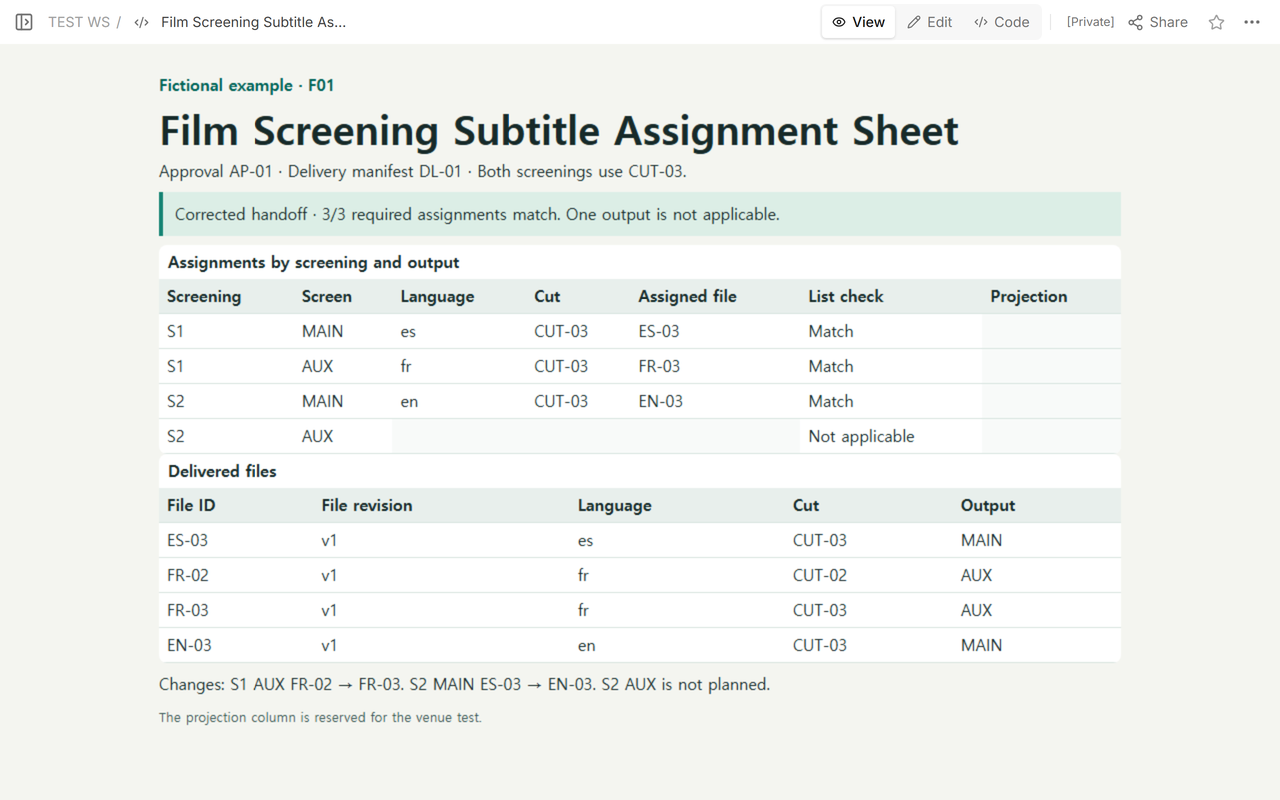
For fictional film F01, approval AP-01 uses CUT-03 in both rooms. Screening S1 in North Room calls for Spanish (es) on MAIN and French (fr) on AUX. Screening S2 in South Room calls for English (en) on MAIN. S2 AUX has no planned output.
How do you spot an older cut or a different language?
Look up the assigned file ID in the delivery manifest. Read its file revision, language, cut and intended output. Use those fields for the comparison. A suffix in the file ID can resemble a cut number, so copy the cut from its own field. In manifest DL-01, all four files are revision v1. FR-02 is French for CUT-02 on AUX. FR-03 is French for CUT-03 on AUX. ES-03 and EN-03 both point to CUT-03 on MAIN, in Spanish and English respectively.
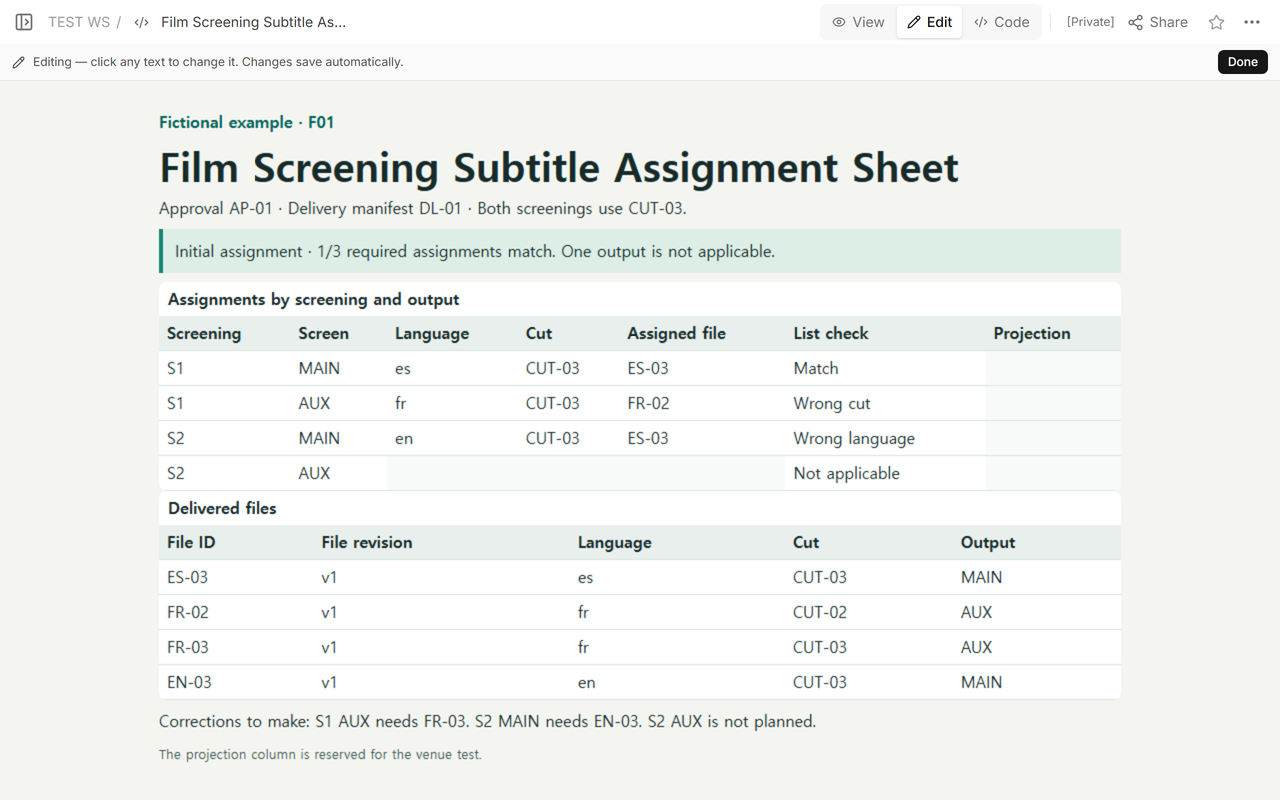
For S1 AUX, keep the language and change the cut by replacing FR-02 with FR-03. For S2 MAIN, keep the cut and change the language by replacing ES-03 with EN-03. S1 MAIN can keep ES-03.
What changes in the handoff?
- S1 MAIN · Spanish · CUT-03
- ES-03 → ES-03 · Match
- S1 AUX · French · CUT-03
- FR-02 → FR-03 · Wrong cut corrected
- S2 MAIN · English · CUT-03
- ES-03 → EN-03 · Wrong language corrected
- S2 AUX
- Not applicable · No file assigned
Count required rows as the denominator. The initial assignments match on 1/3 required rows. The corrected assignments match on 3/3. One row is not applicable. The actual projection fields are blank in the completed sheet.
Try swapping the two corrected S1 files. The file list still contains both files, but both S1 rows fail because each file goes to the wrong output and language. Remove the assigned file from the manifest and the affected required row stays in the denominator as Missing from delivery. When you find a blocker, record the initial file, correction and handoff owner so the booth can recheck the precise row.
The blank worksheet starts with one empty row. Use Add screen row for the other outputs. Enter the source revisions and both assignments, then use Download CSV to keep a copy before closing the worksheet.
What can you take from festival delivery rules?
For selected foreign-language films with Italian on-screen subtitles, the 82nd Venice International Film Festival (August 27 to September 6, 2025) specified English subtitles on a separate screen below the main screen. Its selected-film guidelines required the separate output’s timed text to match the main subtitles’ timing. The festival’s selection FAQ gave a different instruction for submitting a screener: include the subtitles in the video. Venice selected-film guidelines · Venice 2025 FAQ
For Just Film (November 8–24, 2024), the regulations described another delivery arrangement for transferring local subtitles onto the digital cinema package. The festival lab needed access to the original-language version, with subtitles supplied as separate version-file packages. Use the requirements issued for your own screening to fill the sheet. Just Film regulations
When not to do this
Use the sheet to check the file assignment. For booth sign-off, load the approved cut and play the cues in each intended room. Watch the main and auxiliary outputs, check timing and placement, and record the observation, date and any retest. If you still need to revise cue wording or timing, start with the subtitle reading speed worksheet. For labeling and distributing the cut itself, see how to share film production files. The offline audio guide mapping sheet covers a similar handoff for recordings at exhibit stops.
What can the projection operator see at the same link?
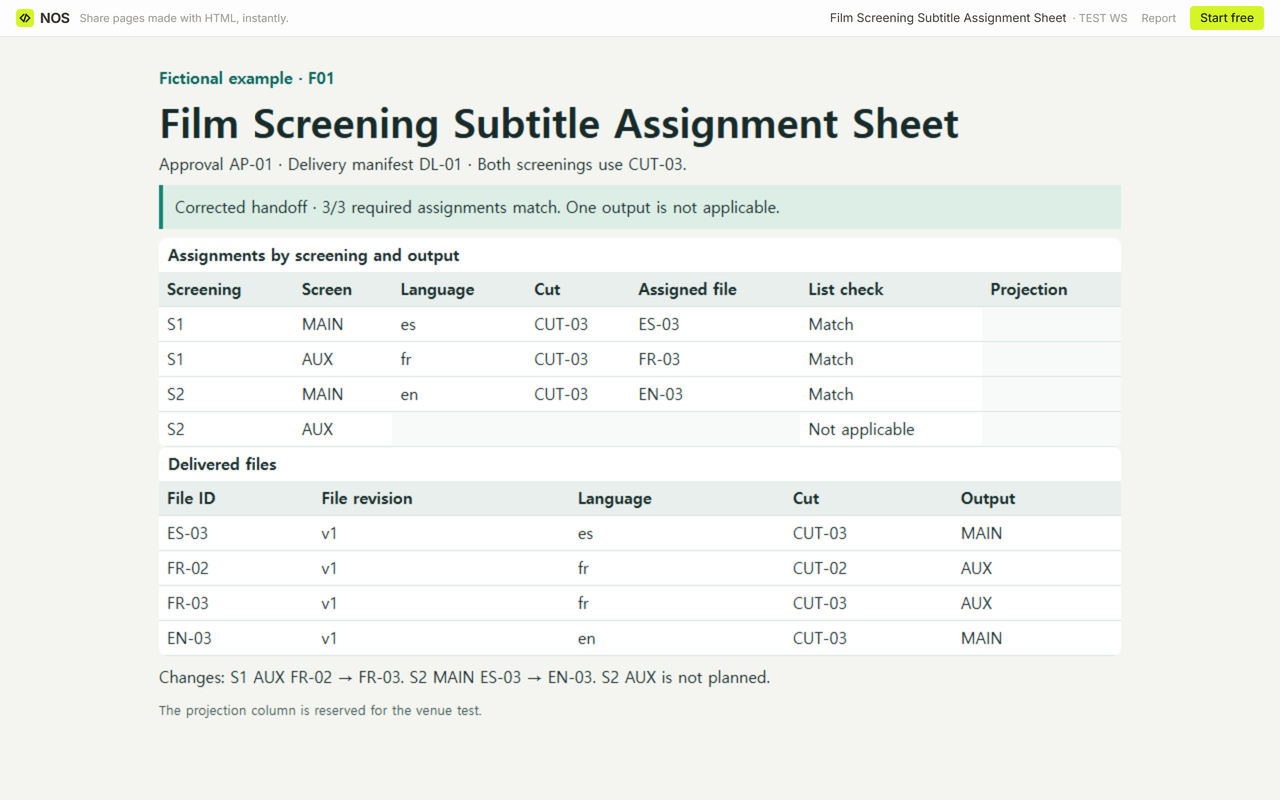
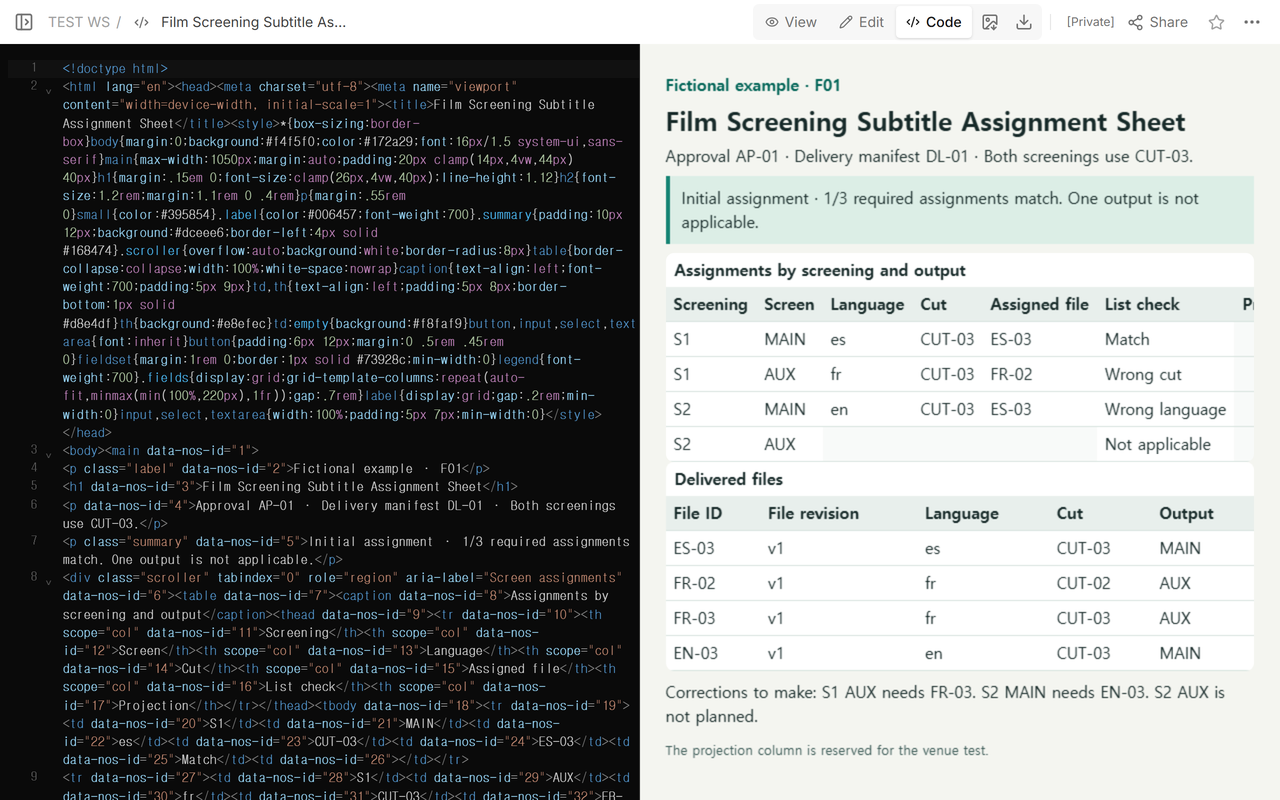
We opened the fictional sheet in Code, View and Edit and copied the reader link from Share. The signed-out reader first showed FR-02 in S1 AUX and ES-03 in S2 MAIN.
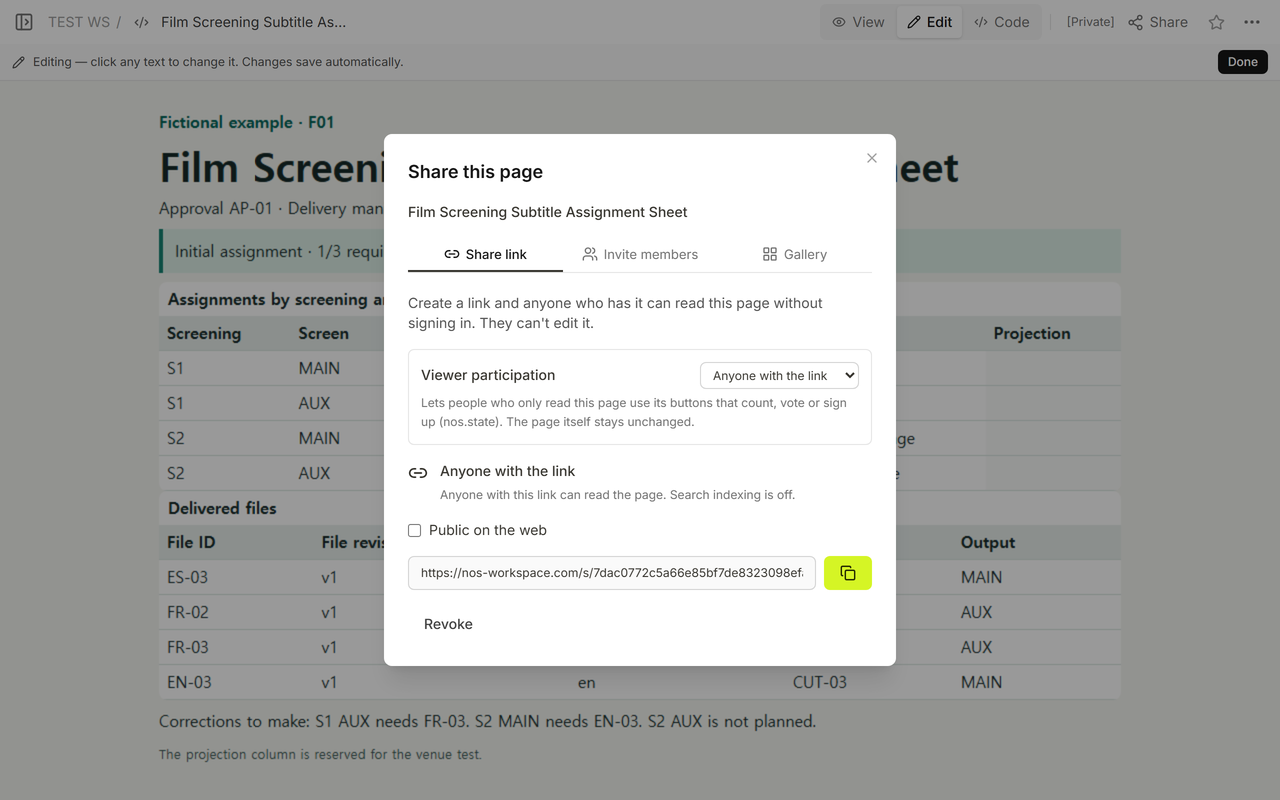
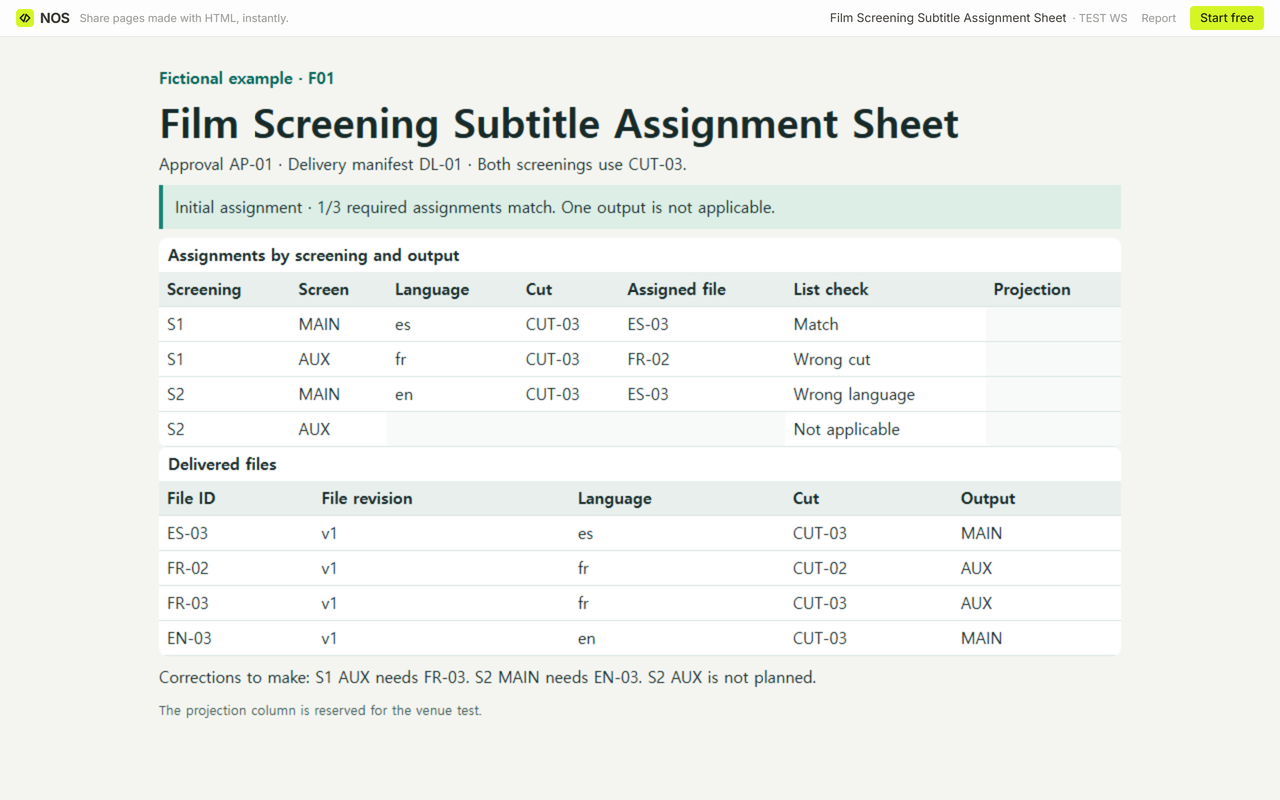
We corrected those two rows in Code and reopened the same reader link while signed out. It showed the new file IDs, all three required matches and an empty projection column. Send the operator the sheet with the exact cut and manifest revision to load in the booth.