A score helper should total two rounds, three rounds, or no rounds without needing a separate function for each length. A flexible parameter list lets the caller supply the scores it actually has.
A rest parameter collects separate arguments into an array. In the example, scores 8, 9, and 7 become that array and total 24. The same function can return zero when no scores are supplied.
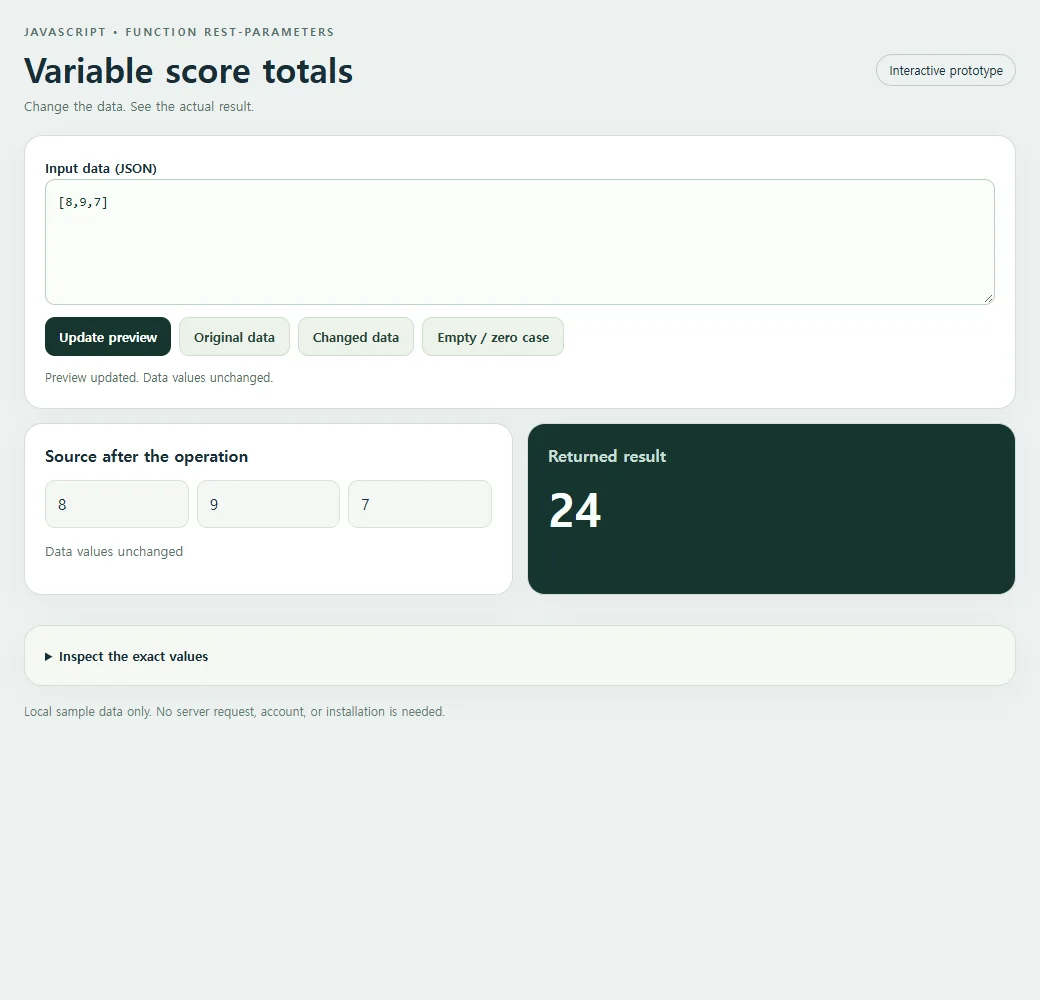
Try the working example
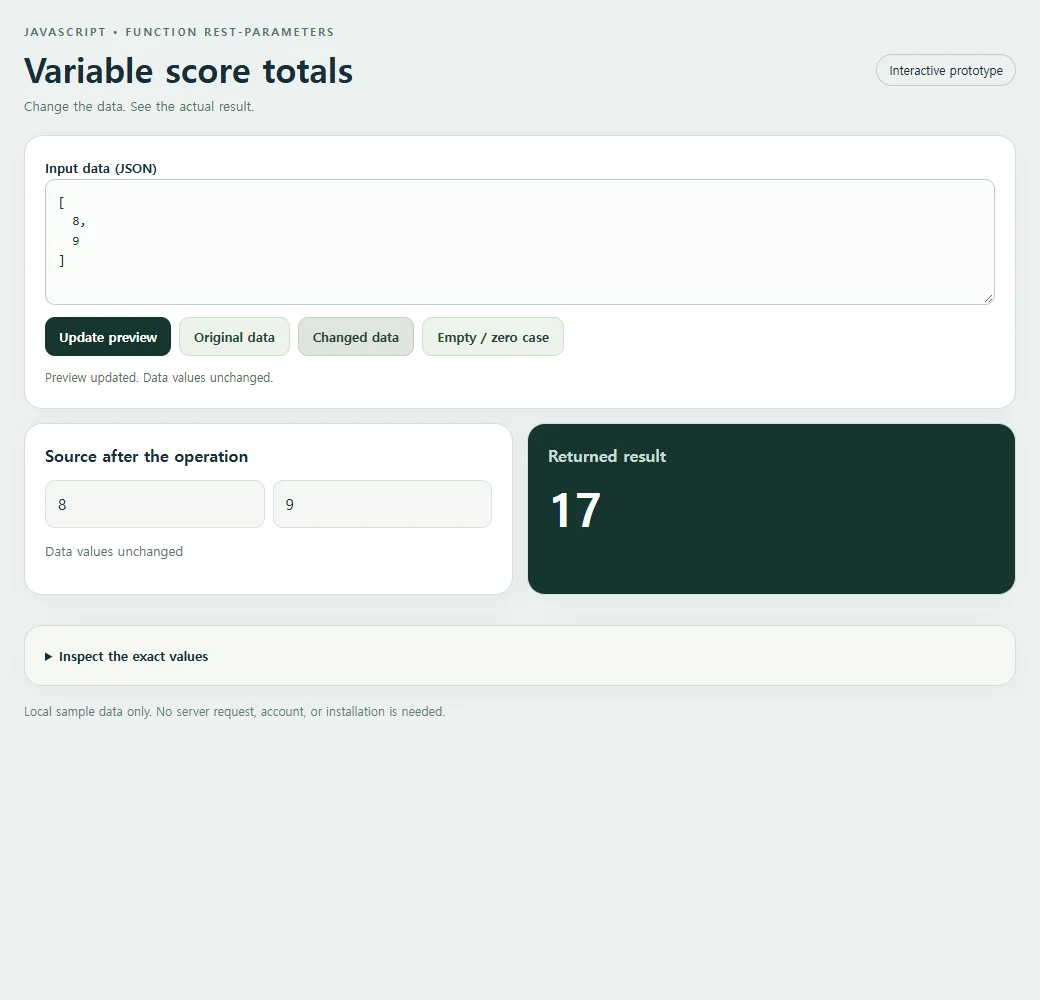
Use Changed data to compare another sample, or edit the JSON and choose Update preview. Original data restores the starting case.
<!doctype html><html lang="en"><head><meta charset="utf-8"><meta name="nos-demo-layout" content="responsive-lab"><meta name="viewport" content="width=device-width,initial-scale=1"><title>Variable score totals</title><style>*{box-sizing:border-box}body{margin:0;background:#edf1f0;color:#172d36;font:15px/1.5 system-ui,sans-serif}main{max-width:1040px;margin:auto;padding:24px}header{display:flex;justify-content:space-between;gap:12px;align-items:center;margin-bottom:20px}.eyebrow{font-size:11px;font-weight:800;letter-spacing:2px;color:#55716b;text-transform:uppercase}h1{font-size:clamp(23px,4vw,34px);line-height:1.15;margin:8px 0}h2{font-size:16px;margin:0 0 12px}.tag{border:1px solid #bfceca;border-radius:99px;padding:6px 12px;font-size:12px;white-space:nowrap}.panel{background:white;border:1px solid #d4dfdb;border-radius:18px;padding:20px;margin-bottom:14px;box-shadow:0 9px 30px #1d393407}.grid{display:grid;grid-template-columns:1fr 1fr;gap:14px}.result{background:#17352f;color:#f7fffb}.result h2{color:#c9ded5}.cards{display:grid;gap:10px;grid-template-columns:repeat(auto-fit,minmax(135px,1fr))}.card{background:#f2ffc2;color:#17352f;padding:15px;border-radius:12px;min-width:0;overflow-wrap:anywhere}.card small{display:block;color:#536f60;font-size:11px;font-weight:700;text-transform:uppercase;margin-bottom:4px}.field{display:block;margin:8px 0}.field small{margin:0 0 3px;text-transform:none}.value{font-size:15px;font-weight:650;white-space:pre-wrap}.hero{font-size:clamp(28px,5vw,46px);font-weight:750;line-height:1.2;overflow-wrap:anywhere}.muted{color:#587169;font-size:13px}.result .muted{color:#bed7cb}pre{margin:0;white-space:pre-wrap;overflow-wrap:anywhere;font:13px/1.6 ui-monospace,monospace;max-height:220px;overflow:auto}.toolbar{display:flex;flex-wrap:wrap;gap:8px;margin:12px 0}button{background:#17352f;color:white;border:0;border-radius:10px;padding:10px 14px;font:600 13px system-ui;cursor:pointer}button.secondary{background:#edf3ea;color:#244337;border:1px solid #d0ddd0}button:hover{filter:brightness(.94)}button:focus-visible,textarea:focus-visible,summary:focus-visible{outline:3px solid #749919;outline-offset:3px}textarea{display:block;width:100%;height:126px;border:1px solid #bccfc5;border-radius:10px;background:#fafcf9;padding:12px;font:13px/1.5 ui-monospace,monospace;resize:vertical;color:#15362c}label{font-weight:650;font-size:13px}details{margin-top:16px}summary{cursor:pointer;font-size:13px;font-weight:650}#status{min-height:20px;font-size:12px;color:#526f60;margin-top:8px}.error{color:#ffcfbf}.footer{font-size:12px;color:#627b72;margin-top:16px}.empty{font-size:18px;color:#c7dacd}.source-card{background:#f4f7f3;border:1px solid #dbe4d8;border-radius:10px;padding:12px;overflow-wrap:anywhere;white-space:pre-wrap}.source-list{display:flex;flex-wrap:wrap;gap:8px;max-height:170px;overflow:auto}.source-list .source-card{flex:1;min-width:100px}.code{background:#f5f8f2}mark{background:#f2ffc2;color:#183a2d;padding:2px 5px;border-radius:4px}@media(max-width:620px){main{padding:15px}.grid{grid-template-columns:1fr}.panel{padding:16px}header{align-items:flex-start}.tag{display:none}h1{font-size:25px}.cards{grid-template-columns:repeat(auto-fit,minmax(125px,1fr))}.source-list{max-height:120px}pre{max-height:150px}}</style></head><body><main>
<header><div><div class="eyebrow">JavaScript • Function rest-parameters</div><h1>Variable score totals</h1><div class="muted">Change the data. See the actual result.</div></div><span class="tag">Interactive prototype</span></header>
<section class="panel"><label for="input">Input data (JSON)</label><textarea id="input" maxlength="10000" spellcheck="false"></textarea><div class="toolbar"><button id="run" type="button">Update preview</button><button class="secondary" id="original" type="button">Original data</button><button class="secondary" id="changed" type="button">Changed data</button><button class="secondary" id="edge" type="button">Empty / zero case</button></div><div id="status" role="status" aria-live="polite"></div></section>
<div class="grid"><section class="panel"><h2>Source after the operation</h2><div id="source" class="source-list"></div><p id="source-status" class="muted"></p></section><section class="panel result"><h2>Returned result</h2><div id="result" aria-live="polite"></div></section></div><details class="panel code"><summary>Inspect the exact values</summary><pre id="inspect"></pre></details>
<p class="footer">Local sample data only. No server request, account, or installation is needed.</p></main><script>
'use strict';
const initial = "[8,9,7]";
const alternate = "[\n  8,\n  9\n]";
const empty = "[]";
const input = document.getElementById('input');
const output = document.getElementById('result');
const source = document.getElementById('source');
const status = document.getElementById('status');
function transform(data) { return (()=>{function total(...scores){return scores.reduce((sum, score) => sum + score, 0);}return total(...data);})(); }
function readable(value) {
 if (value === undefined) return 'undefined';
 if (typeof value === 'number' && Object.is(value, -0)) return '-0';
 return JSON.stringify(value, (_, v) => typeof v === 'number' && !Number.isFinite(v) ? String(v) : v, 2);
}
function renderCards(value, host) {
 host.replaceChildren();
 if (Array.isArray(value)) {
  if (!value.length) {const p=document.createElement('p');p.className='empty';p.textContent='No items returned';host.append(p);return;}
  const grid=document.createElement('div');grid.className='cards';
  value.slice(0,40).forEach((item,index)=>{const card=document.createElement('div');card.className='card';const label=document.createElement('small');label.textContent='Item '+(index+1);card.append(label);appendValue(item,card);grid.append(card);});host.append(grid);
  if(value.length>40){const p=document.createElement('p');p.textContent='Showing 40 of '+value.length+' items.';host.append(p);}
 } else if(value && typeof value==='object'){const card=document.createElement('div');card.className='card';appendValue(value,card);host.append(card);}
 else {const p=document.createElement('div');p.className='hero';p.textContent=typeof value==='boolean'?(value?'Yes · true':'No · false'):value===undefined?'No value · undefined':value===''?'Empty string':String(value);host.append(p);}
}
function appendValue(value,host){
 if(value && typeof value==='object' && !Array.isArray(value))Object.entries(value).slice(0,40).forEach(([key,item])=>{const row=document.createElement('div');row.className='field';const label=document.createElement('small');label.textContent=key;const text=document.createElement('span');text.className='value';text.textContent=typeof item==='string'?item:readable(item);row.append(label,text);host.append(row);});
 else {const text=document.createElement('div');text.className='value';text.textContent=typeof value==='string'?value:readable(value);host.append(text);}
}
function update(){
 try{
  if(input.value.length>10000)throw new Error('Keep this sample below 10,000 characters.');
  const data=JSON.parse(input.value);const before=readable(data);const result=transform(data);const after=readable(data);
  renderCards(result,output);source.replaceChildren();(Array.isArray(data)?data.slice(0,40):[data]).forEach(item=>{const card=document.createElement('div');card.className='source-card';card.textContent=typeof item==='string'?item:readable(item);source.append(card);});document.getElementById('source-status').textContent=before===after?'Data values unchanged':'Data values changed in place';document.getElementById('inspect').textContent='Input before:\n'+before+'\n\nReturned result:\n'+readable(result)+'\n\nSource after:\n'+after;
  output.classList.remove('error');status.textContent='Preview updated. '+(before===after?'Data values unchanged.':'Source data changed in place.');
 }catch(error){output.replaceChildren();output.classList.add('error');output.textContent=error.name+': '+error.message;source.replaceChildren();document.getElementById('source-status').textContent='';document.getElementById('inspect').textContent='';status.textContent='Check the JSON and the input shape. Restore Original data to start again.';}
}
document.getElementById('run').addEventListener('click',update);
[['original',initial],['changed',alternate],['edge',empty]].forEach(([id,value])=>document.getElementById(id).addEventListener('click',()=>{input.value=value;update();}));

input.value=initial;update();
</script></body></html>
Collect arguments with rest and supply them with spread
The ...scores syntax in the function declaration is rest: it gathers the supplied arguments into a real array named scores. The reduce call sums that array, starting from 0.
The ...data syntax in total(...data) is spread. It does the opposite job at the call site, supplying the input array entries as separate arguments. These two uses of three dots work together, but they are not the same operation.
Starting the reduction at zero gives the no-arguments case a clear result. The function can accept any number of numeric scores without changing its declaration, and the original data array is not modified.
const data = [
  8,
  9,
  7
];
const result = (()=>{function total(...scores){return scores.reduce((sum, score) => sum + score, 0);}return total(...data);})();
console.log(result);
The original sample returns:
24
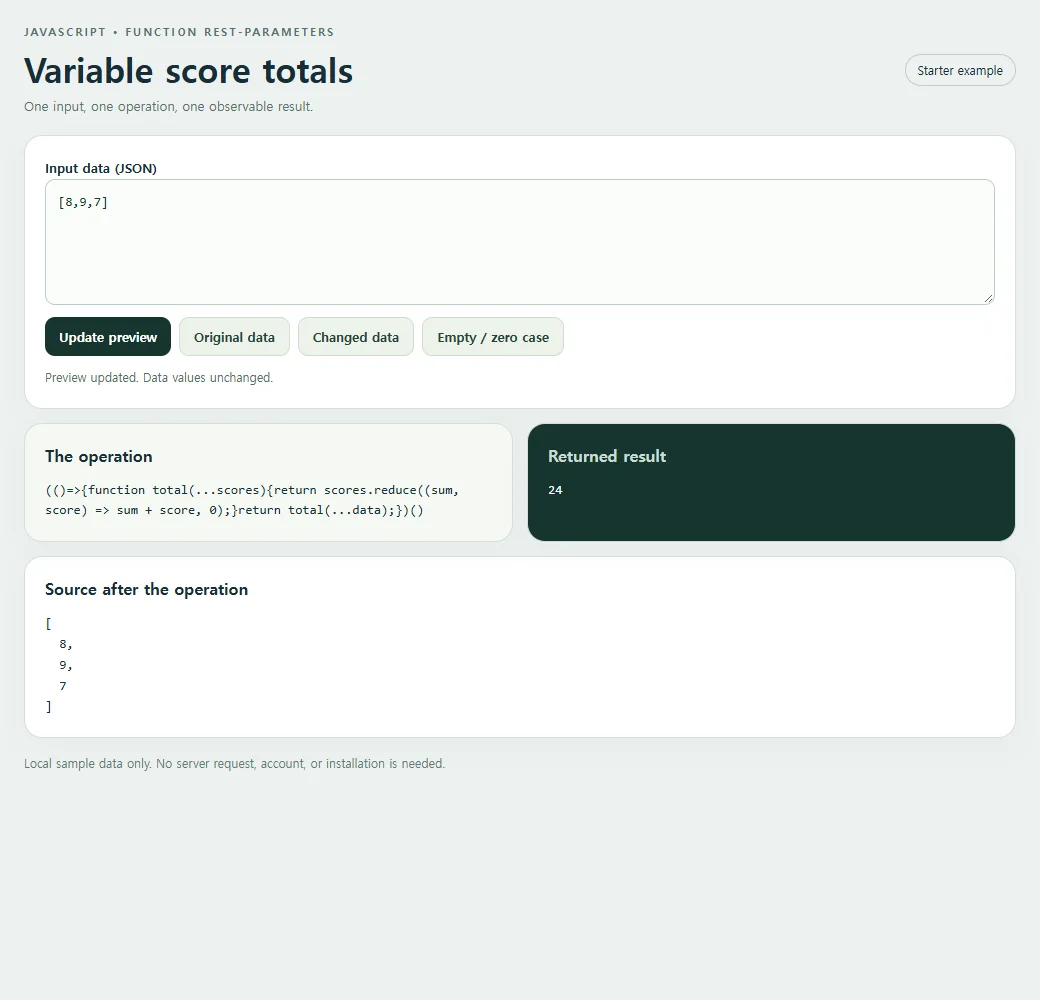
Keep the example on your own page
The smaller version below includes the HTML, styles, and script. Choose Copy code, save the result as an index.html file, and open it in a browser.
<!doctype html><html lang="en"><head><meta charset="utf-8"><meta name="nos-demo-layout" content="responsive-lab"><meta name="viewport" content="width=device-width,initial-scale=1"><title>Variable score totals</title><style>*{box-sizing:border-box}body{margin:0;background:#edf1f0;color:#172d36;font:15px/1.5 system-ui,sans-serif}main{max-width:1040px;margin:auto;padding:24px}header{display:flex;justify-content:space-between;gap:12px;align-items:center;margin-bottom:20px}.eyebrow{font-size:11px;font-weight:800;letter-spacing:2px;color:#55716b;text-transform:uppercase}h1{font-size:clamp(23px,4vw,34px);line-height:1.15;margin:8px 0}h2{font-size:16px;margin:0 0 12px}.tag{border:1px solid #bfceca;border-radius:99px;padding:6px 12px;font-size:12px;white-space:nowrap}.panel{background:white;border:1px solid #d4dfdb;border-radius:18px;padding:20px;margin-bottom:14px;box-shadow:0 9px 30px #1d393407}.grid{display:grid;grid-template-columns:1fr 1fr;gap:14px}.result{background:#17352f;color:#f7fffb}.result h2{color:#c9ded5}.cards{display:grid;gap:10px;grid-template-columns:repeat(auto-fit,minmax(135px,1fr))}.card{background:#f2ffc2;color:#17352f;padding:15px;border-radius:12px;min-width:0;overflow-wrap:anywhere}.card small{display:block;color:#536f60;font-size:11px;font-weight:700;text-transform:uppercase;margin-bottom:4px}.field{display:block;margin:8px 0}.field small{margin:0 0 3px;text-transform:none}.value{font-size:15px;font-weight:650;white-space:pre-wrap}.hero{font-size:clamp(28px,5vw,46px);font-weight:750;line-height:1.2;overflow-wrap:anywhere}.muted{color:#587169;font-size:13px}.result .muted{color:#bed7cb}pre{margin:0;white-space:pre-wrap;overflow-wrap:anywhere;font:13px/1.6 ui-monospace,monospace;max-height:220px;overflow:auto}.toolbar{display:flex;flex-wrap:wrap;gap:8px;margin:12px 0}button{background:#17352f;color:white;border:0;border-radius:10px;padding:10px 14px;font:600 13px system-ui;cursor:pointer}button.secondary{background:#edf3ea;color:#244337;border:1px solid #d0ddd0}button:hover{filter:brightness(.94)}button:focus-visible,textarea:focus-visible,summary:focus-visible{outline:3px solid #749919;outline-offset:3px}textarea{display:block;width:100%;height:126px;border:1px solid #bccfc5;border-radius:10px;background:#fafcf9;padding:12px;font:13px/1.5 ui-monospace,monospace;resize:vertical;color:#15362c}label{font-weight:650;font-size:13px}details{margin-top:16px}summary{cursor:pointer;font-size:13px;font-weight:650}#status{min-height:20px;font-size:12px;color:#526f60;margin-top:8px}.error{color:#ffcfbf}.footer{font-size:12px;color:#627b72;margin-top:16px}.empty{font-size:18px;color:#c7dacd}.source-card{background:#f4f7f3;border:1px solid #dbe4d8;border-radius:10px;padding:12px;overflow-wrap:anywhere;white-space:pre-wrap}.source-list{display:flex;flex-wrap:wrap;gap:8px;max-height:170px;overflow:auto}.source-list .source-card{flex:1;min-width:100px}.code{background:#f5f8f2}mark{background:#f2ffc2;color:#183a2d;padding:2px 5px;border-radius:4px}@media(max-width:620px){main{padding:15px}.grid{grid-template-columns:1fr}.panel{padding:16px}header{align-items:flex-start}.tag{display:none}h1{font-size:25px}.cards{grid-template-columns:repeat(auto-fit,minmax(125px,1fr))}.source-list{max-height:120px}pre{max-height:150px}}</style></head><body><main>
<header><div><div class="eyebrow">JavaScript • Function rest-parameters</div><h1>Variable score totals</h1><div class="muted">One input, one operation, one observable result.</div></div><span class="tag">Starter example</span></header>
<section class="panel"><label for="input">Input data (JSON)</label><textarea id="input" maxlength="10000" spellcheck="false"></textarea><div class="toolbar"><button id="run" type="button">Update preview</button><button class="secondary" id="original" type="button">Original data</button><button class="secondary" id="changed" type="button">Changed data</button><button class="secondary" id="edge" type="button">Empty / zero case</button></div><div id="status" role="status" aria-live="polite"></div></section>
<div class="grid"><section class="panel code"><h2>The operation</h2><pre id="expression"></pre></section><section class="panel result"><h2>Returned result</h2><pre id="result" aria-live="polite"></pre></section></div><section class="panel"><h2>Source after the operation</h2><pre id="source"></pre></section>
<p class="footer">Local sample data only. No server request, account, or installation is needed.</p></main><script>
'use strict';
const initial = "[8,9,7]";
const alternate = "[\n  8,\n  9\n]";
const empty = "[]";
const input = document.getElementById('input');
const output = document.getElementById('result');
const source = document.getElementById('source');
const status = document.getElementById('status');
function transform(data) { return (()=>{function total(...scores){return scores.reduce((sum, score) => sum + score, 0);}return total(...data);})(); }
function readable(value) {
 if (value === undefined) return 'undefined';
 if (typeof value === 'number' && Object.is(value, -0)) return '-0';
 return JSON.stringify(value, (_, v) => typeof v === 'number' && !Number.isFinite(v) ? String(v) : v, 2);
}
function renderCards(value, host) {
 host.replaceChildren();
 if (Array.isArray(value)) {
  if (!value.length) {const p=document.createElement('p');p.className='empty';p.textContent='No items returned';host.append(p);return;}
  const grid=document.createElement('div');grid.className='cards';
  value.slice(0,40).forEach((item,index)=>{const card=document.createElement('div');card.className='card';const label=document.createElement('small');label.textContent='Item '+(index+1);card.append(label);appendValue(item,card);grid.append(card);});host.append(grid);
  if(value.length>40){const p=document.createElement('p');p.textContent='Showing 40 of '+value.length+' items.';host.append(p);}
 } else if(value && typeof value==='object'){const card=document.createElement('div');card.className='card';appendValue(value,card);host.append(card);}
 else {const p=document.createElement('div');p.className='hero';p.textContent=typeof value==='boolean'?(value?'Yes · true':'No · false'):value===undefined?'No value · undefined':value===''?'Empty string':String(value);host.append(p);}
}
function appendValue(value,host){
 if(value && typeof value==='object' && !Array.isArray(value))Object.entries(value).slice(0,40).forEach(([key,item])=>{const row=document.createElement('div');row.className='field';const label=document.createElement('small');label.textContent=key;const text=document.createElement('span');text.className='value';text.textContent=typeof item==='string'?item:readable(item);row.append(label,text);host.append(row);});
 else {const text=document.createElement('div');text.className='value';text.textContent=typeof value==='string'?value:readable(value);host.append(text);}
}
function update(){
 try{
  if(input.value.length>10000)throw new Error('Keep this sample below 10,000 characters.');
  const data=JSON.parse(input.value);const before=readable(data);const result=transform(data);const after=readable(data);
  output.textContent=readable(result);source.textContent=after;
  output.classList.remove('error');status.textContent='Preview updated. '+(before===after?'Data values unchanged.':'Source data changed in place.');
 }catch(error){output.replaceChildren();output.classList.add('error');output.textContent=error.name+': '+error.message;source.replaceChildren();status.textContent='Check the JSON and the input shape. Restore Original data to start again.';}
}
document.getElementById('run').addEventListener('click',update);
[['original',initial],['changed',alternate],['edge',empty]].forEach(([id,value])=>document.getElementById(id).addEventListener('click',()=>{input.value=value;update();}));
document.getElementById('expression').textContent="(()=>{function total(...scores){return scores.reduce((sum, score) => sum + score, 0);}return total(...data);})()";
input.value=initial;update();
</script></body></html>
The call syntax and value types still matter
A rest parameter must be last, and a function can have only one. It cannot have a trailing comma or a default value. These are syntax rules, not preferences about how to style the function.
Calling total(data) would supply one argument: the array itself. It would not be the same as total(...data), which supplies its entries. Check the call site when a supposedly numeric sum produces an unexpected value.
Rest accepts the arguments it receives; it does not validate them. Strings can change addition into concatenation, and an invalid score can spoil the sum. Validate the array entries if the helper accepts untrusted or form-derived values.
Try several scores and no scores
Try [8, 9, 7, 10] and then an empty array. The results should be 34 and 0. In a copied starter, compare total(...data) with total(data) to see why the call syntax matters.
For an extension, let the helper accept a label followed by ...scores. The label is a normal first parameter, while rest gathers only the remaining arguments. This is a practical way to attach a round name without building multiple nearly identical functions.
The MDN reference for Rest parameters documents the method's full behavior and browser compatibility.
For help editing the sample input, the JSON guide explains valid JSON and how parsing turns it into JavaScript values.
Share a working explanation
A score helper is worth reviewing with both several rounds and no rounds. Share the complete HTML through HTML to link on NOS so someone can change the list. The page demonstrates argument collection and totaling locally; it does not maintain a shared scoreboard or synchronize score edits.