When HTML JavaScript is not working, open the browser console before you change a line of code. In most files the script did run, threw on its first statement, and stopped.
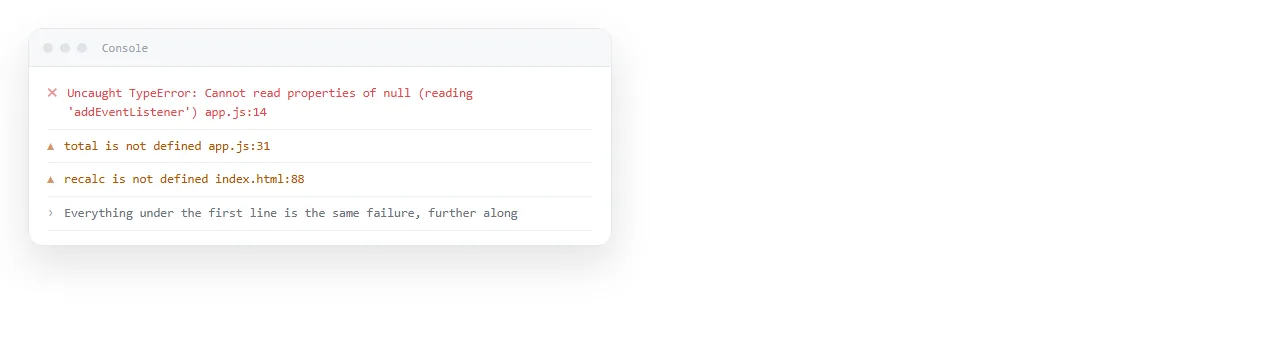
Press F12, or right click and choose Inspect, then open the Console tab. Reload the page with the console open so you catch errors thrown during load.
Read the first red line only. One thrown error halts the rest of that script, so later messages usually describe symptoms of the first one.
The causes, in the order they actually occur
| Symptom in the console | Cause | Fix |
|---|---|---|
Cannot read properties of null |
Script ran before the element existed | Move the script to the end of <body>, or add defer |
X is not defined |
Files loaded in the wrong order, or a typo | Load the dependency first, check the spelling |
Cross origin requests are only supported for... |
Page opened from file:// |
Serve the page from an address |
Refused to execute inline script |
A Content Security Policy is in force | Move the code to a file the policy allows |
404 on a .js file |
The file is not where the path says | Fix the path, or inline the script |
| Nothing at all in the console | The script never loaded | Add a console.log on line one |
The last row is the one people skip. An empty console does not mean the code is fine, it often means the browser never fetched the file.
Script order: the most common cause by a wide margin
A browser reads the document top to bottom. A script in the <head> runs while the body is still empty.
So document.getElementById('chart') returns null, and the next line that touches it throws. The code is correct and the timing is not.
Two fixes, both one word:
- Move the script tag to just before
</body>. By then every element exists. - Add
deferto the tag.<script src="app.js" defer></script>keeps the tag in the head but delays execution until the document is parsed.
defer only applies to scripts with a src. For inline code in the head, wrap it in a DOMContentLoaded listener or move the tag.
<script>
  document.addEventListener('DOMContentLoaded', function () {
    document.getElementById('chart').textContent = 'ready';
  });
</script>
The script tag that silently ignores your code
This one produces no error at all:
<script src="chart.js">
  startChart();
</script>
When a <script> carries a src, the content between the tags is discarded by specification. startChart() never runs and nothing is logged.
Split it into two tags. One with the src, one with the inline call.
When the address bar starts with file://
Double clicking an HTML file opens it over the file protocol. Browsers treat each local file as its own origin with almost no privileges.
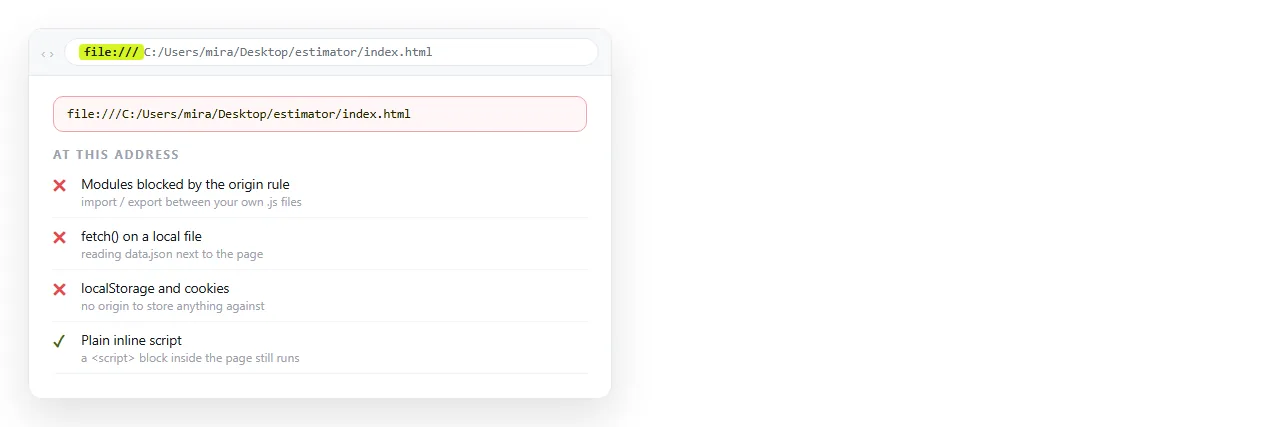
What stops working at file://:
fetch()andXMLHttpRequestagainst local files, blocked by CORS rules.- ES modules, meaning
<script type="module">and everyimportinside it. canvas.getImageData()after drawing a local image, because the canvas is marked tainted.- Service workers and some storage APIs.
None of this is fixed by editing the code. The page needs an address. Dropping the file into the HTML file opener tells you quickly whether the protocol was the problem, because the same file behaves differently there.
Separate .js files that did not travel
If the page works on your machine and does nothing for the person you sent it to, the script was probably a neighbouring file.
<script src="app.js"></script> is a relative path. It resolves against wherever the HTML happens to sit.
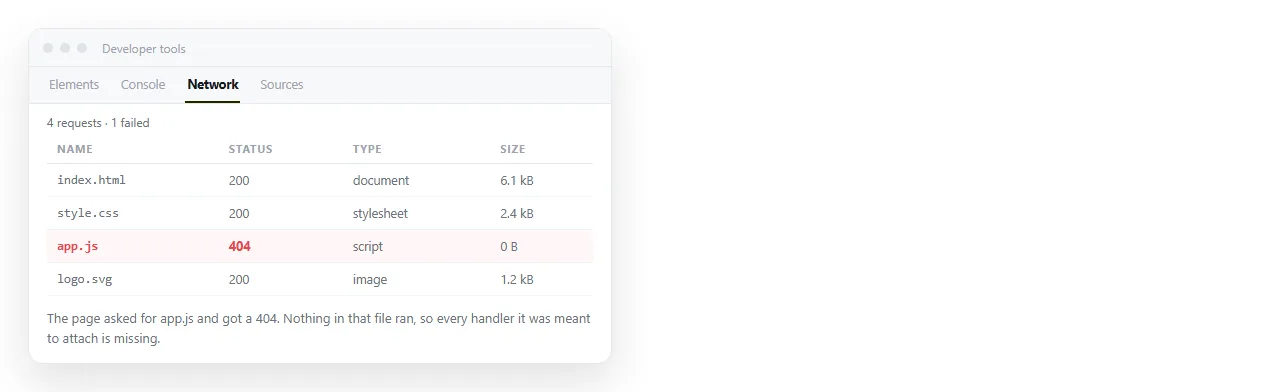
Send only the HTML and the browser asks for an app.js that is not there. You see a 404 in the network tab and an otherwise dead page.
Fold the code into the HTML itself. A self-contained file has one moving part instead of three, and behaves the same wherever it lands.
Blocked rather than broken
Sometimes the code is fine, present, and refused. The console says Refused to execute inline script because it violates the following Content Security Policy directive.
That is a Content Security Policy header set by whatever is serving the page. It is a deliberate restriction, not a bug in your file.
The same refusal appears inside a locked down iframe. A frame carrying sandbox without allow-scripts will render your markup and run none of your code. The sandbox attribute lists what each token permits.
A test that separates the two questions
Two things can be wrong: the code, or the environment it is running in. Test them apart.
Make a file with nothing in it but this:
<!doctype html>
<html>
  <body>
    <p id="out">not yet</p>
    <script>
      document.getElementById('out').textContent = 'JavaScript runs here';
    </script>
  </body>
</html>
If that text changes, JavaScript is enabled and executing, and your problem is in your own code or its ordering. If it does not, the environment is blocking scripts and no amount of rewriting will help.
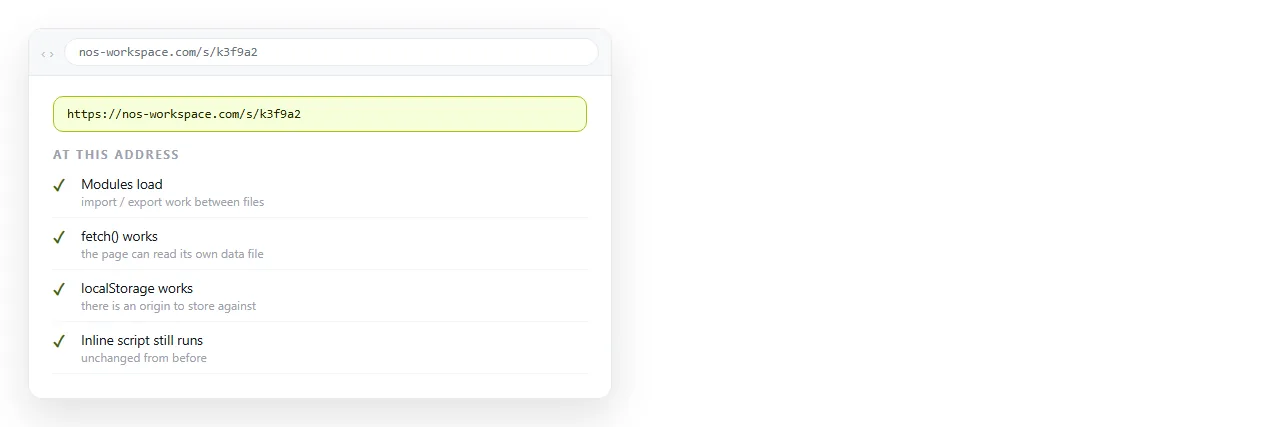
Paste your real page into an online HTML editor for the same comparison with the full file. It runs the page at a normal https address, so protocol restrictions drop away and only genuine code errors remain.
After it works, keep it working
Once the script runs, the thing that breaks it next is distribution. Attachments arrive without their sibling files, and mail gateways are hostile to .html.
Paste the finished page into a NOS document and it renders as written, scripts included, at an address of its own. Turning HTML into a link is that step, and the link survives your later edits.