In short
Put the next visit at the top, then show the wider seasonal plan below it.
List what the customer must move, unlock, or confirm before the arrival window.
Explain where a weather change will appear and who the customer should contact.
Use a booking system instead if the customer must choose or confirm an appointment.
A lawn care service schedule should answer the question a customer has right now: “What happens next at my property?” A yearly list alone is too broad. A single appointment card alone hides the rest of the plan.
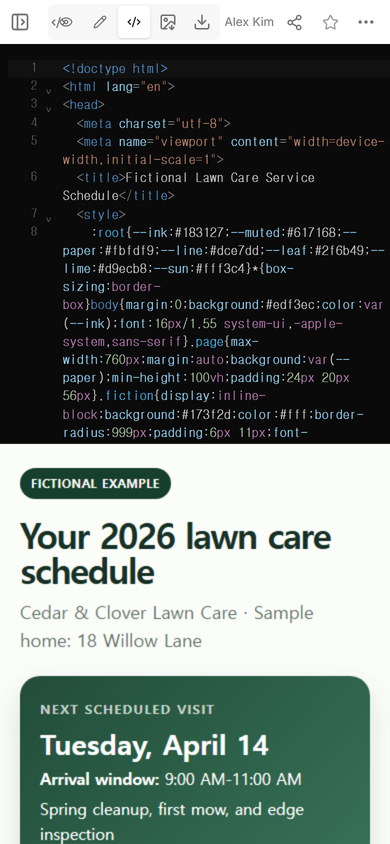
NOS Team made a fictional customer page for Cedar & Clover Lawn Care. The example combines a next-visit card, three seasonal views, four upcoming visits, a preparation list, a weather note, and fictional contact details. The company, address, dates, and service details are invented.
Download the complete fictional lawn care schedule example.
What should a lawn care service schedule include?
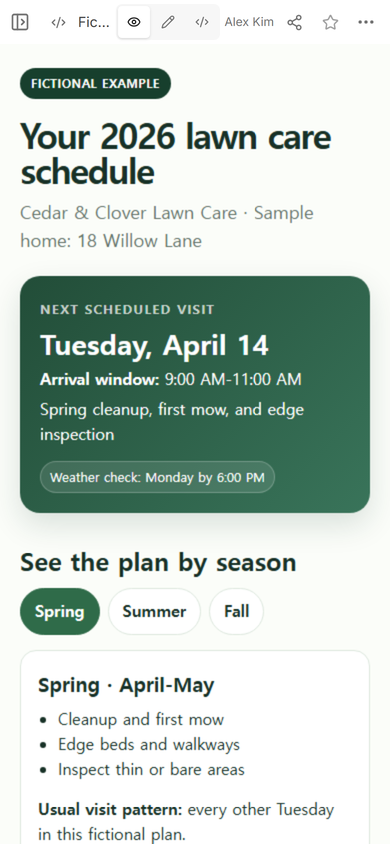
Start with the information that changes most often. The first card in the example names Tuesday, April 14, gives a 9:00 AM-11:00 AM arrival window, and states the planned work. The customer does not have to scan the whole seasonal plan to find the next visit.
Then check the customer view. The heading, fictional label, next date, arrival window, and weather-review line are visible before the longer plan. This order gives a returning customer the answer first while keeping the yearly context on the same page.
The schedule needs four kinds of information:
- Next visit: date, arrival window, and planned tasks.
- Seasonal plan: what changes across spring, summer, and fall.
- Customer preparation: property access, pets, hoses, toys, or furniture that must be moved.
- Change route: where a revised date appears and which contact handles questions.
If the service plan depends on local conditions, use the provider’s reviewed plan rather than copying the fictional tasks. This page structure organizes approved details; it does not decide what a lawn needs.
How do you share the schedule with a customer?
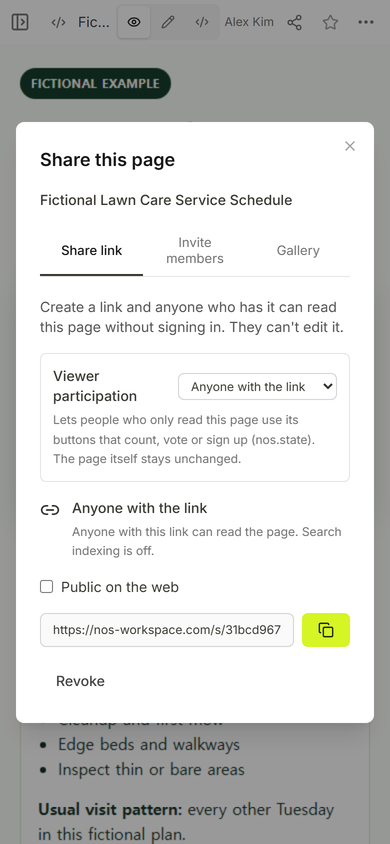
Create a reader link only after the page is ready to show. In the Share panel used for this example, anyone with the link can read the page without signing in and cannot edit it. Search indexing is off for that link.
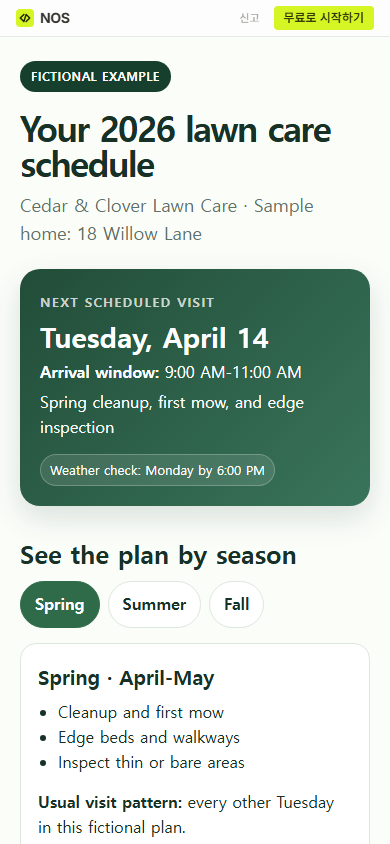
Open the reader address yourself before sending it. The public version keeps the fictional label and next-visit card at the top. It also leaves the season buttons within reach on a phone.
Send the link with one sentence that says what it is, such as: “Here is your current service schedule and the checklist for our next visit.” Do not put private customer records, gate codes, payment details, or sensitive property notes on a page that anyone with the link can read.
How do you show a seasonal lawn care schedule?
Keep the current visit separate from the seasonal pattern. In the example, the next-visit card stays fixed while the customer switches between Spring, Summer, and Fall. Each seasonal view names a date range, a short task list, and the expected visit pattern.
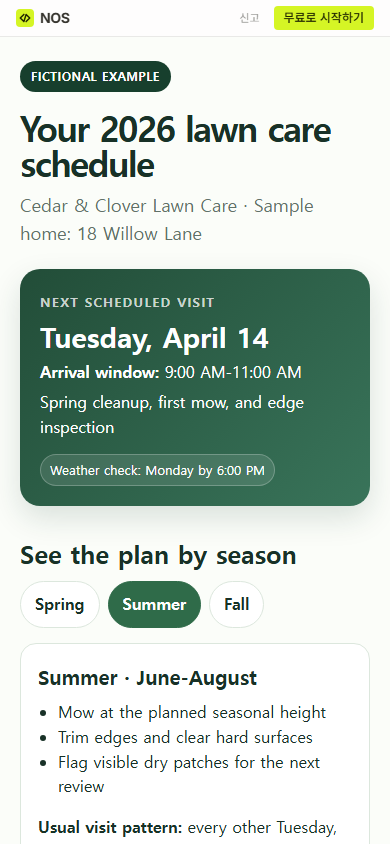
This separation prevents a common reading mistake: treating a general seasonal task as work promised for the next visit. Put exact commitments in the dated visit card. Keep broader expectations in the seasonal section, and mark anything that still needs confirmation.
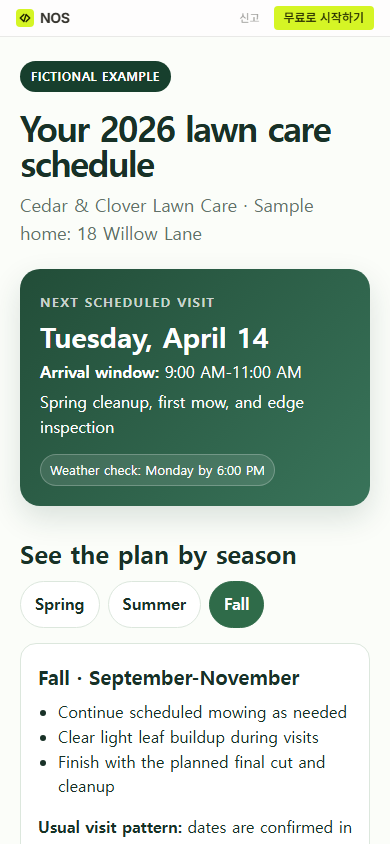
The finished page: a customer can find the next arrival window, compare three seasonal plans, read four upcoming visits, check the property-preparation list, and find the fictional change contact from one reader address.
How often should a lawn care schedule be updated?
Update the page when an approved visit date, arrival window, task, access instruction, or contact route changes. Add a visible revision line if customers need to know when the information was checked. A revision should replace the old detail rather than leaving two conflicting dates on the page.
The example says the weather review happens Monday by 6:00 PM and tells the reader to return to the page after that review. That is a rule inside the fictional plan, not a universal service standard. Choose a review point that matches the provider’s real process, then write it plainly.
Important: changing the page does not alert the customer. Send a separate message when a visit moves and the customer needs to act.
What should customers do before a lawn service visit?
Write preparation items as visible actions. “Prepare the yard” is vague. “Move toys, hoses, and small furniture off the lawn” gives the customer a clear check. The example also asks the customer to unlock the side gate, keep pets indoors during the arrival window, and report access changes before the stated cutoff.
Use only steps that apply to the actual property and service. If a gate stays open or the crew never enters a fenced area, remove that instruction. For a reusable preparation list with clearer completion conditions, see the checklist template.
When not to do this
Do not use a static schedule page as an appointment system. It does not let customers choose a date, reserve a crew, submit a change request, receive an alert, or prove that a visit happened. Use the business’s approved scheduling and communication tools for those jobs.
Do not publish sensitive access details or customer records through an open reader link. A private portal or another access-controlled system is a better fit when the page must contain restricted information.
Build the page in NOS
NOS can hold the complete HTML schedule, show it in View, and create the reader link used in this example. Start in the online HTML editor, check the mobile layout, then open the reader link before sharing it. If the page is part of a new-customer handoff, the client onboarding template shows how to place one current link in the day-one message. For schedules that mix public times with staff-only cues, use the separation in the event schedule template.
Final check before you send the link
- The next date and arrival window match the maintained schedule.
- The task list distinguishes the next visit from the wider seasonal plan.
- Every preparation item tells the customer what to do.
- The weather-change rule names where and when to check.
- The contact route is current and suitable for schedule changes.
- The reader link opens on a phone without exposing editing controls.