In short
Give each planned use its own row. Record the source, placement, document ID, document date, and the scope stated in the record. If you have no record for a placement, leave the ID and date blank and mark that row On hold.
Download the blank photo rights log (CSV)
Download the filled fictional log (CSV)
Download the completed fictional example (HTML)
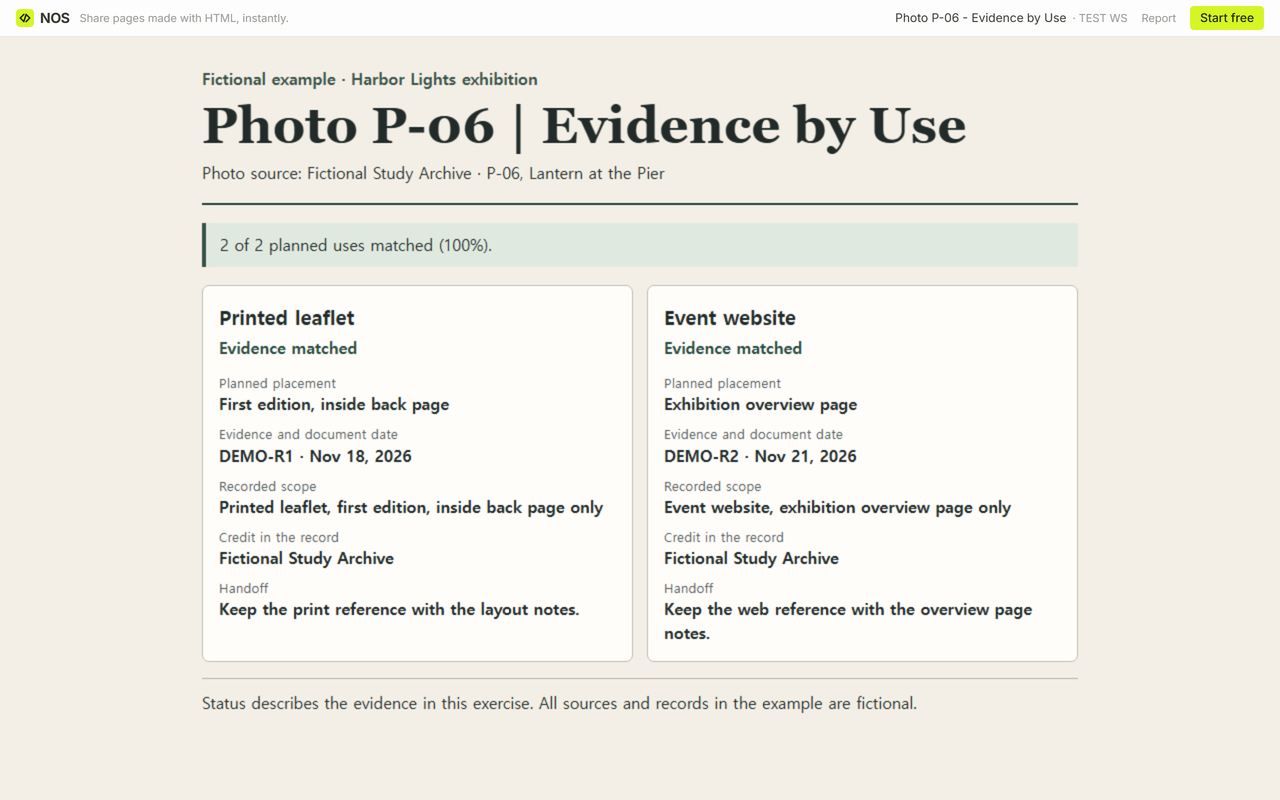
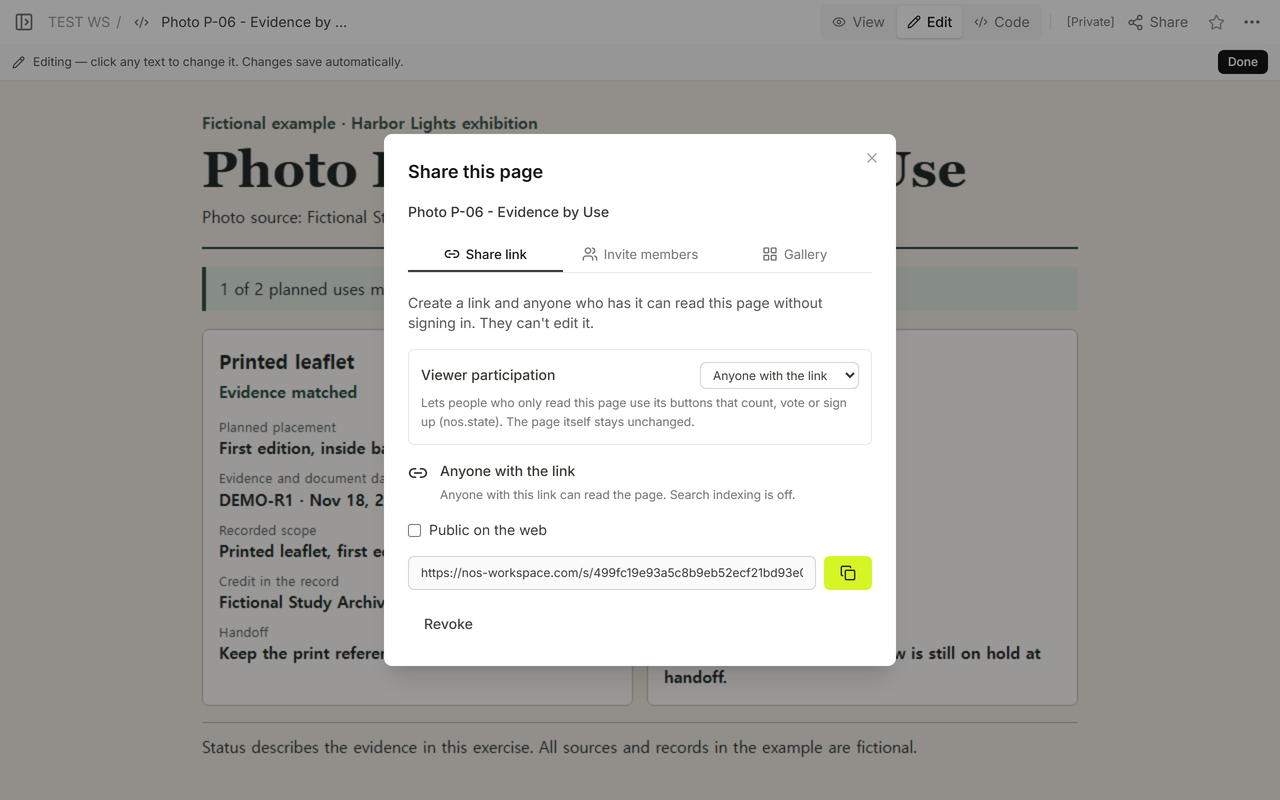
One photograph can have two very different destinations. In our fictional Harbor Lights exhibition, photo P-06, Lantern at the Pier, was slated for the inside back page of a printed leaflet and the exhibition overview on the event website. The first document named only the leaflet. The log gave the web editor a separate place to see the gap and plan for a substitute.
What should a photo rights clearance log include?
Open the blank CSV in a spreadsheet and enter the planned placements first. Use the same photo ID and source on both rows if both placements use the same image. Give the two rows distinct channel and placement values. “Website” identifies the channel. “Exhibition overview page” tells the next editor which slot to check.
Read across each row from left to right. The document ID points to the record. The date helps the next editor check that they have the same document. Keep the planned placement separate from the recorded scope so the two can be compared. Copy any credit from the record into its own field. If the scope is unclear, record the document and keep the row on hold. When the evidence is missing, use the handoff field to say which slot needs a substitute if the hold is still open.
One example of how a publisher structures its records is the Michigan State University Press Permission Log Instructions. Its book log lists the source, print run, electronic rights, editions, and credit line as separate fields.
How do you log print and web evidence for the same photo?
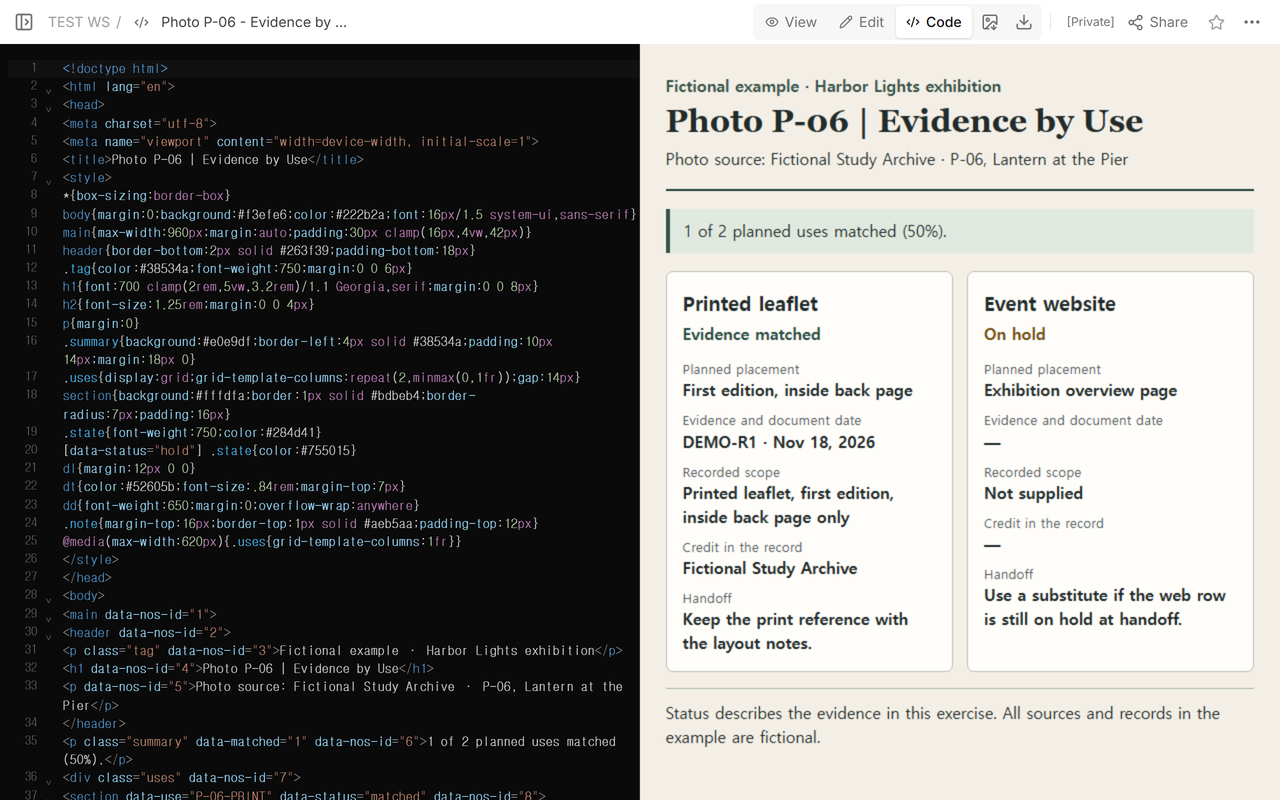
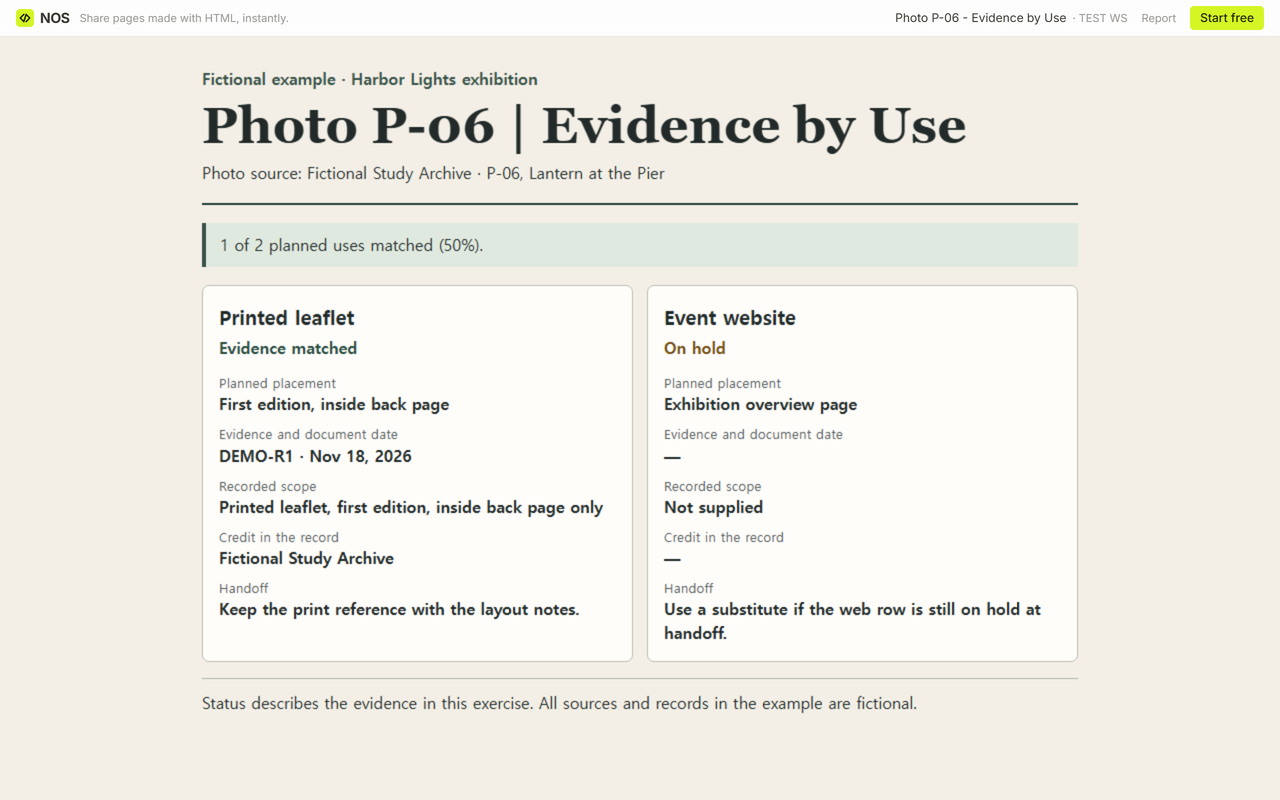
Start with the leaflet row. The fictional source is Fictional Study Archive. Document DEMO-R1, dated Nov 18, 2026, names the printed leaflet, first edition, inside back page only. The credit in the record is Fictional Study Archive. The exercise labels that row Evidence matched.
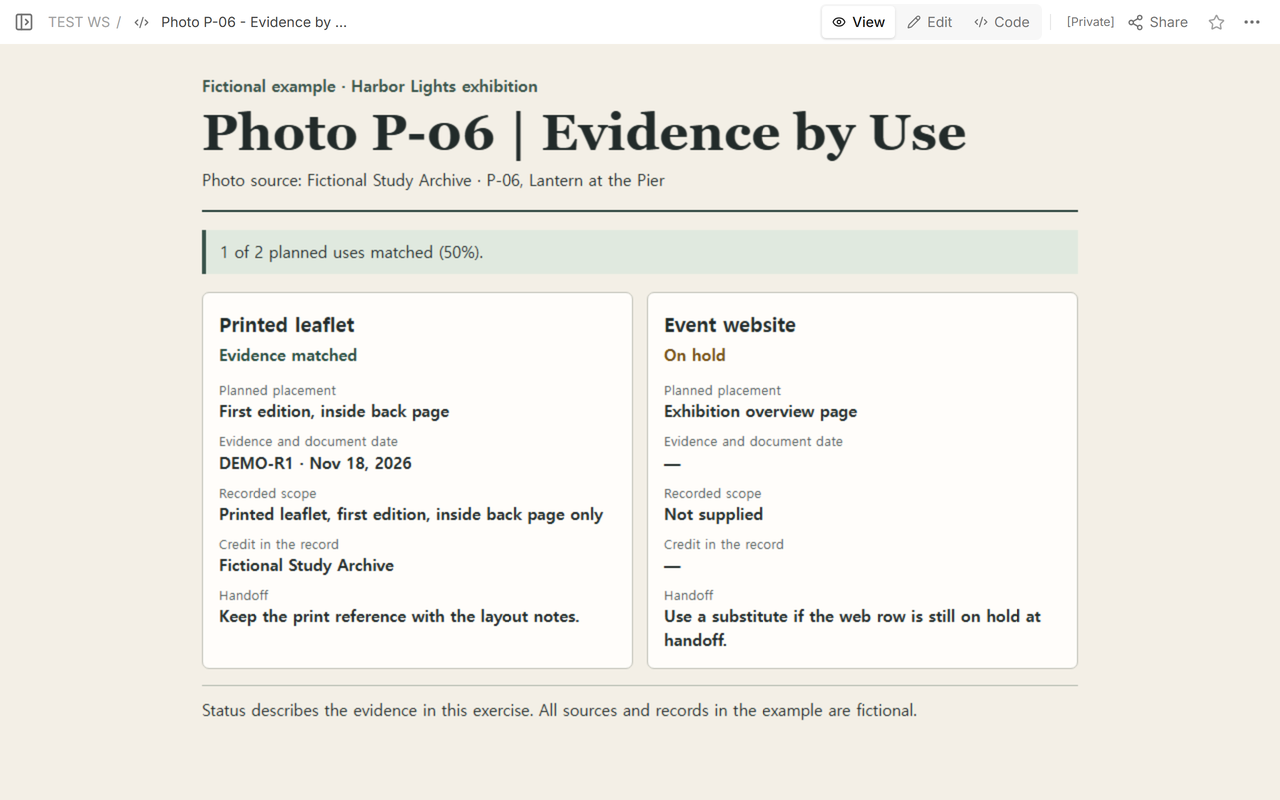
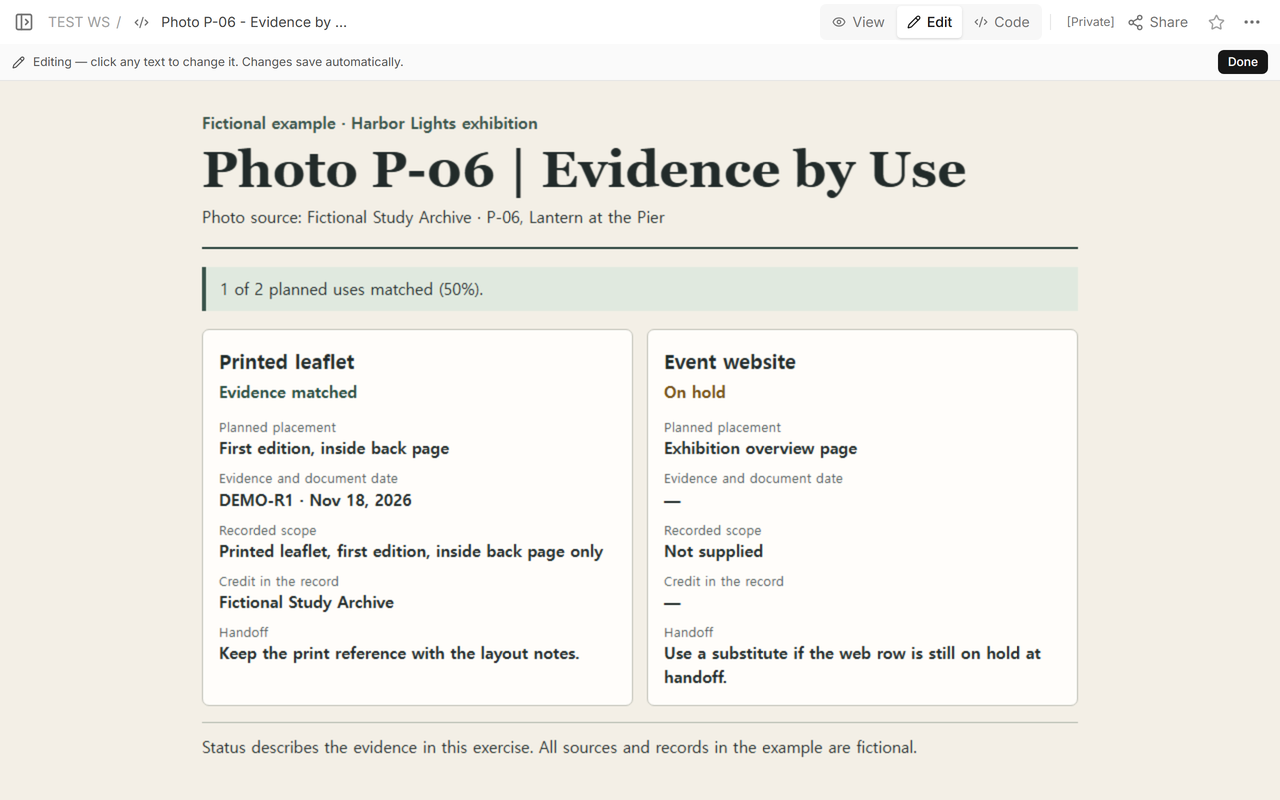
The event website row points to the exhibition overview page. At first its document ID, date, and credit are empty. The HTML displays a dash for those fields. The recorded scope reads Not supplied, and the handoff says to use a substitute if the row is still on hold. At that point, 1 of 2 planned uses matched (50%).
Where does a new evidence document go?
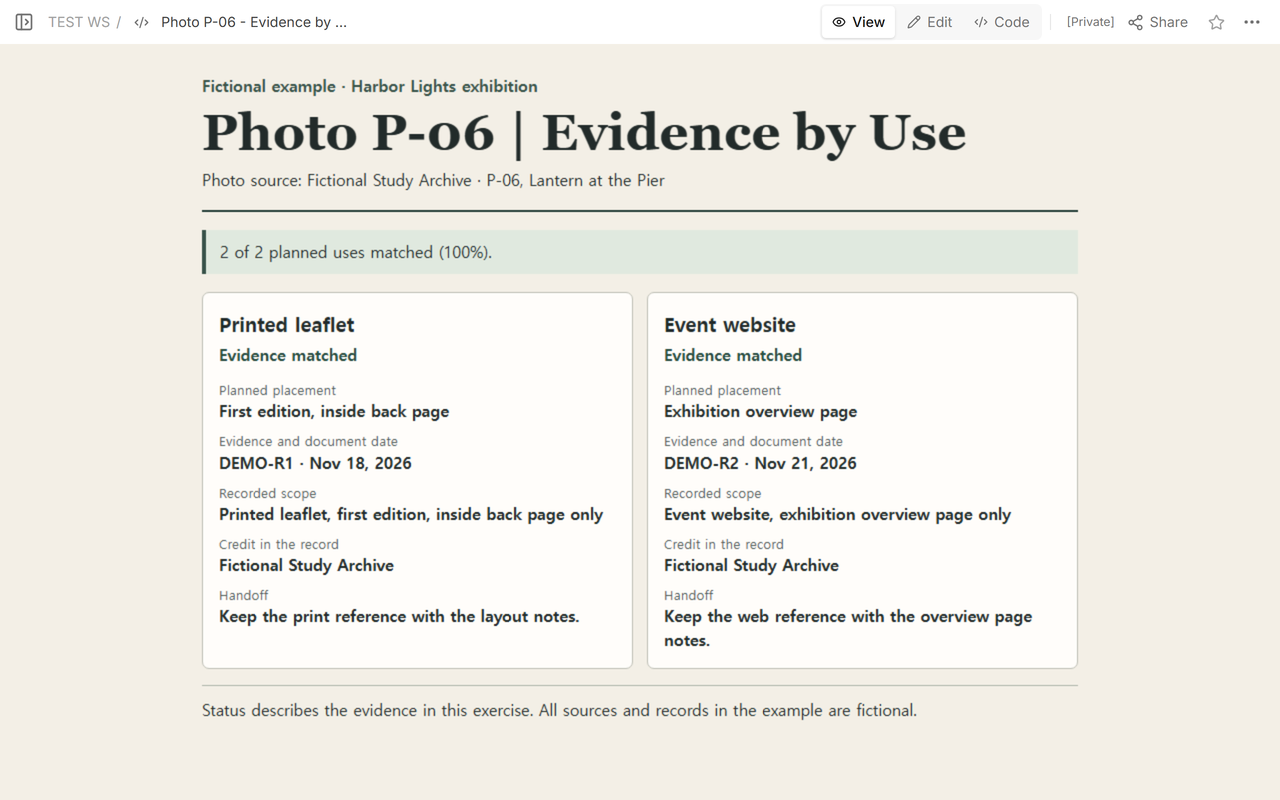
The new fictional record, DEMO-R2, dated Nov 21, 2026, names just the event website’s exhibition overview page. We entered its ID, date, scope, and credit on the website row. Its handoff note now points the web editor to the overview-page notes. The leaflet still points to DEMO-R1. With one record per placement, the example reached 2 of 2 planned uses matched (100%).
If a newsletter later needs the same photo, make a new row for that placement. Keep the newsletter’s evidence fields blank and the row on hold when the available documents name only the leaflet and event website.
When not to do this
Use this worksheet when you have records to run against a placement list. Route questions about ambiguous wording or whether an agreement applies through your own review process. Keep private paperwork in its designated system. For checking figure files and captions in a book draft, use the manuscript art log. For tracking readiness across an opening, use the gallery exhibition checklist.
For the visitor-facing material, see the art gallery catalog or the virtual exhibition guide.
How did NOS show the handoff?
We opened the fictional example’s reader link while signed out, first with the website on hold and again after saving DEMO-R2 to the same document. The updated page showed both references. Opening the editing address while signed out led to the NOS login screen.