In short
Send a photography client welcome guide after the booking is confirmed.
Put the client’s questions in working order: preparation, location and arrival, clothing and props, weather changes, day-of contact, then delivery and review.
Keep prices, cancellation terms, usage rights, exact deliverables, and private client details in the signed agreement and booking records.
A photography client welcome guide helps a booked client understand what happens between confirmation and final gallery delivery. It is not a sales page. It is also not the contract, invoice, or private client record.
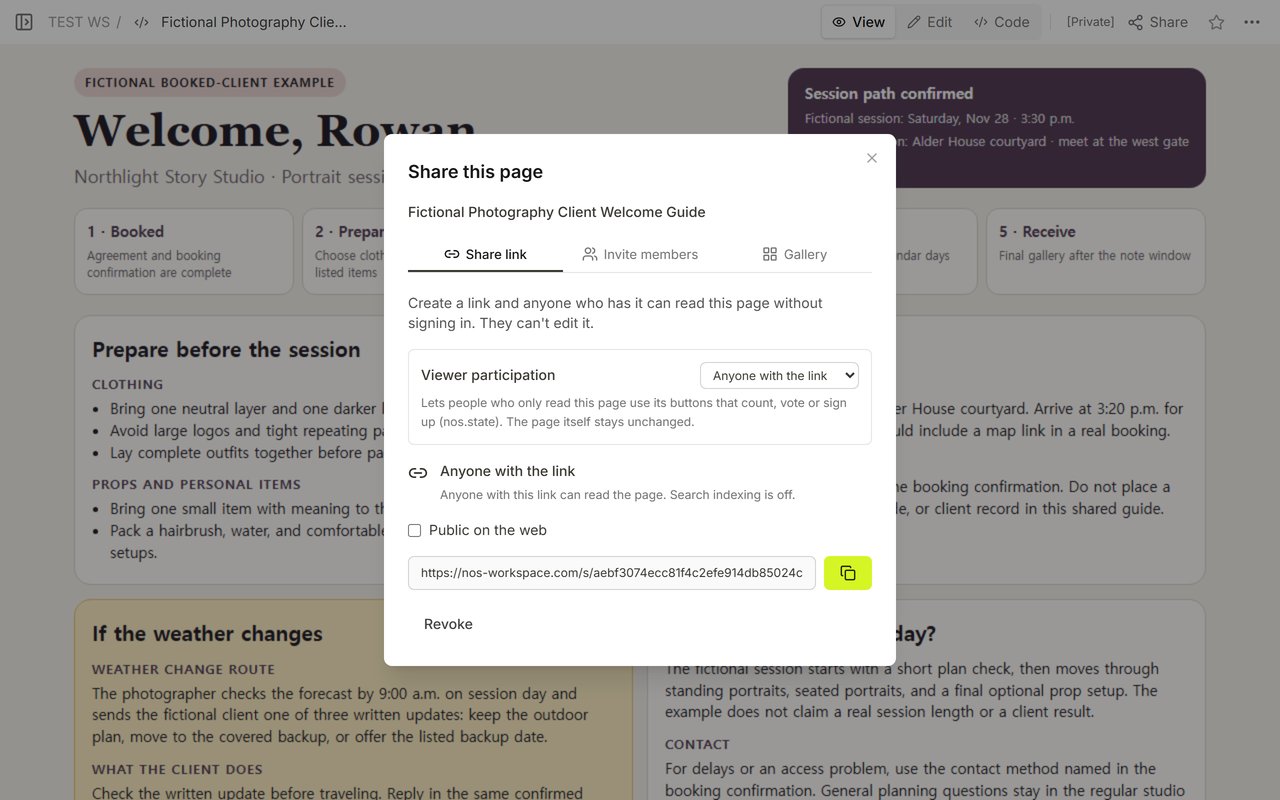
We rewrote a fictional Northlight Story Studio example around one invented booking. The first rewrite still left the weather decision time and gallery review sequence open. We then completed those parts, saved the same NOS page, and checked Code, View, Edit, Share, and the same reader address. No real client, studio, photograph, contact detail, or service result appears in the example.
Download the blank welcome guide template
What is a photography client welcome guide?
It is the guide a photographer sends once the client has booked. The useful result is not a long studio biography. It is a short route through the questions the client needs answered before traveling to the session and while waiting for photographs afterward.
What should the first page tell a booked client?
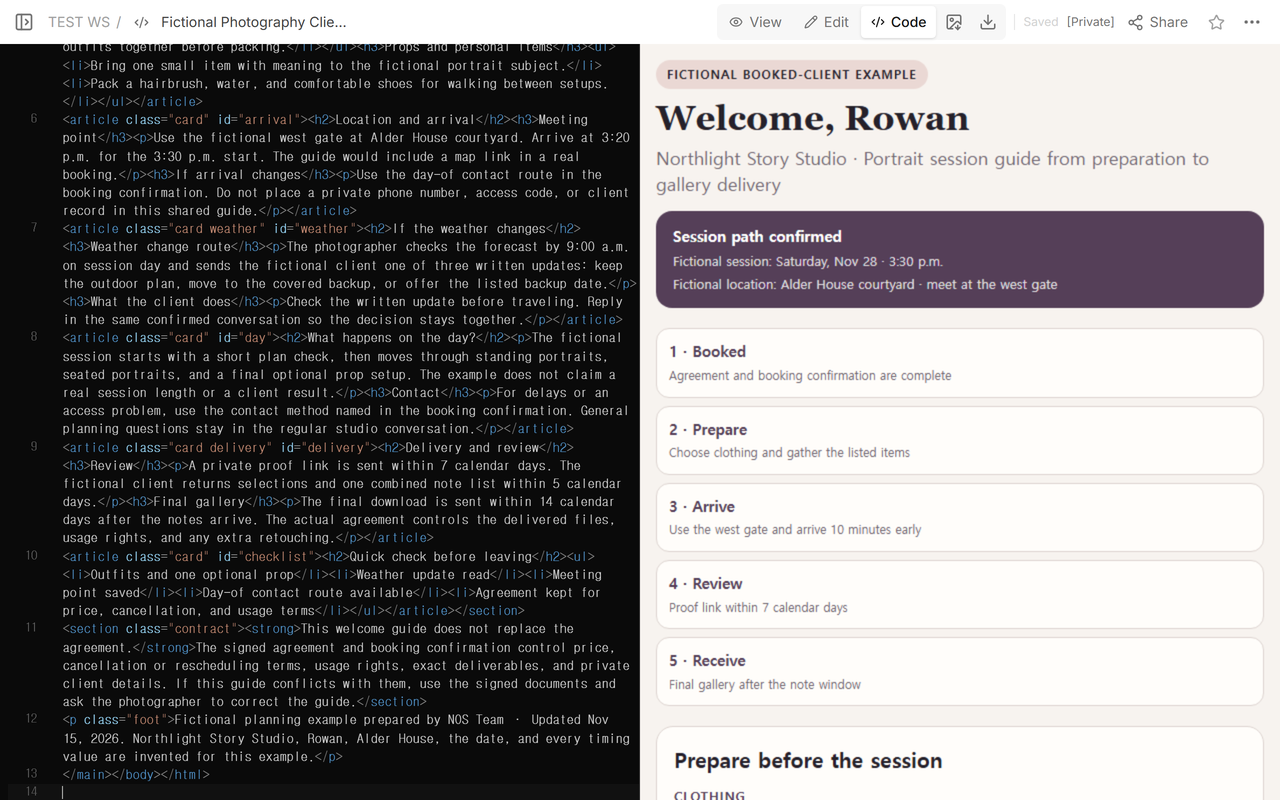
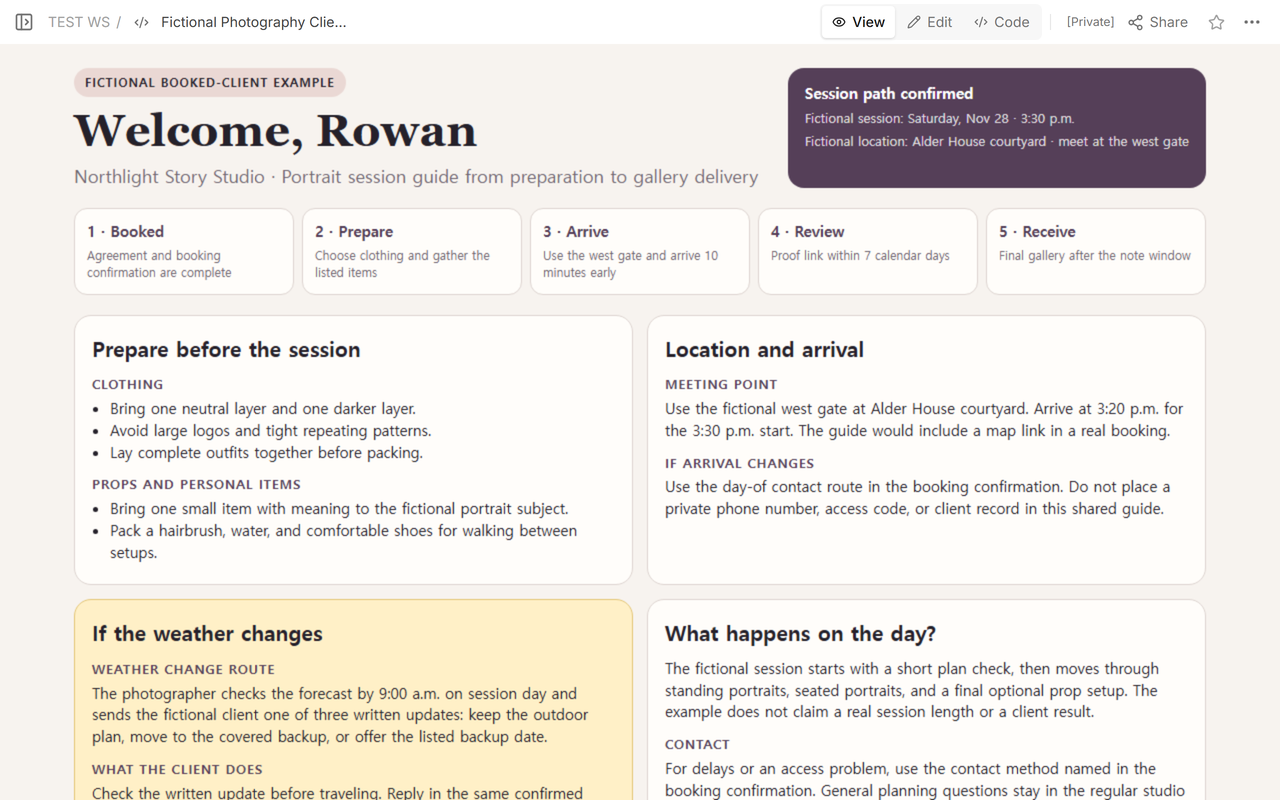
Open with the sequence. Confirm that the booking is complete, then show the next preparation step, the arrival plan, the proof or selection stage, and final delivery. If a deadline changes by session type, use a placeholder until the actual agreement or booking confirmation supplies it.
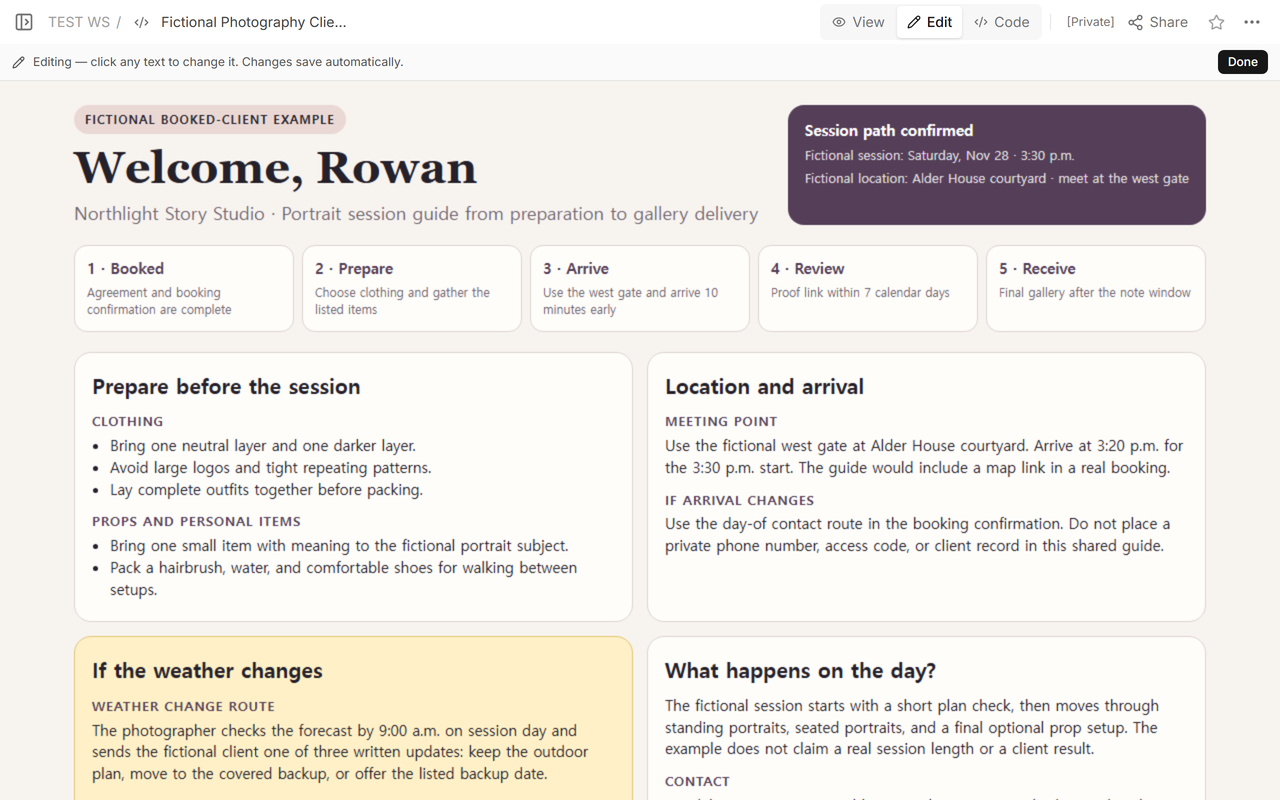
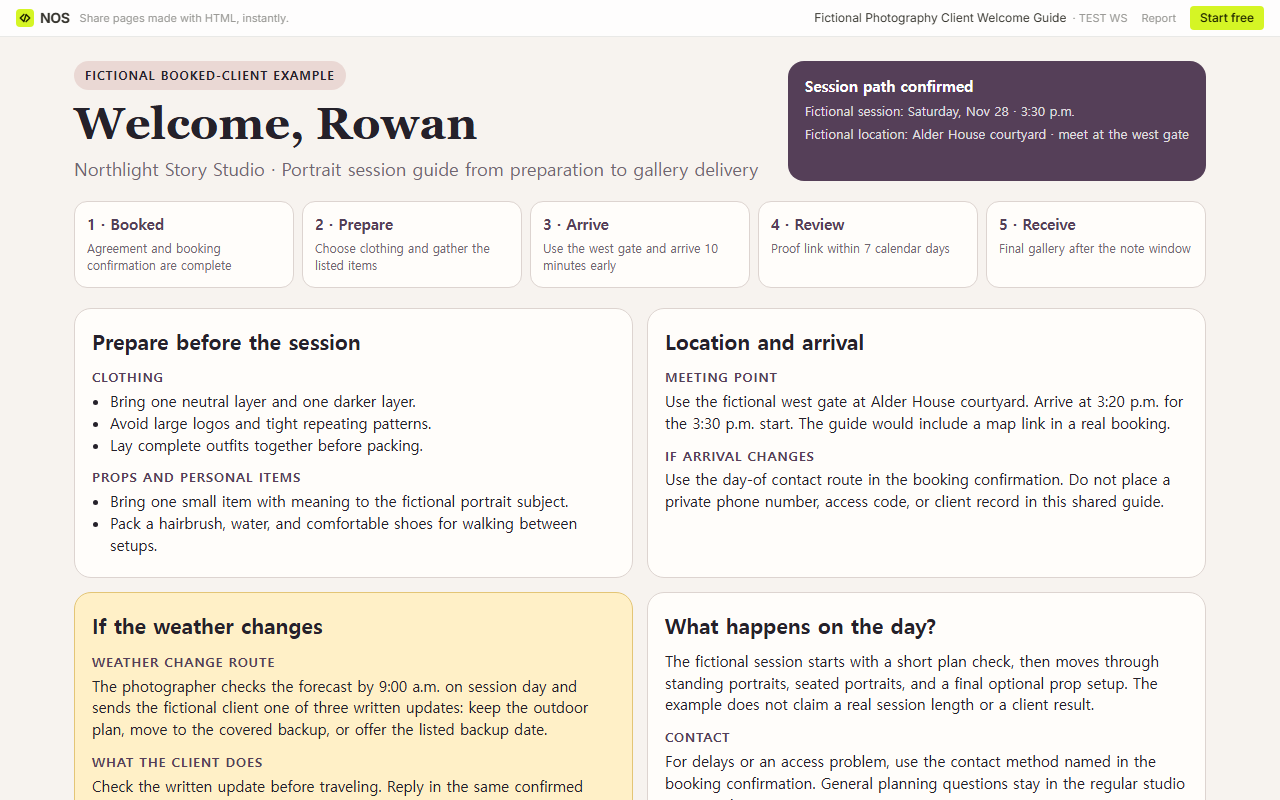
The fictional example names five stages: booked, prepare, arrive, review, and receive. It also labels the invented session date, start time, and meeting point so the reader can distinguish confirmed logistics from general advice.
How do you organize clothing, props, and arrival details?
Keep related actions together. Clothing guidance should tell the client what to assemble or avoid. A prop section should say what is optional and what is practical to carry. The arrival section should put the meeting point, arrival time, parking or transit note, and accessibility detail in one place.
Do not publish a private phone number, door code, or sensitive client note in a generally shareable page. Point the booked client to the day-of contact route already provided in the booking confirmation.
What should the guide say if the weather changes?
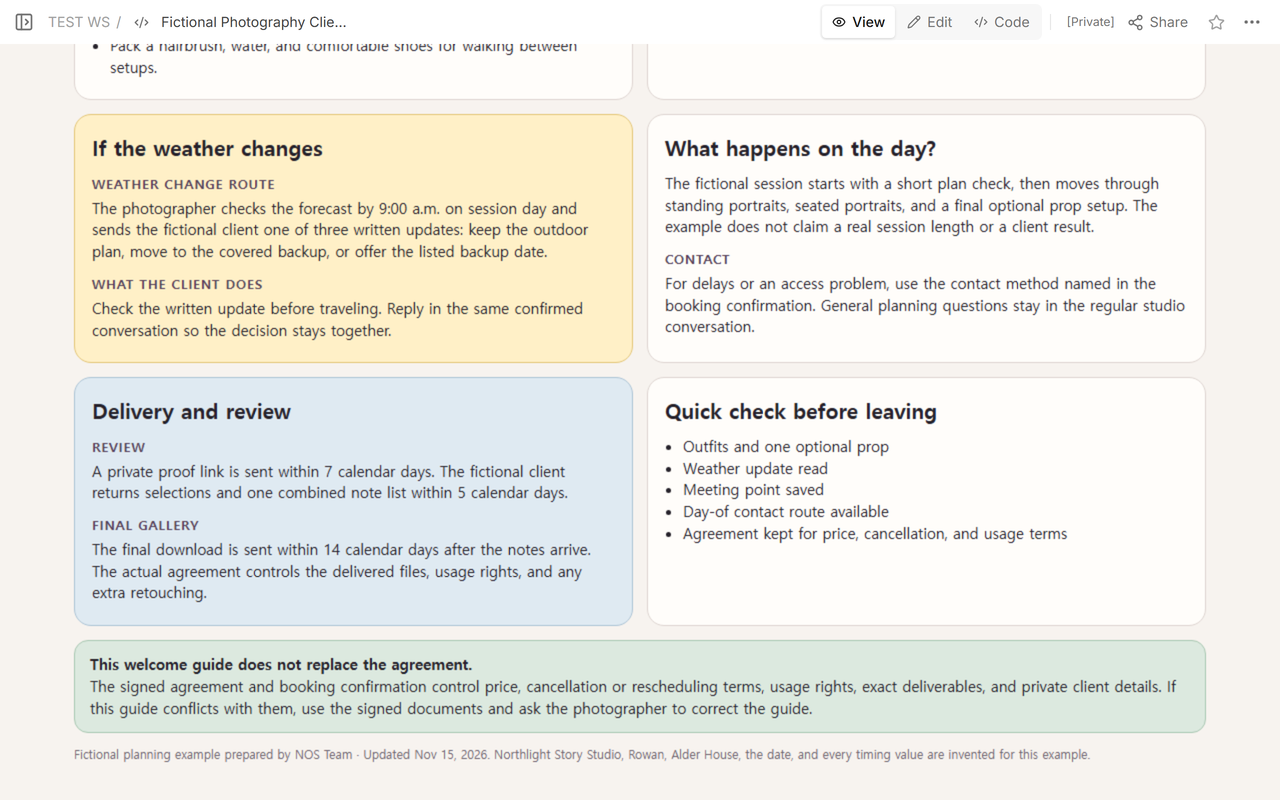
“We will decide later” is not a usable route. Name who checks the forecast, when the client should expect an update, where that update will arrive, and the available choices. Those choices may be keeping the outdoor plan, moving to a covered location, or using a backup date.
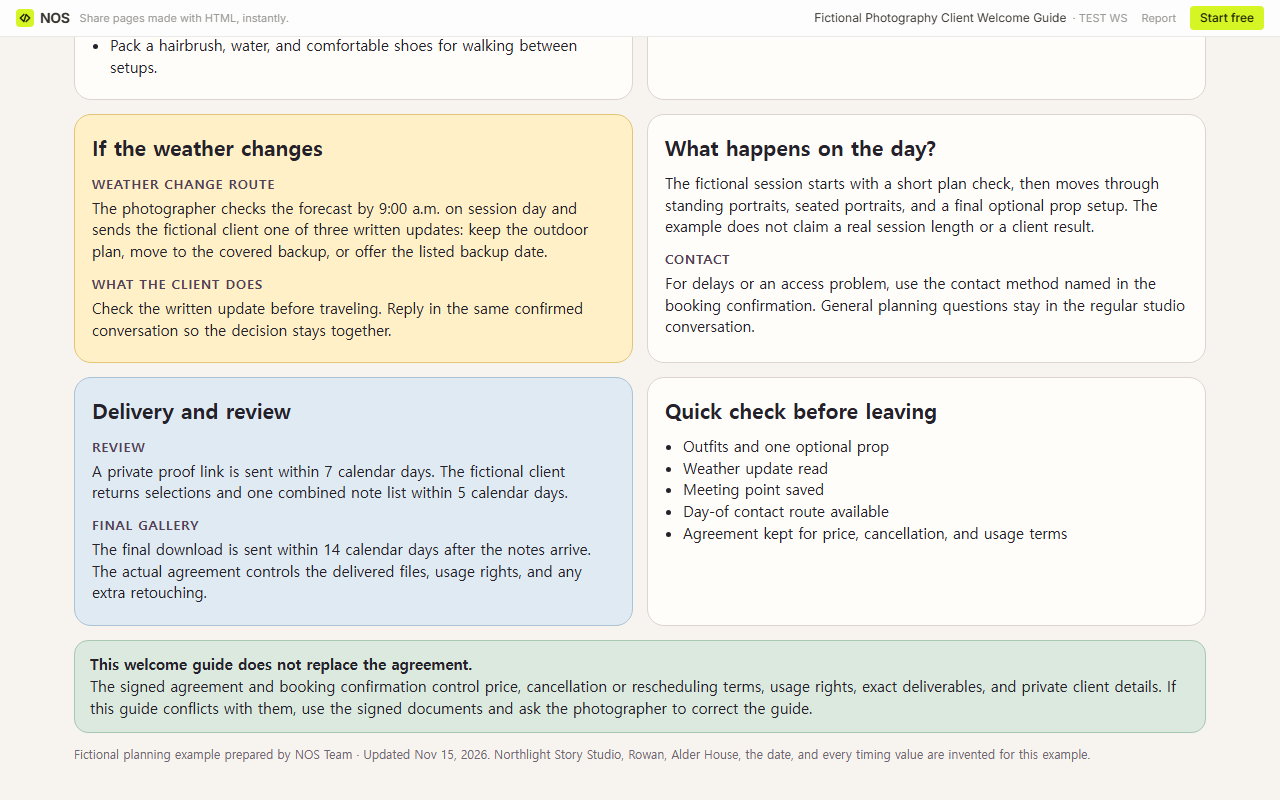
In the fictional example, the photographer checks by 9:00 a.m. on session day and sends one written update. That value is invented for the example. A real studio should copy the decision point from its own confirmed policy rather than borrow the number.
What belongs in the day-of contact section?
Tell the client which route to use for a delay or access problem. Keep general planning questions in the regular conversation. This distinction helps the client find the urgent route without turning the welcome guide into a public contact directory.
How do you explain gallery delivery and review?
Describe the sequence before the client starts waiting. State how the proof or gallery link arrives, when selections or consolidated notes are due, what happens after those notes, and how the client receives final files. If the gallery has an availability window, name the actual date or rule supplied by the studio.
Do not let the guide silently create a new promise. The signed agreement should control the exact file count, delivery deadline, retouching scope, usage rights, payment, cancellation, and rescheduling terms.
What can you copy into your own welcome guide?
- Welcome and booking confirmation: what is booked and what this guide covers.
- Timeline: preparation, confirmation, session, review, and final delivery.
- Location and arrival: meeting point, parking or transit, arrival time, and accessibility.
- Clothing and props: what works, what to avoid, and what to bring.
- Weather or location changes: decision owner, decision time, notification route, and backup.
- Day-of contact: the private route already supplied to the client.
- Delivery and review: how links arrive, review steps, note deadline, and final delivery sequence.
- Agreement priority: where binding terms and private records live.
The downloadable blank HTML keeps those prompts and removes the fictional booking values. Open it in a browser, replace the bracketed text, delete sections that do not apply, then print or save it as a PDF if that is how the studio delivers guides.
When not to do this
Do not use a welcome guide to replace a proposal, signed agreement, invoice, payment record, cancellation policy, model release, or rights license. Do not put access codes, private contact details, medical or accessibility records, or unapproved client photographs in a broadly shared guide. If a term differs from the signed documents, correct the guide and follow the signed documents.
Where does NOS fit?
NOS can hold the finished HTML guide at a reader address while the author keeps Code, View, Edit, and Share in one workspace. In this example, we edited the existing page and reopened the same reader address to confirm the final preparation and delivery sections. Check the current NOS pricing page if the guide will become part of a larger workflow.