The two formats look identical when opened and are completely different underneath. That difference explains the size, the safety and the tooling.
What each one is
The older format is a single binary file. Everything is packed into one opaque blob in a structure designed in the nineties. Corrupt one part and frequently nothing opens.
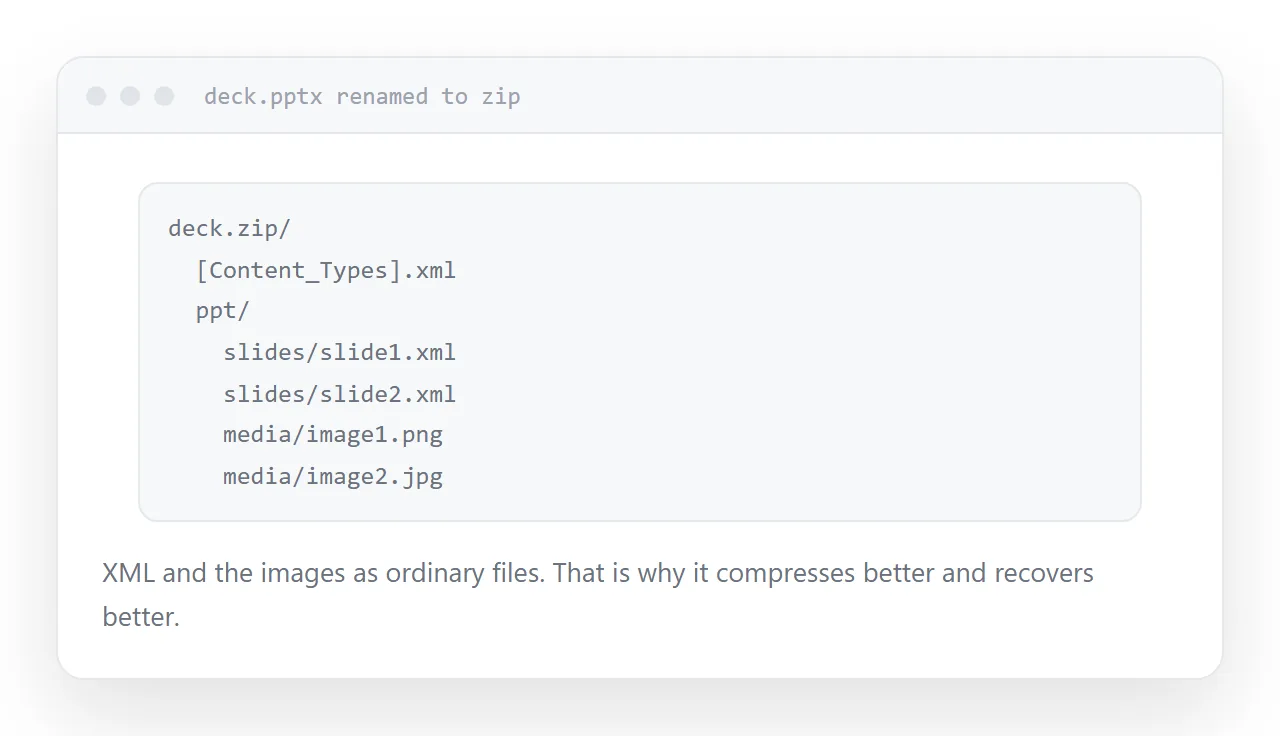
The newer format is a zip archive. Rename it and unpack it, and you find XML describing the slides and a media folder with the images as ordinary files.
That structure is why it compresses better, why a damaged file can often be partially recovered, and why other software can read it without reverse engineering anything.
| Older format | Newer format | |
|---|---|---|
| Structure | Single binary | Zip of XML |
| Size, same content | Larger | Smaller |
| Partial recovery | Rarely | Often |
| Read by other tools | Poorly | Well |
| Mail scanner suspicion | Higher | Lower |
The safety difference
The older binary format was the vehicle for macro-based attacks for many years.
The consequence today is not that the file is dangerous; it is that mail gateways treat it with more suspicion. Some organisations block it outright, and when that happens the sender is frequently not told.
If a presentation has not arrived and it was sent in the old format, that is the first thing to check.
Why the old format persists
Nobody chooses it. It is inherited.
A template was saved in the old format once, years ago. Every deck built from it saves in that format by default. New staff copy the existing deck. The organisation is still producing files in a format it abandoned a decade ago and nobody has noticed.
Open your template, save it in the newer format, and the problem stops propagating.
Size
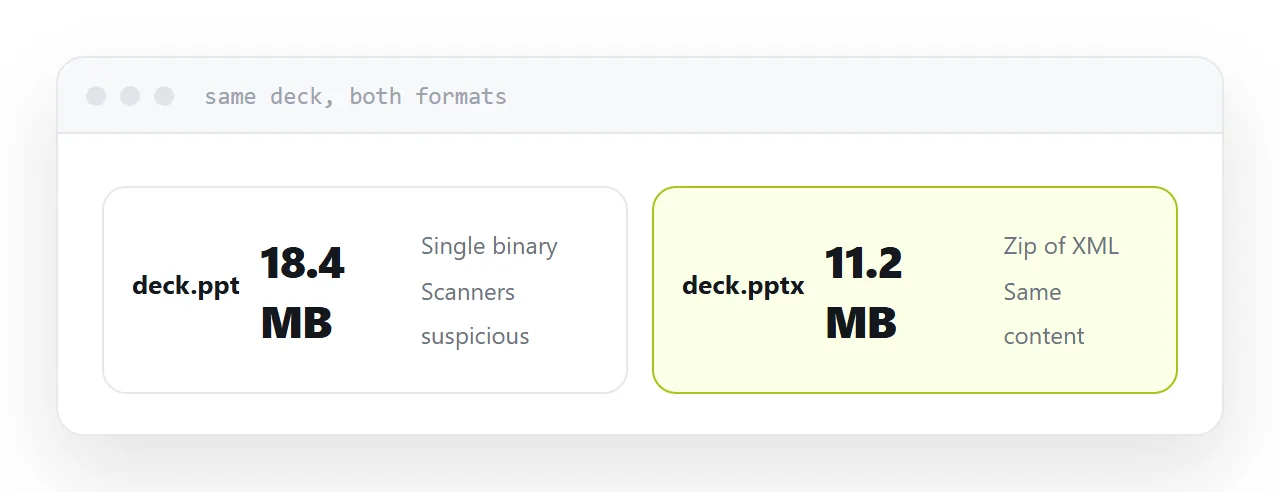
For the same content, the newer format is consistently smaller.
That matters because decks are the largest thing most people email, and the practical mail limit is around 10MB rather than the advertised 25.
The larger saving is still in the images. Every presentation tool has a compress-images function that typically more than halves the file, and it should be the first step whichever format you use.
For a reader, send neither
Both formats need presentation software, substitute fonts on machines that lack yours, and download rather than open on a phone.
If the recipient is reading rather than editing, send a PDF or an address. The format question only matters between people who are both going to open it in presentation software.
Two neighbouring cases are worth a look: XLS and XLSX, and the row limit and How to share a PowerPoint presentation.
Put it at an address
Send the newer format by default, fix the template that keeps producing the old one, compress the images either way, and send a PDF or an address to anyone who is only reading.
Then the file arrives, and the fonts are the only thing left to worry about.