In short
Choose one task, not an entire product.
Write the exact menu path and the value the reader should enter.
Put the likely error beside its next action.
Test the page at phone width, then share one reader link.
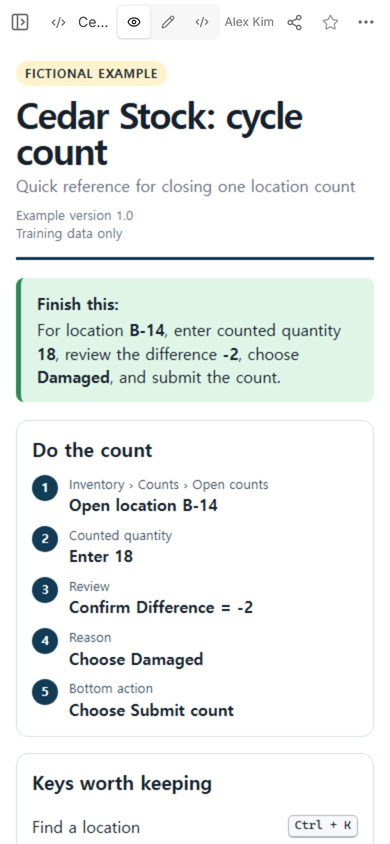
NOS Team made a fictional quick reference for Cedar Stock, an invented inventory program. The page helps a worker close one location count: open B-14, enter 18, confirm a difference of -2, choose Damaged, and submit. No customer, employee, or inventory record is real.
This is smaller than software documentation and more specific than a user manual. It is the page someone keeps open beside a repeated task. The reader should be able to find the next click or fix without reading a chapter first.
How do you make a software quick reference guide?
1. Start with one finish line
Name the result at the top in one sentence. Our example does not say “Use Cedar Stock.” It says exactly what a finished count contains. That lets the reader check the location, quantity, difference, and reason before the final action.
Choose a task that repeats with the same labels. If the path changes by role, device, or account, name that condition near the title. Do not squeeze every variation into a single line.
2. Pair every path with an exact entry
A path answers “Where do I go?” An entry answers “What belongs here?” The Cedar Stock page pairs Inventory › Counts › Open counts with location B-14. It pairs Counted quantity with 18. Labels are bold so a reader can match the reference to the open software screen.
Keep each step to one visible action. Put the expected check immediately after the entry: the difference must read -2 before the fictional count is submitted. If that number is different, the reader stops instead of copying the next step blindly.
3. Keep only the keys that support this task
A quick reference is not a keyboard catalog. The example keeps three fictional keys: find a location, save a draft, and close a message. Each one supports the same count workflow. A key that is clever but unrelated to the task belongs elsewhere.
4. Write the fix as a next action
Error text alone does not help. Pair the message with the smallest safe response. “Reason required” sends the reader back to Reason. “Difference is not -2” tells them to recheck B-14 and the counted quantity. “Count is locked” tells them not to create another count and to contact the listed owner.
Use verified wording. Menu labels, key combinations, error text, and permissions should come from the real software and the account type your reader uses. Mark an unknown item for checking instead of filling the gap with a plausible label.
How should a quick reference guide be laid out?
Put the material in the order a person needs it while working:
- The result they are trying to finish.
- The menu path and numbered actions.
- The exact values or choices.
- The small set of useful keys.
- Errors and their next actions.
- A final check before the irreversible action.
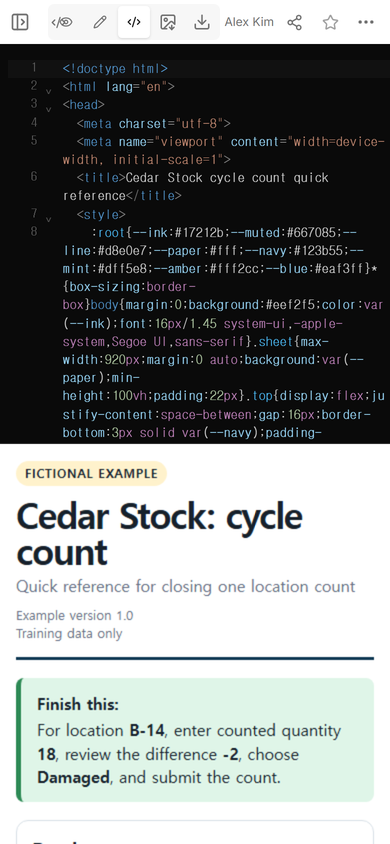
The example uses one responsive HTML file. We opened its Code view to confirm that the page, styles, and final-check behavior were together before sharing it.
For a printable sheet, use the same hierarchy and remove controls that only make sense on a screen. For a phone reference, stack the sections, keep the text at a readable size, and avoid wide tables that force sideways scrolling.
How do you share a software reference without making another copy?
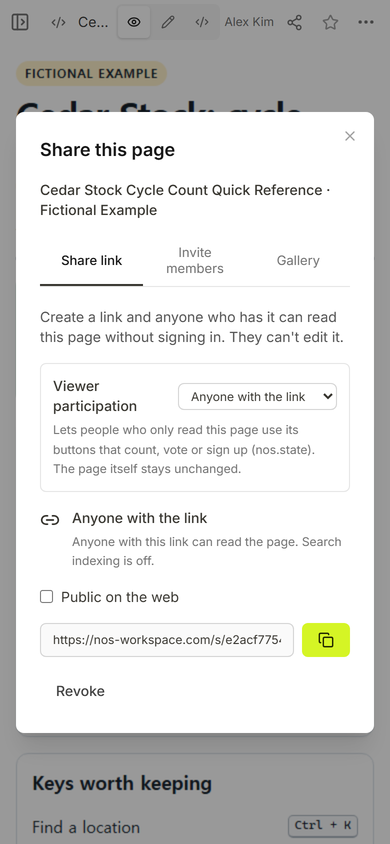
We opened Share on the example and used its existing reader address. The captured panel says that anyone with the link can read the page without signing in and cannot edit it. It also says viewer participation can use buttons while the page itself stays unchanged.
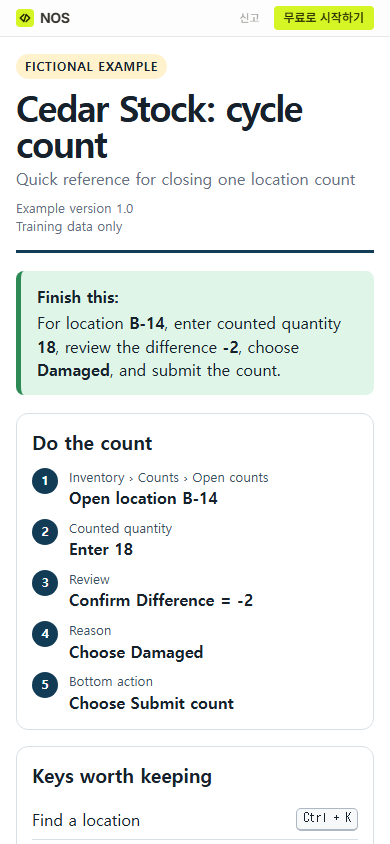
Open the reader address yourself before sending it. The public phone view showed the fictional label, the task outcome, and the first steps without horizontal overflow.
What should you check before people rely on it?
Walk through the real task with the reference beside the software. Check every label in order. Enter a safe test value where your process permits it. Trigger only errors you are allowed to test. Confirm the expected result and the stop conditions.
Then have someone who did not write the sheet point to the path, entry, and fix for one case. If they have to search the whole page, shorten the heading or move the answer closer to the step.
We also tested the update path. Edit opened with the original page isolation settings intact. The first attempt to replace the version line inserted text beside the old value, so we did not treat that as finished. We reopened the field, corrected the line, chose Done, and checked View again.
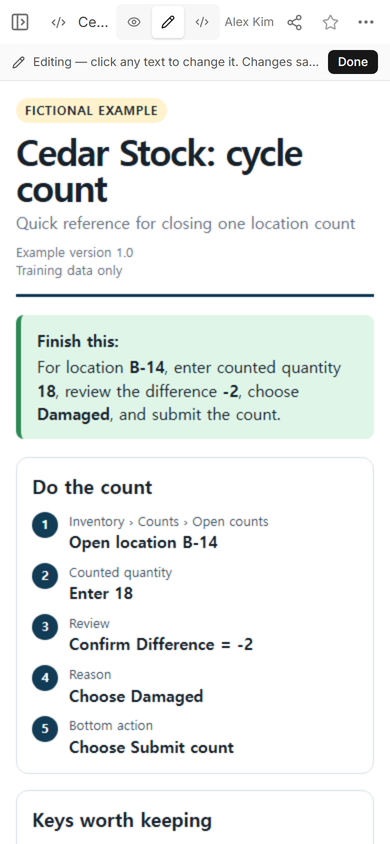
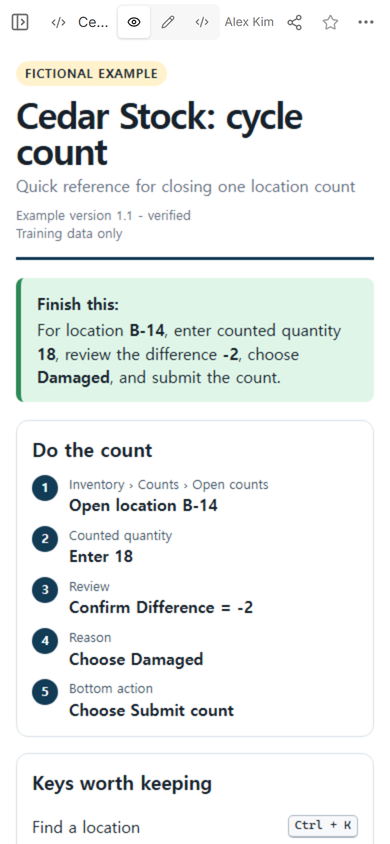
Editing tip: after choosing Edit, activate the displayed text first. Then select and replace the field. Return to View before you assume the change is clean.
The same reader address then showed Example version 1.1 - verified. The menu path, inputs, fixes, and fictional label remained in place.
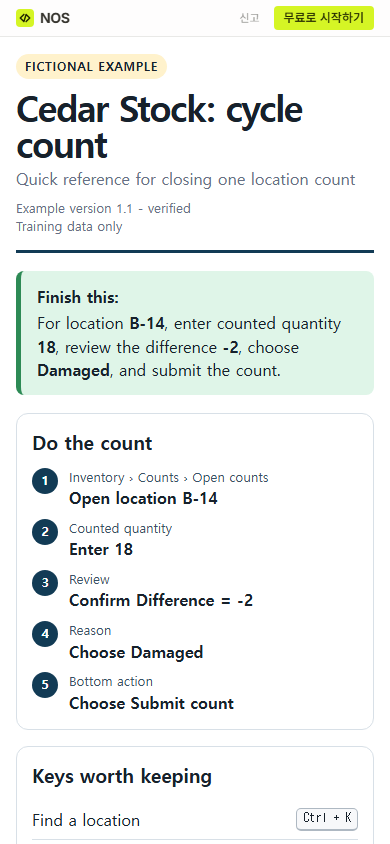
Finished result: one phone-readable reference contains the repeated path, exact sample entries, three relevant keys, three error responses, and a final check. Its reader link still works after the version line is corrected.
When not to do this
Do not use a quick reference as the only explanation for a new or risky process. A first-time learner may need context, practice, and examples. A regulated or safety-critical task may require an approved procedure, access control, revision history, and formal sign-off that a simple shared page does not provide.
Do not publish real credentials, customer records, private system addresses, or internal recovery details in a reader link. If the task changes by role or branch, make the condition explicit or create separate approved references instead of hiding exceptions in tiny notes.
Use NOS for a small reference page
A completed self-contained HTML page can be kept in a NOS workspace, checked in View, and given a reader address through Share. In this example, the captured Share panel defined who could read, the public address opened at phone width, and a saved text correction appeared at the same reader address. Treat the local article files and images here as preparation material; they are not live article assets yet.
Open the complete fictional example
What should you read next?
If the task needs background, exact input rules, and deeper explanation, use the software documentation guide. For a first-time walkthrough, start with the how-to guide template. If you need several tasks and a contents list, move up to the user guide template. When your HTML is ready, the HTML-to-link tool covers the next sharing step.