An attachment is too large when the file pushes the message past the size your mail server or the recipient's will accept. The fix is not a smaller file. It is not sending a file.
Most of the time spent on this problem is spent on the wrong half of it.
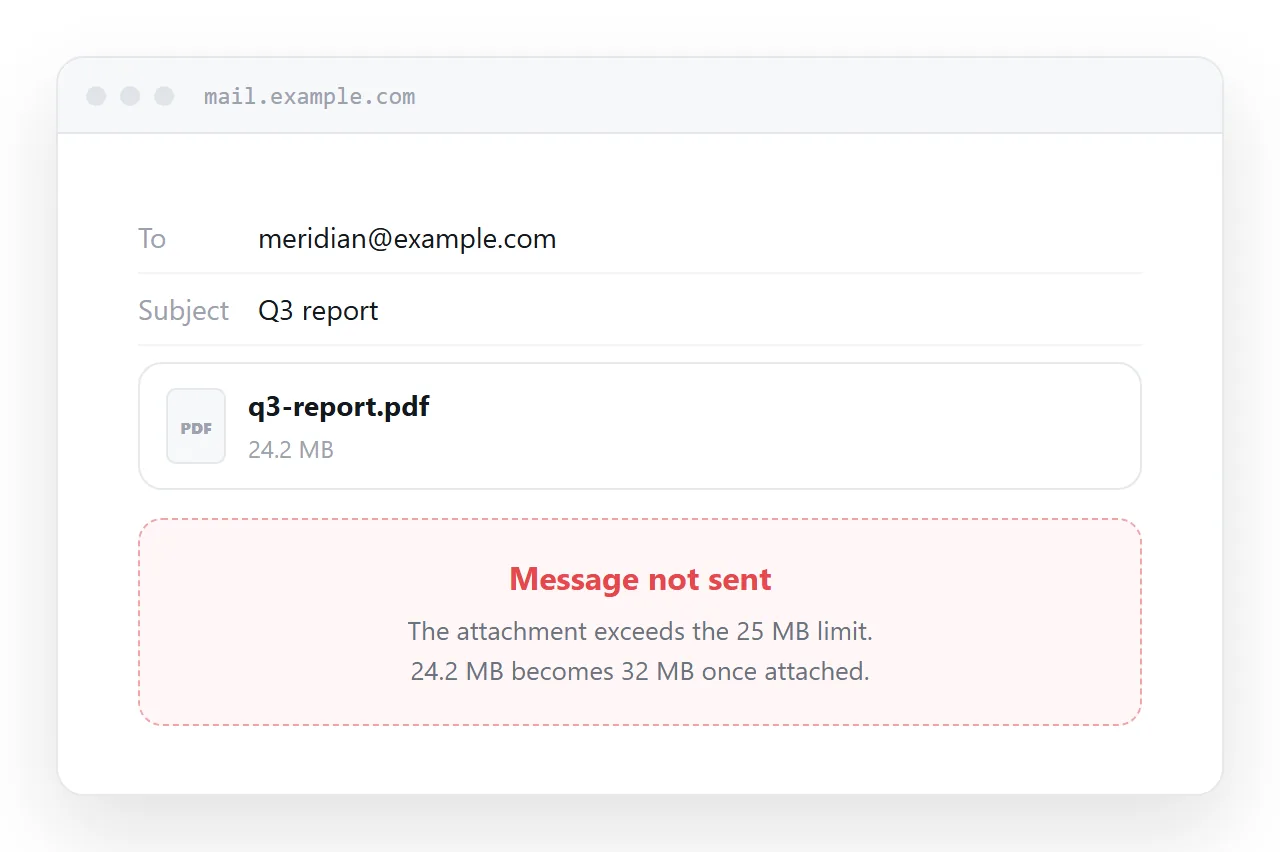
This guide covers why the limit exists, why compressing rarely gets you under it, what the real limits are, and the approach that removes the problem rather than working around it.
Why the limit exists
An attachment is not fetched separately the way a web page fetches an image. It is encoded into the message itself, in a text-safe format that inflates it by roughly a third.
So a 20 MB file becomes about 27 MB of message. Your outbound server stores a copy, the receiving server stores a copy, and every copy sits in both mailboxes until someone deletes them. Send it to eight people and the same file is stored sixteen times or more.
Limits exist because that arithmetic does not scale, and they are not going to be raised.
The real limits, and the one that catches people
| Service | Limit |
|---|---|
| Gmail | 25 MB |
| Outlook.com | 20 MB |
| Yahoo Mail | 25 MB |
| Typical corporate Exchange | 10-25 MB, set by an administrator |
| Many public sector systems | 10 MB |
The important part is that both ends apply a limit, and the smaller one wins. Your 24 MB attachment leaves Gmail happily and is rejected by a recipient whose employer caps at 10 MB.
That is why the same file sends to one colleague and bounces from another, which makes the failure look random when it is not.
Encoding overhead also means the practical ceiling is lower than the stated one. A 25 MB limit accepts a file of roughly 18-19 MB once the encoding is applied.
Why zipping usually fails
The instinct is to compress. It rarely works, because of what people actually attach.
| What you are sending | Already compressed? | Zip saves |
|---|---|---|
| Photographs (JPEG, HEIC) | Yes | 1-3% |
| Video (MP4, MOV) | Yes | 1-2% |
| Usually | 2-10% | |
| Word, Excel, PowerPoint | Yes, internally | 2-8% |
| Plain text, CSV, source code | No | 60-90% |
Only the last row compresses meaningfully, and those files are rarely the ones breaking the limit.
Zipping also costs you something. The recipient has to unpack it, which on a phone often means installing something. And a great many corporate mail filters block zip attachments entirely, because that is how malware has historically travelled, so you can turn a message that was too big into one that never arrives at all.
Splitting it is worse
Some people split a file into parts and send several messages. Do not.
The recipient now has to receive every part, keep them together, and reassemble them in the right order. If one message is delayed or filtered, they have a broken file and no obvious way to know which piece is missing.
You have also multiplied the storage problem rather than solving it.
The approach that works
Put the content at an address and send the address.
The message becomes a few kilobytes, so no size limit applies at either end. There is nothing for an attachment filter to quarantine. The recipient opens it in one tap rather than downloading anything, which matters because most email is read on a phone.
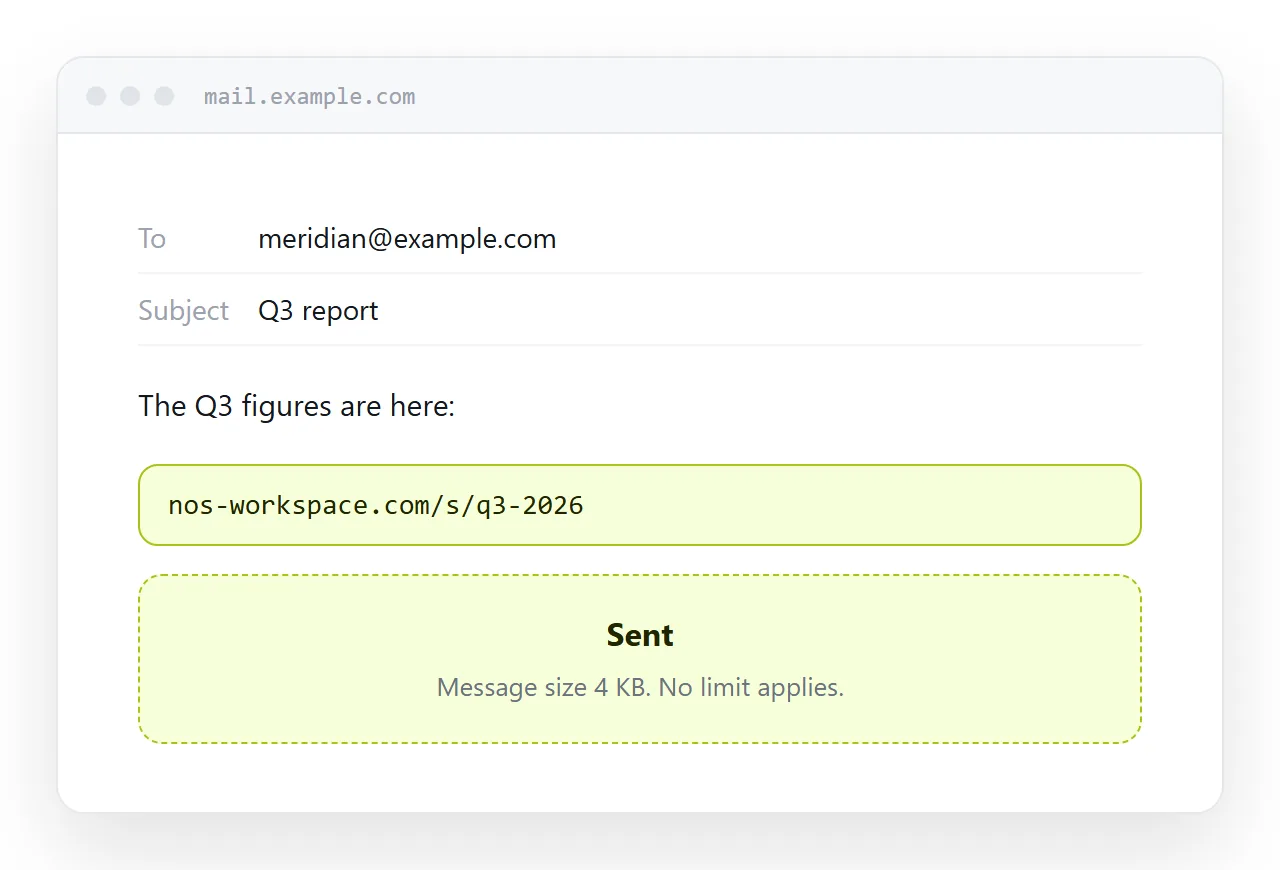
For a document, a report, a set of figures or anything that is really information rather than a binary file, paste it into a document and create a share link. The recipient reads it in the browser they already have, with no account and no download.
Keep a download on the page for anyone who genuinely needs the file. That way the common case is fast and the specific case is still served.
What to do about genuinely large binaries
Some things are actually large files and have to travel as files: raw video, a print-resolution artwork bundle, a database export.
For those, a link is still the answer, just pointing at storage rather than at a page. The difference from a mail attachment is that it is fetched once by whoever needs it rather than copied into every mailbox.
Two things to check before sending one. Whether the link expires, because transfer services usually delete after a week and a recipient who comes back in a month will find nothing. And whether the recipient needs an account, because that is the most common reason a shared drive link fails for someone outside your organisation.
A note on photographs and video
If you are attaching photographs, the file is usually far larger than the job requires.
A camera original is 6-24 MB and shows no more detail on a screen than a version resized to about 1600 pixels on the long edge, which lands around 300 KB. Ten photographs then fit comfortably inside any limit.
Resizing is the one form of shrinking that genuinely works, because it removes data nobody was going to see. Compressing an already-compressed file does not.
Put it at an address
Stop compressing, paste the content into a document, create a share link, and put that link in the body of the email.
Nothing bounces for size, nothing gets quarantined, and the recipient reads it on the phone in their hand.