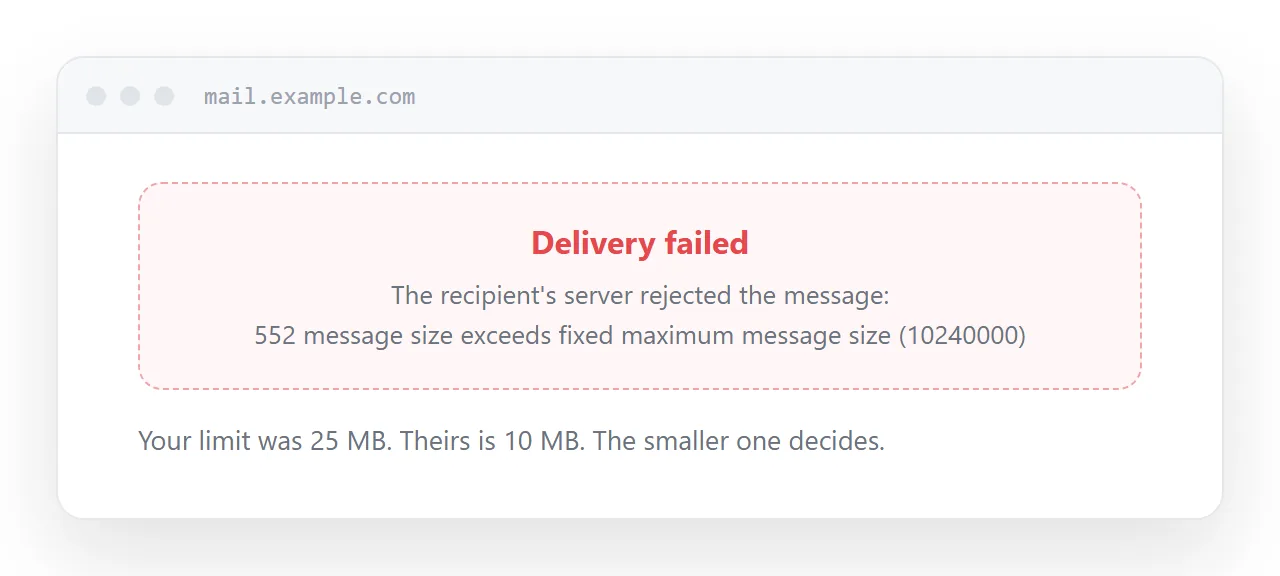
The email attachment size limit is a cap on total message size, applied by your mail server when you send and by the recipient's when it arrives, with the smaller of the two deciding.
Almost every surprise about attachments comes from that second half.
This guide covers the current numbers, the encoding overhead that makes the real ceiling lower, why the recipient's limit is the one that matters, and what to do about it.
The numbers
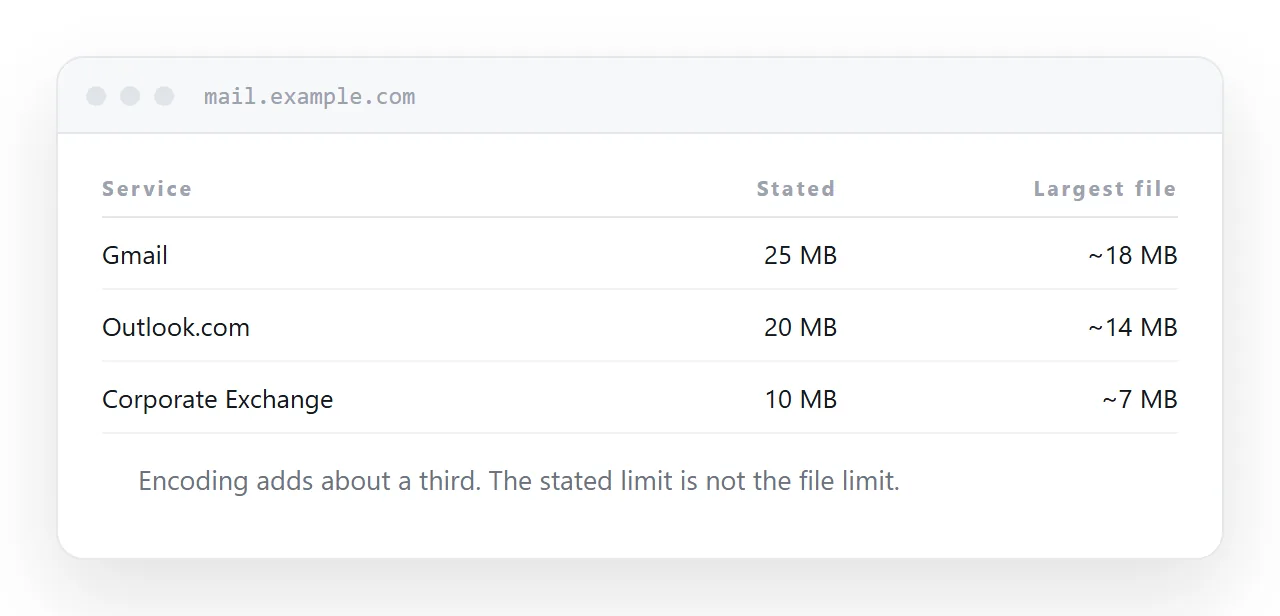
| Service | Stated limit | Largest file in practice |
|---|---|---|
| Gmail | 25 MB | about 18 MB |
| Outlook.com | 20 MB | about 14 MB |
| Yahoo Mail | 25 MB | about 18 MB |
| iCloud Mail | 20 MB | about 14 MB |
| Microsoft 365, default | 25 MB | about 18 MB |
| Corporate Exchange | set by an administrator | often 10 MB or less |
The second column is the one to work from. Providers state the message limit, and your file is not the whole message.
Where the missing third goes
Attachments cannot travel as raw binary data, because mail was designed to carry text. So the file is encoded into a text-safe form, and that encoding uses four characters for every three bytes.
The result is about 33% growth, plus headers and the message body itself. A 20 MB file arrives at the server as roughly 27 MB of message and is rejected by a 25 MB limit that looked like it had room.
This is why "the limit is 25 MB but it will not send my 22 MB file" is such a common complaint. The limit is doing exactly what it says; the file is not what is being measured.
The recipient decides
This is the part that makes attachment failures feel random.
Your own limit is knowable. You can look it up, and you will get a clear error before the message leaves. The recipient's limit is invisible to you, applies after you have pressed send, and is frequently much lower, because corporate administrators tighten it to control storage.
So the same 15 MB attachment goes to a colleague on Gmail without incident and bounces from a client whose employer caps at 10 MB. Nothing changed on your side.
Worse, some systems accept the message and then strip the attachment silently, so the recipient gets your email with nothing on it and neither of you is told.
Treat 10 MB as the working ceiling for anyone outside your own organisation. It is not a rule, it is the number that stops you discovering limits the hard way.
Shrinking, and what actually shrinks
Compression only helps files that are not already compressed.
Photographs, video, PDFs and Office documents are all internally compressed already, so zipping them saves single-digit percentages while adding an unpacking step and risking a filter that blocks archives.
The exception is resizing, which is a different operation. A camera photograph at 6-24 MB carries far more detail than a screen can show. Resized to about 1600 pixels on the long edge it lands near 300 KB and looks identical on any display. That is a genuine reduction because it removes data nobody would have seen.
For anything else, the size is the size.
The approach that removes the limit
Put the content at an address and send the address.
The message is then a few kilobytes of text. No limit applies at either end, no attachment filter has anything to quarantine, and nothing is stored twice in two mailboxes.
For documents, reports and figures, a page is better than a file anyway: it opens on a phone without a download, it can be corrected after sending, and it does not ask the recipient to have any particular software.
Keep a download on the page for whoever genuinely needs the artefact. The common case becomes fast and the specific case is still covered.
When you must attach
Some processes require an attached file: a procurement portal, a legal filing, a client whose system ingests documents from mail.
For those, check the size before sending, keep it well under 10 MB, and follow up with a link if the file is close to the line. Sending both costs nothing and means the recipient can read it even if the attachment is stripped.
Put it at an address
Work from the real ceiling rather than the stated one, resize photographs rather than zipping them, and send a link for anything larger.
The limit then stops being something you have to think about.