Download the blank exhibit light exposure log or download the completed model ferry example. Open either HTML file in a browser. Type your entries into the blank sheet and calculate the results by hand. Print it or save it as a PDF to keep a filled copy.
What belongs on an exposure log row?
Start with the object ID and the period you are totaling. For each row, keep the session reference or start time, illuminance in lux, duration in minutes, and the exposure you calculate. Keep a source note beside the numbers so you can check the entry later.
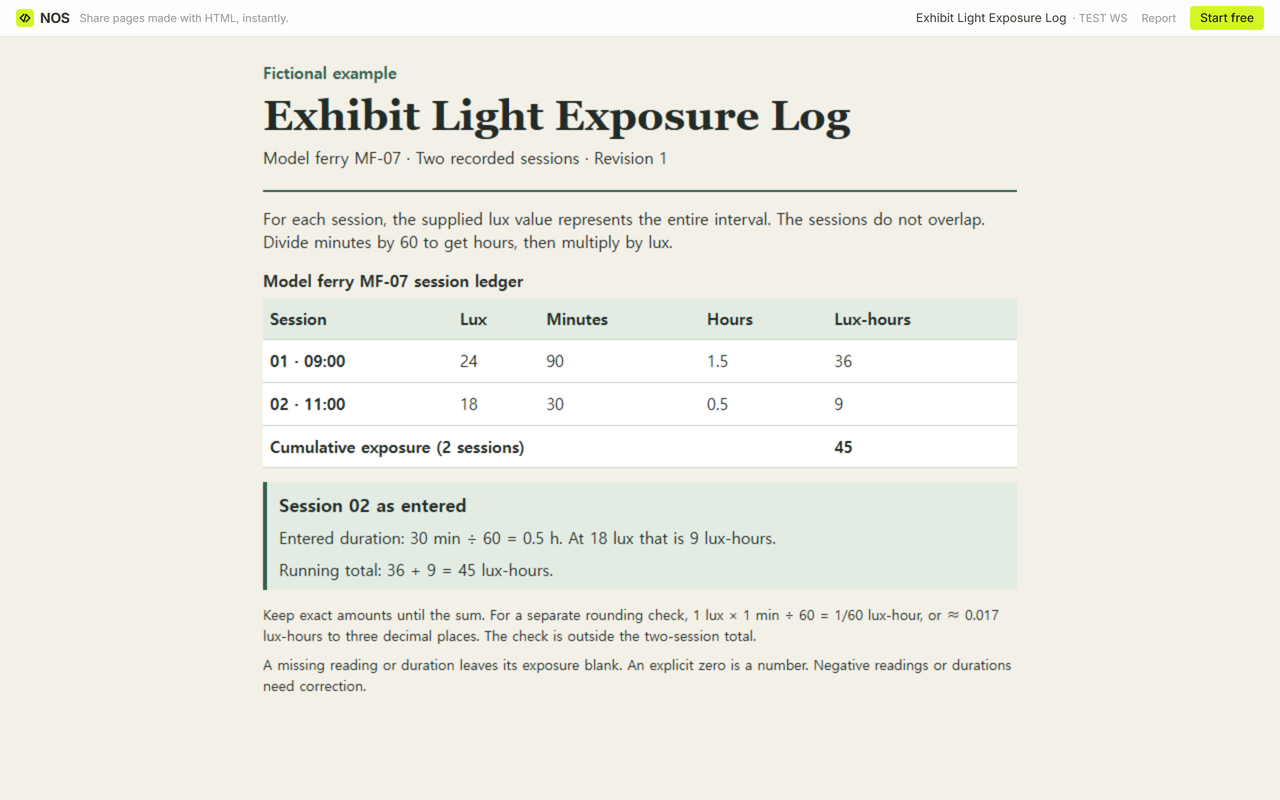
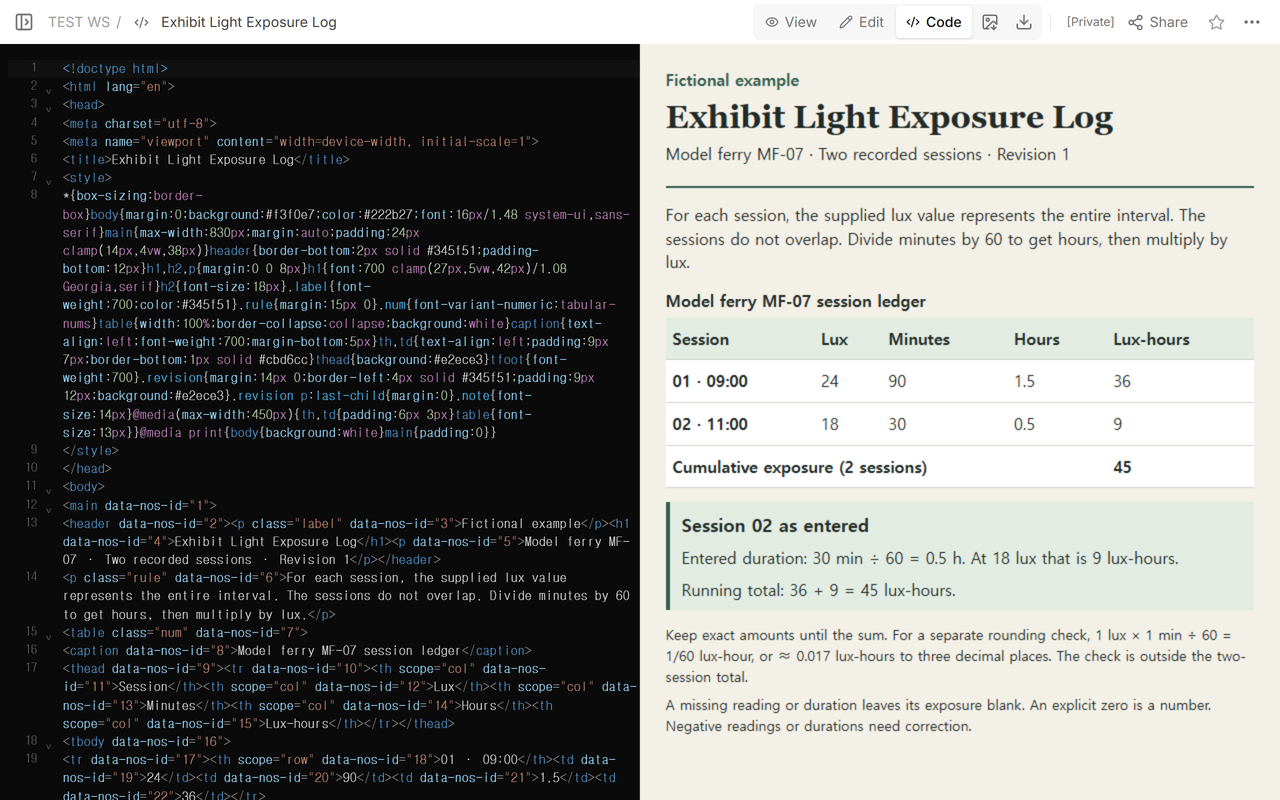
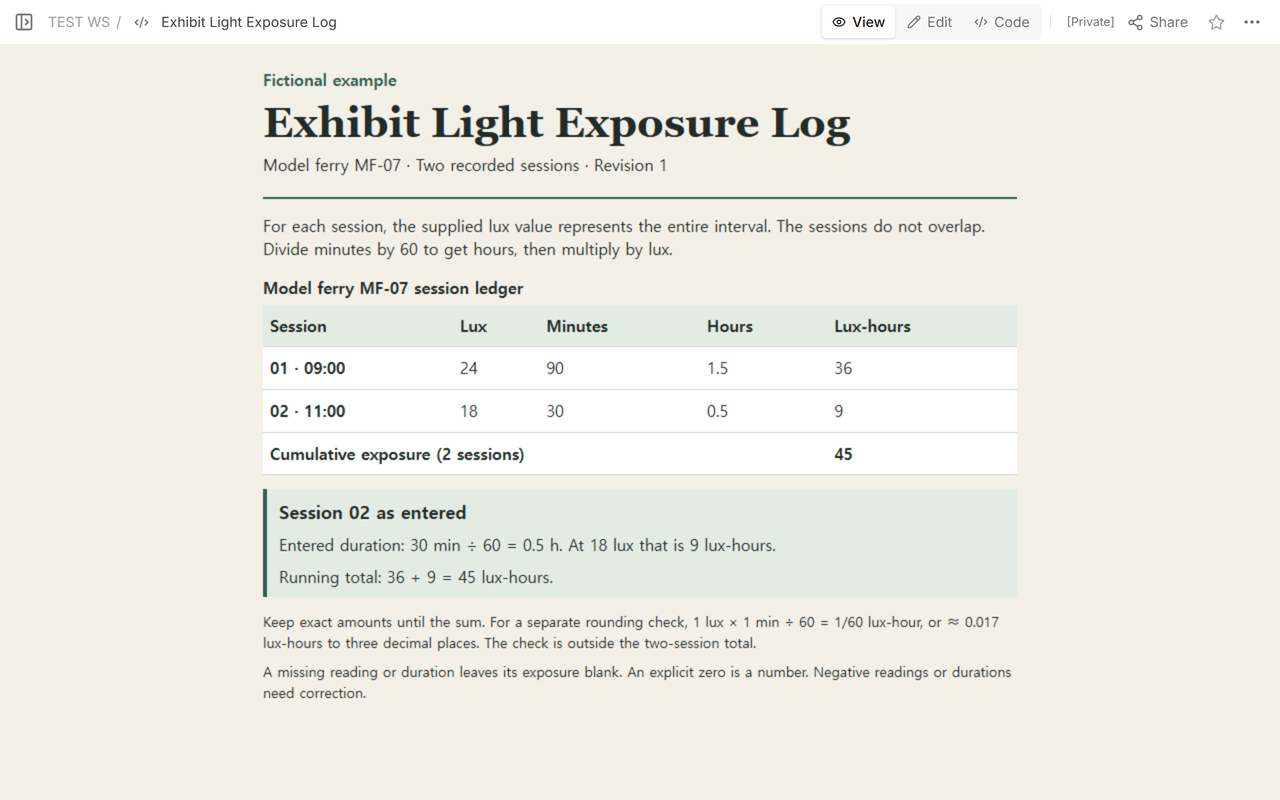
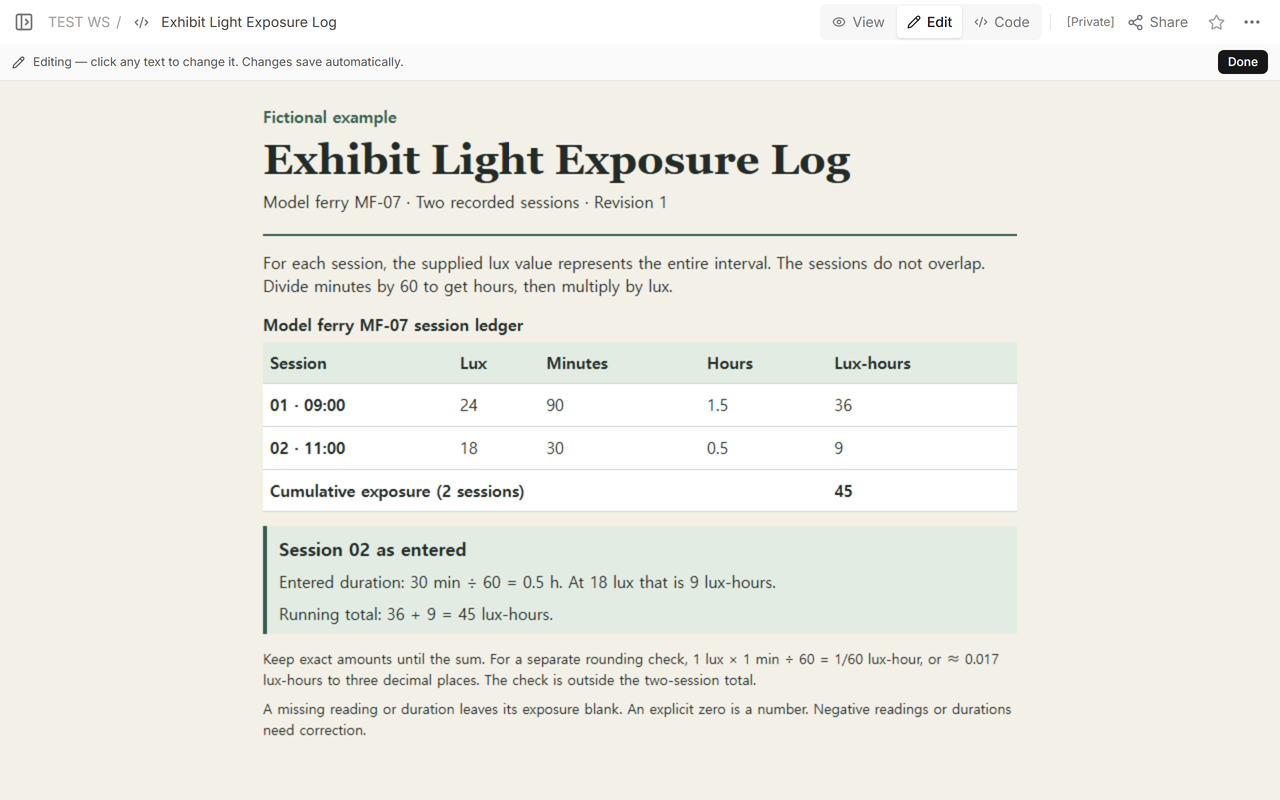
We made this example for a fictional model ferry, MF-07. Its two sessions start at 09:00 and 11:00. Each supplied lux value represents its whole session, and the sessions do not overlap. The gap between the sessions contributes nothing to the sum of these two records. If you need to account for that gap, you need a record for it.
The Smithsonian’s National Museum of Asian Art describes keeping exposure duration records by object. The National Gallery’s tool description uses lux-hours for exposure over a period. The figures below are fictional worksheet inputs.
How do you turn lux and minutes into lux-hours?
Divide the minutes by 60 first. That gives hours. Multiply by lux to get the exposure for the row.
- Session 01: 90 min ÷ 60 = 1.5 h. Then 24 lux × 1.5 h = 36 lux-hours.
- Session 02, as entered: 30 min ÷ 60 = 0.5 h. Then 18 lux × 0.5 h = 9 lux-hours.
The first total was 36 + 9 = 45 lux-hours. Add the exposures in the last column. The readings in lux apply to different durations.
What changes when a duration is corrected?
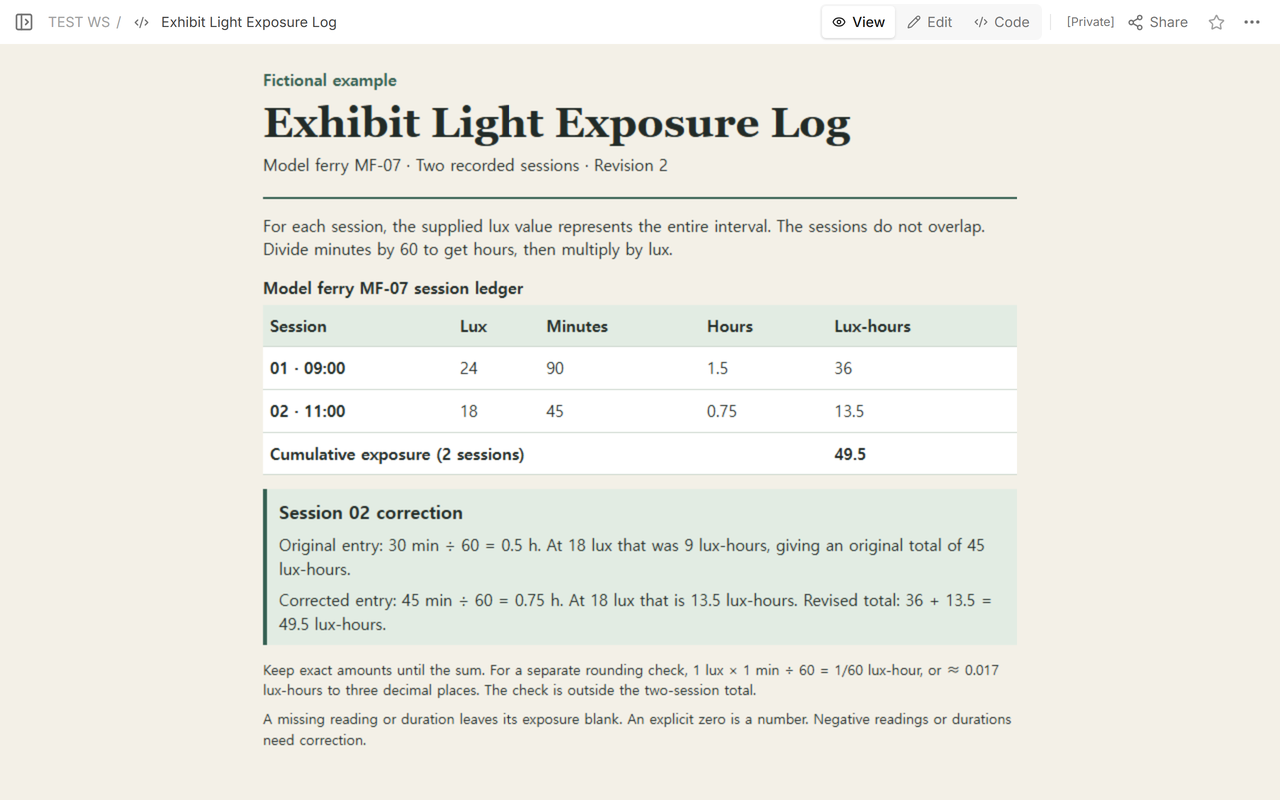
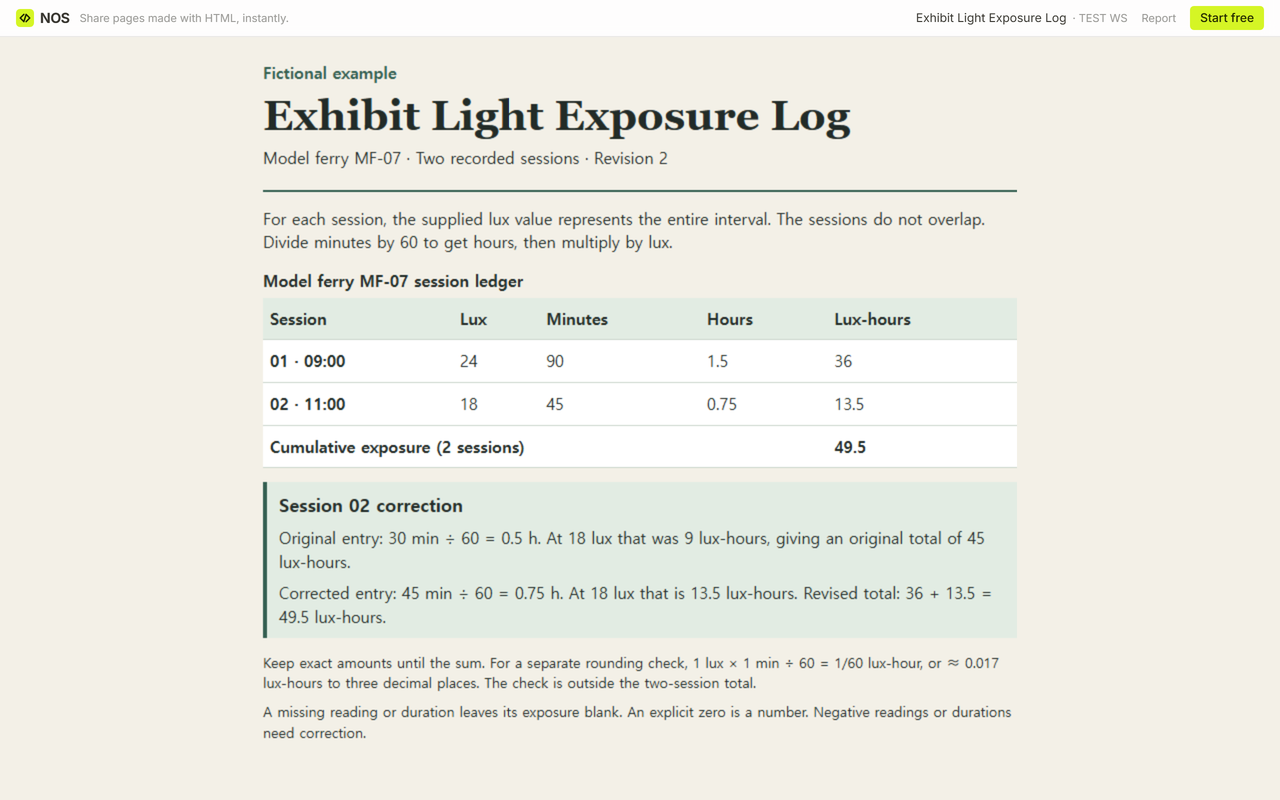
In the example, the source entry for Session 02 is corrected from 30 to 45 minutes. Its supplied illuminance stays at 18 lux. Recalculate that row from the corrected minutes. Then replace its contribution in the total.
45 min ÷ 60 = 0.75 h, and 18 lux × 0.75 h = 13.5 lux-hours. Session 01 still contributes 36. The corrected total is 36 + 13.5 = 49.5 lux-hours. Keep the old duration, the corrected duration, and the affected session in the revision note.
How do you handle a zero, a blank, or a rounded result?
Leave the exposure blank if lux or minutes is missing. Leave the full total blank and label any sum of completed rows as a subtotal. A recorded 0 lux over 45 minutes contributes 0 lux-hours. A recorded 18 lux over 0 minutes also contributes 0. Correct negative entries before using the row.
Keep exact amounts through the sum and label rounded figures. As a separate precision check, 1 lux × 1 min ÷ 60 = 1/60 lux-hour, or ≈ 0.017 lux-hours to three decimal places. That check is outside the ferry’s two-session total. The ferry’s 49.5 lux-hours is exact for the supplied numbers.
When not to do this
Use this worksheet for an arithmetic record of already specified intervals. A spot reading by itself cannot tell you what happened across a changing interval. The model ferry exercise gives you a total for the logged periods. Decisions about an actual object, materials, or display conditions belong to the institution’s own process.
If the job is to record changes you can see on an object, use a museum object condition report. If the job is to record where a stage fixture is aimed, use a stage lighting focus chart. For object identity and context, use an artwork information sheet. A museum exhibit guide serves visitors.
How did we share the corrected worksheet?
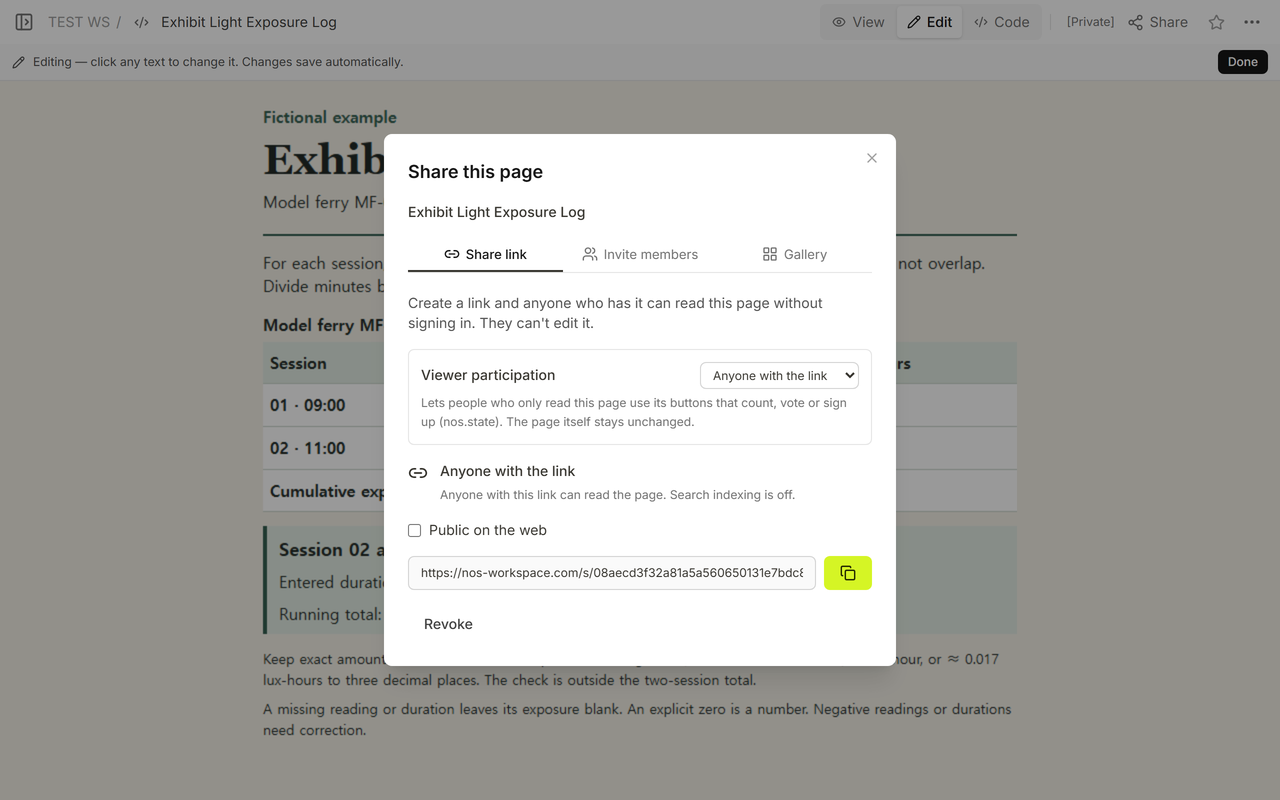
We used NOS Workspace to keep the fictional worksheet at one reader address. We opened the reader link shown in Share while signed out. It showed the original total. We updated the existing worksheet in Code, then opened that same reader address again. It showed Revision 2 with the new duration, the new total, and the correction note. The signed-out editing address asked for a login.