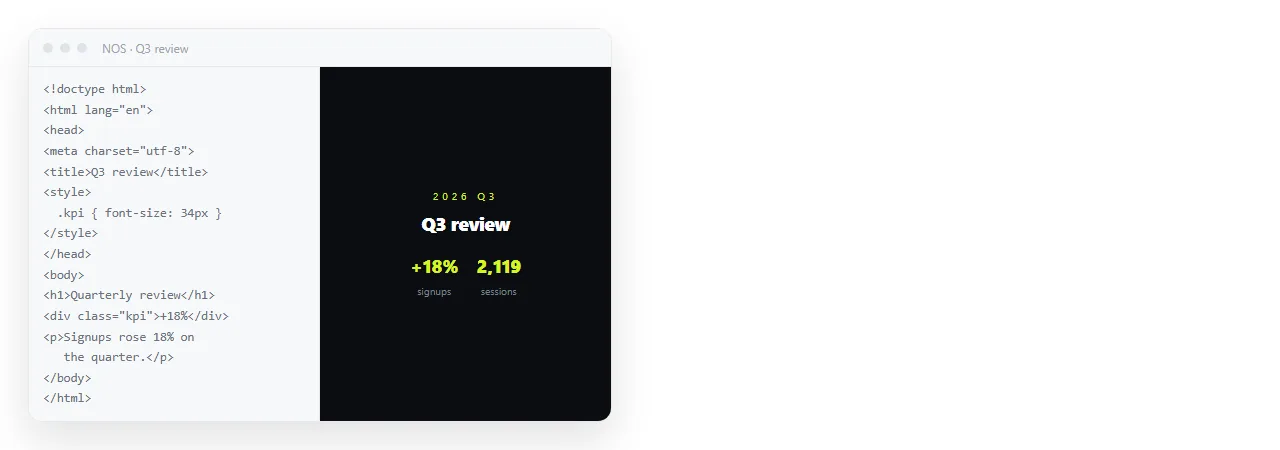
To turn HTML into a URL, paste the markup somewhere that serves it as a page and copy the address it gets. That takes one paste and no project setup.
The step people expect, and then look for in vain, is an upload form that hands back a link. What actually produces an address is something serving your markup as text/html at a stable path.
What an address actually requires
Three conditions, and nothing more.
- Something serves the page. The bytes come back with a content type of
text/html, so the browser renders instead of offering a download. - The path stays put. An address that changes on every correction is a broken link waiting to be sent.
- The page stands alone. No reaching for a stylesheet or an image sitting next to it in your folder.
Nothing on that list needs a repository, a build command or a domain purchase. They are the usual way to satisfy the list, not the list itself.
Four routes to a URL
| Route | Time to first address | Address survives edits | Fixing a typo |
|---|---|---|---|
| Paste into a NOS document | One paste | Yes | Click the text, correct it |
| Static host upload | Minutes | Yes, if the filename holds | Re-upload the file |
| Git based host with a build | Longer, once | Yes | Commit, push, wait for the build |
| Cloud drive share link | One upload | Yes | Re-upload, and the viewer may show source anyway |
The last row is the common trap. A drive link is an address, but many drive viewers present an .html file as text or as a download.
The reader then gets code rather than the page, and assumes the file is broken. HTML files in Google Drive goes through exactly what happens there and why.
The difference between the first two rows is smaller than it looks on day one and larger by month three, because it is the difference between editing a page and replacing a file.
Turning HTML to a URL in a single paste
- Check the page survives outside your folder. Open it in the HTML file opener, which has never seen your project. Missing styling there means missing styling for the reader.
- Paste the markup into a NOS document. It renders exactly as written, dark theme, charts and scripts included, as a page of its own. The HTML to link tool is the same step on a single page.
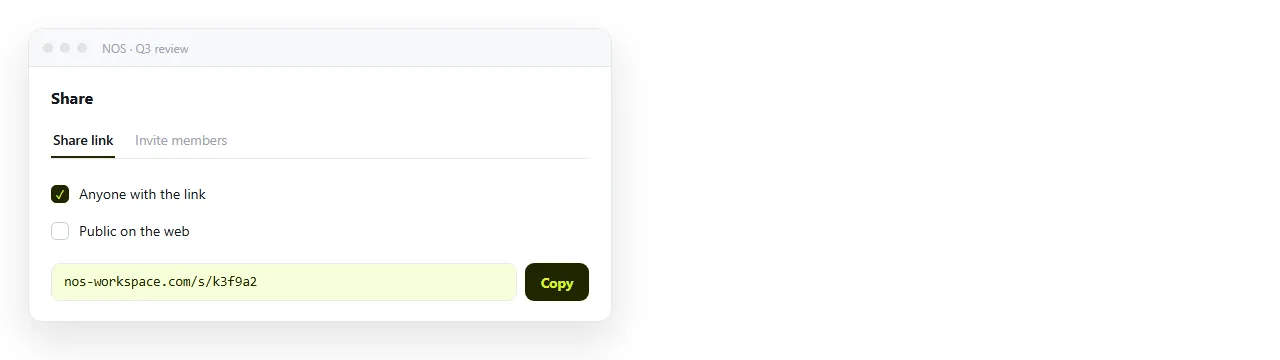
- Create the share link. Share, then Share link, then Create link. Unlisted by default. Tick Public on the web only if the page should appear in search results.
- Send the address, then edit rather than resend. Click the words in the document to correct them. The address you already sent points at the corrected page.
Why the file itself is not an address
A .html file passed around as an attachment has no address, and that produces three distinct failures.
Delivery. Mail gateways often strip HTML attachments, because a page with a form and a script is the standard shape of a fake sign-in page. Your file looks the same from the outside.
Opening. On a desktop the file opens in whatever program claims .html, which is sometimes a code editor. On a phone it usually lands in storage and stops.
Drift. Every copy is frozen at the moment it was sent. Two corrections later, three versions are circulating and nobody can tell which is current.
Why links beat attachments covers the comparison in full.
Making the URL behave well once it exists
An address that works is not the same as an address that looks right when someone pastes it into a channel.
- Give the page a
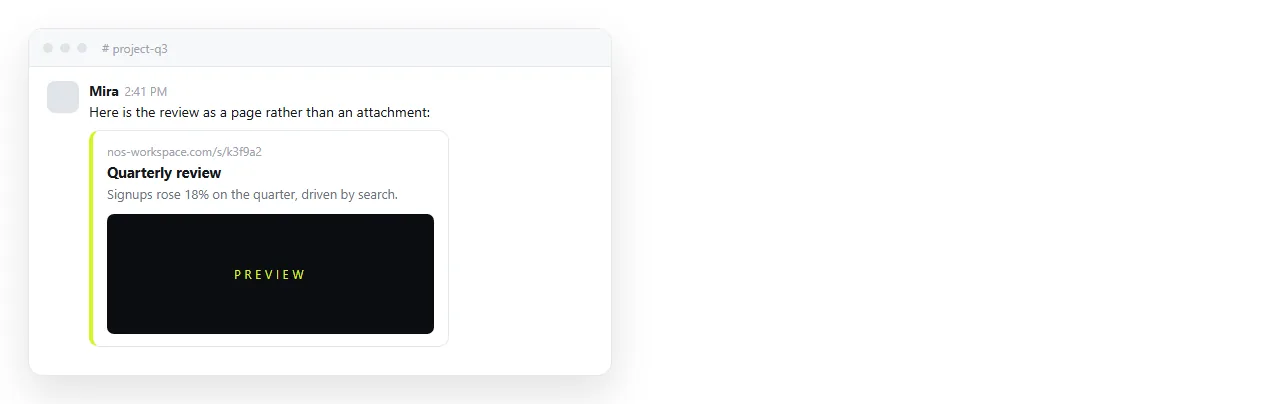
<title>. It is what the browser tab and every preview card show. An untitled page reads as spam. - Add the viewport meta tag. Without it the page loads at desktop width on a phone.
- Add Open Graph tags if the link is going into Slack, Teams or a social post, so the card shows a title and image.
- Decide on indexing. Unlisted keeps the page out of search. Public makes it eligible, which is what you want for anything meant to be found.
When a static host is the better fit
Documents are not the answer to everything. A static host earns its place when you have many pages linking to each other, when you need your own domain on the address, or when the output is produced by a build you already run.
The trade is that the unit of work stays the file. Each correction is an edit, an upload, and a wait for caches to clear.
Static hosting compared with a document sets both out honestly, including the cases where the host wins.
One page, one address, many edits
The reason to care about which route you pick is rarely the first send. It is the fourth correction.
If the address moves when the content changes, every correction obliges you to send a new link and hope people use it. If the address holds, you fix the page and say nothing.
That is the whole practical difference between having a URL and having a file.