To convert HTML to a link online, paste the markup into a service that renders it and copy the address it returns. Every tool in this category does that much, and they all take under a minute.
What separates them is what happens afterwards. Whether the address expires, whether you can correct the page without a new address, and who is allowed to open it.
The three questions that decide the tool
- How long does the link need to live? A preview for a colleague this afternoon and a link printed in a report have very different requirements.
- Will the content change? If yes, the ability to edit in place without a new address is the whole game.
- Who should be able to open it? Anyone with the link, a named list, or the entire web including search engines.
Answer those three and the choice makes itself. Skip them and you find out the answers at the worst moment.
How the categories compare
| Category | Address after an edit | Typical access | Best for |
|---|---|---|---|
| Document that renders HTML | Same address, edit in place | Unlisted by default, public optional | Anything sent to other people |
| Paste bin style tool | New address per paste | Usually public | A quick look, once |
| Code playground | Same address, editor visible | Public by default | Showing how something is built |
| Static file host | Same address if the filename holds | Public | Many pages, own domain |
A playground is an odd fit for readers, because the page arrives framed by an editor and a panel of code. Playground compared with a document covers when that framing helps and when it gets in the way.
How to convert HTML to a link online in NOS
- Check the page survives away from its folder. Open it in the HTML file opener first. If styling or images vanish there, they will vanish at any address, and self-contained HTML is the fix.
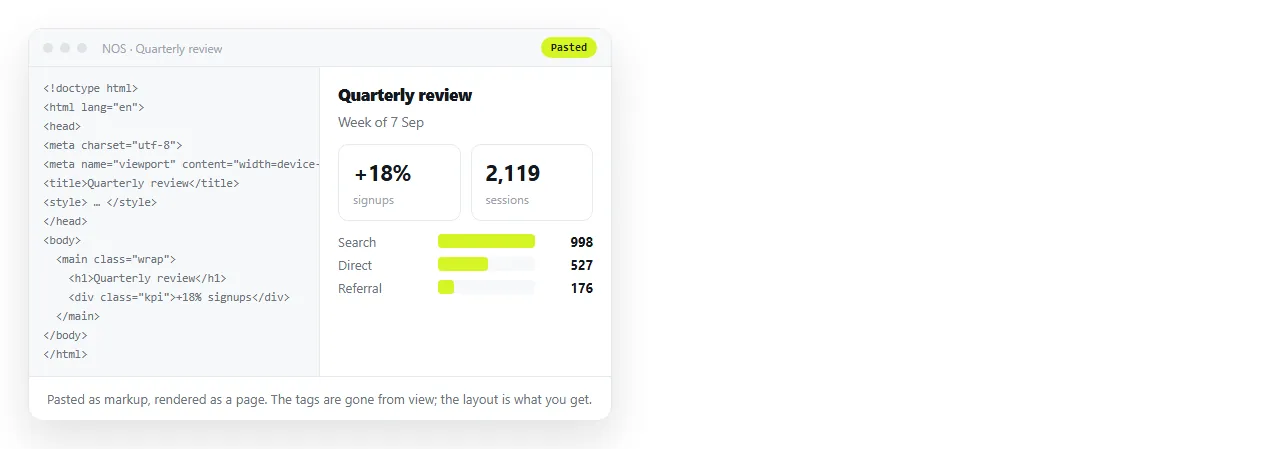
- Paste the markup into a document. It renders exactly as written, as a page of its own.
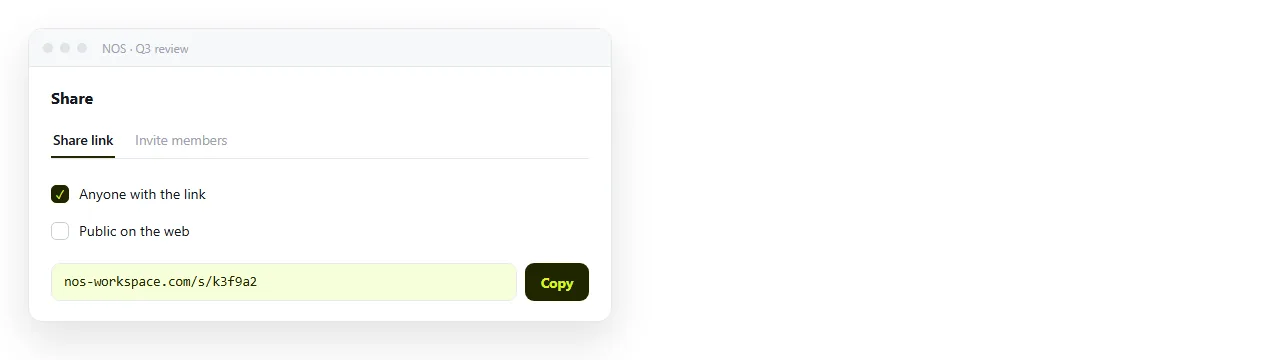
- Create the share link. Share, then Share link, then Create link. The link is unlisted unless you tick Public on the web.
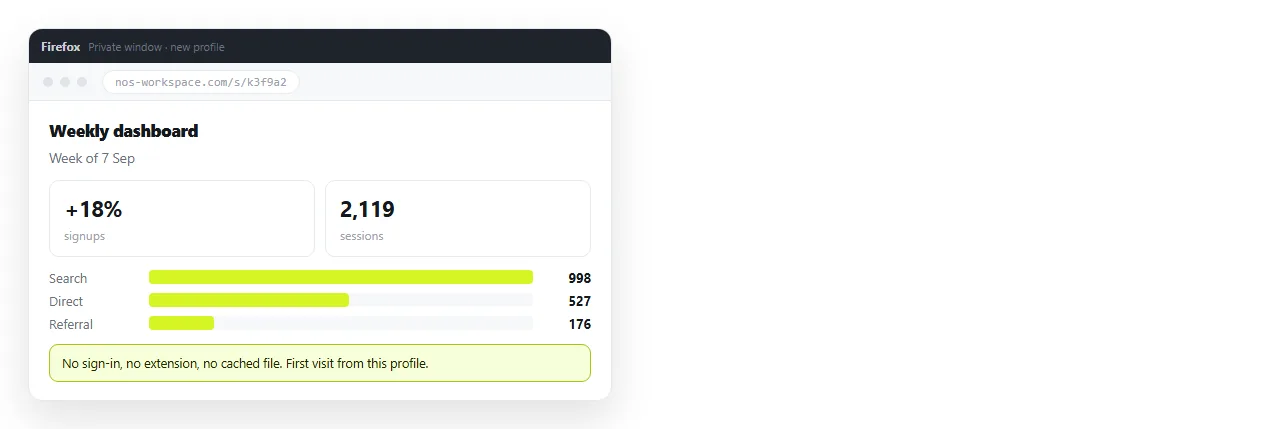
- Open it in a different browser. This is the step that catches the embarrassing failures, and it costs ten seconds.
The free plan covers three documents, which is enough to test the route properly before deciding anything.
What happens to the page on the way in
Not every service treats your markup as final. Some rewrite it, and the rewriting is usually invisible until a reader tells you something is missing.
Sanitising. Scripts and inline handlers may be stripped for safety. A page whose chart is drawn by a script then arrives as an empty box.
Wrapping. Some tools place your page inside a frame with their own header and footer, which changes the width your layout was designed for.
Re encoding. Unusual characters can be mangled if the tool assumes an encoding your file did not declare.
The test is the same in every case. Open the resulting address in a browser you have never used for this, and look at the page rather than the source.
Converting online also means the page lives on someone else's infrastructure. That is fine for most work and wrong for some.
Confidential figures. An unlisted link is not a password. If a leak would matter, invite named people to the document rather than passing a link around.
Anything under a retention rule. Check where the content is stored before pasting a customer list into a public paste bin.
Pages that must outlive the service. Keep the source file. A page you can regenerate is a page you have not really lost.
Making the resulting page look right
A working link and a link that looks credible when pasted into a channel are different things.
- A
<title>is what the tab and the preview card display. Untitled pages read as spam. - The viewport meta tag decides whether a phone reader sees the page or a corner of it.
- Open Graph tags control the card in Slack, Teams and social posts.
- Images on folder paths break at any address. Put them on full addresses or embed them as data URIs.
The edit problem, stated plainly
Most of these tools treat your paste as a snapshot. Change a number and you paste again, get a second address, and now two versions exist.
That is tolerable once. By the fourth correction on a document several people have bookmarked, it is a real cost, and the older link is still circulating.
A document keeps one address across every revision, so correcting a figure is a click on the text rather than a new link and an apology.
Quick recommendation
If the link is disposable and the content is not sensitive, use whatever is fastest and move on.
If anyone outside your team will open it, or the content will change, or someone might return to it next quarter, use a document with a stable address and edit in place. Turning HTML into a link is that route on one page.