People look for a CodePen alternative for two quite different reasons, and only one of them is about the playground. Both formats render your HTML at an address.
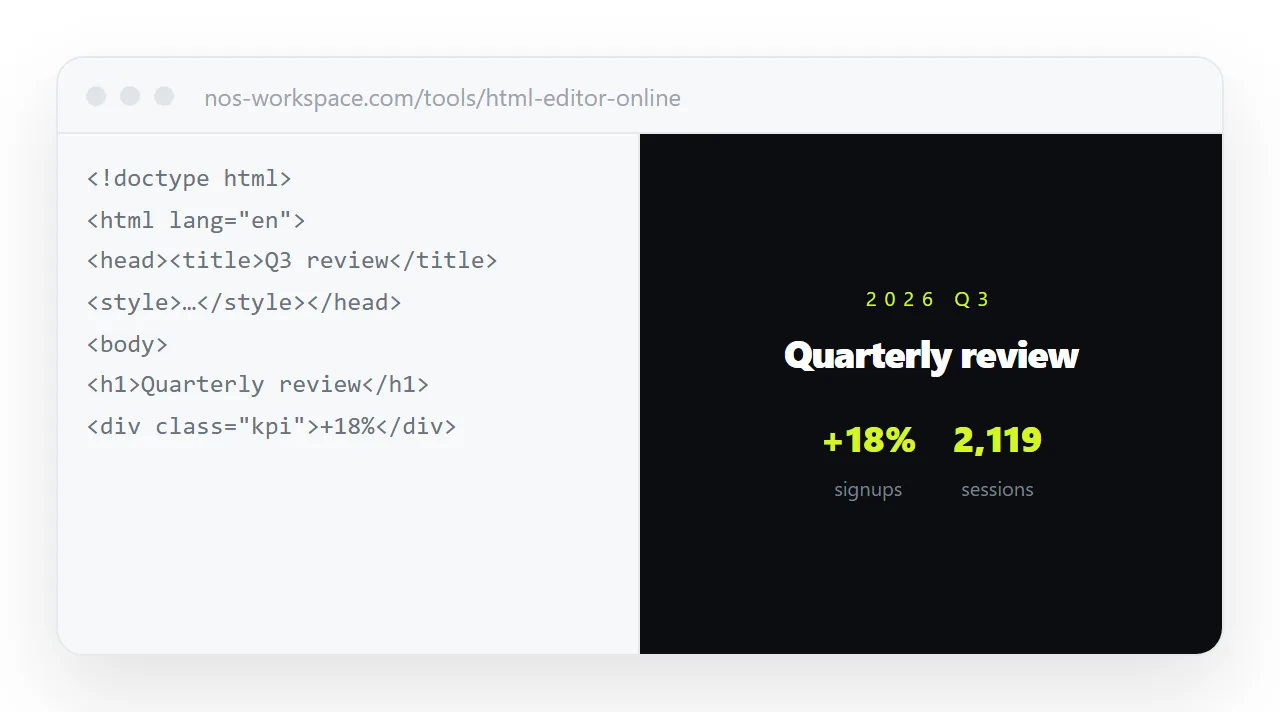
A playground shows the code in panes with the result underneath, inside its own editor interface, which is exactly right when a developer wants to see how something works.
A document shows the page, which is exactly right when a colleague, a client or a reader wants the page.
This guide compares what each puts first, why the reader decides, the editing question, what a playground is genuinely better at, and the four steps to choose.
Both give you a link to something that renders your HTML. The question is what the reader sees when they open it.
A CodePen alternative, or a playground: what each puts first
A playground is built for an audience of developers. Opening the link shows a code editor with panes, a toolbar, and your rendered page in one of the panels. The address identifies the snippet. That is correct design for its purpose — the code is the subject.
A document is built for an audience of readers. Opening the link shows the page, full width, with nothing around it. The address identifies the page.
Compared
| Playground | Document | |
|---|---|---|
| Reader sees first | The code | The page |
| Page width | A panel | The whole screen |
| Surrounding interface | The playground's | None |
| Good for | "Here is how this works" | "Here is the report" |
| Editing the wording | Edit markup | Click and type |
| Who can edit | Someone comfortable in code | Anyone you invited |
| On a phone | Panes fighting for space | The page |
| Findable by content later | No | Yes |
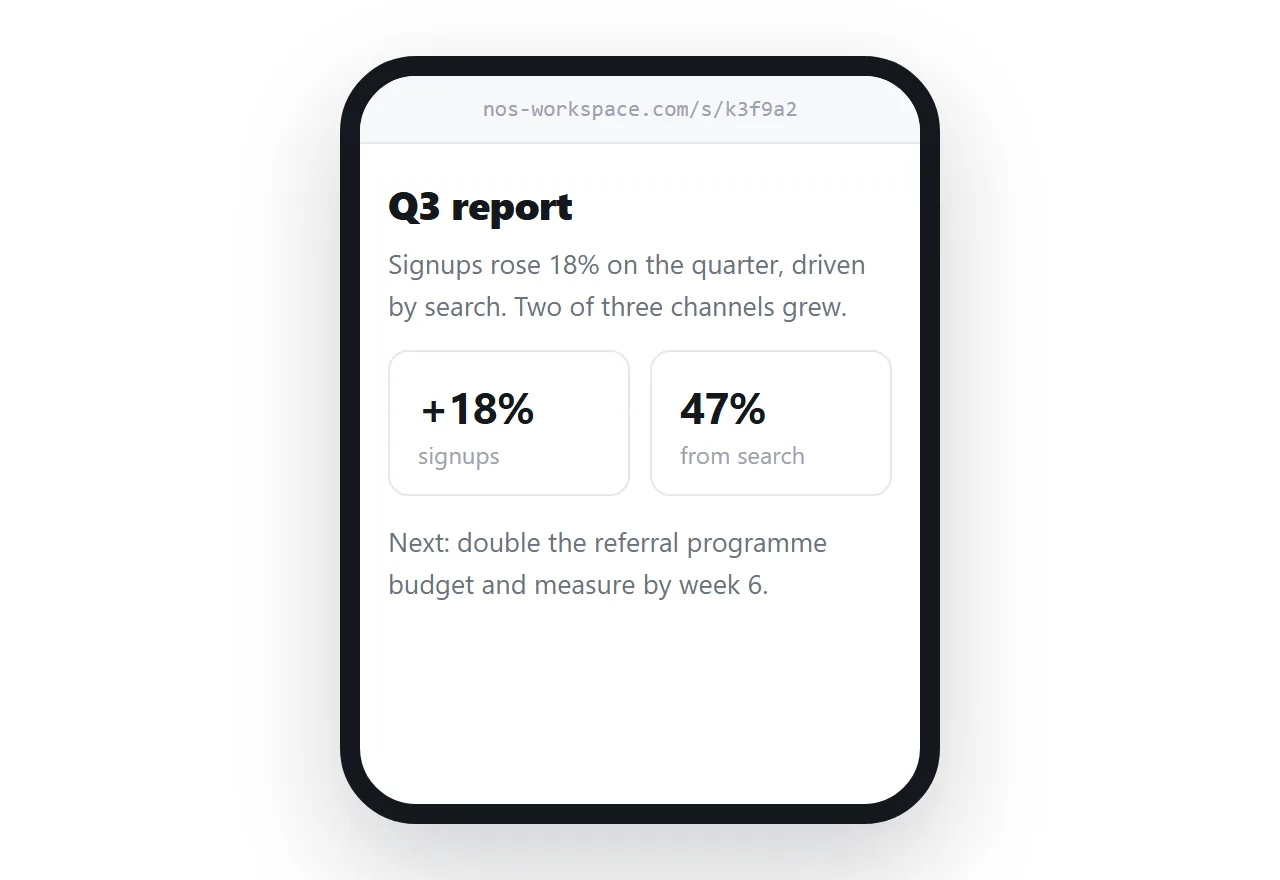
Why it matters who opens the link
Send a playground link to a colleague who needs the quarterly figures and they arrive at a code editor. The figures are in a panel on the right, narrower than their screen, under a toolbar belonging to a service they have never used. Many will assume they have been sent the wrong link.
Send a playground link to a developer asking how you built the sortable table, and it is exactly right — they can read the markup, change it, and see the effect.
Same mechanism, opposite outcomes, decided entirely by the reader.
The editing question
This is the difference that lasts longest.
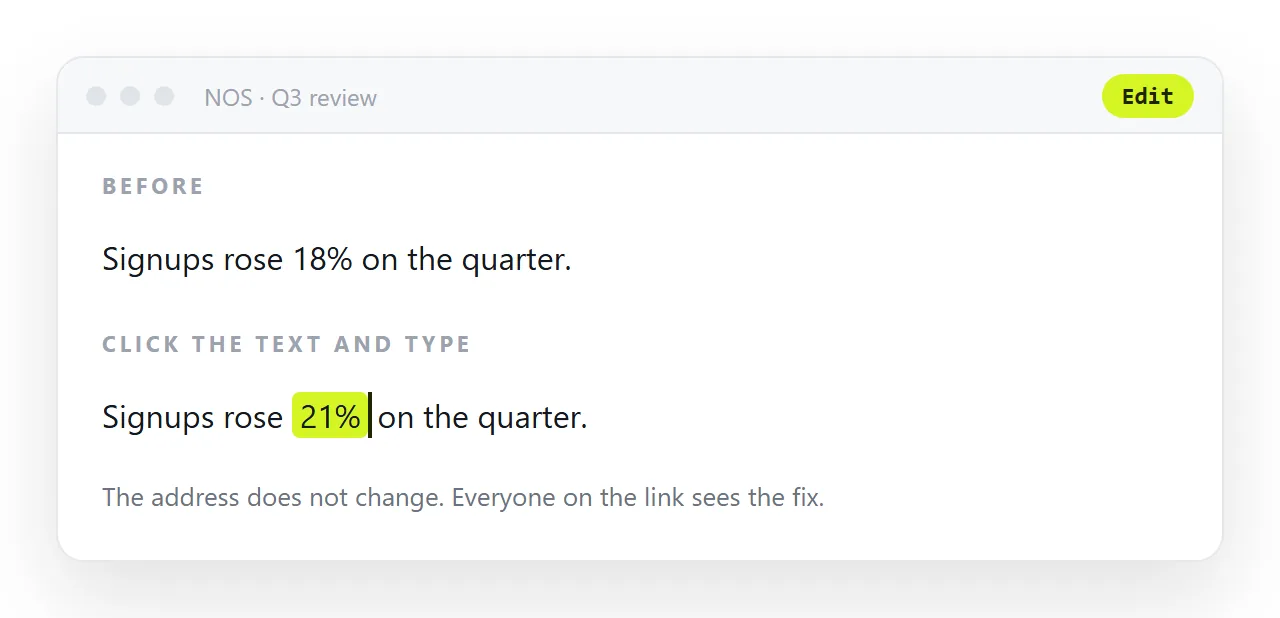
On a playground, changing a word means finding it in markup. So corrections route through whoever is comfortable doing that — and the person who noticed the wrong client name usually is not that person. The correction becomes a message, then a task, then a week.
In a document whose rendered text is editable, that person fixes it. No markup, no request, no queue.
What a playground is genuinely better at
Demonstrating a technique. The code visible next to the result is the point.
Asking for help. Someone can fork it, change it, and send it back.
Teaching. A reader can experiment without setting anything up.
All three have developers as the audience. None of them is "my colleague needs to read this report by Thursday".
The test
Does the reader want to see the code?
If yes — playground. If no, they want a page, and every pixel of code editor around it is in the way.
In NOS the pasted HTML renders as the page, full width, with nothing around it, at a fixed address — and the text inside stays clickable so the reader who spots an error is the one who fixes it.
By reader
| Reader | Wants | Send |
|---|---|---|
| A developer asking how you built it | The code | A playground |
| A colleague who needs the figures | The page | A document |
| A client | The page, on a phone | A document |
| Someone who will fork and return it | An editable copy | A playground |
| A person learning a technique | Code next to result | A playground |
| Anyone who has to correct the wording | Editable text | A document |
Three and three, and the deciding question is never about the tool — it is whether the reader wants to see the markup.
When the reader is both
A design review sometimes needs both: the page for the people judging it, the code for the person who will change it.
Send the document address to the group, and put the playground address in one line at the bottom of the page for the developer. The group never sees an editor; the developer never has to ask where the source is.
The progression
Use an editor or playground while the structure is in flux, then move the page to an address once only the content changes. Stopping at the first stage because you already have a link is the common mistake — see editing generated HTML without code for why the editing question is the one that lasts.
Playgrounds and outside dependencies
A page built in a playground often loads its libraries and fonts from the playground's own settings panel rather than from the markup, which means the HTML copied out of it is missing them.
When moving a page to a document, look at the playground's settings for anything added there, and either embed it or replace it with plain CSS and inline SVG. The self-contained HTML checklist covers the rest.
The reader who is asked to sign up
Some playgrounds ask a viewer to create an account before they can see a shared pen at full size, or show the result only inside the editor chrome. A client or an executive who meets that wall closes the tab. A document address opens as a page with no account, which is the behaviour a reader expects from a link.
Choosing between a playground and a document: 4 steps
- Name the person who will open the link. A developer who wants to see the code: playground. Anyone who wants the page: document.
- Ask who will change the words later. If it is not a developer, the page needs clickable text, which a playground does not offer.
- Use the playground while the markup is in flux. Iterate there, with a colleague, until the structure is right. The online editor does the same job without an account.
- Move the finished page to a document and share that address. Share, then Share link, then Create link. Keep the playground as the workshop, not the delivery. Turning HTML into a link is this step.