This file is a set of instructions for building pages. It is not the pages.
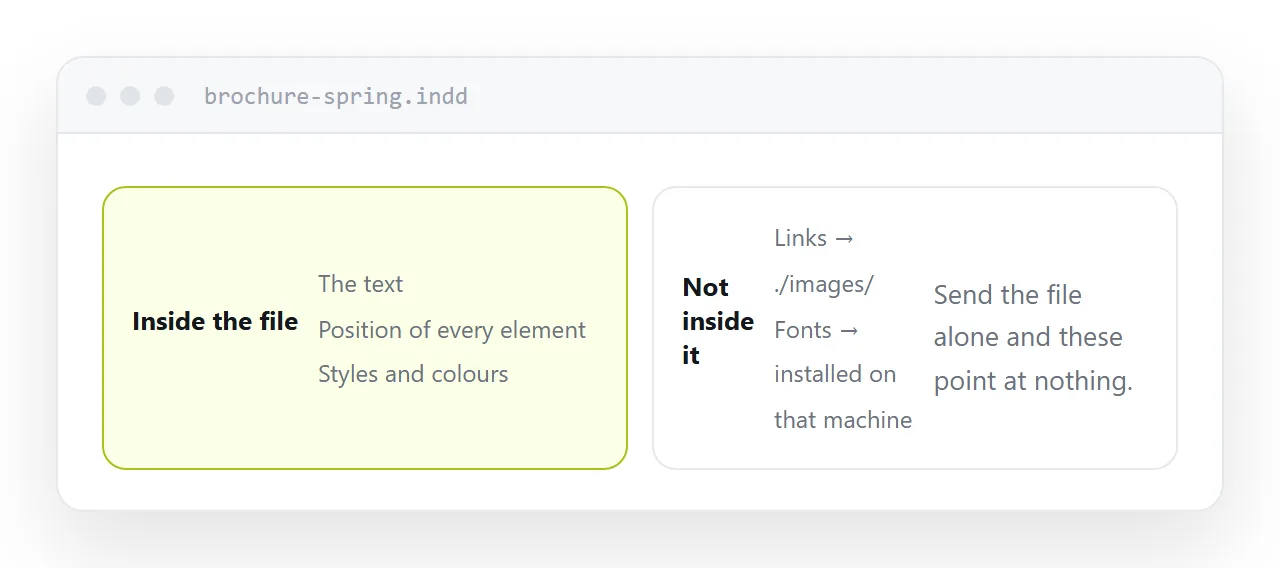
What is inside, and what is not
Inside: the text, the position of every element, the styles, the page structure, the colour definitions.
Not inside: the images, which sit in a folder beside it as links, and the fonts, which are installed on the machine that made it.
Open it somewhere those links do not resolve and you get placeholders where photographs should be, and substituted fonts that reflow the text. The pages are technically there and the design is not.
This is the difference between a layout working file and a finished document, and it explains almost every problem people have with one.
| You want to | You need |
|---|---|
| Read it | An export |
| Approve it | An export, at an address |
| Send it to print | A print-ready export |
| Edit the layout | A packaged folder |
| Open in an older version | An interchange export |
Why nothing else opens it
Fixed-page documents have readers everywhere: browsers, phones, operating systems. That format was designed to be universally readable.
A layout working file was designed to be edited by one program. There is no general reader, and the online converters that claim to handle it are guessing at a proprietary format while missing the linked assets.
So the answer to "can I open this" is almost always no, and the useful question is what to ask for instead.
Version direction
The format is not backward compatible.
A file saved in this year's version will not open in a copy from two years ago. The program will simply refuse, with a message that does not explain the fix.
The fix is an interchange export, an intermediate format the newer version can write and the older one can read. Some newer features do not survive it, which is worth knowing before the deadline rather than during it.
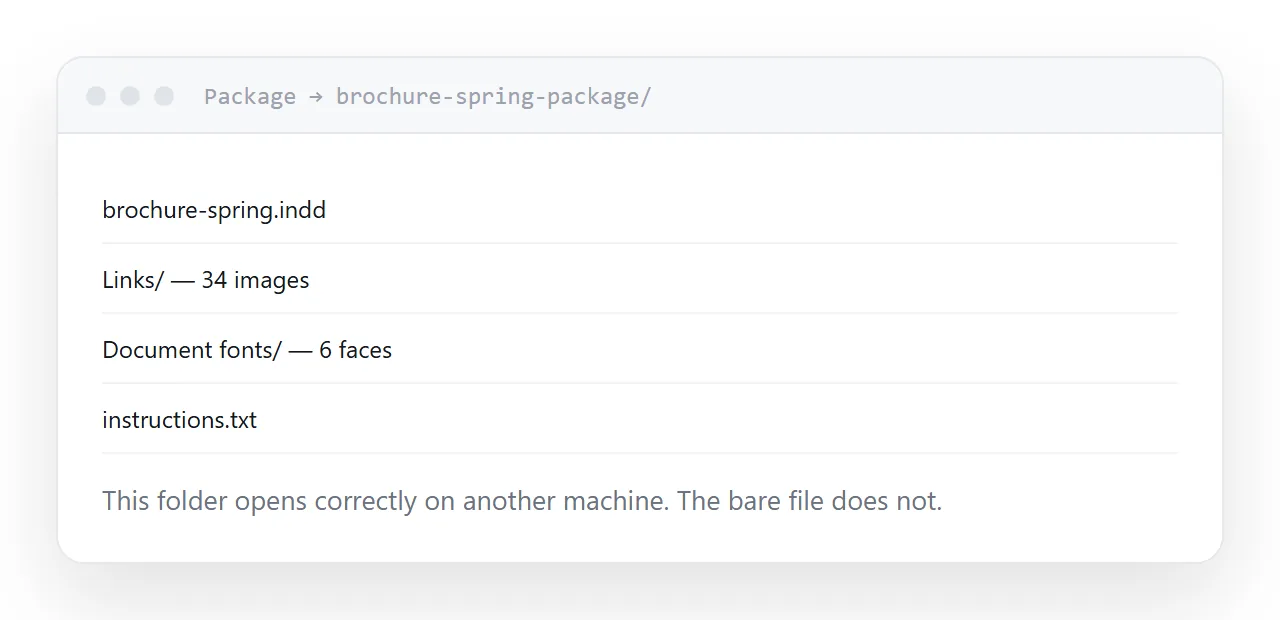
What to ask for
To read or approve: an export at screen settings. Opens anywhere, small enough to send, and looks exactly as designed.
To edit: a packaged folder. The package command collects the file, every linked image and the fonts into one folder that works on another machine. The bare file does not, which is why designers get asked to resend so often.
Then publish it
An export sent as an attachment downloads on a phone and often bounces off a mailbox if the design is image-heavy.
At an address, it opens in the browser on any device. For approval cycles this is the whole difference: the client taps once and replies, rather than receiving a file and a set of instructions.
If this is near what you are doing, Turning a layout file into something anyone can open and How to open an AI file cover the cases on either side.
Put it at an address
Do not expect the working file to open, ask for an export to read it, ask for a package to edit it, check which direction the version gap runs, and publish the export so approval takes one tap.