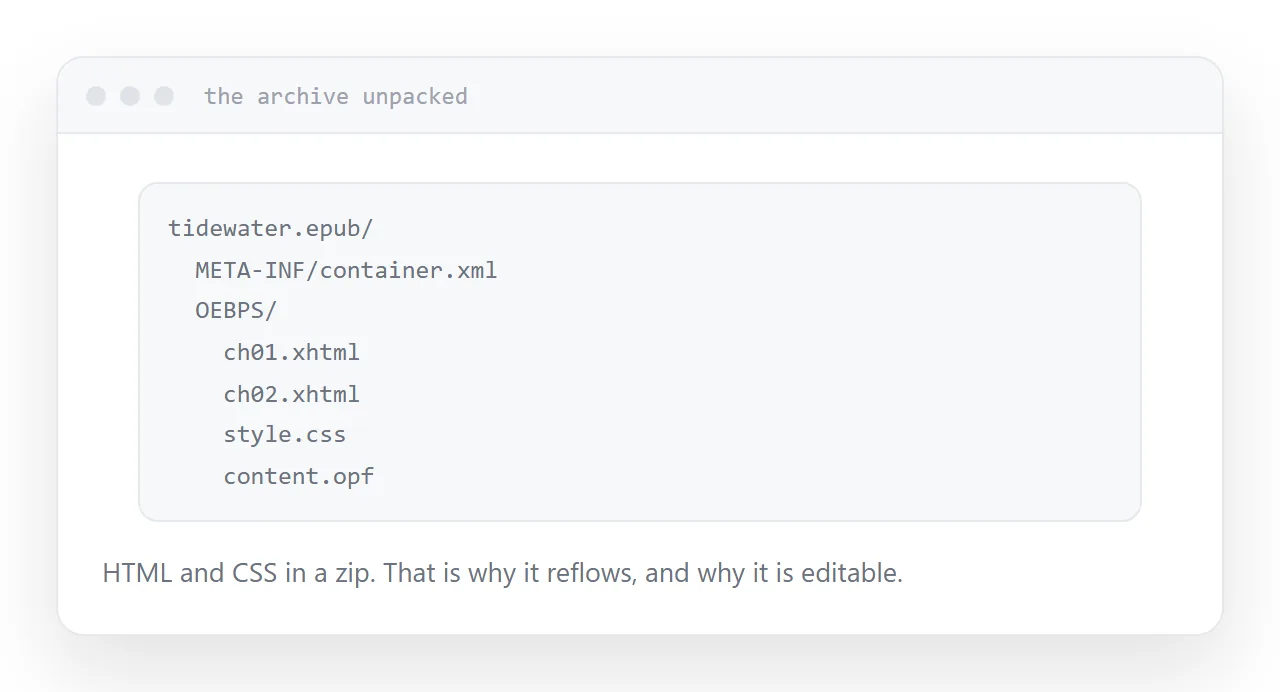
An EPUB is a zip archive containing HTML files, styles, images and a manifest describing the order. Reading software unpacks it and renders it.
That single fact explains everything else about the format.
This guide covers reflow, choosing between formats, and what to send.
Reflow is the whole difference
A PDF is a set of fixed pages. Page four looks the same everywhere, which is the point.
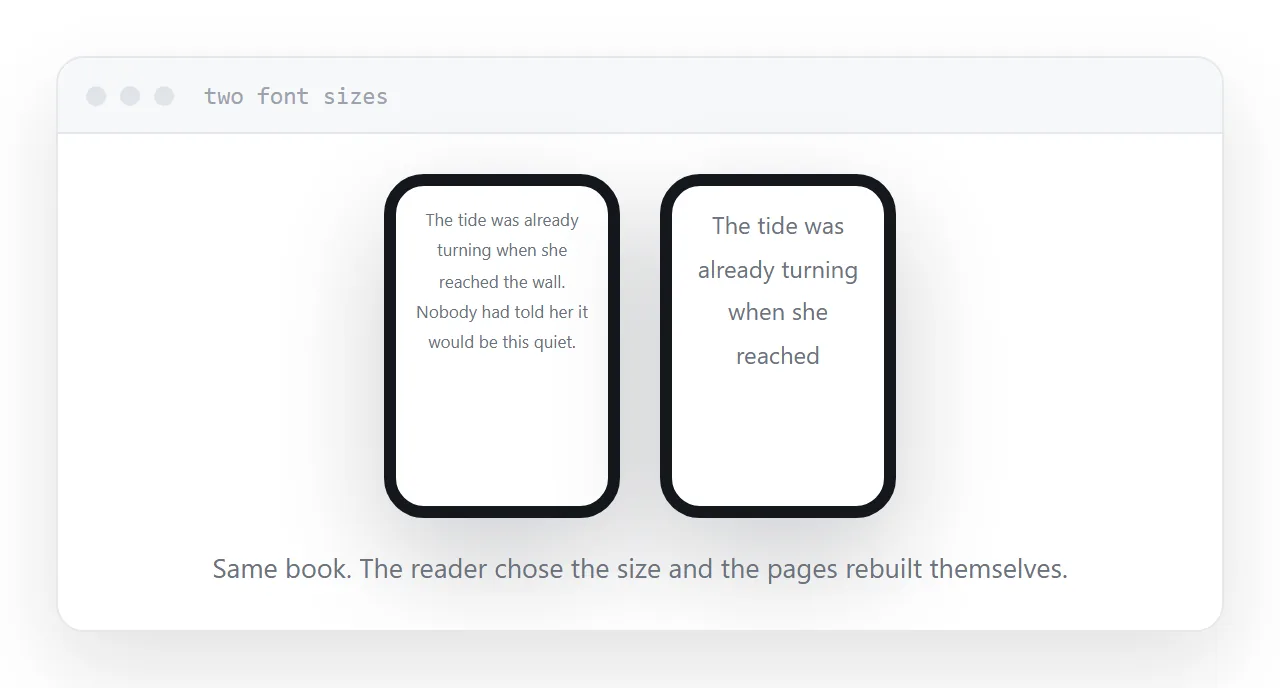
An EPUB has no pages. It has content, and the reading software creates pages at the moment of display, based on the screen size and the font size the reader chose.
Someone reading at a large font size on a small phone gets many short pages. Someone on a tablet at a small size gets few long ones. Both read comfortably, which a fixed-page document cannot offer.
This is why e-readers use the format. Font size is an accessibility requirement for a significant share of readers, and a fixed layout simply cannot accommodate it.
| EPUB | ||
|---|---|---|
| Layout | Reflows to the screen | Fixed to a page size |
| Reader changes font size | Yes | Only by zooming |
| Page numbers | Not fixed | Fixed |
| Good for prose | Yes | No |
| Good for layout-driven books | No | Yes |
| Opens without software | No | Almost everywhere |
Which one a book needs
Mostly text. A novel, an essay collection, a business book. EPUB. Readers will change the font size and the book has to survive it.
Layout is the content. A cookbook where the photograph sits beside the method, a manual with annotated diagrams, a photography book, anything with a designed grid. PDF. Reflowing those destroys them.
Both. Many books are published as both, and that is a reasonable answer when the content mostly reflows but some pages need to hold together.
What it means for sending one
An EPUB needs reading software. E-readers and reading apps handle it; a browser generally does not.
So sending someone an EPUB is not the same as sending them something they can open. On a phone with no reading app installed, it downloads and sits there.
If the recipient is a reader on an e-reader, that is exactly right. If they are a colleague who will glance at it on a laptop, it is the wrong artefact.
Publishing a web version alongside solves this. The content is already HTML; putting it at an address means anyone can read it immediately, and the EPUB remains for people who want it in their library.
It is editable because it is HTML
Rename an EPUB to a zip archive, unpack it, and you have HTML files and a stylesheet.
That means a typo can be fixed without going back to the original manuscript, styling can be adjusted, and the content can be repurposed for a web version without conversion.
Dedicated editing tools exist and make this less fiddly. The important point is that nothing about the format is closed, which is not true of every publishing format.
For the surrounding ground, see How to share an ebook as a link and How to turn a PDF into a website.
Put it at an address
Use EPUB for prose, PDF when the layout is the content, do not assume a recipient can open an EPUB, publish a web version alongside, and remember that it is HTML underneath.
Then the reader gets the book in a form their device can actually show.