A notification importer needs the same fixed ticket pattern in a reusable setup function. Constructing a RegExp with separate pattern and flag arguments makes that setup explicit while still treating incoming notification text purely as data.
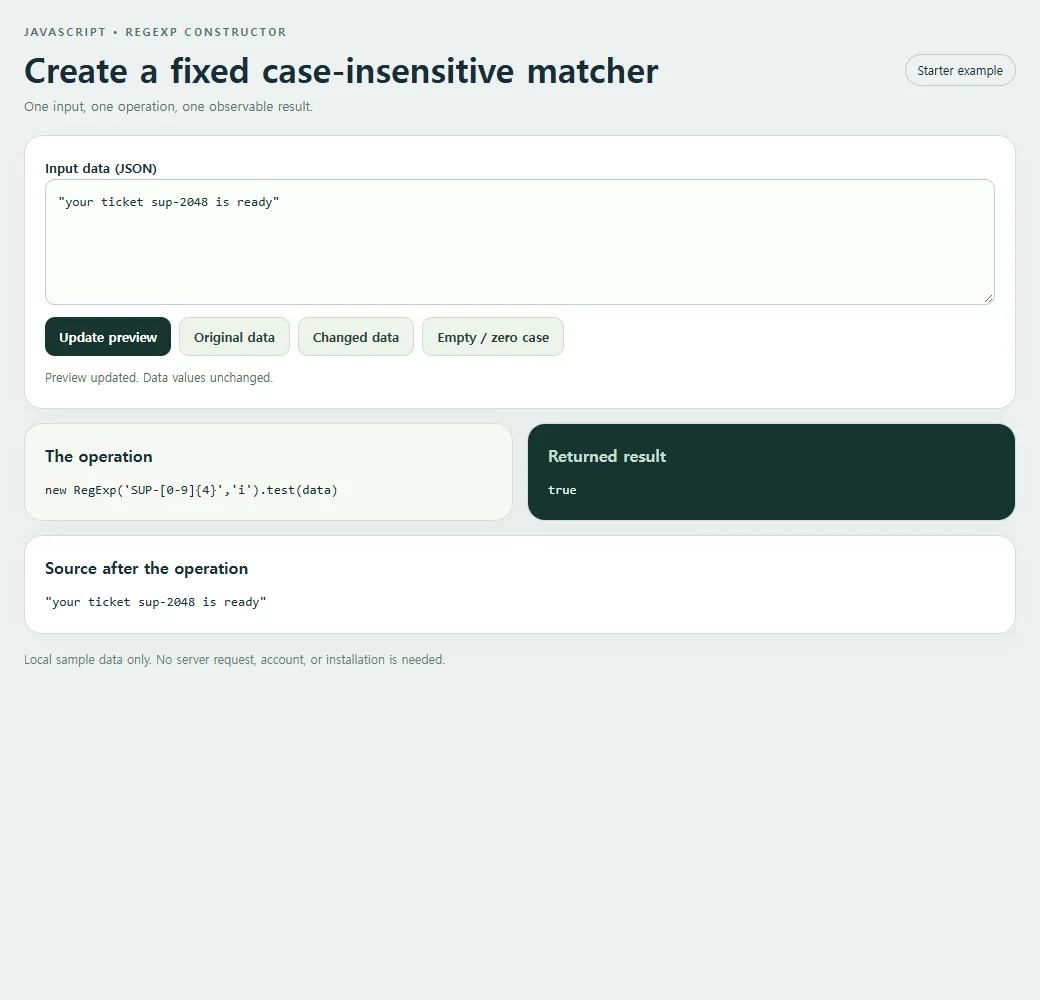
The initial message contains a lowercase sup reference, and the result is true because the constructor receives the i flag. The pattern string describes the ticket shape, while the separate flag string controls case sensitivity. This arrangement is useful when a setup function configures a known matcher, but the incoming message remains ordinary text rather than executable syntax.
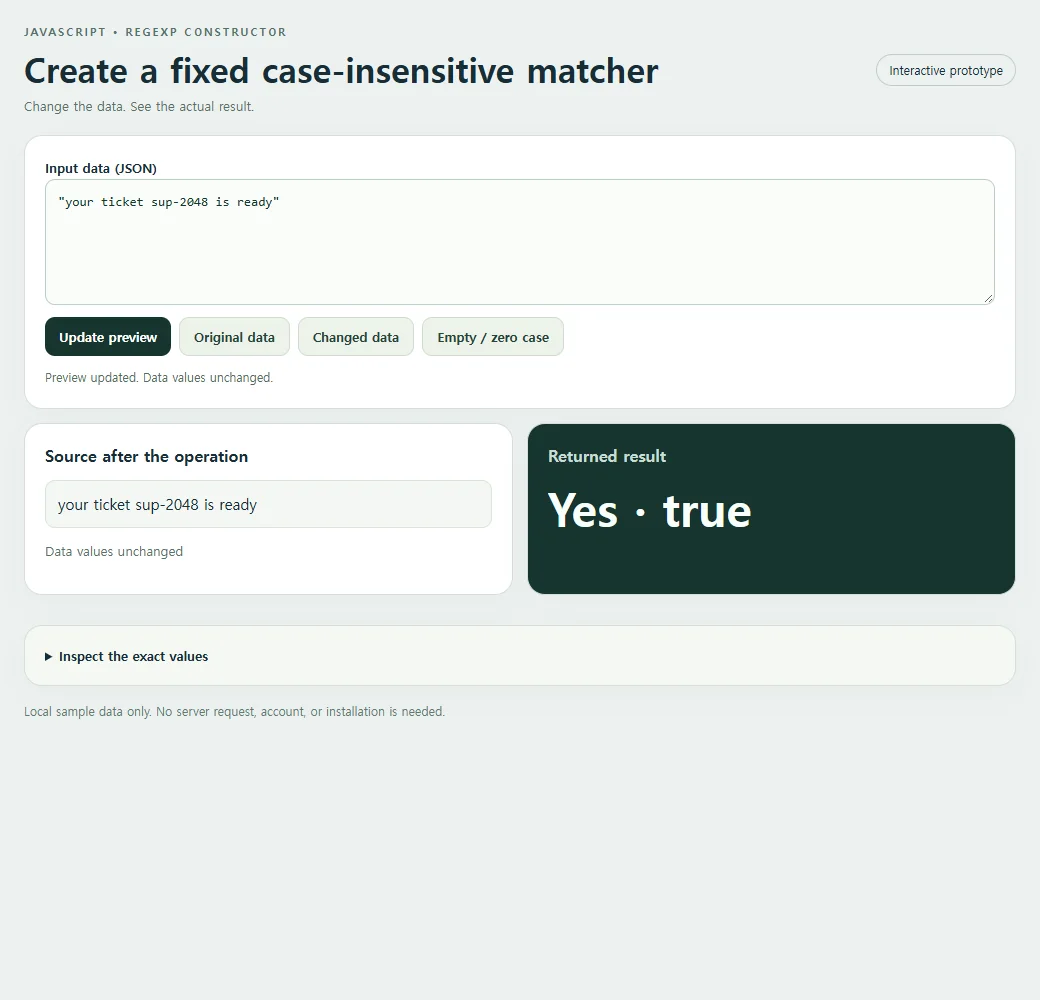
Follow the value through the operation
The constructor receives a fixed pattern string and the case-insensitive i flag, then test checks the notification. The returned boolean belongs to test; constructing the expression itself returns a RegExp object. Source text remains unchanged, and users cannot supply executable pattern code here.
Constructing the RegExp returns an expression object. The example then calls test to produce the displayed boolean. Those two steps should not be conflated: a constructed matcher can be stored and used later, while test performs one search. Because the pattern is not anchored here, it can find a ticket inside a longer notification, which is appropriate for this import task but different from validating a ticket-only field.
String patterns have two layers of syntax when backslashes are involved. JavaScript first interprets the string literal, then RegExp interprets the resulting characters. A pattern written as a literal can therefore require different escaping when moved into a quoted constructor argument. The simple digit character class in this example avoids that distraction while still demonstrating the constructor and flag relationship accurately.
Do not replace the fixed pattern with an unrestricted form field just to make the demo configurable. Arbitrary regexes can create expensive matching behavior or throw during construction, and those risks belong to a separately designed pattern editor. For this notification checker, let the visitor change the message instead. Lowercase and uppercase references should both match, while a message without the required prefix and four digits should fail.
<!doctype html><html lang="en"><head><meta charset="utf-8"><meta name="nos-demo-layout" content="responsive-lab"><meta name="viewport" content="width=device-width,initial-scale=1"><title>Create a fixed case-insensitive matcher</title><style>*{box-sizing:border-box}body{margin:0;background:#edf1f0;color:#172d36;font:15px/1.5 system-ui,sans-serif}main{max-width:1040px;margin:auto;padding:24px}header{display:flex;justify-content:space-between;gap:12px;align-items:center;margin-bottom:20px}.eyebrow{font-size:11px;font-weight:800;letter-spacing:2px;color:#55716b;text-transform:uppercase}h1{font-size:clamp(23px,4vw,34px);line-height:1.15;margin:8px 0}h2{font-size:16px;margin:0 0 12px}.tag{border:1px solid #bfceca;border-radius:99px;padding:6px 12px;font-size:12px;white-space:nowrap}.panel{background:white;border:1px solid #d4dfdb;border-radius:18px;padding:20px;margin-bottom:14px;box-shadow:0 9px 30px #1d393407}.grid{display:grid;grid-template-columns:1fr 1fr;gap:14px}.result{background:#17352f;color:#f7fffb}.result h2{color:#c9ded5}.cards{display:grid;gap:10px;grid-template-columns:repeat(auto-fit,minmax(135px,1fr))}.card{background:#f2ffc2;color:#17352f;padding:15px;border-radius:12px;min-width:0;overflow-wrap:anywhere}.card small{display:block;color:#536f60;font-size:11px;font-weight:700;text-transform:uppercase;margin-bottom:4px}.field{display:block;margin:8px 0}.field small{margin:0 0 3px;text-transform:none}.value{font-size:15px;font-weight:650;white-space:pre-wrap}.hero{font-size:clamp(28px,5vw,46px);font-weight:750;line-height:1.2;overflow-wrap:anywhere}.muted{color:#587169;font-size:13px}.result .muted{color:#bed7cb}pre{margin:0;white-space:pre-wrap;overflow-wrap:anywhere;font:13px/1.6 ui-monospace,monospace;max-height:220px;overflow:auto}.toolbar{display:flex;flex-wrap:wrap;gap:8px;margin:12px 0}button{background:#17352f;color:white;border:0;border-radius:10px;padding:10px 14px;font:600 13px system-ui;cursor:pointer}button.secondary{background:#edf3ea;color:#244337;border:1px solid #d0ddd0}button:hover{filter:brightness(.94)}button:focus-visible,textarea:focus-visible,summary:focus-visible{outline:3px solid #749919;outline-offset:3px}textarea{display:block;width:100%;height:126px;border:1px solid #bccfc5;border-radius:10px;background:#fafcf9;padding:12px;font:13px/1.5 ui-monospace,monospace;resize:vertical;color:#15362c}label{font-weight:650;font-size:13px}details{margin-top:16px}summary{cursor:pointer;font-size:13px;font-weight:650}#status{min-height:20px;font-size:12px;color:#526f60;margin-top:8px}.error{color:#ffcfbf}.footer{font-size:12px;color:#627b72;margin-top:16px}.empty{font-size:18px;color:#c7dacd}.source-card{background:#f4f7f3;border:1px solid #dbe4d8;border-radius:10px;padding:12px;overflow-wrap:anywhere;white-space:pre-wrap}.source-list{display:flex;flex-wrap:wrap;gap:8px;max-height:170px;overflow:auto}.source-list .source-card{flex:1;min-width:100px}.code{background:#f5f8f2}mark{background:#f2ffc2;color:#183a2d;padding:2px 5px;border-radius:4px}@media(max-width:620px){main{padding:15px}.grid{grid-template-columns:1fr}.panel{padding:16px}header{align-items:flex-start}.tag{display:none}h1{font-size:25px}.cards{grid-template-columns:repeat(auto-fit,minmax(125px,1fr))}.source-list{max-height:120px}pre{max-height:150px}}</style></head><body><main>
<header><div><div class="eyebrow">JavaScript • RegExp constructor</div><h1>Create a fixed case-insensitive matcher</h1><div class="muted">Change the data. See the actual result.</div></div><span class="tag">Interactive prototype</span></header>
<section class="panel"><label for="input">Input data (JSON)</label><textarea id="input" maxlength="10000" spellcheck="false"></textarea><div class="toolbar"><button id="run" type="button">Update preview</button><button class="secondary" id="original" type="button">Original data</button><button class="secondary" id="changed" type="button">Changed data</button><button class="secondary" id="edge" type="button">Empty / zero case</button></div><div id="status" role="status" aria-live="polite"></div></section>
<div class="grid"><section class="panel"><h2>Source after the operation</h2><div id="source" class="source-list"></div><p id="source-status" class="muted"></p></section><section class="panel result"><h2>Returned result</h2><div id="result" aria-live="polite"></div></section></div><details class="panel code"><summary>Inspect the exact values</summary><pre id="inspect"></pre></details>
<p class="footer">Local sample data only. No server request, account, or installation is needed.</p></main><script>
'use strict';
const initial = "\"your ticket sup-2048 is ready\"";
const alternate = "\"your ticket sup-2048 is ready 42\"";
const empty = "\"\"";
const input = document.getElementById('input');
const output = document.getElementById('result');
const source = document.getElementById('source');
const status = document.getElementById('status');
function transform(data) { return new RegExp('SUP-[0-9]{4}','i').test(data); }
function readable(value) {
 if (value === undefined) return 'undefined';
 if (typeof value === 'number' && Object.is(value, -0)) return '-0';
 return JSON.stringify(value, (_, v) => typeof v === 'number' && !Number.isFinite(v) ? String(v) : v, 2);
}
function renderCards(value, host) {
 host.replaceChildren();
 if (Array.isArray(value)) {
  if (!value.length) {const p=document.createElement('p');p.className='empty';p.textContent='No items returned';host.append(p);return;}
  const grid=document.createElement('div');grid.className='cards';
  value.slice(0,40).forEach((item,index)=>{const card=document.createElement('div');card.className='card';const label=document.createElement('small');label.textContent='Item '+(index+1);card.append(label);appendValue(item,card);grid.append(card);});host.append(grid);
  if(value.length>40){const p=document.createElement('p');p.textContent='Showing 40 of '+value.length+' items.';host.append(p);}
 } else if(value && typeof value==='object'){const card=document.createElement('div');card.className='card';appendValue(value,card);host.append(card);}
 else {const p=document.createElement('div');p.className='hero';p.textContent=typeof value==='boolean'?(value?'Yes · true':'No · false'):value===undefined?'No value · undefined':value===''?'Empty string':String(value);host.append(p);}
}
function appendValue(value,host){
 if(value && typeof value==='object' && !Array.isArray(value))Object.entries(value).slice(0,40).forEach(([key,item])=>{const row=document.createElement('div');row.className='field';const label=document.createElement('small');label.textContent=key;const text=document.createElement('span');text.className='value';text.textContent=typeof item==='string'?item:readable(item);row.append(label,text);host.append(row);});
 else {const text=document.createElement('div');text.className='value';text.textContent=typeof value==='string'?value:readable(value);host.append(text);}
}
function update(){
 try{
  if(input.value.length>10000)throw new Error('Keep this sample below 10,000 characters.');
  const data=JSON.parse(input.value);const before=readable(data);const result=transform(data);const after=readable(data);
  renderCards(result,output);source.replaceChildren();(Array.isArray(data)?data.slice(0,40):[data]).forEach(item=>{const card=document.createElement('div');card.className='source-card';card.textContent=typeof item==='string'?item:readable(item);source.append(card);});document.getElementById('source-status').textContent=before===after?'Data values unchanged':'Data values changed in place';document.getElementById('inspect').textContent='Input before:\n'+before+'\n\nReturned result:\n'+readable(result)+'\n\nSource after:\n'+after;
  output.classList.remove('error');status.textContent='Preview updated. '+(before===after?'Data values unchanged.':'Source data changed in place.');
 }catch(error){output.replaceChildren();output.classList.add('error');output.textContent=error.name+': '+error.message;source.replaceChildren();document.getElementById('source-status').textContent='';document.getElementById('inspect').textContent='';status.textContent='Check the JSON and the input shape. Restore Original data to start again.';}
}
document.getElementById('run').addEventListener('click',update);
[['original',initial],['changed',alternate],['edge',empty]].forEach(([id,value])=>document.getElementById(id).addEventListener('click',()=>{input.value=value;update();}));

input.value=initial;update();
</script></body></html>
Run the same calculation in your code
The JavaScript below isolates this example’s calculation. The complete HTML also includes its editable input and result panels.
const data = "your ticket sup-2048 is ready";
const result = new RegExp('SUP-[0-9]{4}','i').test(data);
console.log(result);
The original input produces this result:
true
The expression stays fixed while the message changes. Incoming text is data; this example neither evaluates it as code nor lets it redefine an unrestricted regular expression.
Check the boundary before reusing it
Backslashes inside JavaScript pattern strings need string escaping as well as regex escaping. This example uses a simple character class and does not accept arbitrary user-authored regular expressions.
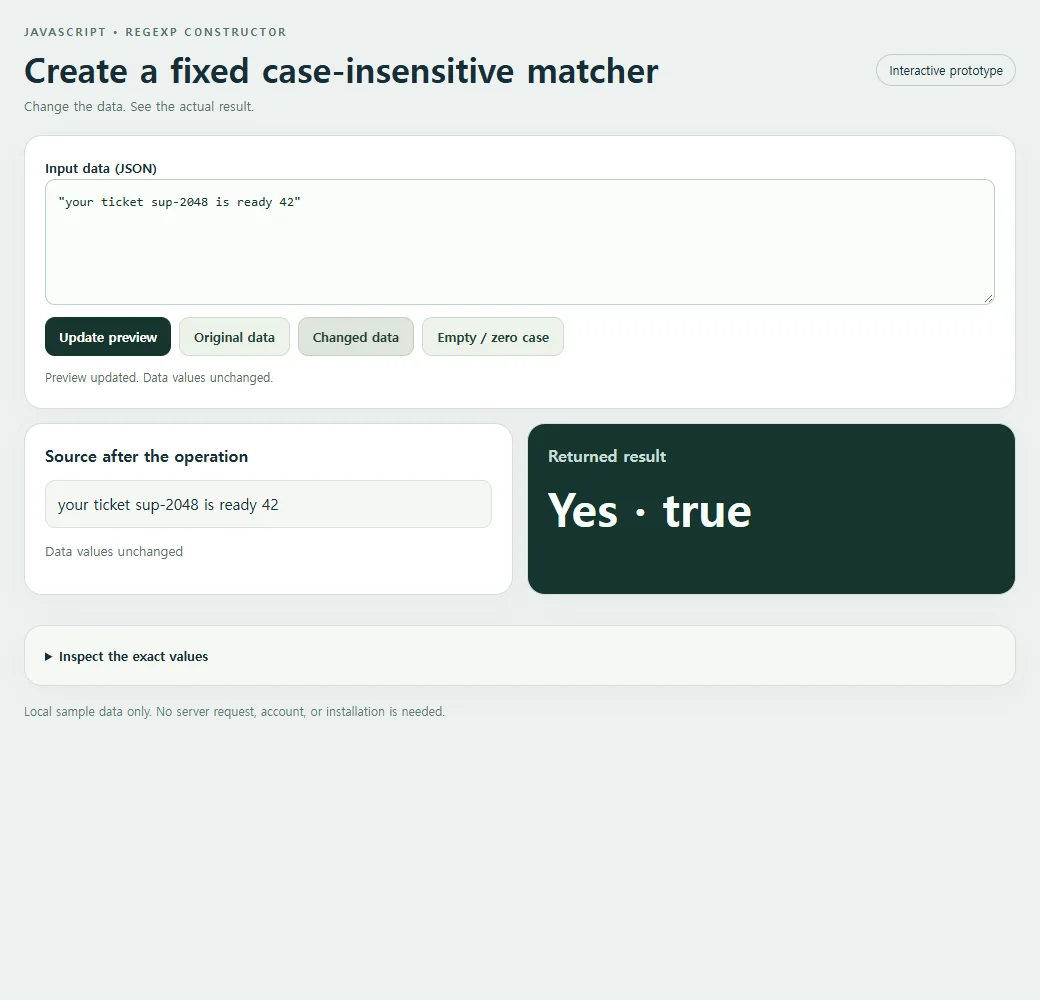
Change the ticket prefix to lowercase and then remove it. Compare the case-insensitive match with a failing message while leaving the fixed pattern unchanged.
Changed adds unrelated text at the end of the notification. The ticket still matches because the pattern searches within the message rather than validating its complete shape. Compare that behavior with the anchored ticket-field lesson before choosing a rule.
<!doctype html><html lang="en"><head><meta charset="utf-8"><meta name="nos-demo-layout" content="responsive-lab"><meta name="viewport" content="width=device-width,initial-scale=1"><title>Create a fixed case-insensitive matcher</title><style>*{box-sizing:border-box}body{margin:0;background:#edf1f0;color:#172d36;font:15px/1.5 system-ui,sans-serif}main{max-width:1040px;margin:auto;padding:24px}header{display:flex;justify-content:space-between;gap:12px;align-items:center;margin-bottom:20px}.eyebrow{font-size:11px;font-weight:800;letter-spacing:2px;color:#55716b;text-transform:uppercase}h1{font-size:clamp(23px,4vw,34px);line-height:1.15;margin:8px 0}h2{font-size:16px;margin:0 0 12px}.tag{border:1px solid #bfceca;border-radius:99px;padding:6px 12px;font-size:12px;white-space:nowrap}.panel{background:white;border:1px solid #d4dfdb;border-radius:18px;padding:20px;margin-bottom:14px;box-shadow:0 9px 30px #1d393407}.grid{display:grid;grid-template-columns:1fr 1fr;gap:14px}.result{background:#17352f;color:#f7fffb}.result h2{color:#c9ded5}.cards{display:grid;gap:10px;grid-template-columns:repeat(auto-fit,minmax(135px,1fr))}.card{background:#f2ffc2;color:#17352f;padding:15px;border-radius:12px;min-width:0;overflow-wrap:anywhere}.card small{display:block;color:#536f60;font-size:11px;font-weight:700;text-transform:uppercase;margin-bottom:4px}.field{display:block;margin:8px 0}.field small{margin:0 0 3px;text-transform:none}.value{font-size:15px;font-weight:650;white-space:pre-wrap}.hero{font-size:clamp(28px,5vw,46px);font-weight:750;line-height:1.2;overflow-wrap:anywhere}.muted{color:#587169;font-size:13px}.result .muted{color:#bed7cb}pre{margin:0;white-space:pre-wrap;overflow-wrap:anywhere;font:13px/1.6 ui-monospace,monospace;max-height:220px;overflow:auto}.toolbar{display:flex;flex-wrap:wrap;gap:8px;margin:12px 0}button{background:#17352f;color:white;border:0;border-radius:10px;padding:10px 14px;font:600 13px system-ui;cursor:pointer}button.secondary{background:#edf3ea;color:#244337;border:1px solid #d0ddd0}button:hover{filter:brightness(.94)}button:focus-visible,textarea:focus-visible,summary:focus-visible{outline:3px solid #749919;outline-offset:3px}textarea{display:block;width:100%;height:126px;border:1px solid #bccfc5;border-radius:10px;background:#fafcf9;padding:12px;font:13px/1.5 ui-monospace,monospace;resize:vertical;color:#15362c}label{font-weight:650;font-size:13px}details{margin-top:16px}summary{cursor:pointer;font-size:13px;font-weight:650}#status{min-height:20px;font-size:12px;color:#526f60;margin-top:8px}.error{color:#ffcfbf}.footer{font-size:12px;color:#627b72;margin-top:16px}.empty{font-size:18px;color:#c7dacd}.source-card{background:#f4f7f3;border:1px solid #dbe4d8;border-radius:10px;padding:12px;overflow-wrap:anywhere;white-space:pre-wrap}.source-list{display:flex;flex-wrap:wrap;gap:8px;max-height:170px;overflow:auto}.source-list .source-card{flex:1;min-width:100px}.code{background:#f5f8f2}mark{background:#f2ffc2;color:#183a2d;padding:2px 5px;border-radius:4px}@media(max-width:620px){main{padding:15px}.grid{grid-template-columns:1fr}.panel{padding:16px}header{align-items:flex-start}.tag{display:none}h1{font-size:25px}.cards{grid-template-columns:repeat(auto-fit,minmax(125px,1fr))}.source-list{max-height:120px}pre{max-height:150px}}</style></head><body><main>
<header><div><div class="eyebrow">JavaScript • RegExp constructor</div><h1>Create a fixed case-insensitive matcher</h1><div class="muted">One input, one operation, one observable result.</div></div><span class="tag">Starter example</span></header>
<section class="panel"><label for="input">Input data (JSON)</label><textarea id="input" maxlength="10000" spellcheck="false"></textarea><div class="toolbar"><button id="run" type="button">Update preview</button><button class="secondary" id="original" type="button">Original data</button><button class="secondary" id="changed" type="button">Changed data</button><button class="secondary" id="edge" type="button">Empty / zero case</button></div><div id="status" role="status" aria-live="polite"></div></section>
<div class="grid"><section class="panel code"><h2>The operation</h2><pre id="expression"></pre></section><section class="panel result"><h2>Returned result</h2><pre id="result" aria-live="polite"></pre></section></div><section class="panel"><h2>Source after the operation</h2><pre id="source"></pre></section>
<p class="footer">Local sample data only. No server request, account, or installation is needed.</p></main><script>
'use strict';
const initial = "\"your ticket sup-2048 is ready\"";
const alternate = "\"your ticket sup-2048 is ready 42\"";
const empty = "\"\"";
const input = document.getElementById('input');
const output = document.getElementById('result');
const source = document.getElementById('source');
const status = document.getElementById('status');
function transform(data) { return new RegExp('SUP-[0-9]{4}','i').test(data); }
function readable(value) {
 if (value === undefined) return 'undefined';
 if (typeof value === 'number' && Object.is(value, -0)) return '-0';
 return JSON.stringify(value, (_, v) => typeof v === 'number' && !Number.isFinite(v) ? String(v) : v, 2);
}
function renderCards(value, host) {
 host.replaceChildren();
 if (Array.isArray(value)) {
  if (!value.length) {const p=document.createElement('p');p.className='empty';p.textContent='No items returned';host.append(p);return;}
  const grid=document.createElement('div');grid.className='cards';
  value.slice(0,40).forEach((item,index)=>{const card=document.createElement('div');card.className='card';const label=document.createElement('small');label.textContent='Item '+(index+1);card.append(label);appendValue(item,card);grid.append(card);});host.append(grid);
  if(value.length>40){const p=document.createElement('p');p.textContent='Showing 40 of '+value.length+' items.';host.append(p);}
 } else if(value && typeof value==='object'){const card=document.createElement('div');card.className='card';appendValue(value,card);host.append(card);}
 else {const p=document.createElement('div');p.className='hero';p.textContent=typeof value==='boolean'?(value?'Yes · true':'No · false'):value===undefined?'No value · undefined':value===''?'Empty string':String(value);host.append(p);}
}
function appendValue(value,host){
 if(value && typeof value==='object' && !Array.isArray(value))Object.entries(value).slice(0,40).forEach(([key,item])=>{const row=document.createElement('div');row.className='field';const label=document.createElement('small');label.textContent=key;const text=document.createElement('span');text.className='value';text.textContent=typeof item==='string'?item:readable(item);row.append(label,text);host.append(row);});
 else {const text=document.createElement('div');text.className='value';text.textContent=typeof value==='string'?value:readable(value);host.append(text);}
}
function update(){
 try{
  if(input.value.length>10000)throw new Error('Keep this sample below 10,000 characters.');
  const data=JSON.parse(input.value);const before=readable(data);const result=transform(data);const after=readable(data);
  output.textContent=readable(result);source.textContent=after;
  output.classList.remove('error');status.textContent='Preview updated. '+(before===after?'Data values unchanged.':'Source data changed in place.');
 }catch(error){output.replaceChildren();output.classList.add('error');output.textContent=error.name+': '+error.message;source.replaceChildren();status.textContent='Check the JSON and the input shape. Restore Original data to start again.';}
}
document.getElementById('run').addEventListener('click',update);
[['original',initial],['changed',alternate],['edge',empty]].forEach(([id,value])=>document.getElementById(id).addEventListener('click',()=>{input.value=value;update();}));
document.getElementById('expression').textContent="new RegExp('SUP-[0-9]{4}','i').test(data)";
input.value=initial;update();
</script></body></html>
The editor expects valid JSON. If punctuation prevents a run, check the JSON parsing lesson before changing the calculation. If your copied page does not execute at all, check how JavaScript connects to HTML. The official MDN reference documents the underlying operation.
The importer should recognize a ticket inside the notification without letting the message redefine the matcher. Share the runnable HTML as a link and ask a teammate to try uppercase, lowercase, and missing references. Keep those input variations separate from changes to the fixed pattern or its configured flags.