A plain text source with a converter gives you every format from one file. The mistake is deciding the fixed document is the real output.
Why the source format matters
Plain text with light markup is readable without any tool, survives version control properly, shows meaningful differences between revisions, and will open in forty years.
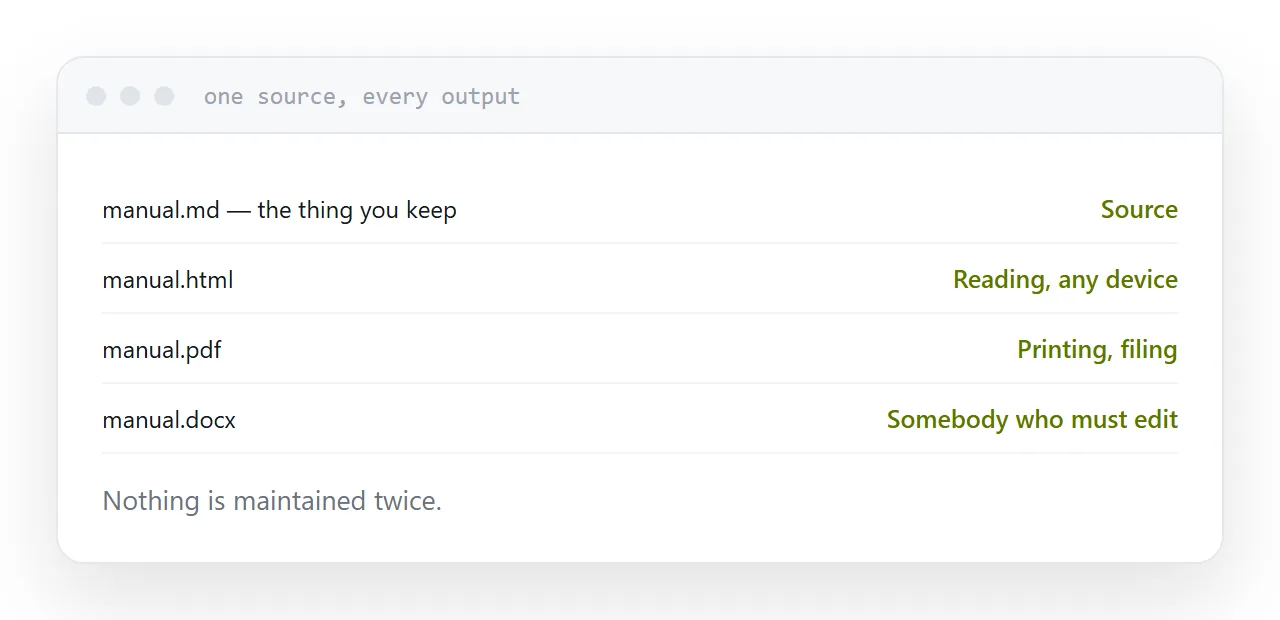
Every output, page, fixed document, slides, word processor file, is generated from it. Nothing is maintained twice, which is what goes wrong when the document itself is the master copy.
| Output | Use |
|---|---|
| Page | Reading, on any device |
| Fixed document | Printing, filing |
| Word processor file | Somebody who must edit it |
| Slides | Presenting |
| The source | The thing you keep |
The install problem
Producing a fixed-page document generally means a full typesetting engine, which is a multi-gigabyte install and a set of error messages written for people who already use it.
There is a shorter route. Convert to a page, open it, and print to a fixed document from the browser. The typography is less refined and the output is entirely acceptable for a report, a manual or a set of notes.
Install the engine when the typography is the point. For everything else, the browser is the converter you already have.
Templates
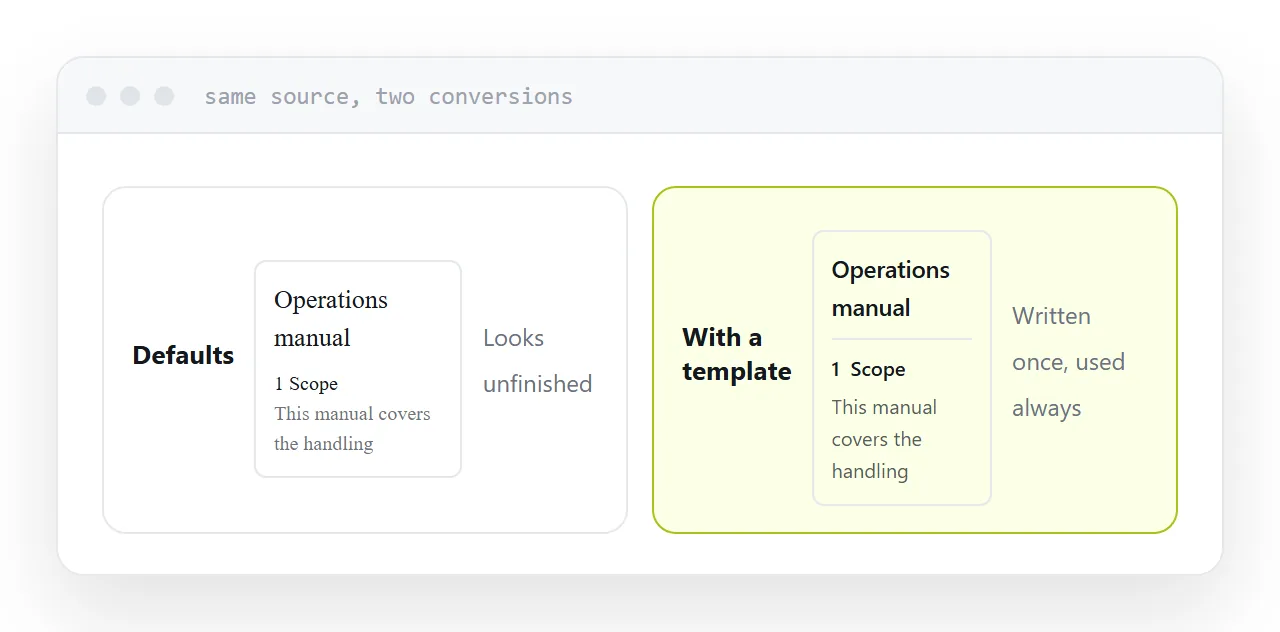
Default output looks unfinished, and people conclude the tool is crude.
It is not: the defaults are deliberately plain, and a template is what makes the output look like a document somebody produced on purpose. One template file, applied to every conversion afterwards, carries the typeface, spacing, margins and heading treatment.
Write it once. It is the difference between a converted file and a document you would send.
Images and links
Images are resolved at conversion time, relative to where the conversion runs. Running it from a different directory is the usual reason images vanish, and the message about it is easy to miss.
Links become clickable in the fixed document and disappear the moment it is printed. If the document may be printed, write the address in the text as well as linking it.
Which output people should get
Publish the page. Send its address.
It opens on a phone, reflows to the screen, can be searched, and is corrected by regenerating it. Link the fixed document from the page for anyone printing or filing.
Attaching the document and keeping the page as an afterthought is the common arrangement and it is backwards: the majority of readers are on a device where the page is better and the document is a download.
Two neighbouring cases are worth a look: What an MD file is and AI-generated HTML to a PDF that looks right.
Put it at an address
Keep the source in plain text, generate the page first, apply a template before judging the output, check images resolve at conversion time, and publish the page with the document linked from it.