Converting a word processing document to a PDF is a menu item. Everything interesting about it is what happens to the fonts.
This guide covers fonts, export versus print, and whether to convert at all.
Fonts are the whole problem
A document references fonts by name. It does not carry them.
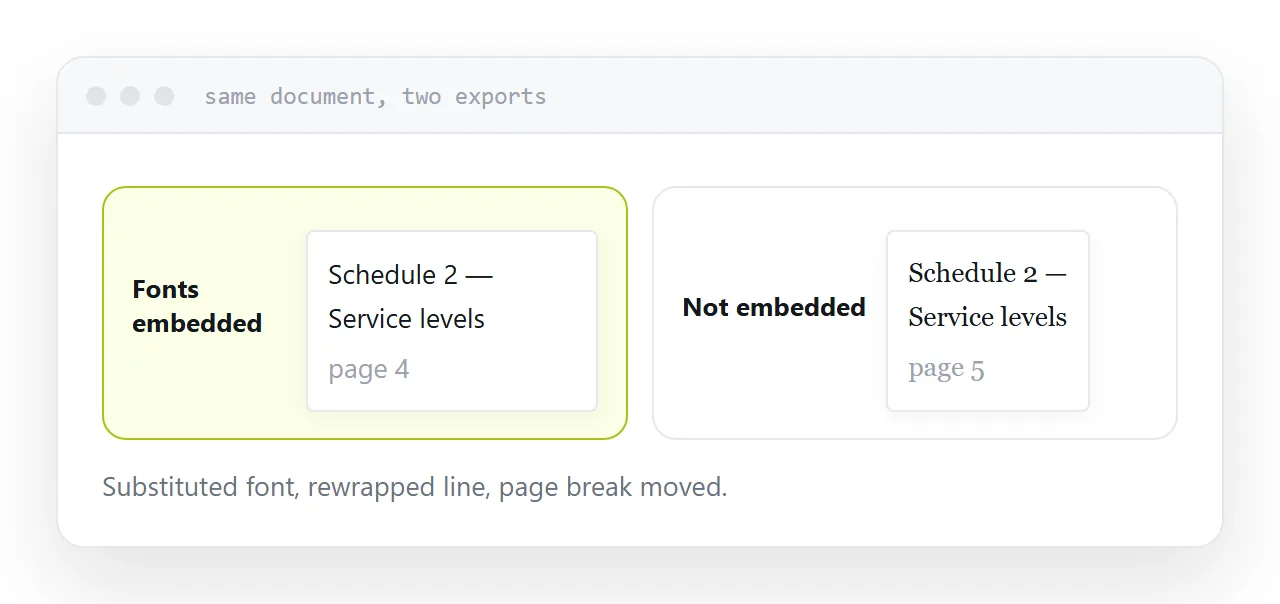
When the converting software has the font, the result matches what you see. When it does not, it substitutes something, and the substitute has different character widths.
Different widths means lines rewrap. Rewrapping means paragraphs get longer or shorter. That moves page breaks, which moves everything after them.
The document is not corrupted. It has been laid out with different materials, and the difference is visible to anyone comparing.
Convert where the document was made
The word processor on your machine has the fonts you used. It is the most faithful converter available to you and it is already open.
Online converters run on a server with a standard font set, which usually does not include whatever the document uses. So they produce exactly the substitution problem above, in addition to receiving a full copy of the document.
If the document contains anything you would not publish, that second point is the more important one.
| Word processor | Online converter | |
|---|---|---|
| Has your fonts | Yes | Usually not |
| Document leaves your machine | No | Yes |
| Links preserved | Yes, on export | Usually |
| Comments and tracked changes | Controllable | Unpredictable |
Export, do not print
Two routes look equivalent and are not.
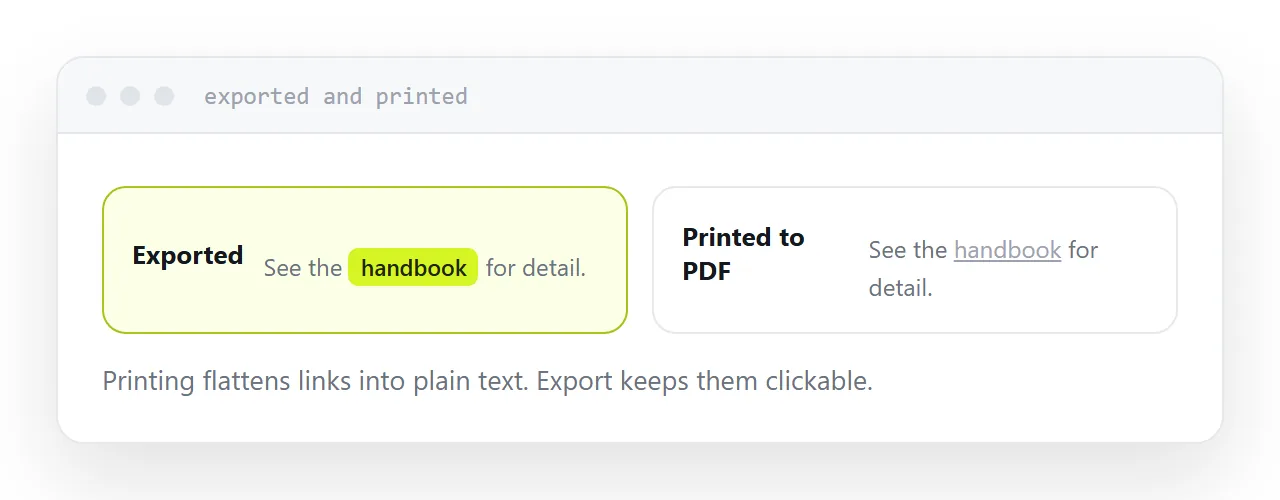
Export or save as PDF keeps links clickable, keeps the document structure, and keeps bookmarks where the software supports them.
Print to PDF flattens everything. Links become plain underlined text, which means a document full of references becomes a document full of dead ends.
Use export. It is usually in the same menu.
Embed the fonts
Most word processors offer a font embedding option when exporting.
Turning it on makes the file larger and makes it render identically everywhere, including on machines that have never heard of the typeface.
For anything going to a client, a printer or a submission system, embed them. The size difference is not worth the risk of the layout moving on somebody else's screen.
Check the licence for commercial fonts, some of which restrict embedding.
Check what else you are exporting
Documents carry more than what is visible.
Tracked changes, comments, hidden text, author metadata, and occasionally earlier versions of paragraphs. Some of that appears in the export depending on the settings.
Look at the exported file before sending it. Clients have received documents containing internal comments about them, and it is entirely avoidable.
When not to convert
If the recipient will read it on a phone, converting a fixed-layout document to a different fixed-layout document does not help.
Both require zooming. Both download rather than opening. The reading experience is the same and it is poor.
Put the content on a page for those readers and keep the PDF for anyone printing or filing it.
If this is near what you are doing, How to open a DOCX file online and How to send a Word document as a link cover the cases on either side.
Put it at an address
Convert in the software that made the document, export rather than print, embed the fonts, keep sensitive documents off online converters, and check what else is in the export.
Then the converted file looks like the document you wrote.