A file sitting in a folder on a server produces no number. The fix is to stop treating it as a file.
Why there is no count
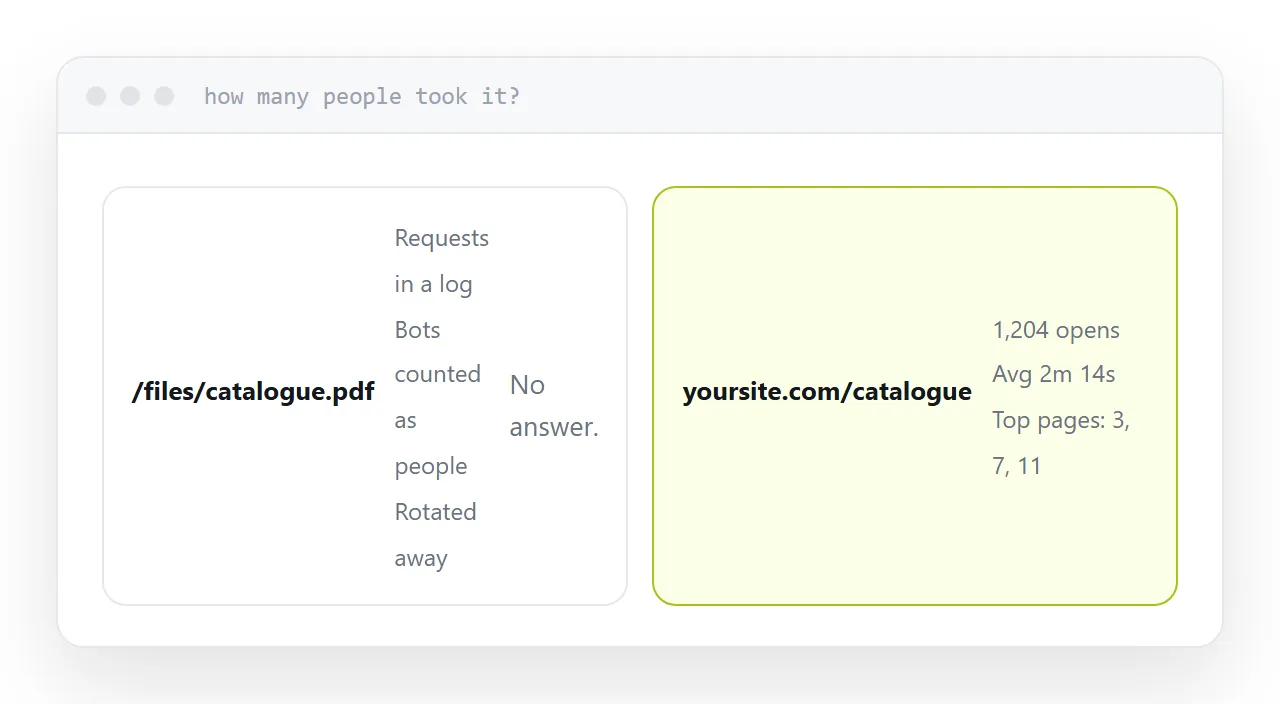
Serving a file is a request and a response. The server writes a line in a log and moves on.
Those logs contain the answer and nobody reads them, they include automated traffic that is not people, and they are usually rotated away before anyone thinks to ask.
So the practical answer is no, there is no count, and there never was.
Give it an address
Put the document at its own address rather than leaving it as a file in a folder.
Then every open is a visit, and whatever already measures your pages measures this too, with no extra setup and no separate tool.
| What you get | From a file | From an address |
|---|---|---|
| Number of opens | No | Yes |
| When | No | Yes |
| Where they came from | Rarely | Yes |
| How long they stayed | No | Yes |
| Which pages they read | No | Yes |
Opens, not downloads
A download tells you a file moved to a device.
On a phone that frequently means a file in a downloads folder that is never opened. Counting downloads flatters the number and tells you nothing about whether the catalogue was read.
An open means somebody looked at it. If the document displays in the browser rather than transferring, every count is a person who saw page one, which is a meaningfully different thing to know.
One address per channel
This is where the measurement becomes useful rather than interesting.
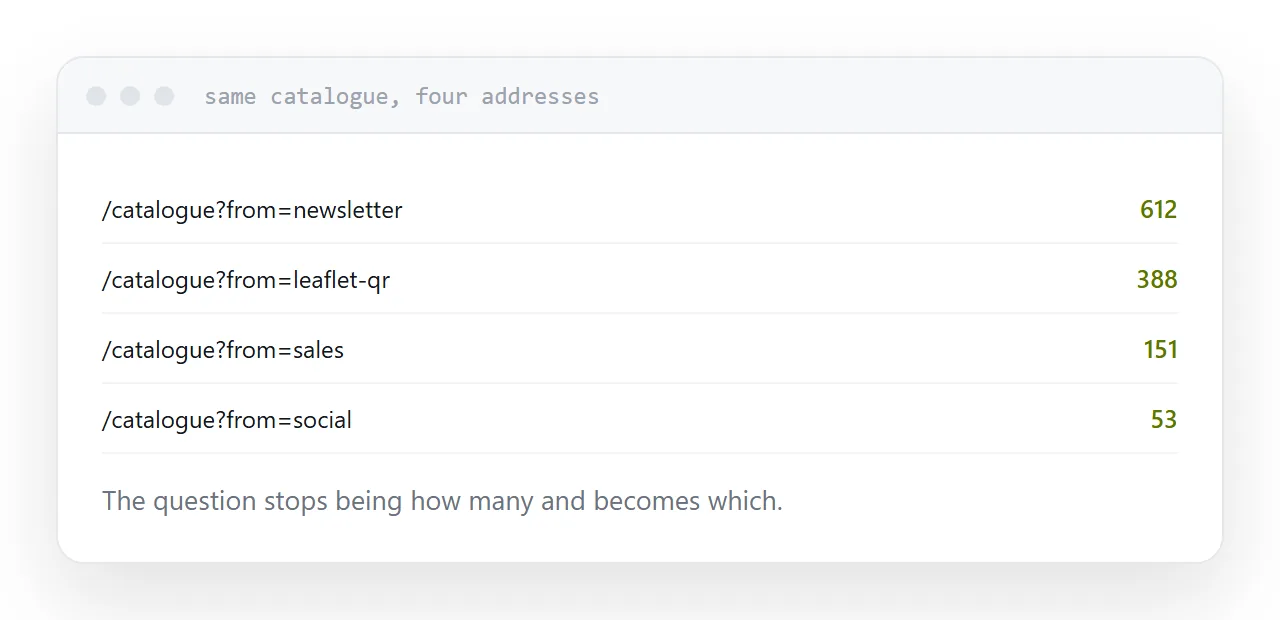
Give the newsletter, the printed leaflet code, the social post and the sales team each their own address, all pointing at the same document.
Now the question is not how many, it is which. Next quarter's spending follows from that, and no single combined number can produce it.
Asking for a name
An email field in front of the document gets you names and costs you readers. A good proportion leave rather than fill it in.
Whether that is worth it depends on what happens next. If somebody follows up on every submission, yes. If the addresses go into a list nobody uses, you paid readers for nothing.
A reasonable middle: let the catalogue open freely, and ask for details at the point somebody wants a quote.
Read past the open count
Opens alone flatter everything. Add time on the page and how far people read.
Two thousand opens averaging nine seconds is not a successful catalogue; it is a headline that worked and a document that did not. That distinction only exists once the document is a page rather than a file.
For the surrounding ground, see How document tracking works and How PDF analytics work.
Put it at an address
Give the document its own address, count opens rather than downloads, use a separate address per channel, ask for names only when somebody acts on them, and read the time on the page alongside the count.